2008 CHEVROLET HHR warning
[x] Cancel search: warningPage 112 of 430
If you forget to release your parking brake, a chime will
sound and a warning message will be displayed
when the parking brake is applied and the vehicle is
moving faster than 5 mph (8 kph). SeeDIC Warnings
and Messages on page 3-48.
Notice:Driving with the parking brake on can
overheat the brake system and cause premature
wear or damage to brake system parts. Make sure
that the parking brake is fully released and the brake
warning light is off before driving.
Shifting Into PARK (P) (Automatic
Transmission)
{CAUTION:
It can be dangerous to get out of your vehicle
if the shift lever is not fully in PARK (P) with
the parking brake rmly set. Your vehicle can
roll. If you have left the engine running, the
vehicle can move suddenly.
CAUTION: (Continued)
CAUTION: (Continued)
You or others could be injured. To be sure
your vehicle will not move, even when you are
on fairly level ground, use the steps that
follow. If you are pulling a trailer, seeTowing a
Trailer (Manual Transaxle) on page 4-34or
Towing a Trailer (Automatic Transaxle) on
page 4-34.
To shift into PARK (P), do the following:
1. Hold the brake pedal down with your right foot and
set the parking brake. SeeParking Brake on
page 2-33for more information.
2. Move the shift lever into PARK (P) by holding in the
button on the shift lever and pushing the lever all
the way toward the front of the vehicle.
3. Turn the ignition key to LOCK/OFF.
4. Remove the key and take it with you. If you can
leave your vehicle with the key in your hand, your
vehicle is in PARK (P).
2-34
Page 133 of 430
Instrument Panel Overview...............................3-4
Hazard Warning Flashers................................3-6
Other Warning Devices...................................3-6
Horn.............................................................3-6
Tilt Wheel.....................................................3-6
Turn Signal/Multifunction Lever.........................3-7
Turn and Lane-Change Signals........................3-8
Headlamp High/Low-Beam Changer..................3-8
Flash-to-Pass.................................................3-8
Windshield Wipers..........................................3-9
Windshield Washer.......................................3-10
Rear Window Wiper/Washer...........................3-11
Cruise Control..............................................3-12
Headlamps..................................................3-15
Wiper Activated Headlamps............................3-16
Headlamps on Reminder................................3-16
Daytime Running Lamps (DRL).......................3-16
Automatic Headlamp System..........................3-17
Fog Lamps..................................................3-18
Instrument Panel Brightness...........................3-18
Dome Lamp.................................................3-19
Entry/Exit Lighting.........................................3-19
Mirror Reading Lamps...................................3-19
Rear Reading Lamps....................................3-19
Electric Power Management...........................3-20
Battery Run-Down Protection..........................3-20Accessory Power Outlet(s).............................3-20
Ashtray(s) and Cigarette Lighter......................3-22
Climate Controls............................................3-23
Climate Control System.................................3-23
Outlet Adjustment.........................................3-26
Passenger Compartment Air Filter...................3-26
Warning Lights, Gages, and Indicators............3-28
Instrument Panel Cluster...............................
.3-29
Speedometer and Odometer...........................3-30
Tachometer.................................................3-30
Safety Belt Reminders...................................3-30
Airbag Readiness Light..................................3-31
Passenger Airbag Status Indicator...................3-32
Charging System Light..................................3-34
Up-Shift Light...............................................3-35
Brake System Warning Light..........................3-35
Antilock Brake System Warning Light...............3-36
Enhanced Traction System Warning Light.........3-37
Electronic Stability Control (ESC)/Traction
Control System (TCS) Indicator/Warning
Light........................................................3-37
Engine Coolant Temperature Warning Light......3-38
Engine Coolant Temperature Gage..................3-39
Tire Pressure Light.......................................3-39
Malfunction Indicator Lamp.............................3-40
Section 3 Instrument Panel
3-1
Page 134 of 430
Oil Pressure Light.........................................3-43
Security Light...............................................3-44
Fog Lamp Light............................................3-44
Highbeam On Light.......................................3-44
Fuel Gage...................................................3-44
Boost Gage.................................................3-45
Driver Information Center (DIC).......................3-46
DIC Operation and Displays...........................3-46
DIC Warnings and Messages.........................3-48
DIC Vehicle Personalization............................3-54Audio System(s).............................................3-59
Setting the Clock..........................................3-60
Radio(s)......................................................3-62
Using an MP3..............................................3-72
XM Radio Messages.....................................3-77
Theft-Deterrent Feature..................................3-78
Audio Steering Wheel Controls.......................3-79
Radio Reception...........................................3-79
Fixed Mast Antenna......................................3-80
XM™ Satellite Radio Antenna System.............3-80
Section 3 Instrument Panel
3-2
Page 137 of 430
The main components of your instrument panel are the following:
A. Air Outlets. SeeOutlet Adjustment on page 3-26.
B. Cruise Control Buttons (If Equipped). SeeCruise
Control on page 3-12.
C. Turn Signal/Multifunction Lever. SeeTurn
Signal/Multifunction Lever on page 3-7.
D. Instrument Panel Cluster. SeeInstrument Panel
Cluster on page 3-29.
E. Windshield Wiper/Washer Controls. SeeWindshield
Wipers on page 3-9andWindshield Washer on
page 3-10.
F. Storage Bin. SeeInstrument Panel Storage on
page 2-47.
G. Traction Control System (TCS) Button (If Equipped).
SeeTraction Control System (TCS) on page 4-6.
Electronic Stability Control (ESC). SeeElectronic
Stability Control (ESC) on page 4-10.
H. Passenger Air Bag Status Indicator. SeePassenger
Airbag Status Indicator on page 3-32.
I. Rear Side Cargo Door Buttons (If Equipped). See
Rear Side Cargo Door on page 2-12.
J. Hood Release. SeeHood Release on page 5-11.
K. Driver Information Center (DIC) Steering Wheel
Controls. SeeDriver Information Center (DIC) on
page 3-46.
L. Horn. SeeHorn on page 3-6.M. Audio Steering Wheel Controls (If Equipped). See
Audio Steering Wheel Controls on page 3-79.
N. Instrument Panel Brightness Control. SeeInstrument
Panel Brightness on page 3-18.
O. Audio System. SeeAudio System(s) on page 3-59.
P. Climate Controls. SeeClimate Control System
on page 3-23.
Q. Rear Window Wiper/Washer ControlsRear Window
Wiper/Washer on page 3-11.
R. Power Window Switches (If Equipped, Passenger
and Panel only). SeePower Windows on page 2-16.
S. Shift Lever (Manual Shown). SeeManual
Transmission Operation on page 2-31andAutomatic
Transmission Operation on page 2-28.
T. Accessory Power Outlet (If Equipped). Cigarette
Lighter (If Equipped). SeeAccessory Power Outlet(s)
on page 3-20andAshtray(s) and Cigarette Lighter
on page 3-22.
U. Fog Lamps Button (If Equipped). SeeFog Lamps on
page 3-18.
V. Hazard Warning Flashers Button. SeeHazard
Warning Flashers on page 3-6.
W. Glove Box. SeeGlove Box on page 2-47.
3-5
Page 138 of 430
Hazard Warning Flashers
The hazard warning ashers let you warn the police and
others that you have a problem. The front and rear
turn signal lamps will ash on and off.
The hazard warning
asher button is located
towards the center of
the instrument panel.
Press the button to make the front and rear turn signal
lamps ash on and off. Press the button again to
turn the ashers off.
While the hazard warning ashers are on, the turn
signals do not work.
The hazard warning ashers work no matter what
position the key is in, and even if the key is not in the
ignition switch.
Other Warning Devices
If you carry reective triangles, you can set them up at
the side of the road about 300 feet (100 m) behind
your vehicle.
Horn
To sound the horn, press the horn symbols located on
the steering wheel.
Tilt Wheel
A tilt wheel allows you to adjust the steering wheel
before you drive. You can raise it to the highest level to
give your legs more room when you exit and enter
the vehicle.
The lever that allows you to tilt the steering wheel is
located on the left side of the steering column.
3-6
Page 148 of 430
Wiper Activated Headlamps
This feature activates the headlamps and parking lamps
after the windshield wipers are turned on. For this
feature to work, automatic lighting must be enabled. See
Headlamps on page 3-15for additional information.
When the ignition is turned off, the wiper-activated
headlamps will immediately turn off. They will also turn
off 15 seconds after the windshield wiper control is
turned off.
Headlamps on Reminder
If the driver’s door is opened with the ignition off and
the lamps on, a warning chime will sound. This lets you
know that the headlamps are still on.
Daytime Running Lamps (DRL)
Daytime Running Lamps (DRL) can make it easier for
others to see the front of your vehicle during the
day. DRL can be helpful in many different driving
conditions, but they can be especially helpful in the short
periods after dawn and before sunset. Fully functional
daytime running lamps are required on all vehicles
rst sold in Canada.Your vehicle has a light sensor on top of the instrument
panel. Make sure it is not covered or the headlamps
will come on when you do not need them.
The DRL system will make the headlamps come on at
reduced brightness when the following conditions
are met:
The ignition is on.
The exterior lamp control is turned to AUTO.
The light sensor detects daytime light.
The shift lever is not in PARK (P).
While the DRL system is on, the taillamps, sidemarker
lamps, and instrument panel lights will not be
illuminated.
The DRL system will be off any time your vehicle is in
PARK (P). The DRL system on U.S. vehicles can
also be turned off by using the off/on switch for one
ignition cycle.
As with any vehicle, you should turn on the regular
headlamp system when you need it.
3-16
Page 160 of 430
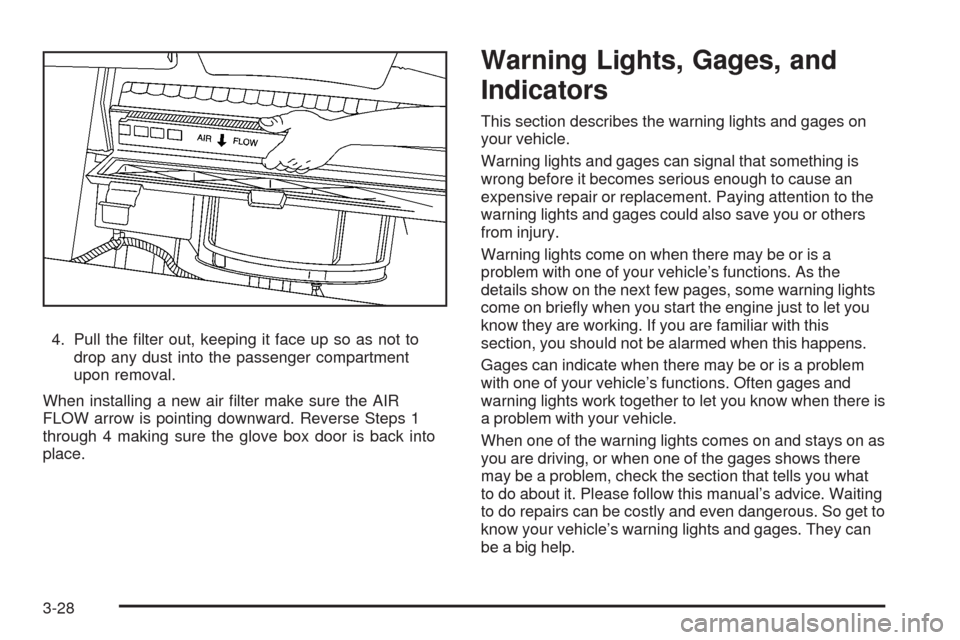
4. Pull the lter out, keeping it face up so as not to
drop any dust into the passenger compartment
upon removal.
When installing a new air lter make sure the AIR
FLOW arrow is pointing downward. Reverse Steps 1
through 4 making sure the glove box door is back into
place.
Warning Lights, Gages, and
Indicators
This section describes the warning lights and gages on
your vehicle.
Warning lights and gages can signal that something is
wrong before it becomes serious enough to cause an
expensive repair or replacement. Paying attention to the
warning lights and gages could also save you or others
from injury.
Warning lights come on when there may be or is a
problem with one of your vehicle’s functions. As the
details show on the next few pages, some warning lights
come on briey when you start the engine just to let you
know they are working. If you are familiar with this
section, you should not be alarmed when this happens.
Gages can indicate when there may be or is a problem
with one of your vehicle’s functions. Often gages and
warning lights work together to let you know when there is
a problem with your vehicle.
When one of the warning lights comes on and stays on as
you are driving, or when one of the gages shows there
may be a problem, check the section that tells you what
to do about it. Please follow this manual’s advice. Waiting
to do repairs can be costly and even dangerous. So get to
know your vehicle’s warning lights and gages. They can
be a big help.
3-28
Page 162 of 430
Speedometer and Odometer
Your speedometer lets you see your speed in both miles
per hour (mph) and kilometers per hour (km/h).
Your vehicle’s odometer works together with the driver
information center. You can set a Trip A and Trip B
odometer. See “Trip Information” underDIC Operation
and Displays on page 3-46.
The odometer mileage can be checked without the
vehicle running. Simply open the driver’s door and the
mileage will be displayed briey.
If your vehicle ever needs a new odometer installed, the
new one will be set to the correct mileage total of the old
odometer.
Tachometer
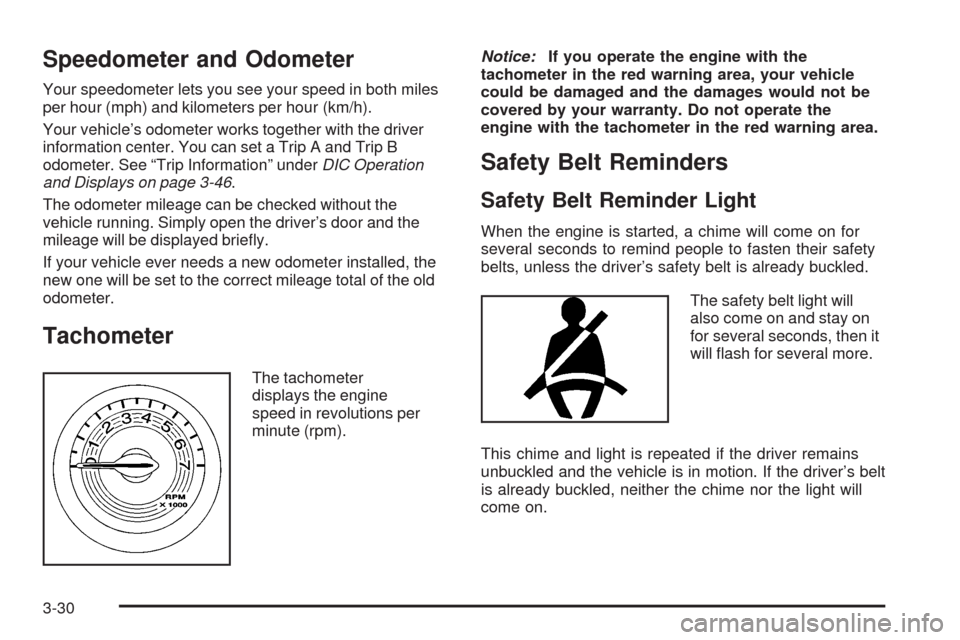
The tachometer
displays the engine
speed in revolutions per
minute (rpm).Notice:If you operate the engine with the
tachometer in the red warning area, your vehicle
could be damaged and the damages would not be
covered by your warranty. Do not operate the
engine with the tachometer in the red warning area.
Safety Belt Reminders
Safety Belt Reminder Light
When the engine is started, a chime will come on for
several seconds to remind people to fasten their safety
belts, unless the driver’s safety belt is already buckled.
The safety belt light will
also come on and stay on
for several seconds, then it
will ash for several more.
This chime and light is repeated if the driver remains
unbuckled and the vehicle is in motion. If the driver’s belt
is already buckled, neither the chime nor the light will
come on.
3-30