2008 CHEVROLET EQUINOX fog light
[x] Cancel search: fog lightPage 86 of 436
Remote Vehicle Start
Your vehicle may have the remote start feature. This
feature allows you to start the engine from outside
the vehicle. See “REMOTE START” underDIC Vehicle
Personalization on page 3-58for instructions on how
to enable and disable this feature.
During a remote start, the climate control system will
turn on at the fan, temperature, and mode settings the
vehicle was set to when the vehicle was last turned
off. The rear window defogger will also turn on.
If your vehicle has heated seats, they may turn on
during colder outside temperatures and will shut
off when the key is turned to ON/RUN. You may not
notice an increase in seat surface temperature until the
seat is occupied for a short period of time.
Laws in some local communities may restrict the use of
remote starters. For example, some laws may require
a person using remote start to have the vehicle in view
when doing so. Check local regulations for any
requirements on remote starting of vehicles.
/(Remote Vehicle Start):This button will be on the
RKE transmitter if you have remote start.
Your RKE transmitter, with the remote start button,
provides an increased range of operation. However,
the range may be less while the vehicle is running.
As a result, you may need to be closer to your
vehicle to turn it off, than you were to turn it on.If your vehicle is low on fuel, do not use the remote
start feature. The vehicle may run out of fuel.
To start the engine using the remote start feature:
1. Aim the RKE transmitter, that has a remote vehicle
start button, at the vehicle.
2. Press and release the transmitter’s lock button,
then immediately press and hold the remote
vehicle start button. Hold the remote start button
until the vehicle’s turn signal lamps ash, or
for at least four seconds if the vehicle’s lights are
not visible. The vehicle’s doors will be locked.
Pressing the remote start button again after the
vehicle has started will turn off the ignition.
When the vehicle’s engine starts, the parking
lamps will turn on and remain on while the engine
is running.
3. To extend the engine run time by 10 minutes,
repeat Steps 1 and 2 while the engine is still
running. The engine run time can only be extended
if it is the rst remote start since the vehicle has
been driven. Remote start can be extended
one time.
If the remote start procedure is used again before
the rst 10 minute time frame has ended, the
rst 10 minutes will immediately expire and the
second 10 minute time frame will start.
2-8
Page 129 of 436
Instrument Panel Overview...............................3-4
Hazard Warning Flashers................................3-6
Other Warning Devices...................................3-6
Horn.............................................................3-6
Tilt Wheel.....................................................3-6
Turn Signal/Multifunction Lever.........................3-7
Turn and Lane-Change Signals........................3-8
Headlamp High/Low-Beam Changer..................3-8
Flash-to-Pass.................................................3-8
Windshield Wipers..........................................3-9
Windshield Washer.......................................3-10
Rear Window Wiper/Washer...........................3-10
Cruise Control..............................................3-10
Headlamps..................................................3-13
Headlamps on Reminder................................3-13
Daytime Running Lamps (DRL).......................3-14
Automatic Headlamp System..........................3-14
Fog Lamps..................................................3-15
Instrument Panel Brightness...........................3-15
Dome Lamp.................................................3-16
Entry Lighting...............................................3-16
Map Lamps.................................................3-16
Cargo Lamp.................................................3-16
Electric Power Management...........................3-17
Battery Run-Down Protection..........................3-17
Accessory Power Outlet(s).............................3-18Ashtray(s) and Cigarette Lighter......................3-18
Climate Controls............................................3-19
Climate Control System.................................3-19
Outlet Adjustment.........................................3-22
Passenger Compartment Air Filter...................3-22
Warning Lights, Gages, and Indicators............3-24
Instrument Panel Cluster................................3-25
Speedometer and Odometer...........................3-26
Trip Odometer..............................................3-26
Tachometer.................................................3-26
Safety Belt Reminders...................................3-27
Airbag Readiness Light..................................3-27
Passenger Airbag Status Indicator...................3-28
Charging System Light..................................3-30
Brake System Warning Light..........................3-31
Antilock Brake System Warning Light...............3-32
Traction Control System (TCS) Warning Light . . .3-32
Engine Coolant Temperature Warning Light......3-33
Engine Coolant Temperature Gage..................3-33
Tire Pressure Light.......................................3-34
Malfunction Indicator Lamp.............................3-34
Oil Pressure Light.........................................3-37
Change Engine Oil Light................................3-38
Security Light...............................................3-38
Fog Lamp Light............................................3-38
Cruise Control Light......................................3-38
Section 3 Instrument Panel
3-1
Page 143 of 436
Fog Lamps
If your vehicle has this feature, use the fog lamps for
better visibility in foggy or misty conditions.
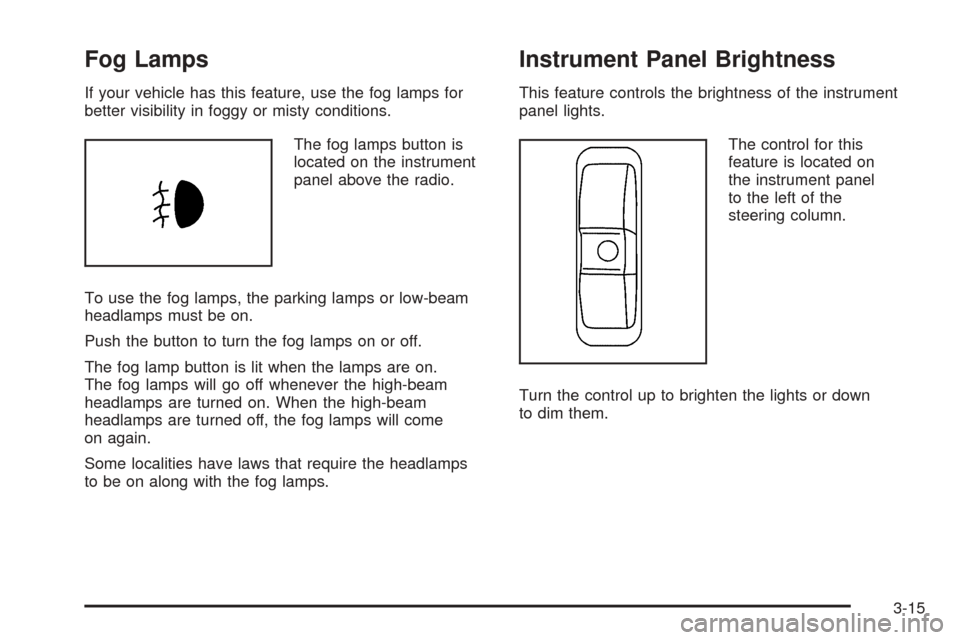
The fog lamps button is
located on the instrument
panel above the radio.
To use the fog lamps, the parking lamps or low-beam
headlamps must be on.
Push the button to turn the fog lamps on or off.
The fog lamp button is lit when the lamps are on.
The fog lamps will go off whenever the high-beam
headlamps are turned on. When the high-beam
headlamps are turned off, the fog lamps will come
on again.
Some localities have laws that require the headlamps
to be on along with the fog lamps.
Instrument Panel Brightness
This feature controls the brightness of the instrument
panel lights.
The control for this
feature is located on
the instrument panel
to the left of the
steering column.
Turn the control up to brighten the lights or down
to dim them.
3-15
Page 145 of 436
Electric Power Management
The vehicle has Electric Power Management (EPM)
that estimates the battery’s temperature and state
of charge. It then adjusts the voltage for best
performance and extended life of the battery.
When the battery’s state of charge is low, the voltage is
raised slightly to quickly put the charge back in. When the
state of charge is high, the voltage is lowered slightly to
prevent overcharging. If the vehicle has a voltmeter gage
or a voltage display on the Driver Information Center
(DIC), you may see the voltage move up or down. This is
normal. If there is a problem, an alert will be displayed.
The battery can be discharged at idle if the electrical
loads are very high. This is true for all vehicles. This is
because the generator (alternator) may not be spinning
fast enough at idle to produce all the power that is
needed for very high electrical loads.
A high electrical load occurs when several of the following
loads are on: headlamps, high beams, fog lamps, rear
window defogger, climate control fan at high speed,
heated seats, engine cooling fans, trailer loads, and
loads plugged into accessory power outlets.
EPM works to prevent excessive discharge of the battery.
It does this by balancing the generator’s output and the
vehicle’s electrical needs. It can increase engine idlespeed to generate more power, whenever needed.
It can temporarily reduce the power demands of some
accessories.
Normally, these actions occur in steps or levels, without
being noticeable. In rare cases at the highest levels of
corrective action, this action may be noticeable to the
driver. If so, a Driver Information Center (DIC) message
might be displayed, such as Battery Saver Active or
Service Battery Charging System. If this message is
displayed, it is recommended that the driver reduce the
electrical loads as much as possible. SeeDIC Warnings
and Messages on page 3-49.
Battery Run-Down Protection
Your vehicle has a battery saver feature designed to
protect the vehicle’s battery.
When any interior lamp is left on and the ignition is
turned off, the battery rundown protection system will
automatically turn the lamp off after 20 minutes. This
will avoid draining the battery. This vehicle also has a
retained accessory power feature. If the radio is on,
it will turn off after 10 minutes or if any door on the
vehicle is opened. SeeRetained Accessory Power (RAP)
on page 2-21.
3-17
Page 147 of 436
Climate Controls
Climate Control System
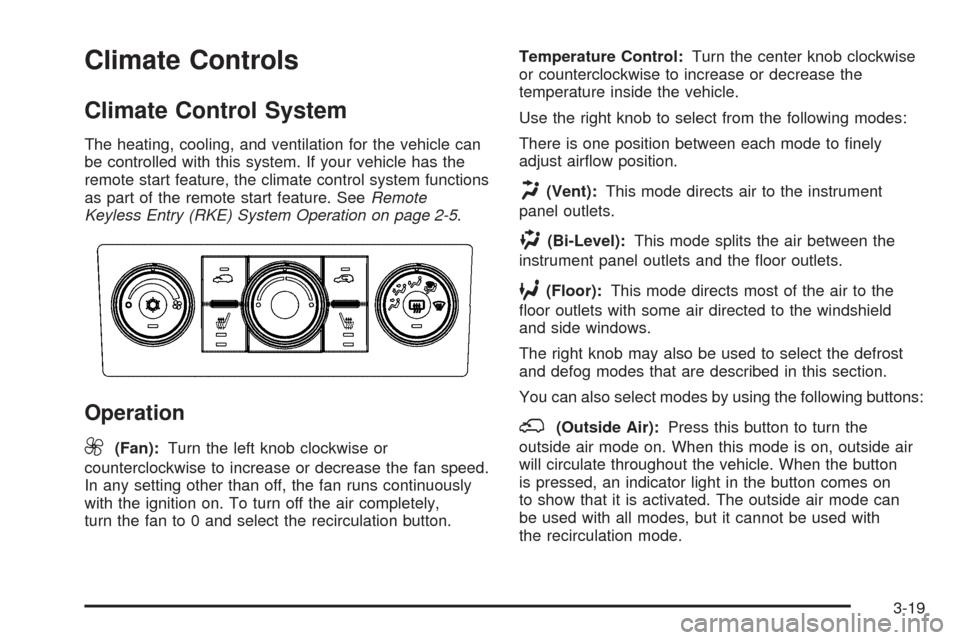
The heating, cooling, and ventilation for the vehicle can
be controlled with this system. If your vehicle has the
remote start feature, the climate control system functions
as part of the remote start feature. SeeRemote
Keyless Entry (RKE) System Operation on page 2-5.
Operation
9
(Fan):Turn the left knob clockwise or
counterclockwise to increase or decrease the fan speed.
In any setting other than off, the fan runs continuously
with the ignition on. To turn off the air completely,
turn the fan to 0 and select the recirculation button.Temperature Control:Turn the center knob clockwise
or counterclockwise to increase or decrease the
temperature inside the vehicle.
Use the right knob to select from the following modes:
There is one position between each mode to nely
adjust airow position.
H(Vent):This mode directs air to the instrument
panel outlets.
)(Bi-Level):This mode splits the air between the
instrument panel outlets and the oor outlets.
6(Floor):This mode directs most of the air to the
oor outlets with some air directed to the windshield
and side windows.
The right knob may also be used to select the defrost
and defog modes that are described in this section.
You can also select modes by using the following buttons:
;(Outside Air):Press this button to turn the
outside air mode on. When this mode is on, outside air
will circulate throughout the vehicle. When the button
is pressed, an indicator light in the button comes on
to show that it is activated. The outside air mode can
be used with all modes, but it cannot be used with
the recirculation mode.
3-19
Page 148 of 436
@(Recirculation):Press this button to recirculate
cabin air through the vehicle. It can be used to prevent
outside air and odors from entering the vehicle or to
help heat or cool the air inside the vehicle more quickly.
An indicator light will come on in this mode. Operation
in this mode during periods of high humidity and
cool outside temperatures may result in increased
window fogging. If window fogging is experienced,
select the defrost mode.
The recirculation mode cannot be used with oor,
defrost, or defogging modes. If you try to select
recirculation in one of those modes, the indicator
light ashes several times and turns off.
#(Air Conditioning):Press this button to turn the
air conditioning system on or off. When this button
is pressed, an indicator light on the button comes
on to show that the air conditioning is activated.
The air conditioning can be selected in any mode
as long as the fan switch is on.
The air conditioning compressor does not operate
when outside temperatures fall below 38°F (3°C).
The indicator light ashes several times and turns off
when outside conditions affect air conditioning operation.
This is normal.On hot days, open the windows to let hot inside air
escape; then close them. This helps to reduce the time
it takes for the vehicle to cool down. It also helps the
system to operate more efficiently.
For quick cool down on hot days, select the following
settings together:
1. Vent mode.
2. Outside air.
3. Air conditioning.
4. The coolest temperature.
5. The highest fan speed.
6. Once the vehicle’s interior temperature is below the
outside temperature, select recirculation mode for
enhanced cooling.
Using these settings together for long periods of time
may cause the air inside of the vehicle to become
too dry. To prevent this from happening, after the air
inside of the vehicle has cooled, turn the recirculation
mode off.
The air conditioning system removes moisture from the
air, so a small amount of water might drip underneath
the vehicle while idling or after turning off the engine.
This is normal.
((Heated Seats):If your vehicle has heated seats,
seeHeated Seats on page 1-4.
3-20
Page 149 of 436
Defogging and Defrosting
Fog or frost on the inside of windows is a result of high
humidity (moisture) condensing on the cool window
glass. This can be minimized if the climate control
system is used properly.
Use the defog mode to clear the windows of fog or
moisture and warm the passengers. Use the defrost
mode to remove fog or frost from the windshield more
quickly. When either of these modes are selected, the
system runs the air conditioning compressor and cancels
the recirculation mode to dry the air. For best results,
clear all snow and ice from the windshield before
defrosting.
Turn the right knob to select the defog or defrost mode.
-(Defog):This mode directs half of the air to the
windshield and the side window outlets, and half to
the oor outlets.
0(Defrost):This mode directs most of the air to
the windshield and the side window outlets, with some
air directed to the oor outlets.
Rear Window Defogger
The rear window defogger uses a warming grid to
remove fog from the rear window.
The rear window defogger only works when the ignition
is in ON/RUN.
<(Rear):Press this button to turn the rear window
defogger on or off. An indicator light on the button
comes on to show that the rear window defogger is
activated.
The rear window defroster stays on for about 10
minutes if the vehicle remains at slower vehicle speeds
or until the button is pressed, or unless the ignition
is turned to ACC/ACCESSORY or LOCK/OFF. If turned
on again, the defogger only runs for about ve
minutes before turning off again. At higher vehicle
speeds, the defogger may stay on continuously. The
defogger can always be turned off by pressing the
button again or by turning off the ignition.
3-21
Page 166 of 436
Change Engine Oil Light
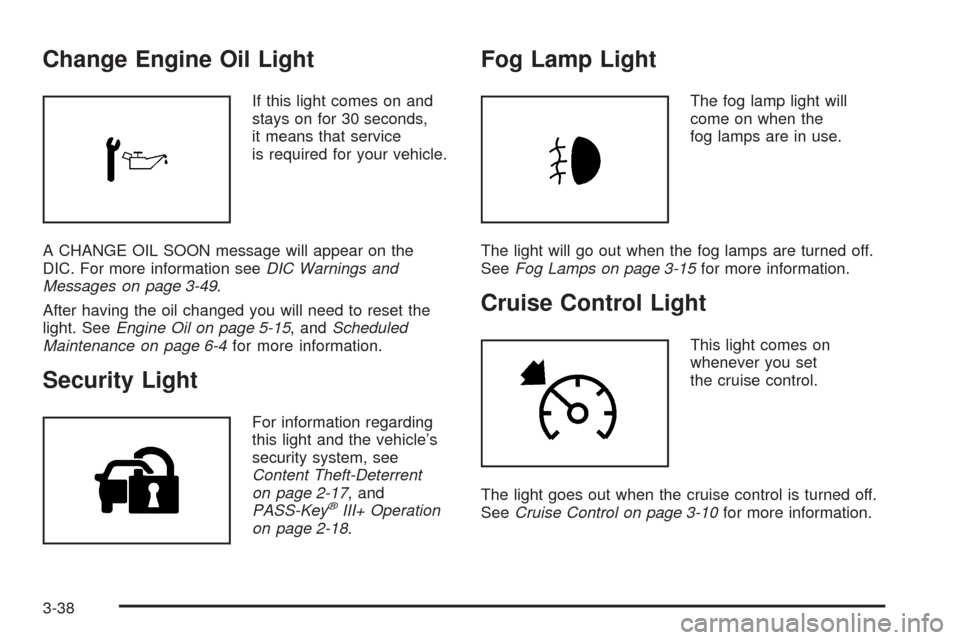
If this light comes on and
stays on for 30 seconds,
it means that service
is required for your vehicle.
A CHANGE OIL SOON message will appear on the
DIC. For more information seeDIC Warnings and
Messages on page 3-49.
After having the oil changed you will need to reset the
light. SeeEngine Oil on page 5-15, andScheduled
Maintenance on page 6-4for more information.
Security Light
For information regarding
this light and the vehicle’s
security system, see
Content Theft-Deterrent
on page 2-17, and
PASS-Key
®III+ Operation
on page 2-18.
Fog Lamp Light
The fog lamp light will
come on when the
fog lamps are in use.
The light will go out when the fog lamps are turned off.
SeeFog Lamps on page 3-15for more information.
Cruise Control Light
This light comes on
whenever you set
the cruise control.
The light goes out when the cruise control is turned off.
SeeCruise Control on page 3-10for more information.
3-38