Page 96 of 436
PASS-Key®III+
The PASS-Key®III+ system operates on a radio
frequency subject to Federal Communications
Commission (FCC) Rules and with Industry Canada.
This device complies with Part 15 of the FCC Rules.
Operation is subject to the following two conditions:
1. This device may not cause harmful interference.
2. This device must accept any interference received,
including interference that may cause undesired
operation.
This device complies with RSS-210 of Industry Canada.
Operation is subject to the following two conditions:
1. This device may not cause interference.
2. This device must accept any interference received,
including interference that may cause undesired
operation of the device.
Changes or modications to this system by other than
an authorized service facility could void authorization to
use this equipment.
PASS-Key
®III+ uses a radio frequency transponder
in the key that matches a decoder in your vehicle.
PASS-Key®III+ Operation
Your vehicle has PASS-Key®III+ (Personalized
Automotive Security System) theft-deterrent system.
PASS-Key
®III+ is a passive theft-deterrent system.
The system is automatically armed when the key
is removed from the ignition.
The system is automatically disarmed when the key is
turned to ON/RUN, ACC/ACCESSORY or START
from the LOCK/OFF position.
You do not have to manually arm or disarm the system.
The security light will come on if there is a problem
with arming or disarming the theft-deterrent system.
When the PASS-Key
®III+ system senses that someone
is using the wrong key, it prevents the vehicle from
starting. Anyone using a trial-and-error method to start
the vehicle will be discouraged because of the high
number of electrical key codes.
If the engine does not start and the security light on the
instrument panel comes on when trying to start the
vehicle, there may be a problem with your theft-deterrent
system. Turn the ignition off and try again.
2-18
Page 97 of 436
If the engine still does not start, and the key appears
to be undamaged, try another ignition key. At this time,
you may also want to check the fuse, seeFuses
and Circuit Breakers on page 5-100. If the engine still
does not start with the other key, your vehicle needs
service. If your vehicle does start, the rst key may
be faulty. See your dealer/retailer who can service
the PASS-Key
®III+ to have a new key made. In
an emergency, contact Roadside Assistance.
It is possible for the PASS-Key
®III+ decoder to “learn”
the transponder value of a new or replacement key.
Up to nine additional keys may be programmed for the
vehicle. The following procedure is for programming
additional keys only. If all the currently programmed
keys are lost or do not operate, you must see your
dealer/retailer or a locksmith who can service
PASS-Key
®III+ to have keys made and programmed
to the system.
See your dealer/retailer or a locksmith who can service
PASS-Key
®III+ to get a new key blank that is cut
exactly as the ignition key that operates the system.To program the new additional key:
1. Verify that the new key has a
1stamped on it.
2. Insert the original, already programmed, key in the
ignition and start the engine. If the engine will not
start, see your dealer/retailer for service.
3. After the engine has started, turn the key to
LOCK/OFF, and remove the key.
4. Insert the new key to be programmed and turn it
to the ON/RUN position within ve seconds of
removing the original key.
The security light will turn off once the key has
been programmed.
5. Repeat Steps 1 through 4 if additional keys are to
be programmed.
If you lose or damage your PASS-Key
®III+ key, see
your dealer/retailer or a locksmith who can service
PASS-Key
®III+ to have a new key made.
Do not leave the key or device that disarms or
deactivates the theft deterrent system in the vehicle.
2-19
Page 117 of 436
OnStar®System
OnStar uses several innovative technologies and live
advisors to provide you with a wide range of safety,
security, information, and convenience services. If your
airbags deploy, the system is designed to make an
automatic call to OnStar Emergency advisors who can
request emergency services be sent to your location.
If you lock your keys in the vehicle, call OnStar at
1-888-4-ONSTAR and they can send a signal to unlock
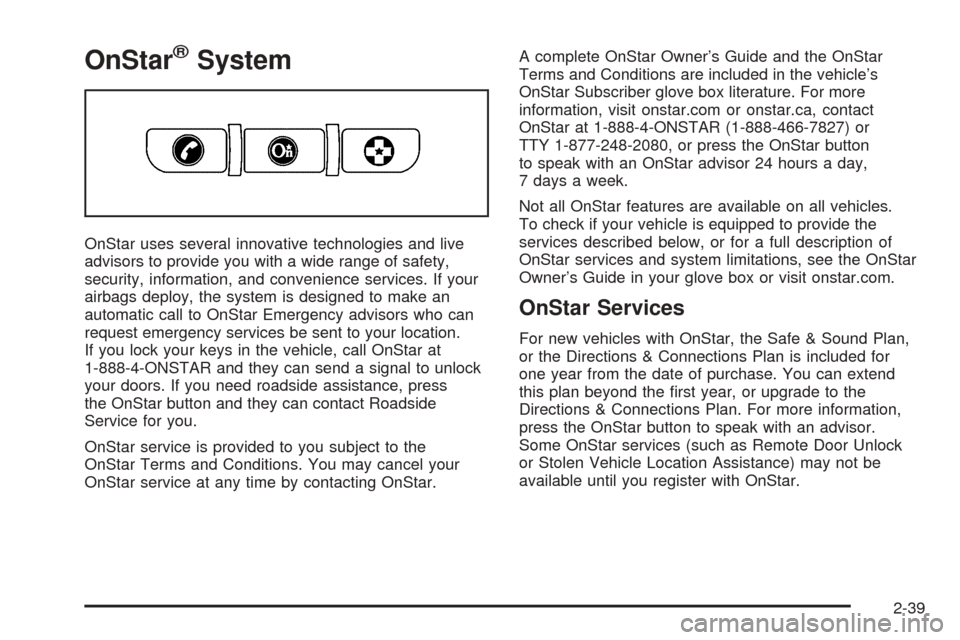
your doors. If you need roadside assistance, press
the OnStar button and they can contact Roadside
Service for you.
OnStar service is provided to you subject to the
OnStar Terms and Conditions. You may cancel your
OnStar service at any time by contacting OnStar.A complete OnStar Owner’s Guide and the OnStar
Terms and Conditions are included in the vehicle’s
OnStar Subscriber glove box literature. For more
information, visit onstar.com or onstar.ca, contact
OnStar at 1-888-4-ONSTAR (1-888-466-7827) or
TTY 1-877-248-2080, or press the OnStar button
to speak with an OnStar advisor 24 hours a day,
7 days a week.
Not all OnStar features are available on all vehicles.
To check if your vehicle is equipped to provide the
services described below, or for a full description of
OnStar services and system limitations, see the OnStar
Owner’s Guide in your glove box or visit onstar.com.
OnStar Services
For new vehicles with OnStar, the Safe & Sound Plan,
or the Directions & Connections Plan is included for
one year from the date of purchase. You can extend
this plan beyond the rst year, or upgrade to the
Directions & Connections Plan. For more information,
press the OnStar button to speak with an advisor.
Some OnStar services (such as Remote Door Unlock
or Stolen Vehicle Location Assistance) may not be
available until you register with OnStar.
2-39
Page 122 of 436
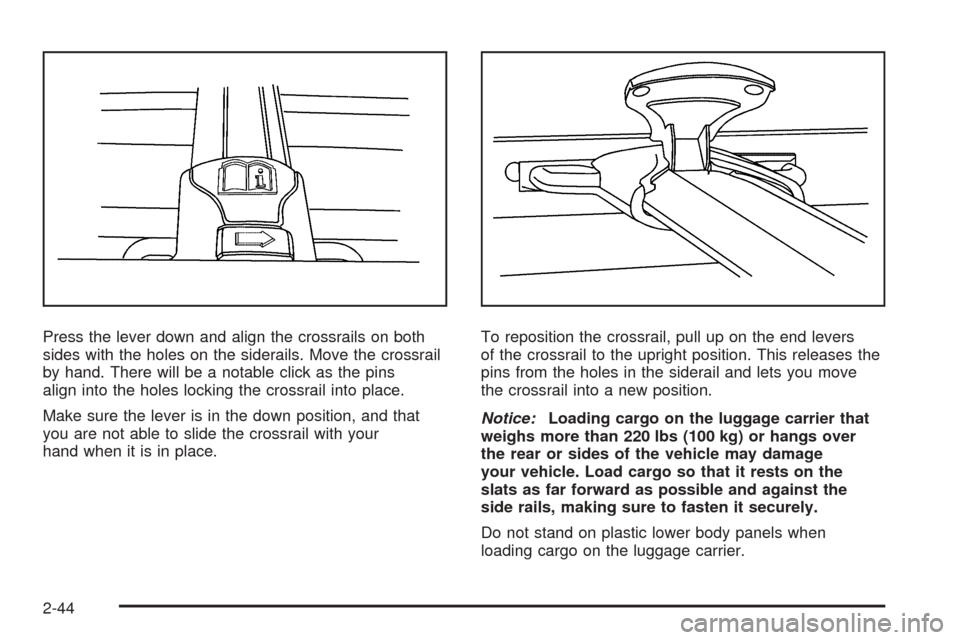
Press the lever down and align the crossrails on both
sides with the holes on the siderails. Move the crossrail
by hand. There will be a notable click as the pins
align into the holes locking the crossrail into place.
Make sure the lever is in the down position, and that
you are not able to slide the crossrail with your
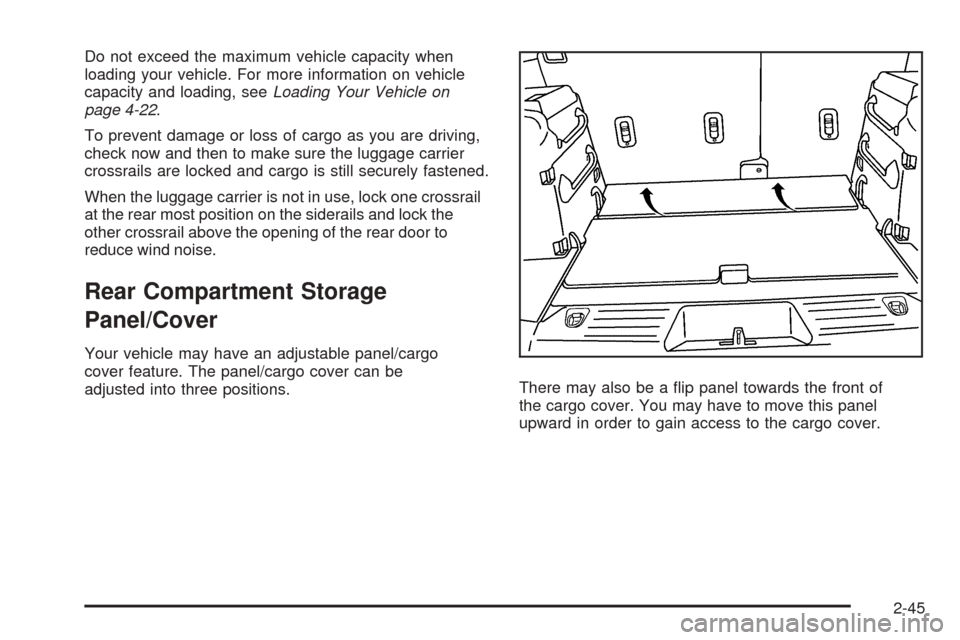
hand when it is in place.To reposition the crossrail, pull up on the end levers
of the crossrail to the upright position. This releases the
pins from the holes in the siderail and lets you move
the crossrail into a new position.
Notice:Loading cargo on the luggage carrier that
weighs more than 220 lbs (100 kg) or hangs over
the rear or sides of the vehicle may damage
your vehicle. Load cargo so that it rests on the
slats as far forward as possible and against the
side rails, making sure to fasten it securely.
Do not stand on plastic lower body panels when
loading cargo on the luggage carrier.
2-44
Page 123 of 436
Do not exceed the maximum vehicle capacity when
loading your vehicle. For more information on vehicle
capacity and loading, seeLoading Your Vehicle on
page 4-22.
To prevent damage or loss of cargo as you are driving,
check now and then to make sure the luggage carrier
crossrails are locked and cargo is still securely fastened.
When the luggage carrier is not in use, lock one crossrail
at the rear most position on the siderails and lock the
other crossrail above the opening of the rear door to
reduce wind noise.
Rear Compartment Storage
Panel/Cover
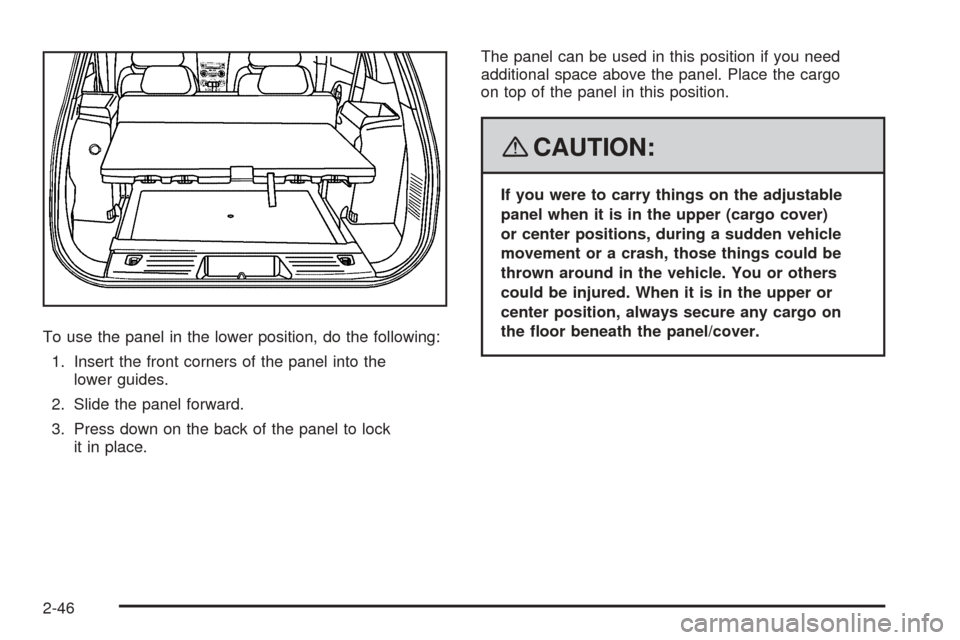
Your vehicle may have an adjustable panel/cargo
cover feature. The panel/cargo cover can be
adjusted into three positions.There may also be a ip panel towards the front of
the cargo cover. You may have to move this panel
upward in order to gain access to the cargo cover.
2-45
Page 124 of 436
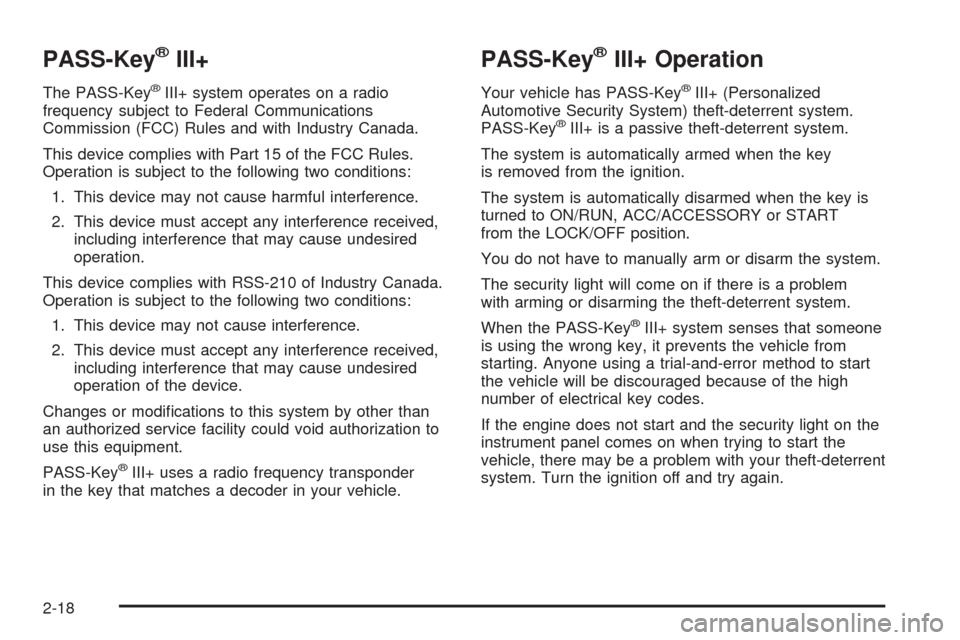
To use the panel in the lower position, do the following:
1. Insert the front corners of the panel into the
lower guides.
2. Slide the panel forward.
3. Press down on the back of the panel to lock
it in place.The panel can be used in this position if you need
additional space above the panel. Place the cargo
on top of the panel in this position.
{CAUTION:
If you were to carry things on the adjustable
panel when it is in the upper (cargo cover)
or center positions, during a sudden vehicle
movement or a crash, those things could be
thrown around in the vehicle. You or others
could be injured. When it is in the upper or
center position, always secure any cargo on
the oor beneath the panel/cover.
2-46
Page 126 of 436
Table
Your vehicle may have an adjustable panel/cargo
cover that also functions as a table. The maximum
load for the table is 100 lbs. distributed (45 kg).To set up the table, do the following:
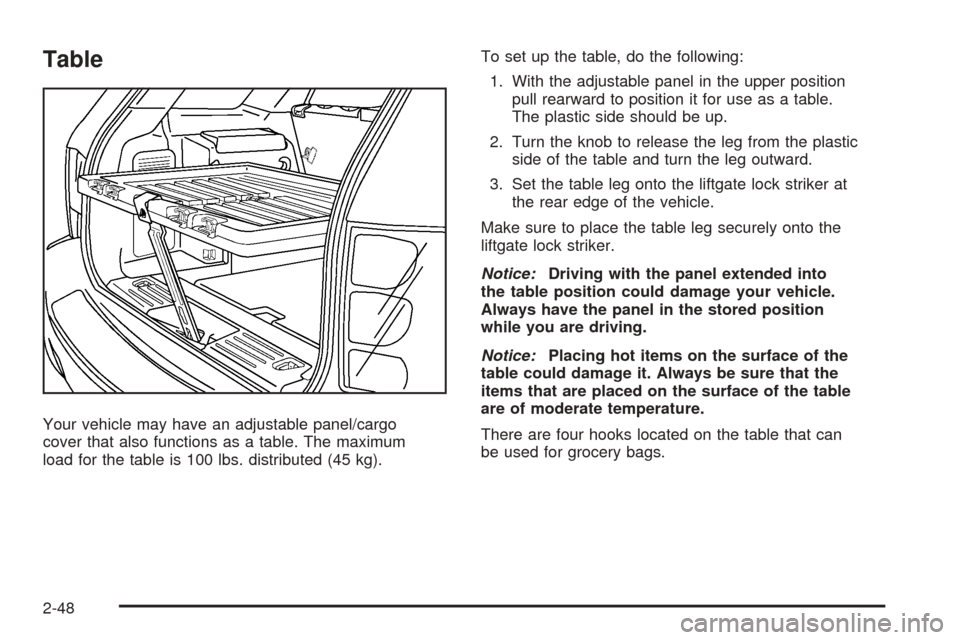
1. With the adjustable panel in the upper position
pull rearward to position it for use as a table.
The plastic side should be up.
2. Turn the knob to release the leg from the plastic
side of the table and turn the leg outward.
3. Set the table leg onto the liftgate lock striker at
the rear edge of the vehicle.
Make sure to place the table leg securely onto the
liftgate lock striker.
Notice:Driving with the panel extended into
the table position could damage your vehicle.
Always have the panel in the stored position
while you are driving.
Notice:Placing hot items on the surface of the
table could damage it. Always be sure that the
items that are placed on the surface of the table
are of moderate temperature.
There are four hooks located on the table that can
be used for grocery bags.
2-48
Page 127 of 436
Convenience Net
Your vehicle may have a convenience net in the
rear of the vehicle. Store small loads as far forward
as possible. The net should not be used to store
heavy loads.
Cargo Tie Downs
Cargo tie-downs located in the rear of the vehicle
are used to secure small loads.
Sunroof
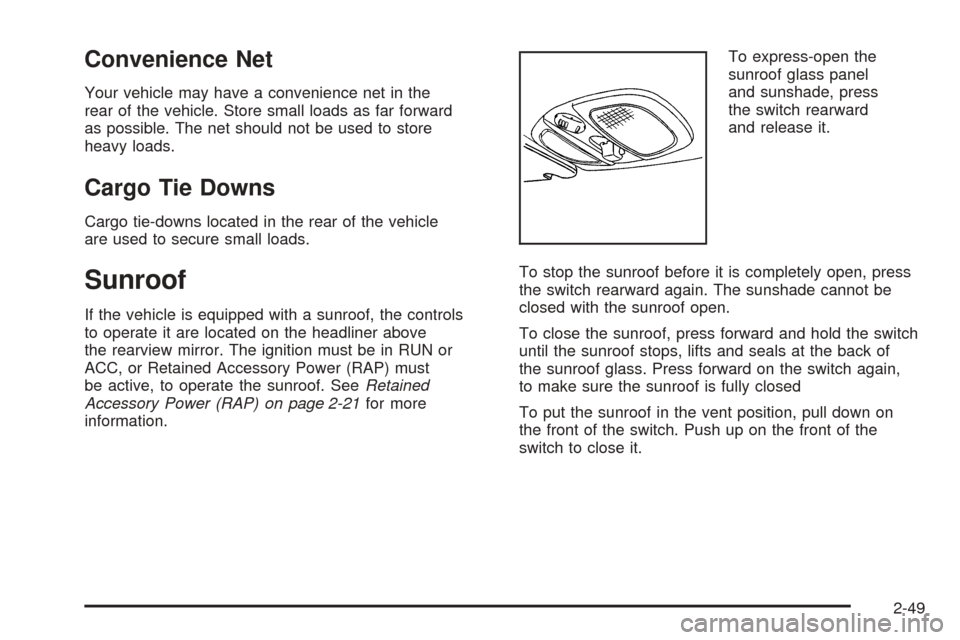
If the vehicle is equipped with a sunroof, the controls
to operate it are located on the headliner above
the rearview mirror. The ignition must be in RUN or
ACC, or Retained Accessory Power (RAP) must
be active, to operate the sunroof. SeeRetained
Accessory Power (RAP) on page 2-21for more
information.To express-open the
sunroof glass panel
and sunshade, press
the switch rearward
and release it.
To stop the sunroof before it is completely open, press
the switch rearward again. The sunshade cannot be
closed with the sunroof open.
To close the sunroof, press forward and hold the switch
until the sunroof stops, lifts and seals at the back of
the sunroof glass. Press forward on the switch again,
to make sure the sunroof is fully closed
To put the sunroof in the vent position, pull down on
the front of the switch. Push up on the front of the
switch to close it.
2-49