Playing a DVD
DVD/CD AUX (Auxiliary):Press to cycle through
DVD, CD, or Auxiliary when listening to the radio. The
DVD/CD text label and a message showing track or
chapter number displays when a disc is in either
slot. Press again and the system automatically searches
for an auxiliary input device, such as a portable audio
player. If a portable audio player is not connected,
“No Aux Input Device” displays. If a disc is in both the
DVD slot and the CD slot the DVD/CD AUX button
cycles between the two sources and does not indicate
“No Aux Input Device”. If a front auxiliary device is
connected, the DVD/CD AUX button cycles through all
available options, such as: DVD slot, CD slot, Front
AUX, and Rear AUX (if available). See “Using the
Auxiliary Input Jack(s)” later in this section, orRear
Seat Entertainment (RSE) System on page 3-99,
“Audio/Video (A/V) Jacks” for more information.
O(Power):Press to turn the radio on or off. Turn
clockwise or counterclockwise to increase or decrease
the volume. Press and hold for more than two seconds
turns off the entire radio and Rear Seat Entertainment
(RSE) system and starts the parental control feature
which prevents the rear seat occupant from operating
the Rear Seat Audio (RSA) system or remote control.A lock symbol appears next to the clock display. The
parental control feature remains on until a subsequent
press and hold of the power button is performed
(more than two seconds), or until the driver turns
the ignition off and exits the vehicle.
f(Tune):Turn to change tracks on a CD or DVD,
to manually tune a radio station, or to change clock
or date settings, while in the clock or date setting
mode. See the information given earlier in this section
specic to the radio, CD, and the DVD. Also, seeSetting
the Time on page 3-65, for setting the clock and date.
©SEEK (Previous Track/Chapter):Press to return
to the start of the current track or chapter. Press again
to go to the previous track or chapter. This button
might not work when the DVD is playing the copyright
information or the previews.
SEEK
¨(Next Track/Chapter):Press this button
to go to the next track or chapter. This button might not
work when the DVD is playing the copyright information
or the previews.
sREV (Fast Reverse):Press to fast reverse the
CD or DVD, ve times the normal speed. The radio
displays the elapsed time while in fast reverse.
To stop fast reversing, press again. This button
might not work when the DVD is playing the copyright
information or the previews.
3-82
{CAUTION:
Adding only plain water to the cooling system
can be dangerous. Plain water, or some other
liquid such as alcohol, can boil before the
proper coolant mixture will. The vehicle’s
coolant warning system is set for the proper
coolant mixture. With plain water or the wrong
mixture, the engine could get too hot but you
would not get the overheat warning. The
engine could catch re and you or others
could be burned. Use a 50/50 mixture of clean,
drinkable water and DEX-COOL
®coolant.
Notice:In cold weather, water can freeze and crack
the engine, radiator, heater core and other parts.
Use the recommended coolant and the proper
coolant mixture.
{CAUTION:
You can be burned if you spill coolant on hot
engine parts. Coolant contains ethylene glycol
and it will burn if the engine parts are hot
enough. Do not spill coolant on a hot engine.
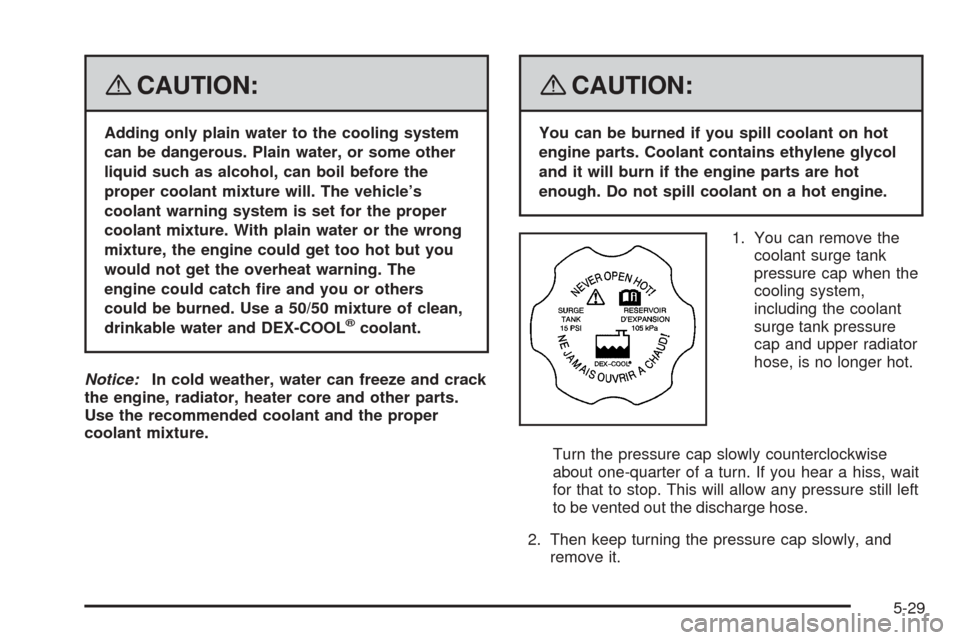
1. You can remove the
coolant surge tank
pressure cap when the
cooling system,
including the coolant
surge tank pressure
cap and upper radiator
hose, is no longer hot.
Turn the pressure cap slowly counterclockwise
about one-quarter of a turn. If you hear a hiss, wait
for that to stop. This will allow any pressure still left
to be vented out the discharge hose.
2. Then keep turning the pressure cap slowly, and
remove it.
5-29