2008 CHEVROLET AVEO lock
[x] Cancel search: lockPage 69 of 384
In many crashes severe enough to inflate the airbag,
windshields are broken by vehicle deformation.
Additional windshield breakage may also occur from
the right front passenger airbag.
•Airbags are designed to inflate only once. After an
airbag inflates, you will need some new parts for
the airbag system. If you do not get them, the airbag
system will not be there to help protect you in
another crash. A new system will include airbag
modules and possibly other parts. The service
manual for your vehicle covers the need to replace
other parts.
•Your vehicle has a crash sensing and diagnostic
module which records information after a crash.
SeeVehicle Data Recording and Privacy on
page 7-18andEvent Data Recorders on page 7-19.
•Let only qualified technicians work on the airbag
system. Improper service can mean that the
airbag system will not work properly. See your
dealer/retailer for service.
Passenger Sensing System
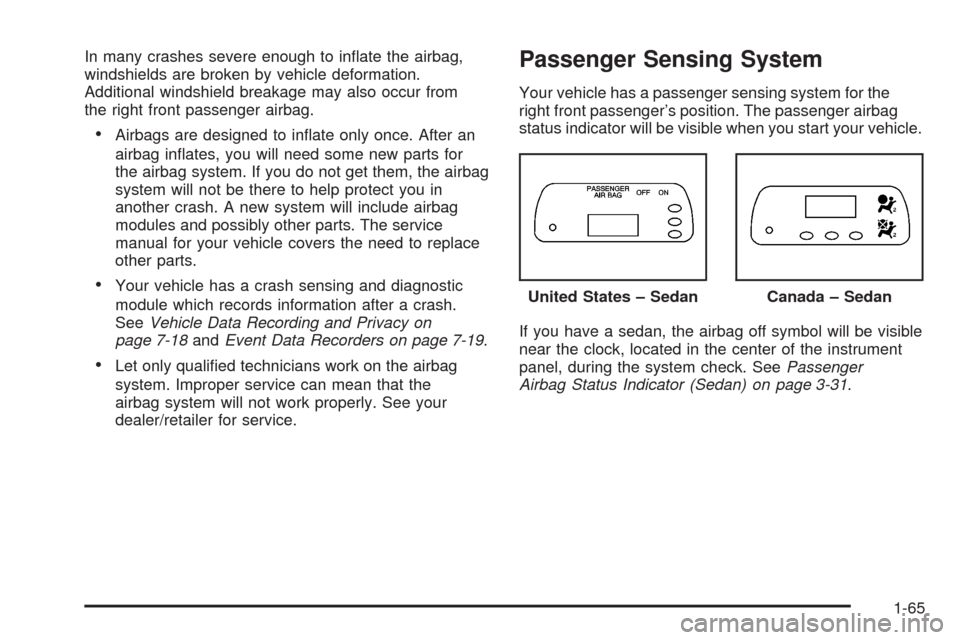
Your vehicle has a passenger sensing system for the
right front passenger’s position. The passenger airbag
status indicator will be visible when you start your vehicle.
If you have a sedan, the airbag off symbol will be visible
near the clock, located in the center of the instrument
panel, during the system check. SeePassenger
Airbag Status Indicator (Sedan) on page 3-31. United States – Sedan
Canada – Sedan
1-65
Page 79 of 384
Keys...............................................................2-2
Remote Keyless Entry (RKE) System................2-3
Remote Keyless Entry (RKE) System
Operation...................................................2-4
Doors and Locks.............................................2-6
Door Locks....................................................2-6
Central Door Unlocking System........................2-7
Door Ajar Reminder........................................2-7
Rear Door Security Locks................................2-8
Lockout Protection..........................................2-8
Trunk............................................................2-9
Liftgate (Hatchback)......................................2-11
Windows........................................................2-12
Manual Windows..........................................2-12
Power Windows............................................2-13
Sun Visors...................................................2-14
Theft-Deterrent Systems..................................2-14
Theft-Deterrent System..................................2-14
Immobilizer..................................................2-16
Immobilizer Operation....................................2-16
Starting and Operating Your Vehicle................2-17
New Vehicle Break-In....................................2-17
Ignition Positions..........................................2-18
Starting the Engine.......................................2-19Engine Coolant Heater..................................2-20
Automatic Transmission Operation...................2-21
Manual Transmission Operation......................2-25
Parking Brake..............................................2-26
Shifting Into PARK (P)
(Automatic Transmission)............................2-27
Shifting Out of PARK (P)...............................2-28
Parking Your Vehicle
(Manual Transmission)...............................2-29
Parking Over Things That Burn.......................2-30
Engine Exhaust............................................2-30
Running the Engine While Parked..................
.2-31
Mirrors...........................................................2-32
Manual Rearview Mirror.................................2-32
Outside Manual Mirrors..................................2-32
Outside Power Mirror....................................2-33
Outside Convex Mirror...................................2-34
Outside Heated Mirrors..................................2-34
Storage Areas................................................2-34
Glove Box...................................................2-34
Cupholder(s)................................................2-35
Sunglasses Storage Compartment...................2-35
Sunroof.........................................................2-36
Section 2 Features and Controls
2-1
Page 80 of 384
Keys
{CAUTION:
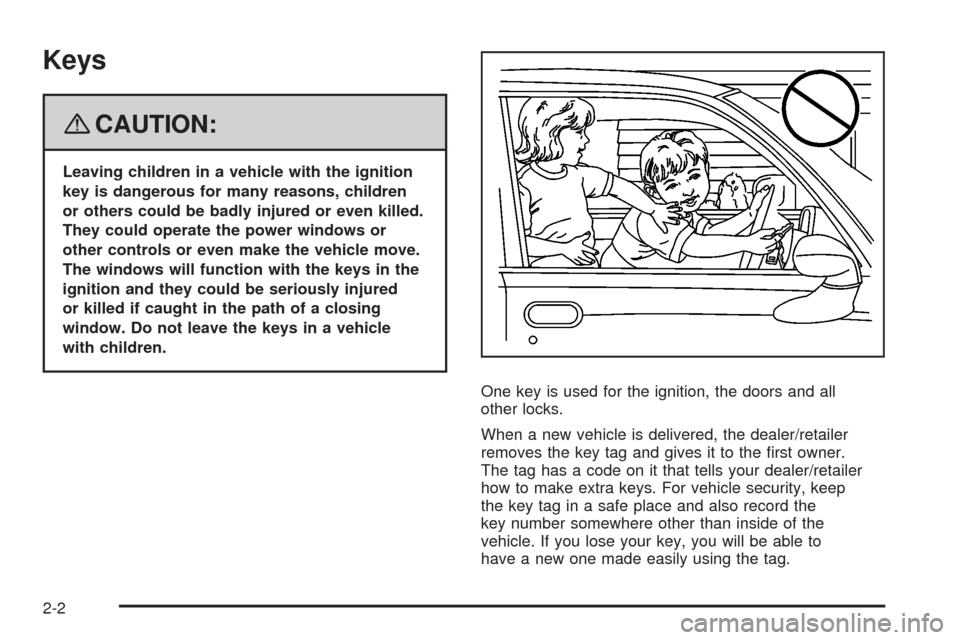
Leaving children in a vehicle with the ignition
key is dangerous for many reasons, children
or others could be badly injured or even killed.
They could operate the power windows or
other controls or even make the vehicle move.
The windows will function with the keys in the
ignition and they could be seriously injured
or killed if caught in the path of a closing
window. Do not leave the keys in a vehicle
with children.
One key is used for the ignition, the doors and all
other locks.
When a new vehicle is delivered, the dealer/retailer
removes the key tag and gives it to the first owner.
The tag has a code on it that tells your dealer/retailer
how to make extra keys. For vehicle security, keep
the key tag in a safe place and also record the
key number somewhere other than inside of the
vehicle. If you lose your key, you will be able to
have a new one made easily using the tag.
2-2
Page 81 of 384

Your vehicle may have an electronic immobilizer
designed to protect your car against theft. If so, only
keys with the correct electronic code can be used
to start the vehicle. SeeImmobilizer Operation on
page 2-16for additional information. Even if a key
has the same profile, it will not start the engine if the
electronic code is incorrect. If you need a new key,
contact your dealer/retailer who can obtain the correct
key code. Also seeRoadside Assistance Program
on page 7-8.
Notice:If you ever lock your keys in your vehicle,
you may have to damage the vehicle to get in.
Be sure you have spare keys.
Remote Keyless Entry (RKE)
System
If the vehicle has the Remote Keyless Entry (RKE)
system, it operates on a radio frequency subject
to Federal Communications Commission (FCC)
Rules and with Industry Canada.
This device complies with Part 15 of the FCC Rules.
Operation is subject to the following two conditions:
1. This device may not cause interference.
2. This device must accept any interference received,
including interference that may cause undesired
operation of the device.This device complies with RSS-210 of Industry Canada.
Operation is subject to the following two conditions:
1. This device may not cause interference.
2. This device must accept any interference received,
including interference that may cause undesired
operation of the device.
Changes or modifications to this system by other than
an authorized service facility could void authorization to
use this equipment.
At times you may notice a decrease in range. This is
normal for any RKE system. If the transmitter does not
work or if you have to stand closer to your vehicle
for the transmitter to work, try this:
•Check the distance. You may be too far from your
vehicle. You may need to stand closer during
rainy or snowy weather.
•Check the location. Other vehicles or objects may
be blocking the signal. Take a few steps to the
left or right, hold the transmitter higher, and
try again.
•Check to determine if battery replacement is
necessary. See “Battery Replacement” later in
this section.
•If you are still having trouble, see your dealer/retailer
or a qualified technician for service.
2-3
Page 82 of 384
Remote Keyless Entry (RKE)
System Operation
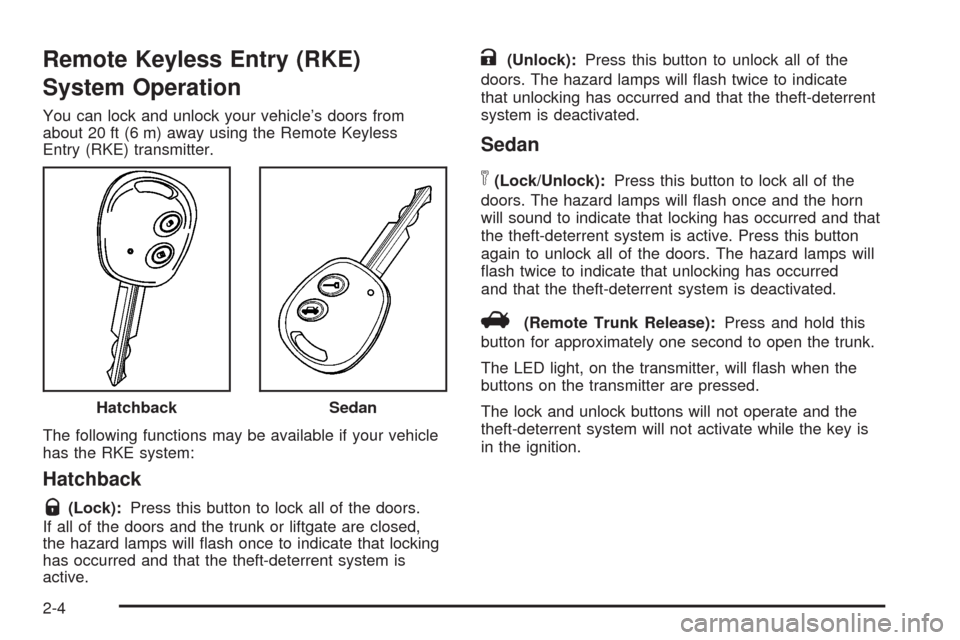
You can lock and unlock your vehicle’s doors from
about 20 ft (6 m) away using the Remote Keyless
Entry (RKE) transmitter.
The following functions may be available if your vehicle
has the RKE system:
Hatchback
Q(Lock):Press this button to lock all of the doors.
If all of the doors and the trunk or liftgate are closed,
the hazard lamps will flash once to indicate that locking
has occurred and that the theft-deterrent system is
active.
K(Unlock):Press this button to unlock all of the
doors. The hazard lamps will flash twice to indicate
that unlocking has occurred and that the theft-deterrent
system is deactivated.
Sedan
n(Lock/Unlock):Press this button to lock all of the
doors. The hazard lamps will flash once and the horn
will sound to indicate that locking has occurred and that
the theft-deterrent system is active. Press this button
again to unlock all of the doors. The hazard lamps will
flash twice to indicate that unlocking has occurred
and that the theft-deterrent system is deactivated.
V(Remote Trunk Release):Press and hold this
button for approximately one second to open the trunk.
The LED light, on the transmitter, will flash when the
buttons on the transmitter are pressed.
The lock and unlock buttons will not operate and the
theft-deterrent system will not activate while the key is
in the ignition. Hatchback
Sedan
2-4
Page 83 of 384
Matching Transmitter(s) to Your
Vehicle
Each RKE transmitter is coded to prevent another
transmitter from unlocking your vehicle. If a transmitter is
lost or stolen, a replacement can be purchased through
your dealer/retailer. Remember to bring any remaining
transmitters with you when you go to your dealer/retailer.
When the dealer/retailer matches the replacement
transmitter to your vehicle, any remaining transmitters
must also be matched. Once your dealer/retailer has
coded the new transmitter, the lost transmitter will not
unlock your vehicle. Each vehicle can have a maximum
of five transmitters matched to it.
Battery Replacement
Under normal use, the battery in your RKE transmitter
should last about two years.
The battery is weak if the LED fails to illuminate or if
the transmitter will not work at the normal range in
any location. If you have to get close to your vehicle
before the transmitter works, it is probably time to
change the battery.
Notice:When replacing the battery, use care not to
touch any of the circuitry. Static from your body
transferred to these surfaces may damage the
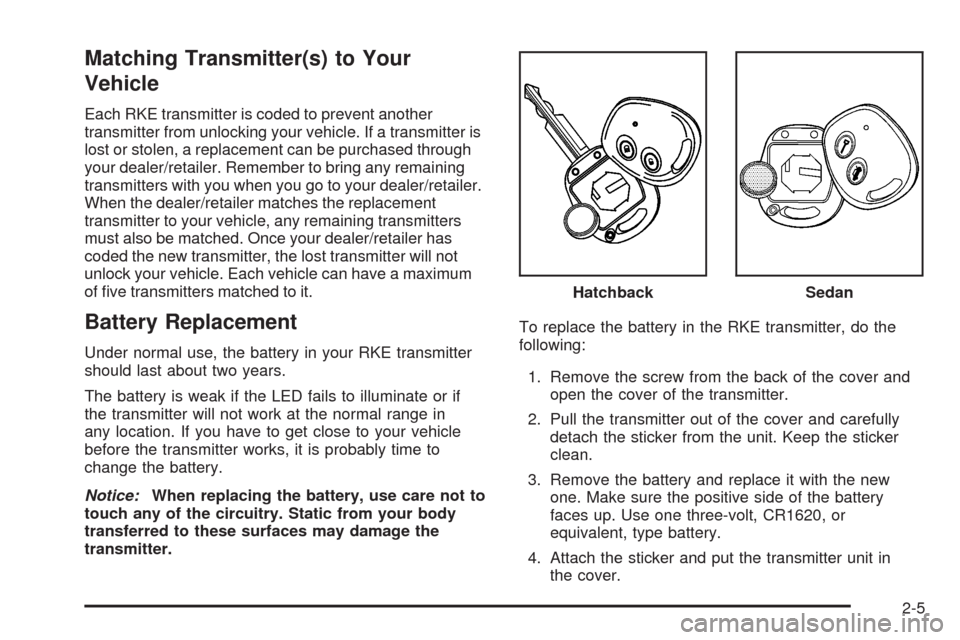
transmitter.To replace the battery in the RKE transmitter, do the
following:
1. Remove the screw from the back of the cover and
open the cover of the transmitter.
2. Pull the transmitter out of the cover and carefully
detach the sticker from the unit. Keep the sticker
clean.
3. Remove the battery and replace it with the new
one. Make sure the positive side of the battery
faces up. Use one three-volt, CR1620, or
equivalent, type battery.
4. Attach the sticker and put the transmitter unit in
the cover.Hatchback
Sedan
2-5
Page 84 of 384
5. Put the two halves back together and replace the
screw. Make sure the cover is on tightly, so water
will not get in.
6. Test the transmitter operation.
Doors and Locks
Door Locks
{CAUTION:
Unlocked doors can be dangerous.
Passengers, especially children, can easily
open the doors and fall out of a moving
vehicle. When a door is locked, the handle
will not open it. You increase the chance
of being thrown out of the vehicle in a
crash if the doors are not locked. So, wear
safety belts properly and lock the doors
whenever you drive.
CAUTION: (Continued)
CAUTION: (Continued)
Young children who get into unlocked
vehicles may be unable to get out. A child
can be overcome by extreme heat and can
suffer permanent injuries or even death
from heat stroke. Always lock your vehicle
whenever you leave it.
Outsiders can easily enter through an
unlocked door when you slow down or
stop your vehicle. Locking your doors can
help prevent this from happening.
There are several ways to lock and unlock your vehicle.
From the outside, use your key or the Remote Keyless
Entry (RKE) transmitter. SeeRemote Keyless Entry
(RKE) System Operation on page 2-4.
To manually unlock the front doors from the outside,
insert the key and turn it toward the front of the vehicle.
To manually lock the doors from the outside, insert
the key and turn it toward the rear of the vehicle.
2-6
Page 85 of 384
All doors, except for the driver’s door, can be locked by
pushing down the manual door lock and then closing
the door. The driver’s door can only by locked from
the outside by using the key or the optional remote
keyless entry transmitter.
From the inside, you can lock and unlock all of the
doors by pushing or pulling the manual door lock
located on each door.
Central Door Unlocking System
Your vehicle may be equipped with the central door
unlocking system. This system is activated from
the driver’s door.
From the outside, you can lock or unlock all the doors
by using either the key or the remote keyless entry
transmitter, if equipped. From the inside, you can lock
or unlock all the doors by using the driver’s door
lock switch while the driver’s door is closed.
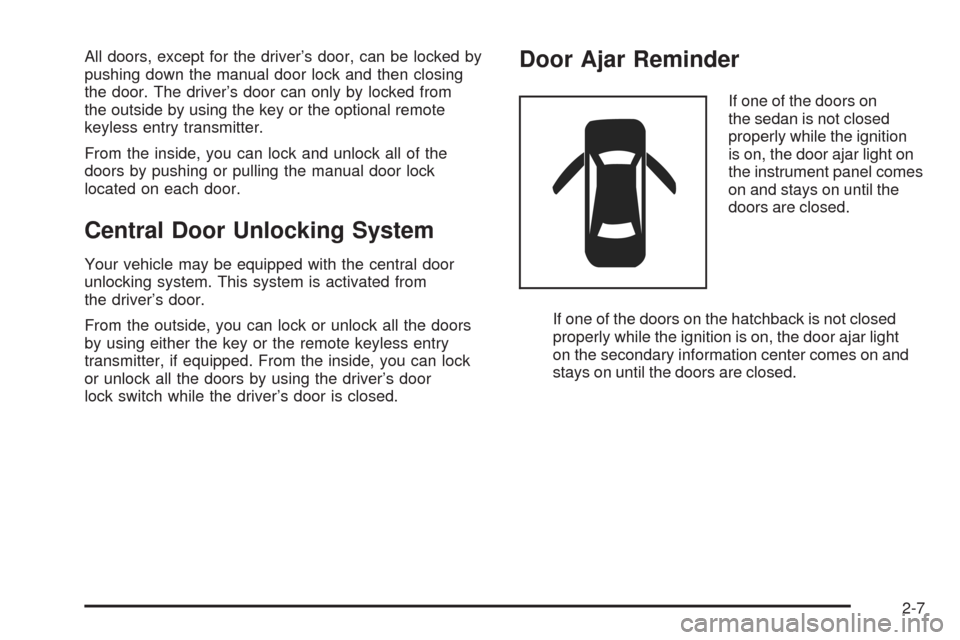
Door Ajar Reminder
If one of the doors on
the sedan is not closed
properly while the ignition
is on, the door ajar light on
the instrument panel comes
on and stays on until the
doors are closed.
If one of the doors on the hatchback is not closed
properly while the ignition is on, the door ajar light
on the secondary information center comes on and
stays on until the doors are closed.
2-7