2008 CHEVROLET AVEO instrument panel
[x] Cancel search: instrument panelPage 75 of 384

Adding Equipment to Your
Airbag-Equipped Vehicle
Q:Is there anything I might add to or change
about the vehicle that could keep the airbags
from working properly?
A:Yes. If you add things that change your vehicle’s
frame, bumper system, height, front end or side
sheet metal, they may keep the airbag system from
working properly. Changing or moving any parts
of the front seats, safety belts, the airbag sensing
and diagnostic module, steering wheel, instrument
panel, front sensors, or airbag wiring can affect
the operation of the airbag system.
In addition, your vehicle has a passenger sensing
system for the right front passenger’s position,
which includes sensors that are part of the
passenger’s seat. The passenger sensing system
may not operate properly if the original seat
trim is replaced with non-GM covers, upholstery
or trim, or with GM covers, upholstery or trim
designed for a different vehicle. Any object, such
as an aftermarket seat heater or a comfort
enhancing pad or device, installed under or on
top of the seat fabric, could also interfere with
the operation of the passenger sensing system.This could either prevent proper deployment of
the passenger airbag(s) or prevent the passenger
sensing system from properly turning off the
passenger airbag(s). SeePassenger Sensing
System on page 1-65.
If you have any questions about this, you should
contact Customer Assistance before you modify
your vehicle. The phone numbers and addresses
for Customer Assistance are in Step Two of
the Customer Satisfaction Procedure in this manual.
SeeCustomer Satisfaction Procedure on page 7-2.
Q:Because I have a disability, I have to get
my vehicle modied. How can I nd out whether
this will affect my airbag system?
A:If you have questions, call Customer Assistance.
The phone numbers and addresses for Customer
Assistance are in Step Two of the Customer
Satisfaction Procedure in this manual. See
Customer Satisfaction Procedure on page 7-2.
In addition, your dealer/retailer and the service manual
have information about the location of the airbag
sensors, sensing and diagnostic module and airbag
wiring.
1-71
Page 85 of 384
All doors, except for the driver’s door, can be locked by
pushing down the manual door lock and then closing
the door. The driver’s door can only by locked from
the outside by using the key or the optional remote
keyless entry transmitter.
From the inside, you can lock and unlock all of the
doors by pushing or pulling the manual door lock
located on each door.
Central Door Unlocking System
Your vehicle may be equipped with the central door
unlocking system. This system is activated from
the driver’s door.
From the outside, you can lock or unlock all the doors
by using either the key or the remote keyless entry
transmitter, if equipped. From the inside, you can lock
or unlock all the doors by using the driver’s door
lock switch while the driver’s door is closed.
Door Ajar Reminder
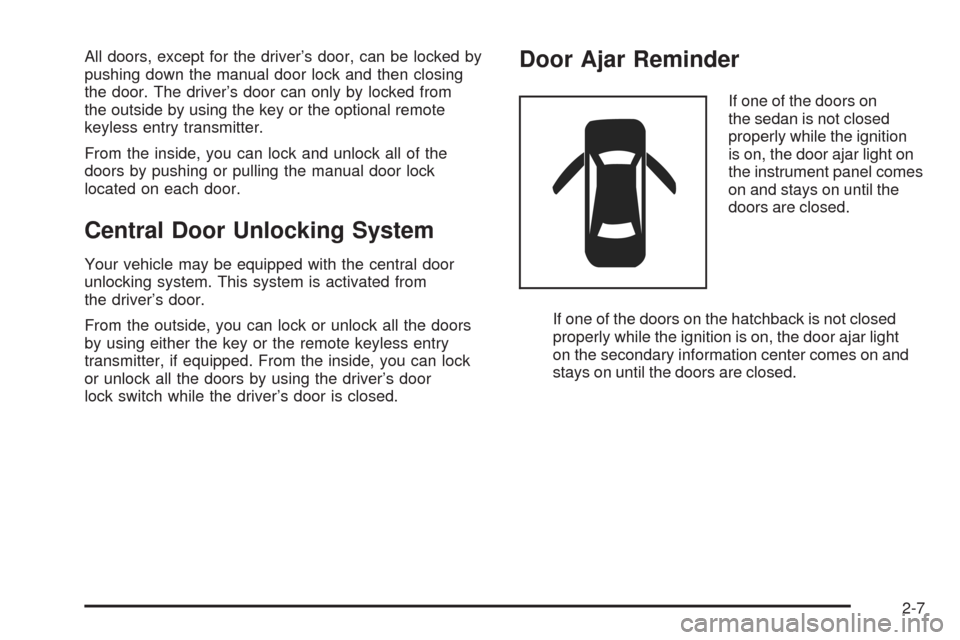
If one of the doors on
the sedan is not closed
properly while the ignition
is on, the door ajar light on
the instrument panel comes
on and stays on until the
doors are closed.
If one of the doors on the hatchback is not closed
properly while the ignition is on, the door ajar light
on the secondary information center comes on and
stays on until the doors are closed.
2-7
Page 87 of 384
Trunk
{CAUTION:
It can be dangerous to drive with the trunk lid
open because carbon monoxide (CO) gas can
come into your vehicle. You cannot see or
smell CO. It can cause unconsciousness and
even death. If you must drive with the trunk
lid open or if electrical wiring or other cable
connections must pass through the seal
between the body and the trunk lid:
Make sure all other windows are shut.
Turn the fan on your heating or cooling
system to its highest speed and select the
control setting that will force outside air
into your vehicle. See Climate Control
System.
If you have air outlets on or under the
instrument panel, open them all the way.
SeeEngine Exhaust on page 2-30.To open the trunk on your sedan from outside of your
vehicle, insert the key into the lock cylinder and turn
the key clockwise or use the remote keyless entry
transmitter, if equipped.
Remote Trunk Release
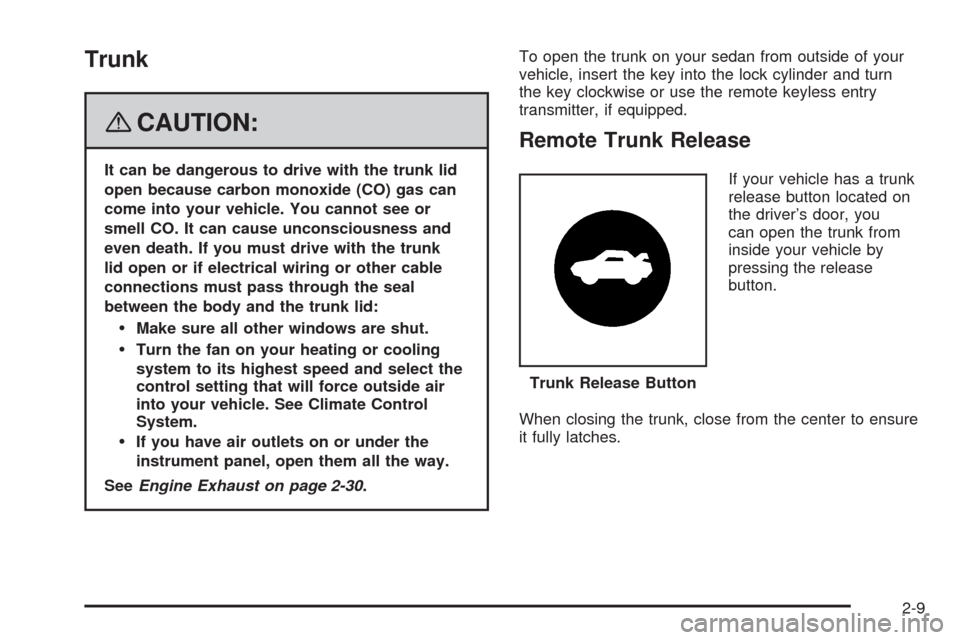
If your vehicle has a trunk
release button located on
the driver’s door, you
can open the trunk from
inside your vehicle by
pressing the release
button.
When closing the trunk, close from the center to ensure
it fully latches.Trunk Release Button
2-9
Page 89 of 384
Liftgate (Hatchback)
{CAUTION:
It can be dangerous to drive with the liftgate
open because carbon monoxide (CO) gas can
come into your vehicle. You cannot see or
smell CO. It can cause unconsciousness and
even death. If you must drive with the liftgate
open or if electrical wiring or other cable
connections must pass through the seal
between the body and the liftgate:
Make sure all other windows are shut.
Turn the fan on your heating or cooling
system to its highest speed and select the
control setting that will force outside air
into your vehicle. SeeClimate Control
System on page 3-20.
If you have air outlets on or under the
instrument panel, open them all the way.
SeeEngine Exhaust on page 2-30.To open the liftgate on your hatchback from outside of
the vehicle, insert the key into the lock cylinder and
turn it counterclockwise or use the remote keyless
entry transmitter, if equipped. Then pull up the handle
above the license plate to open the liftgate.
When closing the liftgate, close from the center to
ensure it fully latches.
To lock the liftgate, insert the key into the lock cylinder
and turn it clockwise or use the remote keyless entry
transmitter, if equipped.
The liftgate can also be locked or unlocked by the
central door unlocking system or remote keyless entry,
if equipped. SeeCentral Door Unlocking System on
page 2-7andRemote Keyless Entry (RKE) System
Operation on page 2-4.
2-11
Page 93 of 384
3. Lock the doors by pressing the lock button on the
remote keyless entry transmitter.
•The LED light on the transmitter will flash once.
•All of the doors will lock.
•The hazard warning lamps will flash once and
the horn will sound.
•The security light will flash to indicate that the
theft-deterrent system is armed. For hatchback
models, the security light is located on the
secondary information center (SIC) on the
center of the instrument panel. SeeSecondary
Information Center (SIC) (Hatchback Only) on
page 3-43. For sedan models, the security light is
located on the center of the instrument panel near
the clock. SeeInstrument Panel Overview on
page 3-4.
To avoid activating the alarm by accident, do one of the
following:
•Unlock the driver’s or passenger’s front door using
the key.
•Press the unlock button on the remote keyless
entry transmitter.
Unlocking a door any other way will activate the alarm
when a door or the trunk or liftgate is opened.
If you do not want to arm the theft-deterrent system,
lock the vehicle using the key or the manual door locks.
Disarming the System
To disarm the system, do one of the following:
•Unlock the driver’s or passenger’s front door using
the key.
•Press the unlock button on the remote keyless
entry transmitter.
- The LED light on the transmitter will
flash once.
- All of the doors will unlock.
- The hazard warning lamps will flash twice.
If the door is not opened or if the engine is not started
within 30 seconds after disarming the system using
the transmitter, all of the doors will automatically lock
and the theft-deterrent mode will rearm.
How the System Alarm is Activated
If a door or the trunk or liftgate is opened without using
the key or the remote keyless entry transmitter, the
horn will sound and the lamps will flash for up to
30 seconds.
2-15
Page 96 of 384
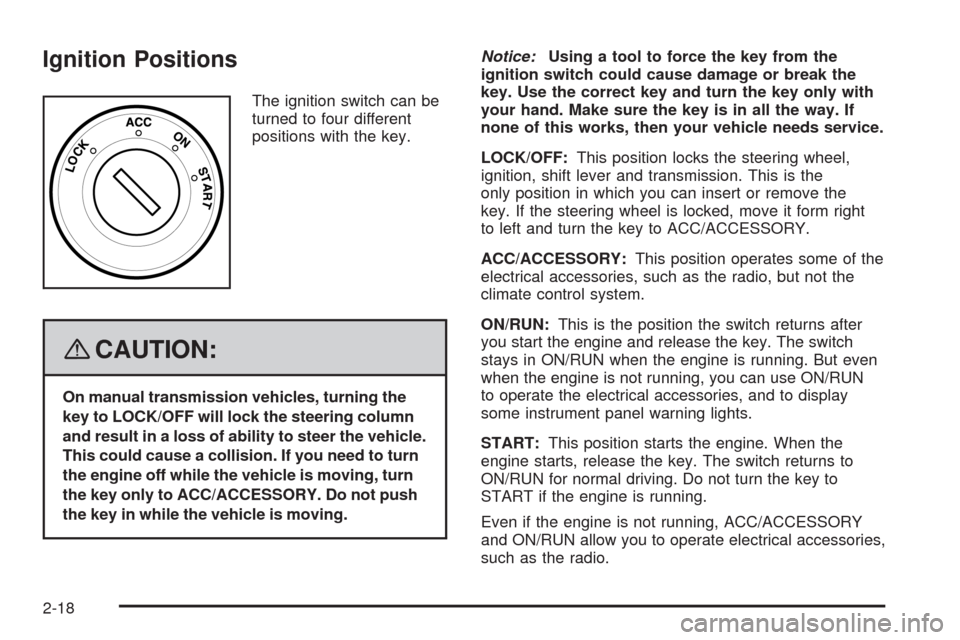
Ignition Positions
The ignition switch can be
turned to four different
positions with the key.
{CAUTION:
On manual transmission vehicles, turning the
key to LOCK/OFF will lock the steering column
and result in a loss of ability to steer the vehicle.
This could cause a collision. If you need to turn
the engine off while the vehicle is moving, turn
the key only to ACC/ACCESSORY. Do not push
the key in while the vehicle is moving.Notice:Using a tool to force the key from the
ignition switch could cause damage or break the
key. Use the correct key and turn the key only with
your hand. Make sure the key is in all the way. If
none of this works, then your vehicle needs service.
LOCK/OFF:This position locks the steering wheel,
ignition, shift lever and transmission. This is the
only position in which you can insert or remove the
key. If the steering wheel is locked, move it form right
to left and turn the key to ACC/ACCESSORY.
ACC/ACCESSORY:This position operates some of the
electrical accessories, such as the radio, but not the
climate control system.
ON/RUN:This is the position the switch returns after
you start the engine and release the key. The switch
stays in ON/RUN when the engine is running. But even
when the engine is not running, you can use ON/RUN
to operate the electrical accessories, and to display
some instrument panel warning lights.
START:This position starts the engine. When the
engine starts, release the key. The switch returns to
ON/RUN for normal driving. Do not turn the key to
START if the engine is running.
Even if the engine is not running, ACC/ACCESSORY
and ON/RUN allow you to operate electrical accessories,
such as the radio.
2-18
Page 102 of 384
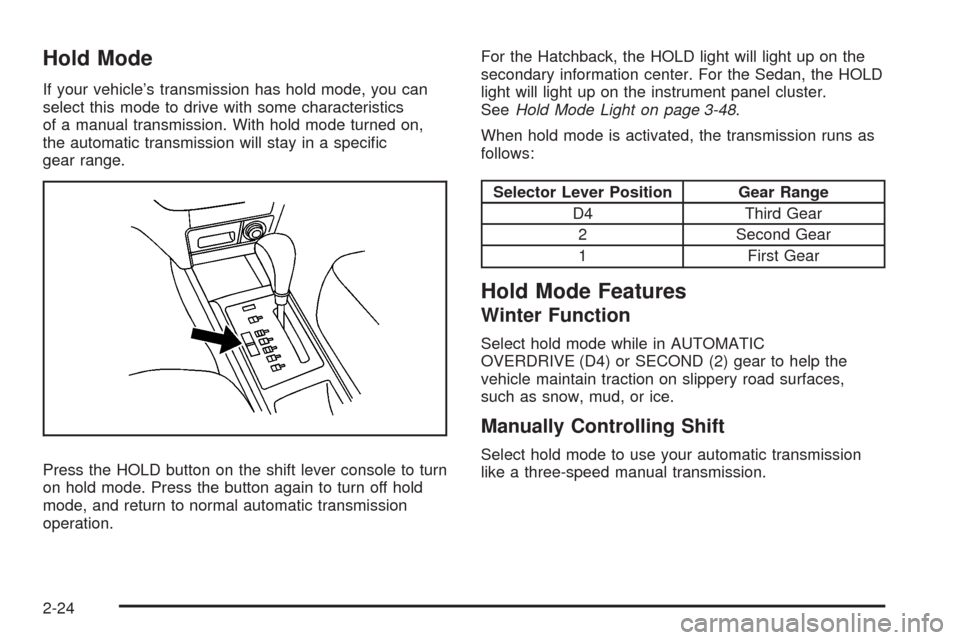
Hold Mode
If your vehicle’s transmission has hold mode, you can
select this mode to drive with some characteristics
of a manual transmission. With hold mode turned on,
the automatic transmission will stay in a specific
gear range.
Press the HOLD button on the shift lever console to turn
on hold mode. Press the button again to turn off hold
mode, and return to normal automatic transmission
operation.For the Hatchback, the HOLD light will light up on the
secondary information center. For the Sedan, the HOLD
light will light up on the instrument panel cluster.
SeeHold Mode Light on page 3-48.
When hold mode is activated, the transmission runs as
follows:
Selector Lever Position Gear Range
D4 Third Gear
2 Second Gear
1 First Gear
Hold Mode Features
Winter Function
Select hold mode while in AUTOMATIC
OVERDRIVE (D4) or SECOND (2) gear to help the
vehicle maintain traction on slippery road surfaces,
such as snow, mud, or ice.
Manually Controlling Shift
Select hold mode to use your automatic transmission
like a three-speed manual transmission.
2-24
Page 111 of 384
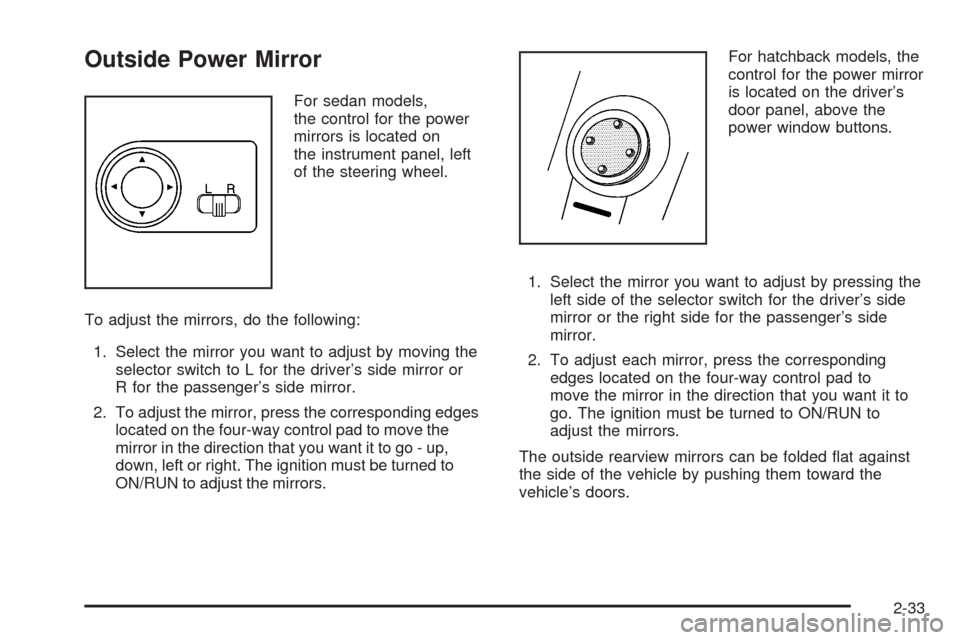
Outside Power Mirror
For sedan models,
the control for the power
mirrors is located on
the instrument panel, left
of the steering wheel.
To adjust the mirrors, do the following:
1. Select the mirror you want to adjust by moving the
selector switch to L for the driver’s side mirror or
R for the passenger’s side mirror.
2. To adjust the mirror, press the corresponding edges
located on the four-way control pad to move the
mirror in the direction that you want it to go - up,
down, left or right. The ignition must be turned to
ON/RUN to adjust the mirrors.For hatchback models, the
control for the power mirror
is located on the driver’s
door panel, above the
power window buttons.
1. Select the mirror you want to adjust by pressing the
left side of the selector switch for the driver’s side
mirror or the right side for the passenger’s side
mirror.
2. To adjust each mirror, press the corresponding
edges located on the four-way control pad to
move the mirror in the direction that you want it to
go. The ignition must be turned to ON/RUN to
adjust the mirrors.
The outside rearview mirrors can be folded flat against
the side of the vehicle by pushing them toward the
vehicle’s doors.
2-33