2008 CADILLAC STS brakes
[x] Cancel search: brakesPage 282 of 500
Braking
SeeBrake System Warning Light on page 3-64.
Braking action involves perception time and reaction
time. First, you have to decide to push on the brake
pedal. That is perception time. Then you have to bring
up your foot and do it. That is reaction time.
Average reaction time is about three-fourths of a
second. But that is only an average. It might be less
with one driver and as long as two or three seconds or
more with another. Age, physical condition, alertness,
coordination, and eyesight all play a part. So do alcohol,
drugs, and frustration. But even in three-fourths of a
second, a vehicle moving at 60 mph (100 km/h) travels
66 feet (20 m). That could be a lot of distance in an
emergency, so keeping enough space between
your vehicle and others is important.
And, of course, actual stopping distances vary greatly
with the surface of the road, whether it is pavement
or gravel; the condition of the road, whether it is
wet, dry, or icy; tire tread; the condition of the brakes;
the weight of the vehicle; and the amount of brake force
applied.Avoid needless heavy braking. Some people drive
in spurts — heavy acceleration followed by heavy
braking — rather than keeping pace with traffic. This is a
mistake. The brakes might not have time to cool between
hard stops. The brakes will wear out much faster if you do
a lot of heavy braking. If you keep pace with the traffic
and allow realistic following distances, you will eliminate a
lot of unnecessary braking. That means better braking
and longer brake life.
If your vehicle’s engine ever stops while you are driving,
brake normally but do not pump the brakes. If you do,
the pedal could get harder to push down. If the
engine stops, you will still have some power brake
assist. But you will use it when you brake. Once the
power assist is used up, it can take longer to stop and
the brake pedal will be harder to push.
Adding non-dealer/non-retailer accessories can affect
your vehicle’s performance. SeeAccessories and
Modifications on page 5-3.
4-4
Page 283 of 500

Antilock Brake System (ABS)
Your vehicle has the Antilock Brake System (ABS), an
advanced electronic braking system that will help
prevent a braking skid.
When you start the engine and begin to drive away,
ABS will check itself. You might hear a momentary
motor or clicking noise while this test is going on, and
you might even notice that the brake pedal moves
a little. This is normal.
If there is a problem with
ABS, this warning light will
stay on. SeeAntilock
Brake System Warning
Light on page 3-65.
Let us say the road is wet and you are driving safely.
Suddenly, an animal jumps out in front of you. You slam
on the brakes and continue braking. Here is what
happens with ABS:
A computer senses that wheels are slowing down. If
one of the wheels is about to stop rolling, the computer
will separately work the brakes at each wheel.ABS can change the brake pressure faster than any
driver could. The computer is programmed to make the
most of available tire and road conditions. This can
help you steer around the obstacle while braking hard.
As you brake, the computer keeps receiving updates
on wheel speed and controls braking pressure
accordingly.
Remember: ABS does not change the time you need to
get your foot up to the brake pedal or always decrease
stopping distance. If you get too close to the vehicle in
front of you, you will not have time to apply the brakes if
that vehicle suddenly slows or stops. Always leave
enough room up ahead to stop, even though you
have ABS.
Using ABS
Do not pump the brakes. Just hold the brake pedal
down rmly and let antilock work for you. You might hear
the antilock pump or motor operate, and feel the
brake pedal pulsate, but this is normal.
4-5
Page 284 of 500
Braking in Emergencies
With ABS, you can steer and brake at the same time. In
many emergencies, steering can help you more than
even the very best braking.
Traction Control System (TCS)
Your vehicle has a traction control system that limits
wheel spin. This is especially useful in slippery
road conditions. On a rear-wheel-drive vehicle, the
system operates if it senses that one or both of the rear
wheels are spinning or beginning to lose traction. On
an All-Wheel-Drive (AWD) vehicle, the system will
operate if it senses that any of the wheels are spinning
or beginning to lose traction. When this happens,
the system brakes the spinning wheel(s) and/or reduces
engine power to limit wheel spin.
You may feel or hear the system working, but this is
normal.
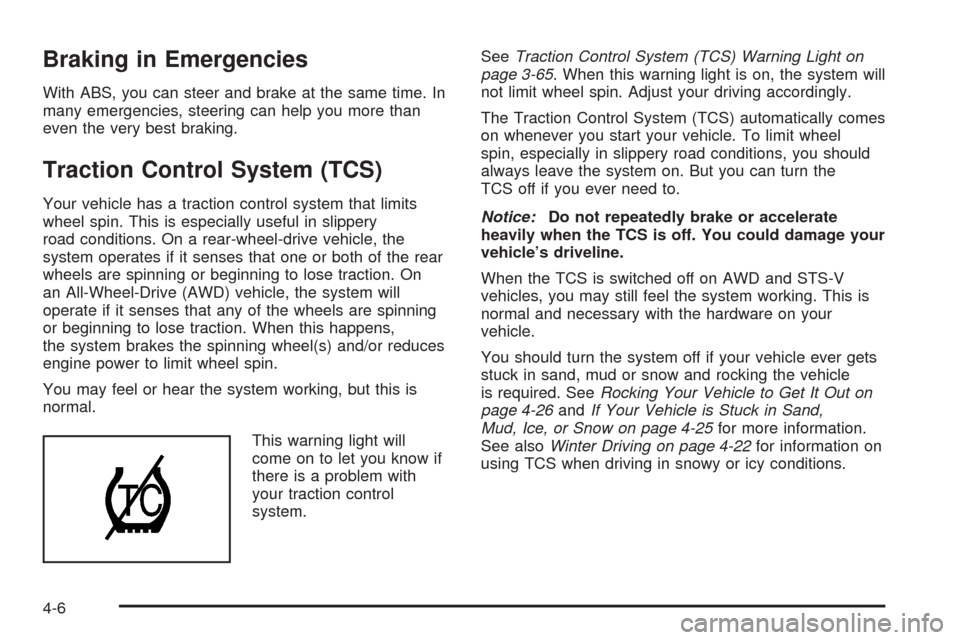
This warning light will
come on to let you know if
there is a problem with
your traction control
system.SeeTraction Control System (TCS) Warning Light on
page 3-65. When this warning light is on, the system will
not limit wheel spin. Adjust your driving accordingly.
The Traction Control System (TCS) automatically comes
on whenever you start your vehicle. To limit wheel
spin, especially in slippery road conditions, you should
always leave the system on. But you can turn the
TCS off if you ever need to.
Notice:Do not repeatedly brake or accelerate
heavily when the TCS is off. You could damage your
vehicle’s driveline.
When the TCS is switched off on AWD and STS-V
vehicles, you may still feel the system working. This is
normal and necessary with the hardware on your
vehicle.
You should turn the system off if your vehicle ever gets
stuck in sand, mud or snow and rocking the vehicle
is required. SeeRocking Your Vehicle to Get It Out on
page 4-26andIf Your Vehicle is Stuck in Sand,
Mud, Ice, or Snow on page 4-25for more information.
See alsoWinter Driving on page 4-22for information on
using TCS when driving in snowy or icy conditions.
4-6
Page 286 of 500

Magnetic Ride Control
Your vehicle may have Magnetic Ride Control that
automatically adjusts the ride of your vehicle. Automatic
ride control is achieved through a computer used to
control and monitor the suspension system. The
controller receives input from various sensors to
determine the proper system response. If the controller
detects a problem within the system, the DIC will
display a SERVICE SUSPENSION SYS message. See
DIC Warnings and Messages on page 3-80for more
information. See your dealer for service.
Limited-Slip Rear Axle
Your limited-slip rear axle can give you additional
traction on snow, mud, ice, sand or gravel. It works like
a standard axle most of the time, but when one of
the rear wheels has no traction and the other does, this
feature will allow the wheel with traction to move the
vehicle.
StabiliTrak®System
Your vehicle has a vehicle stability enhancement
system called StabiliTrak®. It is an advanced computer
controlled system that assists with directional control
of the vehicle in difficult driving conditions.
If your all-wheel-drive vehicle has the optional enhanced
vehicle stability control system called Active Steering
with Enhanced StabiliTrak
®, seeEnhanced StabiliTrak®
on page 4-9.
StabiliTrak
®activates when the computer senses a
discrepancy between the intended path and the direction
the vehicle is actually traveling. StabiliTrak
®selectively
applies braking pressure at any one of the vehicle’s
brakes to help steer the vehicle in the direction which
you are steering.
When the system activates, a STABILITY SYS ACTIVE
message will be displayed on the Driver Information
Center (DIC). SeeDIC Warnings and Messages
on page 3-80. You may also hear a noise or feel
vibration in the brake pedal. This is normal. Continue to
steer the vehicle in the direction you want it to go.
4-8
Page 287 of 500

If there is a problem detected with StabiliTrak®,a
SERVICE STABILITY SYS message will be displayed
on the DIC. SeeDIC Warnings and Messages on
page 3-80. When this message is displayed, the system
is not operational. Driving should be adjusted
accordingly.
StabiliTrak
®comes on automatically whenever the
vehicle is started. To help assist with directional control
of the vehicle, always leave the system on. StabiliTrak
®
can be turned off, however, by using the TC (traction
control) on/off button. SeeTraction Control System
(TCS) on page 4-6.
If the vehicle is in cruise control when the StabiliTrak
®
activates, the cruise control will automatically disengage.
When road conditions allow you to safely use it again,
you may reengage the cruise control. SeeCruise Control
on page 3-17orAdaptive Cruise Control on page 3-20for
more information.
Enhanced StabiliTrak®
All-wheel-drive (AWD) vehicles with the Active Steering
with Enhanced StabiliTrak®option have an enhanced
computer controlled vehicle stability system that assists
with directional control of the vehicle in difficult driving
conditions. This system coordinates automatic control of
the Active Steering System, the Magnetic Ride Control
Suspension System, and the Brake Control System for
better vehicle performance.During extreme cold temperature conditions, the active
steering function may be temporarily disabled which may
cause the steering wheel to be off set from the center
position while driving straight. This is normal operation
and the vehicle is safe to drive in these cases.
Stability control activates when the computer senses a
difference between the intended path and the direction
the vehicle is actually traveling. Stability control
automatically adjusts the front road wheel steering angle,
modies the suspension stiffness, and selectively applies
braking pressure at any one of the vehicle’s brakes to
help maintain directional control of the vehicle.
When the system activates, a STABILITY SYS ACTIVE
message displays on the Driver Information Center (DIC).
SeeDIC Warnings and Messages on page 3-80You may
also hear a noise or feel vibration in the brake pedal. This
is normal. Continue to steer the vehicle in the direction
you want it to go.
4-9
Page 290 of 500

To change from Stability Competitive Mode to
Stability Touring Mode, press the traction control
button briey and the STABILITY TOURING MODE
message will be displayed on the DIC.
To change from Stability Competitive Mode to
Stability Off Mode, press and hold the traction
control button for approximately ve seconds until
the STABILITY SYS OFF message is displayed
on the DIC. The DIC will temporarily display
the STABILITY TOURING MODE message and
then the STABILITY COMPETITIVE MODE
message prior to displaying the STABILITY SYS
OFF message.
To change from Stability Off Mode to Stability
Touring Mode, press the traction control button
briey and the STABILITY TOURING MODE
message will be displayed on the DIC.
To change from Stability Off Mode to Stability
Competitive Mode, press and hold the traction
control button for about three seconds until
the STABILITY COMPETITIVE MODE message is
displayed on the DIC. The DIC will temporarily
display the STABILITY TOURING MODE message
prior to displaying the STABILITY COMPETITIVE
MODE message.
To turn traction control off while in the Stability
Touring Mode, press the traction control button
briey and the traction control system warning light
will come on. SeeTraction Control System (TCS)
on page 4-6.
To turn traction control on while in the Stability
Touring Mode, press the traction control button
briey and the traction control system warning light
will turn off.
Panic Brake Assist
Your vehicle has a panic brake assist system that
monitors the intention of the driver while braking. If the
system senses that the driver has applied hard/fast
pressure to the brake pedal, the system will generate
additional pressure, making it easier for the driver
to maintain brake application. When this happens the
brake pedal will feel easier to push. Just hold the brake
pedal down rmly and let the system work for you.
You may feel the brakes vibrate, or you may notice
some noise but this is normal. The brakes will return to
normal operation after the brake pedal has been
released.
4-12
Page 292 of 500

When stability control activates, the system
automatically adjusts the front road wheel steering
angle, modies the suspension stiffness, and selectively
applies braking pressure at any one of the vehicle’s
brakes to help maintain directional control of the vehicle.
Adjustments to the steering will not be felt in the
steering wheel. SeeEnhanced StabiliTrak
®on page 4-9.
It is recommended that the battery not be disconnected
when the steering wheel is turned from the center
position. If this occurs, the center position of the steering
wheel could be temporarily changed a small amount.
You can continue to operate your vehicle and, after
a short time, the center position of the steering wheel
will return to normal.
Steering Tips
It is important to take curves at a reasonable speed.
A lot of the “driver lost control” accidents mentioned on
the news happen on curves. Here is why:
Experienced driver or beginner, each of us is subject to
the same laws of physics when driving on curves.
The traction of the tires against the road surface makes
it possible for the vehicle to change its path when
you turn the front wheels. If there is no traction, inertia
will keep the vehicle going in the same direction. If
you have ever tried to steer a vehicle on wet ice, you
will understand this.The traction you can get in a curve depends on the
condition of the tires and the road surface, the angle at
which the curve is banked, and your speed. While
you are in a curve, speed is the one factor you
can control.
Suppose you are steering through a sharp curve.
Then you suddenly accelerate. Both control
systems — steering and acceleration — have to do
their work where the tires meet the road. Adding the
sudden acceleration can demand too much of those
places. You can lose control. SeeTraction Control
System (TCS) on page 4-6andStabiliTrak
®System on
page 4-8orEnhanced StabiliTrak®on page 4-9.
What should you do if this ever happens? Ease up on
the accelerator pedal, steer the vehicle the way you
want it to go, and slow down.
Your stability system might be active. SeeDIC Warnings
and Messages on page 3-80andStabiliTrak
®System
on page 4-8orEnhanced StabiliTrak®on page 4-9.
Speed limit signs near curves warn that you should
adjust your speed. Of course, the posted speeds are
based on good weather and road conditions. Under less
favorable conditions you will want to go slower.
If you need to reduce your speed as you approach a
curve, do it before you enter the curve, while the
front wheels are straight ahead.
4-14
Page 293 of 500

Try to adjust your speed so you can drive through the
curve. Maintain a reasonable, steady speed. Wait
to accelerate until you are out of the curve, and then
accelerate gently into the straightaway.
To help you steer in the direction you want to go, during
certain sharp or sudden cornering maneuvers, gear
selection is controlled. This will maximize the available
drive wheel torque and minimize the transmission
response time and shift activity. During this kind of
maneuver, the transmission shifts automatically
as vehicle speed changes.
Adding non-dealer/non-retailer accessories can affect
your vehicle’s performance. SeeAccessories and
Modifications on page 5-3.
Steering in Emergencies
There are times when steering can be more effective
than braking. For example, you come over a hill and nd
a truck stopped in your lane, or a car suddenly pulls out
from nowhere, or a child darts out from between parked
cars and stops right in front of you. You can avoid these
problems by braking — if you can stop in time. But
sometimes you cannot; there is not room. That is the time
for evasive action — steering around the problem.
Your vehicle can perform very well in emergencies like
these. First apply the brakes. SeeBraking on
page 4-4. It is better to remove as much speed as youcan from a possible collision. Then steer around the
problem, to the left or right depending on the space
available.
An emergency like this requires close attention and a
quick decision. If you are holding the steering wheel at
the recommended 9 and 3 o’clock positions, you
can turn it a full 180 degrees very quickly without
removing either hand. But you have to act fast, steer
quickly, and just as quickly straighten the wheel
once you have avoided the object.
The fact that such emergency situations are always
possible is a good reason to practice defensive driving
at all times and wear safety belts properly.
4-15