2008 AUDI TT ROADSTER clock
[x] Cancel search: clockPage 15 of 316

<£> For the sake of the environment
Upshifting early saves fuel and reduces engine noise. •
Digital clock with date display
Your vehicle is equipped with a quartz controlled digital
clock.
To set the hour
Fig. 3 Instrument
c luste r with the digital
c lock
- Pull the knob (hour display flashes) and turn it to the left
or right.
To set the minutes
- Pull the knob as many times as necessa ry until the
m in ute display flashes.
- Turn the knob to the left or right.
To set the date
-Pull the knob as many times as necessary until the day,
month or year display flashes.
- Turn the knob to the left or right.
Con tro ls and eq uip
ment
Instruments and warning /indicator lights
To hide or display the date
- Pull the knob as many times as necessary until the date
display flashes .
- Turn the knob to the left or right.
When the date display stops blinking, this means the time and date
have been successfully stored.
With the ignition off, pushing or pulling the Set/Check button
~ page 12, fig. 2 ©-depending on the instrument cluster configu
ration - can turn on the display field lighting for a few seconds .•
Engine coolant temperature gauge
The engine coolant gauge~ page 12, fig. 2 © only works when the
ignition is on. To preven t damage to your engine, please note the
following important points:
Engine cold
As long as the needle remains at the left end of the gauge, the
engine still has not reached its operating temperature . Avoid high
engine speeds, heavy engine loads and heavy throttle.
Normal temperature
When the engine has reached its operating temperature, the needle
will move into the middle of the gauge and remain there. If the
engine is working hard at high outside temperatures, the needle
may turn further to the right. This is no cause for concern as long as
the -~- warning light in the instrument cluster does not illuminate.
When the
_J _ warning light starts to flash, this can mean one of two
things: either the coolant
temperature is too high , or the coolant
level is too low~ page 32 . ~
Vehicle care I I irechnical data
Page 17 of 316
With the ignition off, pushing of the Set/Check button~ page 12,
fig. 2 © can turn on the display field lighting for a few seconds .
Malfunction message
If there is a malfunction somewhere in the instrument cluster, dEF
will appear in the trip odometer and will stay on. Contact your
authorized Audi dealer to have the problem corrected.
Immobilizer
When the ignition is switched on, the data on the ignition key are
scanned automatically.
If an unauthorized key was used, SAFE is displayed continuously in
the odometer display field. The vehicle cannot be operated
~ page 49.
[ i ] Tips
• The digital c lock and the odometer are turned on for about 30
seconds when the driver's door is opened.
• When the ignition is turned off, the odometer reading and the
digital clock with date display can be switched on for about
30 seconds by pressing the Set/Check button~
page 12, fig. 2 @ . •
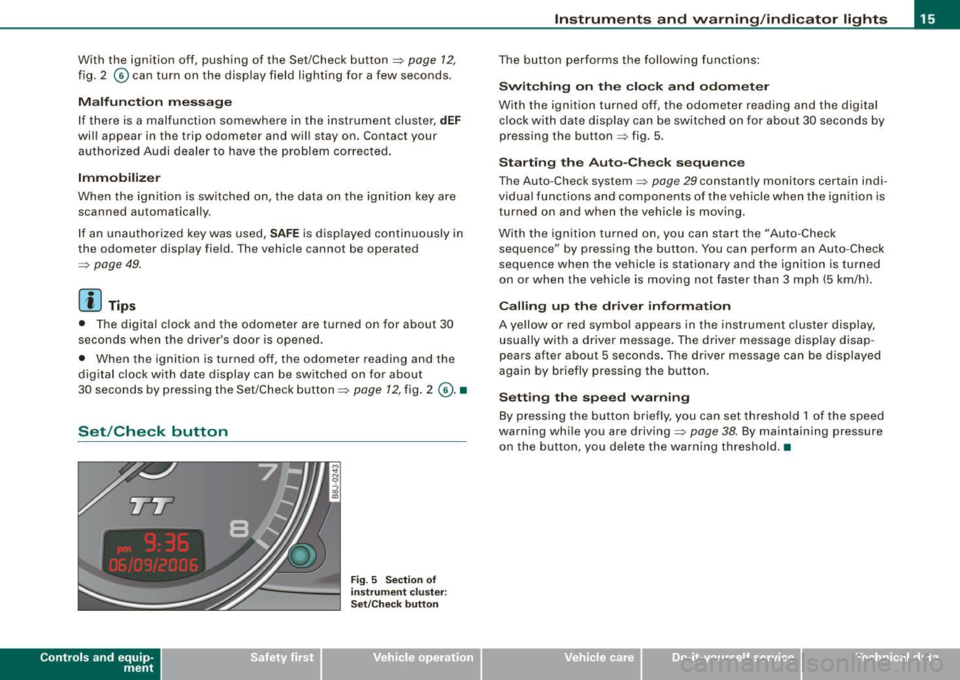
Set /Check button
Con tro ls and eq uip
ment
Fig . 5 Section of
in strument cluster:
Set/Check button
Instruments and warning /indicator lights
The button performs the following functions:
Switching on the clock and odometer
With the ignition turned off, the odometer reading and the digital
clock with date display can be switched on for about 30 seconds by
pressing the button~ fig. 5 .
Starting the Auto -Check sequence
The Auto -Check system ~ page 29 constantly monitors certain indi
v idual functions and components of the vehicle when the ignition is
turned on and when the vehicle is moving.
With the ignition turned on, you can start the "Auto -Check
sequence" by pressing the button. You can perform an Auto-Check
sequence when the vehicle is stationary and the ignition is turned
on or when the vehicle is moving not faster than 3 mph (5 km/h).
Calling up the driver information
A yellow or red symbol appears in the instrument cluster display,
usually with a driver message. The driver message display disap
pears after about 5 seconds. The driver message can be displayed
again by briefly pressing the button.
Setting the speed warning
By press ing the button brief ly, you can set threshold 1 of the speed
warning while you are driving~
page 38. By maintaining pressure
on the button, you delete the warning threshold.•
Vehicle care I I irechnical data
Page 26 of 316
Driver inf ormation sy ste m
Digital speedometer
Fig. 1 0 Dis play: Dig ital
s pe edom ete r
Current speed appears in the disp lay . Speed is shown in 1 mph
measures (USA models) or 1 km/h measures (Canada mode ls) .•
Warning : engine hood , door or rear lid open
The pictogram alerts you when doors or the rear lid have
been left open .
Fig . 11 D ispl ay: door,
re ar
lid , and en gine
h oo d open
With the ignition switched on, the open -door -or -lid warning illumi
nates when at least
one door, or the engine hood or the trunk lid is
not c losed. The symbol also shows you which door(s) or lid is not
closed. The illustration shows that the engine hood, the rear lid and
the driver's door is not closed=> fig . 11 . If the engine hood or trunk lid are not closed, the display will flash.
As soon as al l the doors and lids are proper ly closed, the warning
goes out .
You can switch off the open -door -or -lid warning display by brief ly
pressing the On Board computer control buttons=>
page 40. The
open door or trunk warning wil l, however, illuminate again as soon
as there is a change in the position of the doors, eng ine hood or
trunk lid. •
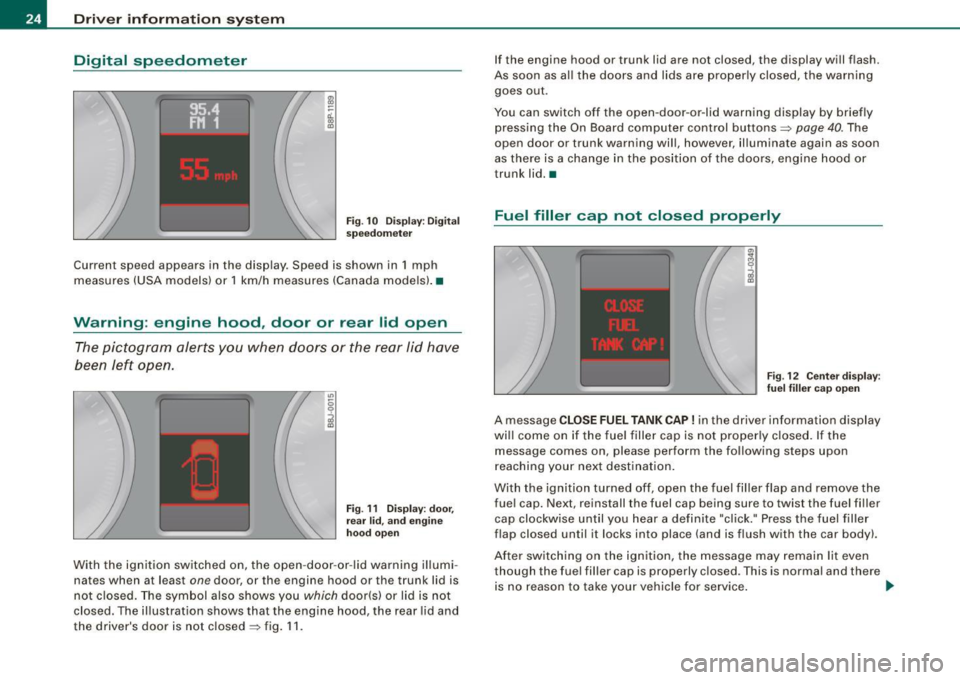
Fuel filler cap not closed properly
Fig. 12 C ente r dis play :
fu el fi ller cap op en
A message CLOSE FUEL TANK CAP ! in the driver informa tion display
wi ll come on if the fuel f iller cap is not proper ly closed. If the
message comes on, please perform the following steps upon
r eaching your next destination.
With the ignition turned off , open the fuel fil ler f lap and remove the
fue l cap. Next, reinstall the fuel cap being sure to twist the fuel fi ller
cap clockwise until you hear a definite "cl ick." Press the fuel filler
flap closed until it locks into place (and is flush with the car body) .
Af ter sw itch ing on the ign ition, the message may remain lit even
though the fuel filler cap is properly c losed. This is normal and there
is no reason to take your vehicle for service . _,,
Page 29 of 316

& WARNING
Always observe the posted speed limits and adjust your speed to suit prevailing road, traffic and weather conditions. Never drive
your vehicle faster than the maximum speed rating of the tires
installed. •
Menu display
Introduction
0 ,...
"' 9 .., 00 m
Fig. 15 Wiper lever:
Controls for the menu
display
"'
"'
~ m
Fig . 16 Display: Start
menu
Some functions in your vehicle can be set, activated , and controlled
by
Menus (e.g. Acoustic Park Assist*). With these menus you can
Con tro ls and eq uip
ment
Driver information system
also select the information shown in the DIS display, which operates
only with the ignition switched on. Operation is controlled by the
I Reset) button and the rocker switch on the wiper lever::::, fig. 15.
The Start menu shows you the different display types:
Set
Check
Menu off
Each display type in the Start menu contains a submenu with addi
tional options.
Set
Check
Menu off Clock ::::, page 28
Lighting* => page 71, "Daytime
running lights (DRU
(USA
models)" =>
page 73
Computer ::::, page 28
Acoustic park assist* => page 109
Speed alarm (speed ::::, page 38
warning)
Language (6 languages) => page 28
Units (distance, fuel con-::::, page 28
sumption, temperature)
Wiper (service position) => page80
Window => page 58
Doors (Auto-lock) => page 50
Service ::::, page 25
Vehicle ID number* => page288
Engine oil temperature*
l! AII of the messages shown in vehicles without
menu display appear on the display screen.
•
Vehicle care I I Technical data
Page 40 of 316

Driver inf ormation sy ste m
[ i J Tip s
Even though your vehicle is equ ipped with a speed warning system ,
you should still watch the speedometer to make sure you are not
driving faste r than the speed limit. •
Speed warning 1 : setting a speed limit
Warning threshold 1 is set by the button.
Storing the ma ximum speed
Drive at the desired maximum speed.
Fig . 2 4 Sec tio n of
in strum en t cl ust er:
Set/C hec k butto n
- Press the knob button~ fig. 24 until the ~ page 37,
fig. 23 symbol appears .
Resetting the max imum spe ed
- Drive the vehicle at a speed of at least 3 mph (5 km/h)
- Press the knob for more than 2 seconds .
The speed warning sy mbol 8 (USA models)/ 8 (Canada models) will
appear briefly in the d isplay when you release the button to indica te
that the maximum speed has been stored successfully . T
he maximum speed remains stored until it is changed by pressing
t he button again briefly or unti l it is dele ted by a lengthy push on the
but ton .•
Speed warning 2 : setting a speed limit
Switches in the wiper arm are used to operate warning
threshold 2.
To stor e maximum spee d
-Turn off the ignition.
Fig . 25 Wiper leve r:
T rip computer con tro ls
- Briefly press the button in the instrument cluster
=> fig. 24 . The odometer and the digital clock are now illu
mina ted .
- Press the button for at least 2 seconds. The currently stored maximum speed appears in the display
or the
crossed out symbol for warning threshold 2, if no
maximum speed was set previous ly.
- Press the function selector switch in the w iper lever @
=> fig. 25 up or down to c hange the set value . Va lues run
up or down in steps of 6 .2 mph (10 km/h). .,_
Page 41 of 316
To del ete maximum sp eed
-Turn off the ignition.
- Briefly press the button in the instrument cluste r
=>
page 38, fig . 24. The odometer and the digital clock are
now illuminated.
- Press the button for at leas t 2 seconds. T he curren tly
stored maximum speed appears in the display.
Press the rese t button in the w ipe r lever ®=>
page 38,
fig. 25 until the crossed out speed warni ng symbol fo r
warning threshold 2 appears in the d isplay.
A few seconds after the adjustment is comp leted, the illumination
for the odometer and the digital clock wi ll go out .
[ i J Tip s
This warning threshold can a lso be controlled through the trip
computer ~
page 28, "Navigating the menu". •
Contro ls and eq uip
ment
Dri ver in form ati on syst em
Trip computer
Introduction
The trip computer gives you inf ormation on current and
average fuel mileage, average speed, fuel range and
driving time .
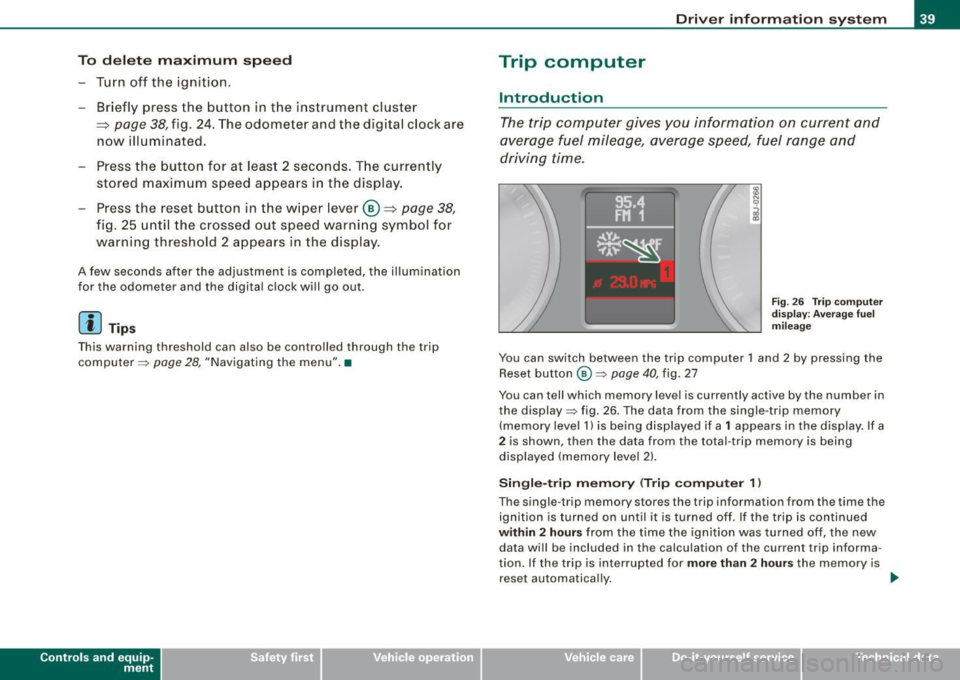
Fig . 2 6 Trip c omput er
di sp lay: Ave ra g e f uel
mi lea ge
You can switch between the trip computer 1 and 2 by pressing the
Reset button
@ ~ page 40 , fig. 27
You can tell which memory level is currently active by the number in
the display ~ fig . 26 . The data from the single -trip memory
(memory level 1) is being disp layed if a
1 appears in the display. If a
2 is shown, then the data from the total -trip memory is being
displayed (memory leve l 2) .
Sin gle -trip mem ory (Trip compute r 1)
The single -t r ip memory stores the trip information from the time the
ignition is turned on until it is turned off. If the trip is continued
within 2 hour s from the time the ignition was turned off, the new
data wi ll be included in the calcu lation of the current trip informa
tion. If the trip is interrup ted for
more than 2 hour s the memory is
reset automatica lly. _,.
Vehicle care I I irechnical data
Page 63 of 316

objects are left inside the vehicle, they should be locked in the
luggage compartment. •
Applies to vehicles: with manual folding top
Opening the Folding Top Manually
LY.
-Apply the hand brake firmly.
Fig . 47 Locking handle
Fig . 48 Folding top
open a hand's width
- Remove any objects from the storage compartment to
prevent damage to the folding top and the rear window.
- Fold the locking handle down
~ fig. 47.
- Turn the handle counter-clockwise as far as it will go and hold it .
Contro ls and eq uip
ment
Folding top
- Push the released folding top up by the locking handle
and open it about the width of a hand
~ fig. 48.
- Exit the vehicle.
- Lift the folding top at the front and guide it to rear into
the storage compartment as far as it will go.
- Push the folding top down into the tonneau until you
hear it click into place.
- Fold the covers down
~ page 66, fig. 56.
The folding top is completely open when the indicator light in the
instrumen t cluster goes out. The door windows are automatically
lowered about 20 mm while the top is opening.
& WARNING
For safety reasons, the folding top may only be unlocked when the
vehicle is stationary .•
App lies to ve hicles: with manua l folding top
Closing the Folding Top Manually
Fig. 49 Handle
between the seatbacks ...
Vehicle care I I Technical data
Page 64 of 316
Folding top
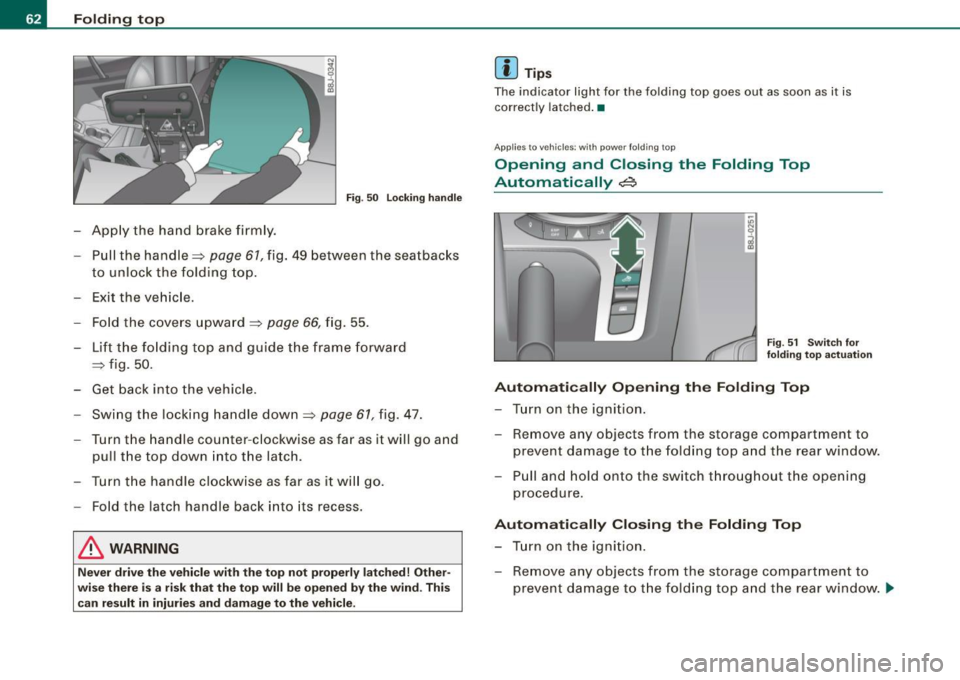
Fig. 50 Locking handle
Apply the hand brake firmly.
- Pull the handle~
page 61, fig. 49 between the seatbacks
to unlock the folding top.
- Exit the vehicle.
- Fold the covers upward
~ page 66, fig. 55.
- Lift the folding top and guide the frame forward
~ fig. 50.
- Get back into the vehicle.
Swing the locking handle down~
page 61, fig. 47.
Turn the handle counter-clockwise as far as it will go and
pull the top down into the latch.
Turn the handle clockwise as far as it will go.
- Fold the latch handle back into its recess.
& WARNING
Never drive the vehicle with the top not properly latched! Other
wise there is a risk that the top will be opened by the wind . This
can result in injuries and damage to the vehicle.
[ i ] Tips
The indicator light for the folding top goes out as soon as it is
correctly latched .•
Appl ies to vehic les: with powe r fo lding top
Opening and Closing the Folding Top
Automatically
~
Fig. 51 Switch for
folding top actuation
Automatically Opening the Folding Top
- Turn on the ignition.
- Remove any objects from the storage compartment to
prevent damage to the folding top and the rear window.
- Pull and hold onto the switch throughout the opening
procedure.
Automatically Closing the Folding Top
- Turn on the ignition.
- Remove any objects from the storage compartment to
prevent damage to the folding top and the rear window . ..,