2008 AUDI TT ROADSTER light
[x] Cancel search: lightPage 45 of 316

• Tire pressure must only be adjusted when the temperature of the
tires is about the same as ambien t air temperature.
• When tires are replaced, the sensors and valves should not be
exchanged. The valve core, nut, valve sea ling and sea l washer
(replacement kit) needs to be replaced. If necessary, the valve and
the wheel electronics have to be rep laced .
• If you should put different wheels and tires on your vehicle (e.g.
winter wheels and tires), you must be certain that the wheels and
tires are compatible with the tire pressure monitoring system.
Otherwise the system will register a malfunction and a fault
message will be displayed. For more information, contact your Audi
dea ler.
• Adjust the tire pressure and store the pressure in the tire pres
sure monitoring system to the load you are carrying .•
Significant loss of air pressure \-,1
The yellow symbol appears in the event of a significant
loss of air pressure.
Fig. 28 Display: yellow
symbol with message
If the • warning light in the instrument cluster comes on
and then the ( symbol appears in the display~ fig. 28,
pressure in at least one t ire is too low.
Controls and equip
ment
Driver inform ation system
Stop driving as soon as possible without endangering
yourself and other drivers on the road .
- Inspect all tires.
Change the tire if necessary ~ page
267.
The ._ warning light in the instrument cluster comes on when the
tire is significantly underinflated .
In addition, the tire symbol(_, appears in the display together with
the message
Please check tire pressure => fig. 28.
After a few seconds, the message disappears again. If you would
like to show the message again, press the Set/Check button
=>
page 12, fig. 2 ©-
[ i ] Tips
• In the case of an intentional loss of air pressure, for example,
when re -adjusting tire pressure, this has to be stored again after
wards=> page 44.
• Tire pressure must only be adjusted when the temperature of the
t ires is about the same as ambient air temperature.
• The yellow symbol disappears, when the tire pressure is
corrected and the new pressure is stored in the system=>
page 44.
• After changing a wheel or replacing a wheel with the spare tire
you have to adjust the tire pressures on a ll wheels. In add ition , you
must then initia lize the new tire pressures in the tire pressure moni
toring system =>
page 44. •
I • •
Page 47 of 316

vehicle is underway. With pressing the button=> fig . 29, the re
programming of the new sensors and storing of actual pressures
starts . This learn ing phase can take up to 10 minutes driving time.
During the learning process the tire pressure monitoring system is
not avai lable. •
Malfunctions T =»'\,AC.:
A malfunction can have various causes.
Fig. 30 Display:
System malfunction
If the t warning light in the instrument cluster flashes for approxi
mately one minute and then remains continuously illuminated and
additionally the
r fin'-=> fig. 30 symbo l appears in the display, the
tire pressure monitoring system is not available. This can have
various causes .
• If the message appears at the end of the learning process, the
system cannot recognize the wheels installed on the vehicle. This
can be because one or more wheels without a whee l sensor were
installed.
• A wheel sensor or other component may have failed .
• During initia lization the system has detected more than 4 wheels
on the vehicle, for example whi le driving next to another car with a
tire pressure monitoring system.
Controls and equip
ment
Driver inform ation system
• A wheel change was made but the button => page 44, fig. 29 was
not pressed .
• Audi replacement parts were not used.
• If snow chains are being used, system function can be compro
mised due to the shielding properties of the chains.
• The tire pressure monitoring system may not be available
because of a radio malfunction.
• Transmitters with the same frequency, such as radio head
phones in the vehic le or radio equipment, can cause a temporary
disruption of the system through excessive e lectromagnetic fields.
• Eliminate the interference if possible/if you can and then
proceed as follows: Turn off the engine for 20 minutes . Then drive
another 10 min. If the warning light comes on again, you should
contact your authorized Audi dealer immediately to have the
problem corrected.
• Do not use commercially available tire sealants. Otherwise, the
e lectrica l components of the tire pressure monitoring system will
no longer work properly and the sensor for the tire pressure moni
toring system will have to be replaced by a qualified workshop. •
Certification
This device complies with part 15 of the FCC rules and RSS-210.
Operation is subject to the following conditions:
• this device may not cause harmful interference, and
• this device must accept interference received, includ ing interfer
ence that may cause undesired operation.
The receiver 5WK49069 uses the same schematic, assembly, layout
and PCB as 5WK49097 . 5WK49097 is a multi channe l receiver and
5WK49069 is a single channel receiver. They only differ in: SAW -
Filter V1_4 was changed from A2C00038979 to V1_2 A2C00032378,
Inductor L5_3 and L6_233nH were changed to L5_2 and L6_2 47nH.
BAND PASS FILTER V3_2 was changed from A2C00038762 to V3_3
A2C00036085. V 10: ATIC75 C1, A2C000029505 was changed to V10: .,,,
I • •
Page 48 of 316
Driver information system
ATIC75 C2-Light, A2C000043220. 01 14.246MHz A2C00037710 was
changed to 01 15.27MHz A2C00041280. The BAND PASS FILTER V2
is not populated.
These modifications were necessary to optimize the characteristic of the receiver.
Proof is shown with test report T30739-00-00KJ issued by Mikes
Testingpartners GmbH, Ohmstral5e 2-4, 94342 Strasskirchen that
the receiver is below the limit. •
Page 50 of 316

Opening and closing
Master key with remote control
The remote control allows you to lock or unlock the
vehicle electronically.
"' N
0
i
Fig. 32 Fold -up master
key with remote
control
- To fold the key out and back in place, press the release
button
=:> fig. 32.
The transmitter and battery are located in the head of the remote
control. The receiver is located inside the vehicle. The maximum
effective range depends on several things. Remember, if the battery
is weak, the effective range decreases.
If you need to replace the remote control, or if you need to have it
repaired, you must see your authorized Audi dealer. Only then can
you use the key again.
[ i ] Tips
• If the ignition is switched on , the remote control system is deac
tivated.
• The remote control system can be affected by other systems
operating in the same frequency range close to the vehicle, such as
mobile telephones, television broadcasting stations, etc. •
Check light in remote master key
The check light in the remote master key indicates the
state of charge of the battery.
State of master key battery
Fig. 33 Check light in
the master key
When a button is pressed, the check light flashes=> fig. 33 (arrow).
If the check light does not come on or flash, the battery is dead and
has to be replaced.
Battery replacement=>
page 49. •
Page 52 of 316
Openin g a nd clo sin g
• Cana da mo dels: RSS-210 of Industry Canada .
Operation is subject to the following conditions:
• this device may not cause harmful interference, and
• this device must accept any interference received, including
interference that may cause undesired operation.
0 Note
The manufacturer is not responsible for ANY RADIO OR TV interfer ence caused by unauthorized modifications to this equipment.
Changes or modifications to this unit not express ly approved by the
party responsib le for comp liance could void the user's authority to
operate the equipment .•
Power locking system
General description
The power locking system Jocks or unlocks all doors
simultaneously.
The power locking system in your vehicle incorpora tes the following
functions:
• Central locking function
• Remote contro l feature
=> page 48 .
• Anti -Theft Alarm System
=> page 56.
You can lock and un lock the veh icle from outside either with the
k ey s or the remot e control transmitter inside the master key.
Act ivatin g the po wer loc king sy ste m lo ck s or unlo cks all doo rs
s im ult ane ously.
You can also open or close the windows when you lock or unlock the
driver's door using the key . For safety reasons, you cannot use the
remote contro l to open/close the windows . T
he selective unlock feature makes it possible to open just the
driver's door.
If the power locking system should malfunction, you can lock and
unlock each lock individually using the vehicle key.
A ut om atic lock ing*
The automatic locking feature locks all the vehicle doors and the rear lid when you drive faster than 9 mph (15 km/h) .
You can unlock the vehicle from the inside by:
• removing the key from the ignition switch (the vehicle wi ll auto
matically un lock itself) or
• pressing the unlock part of the power lock switch
oc:'i:l or
pulling the door handle (to open the door).
If you wish, you can have an authorized Audi dealer convert your
power door lock system to automatic loc king .
Unlo cking /locking t he vehi cle
When you unlo ck your vehicle:
• T he anti -theft alarm system is deactivated briefly .
• The vehicle interior lights illuminate for approximate ly 30
seconds.
When you
lo ck the vehicle:
• All doors are locked .
• The anti-theft alarm system is activated.
• The vehicle interior lights turn off.
• The anti-theft alarm system is activated . The horn of the anti
theft a larm system wi ll sound and the anti -theft alarm system readi
ness light, located in the center of the instrument panel below the
windshie ld on the right side of the air vent, will start to blink. .,_
Page 53 of 316
& WARNING
• When you lock your vehicle from outside, nobody -especially
children · should remain inside the vehicle. Remember, when you
lock the vehicle from the outside the windows cannot be opened
from the inside.
• When you leave the vehicle, always remove the ignition key and
take it with you. This will prevent passengers (children, for example) from accidentally being locked in the vehicle should they
accidentally press the power locking switch.
• Do not leave children inside the vehicle unsupervised. In an
emergency it would be impossible to open the doors from the
outside without the key.
[ i J Tips
• In the event of a crash with airbag deployment all locked doors
will be automatically unlocked to give access to the vehicle occu
pants from the outside .
• If the power locking system should malfunction, you can lock
each door individually using the vehicle key.
• If the power locking system should fail, you can still open the
fuel tank flap in an emergency=>
page 218.
• You are well advised not to keep valuables inside an unattended
vehicle, visible or not . Even a properly locked vehicle cannot provide
the security of a safe! •
Contro ls and eq uip
ment
Opening and closing
Unlocking and locking the vehicle with the
remote control
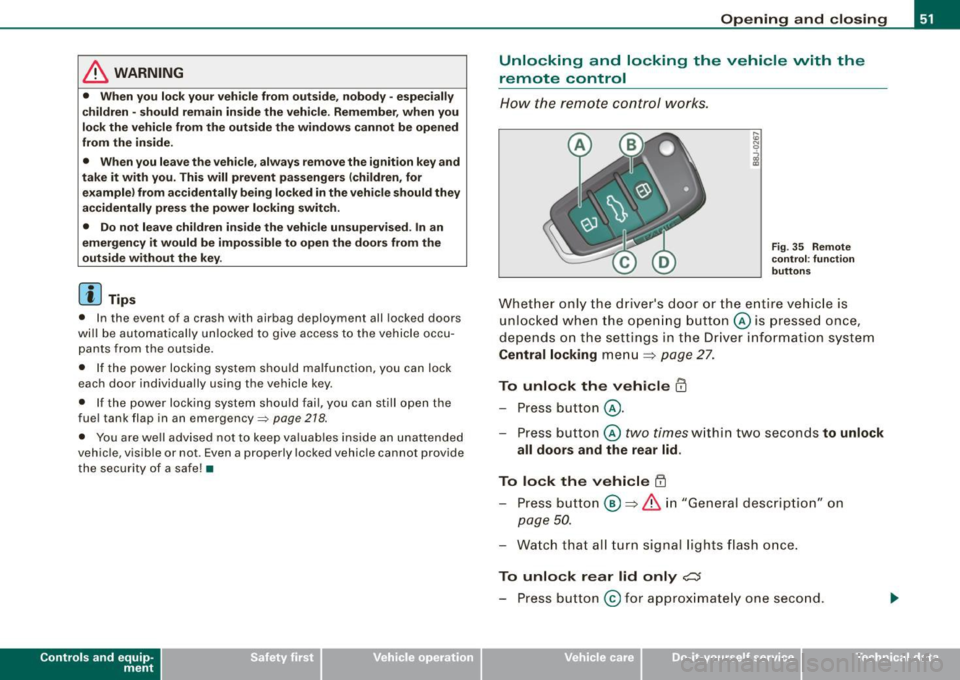
How the remote control works.
Fig. 35 Remote
control : function
buttons
Whether only the driver's door or the entire vehicle is
unlocked when the opening button@ is pressed once,
depends on the settings in the Driver information system
Central locking menu => page 27.
To unlock the vehicle m
-Press button @.
- Press button ©
two times within two seconds to unlock
all doors and the rear lid .
To lock the vehicle 63
-Press button @ => & in "General description" on
page 50.
-Watch that all turn signal lights flash once.
To unlock rear lid only e::5
-Press button @for approximately one second.
Vehicle care I I irechnical data
Page 54 of 316
Openin g a nd clo sin g
PANIC B utton
- Push the red button@to activate the panic function. The
horn sounds and the turn signals flash.
- Push the button ® again to deactivate the panic func-
tion.
The remote controls allows you to:
• lock or unlock the vehicle
• selectively unlock the rear lid.
The turn signals wi ll flash briefly whenever you lock or unlock the
vehic le. Also, the interior light will come on or go off whenever you
open or close the driver's door.
The transmitter and battery are located in the head of the remote control. The receiver is located inside the vehicle. The maximum
effective range depends on several things. Remember, if the battery
is weak, the effective range decreases.
The remote -contro l key contains a fo ld -out key that you can use to
manually lock or unlock the vehicle and to start the engine.
If you need to replace the remote contro l, or if you need to have it
repaired, you must see your authorized Audi dealer . On ly then can
you use the key again.
& WARNING
Re ad and follo w all WARNINGS ~ & in "General de scr iption " on
page 50 .
[ i J Tips
• The remote control key is automatically deactivated when the
ignition is switched on.
• The operation of the remote control key can be temporarily
disrupted by interference from transmitters in the vicinity of the vehic
le working in the same frequency range (e.g . a cell phone,
radio equipment).
• In order to make sure the locking function is working, you should
a lways keep your eye on the vehic le to make sure it is properly
locked .
• Do not use the remote control if you are inside the ca r, otherwise
you may unintentionally lock the vehicle, and then you would set off
the an ti-theft alarm when you try to start the engine or open a door.
I n case this happens anyhow, push the unlock button@.
• Use the panic func tion only if you are in an emergency
situation. •
Resetting the remote control
The remote con tr o l must be reset if the vehicle does not
unlock.
- Press the unlock
III button on the remote control.
- Unlock or lock the vehicle once at t he door lock using the
stem of the remote control key.
T he synchronization process must not take longer than 30
seco nds. •
Page 55 of 316
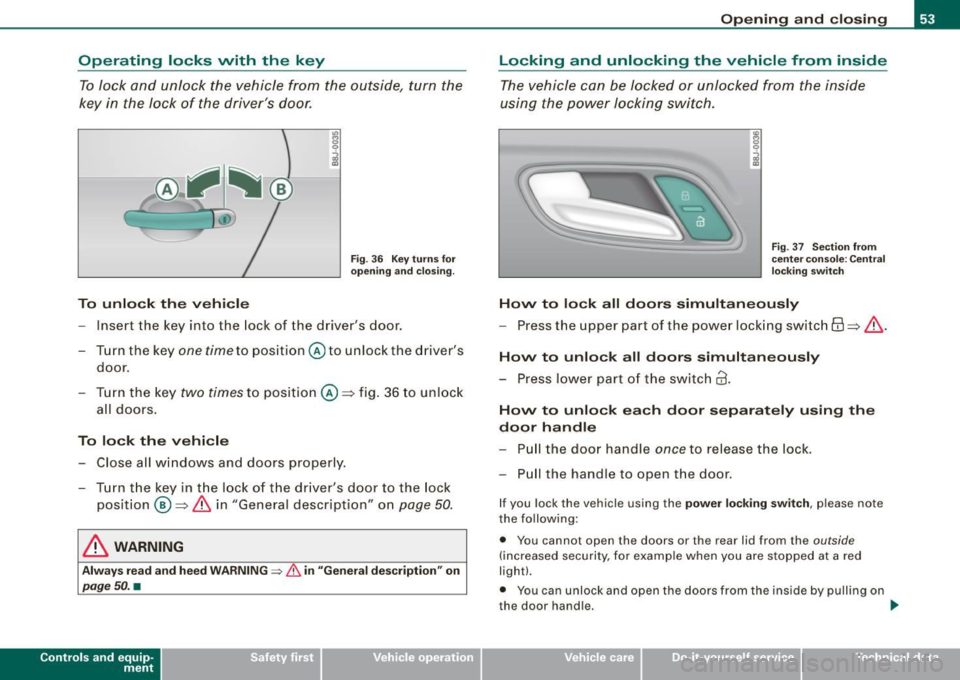
Operating locks vvith the key To lock and unlock the vehicle from the outside, turn the
key in the lock of the driver's door.
C
To unlock the vehicle
Fig . 36 Key turns for
opening and closing.
- Inse rt the key into the lock of the driver's door.
- Turn the key
one time to position @to unlock the driver's
door.
- Turn the key
two times to position @:::::, fig. 36 to unlock
all doors.
To lock the vehicle
- Close all windows and doors properly.
- Turn the key in the lock of the driver's door to the lock
position @:::::,
& in "General description" on page 50.
& WARNING
Always read and heed WARNING => & in "General description" on
page 50. •
Contro ls and eq uip
ment
Opening and closing
Locking and unlocking the vehicle from inside
The vehicle can be locked or unlocked from the inside
using the power locking switch.
Fig . 37 Section from
center console : Central
locking switch
Hovv to lock all doors simultaneously
-Press the upper part of the power locking switch 6:\:::::, & .
Hovv to unlock all doors simultaneously
- Press lower part of the switch@.
Hovv to unlock each door separately using the
door handle
-Pull the door handle once to release the lock.
- Pull the handle to open the door.
If you lock the vehicle using the power locking switch, please note
the following:
• You cannot open the doors or the rear lid from the
outside
(increased security, for example when you are stopped at a red
light).
• You can unlock and open the doors from the inside by pulling on
the door handle.
~
Vehicle care I I irechnical data