2008 AUDI S6 instrument cluster
[x] Cancel search: instrument clusterPage 153 of 390

Audi lane assist -
----------------
, Not ready: The yellow indicator light shows that the system is
turned on but unable to send a warning. This can be due to the
following:
• There are no boundary lines, or there is only one boundary line
present .
• The boundary lines are not detected (e.g. due to snow, dirt, wet
conditions or light shining into the camera lens).
• More than two boundary lines (such as at construction sites) are
located in the vehicle's lane.
• The vehicle's speed is below the speed needed to activate it,
which is about
40 mph (65 km/h).
• The lane is narrower than about
8 ft. (2.5 ml, or wider than about
16 ft. (5 ml.
• The curve is too sharp.
Notes on the instrument cluster display
When the lane assist turns off automatically, the instrument cluster
indicator goes out and one of the following messages appears on
the display:
Audi lane assist not available: Currently no sensor vision
This message appears when the camera can no longer function
because it cannot detect the boundary lines. This may be due to the
following:
• The exterior side of the camera viewing window=>
page 150,
fig. 148 is covered with dirt or ice. Clean this part of the windshield.
• The camera viewing window is fogged up on the inside. In this
case, wait until the fog disappears before turning lane assist on
again.
• The system was unable to detect boundary lines over an
extended period of time due to road conditions (such as snow
covered lanes). Do not turn lane assist on again until the lines can
be more easily detected.
Audi lane assist not available
Controls and equip
ment A temporary malfunction is preventing
lane assist from operating .
Try turning on lane assist again at a later time.
Audi lane assist: system fault
The system should be checked by an authorized Audi dealer or other qualified workshop.
[ i] Tips
• Make sure that the camera viewing window=> page 150, fig. 148
is not covered by stickers or similar objects .
• Always keep the camera viewing window clean. This can usually
be done by operating the windshield wipers. •
Applies to vehic les: with lane ass ist
MMI settings
You can use the MM/ to adjust the warning time and
steering wheel vibration.
Setting the warning time
Pressthe[CAR]function button.
Select
Systems * in the CAR menu.
Select
Audi lane assist.
I • •
Fig . 149 MMI Display :
Setting the warning
time and steering
wheel vibration
Page 165 of 390

_________________________________________________ A_ u_ t_ o_ m_ a_t_ i_c _ t_ra _ n_s_ m __ is_s_ io_ n __ lllll
Autom ati c selec to r l eve r lock
The se lector lever is locked in the P and N positions when the igni
tion is turned on . To move the lever from these positions the driver
must depress the brake pedal. As a reminder to the driver, the
follow ing warning appears in the instrument cluster disp lay when
the selector is in
P and N :
When stationary app ly footbrake while selecting gear
A time delay e lement prevents the selector lever from locking when
it is moved through the
N position (going from R to Dl. The locking
e lement will lock the selector lever if the lever is left in N (Neutral)
for more than approximately 1 second, without the brake peda l
being pressed.
At speeds above about 3 mph (5 km/h) the Automatic Shift Lock is automatically deactivated in the
N posi tion .
Interl ock button
The lock button on the selector lever prevents the lever from being
accidentally shifted into certain posit ions. Pressing this button
deactivates the selector leve r lock. Dependi ng on the direction of
the shift, the se lector lever locks at different positions . The positions
are highligh ted in the illus trati on =>
page 162, fig . 160.
Igniti on k ey saf ety in te rlo ck
The key canno t be removed from the ignition un less the selector
lever is in the
P park position . When the ignition key is removed, the
selector lever wil l be l ocked in the
P posi tion .•
Ap plies to veh ic les : w ith mu ltitro nic ® Cont inuous ly Va riab le Transm iss io n (CVT )
Kick-down
The kick- down feature allo ws the ve hic le to generate
maximum acceler ati on .
When you press the acce lerator pedal beyond the resistance point
t hat is reached at ful l th rottle, the transmission wi ll select a lower
gear ratio based on vehic le speed and engine RPM. The engine RPM
Controls and equip
ment
wi ll be control led to produce maximum vehic le acceleration as long
as yo u conti nue to press the acce lerato r pedal beyond this resis
tance point .
& WARNING
Be careful when us ing the ki ck-down feature on slippery roads .
Rapid acceleration may cau se the vehicle to skid . •
Ap plies to veh icles : wi th mu ltitro nic® C ontinuou sly Vari ab le Tra nsm iss ion (C VT)
Dynamic shift program (DSP)
The multitronic® tr ansmissi on is elect ro nic ally
controlled.
The transmission se lects the appropriate gear ratio (upshifts and
downsh ifts) automatical ly based on preset driving programs.
The transmission wil l select one of the
economy programs when
yo u drive at a steady speed or a gra dually changing speeds without
heavy acceleration . T his gives best fuel efficiency, with early
upshifting and delayed downshif ting .
The transmission will au tomat ically select the
s porty shift programs
when you drive at higher speeds, or with heavy acce leration and
freque ntly changing speeds . Upshifts are delayed to make full use
of engine power. Downshifting takes place at higher engine speeds
t han in t he economy programs .
The se lection of the most suitable shift program is a continuous,
automatic process . The driver can also make the transmission
sw itch to a spor ty progra m by
quickly pressing down the gas peda l.
This causes the transmission to shift down into a lower gear ratio and makes qu ick acceleration possible (to pass another vehic le) You
do not need to press the gas peda l into the kickdown range . After
the trans missi on has upshifte d, the o riginal p rogram is selected
according to your driving style . _.,
I • •
Page 185 of 390

____________________________________________ A_ d_a--' p=-- t_iv _e_ A_ ir_ S_u_ s-=- p_e _ n_ s _ io_ n __ lllll
Ap plies to vehicl es: wi th Adap tive Ai r Su sp ension
Chassis controls
Four different driving modes can be set by the driver.
The automatic contro l processes are speed -and time -dependent.
For example, it is not possib le to raise the suspension to the lift
mode above certain speeds.
L ev el a djustment
automatic
dynamic
aut om ati c Ground clearan
ce
about 4.7 - 4 .1 inches
(120 -105 mm)
about 4.7 inches (120 mm)
about 4.1 inches (105 mm)
a bo ut 5.3 inches ( 135 mm)
Se lect the automatic mode i f you p refer suspension and damping
settings emphasizing comfort .
• Low ering : When a speed of about 75 mph (120 km/h) is exceeded
for more than 30 seconds, the vehicle is automatically lowered by about 0.6 inch (15 mm) to the dynamic level which is more suitable
for highway speeds. Road holding is optimized as a result of the lower center of gravity and fuel consumption is reduced as a result
of reduced wind res istance.
• Rais ing : The vehicle is automatically raised again if the speed
falls below about 44 mph (70 km/h) for a period of 2 minutes . The
vehic le is raised immediate ly when speed falls below about 22 mph
(35 km/h).
s ta nd ard
Select the standard mode if you desire a suspension setting with a
special emphasis on comfort. In the standard mode there is
no
lowering of the suspension. Even a t high speeds, the vehicle stays
at the same level. Damping characteristics with a decided emphasis
on comfort are selected in this mode.
Controls and equip
ment d
y n ami c
Select the dynamic mode if you prefer a sporty suspension setting .
In this mode, the vehicle is lowered whi le it is still stationary and
spo rty damping characteristics are selected . The warn ing light
c.::i
in the instrument cluster will come on for a few seconds just to
remind you of the reduced ground clearance .
If y ou switch off the engine wh ile the ve hicle is in the dynamic mode
and then switch on the ignition once again, the
c.::i warning light
wi ll also come on again f or a few seconds as a reminder .
lift
Select the lift mode when you have to travel over poor sect ions of
road (e .g. trails). In the lift mode, the vehic le is raised by 0.6 inch (15
m m) compared to norma l leve l while it is stil l stationary and
damping characteristics are adjusted to emphasize comfort .
The lift mode can be activated only at speeds below 50 mp h (80
km/h) . When a speed of about 62 mph (100 km/h) is exceeded, the
system automatical ly leaves lift mode and the mode set previously
(standard, automat ic, dynam ic) is activated aga in. •
App lies to v ehic les : with Ada ptive Air Suspens io n
Setting the driving modes
The driving modes are set in MM/.
Fig . 18 2 MMI di splay:
Settin gs _,.
I • •
Page 204 of 390
lffl)....__S_a _ fe_ t _y=-- b_ e_ lt_s ________________________________________________ _
Safety belts
General notes
Always wear safety belts!
Wearing safety belts correctly saves lives!
This chapter explains why safety belts are necessary, how
they work and how to adjust and wear them correctly.
- Read all the information that follows and heed all of the
instructions and WARNINGS.
& WARNING
Not wearing safety belts or wearing them improperly increases
the risk of serious personal injury and death.
• Safety belts are the single most effective means available to
reduce the risk of serious injury and death in automobile acci
dents. For your protection and that of your passengers, always
wear the safety belts properly when the vehicle is moving.
• Pregnant women, injured, or physically impaired persons must
also use safety belts. Like all vehicle occupants, they are more
likely to be seriously injured if they do not wear safety belts. The
best way to protect a fetus is to protect the mother - throughout
the entire pregnancy. •
Number of seats
Your Audi has a total of five seating positions: two in the front and
three in the rear. Each seating position has a safety belt .
& WARNING
Not wearing safety belts or wearing them improperly increases
the risk of serious personal injury and death.
• Never strap more than one person, including small children,
into any belt. It is especially dangerous to place a safety belt over
a child sitting on your lap.
• Never let more people ride in the vehicle than there are safety
belts available.
• Be sure everyone riding in the vehicle is properly restrained
with a separate safety belt or child restraint. •
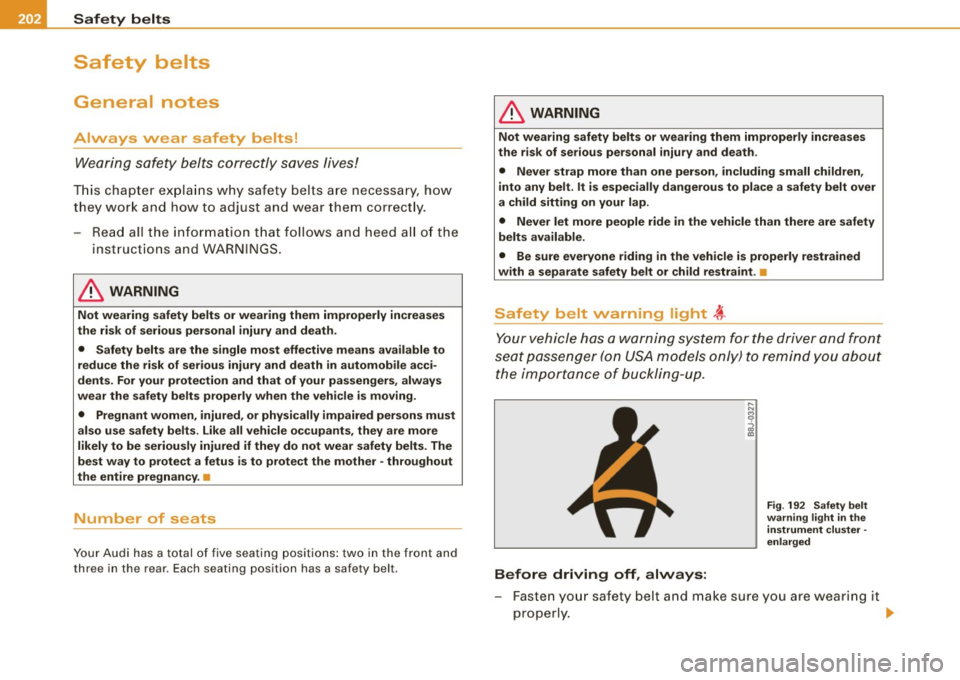
Safety belt warning light ~
Your vehicle has a warning system for the driver and front
seat passenger (on USA models only) to remind you about
the importance of buckling-up.
Before driving off, always:
Fig . 192 Safety belt
warning light in the
instrument cluster -
enlarged
- Fasten your safety belt and make sure you are wearing it
properly. ._
Page 205 of 390

- Make sure that your passengers also buckle up and prop
erly wear their safety belts.
- Protect children with a child restraint system appropriate
for the size and age.
The warning light 4,-in the instrument cluster lights up when the
ignition is switched on as a reminder to fasten the safety belts . In
addition , you will hear a warning tone .
After the ignition is switched on, the warning light in the instrument cluster will always come on for about 6 seconds and if the driver has
not fastened the safety belt , a warning tone will also sound for
about 6 seconds. As soon as the driver has fastened the safety belt,
the warning tone will stop and the warning ligh t will go out .
If the driver or front seat passenger have not buckled -up within
about 10 seconds after the warning tone has stopped and the
vehicle is moving faster than about 15 mph, the warning tone will
sound again for about 6 seconds and then stop for 24 seconds and
then repeat this reminder sequence for a maximum of 2 minutes . At
speeds below 5 mph, the warning tone will not sound.
Fasten your safety belt and make sure that your passengers also
properly put on their safety belts.
& WARNING
• Safety belts are the single most effective means available to
reduce the risk of serious injury and death in automobile acci
dents. For your protection and that of your passengers, always
correctly wear safety belts when the vehicle is moving.
• Failure to pay attention to the warning light that come on,
could lead to personal injury. •
Safety first
Safety belts
Why safety belts?
Frontal collisions and the law of physics
Frontal crashes create very strong forces for people riding
in vehicles.
Fig . 193 Unbelted
occupants in a vehicle
heading for a wall
Fig. 194 The vehicle
crashes into the wall
The physical principles are simple. Both the vehicle and the passen
gers possess energy which varies with vehicle speed and body
weight . Engineers call this energy "kinetic energy."
The higher the speed of the vehicle and the greater the vehicle's
weight, the more energy that has to be "absorbed" in the crash.
Vehicle speed is the most significant factor . If the speed doubles
from 15 to 30 mph (25 to 50 km/h) , the energy increases 4 times!
~
Vehicle care I I Technical data
Page 216 of 390
llffl __ A_ ir_ b_ a-g _ s_y _s_ t_ e_ m _________________________________________________ _
Child restraints on the front seat - some
important things to know
-Be sure to read the important information and head the
WARNINGS for important details about ch ildren and
Advanced Airbags~
page 234.
Even though your vehic le is equipped with an Advanced Airbag
System, make certain that a ll children, especia lly those 12 years and
younger , always ride in the back seat proper ly restrained for their
age and size . The airbag on the passenger side makes the front seat
a potentia lly dangerous place for a child to ride. The front seat is not
the safest place for a chi ld in a forward -facing child safety seat. It
can be a very dangerous place for an infant or a child in a rearward
facing seat.
The Advanced Ai rbag System in your vehicle has been certified to
comply with the Requirements of United States Federal Motor
Vehicle Safety Standard 208 as applicable at the time your vehicle
was manufactured.
The Standard requires the front airbag on the passenger side to be
turned off ("suppressed") if a chi ld up to about one year of age
restrained in one of the rear-facing or forward-facing infant res traints listed in Federa l Motor Vehicle Safety Standard 208 with
which the Advanced Airbag System in your vehicle was cert ified has
been insta lled on the front passenger seat. For a listing of the child
restraints that were used to certify compliance with the US Safety
Standard =>
page 236.
The PASS ENGER AIR B AG OFF light in the instrument panel tells you
when the front Advanced Airbag on the passenger side has been
t urned off by the electronic control unit.
Each time you turn on the ignition , the
PASSEN GER AIR BA G OFF
light will come on for a few seconds and:
• will stay on if the front passenger seat is not occupied, •
will stay on if there is a small child or child restraint on the front
passenger seat,
• will go off if the front passenger seat is occupied by an adult as
registered by the weight-sensing mat=>
page 223, "Monitoring the
Advanced Airbag System" .
The
P AS SENGER AIR BAG OFF light comes on when the control unit
detects a tota l weight on the front passenger seat that requires the
front airbag to be turned off.
If the total weight on the front passenger seat is more than that of
a typica l 1 year -old child but less than the weight of a small adult,
the front airbag on the passenger side can deploy (the
PA SSE NGER
A IR BA G OFF
light does not come on). If the P ASSE NGER AIR B AG
O FF
light does not come on, the front airbag on the passenger s ide
has not been turned off by the electronic control unit and can
deploy if the control unit senses an impact that meets the condi
tions stored in its memory.
F o r e xample , th e a ir b ag m ay dep loy if:
• a small ch ild that is heavier than a typical 1 year -o ld child is on
the front passenger seat (regardless of whether the child is in one
of the child safety seats listed
=> page 236), or
• a child who has outgrown chi ld restraints is on the front
passenger seat.
If the front passenger airbag is turned off, the
PASSEN GER AIR BA G
OFF
light comes on in the instrument cluster and stays on.
The fron t airbag on the passenger side may
not deploy (the
PA SS ENGER AIR BA G OFF light does not illuminate and stay lit) even
if a small adult or teenager, or a passenger who is no t sitting upright
with their back against a non -reclined backrest with their feet on the
vehic le floor in front of the seat is on the front passenger seat
=> page 194, "Proper seating position for the driver".
If the front passenger airbag deploys, the Federal Standard requires
the airbag to meet the "low risk" deployment criteria to reduce the risk of injury through interact ion with the airbag. "Low risk" d eploy
ment occu rs in those crashes that take place at lower decelerations .,.
Page 230 of 390

___ A_ ir_b _a_ g;:::;_ s--:.. y_s _t _e _m _________________________________________________ _
& WARNING
Items stored between the safety belt buckle and the center
console can cause the sensors in the buckle to send the wrong
information to the electronic control module and prevent the
Advanced Airbag System from working properly.
• Always make sure that nothing can interfere with the safety
belt buckles and that they are not obstructed.
<£' For the sake of the environment
Undeployed airbag modules and pretensioners might be classified
as Perchlorate Material -special handling may apply, see
www.dtsc.ca.gov/hazardouswaste/perchlorate. When the vehicle or
parts of the restraint system including airbag modules safety belts
with pretensioners are scrapped , all applicable laws and regula
tions must be observed . Your authorized Audi dealer is familiar with
these requirements and we recommend that you have your dealer
perform this service for you. •
Side airbags
Description of side airbags
The airbag system can provide supplemental protection
to properly restrained occupants.
Fig. 207 Side airbag
location in the driver 's
seat
The side airbags are located in the sides of the front seat backrests
~ fig. 207 and the rear backrest * facing the doors. They are identi
fied by the word "AIRBAG" .
The side airbag system basically consists of :
• the electronic control module and external side impact sensors
• the two side airbags located in the sides of the front backrests
• two rear side airbags (as an ordered
option)
• the airbag warning light in the instrument cluster .
The airbag system is monitored electronically to make certain that
it is functioning properly at all times. Each time you turn on the igni
tion, the airbag system indicator light will come on for a few
seconds (self diagnostics).
The side airbag system supplements the safety belts and can help
to reduce the risk of injury to the driver's , front and rear*
passenger's upper torso on the side of the vehicle that is struck in a
side collision . The airbag deploys only in side impacts and only
when the vehicle acceleration registered by the control unit is high
~
Page 267 of 390

Energy management
Starting ability is optimized
Energy management controls the distribution of electrical
energy and thus optimizes the availability of electrical
energy for starting the engine.
If a vehicle with a conventional energy system is not driven for a
long period of time, the battery is discharged by idling current
consumers (e.g. immobilizer). In certain circumstances it can resu lt
in there being insufficient energy available to start the engine .
Intelligent energy management in your vehicle handles the distribu
tion of electrical energy . Starting ability is markedly improved and
the life of the battery is extended.
Basical ly, energy management consists of
battery di agn osis, idling
current mana gement
and dynami c en ergy management .
Batter y diagn osis
Battery diagnosis continuously deter min es the state of the battery.
Sensors determine battery vo ltage, battery current and battery
temperature . This determines the cu rrent state of charge and the
power of the battery .
Idling c urrent man ag em en t
Idling current management reduces energy consumption while the
vehicle is standing. With the ign it ion switched off, it controls the
energy supply to the various electrical components. Data from
battery diagnos is is considered .
Depending on the battery's state of charge, individual consumers
are gradually turned off to prevent excessive discharge of the
battery and thus maintain starting capability.
Dynamic energ y managem ent
While the vehic le is being driven, dynamic energy management
distributes the energy gene rated acco rding to the needs of the indi -
Controls and equip
ment Safety first Vehicle operation
In
te llig ent tec hn olo gy
vidual components . It regulates consumption, so that more e lec
trical energy is not being used than is being ge nerated and ensures
an optimal state of charge for the battery.
[ i ] Tips
• But even energy management cannot negate the limits of
physics. Consider that the power and life of a battery are limited .
• I f starting ability is threatened, you are informed by a warning
=> page 266, "Drive r notifica tion i n the instrument cluster
display" .•
What you should know
The highes t pri ority is given to main tain ing starting capa
bility.
The battery is severe ly taxed in short-distance driving, in city traffic
and during the co ld time of year. Abundant electrical energy is
required, but only a little is generated. It is also critical if the engine
is not running and elect rica l components are turned on. In this
instance energy is being consumed but none is being generated .
I t is in precisely these situations that you will notice energy manage
ment active ly regula ting the distr ibut ion of energy.
Vehicle stands fo r an extended period
If you do not drive your vehicle over a period of several days or
weeks, electrical components are gradually cut back or switched off.
This reduces energy consumption and maintains starting capability
over a longer period.
Take into considerat ion that when you un lock your veh icle, some
convenience functions, such as the remote key or power seat
adjustment, may not be availab le . T he conven ience functions will be
available again when you turn on the ignition and start the engine.
Vehicle care Do-it-yourself service Technical data