2008 AUDI S5 instrument cluster
[x] Cancel search: instrument clusterPage 32 of 294
Downloaded from www.Manualslib.com manuals search engine Driver information system 30If one or more faults are detected, the driver information message
(as above) will disappear about 15 seconds after the engine has
been started and the appropriate fault symbol(s) will appear in the
display. The warning display will be accompanied by the corre-
sponding warning chime.Driver messages
Additional messages to assist the driver are displayed
together with the warning symbols in the instrument
cluster.For example, the following driver message will appear if the selector
lever for the automatic gearbox* is not in position P when you
switch off the engine:
Shift to P, otherwise vehicle can roll away. Doors do not lock if
lever is not in P
The ignition key can only be withdrawn when the selector lever is in
this position. Similar messages will be displayed if other functions
of this kind cannot be carried out.
Driver messages and red symbols
If a red warning symbol appears in the display, it will automatically
be accompanied by the corresponding driver message.For example, in the event of an oil pressure malfunction the oil pres-
sure symbol
will appear in the display. In addition, the following
message will appear:
Switch off engine and check oil level
The message will disappear from the display after about 5 seconds.
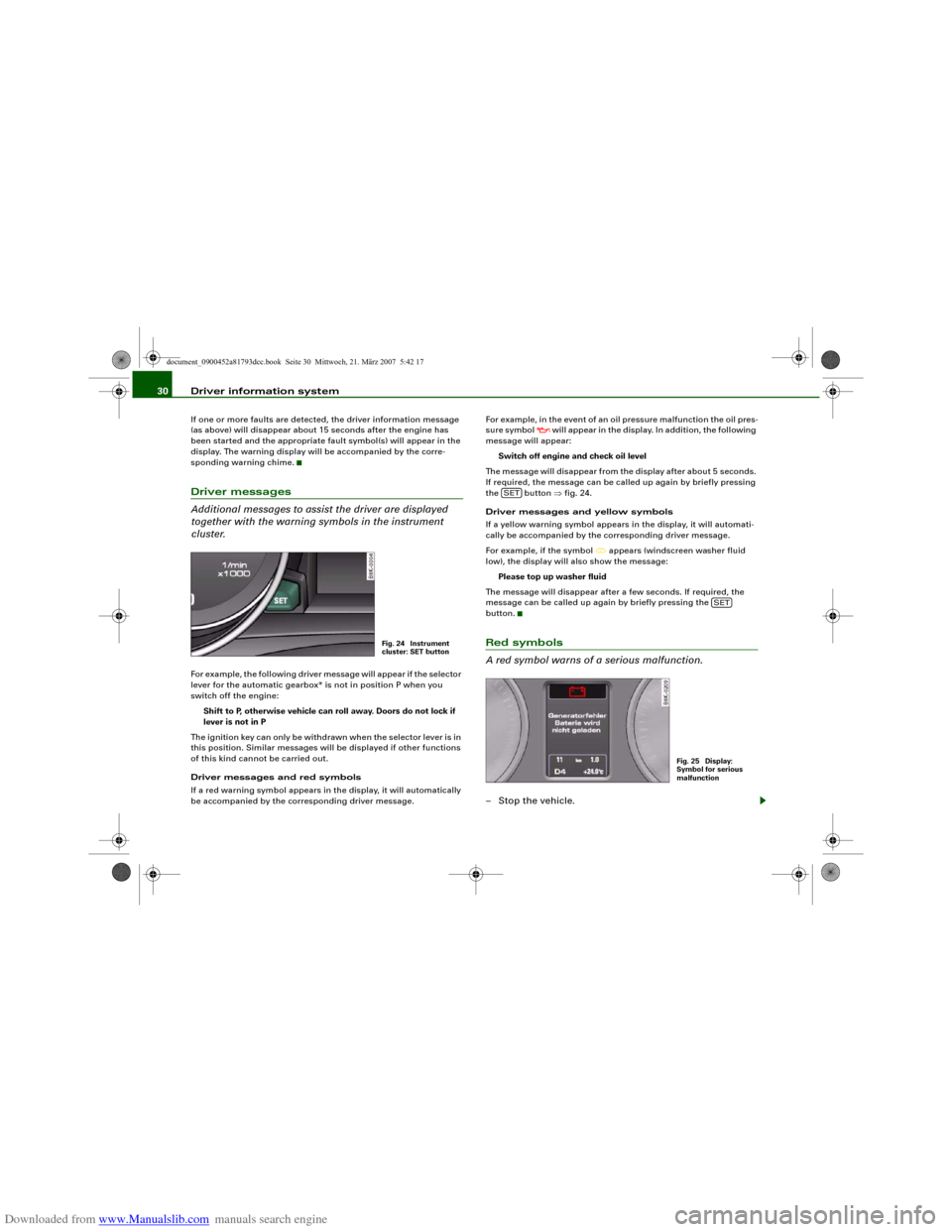
If required, the message can be called up again by briefly pressing
the button ⇒fig. 24.
Driver messages and yellow symbols
If a yellow warning symbol appears in the display, it will automati-
cally be accompanied by the corresponding driver message.
For example, if the symbol
appears (windscreen washer fluid
low), the display will also show the message:
Please top up washer fluid
The message will disappear after a few seconds. If required, the
message can be called up again by briefly pressing the
button.
Red symbols
A red symbol warns of a serious malfunction.–Stop the vehicle.
Fig. 24 Instrument
cluster: SET button
SET
SET
Fig. 25 Display:
Symbol for serious
malfunction
document_0900452a81793dcc.book Seite 30 Mittwoch, 21. März 2007 5:42 17
Page 33 of 294
Downloaded from www.Manualslib.com manuals search engine Driver information system31
Controls
Safety
Driving tips
General maintenance
Self-help
Technical data
– Switch off the engine.
– Check the function displayed. Obtain professional assist-
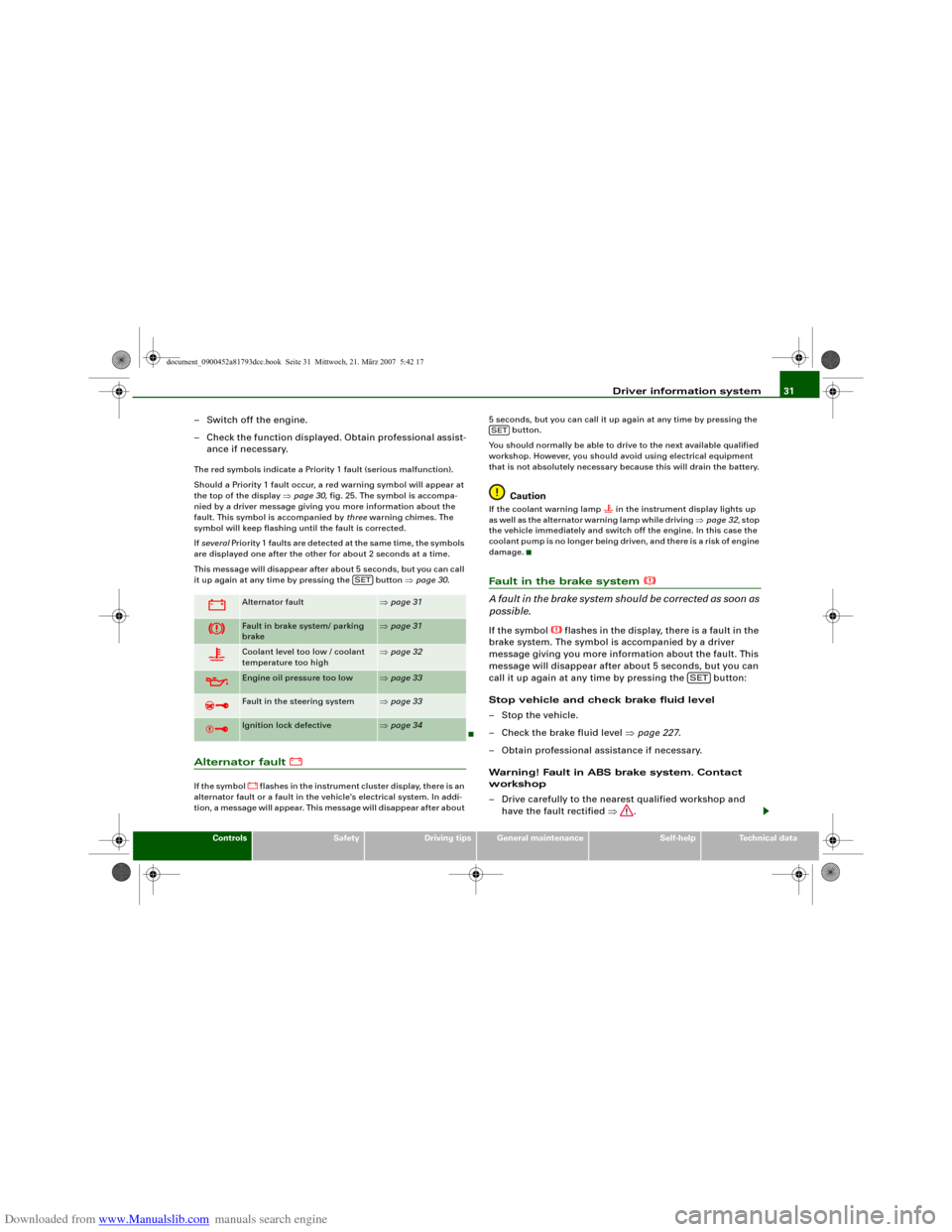
ance if necessary.The red symbols indicate a Priority 1 fault (serious malfunction).
Should a Priority 1 fault occur, a red warning symbol will appear at
the top of the display ⇒page 30, fig. 25. The symbol is accompa-
nied by a driver message giving you more information about the
fault. This symbol is accompanied by three warning chimes. The
symbol will keep flashing until the fault is corrected.
If several Priority 1 faults are detected at the same time, the symbols
are displayed one after the other for about 2 seconds at a time.
This message will disappear after about 5 seconds, but you can call
it up again at any time by pressing the button ⇒page 30.Alternator fault
If the symbol
flashes in the instrument cluster display, there is an
alternator fault or a fault in the vehicle's electrical system. In addi-
tion, a message will appear. This message will disappear after about 5 seconds, but you can call it up again at any time by pressing the
button.
You should normally be able to drive to the next available qualified
workshop. However, you should avoid using electrical equipment
that is not absolutely necessary because this will drain the battery.
Caution
If the coolant warning lamp
in the instrument display lights up
as well as the alternator warning lamp while driving ⇒page 32, stop
the vehicle immediately and switch off the engine. In this case the
coolant pump is no longer being driven, and there is a risk of engine
damage.
Fault in the brake system
A fault in the brake system should be corrected as soon as
possible.If the symbol
flashes in the display, there is a fault in the
brake system. The symbol is accompanied by a driver
message giving you more information about the fault. This
message will disappear after about 5 seconds, but you can
call it up again at any time by pressing the button:
Stop vehicle and check brake fluid level
– Stop the vehicle.
– Check the brake fluid level ⇒page 227.
– Obtain professional assistance if necessary.
Warning! Fault in ABS brake system. Contact
workshop
– Drive carefully to the nearest qualified workshop and
have the fault rectified ⇒.
Alternator fault
⇒page 31
Fault in brake system/ parking
brake
⇒page 31
Coolant level too low / coolant
temperature too high
⇒page 32
Engine oil pressure too low
⇒page 33
Fault in the steering system
⇒page 33
Ignition lock defective
⇒page 34
SET
SET
SET
document_0900452a81793dcc.book Seite 31 Mittwoch, 21. März 2007 5:42 17
Page 34 of 294
Downloaded from www.Manualslib.com manuals search engine Driver information system 32
Parking brake ! Please contact workshop
– If the symbol appears after you switch on the ignition
when the vehicle is stationary, please check whether you
can release the parking brake. If this is possible, you
should drive without delay to the nearest qualified work-
shop and have the fault rectified. If the parking brake
cannot be released you should obtain professional
assistance.
– If this symbol should appear while driving, there may be
a malfunction in the drive-away assist or the emergency
brake functions. You may not be able to apply the parking
brake. It is also possible that you cannot release the
parking brake after it has been applied. Drive the vehicle
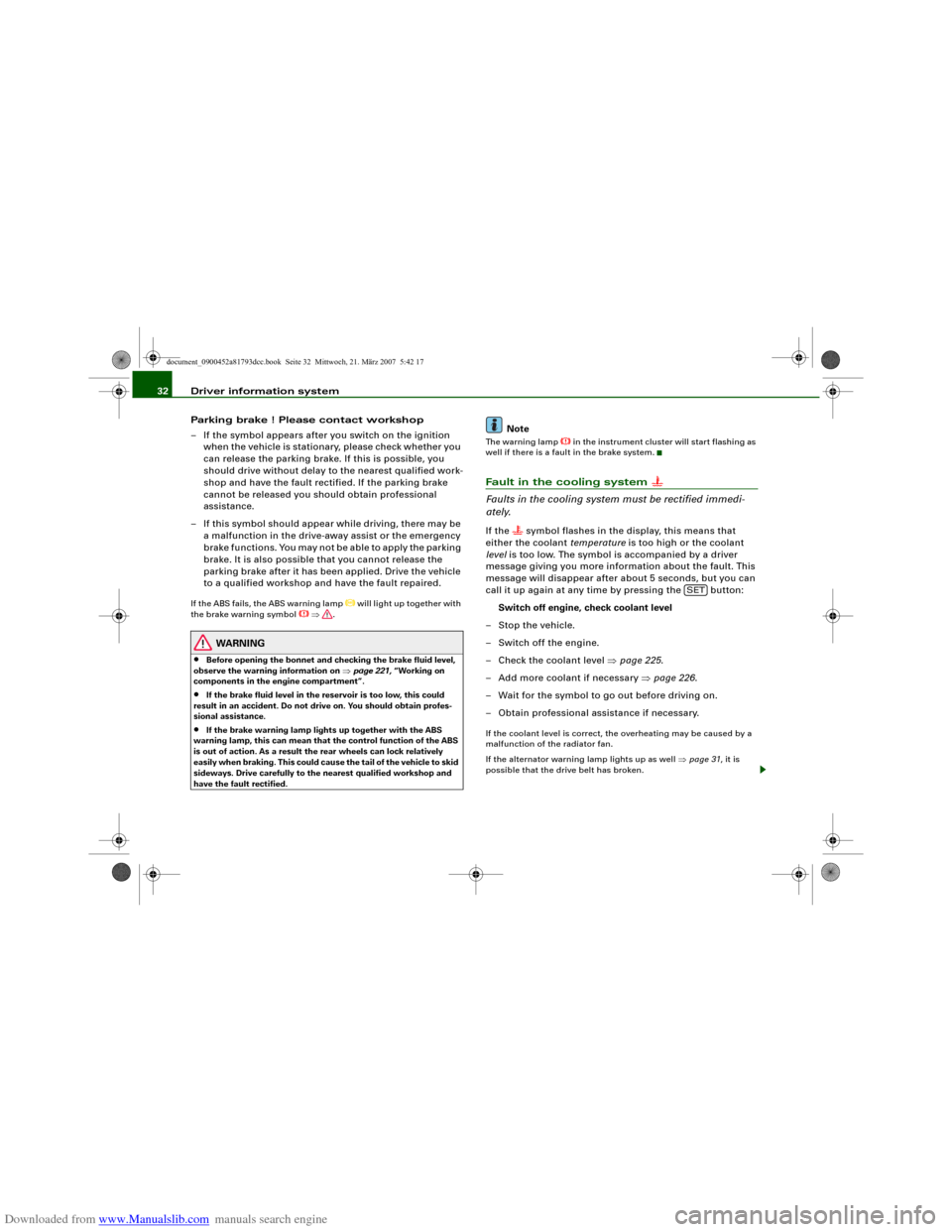
to a qualified workshop and have the fault repaired.If the ABS fails, the ABS warning lamp
will light up together with
the brake warning symbol
⇒.
WARNING
•
Before opening the bonnet and checking the brake fluid level,
observe the warning information on ⇒page 221, “Working on
components in the engine compartment”.
•
If the brake fluid level in the reservoir is too low, this could
result in an accident. Do not drive on. You should obtain profes-
sional assistance.
•
If the brake warning lamp lights up together with the ABS
warning lamp, this can mean that the control function of the ABS
is out of action. As a result the rear wheels can lock relatively
easily when braking. This could cause the tail of the vehicle to skid
sideways. Drive carefully to the nearest qualified workshop and
have the fault rectified.
Note
The warning lamp
in the instrument cluster will start flashing as
well if there is a fault in the brake system.
Fault in the cooling system
Faults in the cooling system must be rectified immedi-
ately.If the
symbol flashes in the display, this means that
either the coolant temperature is too high or the coolant
level is too low. The symbol is accompanied by a driver
message giving you more information about the fault. This
message will disappear after about 5 seconds, but you can
call it up again at any time by pressing the button:
Switch off engine, check coolant level
–Stop the vehicle.
– Switch off the engine.
– Check the coolant level ⇒page 225.
– Add more coolant if necessary ⇒page 226.
– Wait for the symbol to go out before driving on.
– Obtain professional assistance if necessary.
If the coolant level is correct, the overheating may be caused by a
malfunction of the radiator fan.
If the alternator warning lamp lights up as well ⇒page 31, it is
possible that the drive belt has broken.
SET
document_0900452a81793dcc.book Seite 32 Mittwoch, 21. März 2007 5:42 17
Page 41 of 294
Downloaded from www.Manualslib.com manuals search engine Doors and windows39
Controls
Safety
Driving tips
General maintenance
Self-help
Technical data
WARNING
•
Always switch off the ignition and take the key with you when
leaving the vehicle - even if you only intend to be gone for a short
time. This is especially important if children are left in the car. They
might otherwise be able to start the engine or use power-operated
equipment such as the electric windows - this could lead to inju-
ries.
•
Wait for the vehicle to come to a standstill before removing the
ignition key from the lock. Otherwise the steering lock could
engage suddenly, causing an accident.Note
The function of the remote control key may be impaired by interfer-
ence from other nearby radio signals (for example from a mobile
telephone or TV transmitter) if these are in the same frequency
range.Indicator lamp on remote control key
The indicator lamp on the remote control key lights up
when you press the buttons.
The indicator lamp should light up once briefly when you press one
of the buttons briefly. The indicator lamp should flash when you
press and hold one of the buttons (convenience open/close).
If the indicator lamp does not light up, this means the battery is
exhausted and must be replaced ⇒page 39. The instrument cluster
display also shows the symbol
and the following message if the
battery is exhausted:
Please change key battery
Replacing the battery for the remote control key
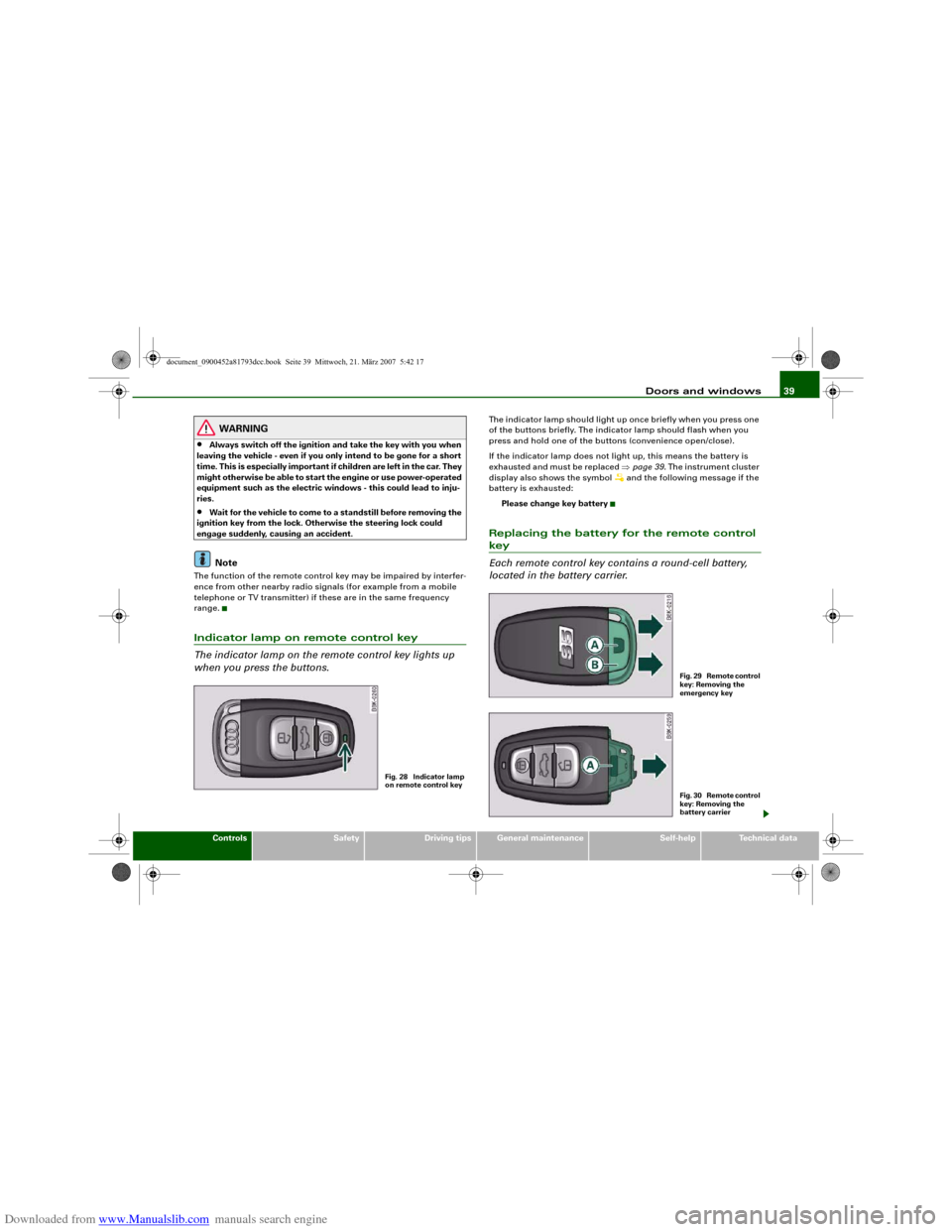
Each remote control key contains a round-cell battery,
located in the battery carrier.
Fig. 28 Indicator lamp
on remote control key
F i g . 2 9 R e m o t e c o n t r o l
key: Removing the
emergency keyF i g . 3 0 R e m o t e c o n t r o l
key: Removing the
battery carrier
document_0900452a81793dcc.book Seite 39 Mittwoch, 21. März 2007 5:42 17
Page 56 of 294
Downloaded from www.Manualslib.com manuals search engine Lights and vision 54Lights and visionLightsSwitching lights on and off
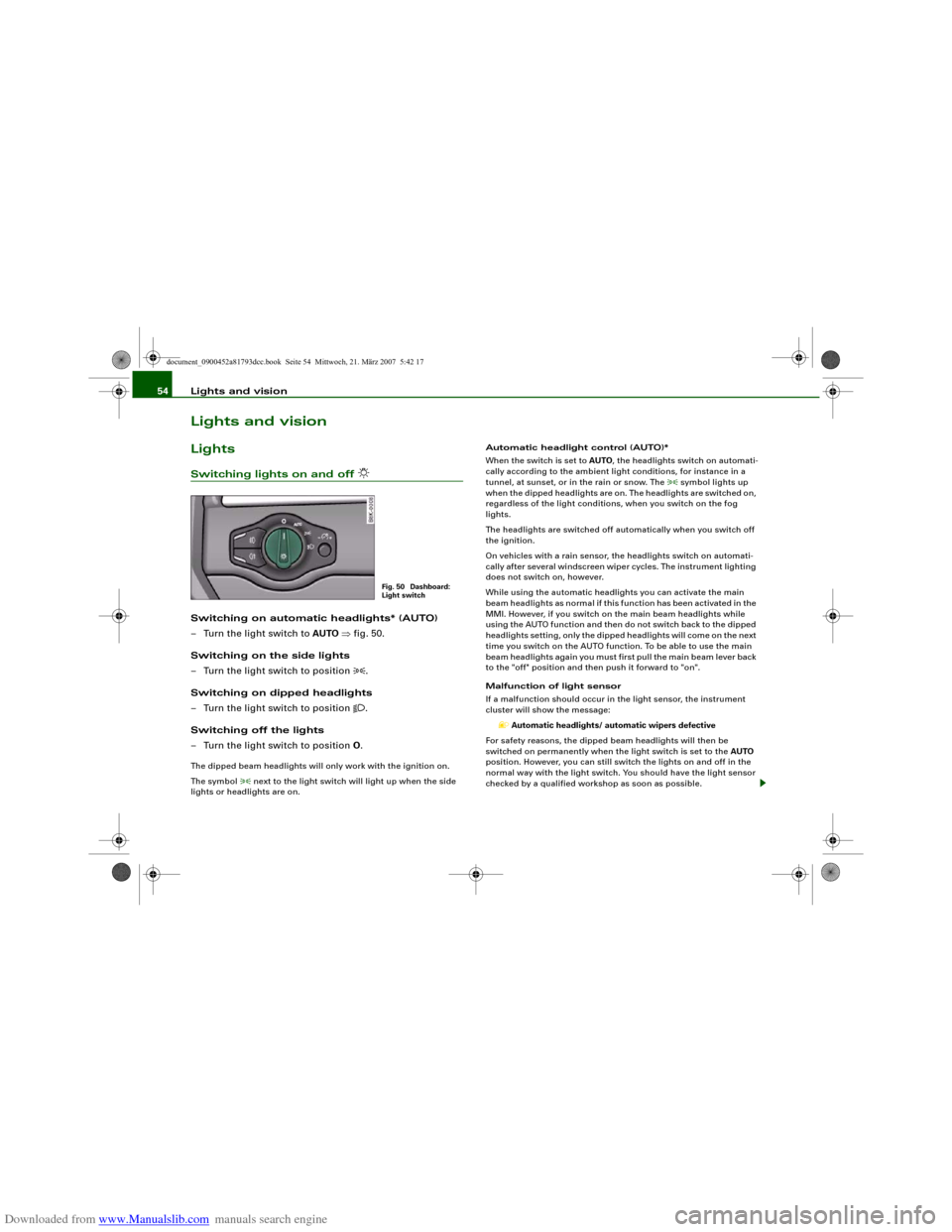
Switching on automatic headlights* (AUTO)
– Turn the light switch to AUTO ⇒fig. 50.
Switching on the side lights
– Turn the light switch to position
.
Switching on dipped headlights
– Turn the light switch to position
.
Switching off the lights
– Turn the light switch to position O.
The dipped beam headlights will only work with the ignition on.
The symbol
next to the light switch will light up when the side
lights or headlights are on.Automatic headlight control (AUTO)*
When the switch is set to AUTO, the headlights switch on automati-
cally according to the ambient light conditions, for instance in a
tunnel, at sunset, or in the rain or snow. The
symbol lights up
when the dipped headlights are on. The headlights are switched on,
regardless of the light conditions, when you switch on the fog
lights.
The headlights are switched off automatically when you switch off
the ignition.
On vehicles with a rain sensor, the headlights switch on automati-
cally after several windscreen wiper cycles. The instrument lighting
does not switch on, however.
While using the automatic headlights you can activate the main
beam headlights as normal if this function has been activated in the
MMI. However, if you switch on the main beam headlights while
using the AUTO function and then do not switch back to the dipped
headlights setting, only the dipped headlights will come on the next
time you switch on the AUTO function. To be able to use the main
beam headlights again you must first pull the main beam lever back
to the "off" position and then push it forward to "on".
Malfunction of light sensor
If a malfunction should occur in the light sensor, the instrument
cluster will show the message:
Automatic headlights/ automatic wipers defective
For safety reasons, the dipped beam headlights will then be
switched on permanently when the light switch is set to the AUTO
position. However, you can still switch the lights on and off in the
normal way with the light switch. You should have the light sensor
checked by a qualified workshop as soon as possible.
Fig. 50 Dashboard:
Light switch
document_0900452a81793dcc.book Seite 54 Mittwoch, 21. März 2007 5:42 17
Page 59 of 294
Downloaded from www.Manualslib.com manuals search engine Lights and vision57
Controls
Safety
Driving tips
General maintenance
Self-help
Technical data
– Turn the button anti-clockwise -” to reduce the bright-
ness of the instrument lighting in dark conditions.
– Press the knob in again to prevent the setting from being
changed unintentionally.The instrument lighting (dials and needles), the centre console illu-
mination and the illumination of the displays are regulated by a
light sensor incorporated in the instrument cluster. In bright condi-
tions any changes made to the brightness of the instrument lighting
have no effect.
Note
The instrument lighting (illumination of dials and needles) is
switched on when the ignition is on and the vehicle's lights are off.
The instrument lighting is dimmed automatically as the daylight
starts to fade; it is switched off completely when the light condi-
tions become very poor. This function is intended to remind the
driver to switch on the dipped-beam headlights in good time when
light conditions become poor.Applies to vehicles: with xenon headlight bulbsDynamic headlight range controlHeadlights with xenon gas-discharge bulbs automatically adapt to
suit the load being carried when the engine is switched on. The
headlights are also automatically adjusted when the vehicle is in
motion (e.g. when accelerating and braking).
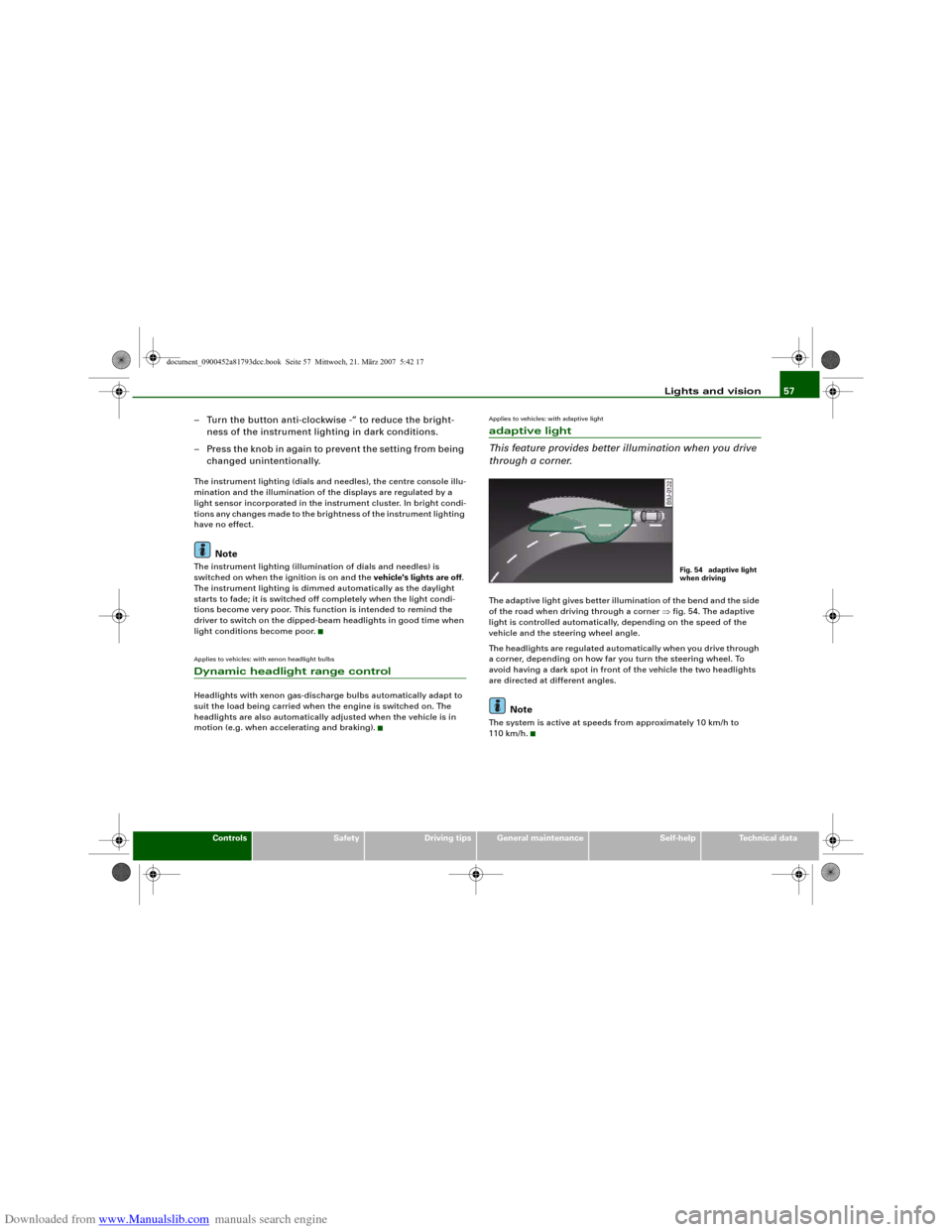
Applies to vehicles: with adaptive lightadaptive light
This feature provides better illumination when you drive
through a corner.The adaptive light gives better illumination of the bend and the side
of the road when driving through a corner ⇒fig. 54. The adaptive
light is controlled automatically, depending on the speed of the
vehicle and the steering wheel angle.
The headlights are regulated automatically when you drive through
a corner, depending on how far you turn the steering wheel. To
avoid having a dark spot in front of the vehicle the two headlights
are directed at different angles.
Note
The system is active at speeds from approximately 10 km/h to
110 km/h.
Fig. 54 adaptive light
when driving
document_0900452a81793dcc.book Seite 57 Mittwoch, 21. März 2007 5:42 17
Page 61 of 294
Downloaded from www.Manualslib.com manuals search engine Lights and vision59
Controls
Safety
Driving tips
General maintenance
Self-help
Technical data
Headlight flasher
– Pull the lever towards the steering wheel to operate the
flasher.
Parking lights
– Switch off the ignition.
– Move the lever up or down to turn on the right or left-
hand parking lights respectively.Notes on these functions•
The turn signals only work when the ignition is switched on. The
corresponding indicator lamp
or
flashes in the instrument
cluster.
•
The turn signals are cancelled automatically when the steering
wheel is returned to the straight-ahead position.
•
The main beam headlights can only be switched on if the dipped
beam headlights are already on. The main beam headlight indicator
lamp then comes on in the instrument cluster.
•
The headlight flasher comes on for as long as you pull the lever –
even if no other lights are switched on. The main beam headlight
indicator lamp
then comes on in the instrument cluster.
•
When the parking lights are switched on, the headlight and the
rear light on one side of the car light up with reduced intensity. The
parking lights will only work with the ignition off. A warning buzzer
will sound for as long as the driver's door is open.Caution
Do not use the main beam headlights or the headlight flasher if this
would dazzle oncoming traffic.
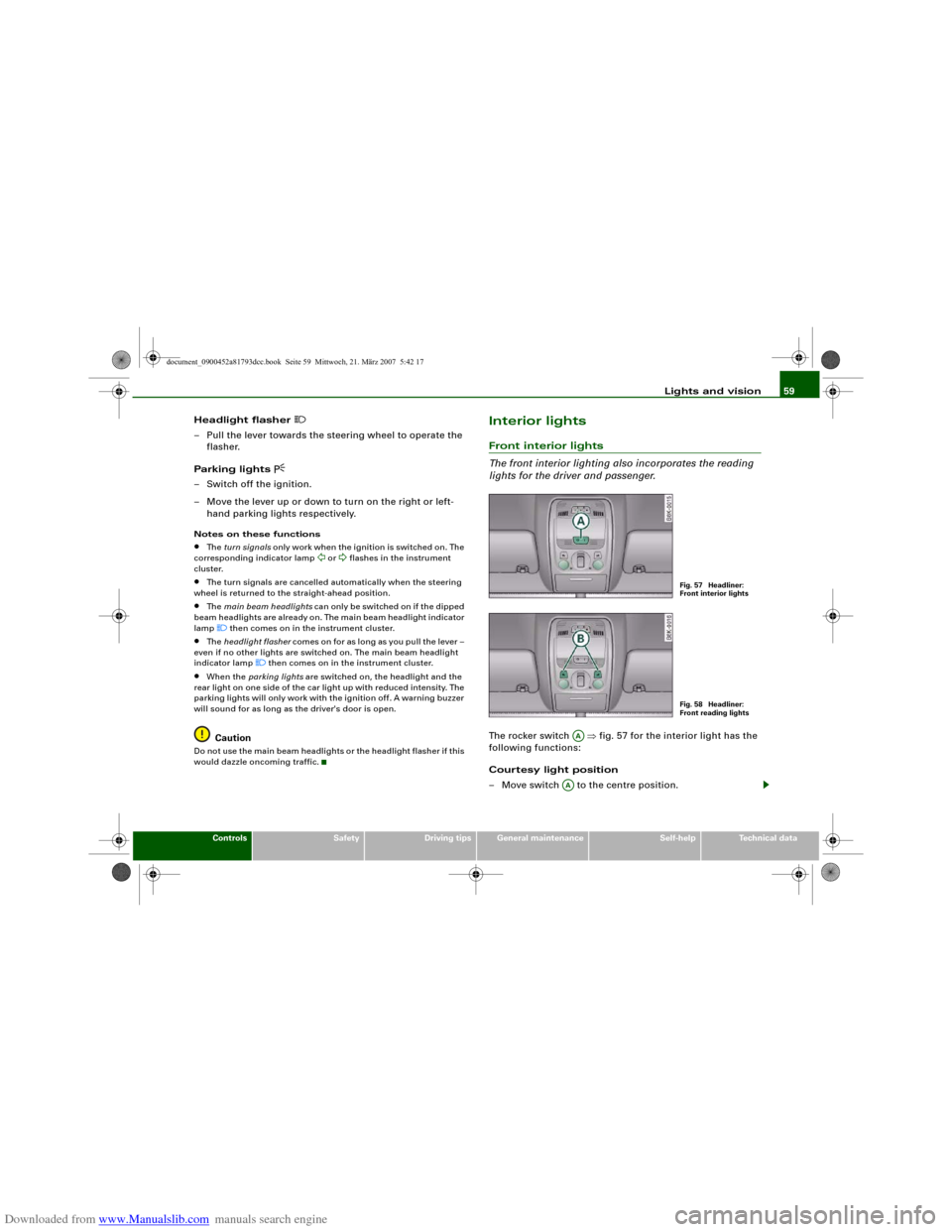
Interior lightsFront interior lights
The front interior lighting also incorporates the reading
lights for the driver and passenger.The rocker switch ⇒fig. 57 for the interior light has the
following functions:
Courtesy light position
– Move switch to the centre position.
Fig. 57 Headliner:
Front interior lightsFig. 58 Headliner:
Front reading lights
AA
AA
document_0900452a81793dcc.book Seite 59 Mittwoch, 21. März 2007 5:42 17
Page 111 of 294
Downloaded from www.Manualslib.com manuals search engine Heating and cooling109
Controls
Safety
Driving tips
General maintenance
Self-help
Technical data exhaust outlet under the car is not obstructed in any way and that
the exhaust gases do not come into contact with flammable mate-
rials (fire risk).
Note
•
It is advisable to open the air outlets when using the auxiliary
heating/ventilation.
•
The auxiliary heating/ventilation will not switch on if the fuel in
the tank has reached the reserve zone.
•
The auxiliary heating/ventilation will not switch on if the battery
charge level is low.
•
The symbols
(auxiliary ventilation) or
(auxiliary heating)
flash in the instrument cluster next to the clock display when the
auxiliary heating/ventilation is switched on. Both symbols light
continuously when the timer is activated.
•
At low outside temperatures some visible water vapour may
form in the engine compartment. This is a normal phenomenon,
and no reason for concern.
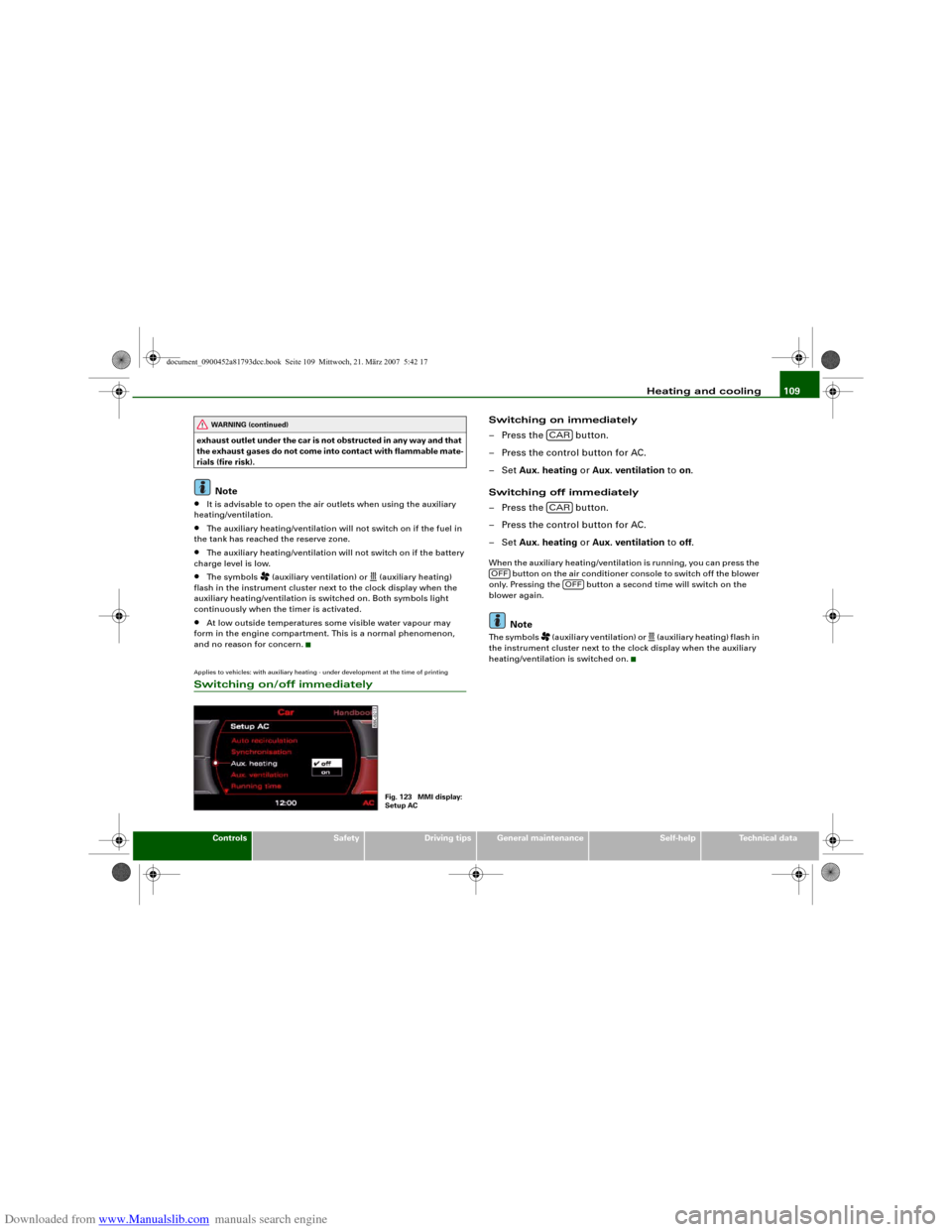
Applies to vehicles: with auxiliary heating - under development at the time of printingSwitching on/off immediately
Switching on immediately
– Press the button.
– Press the control button for AC.
–Set Aux. heating or Aux. ventilation to on.
Switching off immediately
– Press the button.
– Press the control button for AC.
–Set Aux. heating or Aux. ventilation to off.When the auxiliary heating/ventilation is running, you can press the
button on the air conditioner console to switch off the blower
only. Pressing the button a second time will switch on the
blower again.
Note
The symbols
(auxiliary ventilation) or
(auxiliary heating) flash in
the instrument cluster next to the clock display when the auxiliary
heating/ventilation is switched on.
WARNING (continued)
Fig. 123 MMI display:
Setup AC
CARCAR
OFF
OFF
document_0900452a81793dcc.book Seite 109 Mittwoch, 21. März 2007 5:42 17