2008 AUDI A5 instrument cluster
[x] Cancel search: instrument clusterPage 129 of 313
Driving127
Controls
Safety
Driving tips
General maintenance
Self-help
Technical data
– Pull the lever to position ⇒page 125, fig. 138 to
switch on the system.
– Drive at the speed you wish to set the system to (must be
higher than 30 km/h).
– Briefly press button .When the pushbutton is released, the current speed is stored in the
memory and the vehicle will maintain this speed. The cruise control
system is then operating. If you have selected the display for the on-
board computer 1 or 2, a green symbol in the instrument cluster
display indicates that the cruise control is operating ⇒page 126,
fig. 140. The speed which is being maintained is displayed next to
the symbol.
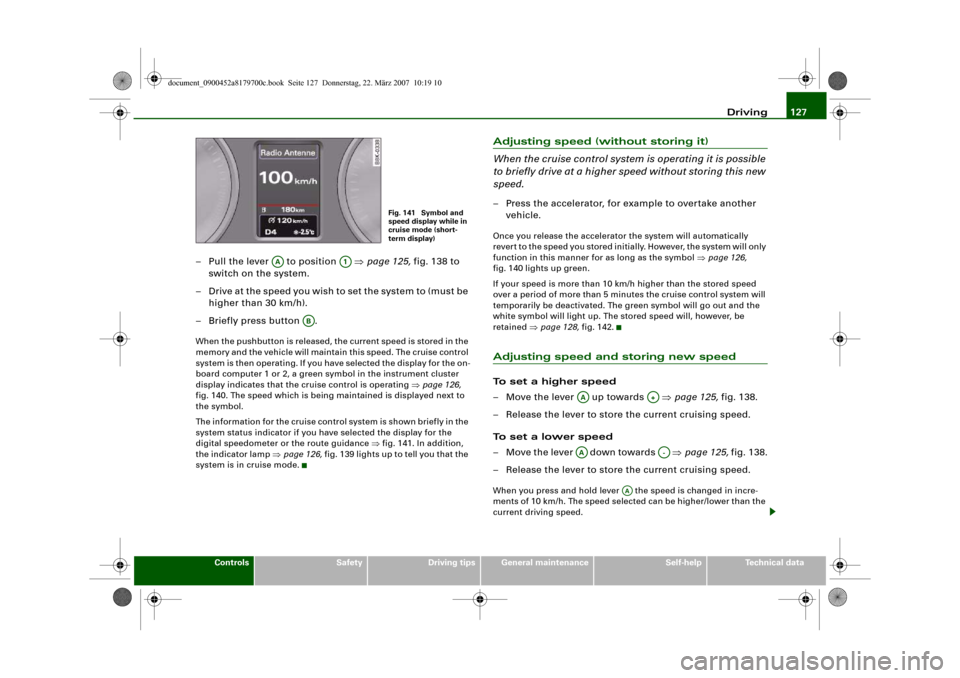
The information for the cruise control system is shown briefly in the
system status indicator if you have selected the display for the
digital speedometer or the route guidance ⇒fig. 141. In addition,
the indicator lamp ⇒page 126, fig. 139 lights up to tell you that the
system is in cruise mode.
Adjusting speed (without storing it)
When the cruise control system is operating it is possible
to briefly drive at a higher speed without storing this new
speed.– Press the accelerator, for example to overtake another
vehicle.Once you release the accelerator the system will automatically
revert to the speed you stored initially. However, the system will only
function in this manner for as long as the symbol ⇒page 126,
fig. 140 lights up green.
If your speed is more than 10 km/h higher than the stored speed
over a period of more than 5 minutes the cruise control system will
temporarily be deactivated. The green symbol will go out and the
white symbol will light up. The stored speed will, however, be
retained ⇒page 128, fig. 142.Adjusting speed and storing new speedTo set a higher speed
– Move the lever up towards ⇒page 125, fig. 138.
– Release the lever to store the current cruising speed.
To set a lower speed
– Move the lever down towards ⇒page 125, fig. 138.
– Release the lever to store the current cruising speed.When you press and hold lever the speed is changed in incre-
ments of 10 km/h. The speed selected can be higher/lower than the
current driving speed.
Fig. 141 Symbol and
speed display while in
cruise mode (short-
term display)
AA
A1
AB
AA
A+
AA
A-
AA
document_0900452a8179700c.book Seite 127 Donnerstag, 22. März 2007 10:19 10
Page 133 of 313
Automatic gearbox131
Controls
Safety
Driving tips
General maintenance
Self-help
Technical data
– To prevent the vehicle from rolling away, apply the
parking brake before moving off on steep gradients
⇒.
– As soon as you accelerate as normal, the parking brake
will automatically be released and the vehicle will start
moving.
Pa rking the c ar
– Press and hold the brake pedal ⇒.
– Apply the parking brake.
– Press and hold the interlock button, move the selector
lever to P and release the interlock button.Your vehicle is equipped with the hill hold assist function which
makes it easier to drive away on a slope. The system is activated
when you press and hold the brake pedal for a few seconds. When
you release the brake pedal the braking force will be maintained for
a moment in order to prevent the vehicle rolling back when you drive
away.
The engine c an only be started when the selector lever is at P or N.
On level ground it is sufficient to move the selector lever to P. On a
gradient the parking brake should be applied first and the selector
lever should be moved to P. This reduces the load on the locking
mechanism and makes it easier to move the selector lever out of
position P.
WARNING
•
Do not press the accelerator while selecting a gear with the
vehicle stationary and the engine running, as this could cause an
accident.
•
Please note that some power will still be transmitted when you
stop temporarily with the selector lever in position D, S or R. For this reason, to avoid risking an accident, apply the footbrake firmly
when stopping to prevent the vehicle rolling away.
•
Never move the selector lever to R or P when driving, as this
could cause an accident.
Applies to vehicles: with multitronic®Selector lever positions
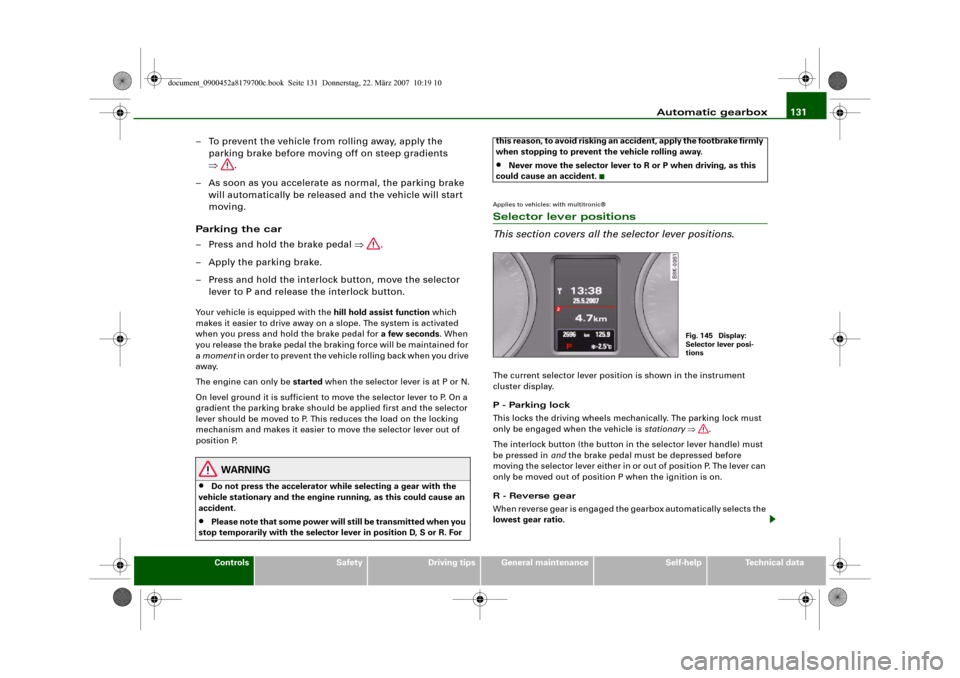
This section covers all the selector lever positions.The current selector lever position is shown in the instrument
cluster display.
P - Parking lock
This locks the driving wheels mechanically. The parking lock must
only be engaged when the vehicle is stationary ⇒.
The interlock button (the button in the selector lever handle) must
be pressed in and the brake pedal must be depressed before
moving the selector lever either in or out of position P. The lever can
only be moved out of position P when the ignition is on.
R - Reverse gear
When reverse gear is engaged the gearbox automatically selects the
lowest gear ratio.
Fig. 145 Display:
Selector lever posi-
tions
document_0900452a8179700c.book Seite 131 Donnerstag, 22. März 2007 10:19 10
Page 178 of 313
Airbag system 176Airbag systemDescription of airbag systemGeneral notes on airbag system
The airbag is an integral part of the car's passive safety
system.In conjunction with the three-point seat belts, the airbag system
gives the front occupants additional protection for the head and
chest in the event of a severe frontal collision.
In a severe side collision the side airbags and the head-protection
airbags reduce the risk of injury to the occupants in the areas of the
body facing the impact ⇒.
In addition to their normal function of protecting the occupants in a
collision, the seat belts also hold them in a position where the
airbags can inflate properly and provide maximum protection.
The airbag system will only work with the ignition on. The airbag
system is monitored electronically; the airbag warning lamp indi-
cates whether the system is functioning properly.
The main parts of the airbag system are:•
the electronic monitoring system (control unit and sensors),
•
the two front airbags,
•
the front side airbags and head-protection airbags,
•
The airbag warning lamp in the instrument cluster.
There is a fault in the airbag system if the warning
lamp
•
does not come on when the ignition is switched on,
•
does not go out about 4 seconds after the ignition is switched
on,
•
goes out and then comes on again after the ignition is switched
on,
•
comes on or flickers while the car is moving.
WARNING
•
The airbags are not a substitute for the seat belts; they are an
integral part of the car's overall passive safety system. The airbags
can only offer effective protection if the occupants are wearing
their seat belts. For this reason it is very important to wear the
seat belts at all times ⇒page 170, “Why is it so important to use
seat belts?”.
•
The seat belts and airbags can only provide maximum protec-
tion if the occupants are seated correctly ⇒page 70, “Seats and
storage”.
•
If you do not wear a seat belt, if you lean forward, or are not
seated correctly while the vehicle is in motion, you are at greater
risk of injury should the airbag system be triggered in an accident.
•
Components of the airbag system are located in various parts
of the vehicle. If repairs to other vehicle components make it
necessary to perform work on the airbag system or to remove or
install parts of the airbag system, this may cause damage to the
airbag system. As a result, the airbags may not inflate correctly or
may not be triggered at all in an accident situation. For this reason,
you should always have the work carried out by a qualified work-
shop.
•
If a fault should occur in the airbag system, have the system
checked immediately by a qualified workshop. Otherwise the
system may fail to trigger in an accident.
•
Do not attempt to modify components of the airbag system in
any way.
•
Never make any alterations to the front bumper or the body.
document_0900452a8179700c.book Seite 176 Donnerstag, 22. März 2007 10:19 10
Page 186 of 313
Airbag system 184
– The front passenger's airbag can be reactivated by
turning the key to position .Deactivating front passenger's airbag when a child
safety seat is in use
If you have no alternative but to install a rearward-facing child safety
seat on the front passenger's seat you must deactivate the front
passenger's airbag beforehand.
We recommend, however, that child seats should be only fitted on
the rear seat so that the front passenger's airbag can remain func-
tional and provide protection in an accident ⇒page 185.
Monitoring of airbag system
The airbag warning lamp will light up for a few seconds every time
the ignition is switched on.
If the front passenger's airbag has been deactivated via the key-
operated switch, the indicator lamp “PASSENGER AIRBAG OFF” will
light up constantly as a reminder ⇒fig. 196. Please refer also to the
description of the
warning lamp in the instrument cluster
⇒page 16.
When the front passenger's airbag is deactivated using the key-
operated switch, the seat belt warning lamp for the front passenger
⇒page 17 is also switched off.
WARNING
•
If you have no alternative but to install a rearward-facing child
seat on the front passenger's seat, the front passenger's airbag
must be deactivated beforehand. Potentially fatal injuries to the
child can result if the front passenger's airbag is not deactvated!
⇒page 186, “Using a child safety seat on the front passenger's
seat”
•
If you have deactivated the front passenger's airbag, reactivate
it as soon as the child seat is no longer needed so that the airbag
can continue to give the required protection.
•
It is the driver's responsibility to ensure that the key-operated
switch is set to the correct position.Note
All the other airbags in the car will remain functional if the front
passenger's airbag has been deactivated with the key-operated
switch.
AON
WARNING (continued)
document_0900452a8179700c.book Seite 184 Donnerstag, 22. März 2007 10:19 10
Page 205 of 313
Intelligent technology203
Controls
Safety
Driving tips
General maintenance
Self-help
Technical data Dynamic power management
While the vehicle is moving, this function distributes the available
power to the various electrical components and systems according
to their requirements. The power management ensures that on-
board systems do not consume more electrical power than the
alternator can supply, and thus maintains the maximum possible
battery power level.
Note
•
The power management system is not able to overcome the
given physical limits. Please remember that the power and life of
the battery are limited.
•
A warning message will appear ⇒page 204, “Driver message in
the instrument cluster display” if the battery power has dropped to
a level where reliable starting is impaired.
Points to remember
Starting ability has first priority.Short trips, city traffic and low temperatures all place a heavy load
on the battery. In these conditions a large amount of power is
consumed, but only a small amount is supplied. The situation is also
critical if electrical equipment is in use when the engine is not
running. In this case power is consumed when none is being gener-
ated.
In these situations you will be aware that the power management
system is intervening to control the distribution of electrical power.
When the vehicle is parked for long periods
If you do not drive your vehicle for a period of several days or weeks,
the power management will gradually shut off the on-board
systems one by one, or reduce the amount of current they are using.
This limits the amount of power consumed and helps to ensure reli-
able starting even after a long period.Please note that certain convenience features, such as the Audi
advanced key*, the remote control key or the electrical seat adjust-
ment may not be available when you unlock the vehicle. These func-
tions will be restored when you switch on the ignition and start the
engine.
With the engine switched off
If you listen to the radio or use the other MMI functions when the
engine is not running, this will discharge the battery.
The MMI display will show this warning message before the battery
power drops to a level where the starting ability is impaired.
Please start engine, otherwise system will switch off
in 3 minutes.
This message warns you that the system you are using will be
switched off automatically after 3 minutes. You should therefore
start the engine if you wish to continue using the system.
When the engine is running
Although the alternator generates electrical power, the battery can
still become discharged while the vehicle is being driven. This can
occur when a lot of power is being consumed but only a small
amount supplied, especially if the battery is not fully charged
initially.
To restore the necessary energy balance, the system will then
temporarily shut off the electrical components that are using a lot
of power, or reduce the current they are consuming. Heating
systems in particular use a large amount of electrical power. If you
notice, for instance, that the seat heating* or the rear window
heater is not working, they may have been temporarily switched off
or regulated to a lower heat output. These systems will be available
again as soon as sufficient electrical power is available.
You may also notice that the engine runs at a slightly faster idling
speed. This is quite normal, and no cause for concern. The increased
idling speed allows the alternator to meet the greater power
requirement and charge the battery at the same time.
document_0900452a8179700c.book Seite 203 Donnerstag, 22. März 2007 10:19 10
Page 206 of 313
Intelligent technology 204Driver message in the instrument cluster displayIf battery power drops to a level at which you may encounter prob-
lems when starting the engine, the following message will appear
in the instrument cluster display:
Low battery charge: Battery will be charged while driving
This message reminds you that the starting reliability may be
impaired. The message will disappear as soon as you set off and the
battery is charged.
Message comes on and goes out again
If the message appears in the display after the ignition is switched
on or while driving, and goes out again after a period of time, the
battery has been charged up again sufficiently while the vehicle was
being driven.
Message comes on and does not go out
If the message appears in the display after the ignition is switched
on or while driving, and does not go out again, the battery is not
being maintained at the proper power level. Starting reliability may
be impaired. You should have the battery checked by a qualified
workshop as soon as possible.
document_0900452a8179700c.book Seite 204 Donnerstag, 22. März 2007 10:19 10
Page 211 of 313
Towing a trailer209
Controls
Safety
Driving tips
General maintenance
Self-help
Technical data additional mirrors fitted. Both exterior mirrors should be mounted
on hinged extension brackets. Adjust the mirrors to give sufficient
vision to the rear.
Headlights
Before starting a journey, check the headlight beam settings with
the trailer hitched up. If necessary, alter the height of the headlight
beams by means of the headlight range control ⇒page 56.
Power supply
When you remove the ignition key the power supply to the trailer is
interrupted.
Removable ball joint coupling
Vehicles with a factory-fitted towing bracket are equipped with a
removable ball joint coupling. It is carried under the floor panel on
the left-hand side of the luggage compartment.
Note
We recommend having the car serviced between the normal inspec-
tion intervals if it used frequently for towing a trailer.Applies to vehicles: with towing bracketTrailer stabilisation system
Trailer stabilisation helps to reduce the risk of the vehicle
skidding when towing a trailer.When is the trailer stabilisation system activated?
Trailer stabilisation is active when the following requirements are
met:•
The ESP must NOT be switched off ⇒page 196,
•
The trailer connector must be properly secured in the vehicle
socket.
•
Vehicle speed must be higher than approx. 60 km/h.How trailer stabilisation works:
In many cases, the driver can stabilise a swaying trailer by manually
braking the vehicle.
However, if the ESP detects that the trailer is swaying and this is
affecting the towing vehicle, it will automatically brake the vehicle
to stabilise the trailer by slowing it down. The warning lamp
will
light up in the instrument cluster. If possible, do not turn the
steering wheel at this stage.
In order to warn traffic behind you, the brake lights will come on
during this automatic braking operation.
A trailer weighing less than 70% of the kerb weight of the towing
vehicle may sway quite considerably without the trailer stabilisation
system intervening. This can happen when the swaying movements
of the light-weight trailer are not or hardly passed on to the towing
vehicle and are therefore not detected by the ESP.
If the system for activating the trailer brake lights is defective, this
will be indicated in the instrument cluster display ⇒page 36, “Bulb
monitor ”.
Requirements for correct functioning of the trailer
stabilisation system
If these conditions are not met in full, the trailer stabilisation system
will only intervene to a limited extent or not at all ⇒.
•
The electrical connection between the towing vehicle and the
trailer must be functioning correctly, without any defects.
•
The load on the trailer must be properly secured.
•
The tyre pressures on both the vehicle and the trailer must be
adapted to the load that is being carried.
•
Where possible, operate the trailer with the maximum permitted
draw bar weight.
•
The trailer overrun brake must be set correctly. This is important
to ensure that the trailer can be braked correctly, to avoid the vehicle
and trailer “jack-knifing” and to prevent excess braking of the trailer.
document_0900452a8179700c.book Seite 209 Donnerstag, 22. März 2007 10:19 10
Page 212 of 313
Towing a trailer 210•
In low outside temperatures, both the towing vehicle and the
trailer should be fitted with winter tyres.
WARNING
It is essential that you adjust your speed to suit the weather, road
and traffic conditions. Do not let the trailer stabilisation system
tempt you into taking any risks when driving – this can cause acci-
dents.•
The ESP and trailer stabilisation system cannot defy the laws
of physics. This should be kept in mind, particularly on slippery
and wet roads and when towing a trailer with a light load.
•
The trailer stabilisation system is functional, regardless of
whether the trailer has a mechanical overrun brake or not.
•
The trailer stabilisation system is not always able to detect
swaying of trailers with a light load and will therefore not inter-
vene.
•
A trailer can still “jack-knife” on slippery roads with little grip,
even if the towing vehicle is equipped with the trailer stabilisation
system.
•
Trailers with a high centre of gravity may even tip over before
they start to sway sideways.
•
If you are not towing a trailer, but the trailer socket is being
used (e.g. for an illuminated bicycle rack), the trailer stabilisation
system may be activated in extreme driving conditions.
•
Please note the additional information and warnings
⇒page 210.
Notes on towing
Driving with a trailer always requires extra care.Weight distribution
Try to avoid towing a loaded trailer with an unladen vehicle. If this
cannot be avoided, drive extra slowly to allow for the unbalanced
weight distribution.
Speed
The stability of the car and trailer is reduced with increasing speed.
For this reason it is advisable not to drive at the maximum permis-
sible top speed in unfavourable road, weather or wind conditions.
This applies especially on a downhill gradient.
You should always reduce speed immediately if the trailer shows
the slightest sign of swaying. Never try to stop the swaying by accel-
erating further.
Always brake in good time. If the trailer has an overrun brake, apply
the brakes gently at first and then firmly. This will prevent the jerking
that can be caused by the trailer wheels locking. Change down in
good time before going down a steep hill so that you can use the
engine braking effect to slow down the vehicle.
Swaying and pitching can be reduced by stabiliser aids. We recom-
mend having stabiliser aids installed when towing trailers with a
high trailer weight. They can be purchased and installed at an Audi
dealer.
Overheating
When climbing long hills in hot weather with the engine running
fast in low gear, you should keep an eye on the coolant temperature
gauge ⇒page 11. Reduce speed immediately if the needle moves to
the top end of the scale. If the temperature warning lamp
in the
instrument cluster should start flashing, stop the car and let the
engine cool down by running it at idling speed for a few minutes.
document_0900452a8179700c.book Seite 210 Donnerstag, 22. März 2007 10:19 10