Page 151 of 251

The distance monitored behind the vehicle is approximately 5 ft (1.5 m). The signal comes from the rear speakers.
The system must be deactivated when towing a trailer, carrying bicycles in a rear-mounted carrier, etc, which could
trigger the rear park assist system's sensors.
NOTE
Rear park assist is deactivated automatically when towing a trailer if Volvo genuine trailer wiring is used.
Front park assist
The distance monitored in front of the vehicle is approximately 2.5 ft (0.8 m). The signal comes from the front
speakers.
It may not be possible to combine auxiliary headlights and front park assist since these lights could trigger the system's
sensors.
154 04 Comfort and driving pleasure
Park assist (option)
Faults in the system
If the information symbol illuminates and Park Assist syst Service required is shown on the information display, this
indicates that the system is not functioning properly and has been disengaged. Consult a Volvo retailer or authorized
Volvo service technician.
CAUTION
In certain circumstances, the park assist system may give unexpected warning signals that can be caused by external
sound sources that use the same ultrasound frequencies as the system. This may include such things as the horns of
other vehicles, wet tires on asphalt, pneumatic brakes, motorcycle exhaust pipes, etc. This does not indicate a fault in
the system.
Activating/deactivating
ProCarManuals.com
Page 152 of 251
Press the Park assist button on the center console to temporarily deactivate the system(s). The indicator light in the
button will go out when the system(s) have been deactivated.
If the vehicle is equipped with front and rear park assist, both systems will be deactivated by pressing the button.
Park assist will be automatically reactivated the next time the engine is started, or if the button is pressed (the indicator
light in the button will illuminate).
NOTE
Front park assist is disengaged automatically when the parking brake is applied.
Cleaning the sensors
The sensors must be cleaned regularly to ensure that they work properly. Clean them with water and a suitable car
washing detergent.
Ice and snow covering the sensors may cause incorrect warning signals.
155 04 Comfort and driving pleasure
Blind Spot Information System (option)
Introduction
ProCarManuals.com
Page 153 of 251

BLIS camera
Indicator light
BLIS symbol
The Blind Spot Information System (BLIS) is an information system that indicates the presence of another vehicle
moving in the same direction as your vehicle in the sideview mirror's "blind area."
WARNING
BLIS is an information system, NOT a warning or safety system.
BLIS does not eliminate the need for you to visually confirm the conditions around you, and the need for you to
turn your head and shoulders to make sure that you can safely change lanes.
As the driver, you have full responsibility for changing lanes in a safe manner.
The system is based on digital camera technology. The cameras
are located beneath the side-view mirrors.
When one (or both) of the cameras have detected a vehicle in the blind area (up to approximately 10 ft. (3 meters)
from the side of your vehicle, and up to approximately 31 ft. (9.5 meters) behind the side-view mirror), see the
illustration in the right column, the indicator light in the door panel
illuminates. The light will glow continuously to
alert the driver of the vehicle in the blind area.
NOTE
The door panel indicator light illuminates on the side of the vehicle where the system has detected another vehicle. If
your vehicle is passed on both sides at the same time, both lights will illuminate.
BLIS has an integrated function that alerts the driver if a fault should occur with the system. For example, if one or
both of the system's cameras are obscured, a message (see the table on page 157
) will appear in the information
display in the instrument panel. If this occurs, clean the camera lenses. If necessary, the system can be temporarily
switched off (for instructions, see page 157
).
ProCarManuals.com
Page 154 of 251

156 04 Comfort and driving pleasure
Blind Spot Information System (option)
When does BLIS function
The system functions when your vehicle is moving at speeds above 6 mph (10 km/h).
When you pass another vehicle:
The system reacts when you pass another vehicle at a speed of up to 6 mph (10 km/h) faster than that vehicle.
When you are passed by another vehicle:
The system reacts if your vehicle is passed by another vehicle at a speed of up to 43 mph (70 km/h) faster than your
vehicle.
WARNING
BLIS does not function in sharp curves.
BLIS does not function when your vehicle is backing up.
If you are towing a wide trailer, this may prevent the BLIS cameras from detecting other vehicles in adjacent
lanes.
How BLIS functions in daylight and darkness
Daylight
BLIS reacts to the shape of surrounding vehicles. The system is designed to help detect motor vehicles such as cars,
trucks, buses, motorcycles, etc.
Darkness
BLIS reacts to the headlights of surrounding vehicles. In order to be detected by BLIS, a vehicle in the blind area
must have its headlights on. This means, for example, that the system will not detect a trailer without headlights that is
being towed behind a car or truck.
WARNING
BLIS does not react to cyclists or mopeds.
BLIS does not react to vehicles that are standing still.
The function of the BLIS cameras may be affected by intense light, or when driving at night in areas where there
are no external sources of light (e.g., street lights, other vehicles, etc.). In such cases, the system may react as if the
ProCarManuals.com
Page 155 of 251
cameras were obscured.
In both of the above mentioned conditions, a message will appear in the information display.
When driving in such conditions, the system's function will be limited or it may be temporarily switched off. See
page 157
for instructions.
When the message is no longer displayed, BLIS will return to normal function.
The BLIS cameras have the same limitation as the human eye. In other words, their "vision is impaired" by
adverse weather conditions such as heavy snowfall, dense fog, etc.
157 04 Comfort and driving pleasure
Blind Spot Information System (option)
Cleaning the BLIS camera lenses
In order to function optimally, the BLIS camera lenses must be kept clean. They can be wiped clean with a soft cloth
or wet sponge.
CAUTION
Clean the lenses carefully to avoid scratching.
The lenses are electrically heated to help melt ice or snow. If necessary, gently brush away snow from the lenses.
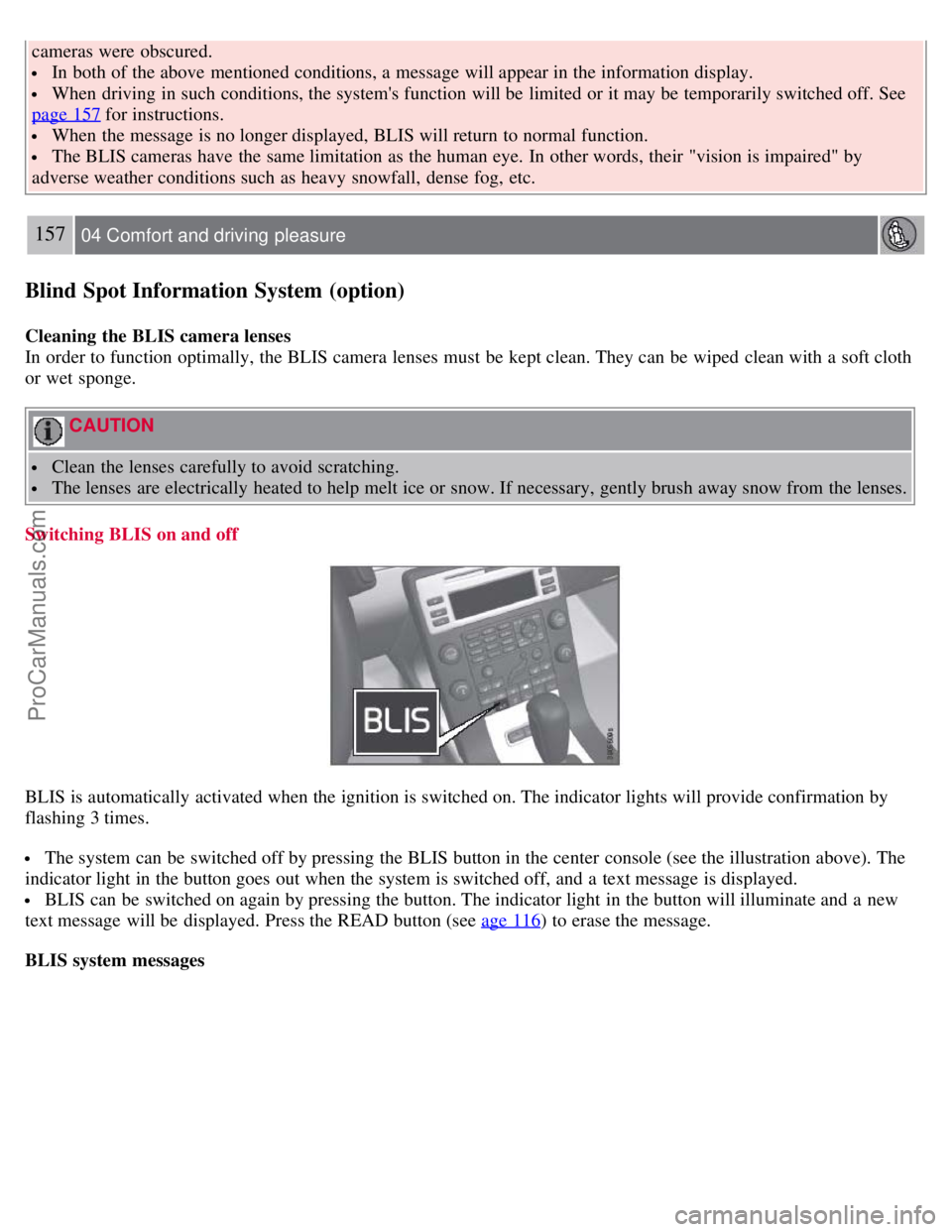
Switching BLIS on and off
BLIS is automatically activated when the ignition is switched on. The indicator lights will provide confirmation by
flashing 3 times.
The system can be switched off by pressing the BLIS button in the center console (see the illustration above). The
indicator light in the button goes out when the system is switched off, and a text message is displayed.
BLIS can be switched on again by pressing the button. The indicator light in the button will illuminate and a new
text message will be displayed. Press the READ button (see age 116
) to erase the message.
BLIS system messages
ProCarManuals.com
Page 157 of 251
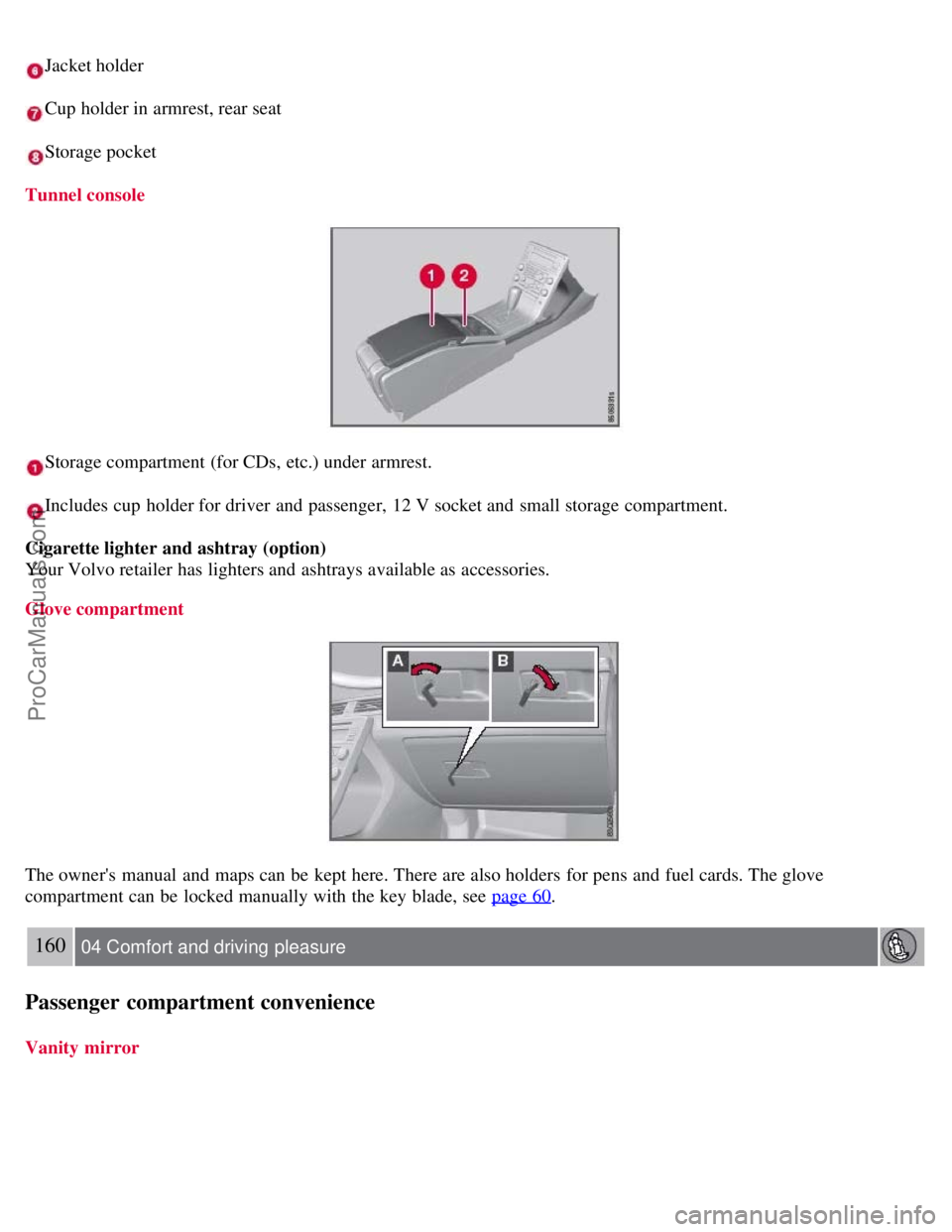
Jacket holder
Cup holder in armrest, rear seat
Storage pocket
Tunnel console
Storage compartment (for CDs, etc.) under armrest.
Includes cup holder for driver and passenger, 12 V socket and small storage compartment.
Cigarette lighter and ashtray (option)
Your Volvo retailer has lighters and ashtrays available as accessories.
Glove compartment
The owner's manual and maps can be kept here. There are also holders for pens and fuel cards. The glove
compartment can be locked manually with the key blade, see page 60
.
160 04 Comfort and driving pleasure
Passenger compartment convenience
Vanity mirror
ProCarManuals.com
Page 158 of 251
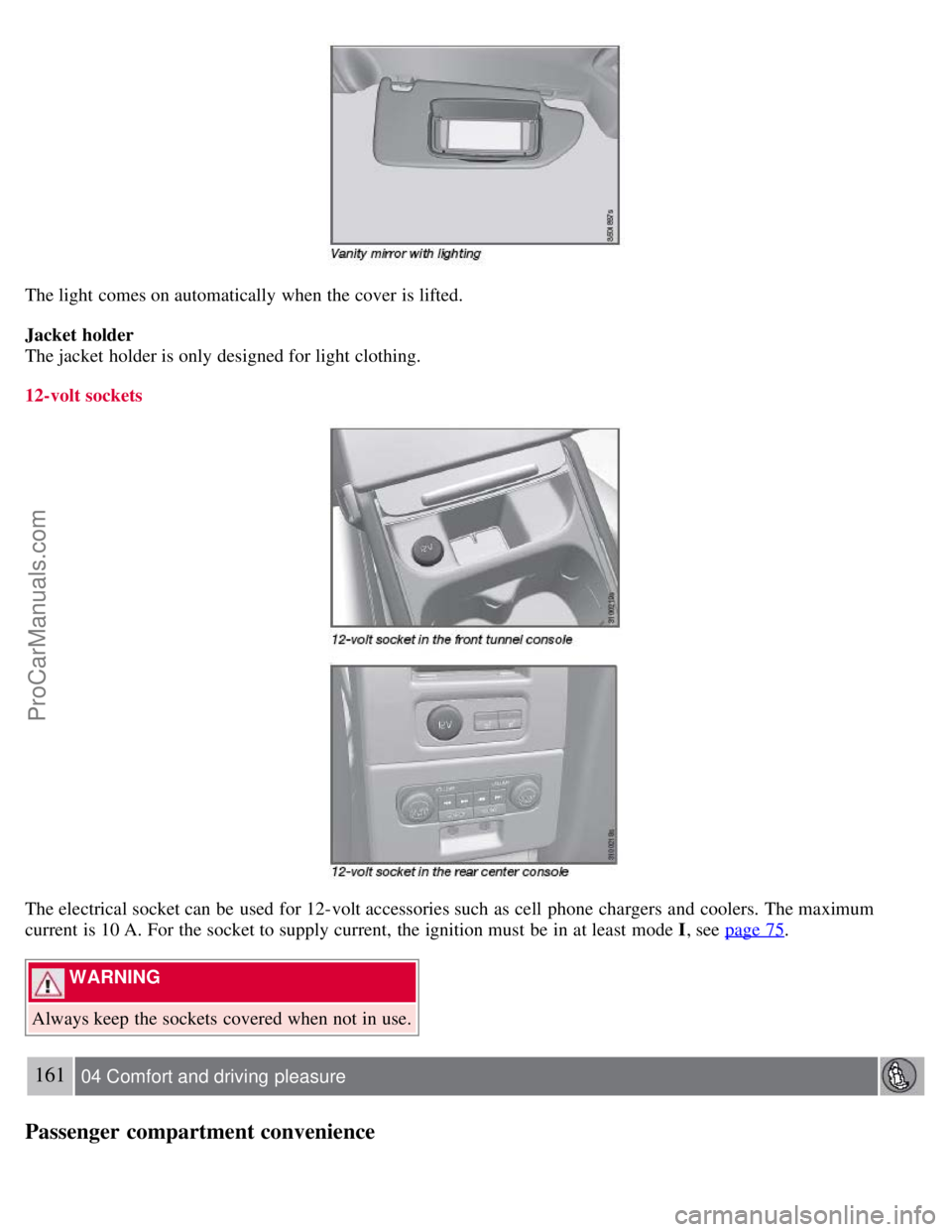
The light comes on automatically when the cover is lifted.
Jacket holder
The jacket holder is only designed for light clothing.
12-volt sockets
The electrical socket can be used for 12-volt accessories such as cell phone chargers and coolers. The maximum
current is 10 A. For the socket to supply current, the ignition must be in at least mode I, see page 75
.
WARNING
Always keep the sockets covered when not in use.
161 04 Comfort and driving pleasure
Passenger compartment convenience
ProCarManuals.com
Page 166 of 251
2 0 0 7
VOLVO S80
168 05 During your trip
Driving recommendations 170
Refueling174
Loading179
Towing a trailer182
Emergency towing185
169 05 During your trip
170 05 During your trip
Driving recommendations
General information
Economical driving conserves natural resources
Better driving economy may be obtained by thinking ahead, avoiding rapid starts and stops and adjusting the speed of
your vehicle to immediate traffic conditions.
Observe the following rules:
Bring the engine to normal operating temperature as soon as possible by driving with a light foot on the accelerator
pedal for the first few minutes of operation. A cold engine uses more fuel and is subject to increased wear.
Whenever possible, avoid using the vehicle for driving short distances. This does not allow the engine to reach
normal operating temperature.
Drive carefully and avoid rapid acceleration and hard braking.
Use the transmission's (D)rive position as often as possible and avoid using kickdown.
Do not exceed posted speed limits.
Avoid carrying unnecessary items (extra load) in the vehicle.
Maintain correct tire pressure. Check tire pressure regularly (when tires are cold).
Remove snow tires when threat of snow or ice has ended.
Note that roof racks, ski racks, etc, increase air resistance and also fuel consumption.
ProCarManuals.com