2007 VOLVO S80 key
[x] Cancel search: keyPage 88 of 251

Tilting the door mirror when parking (option)
The door mirror can be tilted down for the driver to view the side of the road when parking for example. Engage
reverse gear and press the L or R button. The door mirror resets when reverse gear is disengaged.
Automatic retraction when locking
When the vehicle is locked/unlocked with the remote key the door mirrors are automatically retracted/extended.
The function can be activated/deactivated under Car settings
Retract mirrors when locking. For a description of the
menu system, see page 115
.
Resetting to neutral
Mirrors that have been moved out of position by an external force must be electrically reset to the neutral position for
electric retracting/extending to work.
Retract the mirrors with the L and R buttons.
Fold them out again with the L and R buttons.
The mirrors are now reset in neutral position.
Home safe and approach lighting
The light on the door mirrors comes on when approach lighting or home safe lighting is selected, see page 89
.
95 03 Your driving environment
Mirrors
Rear window and door mirror defrosters
Use the defroster to quickly remove misting and ice from the rear window and the door mirrors.
Press the button once to start simultaneous rear window and door mirror defrosting. The light in the button indicates
that the function is active. Defrosting is deactivated automatically and its duration is controlled by the outside
temperature.
The rear window is demisted/de-iced automatically if the vehicle is started in an outside temperature lower than + 7
°C.
Defrosting can be selected under Climate settings
Auto. rear defroster . Select between On or Off.
Interior rearview mirror
Auto-dim function
An integrated sensor reacts to headlights from following traffic and automatically reduces glare in the mirror.
ProCarManuals.com
Page 95 of 251
Starting the engine
Starting the engine
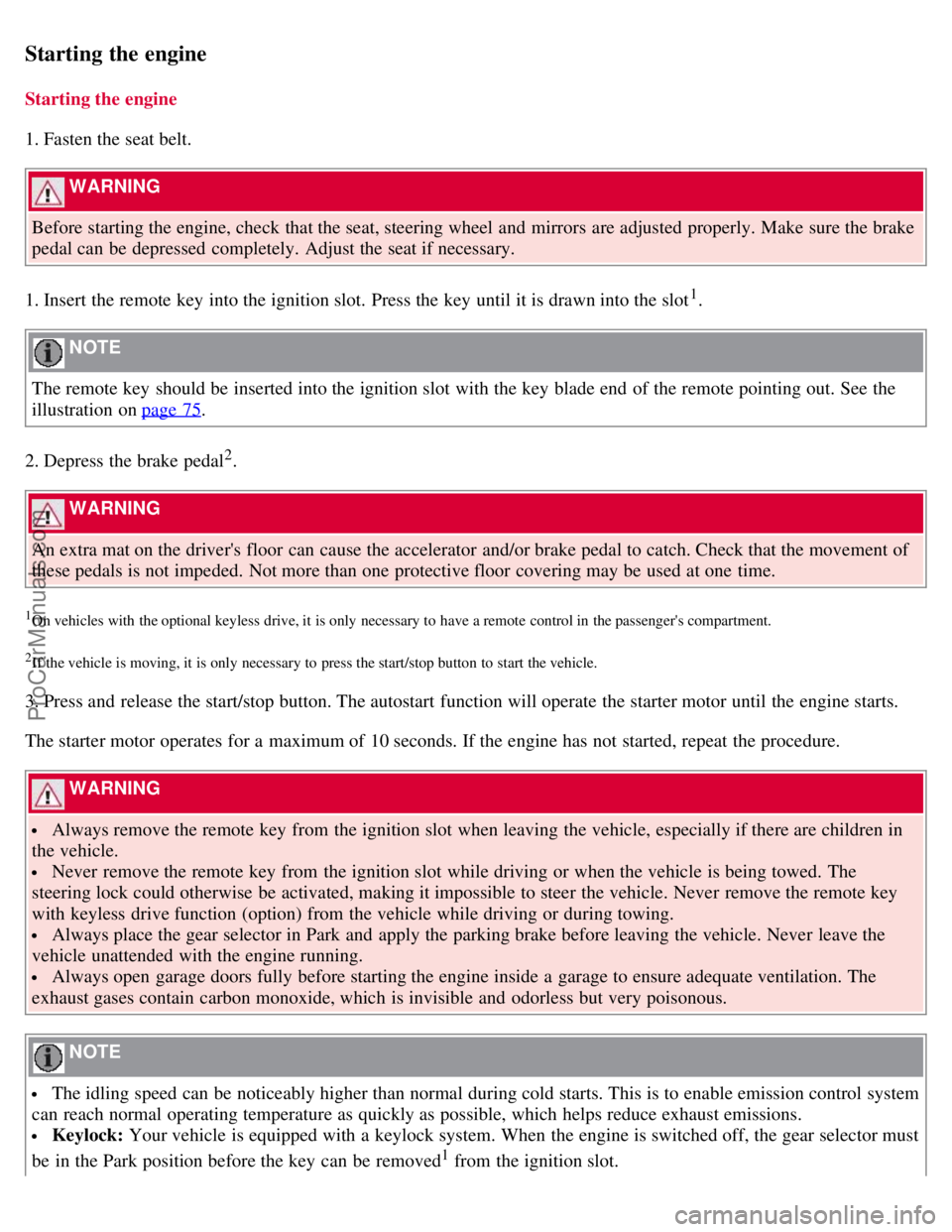
1. Fasten the seat belt.
WARNING
Before starting the engine, check that the seat, steering wheel and mirrors are adjusted properly. Make sure the brake
pedal can be depressed completely. Adjust the seat if necessary.
1. Insert the remote key into the ignition slot. Press the key until it is drawn into the slot
1.
NOTE
The remote key should be inserted into the ignition slot with the key blade end of the remote pointing out. See the
illustration on page 75
.
2. Depress the brake pedal
2.
WARNING
An extra mat on the driver's floor can cause the accelerator and/or brake pedal to catch. Check that the movement of
these pedals is not impeded. Not more than one protective floor covering may be used at one time.
1On vehicles with the optional keyless drive, it is only necessary to have a remote control in the passenger's compartment.
2If the vehicle is moving, it is only necessary to press the start/stop button to start the vehicle.
3. Press and release the start/stop button. The autostart function will operate the starter motor until the engine starts.
The starter motor operates for a maximum of 10 seconds. If the engine has not started, repeat the procedure.
WARNING
Always remove the remote key from the ignition slot when leaving the vehicle, especially if there are children in
the vehicle.
Never remove the remote key from the ignition slot while driving or when the vehicle is being towed. The
steering lock could otherwise be activated, making it impossible to steer the vehicle. Never remove the remote key
with keyless drive function (option) from the vehicle while driving or during towing.
Always place the gear selector in Park and apply the parking brake before leaving the vehicle. Never leave the
vehicle unattended with the engine running.
Always open garage doors fully before starting the engine inside a garage to ensure adequate ventilation. The
exhaust gases contain carbon monoxide, which is invisible and odorless but very poisonous.
NOTE
The idling speed can be noticeably higher than normal during cold starts. This is to enable emission control system
can reach normal operating temperature as quickly as possible, which helps reduce exhaust emissions.
Keylock: Your vehicle is equipped with a keylock system. When the engine is switched off, the gear selector must
be in the Park position before the key can be removed
1 from the ignition slot.
ProCarManuals.com
Page 96 of 251
1Does not apply to vehicles with the optional keyless drive.
103 03 Your driving environment
Starting the engine
CAUTION
When starting in cold weather, the automatic transmission may shift up at slightly higher engine speeds than
normal until the automatic transmission fluid reaches normal operating temperature.
Do not race a cold engine immediately after starting. Oil flow may not reach some lubrication points fast enough
to prevent engine damage.
The engine should be idling when you move the gear selector. Never accelerate until after you feel the
transmission engage. Accelerating immediately after selecting a gear will cause harsh engagement and premature
transmission wear.
Selecting P or N when idling at a standstill for prolonged periods of time will help prevent overheating of the
automatic transmission fluid.
Keyless drive (option)
Follow steps 2-3 for starting the engine.
NOTE
For the vehicle to start, one of the vehicle's remote keys must be in the passenger compartment.
Steering wheel lock
The steering wheel lock is deactivated when the remote key is inserted into the ignition slot
1 and activated when the
remote key is removed from the ignition slot.
Always take the remote key or keyless drive remote when leaving the vehicle to help reduce the risk of theft.
1On vehicles with the optional keyless drive, the steering lock is deactivated when the start button is pressed for the first time (assuming that a
remote control is in the passenger's compartment). It is activated when the ignition is switched off and the driver's door is opened.
104 03 Your driving environment
Starting the engine
Jump starting
ProCarManuals.com
Page 98 of 251
105 03 Your driving environment
Transmission
Automatic transmission
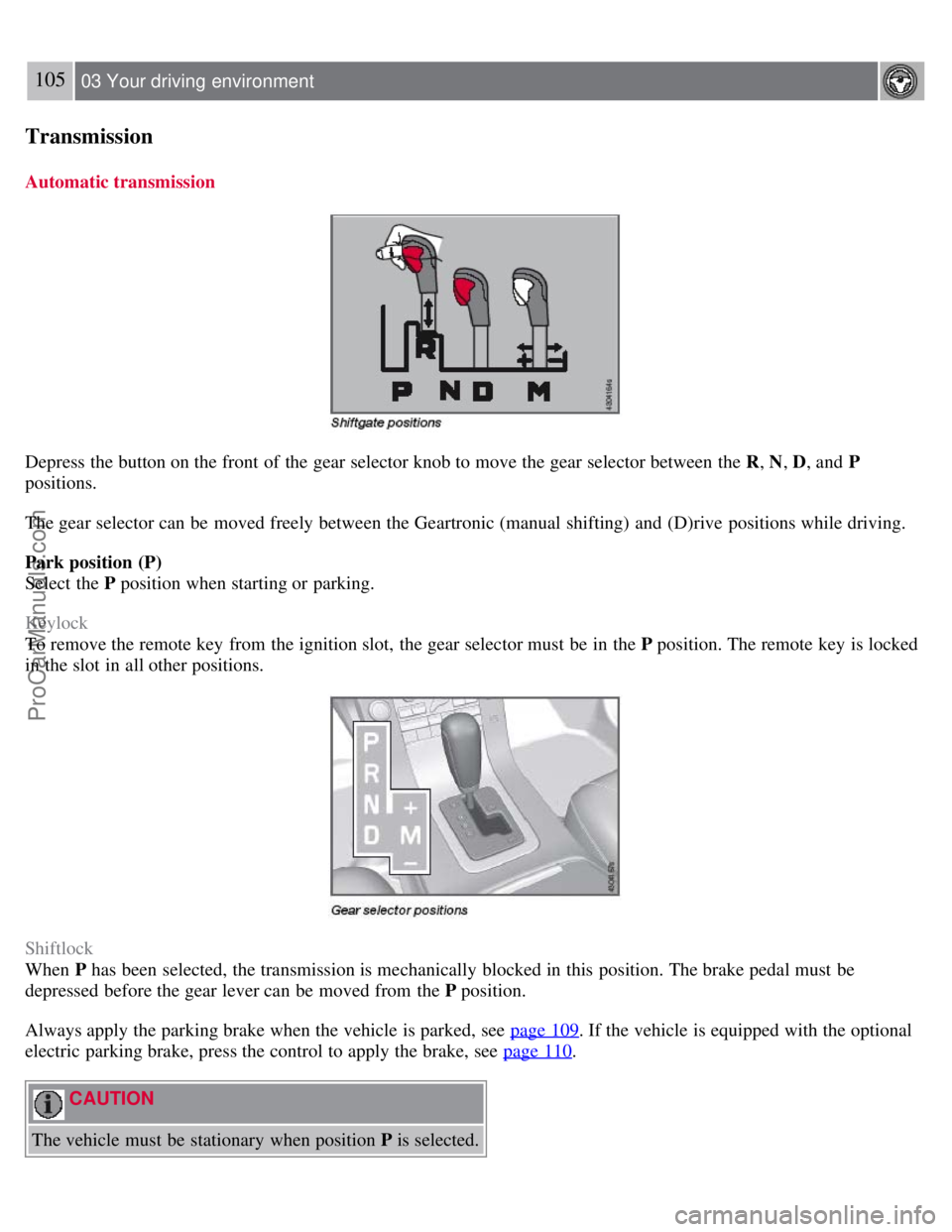
Depress the button on the front of the gear selector knob to move the gear selector between the R, N, D, and P
positions.
The gear selector can be moved freely between the Geartronic (manual shifting) and (D)rive positions while driving.
Park position (P)
Select the P position when starting or parking.
Keylock
To remove the remote key from the ignition slot, the gear selector must be in the P position. The remote key is locked
in the slot in all other positions.
Shiftlock
When P has been selected, the transmission is mechanically blocked in this position. The brake pedal must be
depressed before the gear lever can be moved from the P position.
Always apply the parking brake when the vehicle is parked, see page 109
. If the vehicle is equipped with the optional
electric parking brake, press the control to apply the brake, see page 110
.
CAUTION
The vehicle must be stationary when position P is selected.
ProCarManuals.com
Page 100 of 251
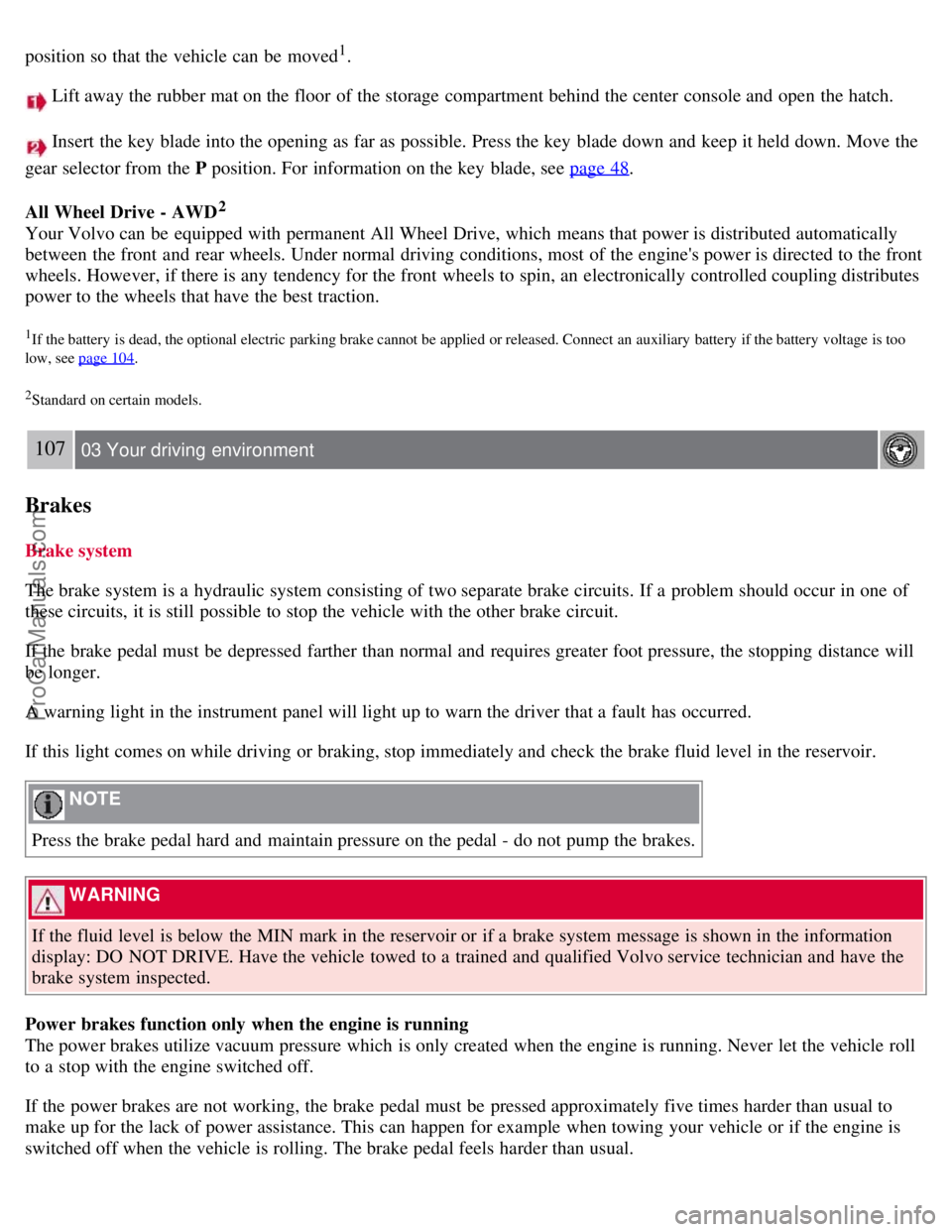
position so that the vehicle can be moved1.
Lift away the rubber mat on the floor of the storage compartment behind the center console and open the hatch.
Insert the key blade into the opening as far as possible. Press the key blade down and keep it held down. Move the
gear selector from the P position. For information on the key blade, see page 48
.
All Wheel Drive - AWD
2
Your Volvo can be equipped with permanent All Wheel Drive, which means that power is distributed automatically
between the front and rear wheels. Under normal driving conditions, most of the engine's power is directed to the front
wheels. However, if there is any tendency for the front wheels to spin, an electronically controlled coupling distributes
power to the wheels that have the best traction.
1If the battery is dead, the optional electric parking brake cannot be applied or released. Connect an auxiliary battery if the battery voltage is too
low, see page 104
.
2Standard on certain models.
107 03 Your driving environment
Brakes
Brake system
The brake system is a hydraulic system consisting of two separate brake circuits. If a problem should occur in one of
these circuits, it is still possible to stop the vehicle with the other brake circuit.
If the brake pedal must be depressed farther than normal and requires greater foot pressure, the stopping distance will
be longer.
A warning light in the instrument panel will light up to warn the driver that a fault has occurred.
If this light comes on while driving or braking, stop immediately and check the brake fluid level in the reservoir.
NOTE
Press the brake pedal hard and maintain pressure on the pedal - do not pump the brakes.
WARNING
If the fluid level is below the MIN mark in the reservoir or if a brake system message is shown in the information
display: DO NOT DRIVE. Have the vehicle towed to a trained and qualified Volvo service technician and have the
brake system inspected.
Power brakes function only when the engine is running
The power brakes utilize vacuum pressure which is only created when the engine is running. Never let the vehicle roll
to a stop with the engine switched off.
If the power brakes are not working, the brake pedal must be pressed approximately five times harder than usual to
make up for the lack of power assistance. This can happen for example when towing your vehicle or if the engine is
switched off when the vehicle is rolling. The brake pedal feels harder than usual.
ProCarManuals.com
Page 104 of 251
2. Press the control.
3. Release the brake pedal and ensure that the vehicle is at a standstill.
4. When the vehicle is parked, the gear selector must be in position P.
The
symbol in the instrument panel flashes while the parking bake is being applied, and glows steadily when
the parking brake has been fully applied.
NOTE
In an emergency the parking brake can be applied when the vehicle is moving by holding in the control. Braking
will be interrupted when the accelerator pedal is depressed or the control is released.
An audible signal will sound during this procedure if the vehicle is moving at speeds above 6 mph (10 km/h).
Parking on a hill
If the vehicle is pointing uphill, turn the front wheels so that they point away from the curb.
If the vehicle is pointing downhill, turn the front wheels so that they point toward the curb.
Releasing the electric parking brake
Manual release
1. Insert the remote key in the ignition slot.
2. Press firmly on the brake pedal.
3. Pull the parking brake control.
Vehicles with Keyless drive (option)
1. Press the START/STOP button.
2. Press firmly on the brake pedal.
3. Pull the parking brake control.
Automatic release
1. Start the engine.
111 03 Your driving environment
Parking brake
2. Fasten the seat belt.
NOTE
For safety reasons, the parking brake is only released automatically if the engine is running and the driver is
wearing a seat belt.
The electric parking brake will be released immediately when the accelerator pedal is pressed and the gear selector
ProCarManuals.com
Page 107 of 251
2 0 0 7
VOLVO S80
112 04 Comfort and driving pleasure
Menus and messages 114
Climate system118
Audio system125
Trip computer136
Compass137
Stability system139
Active chassis system-Four C141
Cruise control142
Adaptive Cruise Control-ACC144
Collision warning system (option)150
Park assist (option)153
Blind Spot Information System (option)155
Passenger compartment convenience158
Bluetooth hands-free (option)162
113 04 Comfort and driving pleasure
114 04 Comfort and driving pleasure
Menus and messages
Center console
Certain functions are controlled from the center console via the menu system or from the optional keypad in the
steering wheel. Each function is described under its respective section.
The current menu level is shown at the top right of display in the center console.
Center console controls
ProCarManuals.com
Page 108 of 251
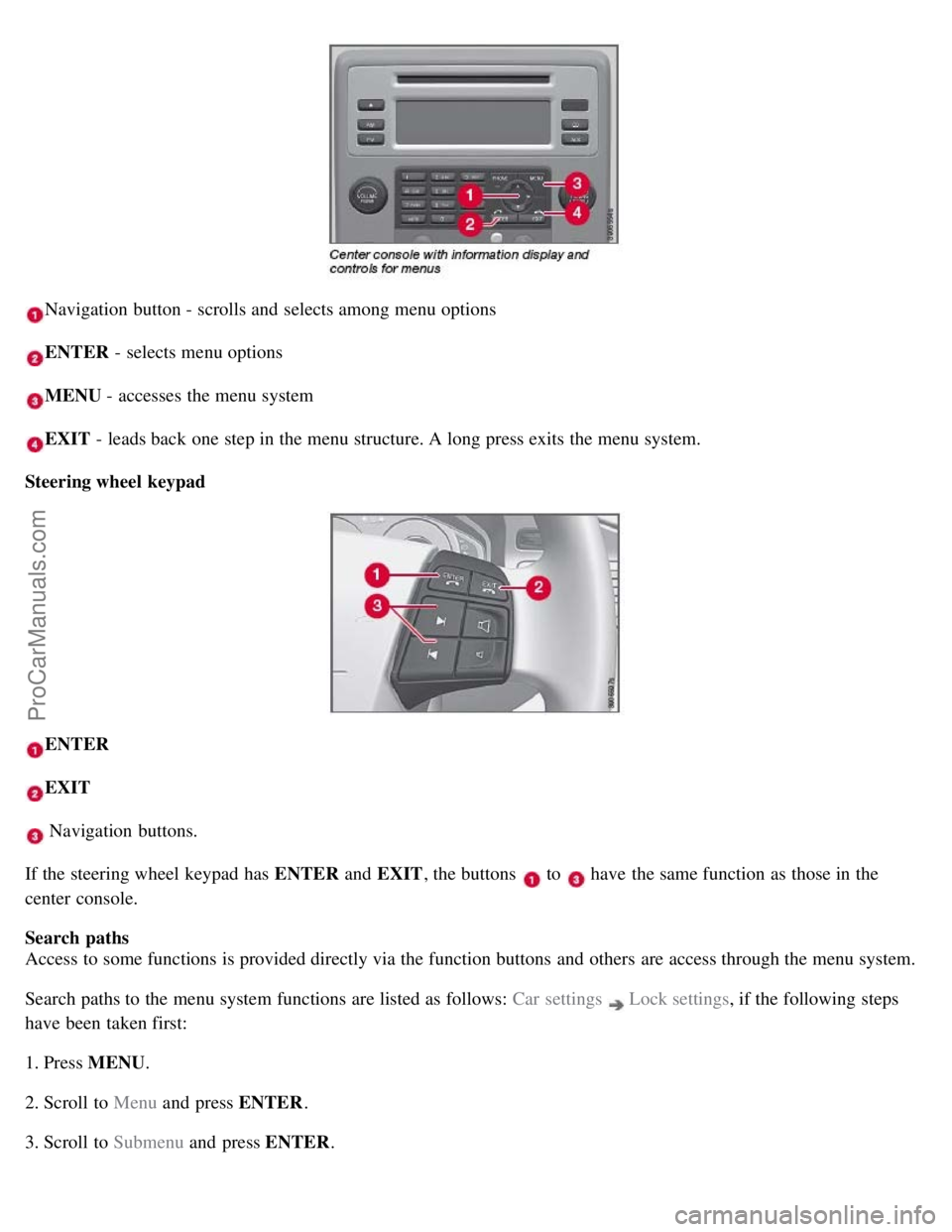
Navigation button - scrolls and selects among menu options
ENTER - selects menu options
MENU - accesses the menu system
EXIT - leads back one step in the menu structure. A long press exits the menu system.
Steering wheel keypad
ENTER
EXIT
Navigation buttons.
If the steering wheel keypad has ENTER and EXIT, the buttons
to have the same function as those in the
center console.
Search paths
Access to some functions is provided directly via the function buttons and others are access through the menu system.
Search paths to the menu system functions are listed as follows: Car settings
Lock settings , if the following steps
have been taken first:
1. Press MENU .
2. Scroll to Menu and press ENTER .
3. Scroll to Submenu and press ENTER.
ProCarManuals.com