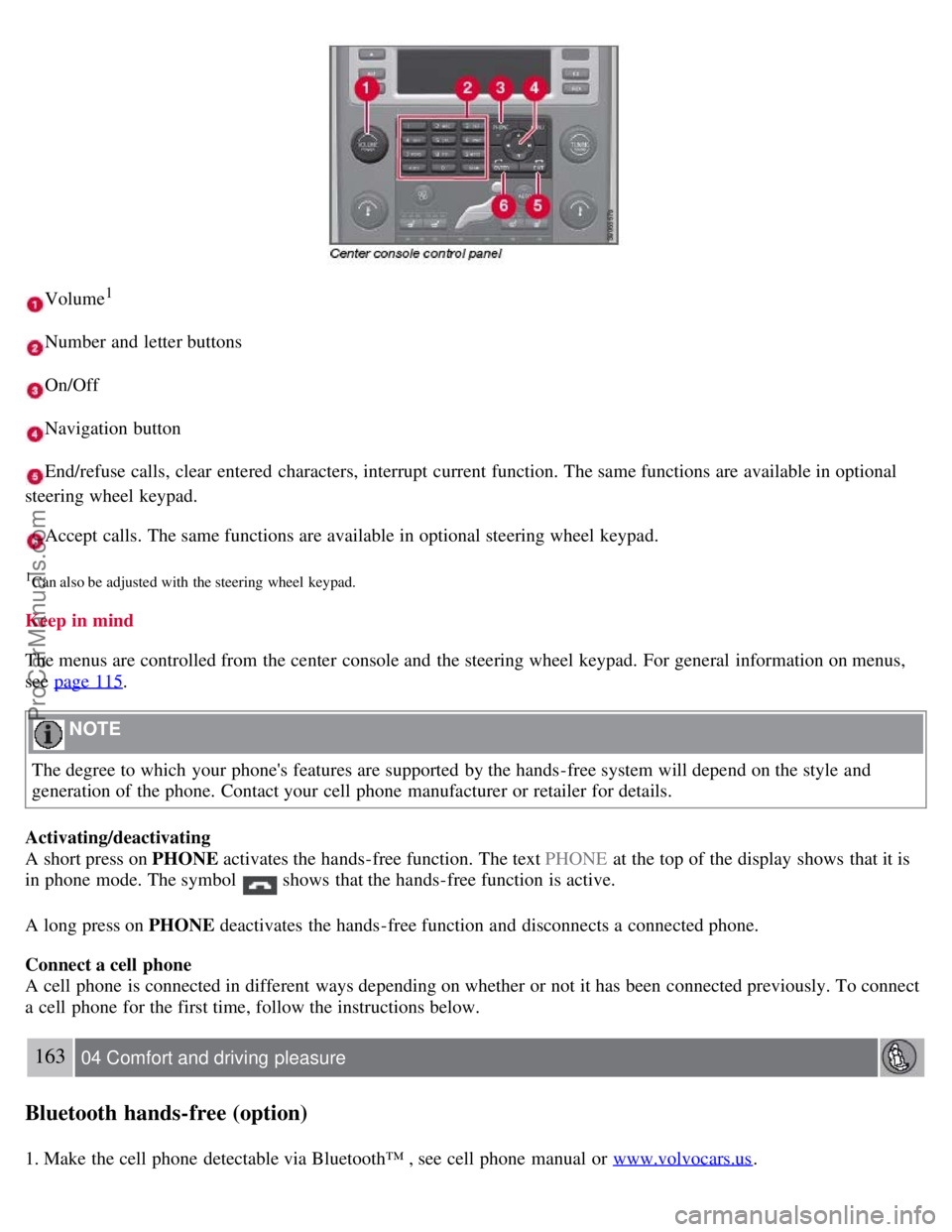
Volume1
Number and letter buttons
On/Off
Navigation button
End/refuse calls, clear entered characters, interrupt current function. The same functions are available in optional
steering wheel keypad.
Accept calls. The same functions are available in optional steering wheel keypad.
1Can also be adjusted with the steering wheel keypad.
Keep in mind
The menus are controlled from the center console and the steering wheel keypad. For general information on menus,
see page 115
.
NOTE
The degree to which your phone's features are supported by the hands-free system will depend on the style and
generation of the phone. Contact your cell phone manufacturer or retailer for details.
Activating/deactivating
A short press on PHONE activates the hands-free function. The text PHONE at the top of the display shows that it is
in phone mode. The symbol
shows that the hands-free function is active.
A long press on PHONE deactivates the hands-free function and disconnects a connected phone.
Connect a cell phone
A cell phone is connected in different ways depending on whether or not it has been connected previously. To connect
a cell phone for the first time, follow the instructions below.
163 04 Comfort and driving pleasure
Bluetooth hands-free (option)
1. Make the cell phone detectable via Bluetooth™ , see cell phone manual or www.volvocars.us.
ProCarManuals.com