2007 VOLVO S80 light
[x] Cancel search: lightPage 59 of 251
2 0 0 7
VOLVO S80
66 03 Your driving environment
Instruments and controls 68
Ignition modes75
Seats77
Steering wheel82
Lighting84
Wipers and washers90
Power windows92
Mirrors94
Power moonroof96
HomeLink® Universal Transceiver (option)98
Starting the engine102
Transmission105
Brakes107
Parking brake110
67 03 Your driving environment
68 03 Your driving environment
Instruments and controls
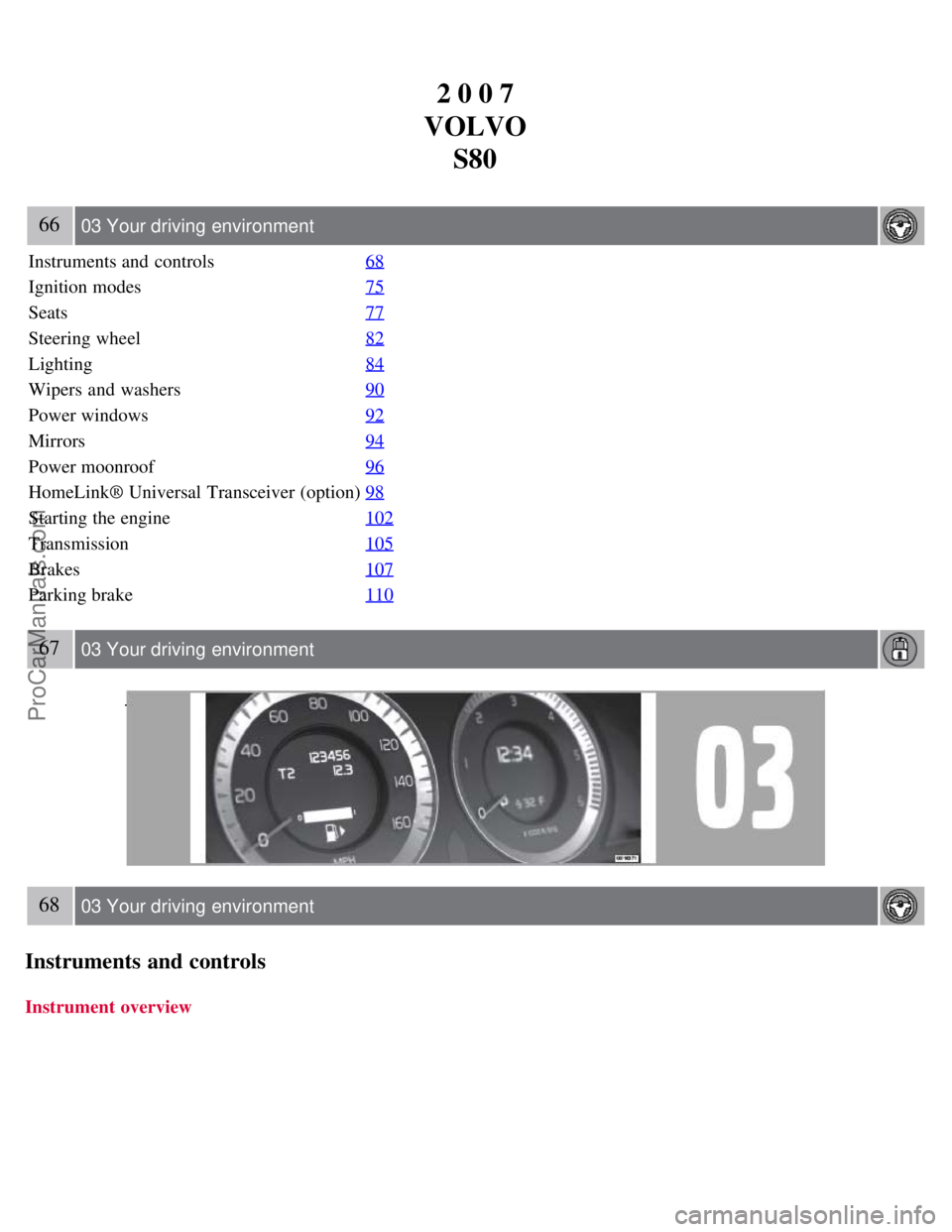
Instrument overview
ProCarManuals.com
Page 62 of 251
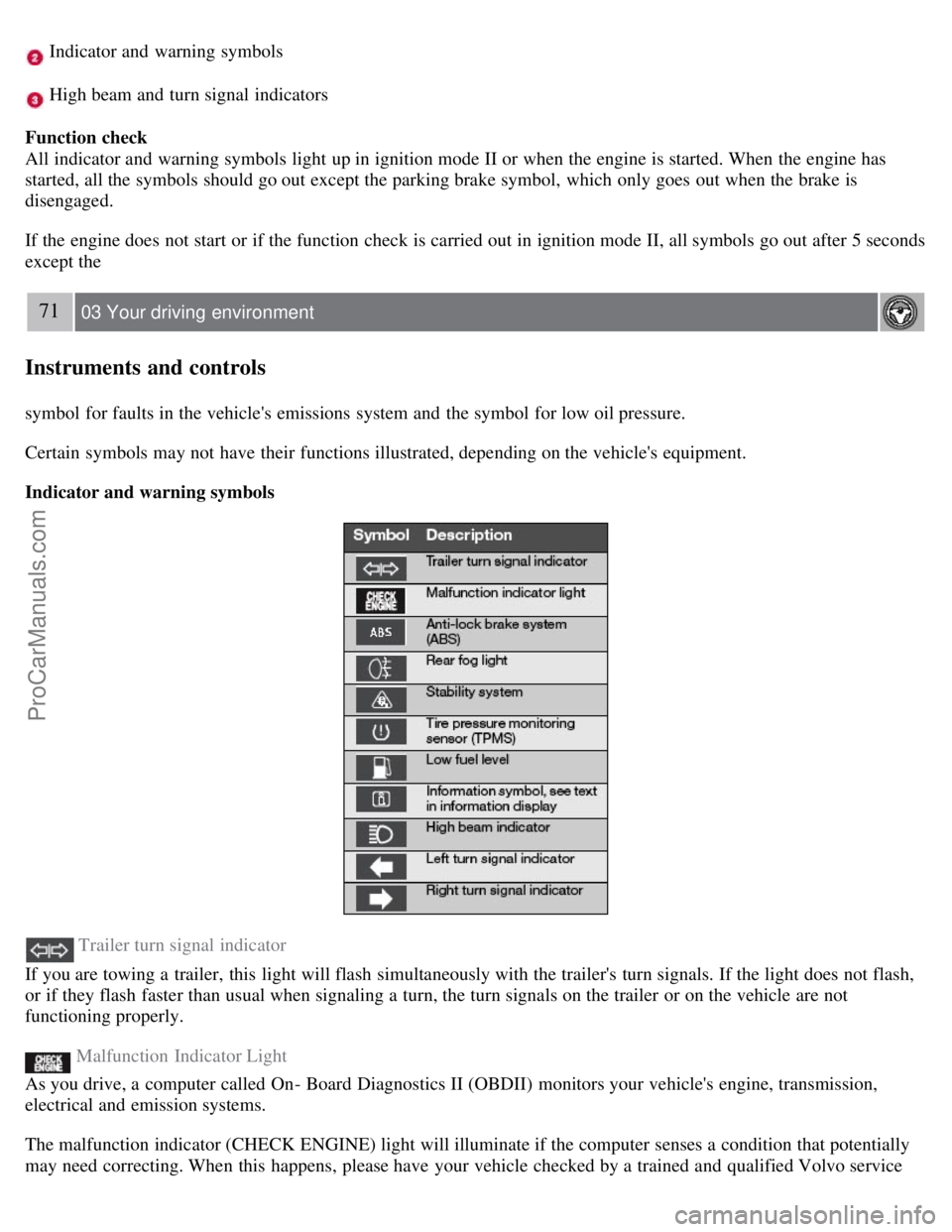
Indicator and warning symbols
High beam and turn signal indicators
Function check
All indicator and warning symbols light up in ignition mode II or when the engine is started. When the engine has
started, all the symbols should go out except the parking brake symbol, which only goes out when the brake is
disengaged.
If the engine does not start or if the function check is carried out in ignition mode II, all symbols go out after 5 seconds
except the
71 03 Your driving environment
Instruments and controls
symbol for faults in the vehicle's emissions system and the symbol for low oil pressure.
Certain symbols may not have their functions illustrated, depending on the vehicle's equipment.
Indicator and warning symbols
Trailer turn signal indicator
If you are towing a trailer, this light will flash simultaneously with the trailer's turn signals. If the light does not flash,
or if they flash faster than usual when signaling a turn, the turn signals on the trailer or on the vehicle are not
functioning properly.
Malfunction Indicator Light
As you drive, a computer called On- Board Diagnostics II (OBDII) monitors your vehicle's engine, transmission,
electrical and emission systems.
The malfunction indicator (CHECK ENGINE) light will illuminate if the computer senses a condition that potentially
may need correcting. When this happens, please have your vehicle checked by a trained and qualified Volvo service
ProCarManuals.com
Page 63 of 251

technician as soon as possible.
A malfunction indicator (CHECK ENGINE) light may have many causes. Sometimes, you may not notice a change in
your car's behavior. Even so, an uncorrected condition could hurt fuel economy, emission controls, and drivability.
Extended driving without correcting the cause could even damage other components in your vehicle.
Canadian models are equipped with this symbol:
Anti-lock Brake System (ABS) warning light
If the warning light comes on, there may be a malfunction in the ABS system (the standard braking system will still
function). Check the system by:
1. Stopping in a safe place and switching off the ignition.
72 03 Your driving environment
Instruments and controls
2. Restart the engine.
3. If the warning light goes off, no further action is required.
If the warning light remains on, the vehicle should be driven to a trained and qualified Volvo service technician for
inspection. See page 107
for additional information.
Canadian models are equipped with this symbol:
Rear fog light
This symbol indicates that the rear fog light (located in the driver's side tail light cluster) is on.
Stability system
This indicator symbol flashes when the DSTC (Dynamic Stability and Traction Control system) is actively working to
stabilize the vehicle. See page 139
for more detailed information.
Tire pressure monitoring system (TPMS) - option
This symbol illuminates to indicate that tire pressure in one or more tires is low. See page 223
for detailed information.
Low fuel level
When this light comes on, there are approximately 2.1 US gallons (8 liters) of fuel remaining in the tank.
Information symbol
The information symbol illuminates and a text message is displayed if a fault is detected in one of the vehicle's
systems. The message can be erased and the symbol can be turned off by pressing the READ button (see page 116
for
information) or this will take place automatically after a short time (the length of time varies, depending on the
function affected).
The information symbol may also illuminate together with other symbols.
High beam indicator
This symbol illuminates when the high beam headlights are on, or if the high beam flash function is used.
ProCarManuals.com
Page 64 of 251
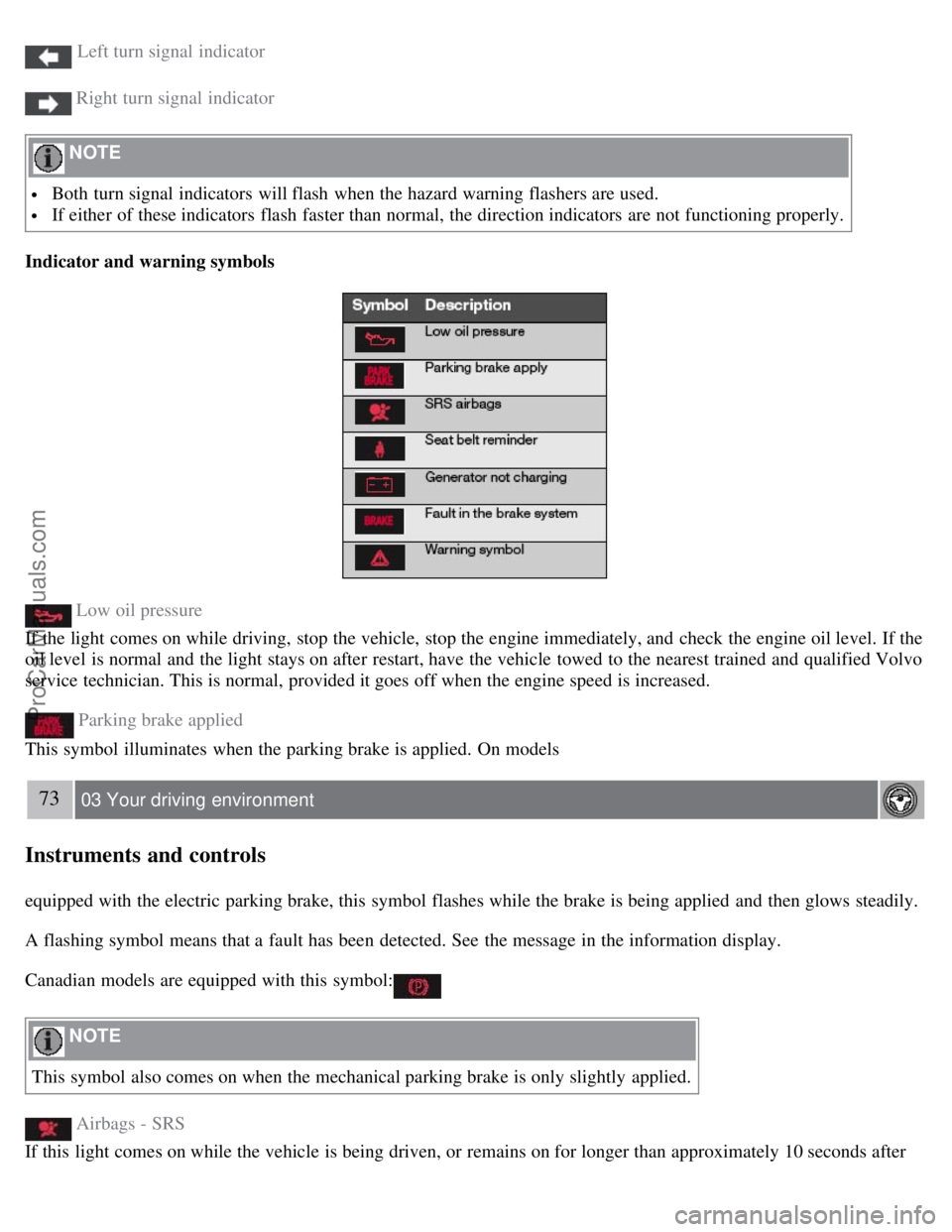
Left turn signal indicator
Right turn signal indicator
NOTE
Both turn signal indicators will flash when the hazard warning flashers are used.
If either of these indicators flash faster than normal, the direction indicators are not functioning properly.
Indicator and warning symbols
Low oil pressure
If the light comes on while driving, stop the vehicle, stop the engine immediately, and check the engine oil level. If the
oil level is normal and the light stays on after restart, have the vehicle towed to the nearest trained and qualified Volvo
service technician. This is normal, provided it goes off when the engine speed is increased.
Parking brake applied
This symbol illuminates when the parking brake is applied. On models
73 03 Your driving environment
Instruments and controls
equipped with the electric parking brake, this symbol flashes while the brake is being applied and then glows steadily.
A flashing symbol means that a fault has been detected. See the message in the information display.
Canadian models are equipped with this symbol:
NOTE
This symbol also comes on when the mechanical parking brake is only slightly applied.
Airbags - SRS
If this light comes on while the vehicle is being driven, or remains on for longer than approximately 10 seconds after
ProCarManuals.com
Page 65 of 251

the vehicle has been started, the SRS system's diagnostic functions have detected a fault in a seat belt lock or
tensioner, a front airbag, side impact airbag, and/or an inflatable curtain. Have the system(s) inspected by a trained and
qualified Volvo service technician as soon as possible.
Seat belt reminder
This symbol comes on for approximately 6 seconds if the driver has not fastened his or her seat belt.
Generator not charging
This symbol comes on during driving if a fault has occurred in the electrical system. Contact an authorized Volvo
workshop.
Fault in brake system
If this symbol lights, the brake fluid level may be too low. Stop the vehicle in a safe place and check the level in the
brake fluid reservoir, see page 193
. If the level in the reservoir is below MIN , the vehicle should be transported to an
authorized Volvo workshop to have the brake system checked.
If the brake and ABS symbols come on at the same time, there may be a fault in the brake force distribution system.
1. Stop the vehicle in a safe place and turn off the engine.
2. Restart the engine.
If both symbols extinguish, continue driving.
If the symbols remain on, check the level in the brake fluid reservoir. See page 193. If the brake fluid level is
normal but the symbols are still lit, the vehicle can be driven, with great care, to an authorized Volvo workshop to
have the brake system checked.
If the level in the reservoir is below MIN , the vehicle should be transported to an authorized Volvo workshop to
have the brake system checked.
WARNING
If the fluid level is below the MIN mark in the reservoir or if a warning message is displayed in the text window:
DO NOT DRIVE. Have the vehicle towed to an authorized Volvo retailer and have the brake system inspected.
If the ABS and Brake system lights are on at the same time, there is a risk of reduced vehicle stability.
Warning symbol
The red warning symbol comes on when a fault has been indicated which could affect the safety and/or drivability of
the vehicle. An explanatory text is shown on the information display at the same time. The symbol remains visible
until the fault has been rectified but the text message can be cleared with the READ button, see page 116
. The
warning symbol can also come on in conjunction with other symbols.
Action:
1. Stop in a safe place. Do not drive the vehicle further.
74 03 Your driving environment
Instruments and controls
2. Read the information on the information display. Implement the action in accordance with the message in the
display. Clear the message using READ .
ProCarManuals.com
Page 67 of 251
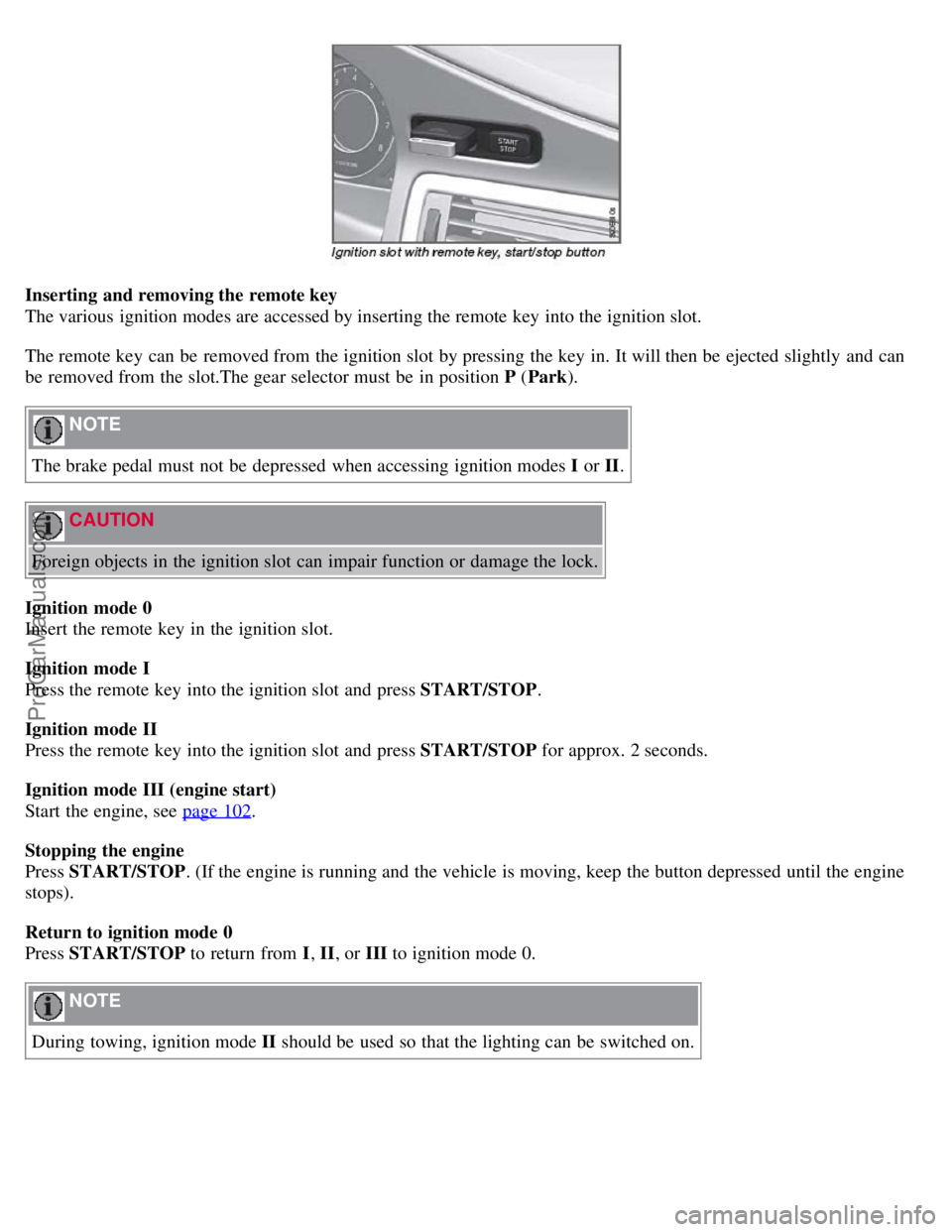
Inserting and removing the remote key
The various ignition modes are accessed by inserting the remote key into the ignition slot.
The remote key can be removed from the ignition slot by pressing the key in. It will then be ejected slightly and can
be removed from the slot.The gear selector must be in position P (Park ).
NOTE
The brake pedal must not be depressed when accessing ignition modes I or II.
CAUTION
Foreign objects in the ignition slot can impair function or damage the lock.
Ignition mode 0
Insert the remote key in the ignition slot.
Ignition mode I
Press the remote key into the ignition slot and press START/STOP .
Ignition mode II
Press the remote key into the ignition slot and press START/STOP for approx. 2 seconds.
Ignition mode III (engine start)
Start the engine, see page 102
.
Stopping the engine
Press START/STOP . (If the engine is running and the vehicle is moving, keep the button depressed until the engine
stops).
Return to ignition mode 0
Press START/STOP to return from I, II, or III to ignition mode 0.
NOTE
During towing, ignition mode II should be used so that the lighting can be switched on.
ProCarManuals.com
Page 74 of 251
1. The ignition must be in mode I or II.
2. Press the button to lower the rear head restraints for improved visibility.
NOTE
The head restraint must be returned to the upright position manually.
The outboard head restraints cannot be folded down on models that are not equipped with this button.
WARNING
For safety reasons, no one should be allowed to sit in the outboard rear seat positions if the head restraints are folded
down. If these positions are occupied, the head restraints should be in the upright (fixed) position.
82 03 Your driving environment
Steering wheel
Adjusting
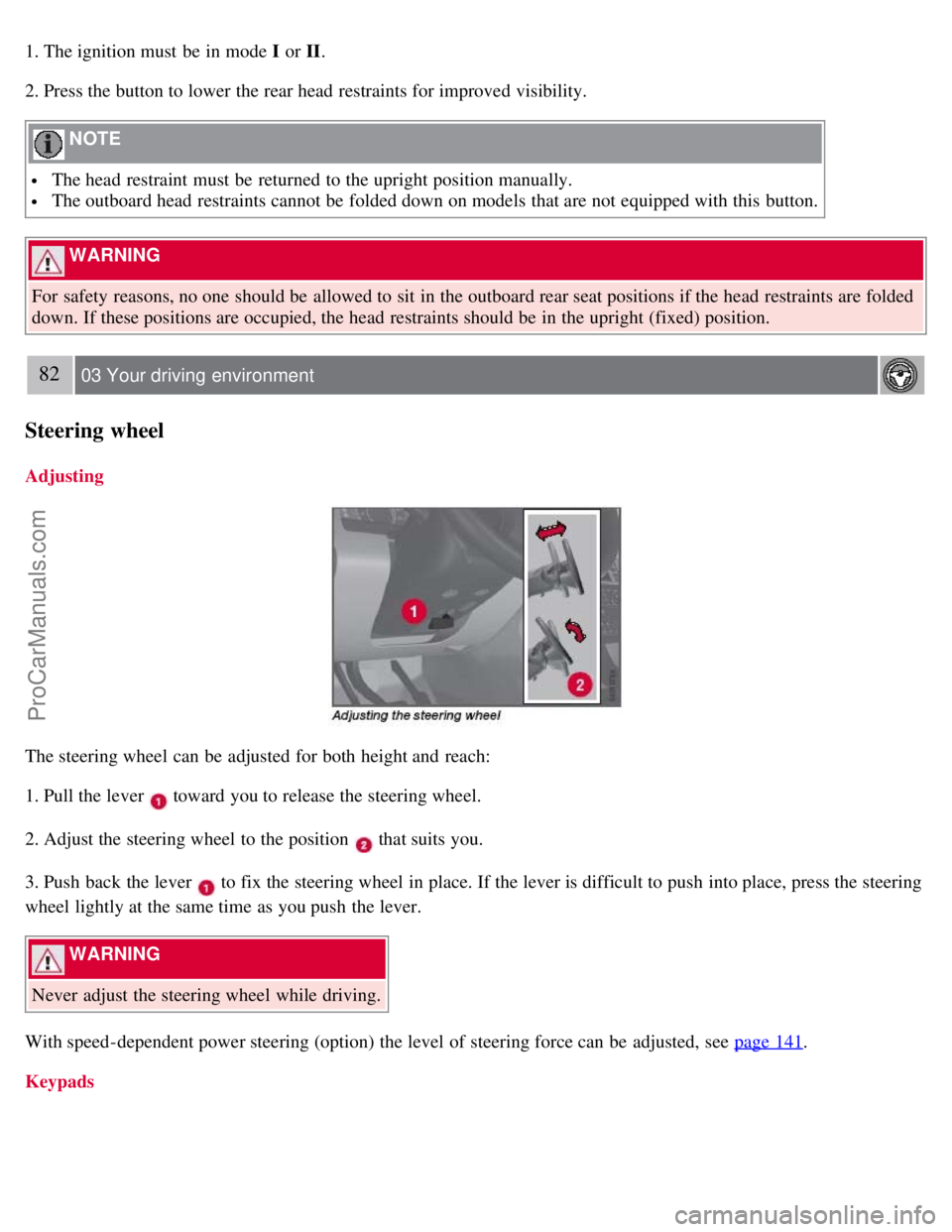
The steering wheel can be adjusted for both height and reach:
1. Pull the lever
toward you to release the steering wheel.
2. Adjust the steering wheel to the position
that suits you.
3. Push back the lever
to fix the steering wheel in place. If the lever is difficult to push into place, press the steering
wheel lightly at the same time as you push the lever.
WARNING
Never adjust the steering wheel while driving.
With speed-dependent power steering (option) the level of steering force can be adjusted, see page 141
.
Keypads
ProCarManuals.com
Page 75 of 251
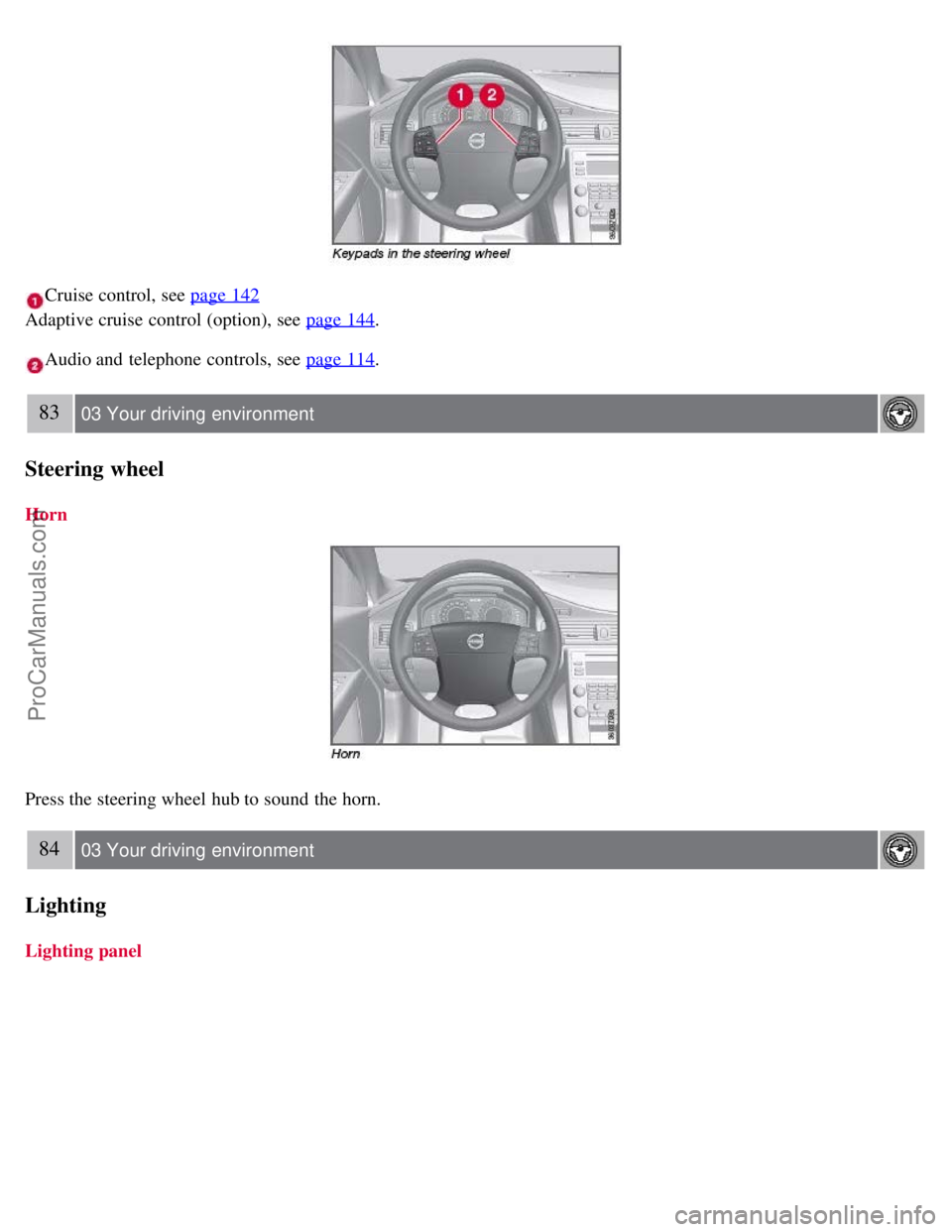
Cruise control, see page 142
Adaptive cruise control (option), see page 144
.
Audio and telephone controls, see page 114.
83 03 Your driving environment
Steering wheel
Horn
Press the steering wheel hub to sound the horn.
84 03 Your driving environment
Lighting
Lighting panel
ProCarManuals.com