Page 304 of 611
2952007 TUNDRA from Jul. ’07 Prod. (OM34463U)
XS18009
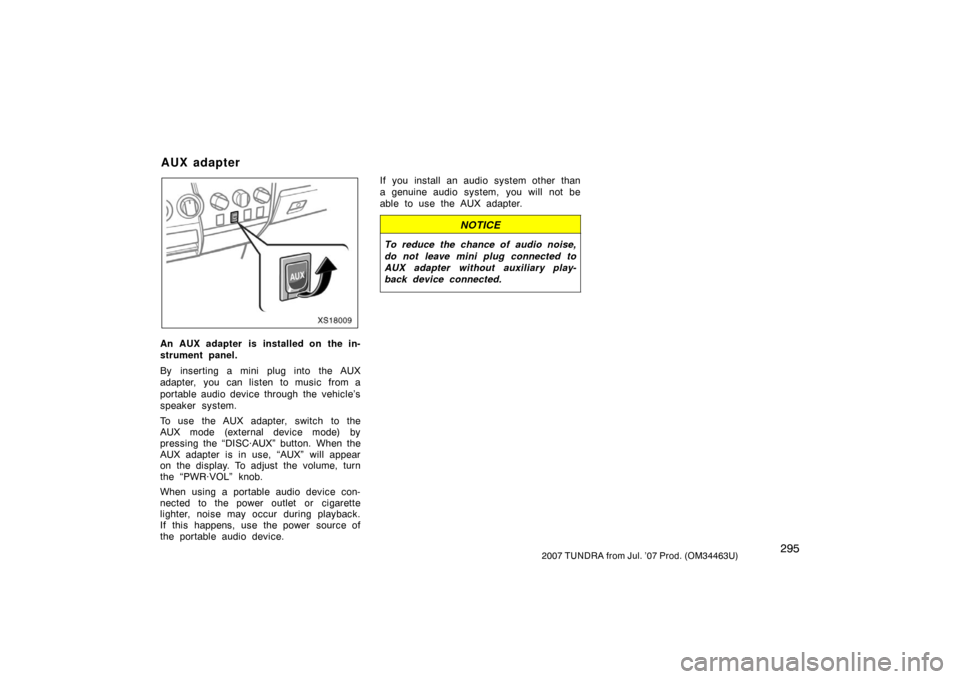
An AUX adapter is installed on the in-
strument panel.
By inserting a mini plug into the AUX
adapter, you can listen to music from a
portable audio device through the vehicle’s
speaker system.
To use the AUX adapter, switch to the
AUX mode (external device mode) by
pressing the “DISC·AUX” button. When the
AUX adapter is in use, “AUX” will appear
on the display. To adjust the volume, turn
the “PWR·VOL” knob.
When using a portable audio device con-
nected to the power outlet or cigarette
lighter, noise may occur during playback.
If this happens, use the power source of
the portable audio device.If you install an audio system other than
a genuine audio system, you will not be
able to use the AUX adapter.
NOTICE
To reduce the chance of audio noise,
do not leave mini plug connected to
AUX adapter without aux
iliary play-
back device connected.
AUX adapter
Page 305 of 611
2962007 TUNDRA from Jul. ’07 Prod. (OM34463U)
Separate seats type
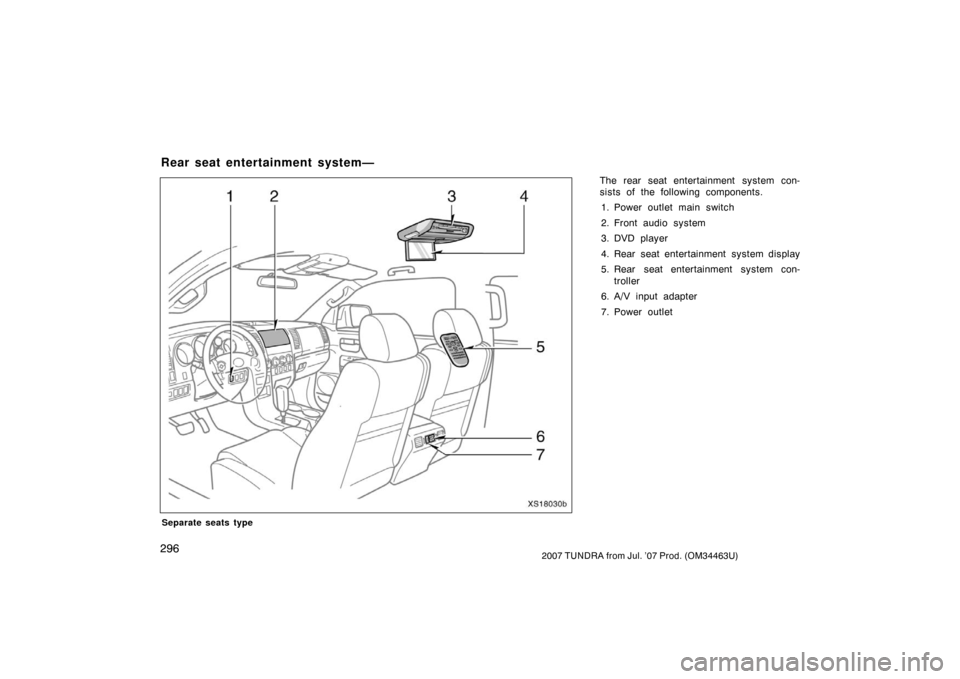
The rear seat entertainment system con-
sists of the following components.
1. Power outlet main switch
2. Front audio system
3. DVD player
4. Rear seat entertainment system display
5. Rear seat entertainment system con- troller
6. A/V input adapter
7. Power outlet
Rear seat entertainment system—
XS18030b
Page 306 of 611
2972007 TUNDRA from Jul. ’07 Prod. (OM34463U)
Bench seat type
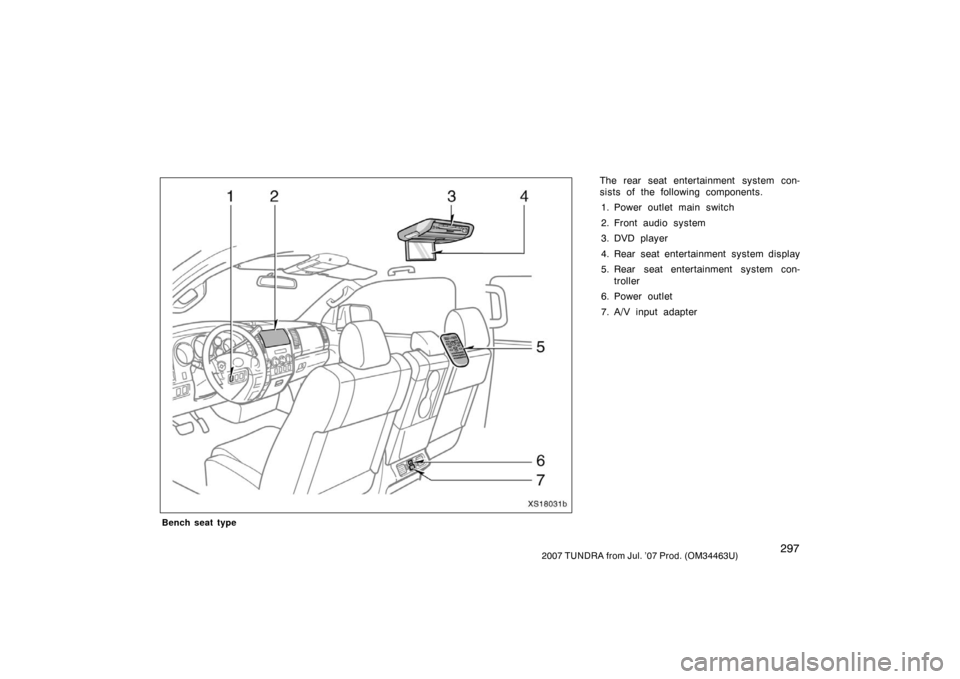
The rear seat entertainment system con-
sists of the following components.
1. Power outlet main switch
2. Front audio system
3. DVD player
4. Rear seat entertainment system display
5. Rear seat entertainment system con- troller
6. Power outlet
7. A/V input adapter
XS18031b
Page 307 of 611
2982007 TUNDRA from Jul. ’07 Prod. (OM34463U)
The rear seat entertainment system is de-
signed for the rear passengers to enjoy
audio and DVD video separately from the
front audio system.
The rear seat entertainment system can
be operated when the ignition switch is in
the “ACC” or “ON” position.
The rear passengers can enjoy DVD vid-
eo, audio CD, video CD, CD text, dts−CD
and MP3.
The rear seat entertainment system can
play DVD video, audio CD, video CD, CD
text, dts −CD or MP3 only when a disc is
loaded in the DVD player.
You can enjoy videos and sound when
your personal audio system is connected
to the input terminal adapter. For details,
refer to the manufacturer ’s instructions.
You can enjoy the rear seat entertainment
system with a wireless h eadphone. The
wireless headphone can be used within
rear seat. If the signal becomes weak, the
headphone will mute. For details, refer to
the manufacturer ’s instructions.
With some wireless headphone generally
available in the market, it may be difficult
to catch sound properly. Toyota recom-
mends the use of Toyota genuine wireless
headphone. You can purchase a wireless headphone
at a Toyota dealer.
CAUTION
�Do not operate a motor vehicle
while using headphones. Doing so
may cause an accident, resulting in
death or serious injury.
�With DVD player:
Conversational speech on some
DVDs is recorded at a low volume
to emphasize the impact of sound
effects. If you adjust the volume
assuming that the conversations
represent the maximum volume lev-
el that the DVD will play, you may
be startled by louder sound effects
or when you change to a different
audio source. Be sure to adjust the
volume with this in mind.
Make sure the volume is not in-
creased, before you turn on the
headphone.
—D isp lay
XS18017
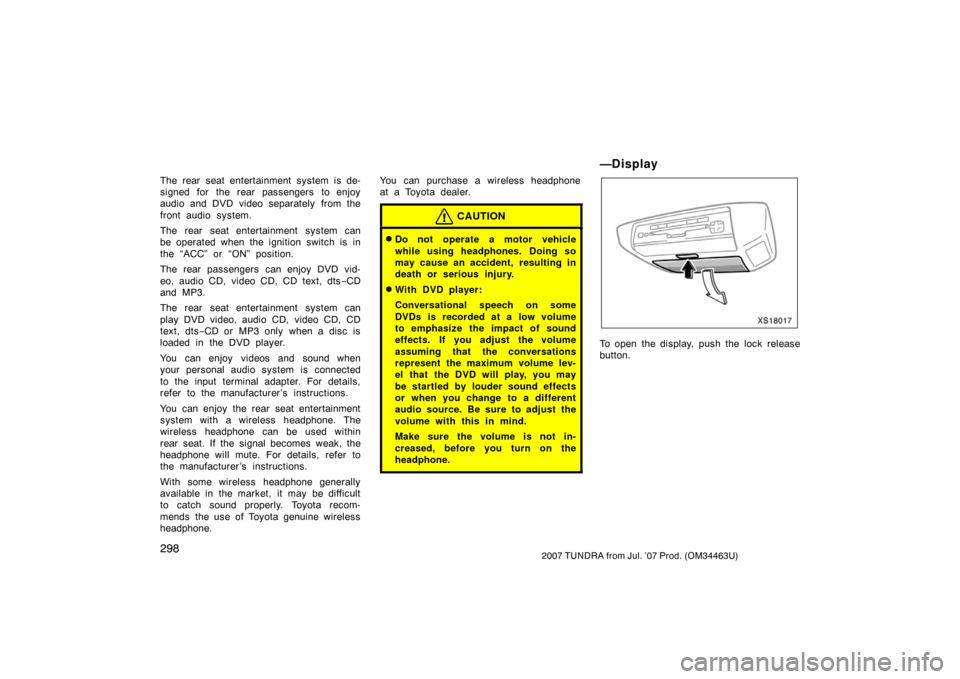
To open the display, push the lock release
button.
Page 308 of 611
2992007 TUNDRA from Jul. ’07 Prod. (OM34463U)
XS18018
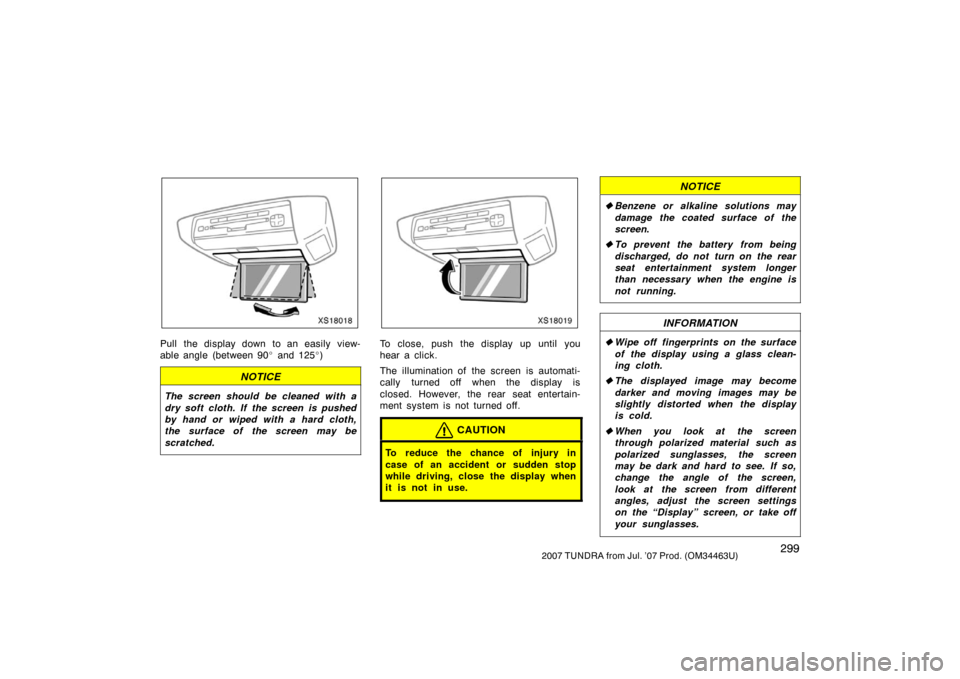
Pull the display down to an easily view-
able angle (between 90� and 125 �)
NOTICE
The screen should be cleaned with a
dry soft cloth. If the screen is pushed
by hand or wiped with a hard cloth,
the surface of the screen may be
scratched.
XS18019
To close, push the display up until you
hear a click.
The illumination of the screen is automati-
cally turned off when the display is
closed. However, the rear seat entertain-
ment system is not turned off.
CAUTION
To reduce the chance of injury in
case of an accident or sudden stop
while driving, close the display when
it is not in use.
NOTICE
� Benzene or alkaline solutions may
damage the coated surface of the
screen .
� To prevent the battery from being
discharged, do not turn on the rear
seat entertainment system longer
than necessary when the engine is
not running.
INFORMATION
�Wipe off fingerprints on the surface
of the display using a glass clean-
ing cloth.
� The displayed image may become
darker and moving images may be
slightly distorted when the display
is cold.
� When you look at the screen
through polarized material such as
polarized sunglasses, the screen
may be dark and hard to see. If so,
change the angle of the screen,
look at the screen from different
angles, adjust the screen settings
on the “Display” screen, or take off
your sunglasses.
Page 310 of 611
3012007 TUNDRA from Jul. ’07 Prod. (OM34463U)
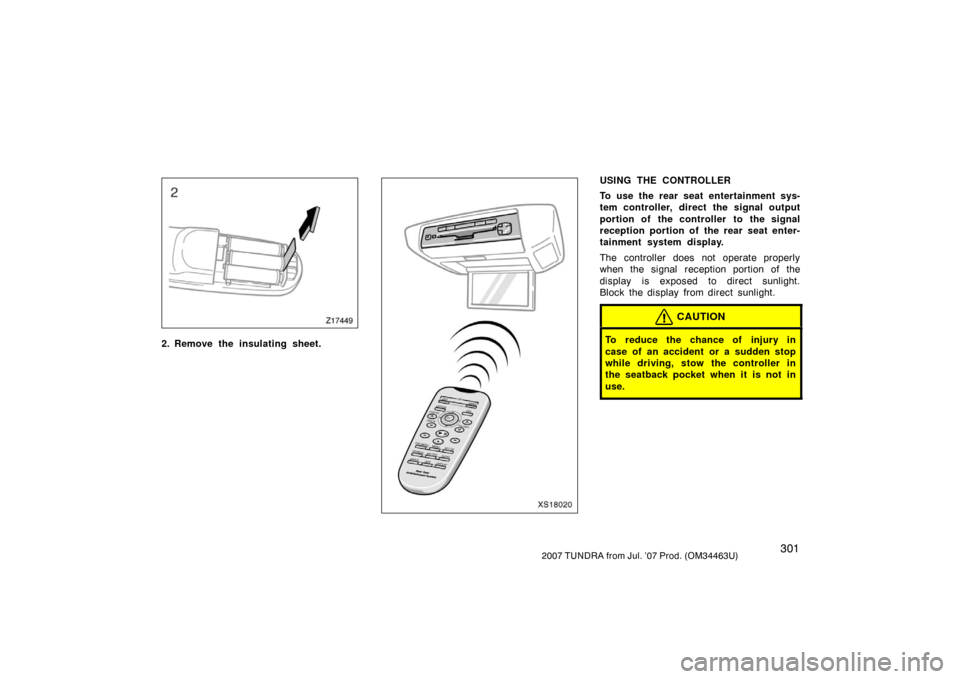
Z17449
2. Remove the insulating sheet.XS18020
USING THE CONTROLLER
To use the rear seat entertainment sys-
tem controller, direct the signal output
portion of the controller to the signal
reception portion of the rear seat enter-
tainment system display.
The controller does not operate properly
when the signal reception portion of the
display is exposed to direct sunlight.
Block the display from direct sunlight.
CAUTION
To reduce the chance of injury in
case of an accident or a sudden stop
while driving, stow the controller in
the seatback pocket when it is not in
use.
Page 312 of 611
3032007 TUNDRA from Jul. ’07 Prod. (OM34463U)
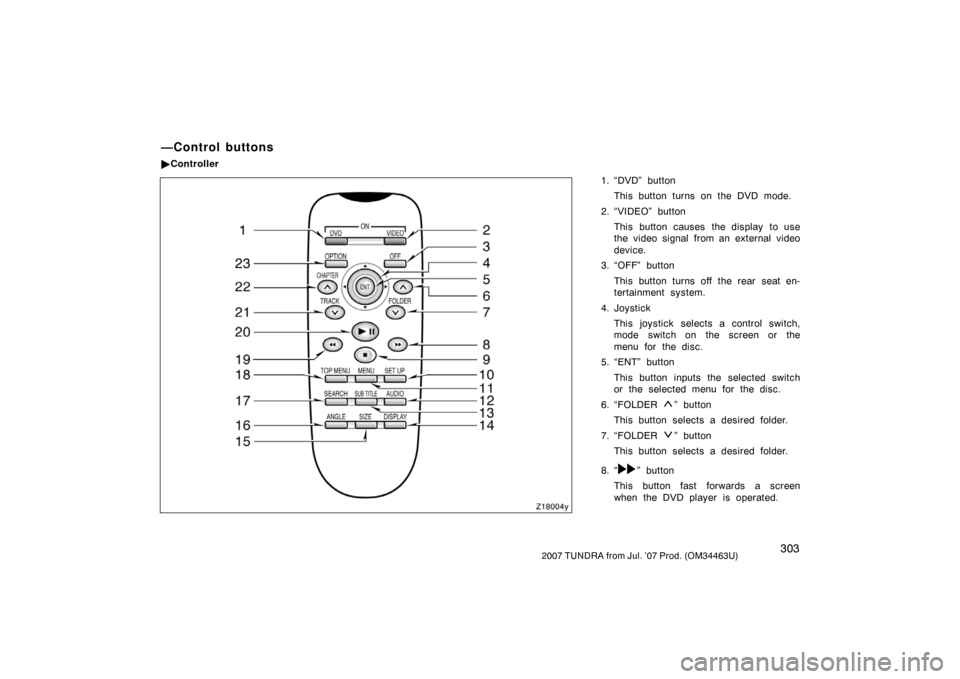
1. “DVD” buttonThis button turns on the DVD mode.
2. “VIDEO” button This button causes the display to use
the video signal from an external video
device.
3. “OFF” button
This button turns off the rear seat en-
tertainment system.
4. Joystick This joystick selects a control switch,
mode switch on the screen or the
menu for the disc.
5. “ENT” button
This button inputs the selected switch
or the selected menu for the disc.
6. “FOLDER
” button
This button selects a desired folder.
7. “FOLDER
” button
This button selects a desired folder.
8. “
” button
This button fast forwards a screen
when the DVD player is operated.
—Control buttons
� Controller
Z18004y
Page 313 of 611
3042007 TUNDRA from Jul. ’07 Prod. (OM34463U)
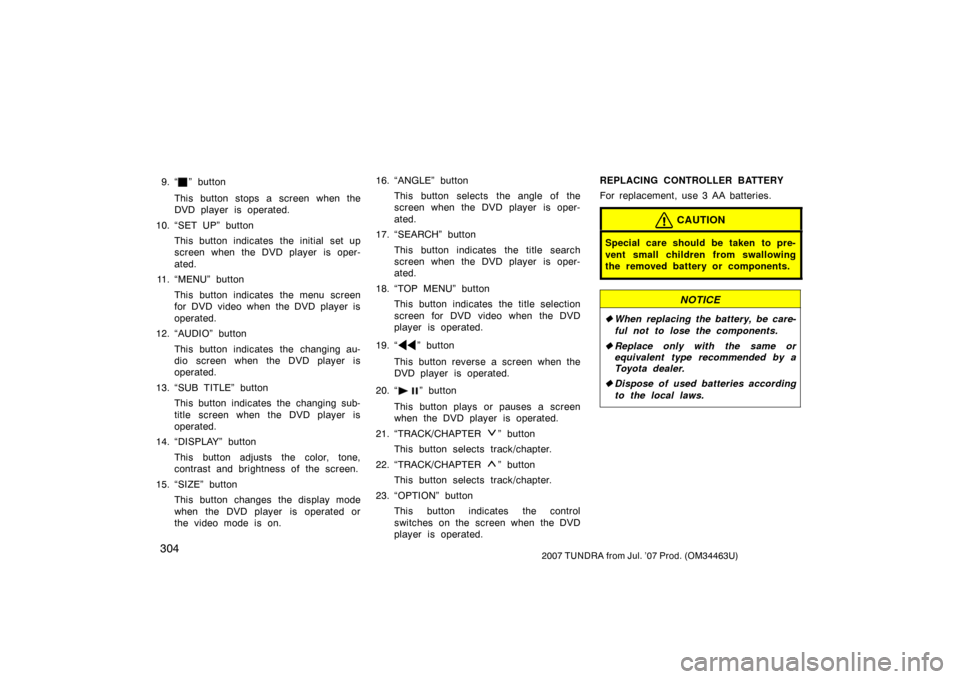
9. “” button
This button stops a screen when the
DVD player is operated.
10. “SET UP” button This button indicates the initial set up
screen when the DVD player is oper-
ated.
11. “MENU” button
This button indicates the menu screen
for DVD video when the DVD player is
operated.
12. “AUDIO” button
This button indicates the changing au-
dio screen when the DVD player is
operated.
13. “SUB TITLE” button This button indicates the changing sub-
title screen when the DVD player is
operated.
14. “DISPLAY” button
This button adjusts the color, tone,
contrast and brightness of the screen.
15. “SIZE” button This button changes the display mode
when the DVD player is operated or
the video mode is on. 16. “ANGLE” button
This button selects the angle of the
screen when the DVD player is oper-
ated.
17. “SEARCH” button
This button indicates the title search
screen when the DVD player is oper-
ated.
18. “TOP MENU” button This button indicates the title selection
screen for DVD video when the DVD
player is operated.
19. “
” button
This button reverse a screen when the
DVD player is operated.
20. “
” button
This button plays or pauses a screen
when the DVD player is operated.
21. “TRACK/CHAPTER
” button
This button selects track/chapter.
22. “TRACK/CHAPTER
” button
This button selects track/chapter.
23. “OPTION” button This button indicates the control
switches on the screen when the DVD
player is operated. REPLACING CONTROLLER BATTERY
For replacement, use 3 AA batteries.
CAUTION
Special care should be taken to pre-
vent small children from swallowing
the removed battery or components.
NOTICE
�
When replacing the battery, be care-
ful not to lose the components.
� Replace only with the same or
equivalent type recommended by a
Toyota dealer.
� Dispose of used batteries according
to the local laws.