Page 329 of 611
3202007 TUNDRA from Jul. ’07 Prod. (OM34463U)
Z17414
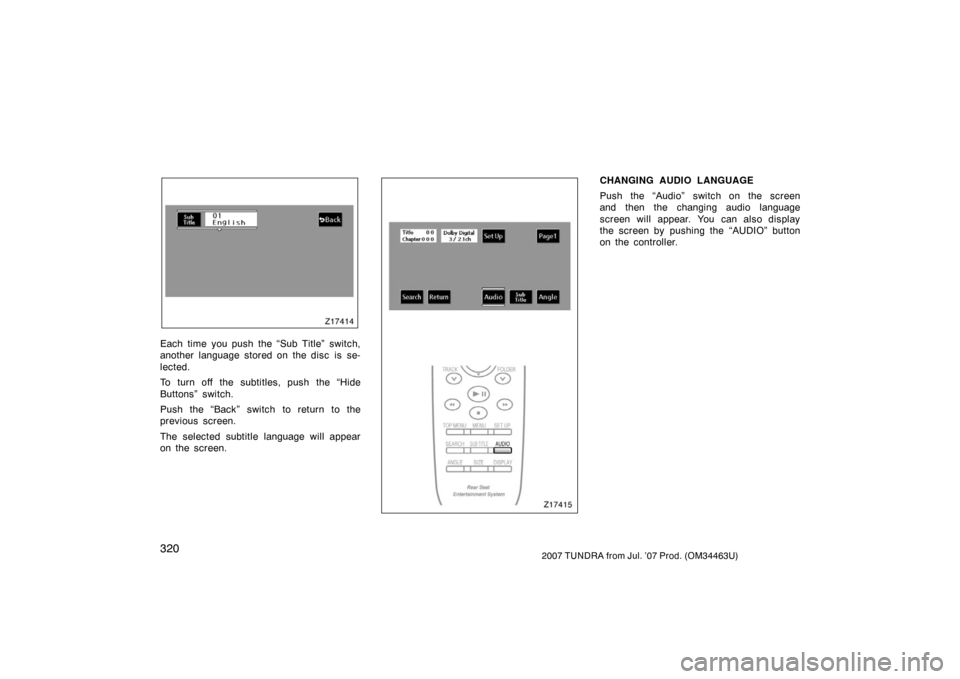
Each time you push the “Sub Title” switch,
another language stored on the disc is se-
lected.
To turn off the subtitles, push the “Hide
Buttons” switch.
Push the “Back” switch to return to the
previous screen.
The selected subtitle language will appear
on the screen.Z17415
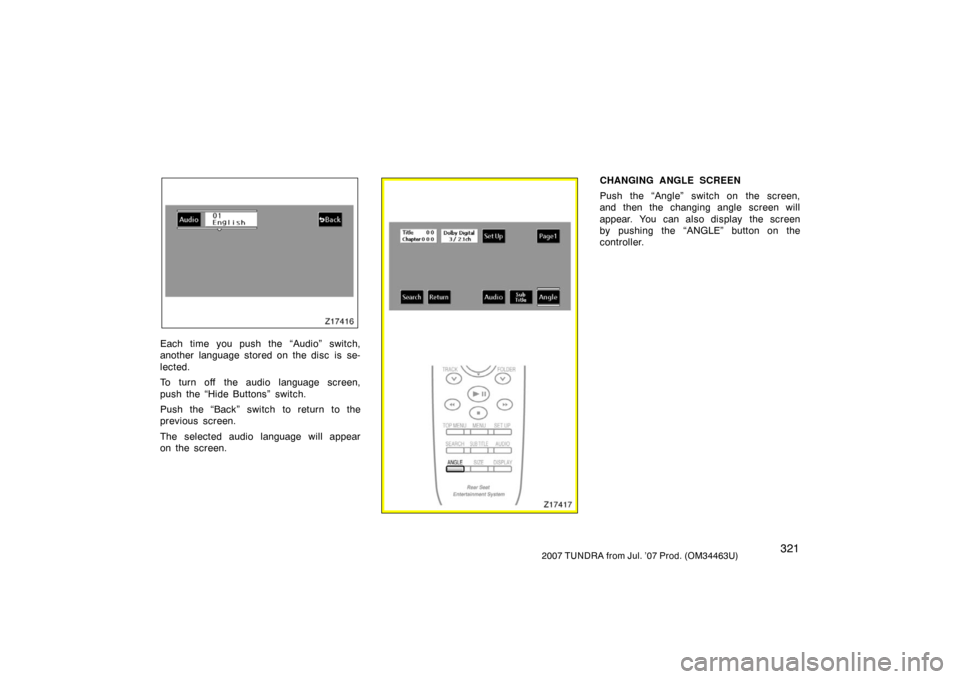
CHANGING AUDIO LANGUAGE
Push the “Audio” switch on the screen
and then the changing audio language
screen will appear. You can also display
the screen by pushing the “AUDIO” button
on the controller.
Page 330 of 611
3212007 TUNDRA from Jul. ’07 Prod. (OM34463U)
Z17416
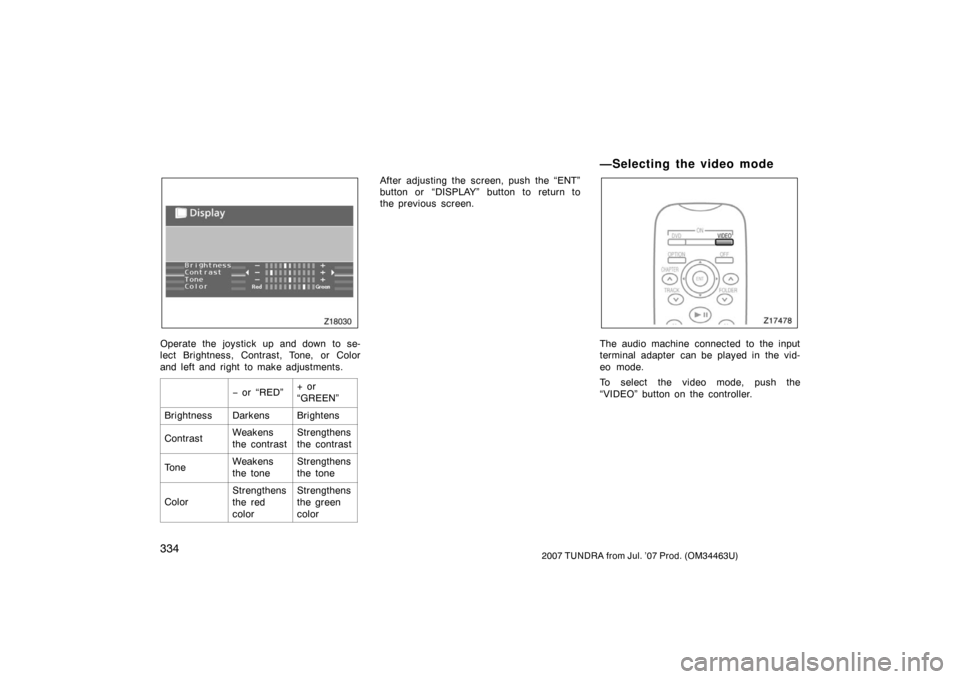
Each time you push the “Audio” switch,
another language stored on the disc is se-
lected.
To turn off the audio language screen,
push the “Hide Buttons” switch.
Push the “Back” switch to return to the
previous screen.
The selected audio language will appear
on the screen.Z17417
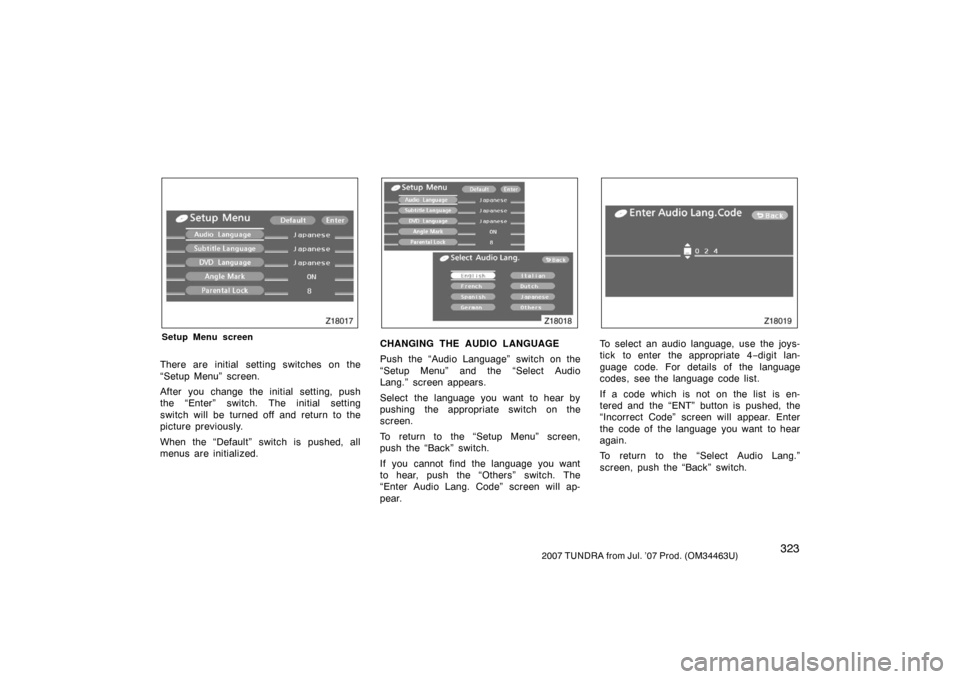
CHANGING ANGLE SCREEN
Push the “Angle” switch on the screen,
and then the changing angle screen will
appear. You can also display the screen
by pushing the “ANGLE” button on the
controller.
Page 332 of 611
3232007 TUNDRA from Jul. ’07 Prod. (OM34463U)
Z18017
Setup Menu screen
There are initial setting switches on the
“Setup Menu” screen.
After you change the initial setting, push
the “Enter” switch. The initial setting
switch will be turned off and return to the
picture previously.
When the “Default” switch is pushed, all
menus are initialized.
Z18018
CHANGING THE AUDIO LANGUAGE
Push the “Audio Language” switch on the
“Setup Menu” and the “Select Audio
Lang.” screen appears.
Select the language you want to hear by
pushing the appropriate switch on the
screen.
To return to the “Setup Menu” screen,
push the “Back” switch.
If you cannot find the language you want
to hear, push the “Others” switch. The
“Enter Audio Lang. Code” screen will ap-
pear.
Z18019
To select an audio language, use the joys-
tick to enter the appropriate 4−digit lan-
guage code. For details of the language
codes, see the language code list.
If a code which is not on the list is en-
tered and the “ENT” button is pushed, the
“Incorrect Code” screen will appear. Enter
the code of the language you want to hear
again.
To return to the “Select Audio Lang.”
screen, push the “Back” switch.
Page 339 of 611
3302007 TUNDRA from Jul. ’07 Prod. (OM34463U)
Z17489
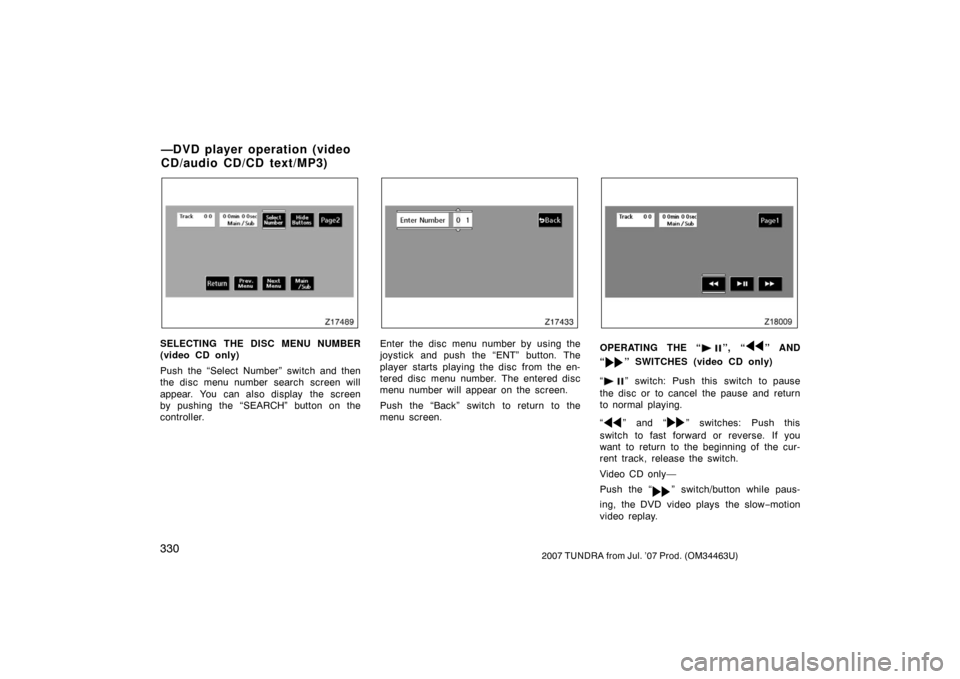
SELECTING THE DISC MENU NUMBER
(video CD only)
Push the “Select Number” switch and then
the disc menu number search screen will
appear. You can also display the screen
by pushing the “SEARCH” button on the
controller.
Z17433
Enter the disc menu number by using the
joystick and push the “ENT” button. The
player starts playing the disc from the en-
tered disc menu number. The entered disc
menu number will appear on the screen.
Push the “Back” switch to return to the
menu screen.
Z18009
OPERATING THE “”, “” AND
“
” SWITCHES (video CD only)
“
” switch: Push this switch to pause
the disc or to cancel the pause and return
to normal playing.
“
” and “” switches: Push this
switch to fast forward or reverse. If you
want to return to the beginning of the cur-
rent track, release the switch.
Video CD only—
Push the “
” switch/button while paus-
ing, the DVD video plays the slow −motion
video replay.
—DVD player operation (video
CD/audio CD/CD text/MP3)
Page 341 of 611
3322007 TUNDRA from Jul. ’07 Prod. (OM34463U)
CHANGING THE INITIAL SETTING (video
CD only)
Push the “Set Up” switch on the screen
and then the initial setting screen will ap-
pear. You can also display the screen by
pushing the “SET UP” button on the con-
troller. You can change the initial setting.
(See “CHANGING THE INITIAL SETTING”
on page 322 in this Section for details.)
After the setting is done, the player plays
from the beginning of the chapter or the
track.
Z18028
CD Text
Z18029
CD MP3
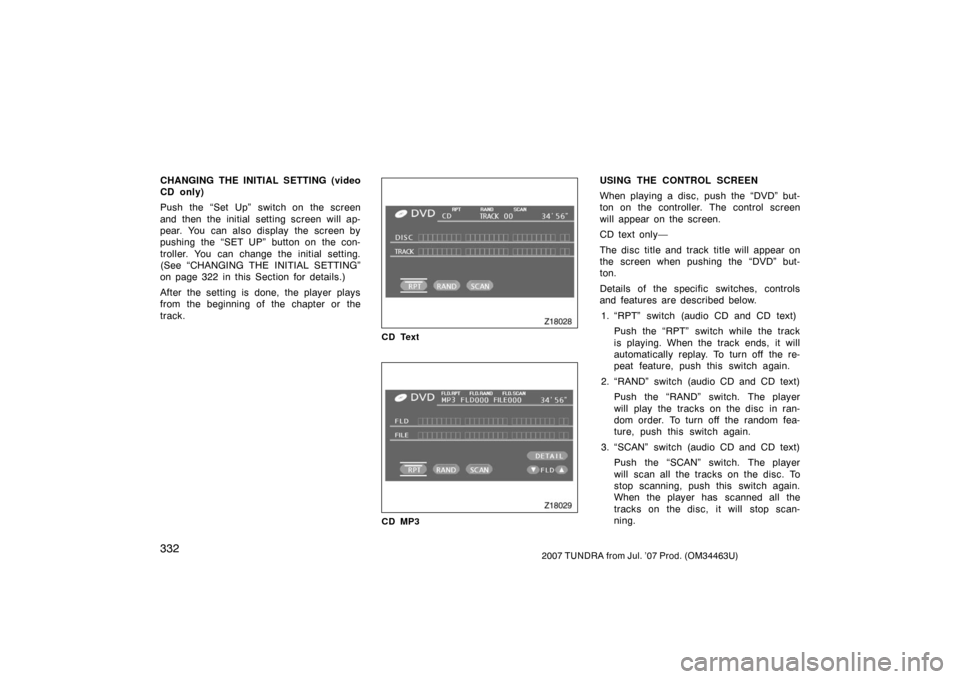
USING THE CONTROL SCREEN
When playing a disc, push the “DVD” but-
ton on the controller. The control screen
will appear on the screen.
CD text only—
The disc title and track title will appear on
the screen when pushing the “DVD” but-
ton.
Details of the specific switches, controls
and features are described below.1. “RPT” switch (audio CD and CD text) Push the “RPT” switch while the track
is playing. When the track ends, it will
automatically replay. To turn off the re-
peat feature, push this switch again.
2. “RAND” switch (audio CD and CD text) Push the “RAND” switch. The player
will play the tracks on the disc in ran-
dom order. To turn off the random fea-
ture, push this switch again.
3. “SCAN” switch (audio CD and CD text) Push the “SCAN” switch. The player
will scan all the tracks on the disc. To
stop scanning, push this switch again.
When the player has scanned all the
tracks on the disc, it will stop scan-
ning.
Page 343 of 611
3342007 TUNDRA from Jul. ’07 Prod. (OM34463U)
Z18030
Operate the joystick up and down to se-
lect Brightness, Contrast, Tone, or Color
and left and right to make adjustments.
− or “RED”+ or
“GREEN”
BrightnessDarkensBrightens
ContrastWeakens
the contrastStrengthens
the contrast
ToneWeakens
the toneStrengthens
the tone
Color
Strengthens
the red
colorStrengthens
the green
color
After adjusting the screen, push the “ENT”
button or “DISPLAY” button to return to
the previous screen.
—Selecting the video mode
Z17478
The audio machine connected to the input
terminal adapter can be played in the vid-
eo mode.
To select the video mode, push the
“VIDEO” button on the controller.
Page 344 of 611
3352007 TUNDRA from Jul. ’07 Prod. (OM34463U)
DVD PLAYER AND DVD VIDEO DISCS
This DVD player conforms to NTSC col-
or TV formats. DVD video discs con-
forming to other formats such as PAL
or SECAM cannot be used.
Region codes: Some DVD video discs
have a region code indicating where you
can use. If the DVD video disc is not
labeled “ALL” or “1”, you cannot use it in
this DVD player. If you attempt to play an
inappropriate DVD video disc in this play-
er, “REGION CODE ERROR” appears on
the screen. Even if the DVD video disc
does not have a region code, in some
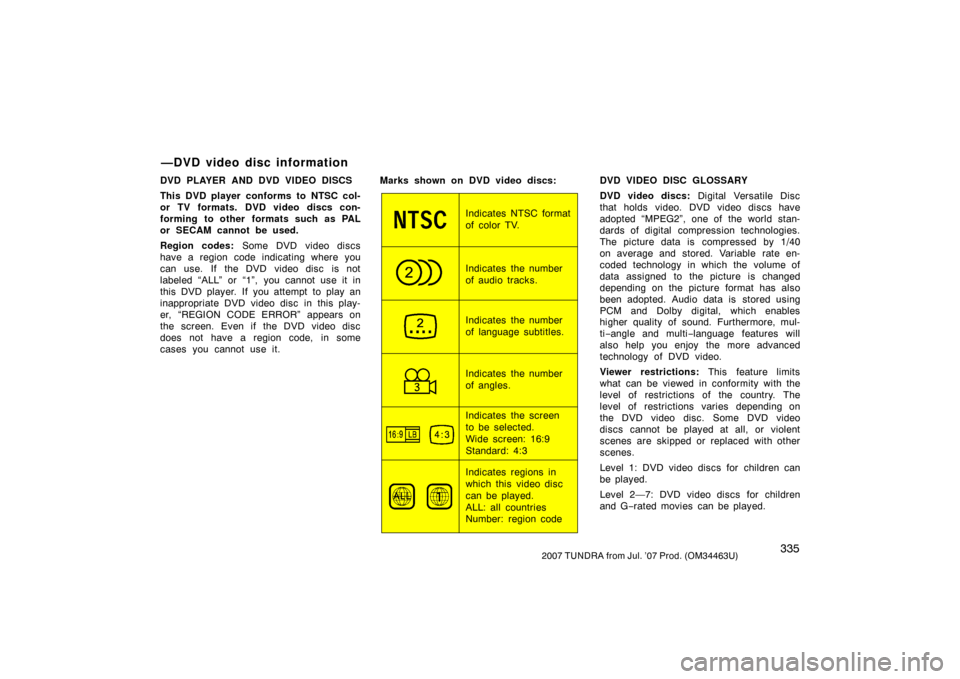
cases you cannot use it. Marks shown on DVD video discs:
Indicates NTSC format
of color TV.
Indicates the number
of audio tracks.
Indicates the number
of language subtitles.
Indicates the number
of angles.
Indicates the screen
to be selected.
Wide screen: 16:9
Standard: 4:3
Indicates regions in
which this video disc
can be played.
ALL: all countries
Number: region codeDVD VIDEO DISC GLOSSARY
DVD video discs:
Digital Versatile Disc
that holds video. DVD video discs have
adopted “MPEG2”, one of the world stan-
dards of digital compression technologies.
The picture data is compressed by 1/40
on average and stored. Variable rate en-
coded technology in which the volume of
data assigned to the picture is changed
depending on the picture format has also
been adopted. Audio data is stored using
PCM and Dolby digital, which enables
higher quality of sound. Furthermore, mul-
ti −angle and multi −language features will
also help you enjoy the more advanced
technology of DVD video.
Viewer restrictions: This feature limits
what can be viewed in conformity with the
level of restrictions of the country. The
level of restrictions varies depending on
the DVD video disc. Some DVD video
discs cannot be played at all, or violent
scenes are skipped or replaced with other
scenes.
Level 1: DVD video discs for children can
be played.
Level 2—7: DVD video discs for children
and G −rated movies can be played.
—DVD video disc information
Page 345 of 611

3362007 TUNDRA from Jul. ’07 Prod. (OM34463U)
Level 8: All types of DVD video discs can
be played.
Multiangle feature: You can enjoy the
same scene at different angles.
Multilanguage feature: You can select
the language of the subtitles and audio.
Region codes: Region codes are provided
on DVD players and DVD discs. If the
DVD video disc does not have the same
region code as the DVD player, you
cannot play the disc on the DVD player.
For region codes, see page 335.
Audio: This DVD player can play liner
PCM, Dolby digital, dts and MPEG audio
format DVD. Other decoded type cannot
be played.
Title and chapter: Video and audio pro-
grams stored on DVD video discs are di-
vided in parts by title and chapter.
Title: The largest unit of the video and
audio programs stored on DVD video
discs. Usually, one piece of a movie, one
album, or one audio program is assigned
as a title.
Chapter: A unit smaller than a title. A title
comprises plural chapters. Manufactured under license from Dolby
Laboratories. “Dolby”, “Dolby Digital”,
“Pro Logic”, and the doubleD symbol
are trademarks of Dolby Laboratories.
Confidential unpublished works.
�
19921997 Dolby Laboratories. All
rights reserved.
This product incorporates copyright
protection technology that is protected
by method claims of certain U.S. pat-
ents and other intellectual property
rights owned by Macrovision Corpora-
tion and other rights owners. Use of
this copyright protection technology
must be authorized by Macrovision Cor-
poration, and is intended for home and
other limited viewing uses only unless
otherwise authorized by Macrovision
Corporation. Reverse engineering or
disassembly is prohibited.
“dts” is a trademark of Digital Theater
Systems, Inc.
—A/V input adapter
The rear entertainment system plays vid-
eos and sound when an audio −video
equipment is connected to the A/V input
adapter. For details, refer to the manufac-
turer’s instructions.