Page 296 of 534

07 SIENNA_U (L/O 0612)
288
2007 SIENNA from Oct. ’06 Prod. (OM45437U)
OPERATING THE “�”, “”, “��”
AND “ ��” SWITCHES/BUTTONS
“ �
” switch/button: Select this switch/
button to pause the disc or to cancel the
pause and return to normal playing.
“
” switch/button: This switch/button
stops a screen when the DVD player is
operated.
“ �� ” and “ ��” switches on the screen:
Select the “ ��” or “�� ” switch, and
push and hold the “ENT” button to fast
forward or reverse. When you release the
“ENT” button, the DVD player will resume
playing.
“ �� ” and “ ��” buttons on the remote
control: Push and hold the “ ��” or “�� ”
button to fast forward or reverse. When
you release the button, the DVD player
will resume playing.
Select the “�� ” switch/button while paus-
ing, the DVD video plays the slow −motion
video replay.
SKIPPING TO THE PREDETERMINED
SCREEN
To skip to the predetermined screen, se-
lect the “Return” switch. The DVD player
starts playing from the beginning of the
predetermined screen.
For further details of the predetermined
screen, see the separate manual for the
DVD disc.
Page 298 of 534
07 SIENNA_U (L/O 0612)
290
2007 SIENNA from Oct. ’06 Prod. (OM45437U)
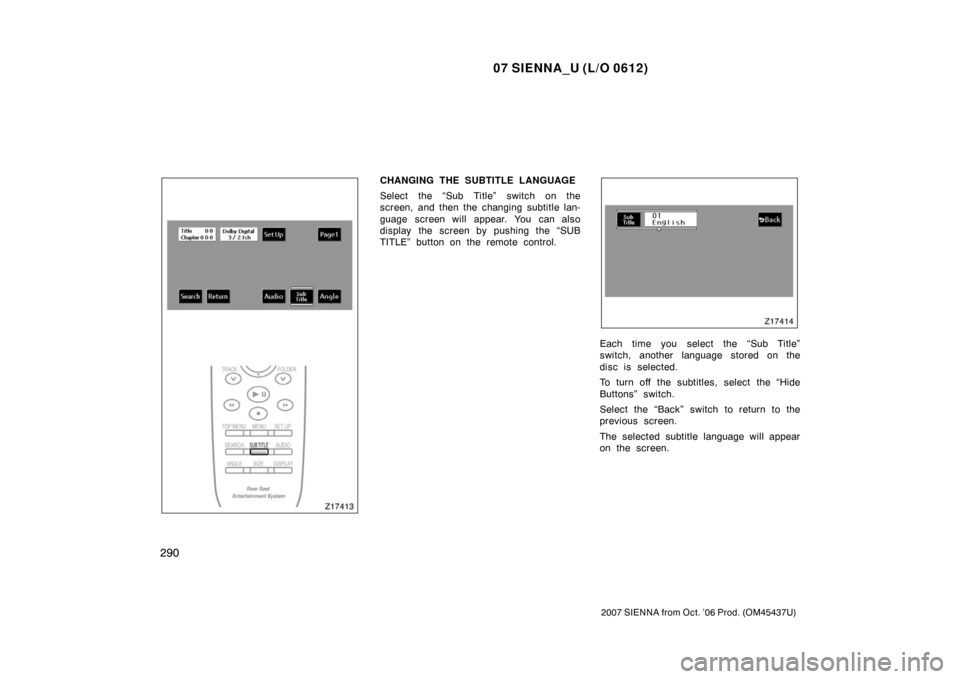
CHANGING THE SUBTITLE LANGUAGE
Select the “Sub Title” switch on the
screen, and then the changing subtitle lan-
guage screen will appear. You can also
display the screen by pushing the “SUB
TITLE” button on the remote control.
Each time you select the “Sub Title”
switch, another language stored on the
disc is selected.
To turn off the subtitles, select the “Hide
Buttons” switch.
Select the “Back” switch to return to the
previous screen.
The selected subtitle language will appear
on the screen.
Page 299 of 534
07 SIENNA_U (L/O 0612)
291
2007 SIENNA from Oct. ’06 Prod. (OM45437U)
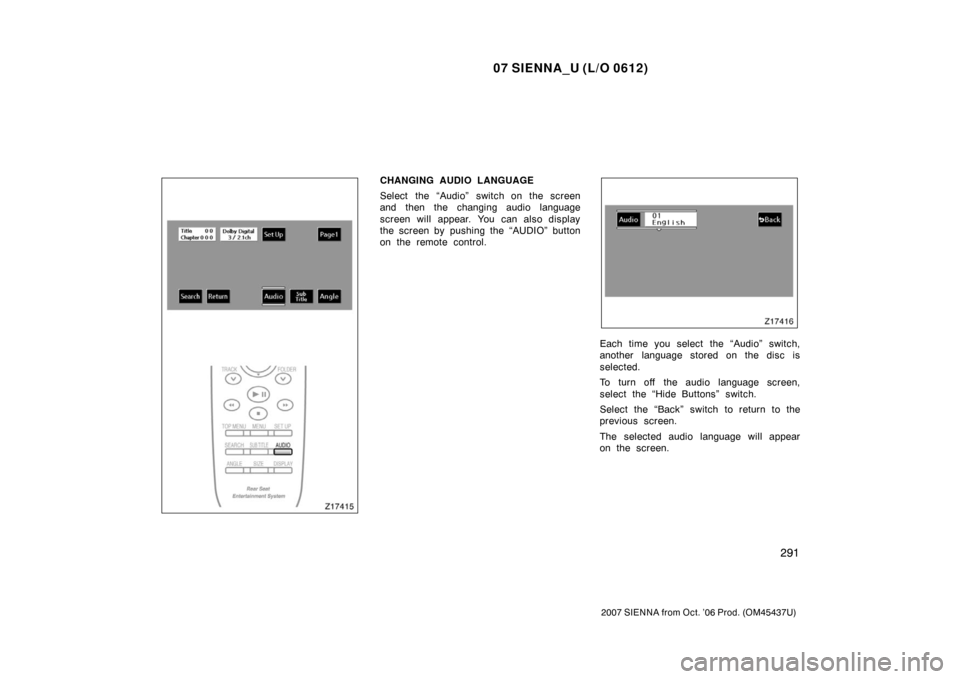
CHANGING AUDIO LANGUAGE
Select the “Audio” switch on the screen
and then the changing audio language
screen will appear. You can also display
the screen by pushing the “AUDIO” button
on the remote control.
Each time you select the “Audio” switch,
another language stored on the disc is
selected.
To turn off the audio language screen,
select the “Hide Buttons” switch.
Select the “Back” switch to return to the
previous screen.
The selected audio language will appear
on the screen.
Page 300 of 534
07 SIENNA_U (L/O 0612)
292
2007 SIENNA from Oct. ’06 Prod. (OM45437U)
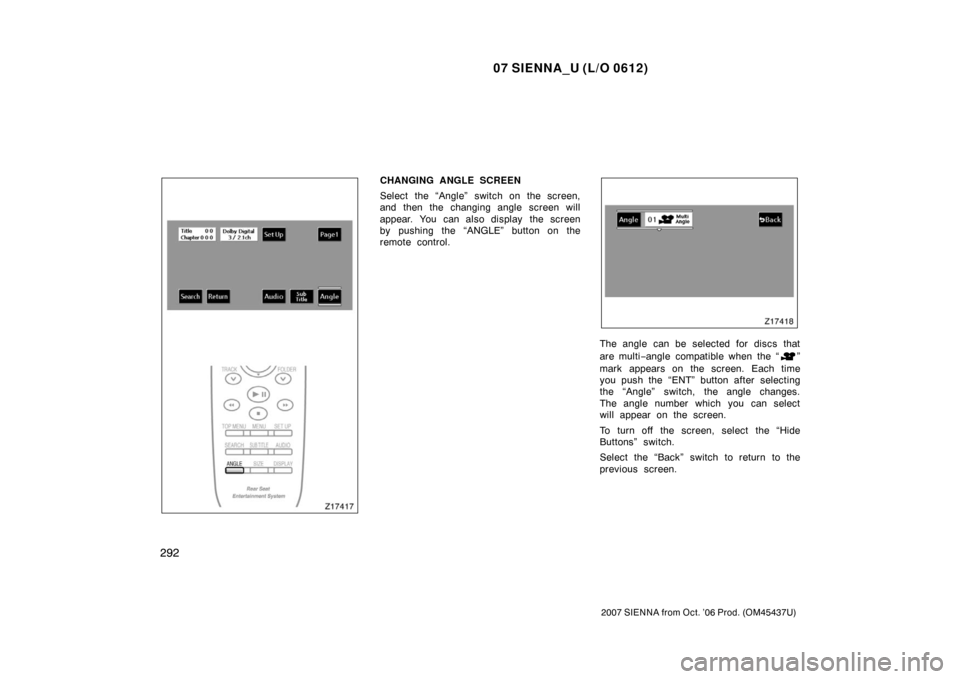
CHANGING ANGLE SCREEN
Select the “Angle” switch on the screen,
and then the changing angle screen will
appear. You can also display the screen
by pushing the “ANGLE” button on the
remote control.
The angle can be selected for discs that
are multi−angle compatible when the “
”
mark appears on the screen. Each time
you push the “ENT” button after selecting
the “Angle” switch, the angle changes.
The angle number which you can select
will appear on the screen.
To turn off the screen, select the “Hide
Buttons” switch.
Select the “Back” switch to return to the
previous screen.
Page 309 of 534
07 SIENNA_U (L/O 0612)
301
2007 SIENNA from Oct. ’06 Prod. (OM45437U)
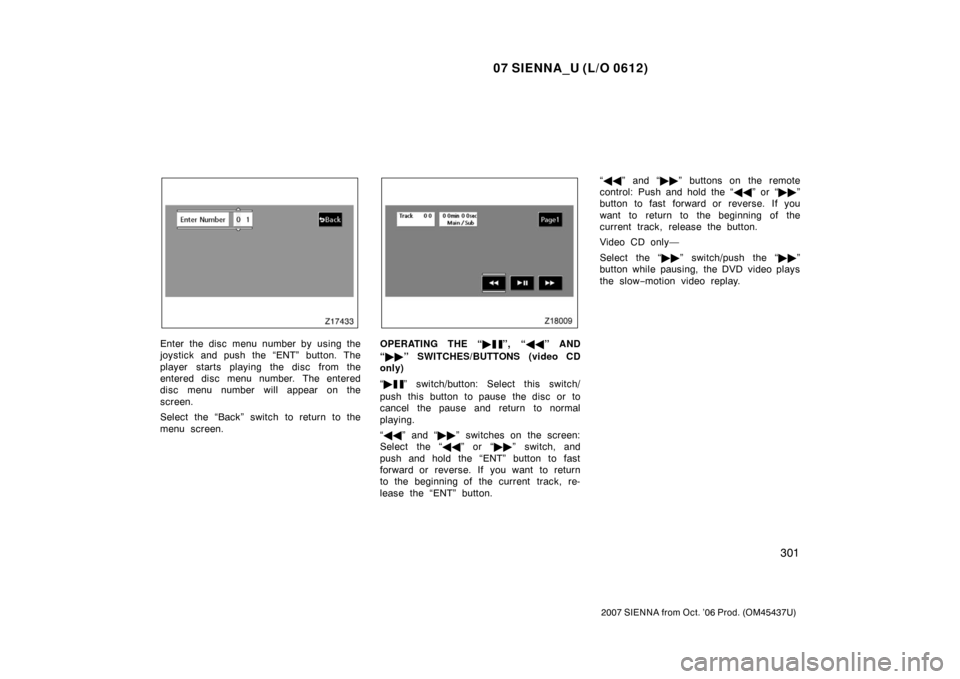
Enter the disc menu number by using the
joystick and push the “ENT” button. The
player starts playing the disc from the
entered disc menu number. The entered
disc menu number will appear on the
screen.
Select the “Back” switch to return to the
menu screen.OPERATING THE “�”, “��” AND
“ �� ” SWITCHES/BUTTONS (video CD
only)
“ �
” switch/button: Select this switch/
push this button to pause the disc or to
cancel the pause and return to normal
playing.
“ �� ” and “ ��” switches on the screen:
Select the “ ��” or “�� ” switch, and
push and hold the “ENT” button to fast
forward or reverse. If you want to return
to the beginning of the current track, re-
lease the “ENT” button. “
�� ” and “ ��” buttons on the remote
control: Push and hold the “ ��” or “�� ”
button to fast forward or reverse. If you
want to return to the beginning of the
current track, release the button.
Video CD only—
Select the “�� ” switch/push the “�� ”
button while pausing, the DVD video plays
the slow −motion video replay.
Page 346 of 534
07 SIENNA_U (L/O 0612)
338
2007 SIENNA from Oct. ’06 Prod. (OM45437U)
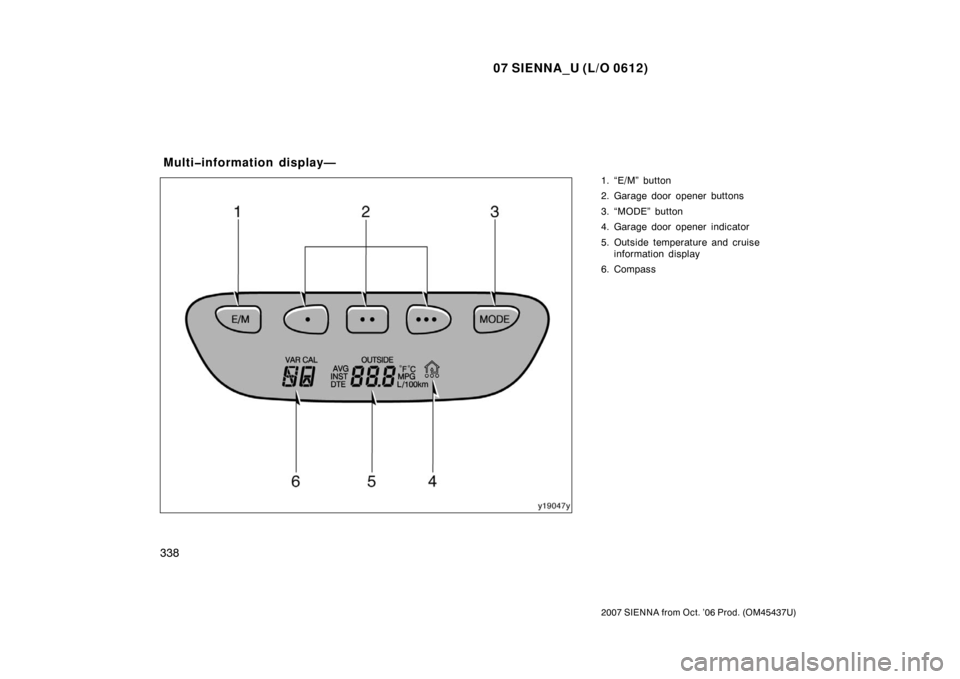
1. “E/M” button
2. Garage door opener buttons
3. “MODE” button
4. Garage door opener indicator
5. Outside temperature and cruiseinformation display
6. Compass
Multiinformation display—
Page 348 of 534
07 SIENNA_U (L/O 0612)
340
2007 SIENNA from Oct. ’06 Prod. (OM45437U)
“MODE” button
This button is used to select the item.
Every time you push the “MODE” button,
the display toggles.
For more details, see “—Outside tempera-
ture and cruise information display” on
page 344.
CAUTION
Do not adjust the display while the
vehicle is moving. Be sure to adjust
the display only when the vehicle is
stopped.
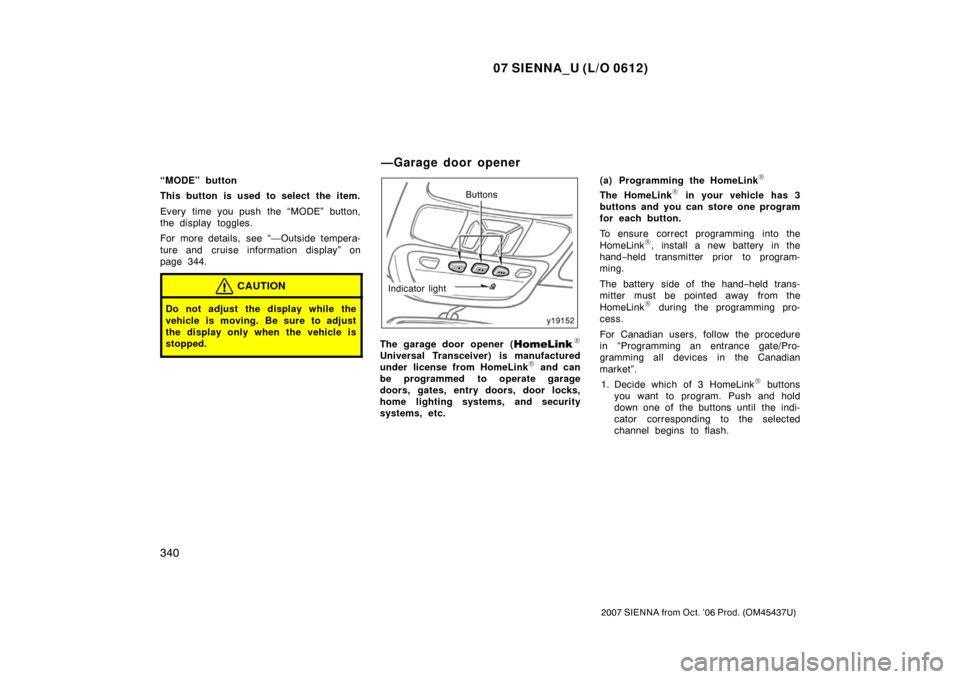
Buttons
Indicator light
The garage door opener (\b
Universal Transceiver) is manufactured
under license from HomeLink\b and can
be programmed to operate garage
doors, gates, entry doors, door locks,
home lighting systems, and security
systems, etc. (a) Programming the HomeLink
\b
The HomeLink\b in your vehicle has 3
buttons and you can store one program
for each button.
To ensure correct programming into the
HomeLink
\b, install a new battery in the
hand− held transmitter prior to program-
ming.
The battery side of the hand −held trans-
mitter must be pointed away from the
HomeLink
\b during the programming pro-
cess.
For Canadian users, follow the procedure
in “Programming an entrance gate/Pro-
gramming all devices in the Canadian
market”.
1. Decide which of 3 HomeLink
\b buttons
you want to program. Push and hold
down one of the buttons until the indi-
cator corresponding to the selected
channel begins to flash.
—Garage door opener
Page 349 of 534
07 SIENNA_U (L/O 0612)
341
2007 SIENNA from Oct. ’06 Prod. (OM45437U)
HomeLink�
Hand −held
garage
transmitter
25 to
75 mm
(1 to 3 in.)
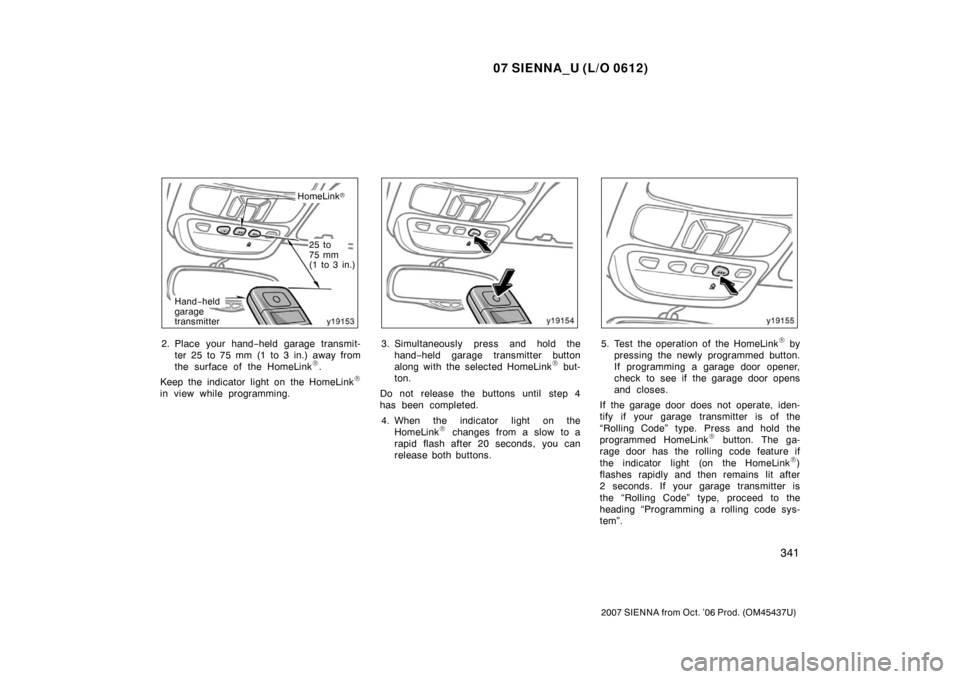
2. Place your hand− held garage transmit-
ter 25 to 75 mm (1 to 3 in.) away from
the surface of the HomeLink
\b.
Keep the indicator light on the HomeLink
\b
in view while programming.
3. Simultaneously press and hold the hand− held garage transmitter button
along with the selected HomeLink
\b but-
ton.
Do not release the buttons until step 4
has been completed.
4. When the indicator light on the HomeLink
\b changes from a slow to a
rapid flash after 20 seconds, you can
release both buttons.
5. Test the operation of the HomeLink\b by
pressing the newly programmed button.
If programming a garage door opener,
check to see if the garage door opens
and closes.
If the garage door does not operate, iden-
tify if your garage transmitter is of the
“Rolling Code” type. Press and hold the
programmed HomeLink
\b button. The ga-
rage door has the rolling code feature if
the indicator light (on the HomeLink
\b)
flashes rapidly and then remains lit after
2 seconds. If your garage transmitter is
the “Rolling Code” type, proceed to the
heading “Programming a rolling code sys-
tem”.