Page 247 of 534

07 SIENNA_U (L/O 0612)
239
2007 SIENNA from Oct. ’06 Prod. (OM45437U)
RESETTING TO A FASTER SPEED
Push the lever up in the “+ RES” direction
and hold it. Release the lever when the
desired speed is attained. While the lever
is held up, the vehicle will gradually gain
speed.
When the difference between the actual
vehicle speed and the set speed is less
than 5 km/h (3 mph), the set speed can
be increased 1.6 km/h (1 mph) each time
by pushing the lever up in the “+ RES”
direction quickly within 0.6 seconds.
However, a faster way to reset is to ac-
celerate the vehicle and then push the
lever down in the “− SET” direction.RESETTING TO A SLOWER SPEED
Push the lever down in the “
− SET” direc-
tion and hold it. Release the lever when
the desired speed is attained. While the
lever is held down, the vehicle speed will
gradually decrease.
When the difference between the actual
vehicle speed and the set speed is less
than 5 km/h (3 mph), the set speed can
be lowered 1.6 km/h (1 mph) each time
by pushing the lever down in the “ − SET”
direction quickly within 0.6 seconds.
However, a faster way to reset is to ac-
celerate the vehicle and then push the
lever down in the “− SET” direction.
Even if you downshift from “D” to “4” in
the conventional cruise control mode, en-
gine braking will not be enabled because
this mode is not cancelled. To decrease
the vehicle’s speed, reset to a slower
speed with the cruise control lever or de-
press the brake pedal. If you use the
brake pedal, cruise control is cancelled. CONVENTIONAL CRUISE CONTROL
MODE FAILURE WARNING
If there is trouble in the conventional
cruise control mode, the “CRUISE” indica-
tor light in the instrument cluster flashes,
the master warning light comes on and
the alarm sounds, the warning code “E3”
will appear on the display.
If a system malfunction is detected when
the conventional cruise control mode is in
the ready mode or operating, the master
warning light comes on, an alarm sounds
and the above code appears.
If this code appears, press the “ON
−OFF”
button to turn the system off and then
push it again to turn it on. If the setting
still cannot be made or the same code
appears again, the system might have
malfunctioned. Although there is no prob-
lem to continue driving, please contact
your Toyota dealer.
Page 272 of 534
07 SIENNA_U (L/O 0612)
264
2007 SIENNA from Oct. ’06 Prod. (OM45437U)
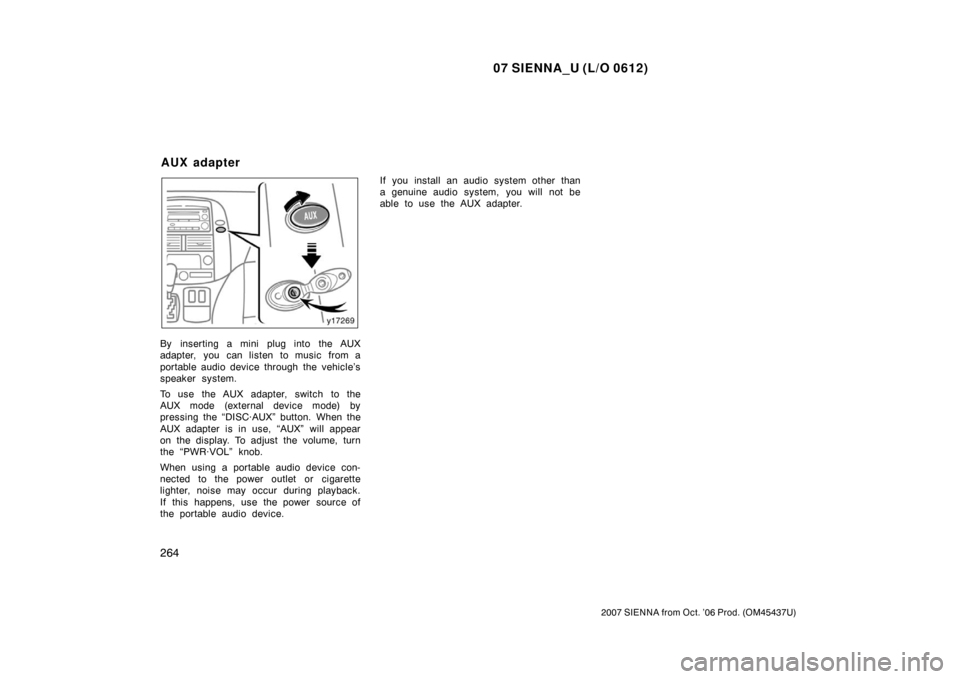
By inserting a mini plug into the AUX
adapter, you can listen to music from a
portable audio device through the vehicle’s
speaker system.
To use the AUX adapter, switch to the
AUX mode (external device mode) by
pressing the “DISC·AUX” button. When the
AUX adapter is in use, “AUX” will appear
on the display. To adjust the volume, turn
the “PWR·VOL” knob.
When using a portable audio device con-
nected to the power outlet or cigarette
lighter, noise may occur during playback.
If this happens, use the power source of
the portable audio device.If you install an audio system other than
a genuine audio system, you will not be
able to use the AUX adapter.
AUX adapter
Page 279 of 534
07 SIENNA_U (L/O 0612)
271
2007 SIENNA from Oct. ’06 Prod. (OM45437U)
NOTICE
�Benzene or alkaline solutions may
damage the coated surface of the
screen .
� To prevent the battery from being
discharged, do not turn on the rear
seat entertainment system longer
than necessary when the engine is
not running.
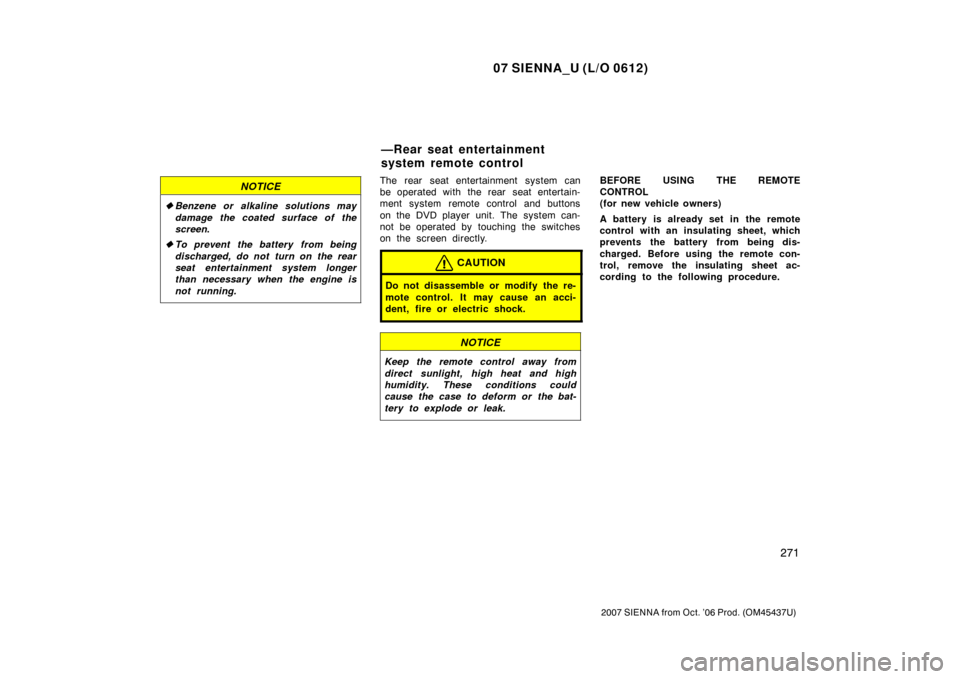
The rear seat entertainment system can
be operated with the rear seat entertain-
ment system remote control and buttons
on the DVD player unit. The system can-
not be operated by touching the switches
on the screen directly.
CAUTION
Do not disassemble or modify the re-
mote control. It may cause an acci-
dent, fire or electric shock.
NOTICE
Keep the remote control away from
direct sunlight, high heat and high
humidity. These conditions could
cause the case to deform or the bat-
tery to explode or leak.
BEFORE USING THE REMOTE
CONTROL
(for new vehicle owners)
A battery is already set in the remote
control with an insulating sheet, which
prevents the battery from being dis-
charged. Before using the remote con-
trol, remove the insulating sheet ac-
cording to the following procedure.
—Rear seat entertainment
system remote control
Page 281 of 534
07 SIENNA_U (L/O 0612)
273
2007 SIENNA from Oct. ’06 Prod. (OM45437U)
USING THE REMOTE CONTROL
To use the rear seat entertainment sys-
tem remote control, direct the signal
output portion of the remote control to
the signal reception portion of the rear
seat entertainment system display.
The remote control does not operate prop-
erly when the signal reception portion of
the display is exposed to direct sunlight.
Block the display from direct sunlight.
CAUTION
To reduce the chance of injury in
case of an accident or a sudden stop
while driving, stow the remote control
in the console box or front seat side
table when it is not in use.
NOTICE
Observe the followings, otherwise the
remote control may be damaged.
�Do not drop or strongly knock the
remote control against hard objects.
� Do not sit on or place heavy ob-
jects on the remote control.
� Do not leave the remote control ex-
posed to high temperatures (such
as on the instrument panel) for a
long time.
Page 286 of 534
07 SIENNA_U (L/O 0612)
278
2007 SIENNA from Oct. ’06 Prod. (OM45437U)
7. “DISC” indicator lightThis light indicates that the disc is
loaded.
8. “
” button
This button ejects a disc.
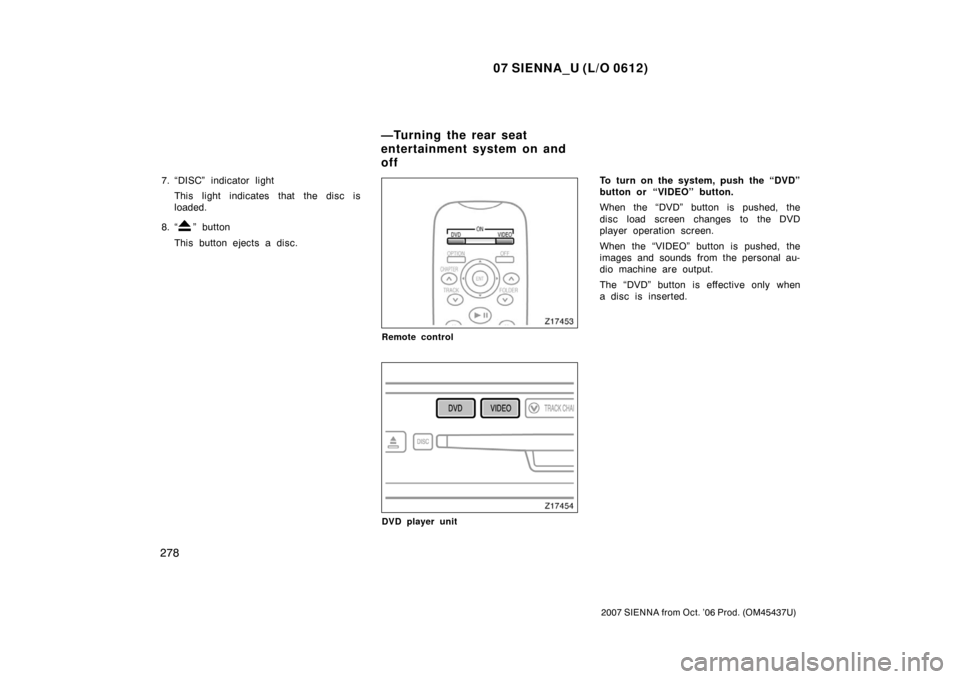
Remote control
DVD player unit
To turn on the system, push the “DVD”
button or “VIDEO” button.
When the “DVD” button is pushed, the
disc load screen changes to the DVD
player operation screen.
When the “VIDEO” button is pushed, the
images and sounds from the personal au-
dio machine are output.
The “DVD” button is effective only when
a disc is inserted.
—Turning the rear seat
entertainment system on and
off
Page 289 of 534
07 SIENNA_U (L/O 0612)
281
2007 SIENNA from Oct. ’06 Prod. (OM45437U)
The DVD player can play audio CDs/
MP3 CDs, DVD video discs, CD texts,
dtsCDs and video CDs.
For appropriate discs for this player, see
“Audio/video system operating hints” on
page 309 in this Section.
The DVD player works when the ignition
key is in the “ACC” or “ON” position.
To turn on the DVD player, a disc must
be loaded in the player.
To turn off the player, eject the disc.
Error messages
If the player malfunctions, your audio sys-
tem will display following error messages.
If “DISC CHECK” appears on the
screen: It indicates that the disc is dirty,
damaged or it was inserted upside down.
Clean the disc or insert it correctly.
If “REGION ERROR” appears on the
screen: It indicates that the DVD region
code is not set properly.
If “DVD ERROR” appears on the
screen: There is a problem inside the
player. Eject the disc. Set the disc again.
If the malfunction still exists, take your
vehicle to your Toyota dealer.
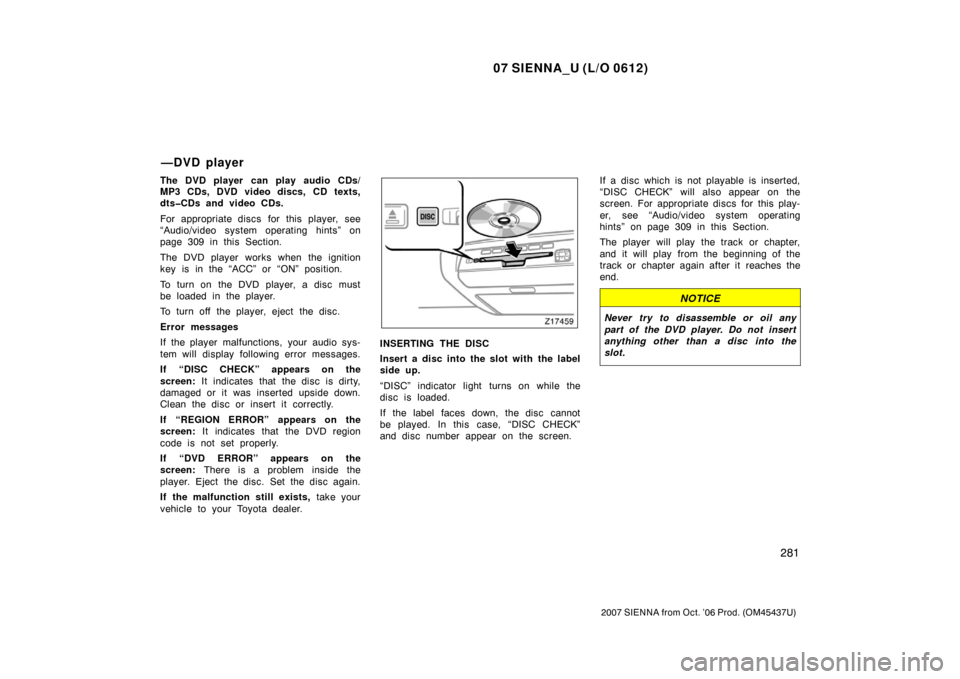
INSERTING THE DISC
Insert a disc into the slot with the label
side up.
“DISC” indicator light turns on while the
disc is loaded.
If the label faces down, the disc cannot
be played. In this case, “DISC CHECK”
and disc number appear on the screen. If a disc which is not playable is inserted,
“DISC CHECK” will also appear on the
screen. For appropriate discs for this play-
er, see “Audio/video system operating
hints” on page 309 in this Section.
The player will play the track or chapter,
and it will play from the beginning of the
track or chapter again after it reaches the
end.
NOTICE
Never try to disassemble or oil any
part of the DVD player. Do not insert
anything other than a disc into the
slot.
—DVD player
Page 291 of 534
07 SIENNA_U (L/O 0612)
283
2007 SIENNA from Oct. ’06 Prod. (OM45437U)
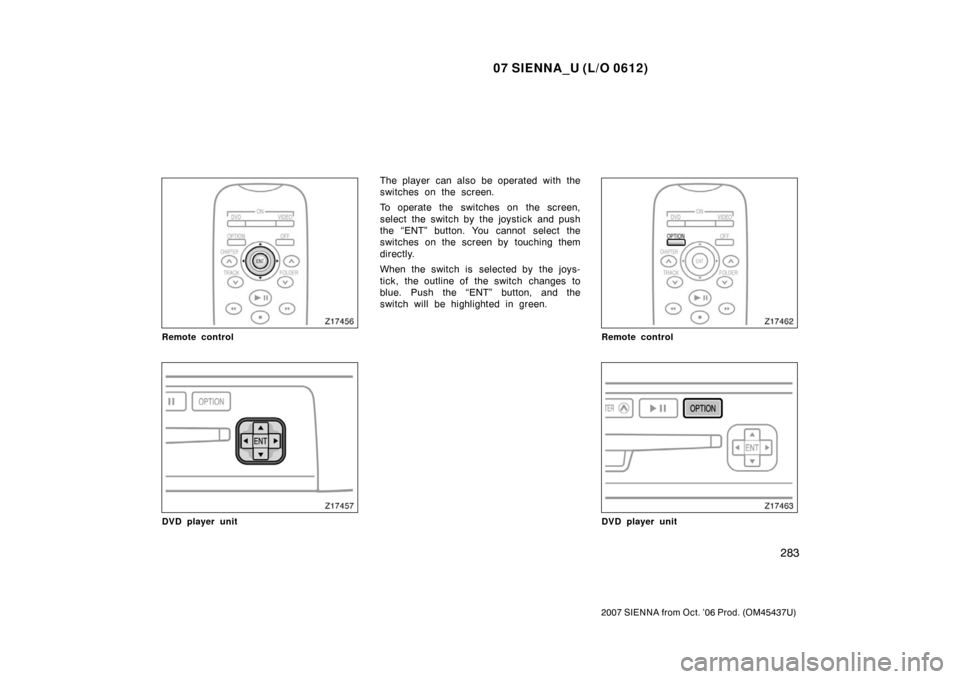
Remote control
DVD player unit
The player can also be operated with the
switches on the screen.
To operate the switches on the screen,
select the switch by the joystick and push
the “ENT” button. You cannot select the
switches on the screen by touching them
directly.
When the switch is selected by the joys-
tick, the outline of the switch changes to
blue. Push the “ENT” button, and the
switch will be highlighted in green.
Remote control
DVD player unit
Page 312 of 534

07 SIENNA_U (L/O 0612)
304
2007 SIENNA from Oct. ’06 Prod. (OM45437U)
MP3 only—
Folder and file names will appear on the
screen when the “DVD” button is pushed.
The details of the specific switches, con-
trols, and features are described below.1. “RPT” switch When the “RPT” switch is selected
while a track is played, the track file
will be played repeatedly until the
switch is selected again. When the
“ENT” button is pushed for at least 0.8
seconds, all the files in a folder will be
played repeatedly. To turn off repeat
play mode, select the switch again.
2. “RAND” switch
When the “RAND” switch is selected,
the files in a current folder will be
played in random order. When the
“ENT button is pushed for at least 0.8
seconds, all the files in the disk will be
played in random. To turn off random
play mode, select the switch again. 3. “SCAN” switch
When the “SCAN” switch is selected,
all the files in a current folder will be
scanned. Only the first 10 seconds of
each file are played sequentially until
all the files are scanned. When the
“ENT button is pushed for at least 0.8
seconds, the first 10 seconds of each
initial file of all the folders in the disk
will be played sequentially until the en-
tire initial files are scanned. To stop
scanning, push the switch again.
4. “FLD
” switch
When the switch is selected, the initial
file of the next folder will be played.
5. “
FLD” switch
When the switch is selected, the initial
file of the previous folder will be
played.
6. “DETAIL” switch
When the switch is selected while a
track is played, the detailed file infor-
mation of the track will be displayed. You can adjust the color, contrast, tone
and brightness of the screen.
Push the “DISPLAY” button on the remote
control and the “Display” screen will ap-
pear.
The screen may turn purple to deflect the
sunlight. This is not a malfunction.
—Screen adjustment