Page 254 of 458
254
26p141a
Ty p e 3
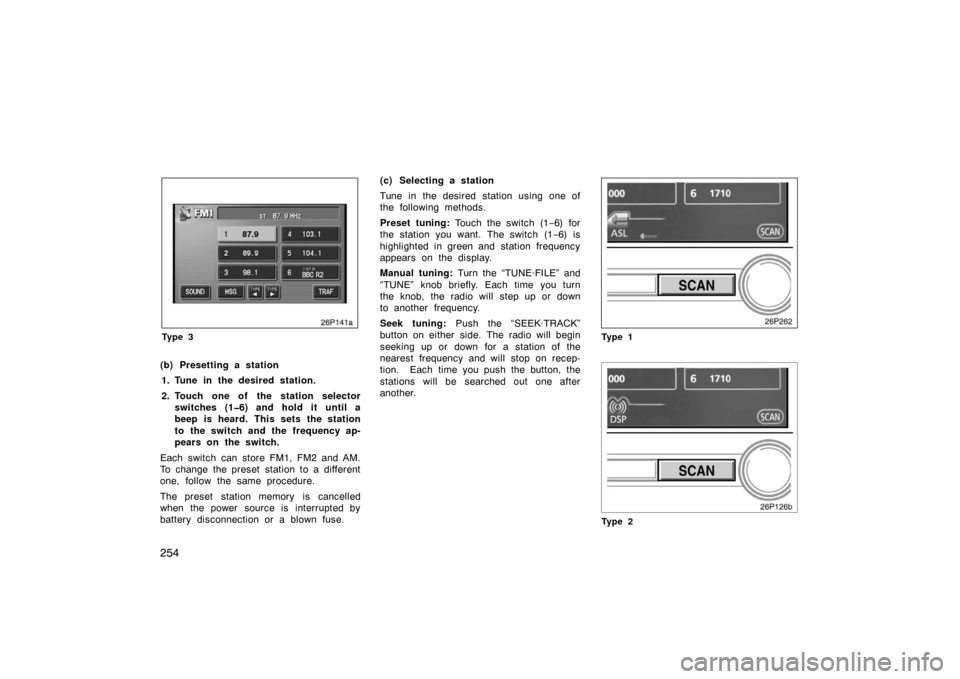
(b) Presetting a station1. Tune in the desired station.
2. Touch one of the station selector switches (16) and hold it until a
beep is heard. This sets the station
to the switch and the frequency ap-
pears on the switch.
Each switch can store FM1, FM2 and AM.
To change the preset station to a different
one, follow the same procedure.
The preset station memory is cancelled
when the power source is interrupted by
battery disconnection or a blown fuse. (c) Selecting a station
Tune in the desired station using one of
the following methods.
Preset tuning:
Touch the switch (1 −6) for
the station you want. The switch (1 −6) is
highlighted in green and station frequency
appears on the display.
Manual tuning: Turn the “TUNE·FILE” and
“TUNE” knob briefly. Each time you turn
the knob, the radio will step up or down
to another frequency.
Seek tuning: Push the “SEEK·TRACK”
button on either side. The radio will begin
seeking up or down for a station of the
nearest frequency and will stop on recep-
tion. Each time you push the button, the
stations will be searched out one after
another.
26p262
Ty p e 1
Ty p e 2
Page 261 of 458
261
26P197
Turn this knob to select the next or
previous channel.
If you turn continuously, you can rapidly
scroll forward or down through the chan-
nels.
26p213b
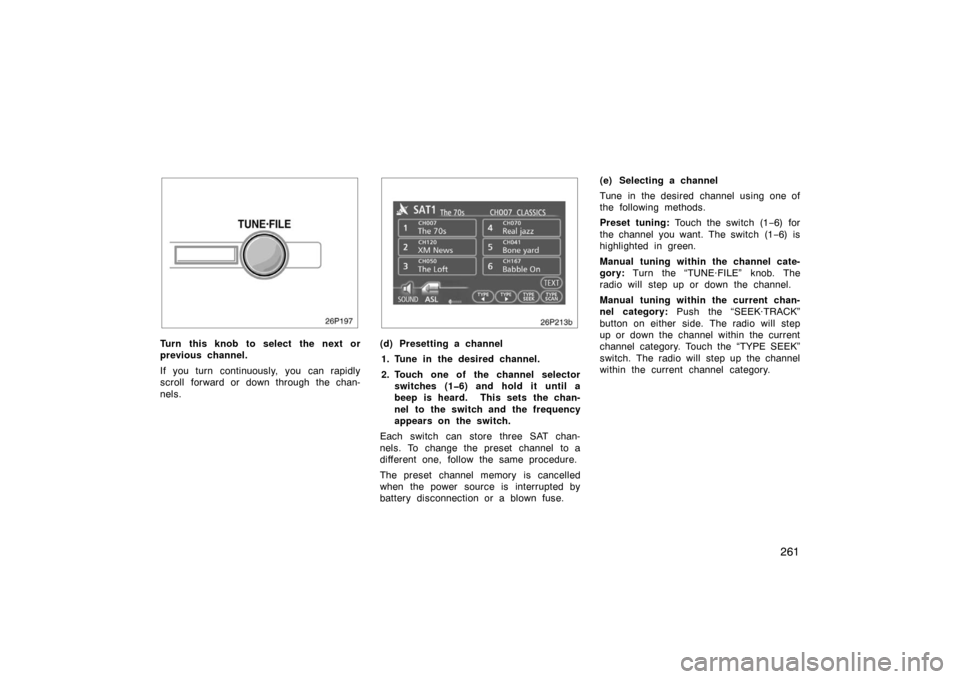
(d) Presetting a channel1. Tune in the desired channel.
2. Touch one of the channel selector switches (16) and hold it until a
beep is heard. This sets the chan-
nel to the switch and the frequency
appears on the switch.
Each switch can store three SAT chan-
nels. To change the preset channel to a
different one, follow the same procedure.
The preset channel memory is cancelled
when the power source is interrupted by
battery disconnection or a blown fuse. (e) Selecting a channel
Tune in the desired channel using one of
the following methods.
Preset tuning:
Touch the switch (1 −6) for
the channel you want. The switch (1 −6) is
highlighted in green.
Manual tuning within the channel cate-
gory: Turn the “TUNE·FILE” knob. The
radio will step up or down the channel.
Manual tuning within the current chan-
nel category: Push the “SEEK·TRACK”
button on either side. The radio will step
up or down the channel within the current
channel category. Touch the “TYPE SEEK”
switch. The radio will step up the channel
within the current channel category.
Page 267 of 458
267
26p129c
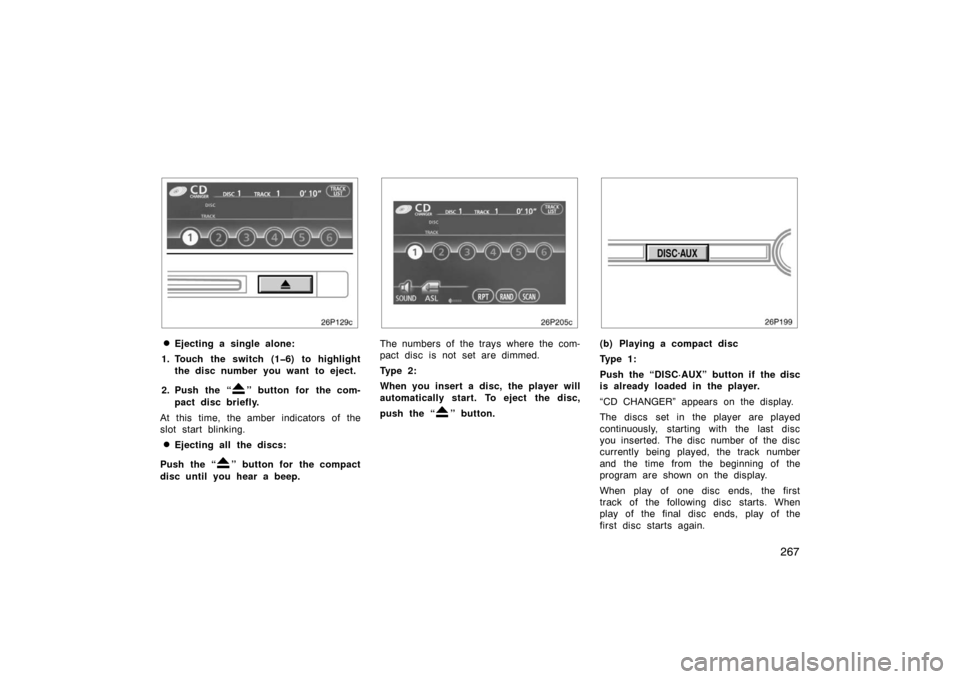
�Ejecting a single alone:
1. Touch the switch (16) to highlight the disc number you want to eject.
2. Push the “
” button for the com-
pact disc briefly.
At this time, the amber indicators of the
slot start blinking.
�Ejecting all the discs:
Push the “
” button for the compact
disc until you hear a beep.
26p205c
The numbers of the trays where the com-
pact disc is not set are dimmed.
Ty p e 2 :
When you insert a disc, the player will
automatically start. To eject the disc,
push the “
” button.
(b) Playing a compact disc
Ty p e 1 :
Push the “DISC·AUX” button if the disc
is already loaded in the player.
“CD CHANGER” appears on the display.
The discs set in the player are played
continuously, starting with the last disc
you inserted. The disc number of the disc
currently being played, the track number
and the time from the beginning of the
program are shown on the display.
When play of one disc ends, the first
track of the following disc starts. When
play of the final disc ends, play of the
first disc starts again.
Page 268 of 458
268
The player will skip any empty disc trays.
When the AUX adapter is in use, each
time you push the “DISC·AUX” button, the
audio switches the compact disc mode
and AUX mode alternately. For details
about AUX adapter, see page 278.
Ty p e 2 :
Push the “DISC·AUX” button if the disc
is already loaded in the player.
“CD” appears on the display.
The discs set in the player are played
continuously. The track number and the
time from the beginning of the program
are shown on the display.
26p205c
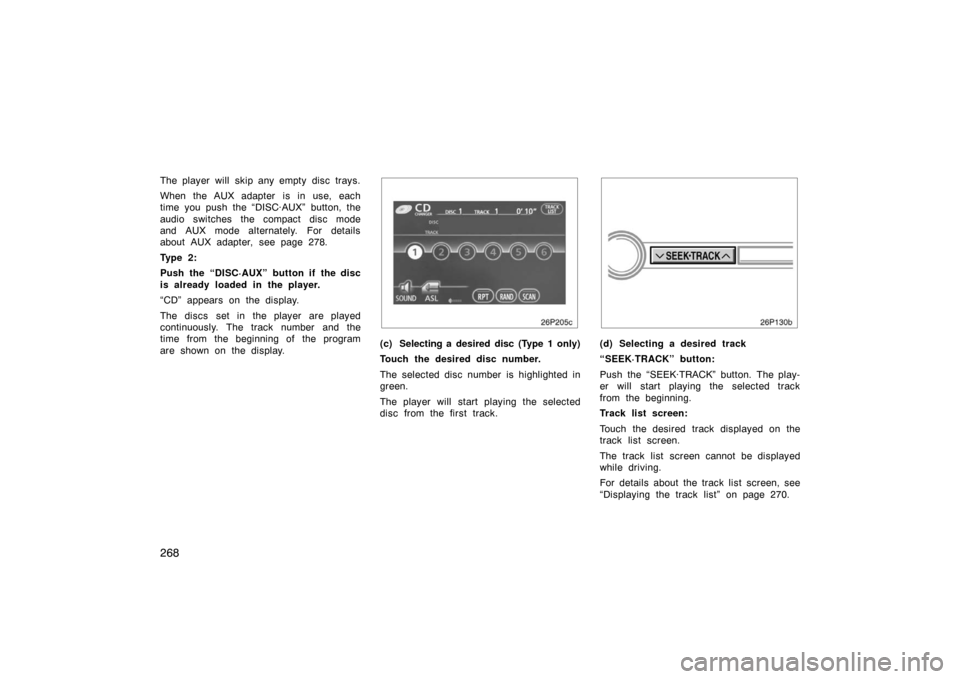
(c) Selecting a desired disc (Type 1 only)
Touch the desired disc number.
The selected disc number is highlighted in
green.
The player will start playing the selected
disc from the first track.(d) Selecting a desired track
“SEEK·TRACK” button:
Push the “SEEK·TRACK” button. The play-
er will start playing the selected track
from the beginning.
Track list screen:
Touch the desired track displayed on the
track list screen.
The track list screen cannot be displayed
while driving.
For details about the track list screen, see
“Displaying the track list” on page 270.
Page 272 of 458
272
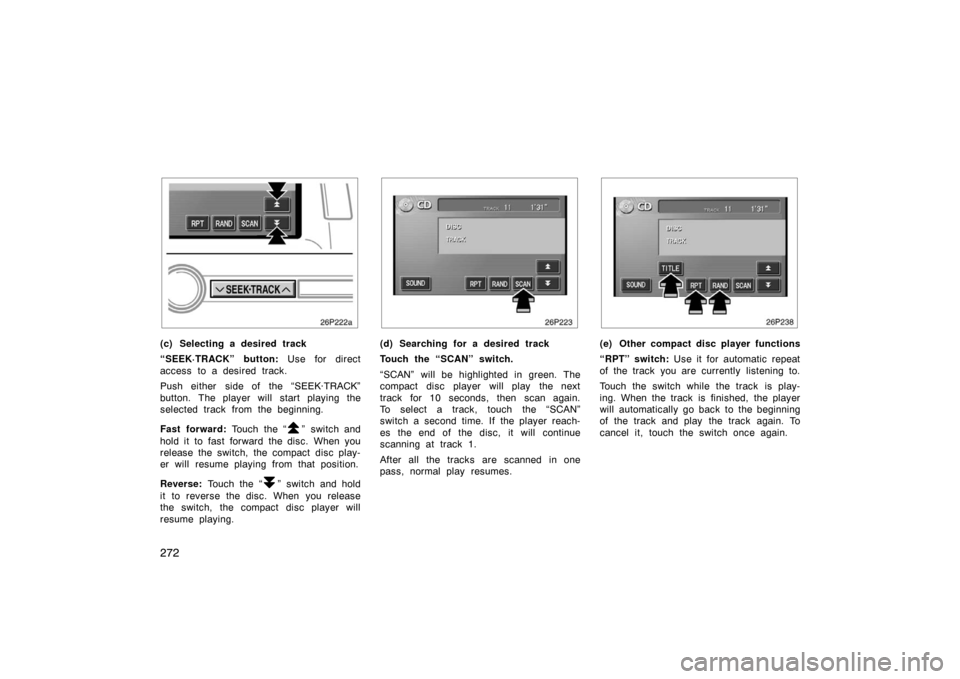
(c) Selecting a desired track
“SEEK·TRACK” button: Use for direct
access to a desired track.
Push either side of the “SEEK·TRACK”
button. The player will start playing the
selected track from the beginning.
Fast forward: Touch the “
” switch and
hold it to fast forward the disc. When you
release the switch, the compact disc play-
er will resume playing from that position.
Reverse: Touch the “
” switch and hold
it to reverse the disc. When you release
the switch, the compact disc player will
resume playing.
(d) Searching for a desired track
Touch the “SCAN” switch.
“SCAN” will be highlighted in green. The
compact disc player will play the next
track for 10 seconds, then scan again.
To select a track, touch the “SCAN”
switch a second time. If the player reach-
es the end of the disc, it will continue
scanning at track 1.
After all the tracks are scanned in one
pass, normal play resumes.(e) Other compact disc player functions
“RPT” switch: Use it for automatic repeat
of the track you are currently listening to.
Touch the switch while the track is play-
ing. When the track is finished, the player
will automatically go back to the beginning
of the track and play the track again. To
cancel it, touch the switch once again.
Page 278 of 458
278
(a) When the radio mode is selected
“
” or “” switch: Push this switch for
seek tuning or to select a station.
�To select a preset station, push the
switch briefly. Do this again to select
the next preset station.
�To seek a station, push and hold the
switch until you hear a beep. Do this
again to find the next station. If you
push the switch on either side (“ �” or
“ � ”) during the seek mode, seeking
will be canceled.
�To step up or down the frequency,
push and hold the switch even after
you hear a beep. When you release
from the switch, the radio will begin
seeking up or down for a station. Do
this again to find the next station. (b) When the “CD” mode is selected
“
” or “” switch:
Use this switch to
select a desired track or disc.
�Push this switch briefly to select a de-
sired track.
�To select a desired disc, push and hold
this switch until the desired number of
the disc appears and you hear a beep.
(c) When the “MP3/WMA” mode is se- lected
“
” or “” switch: Use this switch to
select a desired file or folder.
�Push this switch briefly to select a de-
sired file.
�To select a desired folder, push and
hold this switch until the desired folder
appears and you hear a beep.
CAUTION
Operate the switches with due care
while you are driving to avoid acci-
dents.
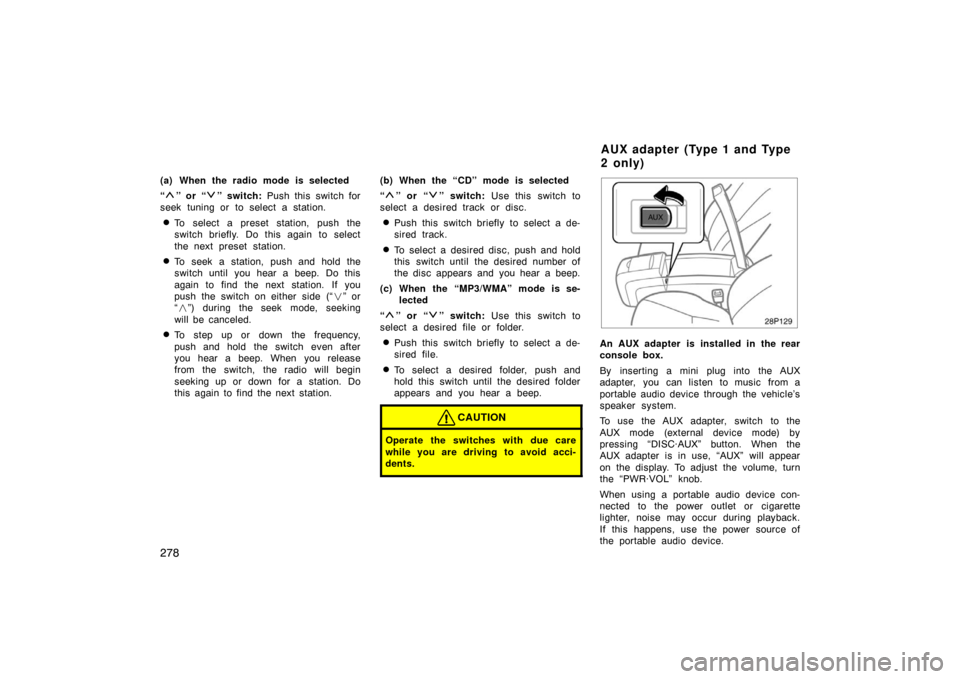
28P129
An AUX adapter is installed in the rear
console box.
By inserting a mini plug into the AUX
adapter, you can listen to music from a
portable audio device through the vehicle’s
speaker system.
To use the AUX adapter, switch to the
AUX mode (external device mode) by
pressing “DISC·AUX” button. When the
AUX adapter is in use, “AUX” will appear
on the display. To adjust the volume, turn
the “PWR·VOL” knob.
When using a portable audio device con-
nected to the power outlet or cigarette
lighter, noise may occur during playback.
If this happens, use the power source of
the portable audio device.
A U X ad ap t er (Typ e 1 an d Typ e
2 o n ly)
Page 280 of 458
280
AM
Fading—AM broadcasts are reflected by
the upper atmosphere—especially at night.
These reflected signals can interfere with
those received directly from the radio sta-
tion, causing the radio station to sound
alternately strong and weak.
Station interference—When a reflected sig-
nal and a signal received directly from a
radio station are very nearly the same
frequency, they can interfere with each
other, making it difficult to hear the broad-
cast.
Static—AM is easily affected by external
sources of electrical noise, such as high
tension power lines, lightening, or electri-
cal motors. This results in static.
CARING FOR YOUR COMPACT DISC
PLAYER AND DISCS
�The player is intended for use with
12cm (4.7 in.) discs only.
�Extremely high temperatures can keep
your compact disc player from working.
On hot days, use the air conditioning
to cool the vehicle interior before you
listen to a disc.
�Bumpy roads or other vibrations may
make your compact disc player skip.
�If moisture gets into your compact disc
player, you may not hear any sound
even though your compact disc player
appears to be working. Remove the
disc from the player and wait until it
dries.
CAUTION
Compact disc players use an invisible
laser beam which could cause hazard-
ous radiation exposure if directed
outside the unit. Be sure to operate
the player correctly.
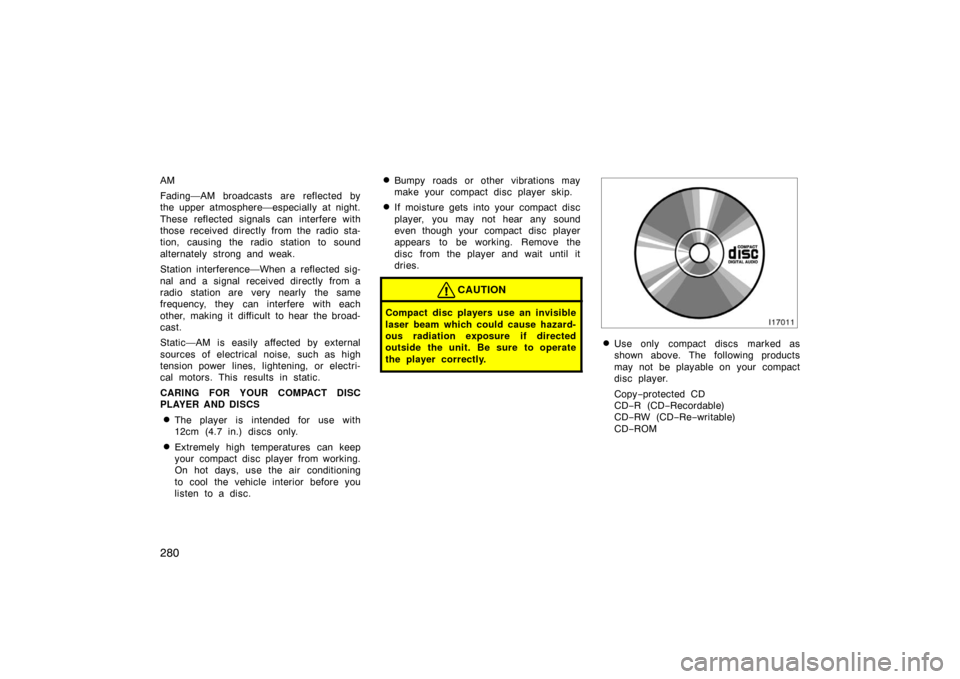
�Use only compact discs marked as
shown above. The following products
may not be playable on your compact
disc player.
Copy−protected CD
CD− R (CD −Recordable)
CD− RW (CD −Re −writable)
CD− ROM
Page 282 of 458
282
CorrectWrong
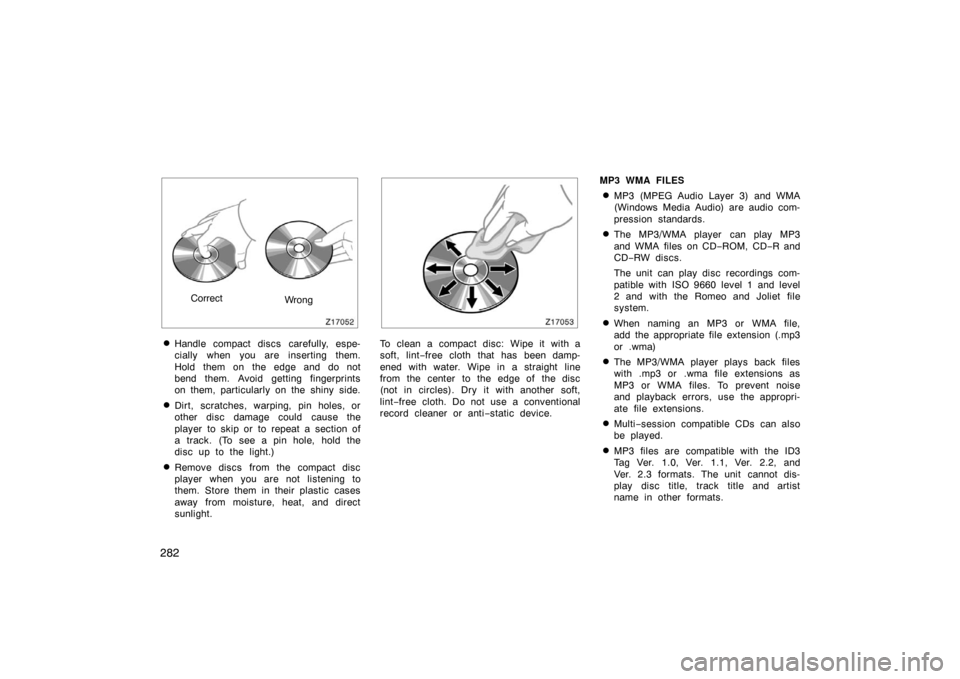
�Handle compact discs carefully, espe-
cially when you are inserting them.
Hold them on the edge and do not
bend them. Avoid getting fingerprints
on them, particularly on the shiny side.
�Dirt, scratches, warping, pin holes, or
other disc damage could cause the
player to skip or to repeat a section of
a track. (To see a pin hole, hold the
disc up to the light.)
�Remove discs from the compact disc
player when you are not listening to
them. Store them in their plastic cases
away from moisture, heat, and direct
sunlight.
To clean a compact disc: Wipe it with a
soft, lint−free cloth that has been damp-
ened with water. Wipe in a straight line
from the center to the edge of the disc
(not in circles). Dry it with another soft,
lint −free cloth. Do not use a conventional
record cleaner or anti −static device. MP3 WMA FILES
�MP3 (MPEG Audio Layer 3) and WMA
(Windows Media Audio) are audio com-
pression standards.
�The MP3/WMA player can play MP3
and WMA files on CD
−ROM, CD −R and
CD− RW discs.
The unit can play disc recordings com-
patible with ISO 9660 level 1 and level
2 and with the Romeo and Joliet file
system.
�When naming an MP3 or WMA file,
add the appropriate file extension (.mp3
or .wma)
�The MP3/WMA player plays back files
with .mp3 or .wma file extensions as
MP3 or WMA files. To prevent noise
and playback errors, use the appropri-
ate file extensions.
�Multi −session compatible CDs can also
be played.
�MP3 files are compatible with the ID3
Tag Ver. 1.0, Ver. 1.1, Ver. 2.2, and
Ver. 2.3 formats. The unit cannot dis-
play disc title, track title and artist
name in other formats.