Page 202 of 374

188
*: Use of satellite radio requires XM\b tuner
and service. Contact your Toyota dealer
for details.
SCAN button
Radio
You can either scan all the frequencies on
a band or scan only the preset stations
for that band.
To scan the preset stations:
Push and hold “SCAN” until you hear a
beep. The radio will tune in the next pres-
et station up the band, stay there for 5
seconds, and then move to the next pre-
set station. To select a station, push
“SCAN” again.
To scan all the frequencies:
Quickly push and release “SCAN”. If you
hear a beep, you held the button too long,
and the radio will scan the preset sta-
tions. The radio will find the next station
up the station band, stay there for 5 se-
conds, and then scan again. To select a
station, push “SCAN” again. XM
\b satellite radio*—
You can either scan the currently selected
channel category or scan only the preset
channels for that band.
To scan the preset channels:
Push and hold the “SCAN” button until
you hear a beep. “SCAN” appears on the
display. The radio will tune in the next
preset channel up the band, stay there for
5 seconds, and then move to the next
preset channel. To stop scanning, push
this button again.
To scan the currently selected channel
category:
Quickly push and release the “SCAN” but-
ton. “SCAN” appears on the display. The
radio will find the next channel in the
same channel category up the band, stay
there for 5 seconds, and then scan again.
To stop scanning, push this button again.
*: Use of satellite radio requires XM \b tuner
and service. Contact your Toyota dealer
for details. Compact Disc Player
There are two scan features—you can ei-
ther scan the tracks on a specific disc or
scan the first tracks of all the discs in the
player.
Scanning the tracks on a disc:
Quickly push and release “SCAN”. “SCAN”
will appear on the display and the player
will scan all the tracks on the disc you
are listening to. If you hear a beep, you
held the button too long, and the player
will scan the first track of all the discs in
the player. To select a track, push “SCAN”
again. If the player scanned all the tracks
on the disc, it will stop scanning.
Scanning the first track of all the discs in
the player:
Push “SCAN” until you hear a beep.
“
·SCAN” will appear on the display
and the player will perform the first track
of the next disc. To select a disc, push
the “SCAN” again. If the player has
scanned all the di scs, it will stop scan-
ning.
Page 210 of 374
196
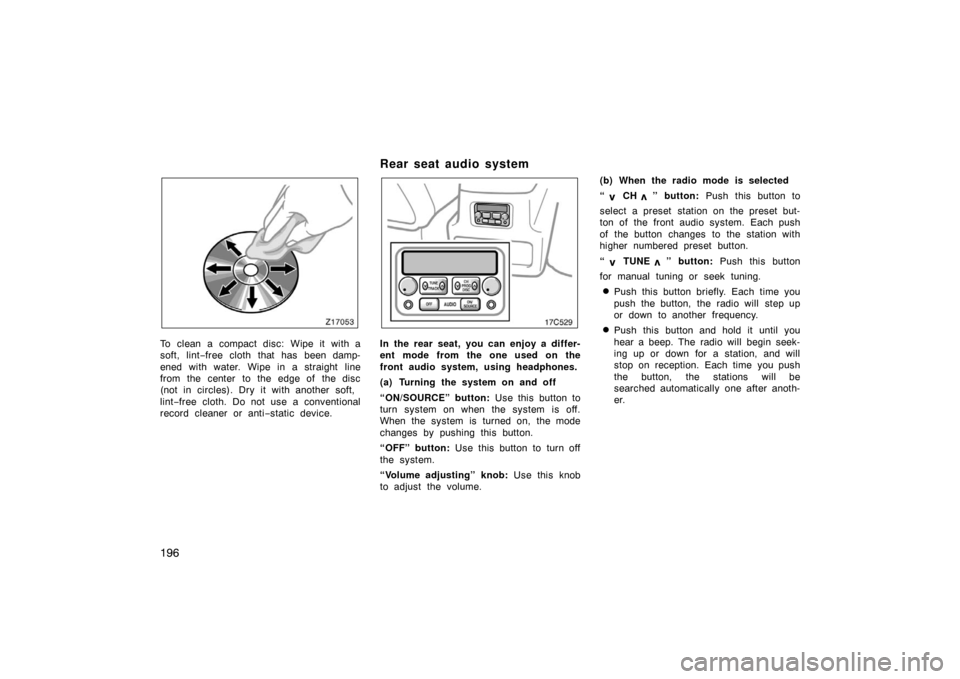
To clean a compact disc: Wipe it with a
soft, lint−free cloth that has been damp-
ened with water. Wipe in a straight line
from the center to the edge of the disc
(not in circles). Dry it with another soft,
lint −free cloth. Do not use a conventional
record cleaner or anti −static device.
Rear seat audio system
17c529
In the rear seat, you can enjoy a differ-
ent mode from the one used on the
front audio system, using headphones.
(a) Turning the system on and off
“ON/SOURCE” button: Use this button to
turn system on when the system is off.
When the system is turned on, the mode
changes by pushing this button.
“OFF” button: Use this button to turn off
the system.
“Volume adjusting” knob: Use this knob
to adjust the volume. (b) When the radio mode is selected
“
CH ” button:
Push this button to
select a preset station on the preset but-
ton of the front audio system. Each push
of the button changes to the station with
higher numbered preset button.
“
TUNE ” button: Push this button
for manual tuning or seek tuning.
�Push this button briefly. Each time you
push the button, the radio will step up
or down to another frequency.
�Push this button and hold it until you
hear a beep. The radio will begin seek-
ing up or down for a station, and will
stop on reception. Each time you push
the button, the stations will be
searched automatically one after anoth-
er.
Page 212 of 374
198
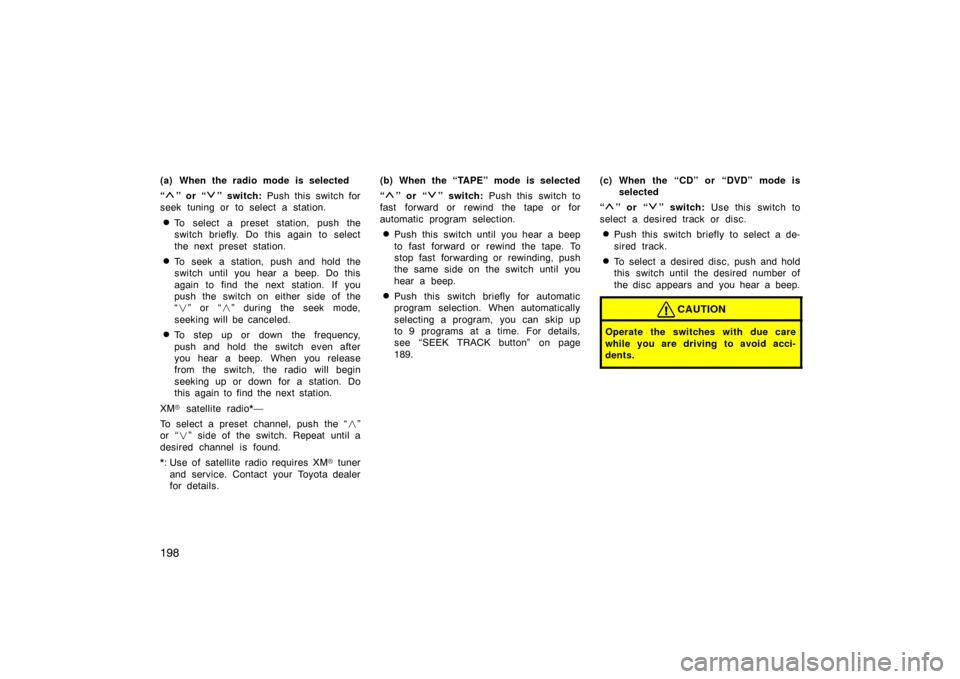
(a) When the radio mode is selected
“
” or “” switch: Push this switch for
seek tuning or to select a station.
�To select a preset station, push the
switch briefly. Do this again to select
the next preset station.
�To seek a station, push and hold the
switch until you hear a beep. Do this
again to find the next station. If you
push the switch on either side of the
“ � ” or “ �” during the seek mode,
seeking will be canceled.
�To step up or down the frequency,
push and hold the switch even after
you hear a beep. When you release
from the switch, the radio will begin
seeking up or down for a station. Do
this again to find the next station.
XM \b satellite radio*—
To select a preset channel, push the “ �”
or “ �” side of the switch. Repeat until a
desired channel is found.
*: Use of satellite radio r equires XM\b tuner
and service. Contact your Toyota dealer
for details. (b) When the “TAPE” mode is selected
“
” or “” switch:
Push this switch to
fast forward or rewind the tape or for
automatic program selection.
�Push this switch until you hear a beep
to fast forward or rewind the tape. To
stop fast forwarding or rewinding, push
the same side on the switch until you
hear a beep.
�Push this switch briefly for automatic
program selection. When automatically
selecting a program, you can skip up
to 9 programs at a time. For details,
see “SEEK TRACK button” on page
189. (c) When the “CD” or “DVD” mode is
selected
“
” or “” switch: Use this switch to
select a desired track or disc.
�Push this switch briefly to select a de-
sired track.
�To select a desired disc, push and hold
this switch until the desired number of
the disc appears and you hear a beep.
CAUTION
Operate the switches with due care
while you are driving to avoid acci-
dents.
Page 226 of 374
212
Clock
18C510
Vehicles with navigation system
Vehicles without navigation system
To reset the hour: Push the “H” button.
To reset the minutes: Push the “M” button.
The key must be in the “ACC” or “ON”
position.
If quick adjustment to a full hour is de-
sired, push the “:00” button.
For example, if the “:00” button is de-
pressed when the time is between
1:01 – 1:29, the time will change to 1:00.
If the time is between 1:30 – 1:59, the
time will change to 2:00.
If the electrical power source has been
disconnected from the clock, the time dis-
play will automatically be set to 1:00.
When the instrument panel lights are
turned on, the brightness of the time in-
dication will be reduced.
Outside temperature display
18C511
Vehicles with navigation system
Vehicles without navigation system
Page:
< prev 1-8 9-16 17-24
