Page 137 of 374
123
To turn on the personal light, push the
switch on side 1. To turn the lights off,
push the switch on side 2.
PERSONAL LIGHTS CUT OFF OPERA-
TION
When the ignition switch is “OFF” and any
personal lights in the vehicle stay lighting
on, the lights will cut off automatically
after 30 minutes.
You can cancel the cut off operation by:
�Turning the key to the “ACC” position.
�Opening or closing any of side doors
and back door.
All the lights are cut off when any of the
doors are locked or unlocked by key or
wireless remote control key.
Ignition switch light
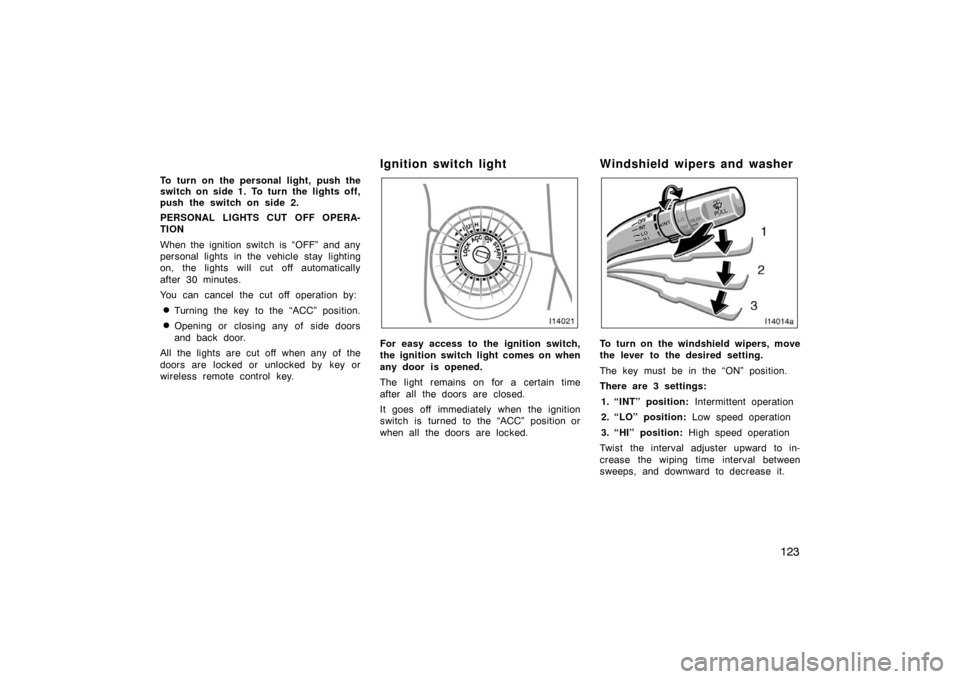
For easy access to the ignition switch,
the ignition switch light comes on when
any door is opened.
The light remains on for a certain time
after all the doors are closed.
It goes off immediately when the ignition
switch is turned to the “ACC” position or
when all the doors are locked.
Windshield wipers and washer
To turn on the windshield wipers, move
the lever to the desired setting.
The key must be in the “ON” position.
There are 3 settings:
1. “INT” position: Intermittent operation
2. “LO” position: Low speed operation
3. “HI” position: High speed operation
Twist the interval adjuster upward to in-
crease the wiping time interval between
sweeps, and downward to decrease it.
Page 191 of 374
177
OPERATION OF INSTRUMENTS AND
CONTROLS
Audio system
Reference178
. . . . . . . . . . . . . . . . . . . . . . . . . . . . . . . . . . . . .\
. . . . . . . . . . . .
Using your audio system 178
. . . . . . . . . . . . . . . . . . . . . . . . . . . . . . . . . . . . \
Audio system operating hints 191
. . . . . . . . . . . . . . . . . . . . . . . . . . . . . . . .
Rear seat audio system 196
. . . . . . . . . . . . . . . . . . . . . . . . . . . . . . . . . . . . \
.
Audio remote controls (steering switches) 197
. . . . . . . . . . . . . . . . . . . . .
For vehicle equipped with Navigation system, please refer to the
separate “Navigation System Owner’s Manual”.
SECTION 1 8
Page 211 of 374
197
(c) When the “TAPE” mode is selected
“
PROG ” button: Push this button
to select the other side of a cassette
tape.
“
TRACK ” button: Push the left or
right side to skip forward or backward to
locate the song you want to hear. For
details, see “SEEK TRACK button” on
page 189.
(d) When the “CD” or “DVD” mode is selected
“
DISC ” button: Use this button to
search a desired disc.
“
TRACK ” button: Use this button
to search a desired track or push this
button and hold it to fast forward or rever-
se. (e) Some basics
This system cannot be used if the audio
system is not turned on.
You cannot select “AM” or “FM” mode in
the rear seat if the “FM” or “AM” mode
is used on the front seats side.
If you select the same mode as the front
seats side, operating the controller will
affect the mode on the front seats side.
Vehicles with navigation system only:
�When the XM
\b satellite radio* is se-
lected in the front seat, the “CD” or
“DVD” mode cannot be selected in the
rear seat.
�When the “CD” or “DVD” mode is se-
lected in the rear seat, selecting the
XM \b satellite radio* in the front seat
will automatically change the “CD” or
“DVD” to “AM” mode in the rear seat.
CAUTION
This system is not designed for a
driver. So, the driver should not use
this system while driving.
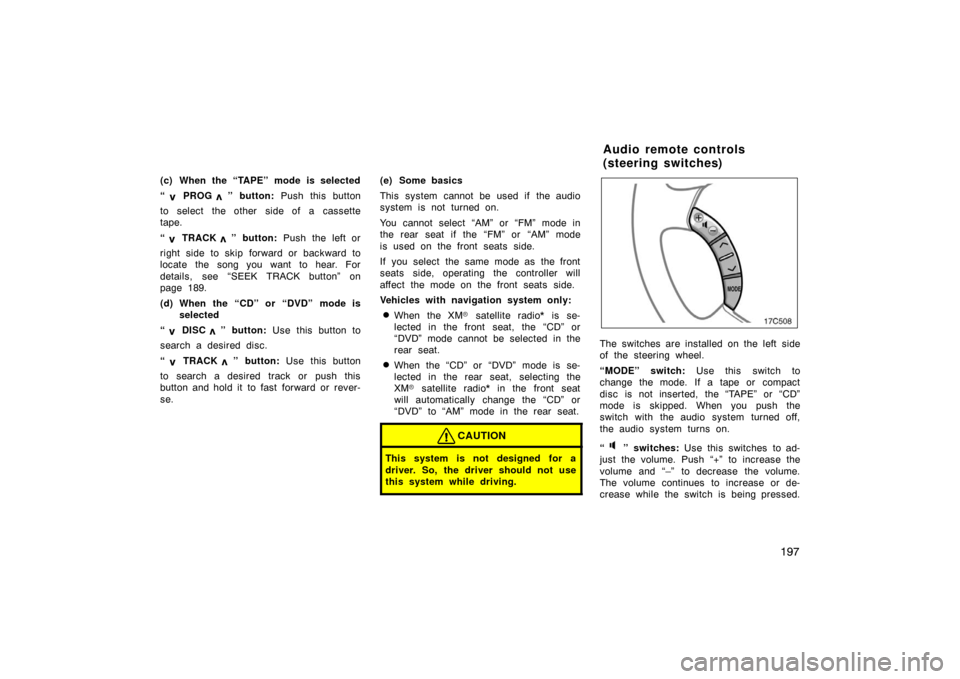
The switches are installed on the left side
of the steering wheel.
“MODE” switch: Use this switch to
change the mode. If a tape or compact
disc is not inserted, the “TAPE” or “CD”
mode is skipped. When you push the
switch with the audio system turned off,
the audio system turns on.
“
” switches: Use this switches to ad-
just the volume. Push “+” to increase the
volume and “–” to decrease the volume.
The volume continues to increase or de-
crease while the switch is being pressed.
Audio remote controls
(steering switches)
Page 315 of 374

301
3. Insert your finger into the hole topush down the shift lock override
button. You can shift out of “P”
position only while pushing the but-
ton.
4. Shift into “N” position.
5. Reinstall the cover.
6. Start the engine. For your safety, keep the brake pedal depressed.
Be sure to have the system checked by
your Toyota dealer as soon as possible.
If you lose your keys
You can purchase a new key at your
Toyota dealer if you can give them the
key number and master key.
Even if you lose only one key, contact
your Toyota dealer to make a new key. If
you lose all your master keys, you cannot
make new keys; the whole engine immobi-
lizer system must be replaced.
See the suggestion given in “Keys” on
page 10.
You can use the wireless remote control
system with the new key. Contact your
Toyota dealer for detailed information.
If your keys are locked in the vehicle and
you cannot get a duplicate, many Toyota
dealers can still open the door for you,
using their special tools. If you must
break a window to get in, we suggest
breaking the smallest side window be-
cause it is the least expensive to replace.
Be extremely cautious to avoid cuts from
the glass.
