2007 SUBARU IMPREZA warning light
[x] Cancel search: warning lightPage 140 of 364
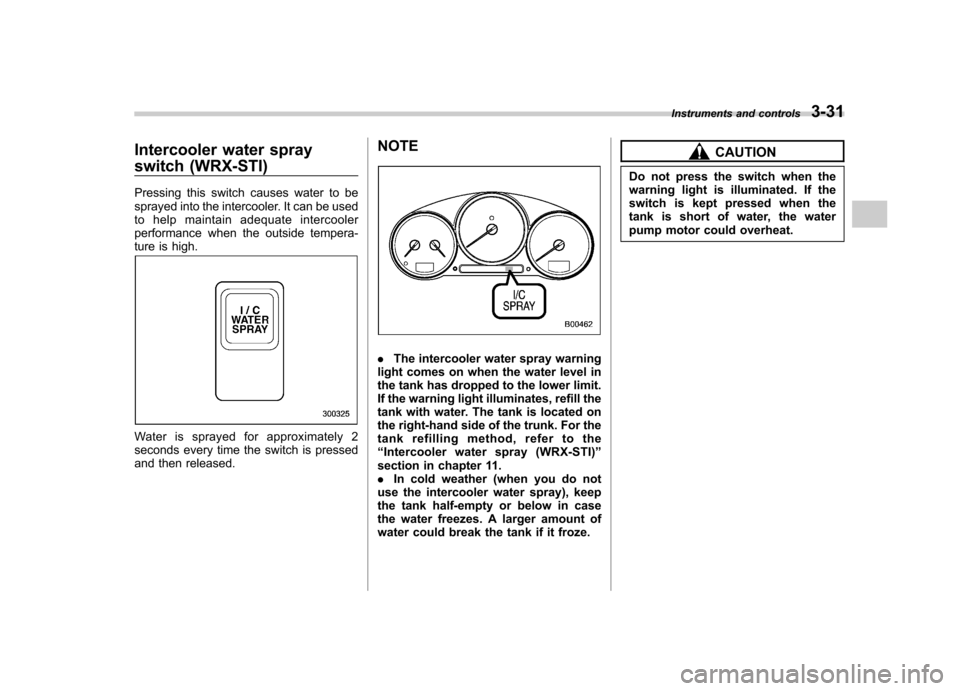
Intercooler water spray
switch (WRX-STI)
Pressing this switch causes water to be
sprayed into the intercooler. It can be used
to help maintain adequate intercooler
performance when the outside tempera-
ture is high.
Water is sprayed for approximately 2
seconds every time the switch is pressed
and then released.NOTE
.
The intercooler water spray warning
light comes on when the water level in
the tank has dropped to the lower limit.
If the warning light illuminates, refill the
tank with water. The tank is located on
the right-hand side of the trunk. For the
tank refilling method, refer to the“ Intercooler water spray (WRX-STI) ”
section in chapter 11.. In cold weather (when you do not
use the intercooler water spray), keep
the tank half-empty or below in case
the water freezes. A larger amount of
water could break the tank if it froze.
CAUTION
Do not press the switch when the
warning light is illuminated. If the
switch is kept pressed when the
tank is short of water, the water
pump motor could overheat. Instruments and controls
3-31
Page 142 of 364
cotton cloth or an applicator. !Compass calibration
1. For optimum calibration, switch off all
nonessential electrical accessories (rear
window defogger, heater/air conditioning
system, spotlight, etc.) and ensure all
doors are shut.
2. Drive to an open, level area away from
large metallic objects or structures and
make certain the ignition switch is in the“ ON ”position.
3. Press and hold the left button for 3
seconds then release, and the compass
will enter the calibration mode. “CAL ”and
direction will be displayed.
4. Drive slowly in a circle until “CAL ”
disappears from the display (approxi-
mately two or three circles). The compass
is now calibrated.
5. Further calibration may be necessary
should outside. Influences cause the
mirror to read inaccurately. You will know
that this has occurred if your compass
begins to read in only limited directions.
Should you encounter this situation, return
to step one of the above procedure and
recalibrate the mirror. !
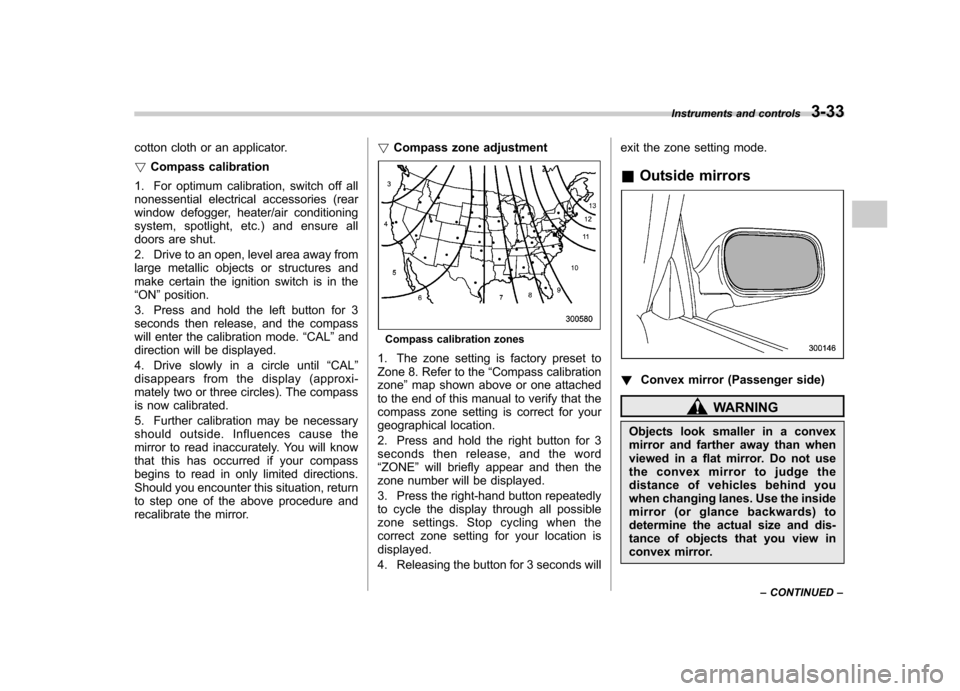
Compass zone adjustment
Compass calibration zones
1. The zone setting is factory preset to
Zone 8. Refer to the “Compass calibration
zone ”map shown above or one attached
to the end of this manual to verify that the
compass zone setting is correct for your
geographical location.
2. Press and hold the right button for 3
seconds then release, and the word“ ZONE ”will briefly appear and then the
zone number will be displayed.
3. Press the right-hand button repeatedly
to cycle the display through all possible
zone settings. Stop cycling when the
correct zone setting for your location isdisplayed.
4. Releasing the button for 3 seconds will exit the zone setting mode.
& Outside mirrors
! Convex mirror (Passenger side)
WARNING
Objects look smaller in a convex
mirror and farther away than when
viewed in a flat mirror. Do not use
the convex mirror to judge the
distance of vehicles behind you
when changing lanes. Use the inside
mirror (or glance backwards) to
determine the actual size and dis-
tance of objects that you view in
convex mirror. Instruments and controls
3-33
– CONTINUED –
Page 148 of 364
4-4Climate control
!Fan speed control dial
The fan operates only when the ignition
switch is turned to the “ON ”position. The
fan speed control dial is used to select 4
fan speeds. ! Air flow control dial
This dial has the following five positions:
: Air flows through the instrument panel
outlets.
: Air flows through the instrument panel
outlets and the foot outlets.
: Air flows through the foot outlets and
some through the windshield defroster outlets.
: Air flows through the windshield
defroster outlets and foot outlets.
: Air flows through the windshield
defroster outlets. NOTE . You will find the notation “USE WITH
” on the air flow control dial plate.
This is intended to remind you to set
the air inlet selection lever in the “
”
position when defogging the wind- shield.
Defogging with the air inlet selection
lever set in the “
”position provides better defogging performance than in the
“
”position.
. When the dial is placed in the “”
or “”position, the air conditioner
compressor operates automatically re-
gardless of the position of the air
conditioner button to defog the wind-
shield quickly.
However the indicator on the air con-
ditioner button will not come on.
Also, you cannot stop the air condi-
tioner compressor by pressing the air
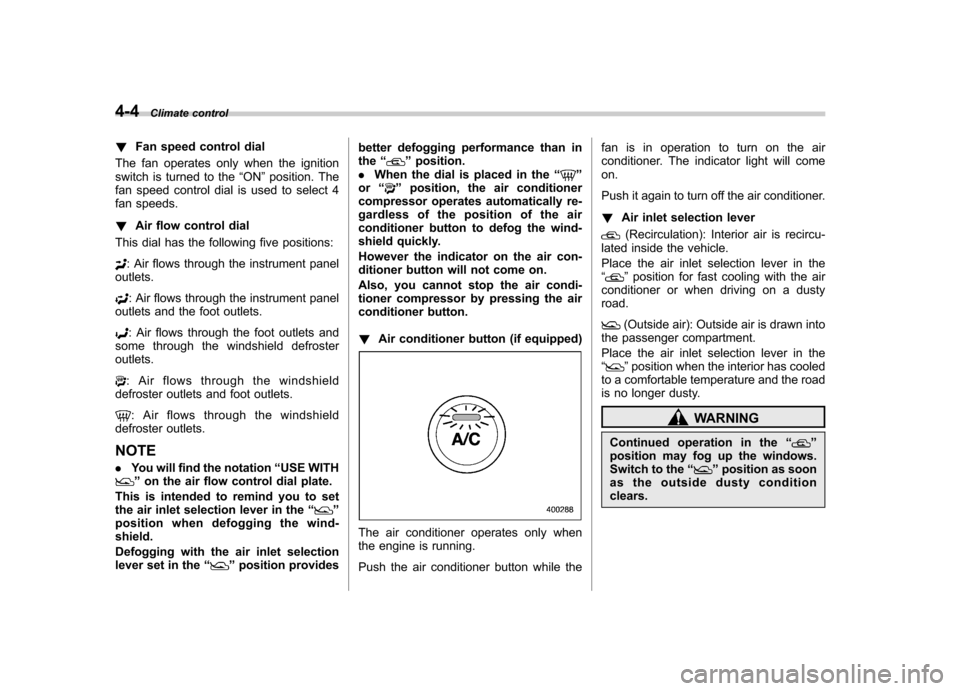
conditioner button. ! Air conditioner button (if equipped)
The air conditioner operates only when
the engine is running.
Push the air conditioner button while the fan is in operation to turn on the air
conditioner. The indicator light will comeon.
Push it again to turn off the air conditioner. !
Air inlet selection lever
(Recirculation): Interior air is recircu-
lated inside the vehicle.
Place the air inlet selection lever in the “
” position for fast cooling with the air
conditioner or when driving on a dusty road.
(Outside air): Outside air is drawn into
the passenger compartment.
Place the air inlet selection lever in the “
” position when the interior has cooled
to a comfortable temperature and the road
is no longer dusty.
WARNING
Continued operation in the “
”
position may fog up the windows.
Switch to the “
”position as soon
as the outside dusty condition clears.
Page 151 of 364
WARNING
Continued operation in the “
”
position may fog up the windows.
Switch to the “
”position as soon
as the outside dusty condition clears.
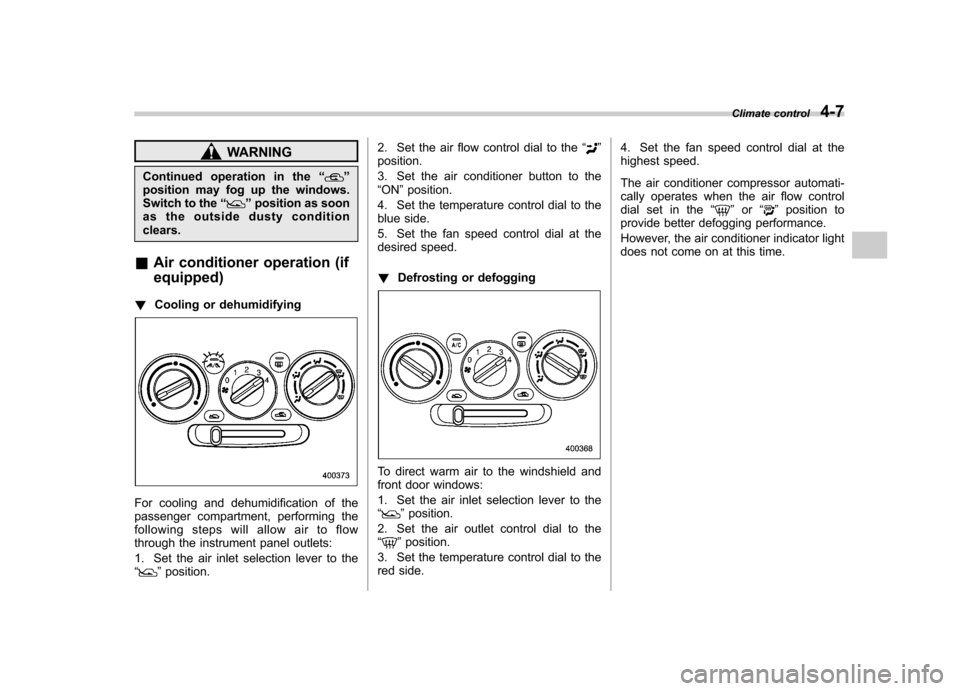
& Air conditioner operation (if equipped)
! Cooling or dehumidifying
For cooling and dehumidification of the
passenger compartment, performing the
following steps will allow air to flow
through the instrument panel outlets:
1. Set the air inlet selection lever to the “
”position. 2. Set the air flow control dial to the
“
”
position.
3. Set the air conditioner button to the “ ON ”position.
4. Set the temperature control dial to the
blue side.
5. Set the fan speed control dial at the
desired speed. ! Defrosting or defogging
To direct warm air to the windshield and
front door windows:
1. Set the air inlet selection lever to the “
”position.
2. Set the air outlet control dial to the “
” position.
3. Set the temperature control dial to the
red side. 4. Set the fan speed control dial at the
highest speed.
The air conditioner compressor automati-
cally operates when the air flow control
dial set in the
“
”or “”position to
provide better defogging performance.
However, the air conditioner indicator light
does not come on at this time. Climate control
4-7
Page 154 of 364
4-10Climate control
outlets (relatively little air from windshield
defroster outlets)
: Windshield defroster outlets and foot
outlets
: Windshield defroster outlets
NOTE
When the dial is placed in the “
”or
“” position, the air conditioner com-
pressor operates automatically to de-
fog the windshield quickly. At the same
time, the air inlet selection is automa-
tically set to “outside air ”mode.
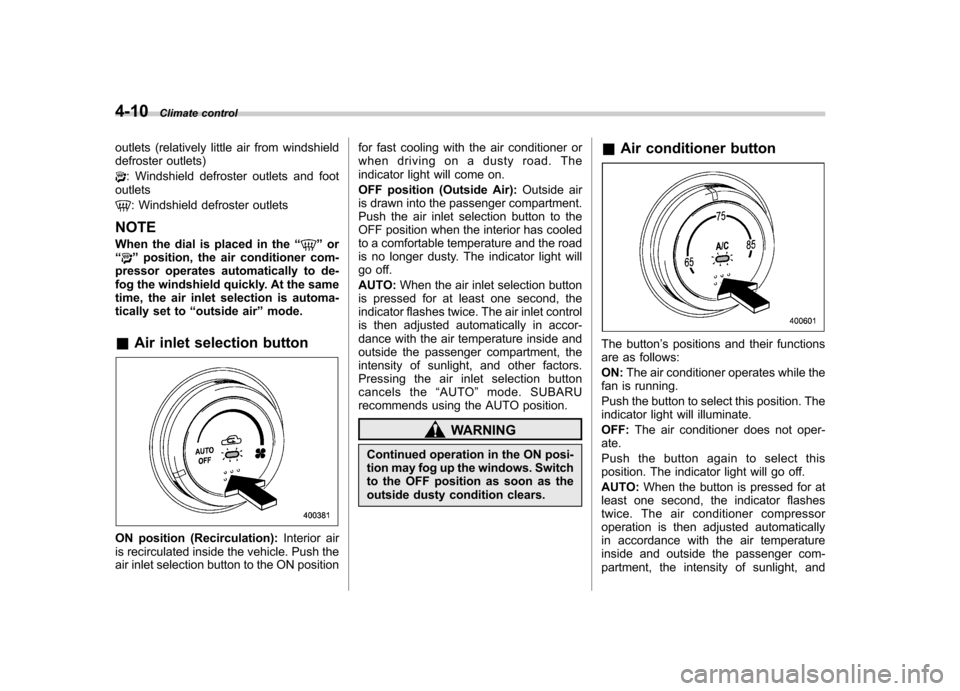
& Air inlet selection button
ON position (Recirculation): Interior air
is recirculated inside the vehicle. Push the
air inlet selection button to the ON position for fast cooling with the air conditioner or
when driving on a dusty road. The
indicator light will come on.
OFF position (Outside Air):
Outside air
is drawn into the passenger compartment.
Push the air inlet selection button to the
OFF position when the interior has cooled
to a comfortable temperature and the road
is no longer dusty. The indicator light will
go off. AUTO: When the air inlet selection button
is pressed for at least one second, the
indicator flashes twice. The air inlet control
is then adjusted automatically in accor-
dance with the air temperature inside and
outside the passenger compartment, the
intensity of sunlight, and other factors.
Pressing the air inlet selection button
cancels the “AUTO ”mode. SUBARU
recommends using the AUTO position.
WARNING
Continued operation in the ON posi-
tion may fog up the windows. Switch
to the OFF position as soon as the
outside dusty condition clears. &
Air conditioner button
The button ’s positions and their functions
are as follows: ON: The air conditioner operates while the
fan is running.
Push the button to select this position. The
indicator light will illuminate. OFF: The air conditioner does not oper-
ate.
Push the button again to select this
position. The indicator light will go off. AUTO: When the button is pressed for at
least one second, the indicator flashes
twice. The air conditioner compressor
operation is then adjusted automatically
in accordance with the air temperature
inside and outside the passenger com-
partment, the intensity of sunlight, and
Page 191 of 364
which are designed for 12V DC.
The maximum power rating of an
appliance that can be connected
varies among outlets as shown in
the following. Do not use an
appliance which exceeds the in-
dicated wattage for each outlet.
Outlet beside front pocket: 80W
or less
Outlet in cargo area: 120W or less
When using appliances con-
nected to two outlets simulta-
neously, the total power con-
sumed by them must not exceed
120W. Overloading the accessory
power outlet can cause a short
circuit. Do not use dual adapters
or more than one electrical appli-ance.
. If the plug on your electric appli-
ance is either too loose or too
tight for the accessory power
outlet, this can result in a poor
contact or cause the plug to get
stuck. Only use plugs that fit
properly.
. Use of an electric appliance in the
accessory power outlet for a long
period of time while the engine is
not running can cause battery discharge.
. Before driving your vehicle, make
sure that the plug and the cord
on your electrical appliance will
not interfere with your shifting
gears and operating the accel-
erator and brake pedals. If they
do, do not use the electrical
appliance while driving.
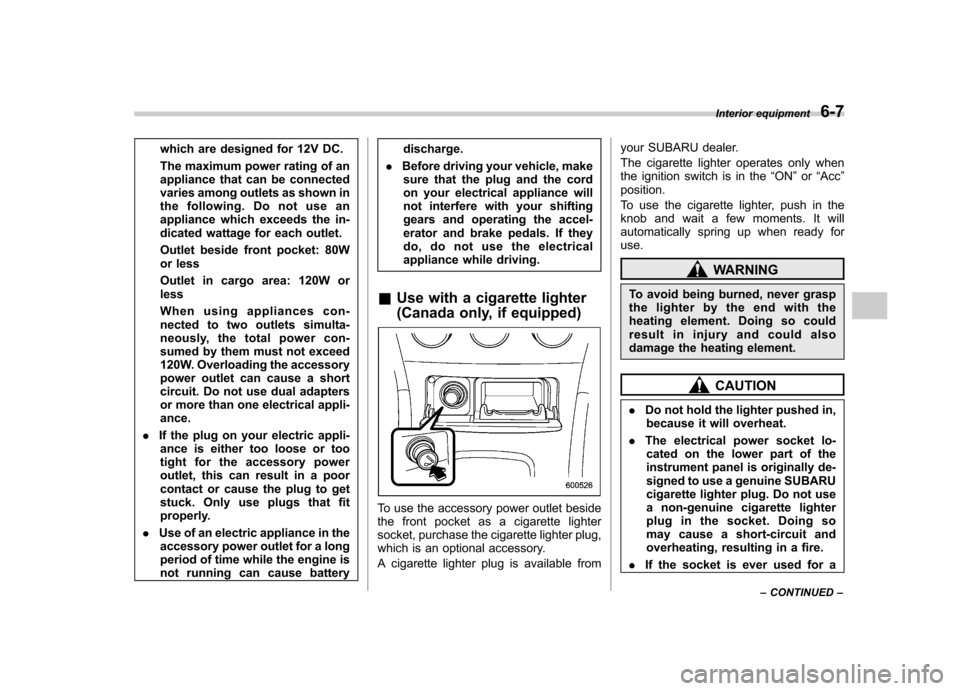
& Use with a cigarette lighter
(Canada only, if equipped)
To use the accessory power outlet beside
the front pocket as a cigarette lighter
socket, purchase the cigarette lighter plug,
which is an optional accessory.
A cigarette lighter plug is available from your SUBARU dealer.
The cigarette lighter operates only when
the ignition switch is in the
“ON ”or “Acc ”
position.
To use the cigarette lighter, push in the
knob and wait a few moments. It will
automatically spring up when ready foruse.
WARNING
To avoid being burned, never grasp
the lighter by the end with the
heating element. Doing so could
result in injury and could also
damage the heating element.
CAUTION
. Do not hold the lighter pushed in,
because it will overheat.
. The electrical power socket lo-
cated on the lower part of the
instrument panel is originally de-
signed to use a genuine SUBARU
cigarette lighter plug. Do not use
a non-genuine cigarette lighter
plug in the socket. Doing so
may cause a short-circuit and
overheating, resulting in a fire.
. If the socket is ever used for a Interior equipment
6-7
– CONTINUED –
Page 194 of 364
6-10Interior equipment
Cargo area cover (Wagon –if
equipped)
The cargo area cover is provided for
covering the cargo area and to protect its
contents from direct sunlight. This cover is
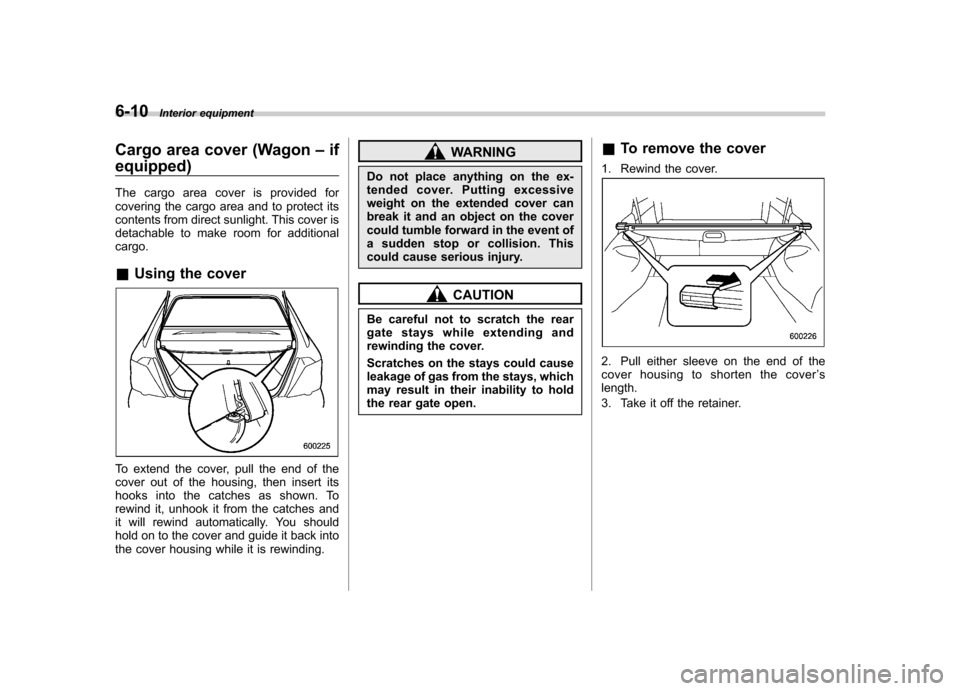
detachable to make room for additionalcargo. & Using the cover
To extend the cover, pull the end of the
cover out of the housing, then insert its
hooks into the catches as shown. To
rewind it, unhook it from the catches and
it will rewind automatically. You should
hold on to the cover and guide it back into
the cover housing while it is rewinding.
WARNING
Do not place anything on the ex-
tended cover. Putting excessive
weight on the extended cover can
break it and an object on the cover
could tumble forward in the event of
a sudden stop or collision. This
could cause serious injury.
CAUTION
Be careful not to scratch the rear
gate stays while extending and
rewinding the cover.
Scratches on the stays could cause
leakage of gas from the stays, which
may result in their inability to hold
the rear gate open. &
To remove the cover
1. Rewind the cover.
2. Pull either sleeve on the end of the
cover housing to shorten the cover ’s
length.
3. Take it off the retainer.
Page 198 of 364

Fuel...................................................................... 7-2
Fuel requirements ............................................... 7-2
Fuel filler lid and cap ........................................... 7-4
State emission testing (U.S. only) ...................... 7-5
Preparing to drive ............................................... 7-6
Starting the engine .............................................. 7-7
Manual transmission vehicle ................................ 7-7
Automatic transmission vehicle ........................... 7-7
Stopping the engine ............................................ 7-8
Manual transmission –6 speeds (WRX-STI) ..... 7-9
Selecting reverse gear ......................................... 7-9
Shifting speeds ................................................... 7-9
Driving tips ........................................................ 7-10
Manual transmission –5 speeds (except
WRX-STI) .......................................................... 7-11
Shifting speeds .................................................. 7-11
Driving tips ........................................................ 7-12
Driver ’s Control Center Differential (DCCD)
(WRX-STI) ........................................................ 7-12
Auto mode ......................................................... 7-13
Manual mode ..................................................... 7-13
Temporary release .............................................. 7-15
Automatic transmission ..................................... 7-15
Selector lever ..................................................... 7-16 Shift lock release
............................................... 7-19
Limited slip differential (LSD) (if equipped) .................................................... 7-20
Power steering ................................................... 7-20
Braking ............................................................... 7-20
Braking tips ....................................................... 7-20
Brake system .................................................... 7-21
Disc brake pad wear warning indicators ............. 7-21
ABS (Anti-lock Brake System) .......................... 7-21
ABS system self-check ...................................... 7-22
ABS warning light .............................................. 7-22
Electronic Brake Force Distribution (EBD) system ............................................................. 7-23
Steps to take if EBD system fails ....................... 7-23
Parking your vehicle ......................................... 7-24
Parking brake .................................................... 7-24
Parking tips ....................................................... 7-25
Cruise control .................................................... 7-26
To set cruise control .......................................... 7-26
To temporarily cancel the cruise control ............. 7-27
To turn off the cruise control .............................. 7-27
To change the cruising speed .. .......................... 7-28
Starting and operating
7