2007 PONTIAC TORRENT lock
[x] Cancel search: lockPage 285 of 490
Theft-Deterrent Feature
THEFTLOCK®is designed to discourage theft of
your vehicle’s radio. It works by using a secret
code to disable all radio functions whenever
battery power is removed and the radio is placed
in a different vehicle. This feature requires no
user input to be activated. The radio is
automatically armed when it is put into the vehicle
for the rst time.
If THEFTLOCK
®is activated, the radio will not
operate if stolen. The radio will display LOCKED.
If this occurs, the radio will need to be returned
to your GM dealer.
Audio Steering Wheel Controls
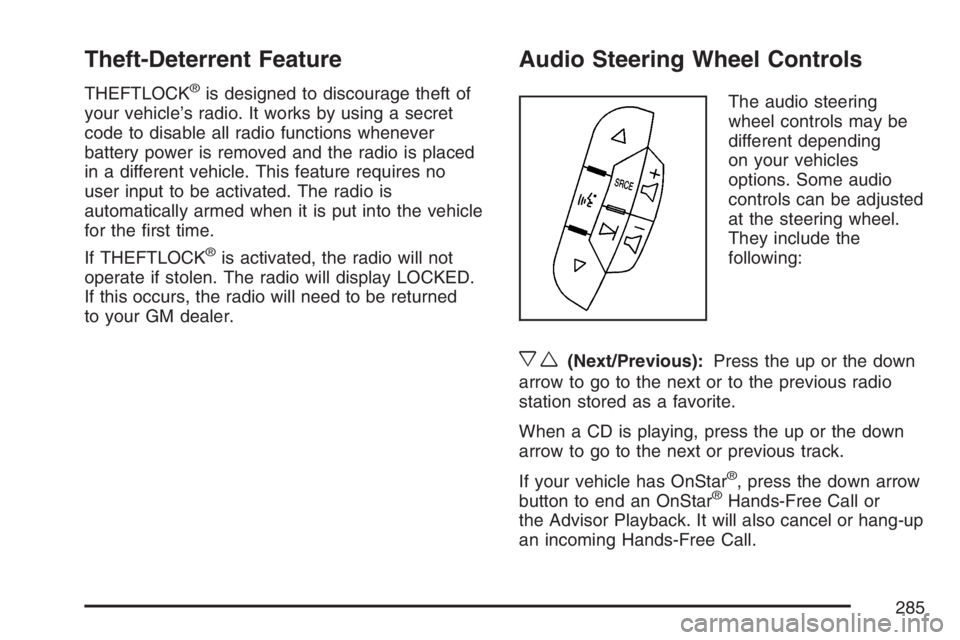
The audio steering
wheel controls may be
different depending
on your vehicles
options. Some audio
controls can be adjusted
at the steering wheel.
They include the
following:
xw(Next/Previous):Press the up or the down
arrow to go to the next or to the previous radio
station stored as a favorite.
When a CD is playing, press the up or the down
arrow to go to the next or previous track.
If your vehicle has OnStar
®, press the down arrow
button to end an OnStar®Hands-Free Call or
the Advisor Playback. It will also cancel or hang-up
an incoming Hands-Free Call.
285
Page 289 of 490
Your Driving, the Road, and Your
Vehicle..................................................... 290
Defensive Driving...................................... 290
Drunken Driving........................................ 291
Control of a Vehicle.................................. 294
Braking...................................................... 294
Anti-Lock Brake System (ABS).................. 295
Braking in Emergencies............................. 297
Traction Control System (TCS).................. 297
StabiliTrak
®System................................... 298
All-Wheel Drive (AWD) System.................. 299
Steering.................................................... 300
Off-Road Recovery.................................... 303
Passing..................................................... 303
Loss of Control.......................................... 305
Driving at Night......................................... 306Driving in Rain and on Wet Roads............ 308
City Driving............................................... 311
Freeway Driving........................................ 312
Before Leaving on a Long Trip.................. 313
Highway Hypnosis..................................... 314
Hill and Mountain Roads........................... 314
Winter Driving........................................... 316
If Your Vehicle is Stuck in Sand, Mud,
Ice, or Snow.......................................... 320
Rocking Your Vehicle to Get It Out........... 321
Loading Your Vehicle................................ 321
Towing........................................................ 326
Towing Your Vehicle ................................. 326
Recreational Vehicle Towing...................... 326
Towing a Trailer........................................ 328
Section 4 Driving Your Vehicle
289
Page 295 of 490

Avoid needless heavy braking. Some people drive
in spurts — heavy acceleration followed by
heavy braking — rather than keeping pace with
traffic. This is a mistake. The brakes may not have
time to cool between hard stops. The brakes
will wear out much faster if you do a lot of heavy
braking. If you keep pace with the traffic and
allow realistic following distances, you will
eliminate a lot of unnecessary braking. That means
better braking and longer brake life.
If your vehicle’s engine ever stops while you are
driving, brake normally but do not pump the
brakes. If you do, the pedal may get harder to
push down. If the engine stops, you will still have
some power brake assist. But you will use it
when you brake. Once the power assist is used
up, it may take longer to stop and the brake pedal
will be harder to push.
Adding non-GM accessories can affect your
vehicle’s performance. SeeAccessories and
Modications on page 339.Anti-Lock Brake System (ABS)
Your vehicle has the Anti-Lock Brake System
(ABS), an advanced electronic braking system
that will help prevent a braking skid.
When you start your engine and begin to drive
away, ABS will check itself. You may hear a
momentary motor or clicking noise while this test
is going on, and you may even notice that
your brake pedal moves a little. This is normal.
If there is a problem
with ABS, this warning
light will stay on.
SeeAnti-Lock Brake
System Warning
Light on page 181.
295
Page 297 of 490
Remember: ABS does not change the time you
need to get your foot up to the brake pedal
or always decrease stopping distance. If you get
too close to the vehicle in front of you, you will not
have time to apply your brakes if that vehicle
suddenly slows or stops. Always leave enough
room up ahead to stop, even though you
have ABS.
Using ABS
Do not pump the brakes. Just hold the brake pedal
down rmly and let anti-lock work for you. You may
hear the anti-lock pump or motor operate, and feel
the brake pedal pulsate, but this is normal.
Braking in Emergencies
With ABS, you can steer and brake at the same
time. In many emergencies, steering can help you
more than even the very best braking.
Traction Control System (TCS)
Your vehicle has a traction control system that
limits wheel spin. This is especially useful in
slippery road conditions. The system operates only
if it senses that one or more of the wheels are
spinning or beginning to lose traction. When this
happens, the system works the brakes and
reduces engine power to limit wheel spin.
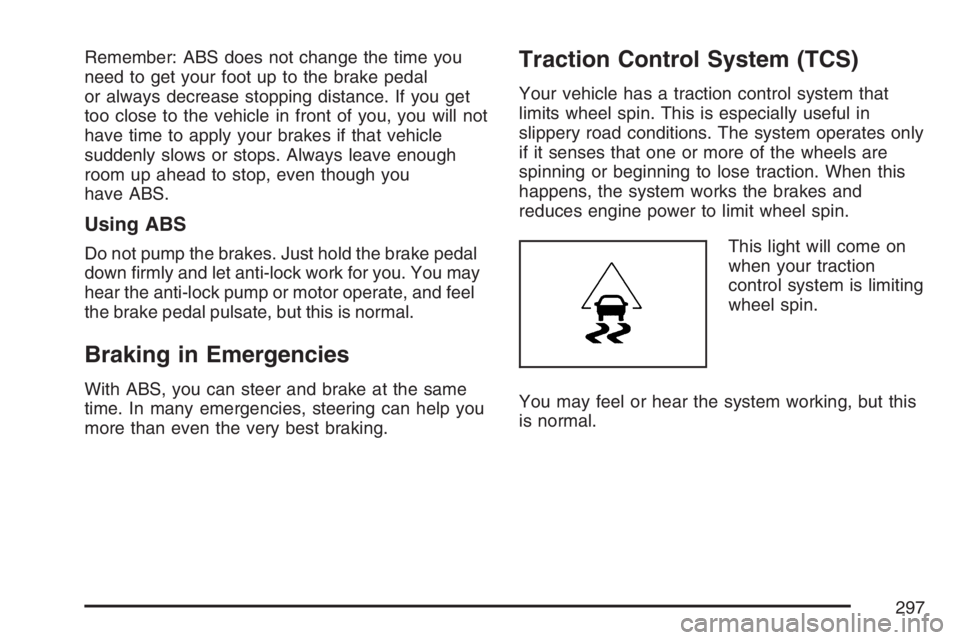
This light will come on
when your traction
control system is limiting
wheel spin.
You may feel or hear the system working, but this
is normal.
297
Page 302 of 490
Steering in Emergencies
There are times when steering can be more
effective than braking. For example, you come over
a hill and nd a truck stopped in your lane, or a car
suddenly pulls out from nowhere, or a child darts
out from between parked cars and stops right in
front of you. You can avoid these problems by
braking — if you can stop in time. But sometimes
you cannot; there is not room. That is the time for
evasive action — steering around the problem.
Your vehicle can perform very well in emergencies
like these. First apply your brakes.
SeeBraking on page 294. It is better to remove as
much speed as you can from a possible collision.
Then steer around the problem, to the left or
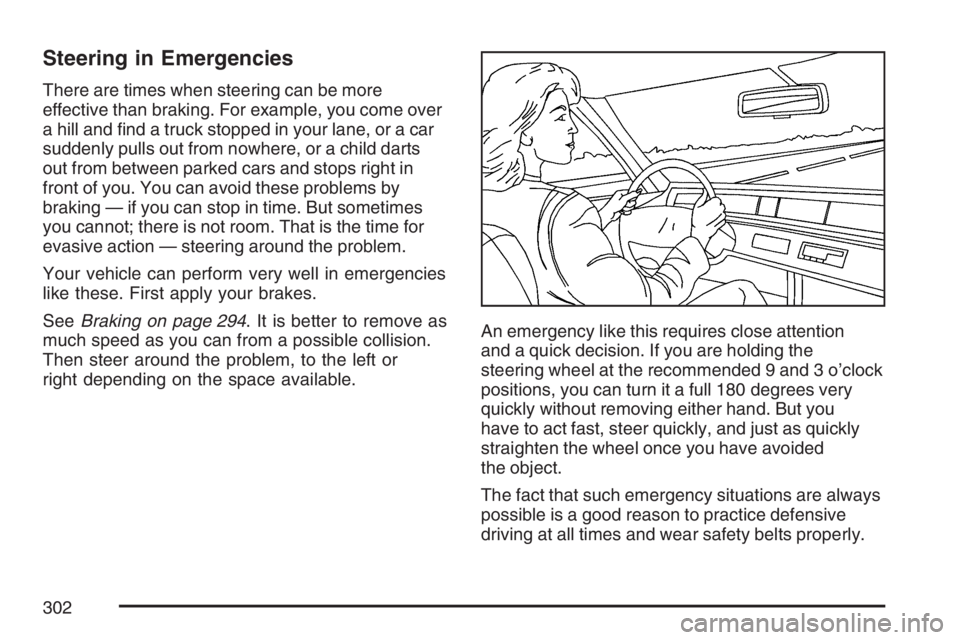
right depending on the space available.An emergency like this requires close attention
and a quick decision. If you are holding the
steering wheel at the recommended 9 and 3 o’clock
positions, you can turn it a full 180 degrees very
quickly without removing either hand. But you
have to act fast, steer quickly, and just as quickly
straighten the wheel once you have avoided
the object.
The fact that such emergency situations are always
possible is a good reason to practice defensive
driving at all times and wear safety belts properly.
302
Page 306 of 490
Of course, traction is reduced when water, snow,
ice, gravel, or other material is on the road.
For safety, you will want to slow down and adjust
your driving to these conditions. It is important
to slow down on slippery surfaces because
stopping distance will be longer and vehicle control
more limited.
While driving on a surface with reduced traction, try
your best to avoid sudden steering, acceleration, or
braking, including reducing vehicle speed by
shifting to a lower gear. Any sudden changes could
cause the tires to slide. You may not realize the
surface is slippery until your vehicle is skidding.
Learn to recognize warning clues — such as
enough water, ice, or packed snow on the road to
make a mirrored surface — and slow down when
you have any doubt.
Remember: Any Anti-Lock Brake System (ABS)
helps avoid only the braking skid.Driving at Night
Night driving is more dangerous than day driving.
One reason is that some drivers are likely to
be impaired — by alcohol or drugs, with night
vision problems, or by fatigue.
Here are some tips on night driving.
Drive defensively.
Do not drink and drive.
Adjust the inside rearview mirror to reduce the
glare from headlamps behind you.
Since you cannot see as well, you may need
to slow down and keep more space between
you and other vehicles.
Slow down, especially on higher speed roads.
Your vehicle’s headlamps can light up only so
much road ahead.
In remote areas, watch for animals.
If you are tired, pull off the road in a safe
place and rest.
306
Page 318 of 490
Traction control improves your ability to accelerate
when driving on a slippery road. But you can turn
the traction system off if you ever need to. You
should turn the traction system off if your vehicle
ever gets stuck in sand, mud, ice, or snow. SeeIf
Your Vehicle is Stuck in Sand, Mud, Ice, or Snow
on page 320. Even though your vehicle has a
traction system, you will want to slow down and
adjust your driving to the road conditions. Under
certain conditions, you may want to turn the traction
system off, such as when driving through deep
snow and loose gravel, to help maintain vehicle
motion at lower speeds. SeeTraction Control
System (TCS) on page 297andStabiliTrak
®
System on page 298.
The Anti-Lock Brake System (ABS) improves your
vehicle’s stability when you make a hard stop
on a slippery road. Even though you have ABS,
you will want to begin stopping sooner than
you would on dry pavement. SeeAnti-Lock Brake
System (ABS) on page 295.
Allow greater following distance on any
slippery road.
Watch for slippery spots. The road might be
ne until you hit a spot that is covered with
ice. On an otherwise clear road, ice patchesmay appear in shaded areas where the sun
cannot reach, such as around clumps of trees,
behind buildings, or under bridges. Sometimes
the surface of a curve or an overpass may
remain icy when the surrounding roads
are clear. If you see a patch of ice ahead of
you, brake before you are on it. Try not
to brake while you are actually on the ice, and
avoid sudden steering maneuvers.
If You Are Caught in a Blizzard
If you are stopped by heavy snow, you could be in a
serious situation. You should probably stay with
your vehicle unless you know for sure that you are
near help and you can hike through the snow. Here
are some things to do to summon help and keep
yourself and your passengers safe:
Turn on your hazard ashers.
Tie a red cloth to your vehicle to alert police that
you have been stopped by the snow.
Put on extra clothing or wrap a blanket around
you. If you do not have blankets or extra
clothing, make body insulators from
newspapers, burlap bags, rags, oor
mats — anything you can wrap around
yourself or tuck under your clothing to
keep warm.
318
Page 319 of 490

You can run the engine to keep warm, but be
careful.
{CAUTION:
Snow can trap exhaust gases under your
vehicle. This can cause deadly CO
(carbon monoxide) gas to get inside.
CO could overcome you and kill you. You
cannot see it or smell it, so you might not
know it is in your vehicle. Clear away
snow from around the base of your
vehicle, especially any that is blocking
your exhaust pipe. And check around
again from time to time to be sure snow
does not collect there.
Open a window just a little on the side of
the vehicle that is away from the wind.
This will help keep CO out.
Run your engine only as long as you must. This
saves fuel. When you run the engine, make it go a
little faster than just idle. That is, push the
accelerator slightly. This uses less fuel for the
heat that you get and it keeps the battery charged.
319