2007 NISSAN QUEST buttons
[x] Cancel search: buttonsPage 205 of 384

cThe temperature of the passenger compart-
ment will be maintained automatically. Air
flow distribution, fan speed and A/C on/off
are also controlled automatically.
cA visible mist may be seen coming from the
vents in hot, humid conditions as the air is
cooled rapidly. This does not indicate a mal-
function.
Dehumidified defrosting or defogging
1. Push the defroster control buttonto
turn the system on. The display will show the
defrost icon.
2. Turn the temperature dial to the left or right
to set the desired temperature.
cTo quickly remove ice from the outside of the
windows, press and hold the
+but-
ton to set the fan speed to maximum.
cAs soon as possible after the windshield is
clean, push the AUTO button to return to the
auto mode.
cWhen the DEF control
is activated,
the air conditioner will automatically be
turned on at outside temperatures above
36°F (2°C) . If in defrost mode for more than
one minute, the air conditioning system will
continue to operate until the fan control is
turned OFF or the vehicle is shut off, even ifan air flow MODE button other than
is
selected. This dehumidifies the air which
helps defog the windshield. The air recircu-
lation mode automatically turns off, allowing
outside air to be drawn into the passenger
compartment to further improve the defog-
ging performance.
MANUAL OPERATION
Fan speed control buttons
Press the fan speed control buttons+/–
to manually control the fan speed.
Press OFF to turn the system off.
Push the AUTO button to return to automatic
control of the fan speed.
Air recirculation
Themode automatically turns off, allowing
outside air to be drawn into the passenger com-
partment to prevent fogging.
Push the air recirculation button
to recir-
culate interior air inside the vehicle. Push the
AUTO button to return to automatic mode.
The air recirculation button will not be activated
when the air conditioner is in DEF mode.
Air flow control
Pushing the MODE button manually controls air
flow and selects the air outlet to:
— Air flows from center and side
ventilators.
— Air flows from center and side
ventilators and foot outlets.
— Air flows mainly from foot outlets.
— Air flows from defroster and foot
outlets.
— Air flows from defroster outlets.
To turn system off
Press the OFF button.
OPERATING TIPS
cWhen the engine coolant temperature and
outside air temperature are low, the air flow
from the foot outlets may not operate for a
maximum of 150 seconds. However, this is
not a malfunction. After the coolant tempera-
ture warms up, air flow from the foot outlets
will operate normally.
Display screen, heater, air conditioner, audio and phone systems4-41
ZREVIEW COPYÐ2007 Quest(van)
Owners ManualÐUSA_English(nna)
02/27/06Ðdebbie
X
Page 213 of 384

1. SEEK/TRACK button
2. PRESET A·B·C button
3. CD/DVD button
4. Station select (1 - 6) buttons
5. POWER/VOLUME control knob6. REAR CTRL button
7. AUX button
8. TUNE/CAT button
9. DISP button
10. FM·AM/SAT (satellite) radio button*11. SCAN/RPT button
12.
Rear speaker control button
13. AUDIO button [BASS, MID, TREBLE,
FADE, BALANCE and SSV (if so
equipped)]
14.
CD eject button
15. AUX jack
16. CD insert slot
*No satellite radio reception is available
and “NO SAT” is displayed when the
SAT button is pressed unless optional
satellite receiver and antenna are
installed, and an XMTor SIRIUS™ satel-
lite radio service subscription is active.
Satellite radio not available in Alaska,
Hawaii and Guam.
Type A
LHA0634
Display screen, heater, air conditioner, audio and phone systems4-49
ZREVIEW COPYÐ2007 Quest(van)
Owners ManualÐUSA_English(nna)
02/27/06Ðdebbie
X
Page 214 of 384

1. SEEK/TRACK button
2. PRESET A·B·C button
3. CD/DVD button
4. Station and CD select (1 - 6) buttons
5. POWER/VOLUME control knob6. REAR CTRL button
7. AUX button
8. TUNE/FLDR·CAT button
9. DISP button
10. FM·AM/SAT (satellite) radio button*11. SCAN/RPT button
12.
Rear speaker control button
13. AUDIO button [BASS, MID, TREBLE,
FADE, BALANCE and SSV (if so
equipped)]
14.
CD load button
15.
CD eject button
16. CD insert slot
17. AUX jack
*No satellite radio reception is available
and “NO SAT” is displayed when the
SAT button is pressed unless optional
satellite receiver and antenna are
installed, and an XMTor SIRIUS™ satel-
lite radio service subscription is active.
Satellite radio not available in Alaska,
Hawaii and Guam.
Type B
LHA0635
4-50Display screen, heater, air conditioner, audio and phone systems
ZREVIEW COPYÐ2007 Quest(van)
Owners ManualÐUSA_English(nna)
02/27/06Ðdebbie
X
Page 215 of 384

1. SEEK/TRACK button
2. PRESET A·B·C button
3. CD/DVD button
4. Station and CD select (1 - 6) buttons
5. POWER/VOLUME control knob6. REAR CTRL button
7. AUX button
8. TUNE/FLDR·CAT button
9. DISP button
10. SCAN button11. FM·AM/SAT (satellite) radio select but-
ton*
12.
Rear speaker control button
13. RPT·RDM button
14. AUDIO button [BASS, MID, TREBLE,
FADE, BALANCE and SSV (if so
equipped)]
15.
CD load button
16.
CD eject button
17. CD insert slot
18. AUX jack
*No satellite radio reception is available
and “NO SAT” is displayed when the
SAT button is pressed unless optional
satellite receiver and antenna are
installed, and an XMTor SIRIUS™ satel-
lite radio service subscription is active.
Satellite radio not available in Alaska,
Hawaii and Guam.
FM-AM-SAT RADIO WITH
COMPACT DISC (CD) PLAYER
(Type A)/CD CHANGER (Type B and
C)
For all operation precautions, see9Audio opera-
tion precautions9earlier in this section.
Type C
LHA0636
Display screen, heater, air conditioner, audio and phone systems4-51
ZREVIEW COPYÐ2007 Quest(van)
Owners ManualÐUSA_English(nna)
02/27/06Ðdebbie
X
Page 218 of 384

The FM stereo indicator ST will glow during FM
stereo reception. When the stereo broadcast
signal is weak, the radio will automatically change
from stereo to monaural reception.
TUNE (Tuning Type A
only):
To manually tune the radio, press the TUNE
button
or.
To move quickly through the channels, hold either
the
orbutton down for more than
1.5 seconds.
TUNE (Tuning Type B
and C):
To manually tune the radio, press the TUNE
button
or.
To move quickly through the channels, hold either
the
orbutton down for more than
1.5 seconds.
SEEK tuning (Type A
only):
Press the SEEK/TRACK button
orfor less than 1.5 seconds to tune from high to low
or low to high frequencies and stop at the next
broadcasting station.
SEEK tuning (Type B and
C):
Press the SEEK/TRACK button
orfor less than 1.5 seconds to tune from high to low
or low to high frequencies and stop at the next
broadcasting station.
SCAN RPT tuning (Type A and B only):
Press the SCAN RPT button for more than 1.5
seconds to stop at each broadcasting station
(AM, FM or SAT if so equipped) for 5 seconds.
Pressing the button again during this 5 second
period will stop SCAN tuning and the radio will
remain tuned to that station. If the SCAN RPT
button is not pressed within 5 seconds, SCAN
tuning moves to the next station.
SCAN tuning (Type C only):
Press the SCAN button for more than 1.5 sec-
onds to stop at each broadcasting station for 5
seconds. Pressing the button again during this 5
second period will stop SCAN tuning and the
radio will remain tuned to that station. If the
SCAN button is not pressed within 5 seconds,
SCAN tuning moves to the next station.
Station memory operations:
18 stations can be set for the FM, AM and SAT
radio to the A, B and C preset button in any
combination of AM, FM or SAT* stations.1. Press the PRESET A·B·C button to change
between storage banks. The radio displays
the icon A, B or C to indicate which set of
presets are active.
2. Tune to the desired station using manual,
SEEK or SCAN tuning. Press and hold any
of the desired station memory buttons (1 –
6) until a beep sound is heard. (The radio
mutes when the select button is pressed) .
3. The channel indicator will then come on and
the sound will resume. Memorizing is now
complete.
4. Other buttons can be set in the same man-
ner.
* SAT presets are only available on SAT equipped
vehicles.
If the battery cable is disconnected, or if the fuse
opens, the radio memory will be canceled. In that
case, reset the desired stations.
Radio data system (RDS):
RDS stands for Radio Data System, and is a data
information service transmitted by some radio
stations on the FM band (not AM band) and/or
SAT radio encoded within a regular radio broad-
cast. Currently, most RDS stations are in large
cities, but many stations are now considering
broadcasting RDS data.
4-54Display screen, heater, air conditioner, audio and phone systems
ZREVIEW COPYÐ2007 Quest(van)
Owners ManualÐUSA_English(nna)
02/27/06Ðdebbie
X
Page 221 of 384

CD select buttons:
To play another CD that has been loaded, press a
CD select button (1 – 6) .
RPT•RDM button (Type C only):
When the RPT•RDM button is pressed while the
compact disc is played, the play pattern can be
changed as follows:
1 DISC RPT!1 TRACK RPT!ALL DISC RDM
!1 DISC RDM
1 DISC RPT: The disc that is currently playing will
be repeated.
1 TRACK RPT: The track that is currently playing
will be repeated.
ALL DISC RDM: Tracks from all discs will be
played randomly.
1 DISC RDM: Tracks from the disc that is cur-
rently playing will be played randomly.
REAR CTRL:
Pressing the REAR CTRL button turns the rear
seat audio controller on. REAR CTRL ON will
display. Pressing it again will turn the rear seat
audio controller off. REAR CTRL OFF will display.
If the vehicle is not equipped with a rear seat
audio controller, the display will show “REAR AV
N/A”.(SPEAKER CONTROL) button:
Press this
button to turn the rear speakers
off and headphones on. Press thisbutton
again to turn rear seat speakers back on and
headphones off.
CD EJECT:
Current disc:
cPress the slot number (1 – 6) for the desired
disc, then press the
button. The com-
pact disc will be ejected. If the disc is not
removed within 15 seconds, the disc will
reload.
All discs:
cPress and hold the
button for more
than 1.5 seconds. The compact discs will be
ejected one by one. If a disc is not removed
within 15 seconds, or the
button is
pressed again during the eject sequence,
the entire disc eject sequence will be can-
celed.
When this button is pressed while the compact
disc is being played, the compact disc will eject
and the last source will be played.CD IN indicator:
The slot numbers (1 – 6) will illuminate if CDs
have been loaded into the changer in CD mode
only.
AUX (Auxiliary) button:
The AUX jack is located on the CD player. The
AUX audio input jack accepts any standard ana-
log audio input such as from a portable cassette
tape/CD player, MP3 player or laptop computers.
Press the AUX button to play a compatible device
when it is plugged into the AUX jack.
Display screen, heater, air conditioner, audio and phone systems4-57
ZREVIEW COPYÐ2007 Quest(van)
Owners ManualÐUSA_English(nna)
02/27/06Ðdebbie
X
Page 232 of 384
TITLE (Remote control only):
Press TITLE button to return the DVD media to
the “title” of the DVD.
Press TITLE button again to return to the previous
stop point and play.
BACK (Remote control only):
Press the BACK button to exit the current active
menu and return to the previous menu.
SUBTITLE (Remote control only):
Press the SUBTITLE button to call up subtitle
selection menu.
Repeatedly press the SUBTITLE button to cycle
through each available subtitle.
AUDIO (Remote control only):
Press the AUDIO button to call up audio menu.
Repeatedly press the AUDIO button to cycle
through each available audio track.
ANGLE (Remote control only):
Press the ANGLE button to call up camera angle
menu.
Repeatedly press the ANGLE button to cycle
through each available angle.CLEAR (Remote control only):
Press the CLEAR button to clear all numeric
inputs, if actuated prior to expiration of the
3-second timer.
NUMERIC KEYPAD (0–9 &¸10) (Remote
control only):
Press the NUMERIC KEYPAD to directly access
disc chapters, titles or tracks by inputting their
numeric value.
The “¸10” button input numbers greater than or
equal to 10, allowing up three digits to be input
for selecting chapter/title/track number.
The subsequent actuation of numeric buttons will
continuously shift the previously input number to
the “left”.
The chapter/title/track number will be automati-
cally selected (if valid, based on media content) if
3 seconds expire without any keypad inputs.
The operator can cancel the input
chapter/title/track number by actuating the
CLEAR control prior to the expiration of the
3-second timer.
These functions can be used only for the DVD
discs which correspond to them.Auxiliary input jacks
The auxiliary input jacks are located on the control
panel. Compatible devices such as video games,
camcorders and portable video players can be
connected to the auxiliary jacks.
The auxiliary jacks are color coded for identifica-
tion purposes.
cYellow - video input
cWhite - left channel audio input
cRed - right channel audio input
CARE AND MAINTENANCE
Use a lightly dampened, lint free cloth to clean the
surfaces of your DVD Entertainment System.
(DVD player face, screen, remote control, etc.)
CAUTION
cDo not use any solvents or cleaning
solutions when cleaning the video
system.
cDo not use excessive force on the moni-
tor screen.
cAvoid touching or scratching the moni-
tor screen as it may become dirty or
damaged.
4-68Display screen, heater, air conditioner, audio and phone systems
ZREVIEW COPYÐ2007 Quest(van)
Owners ManualÐUSA_English(nna)
02/27/06Ðdebbie
X
Page 240 of 384
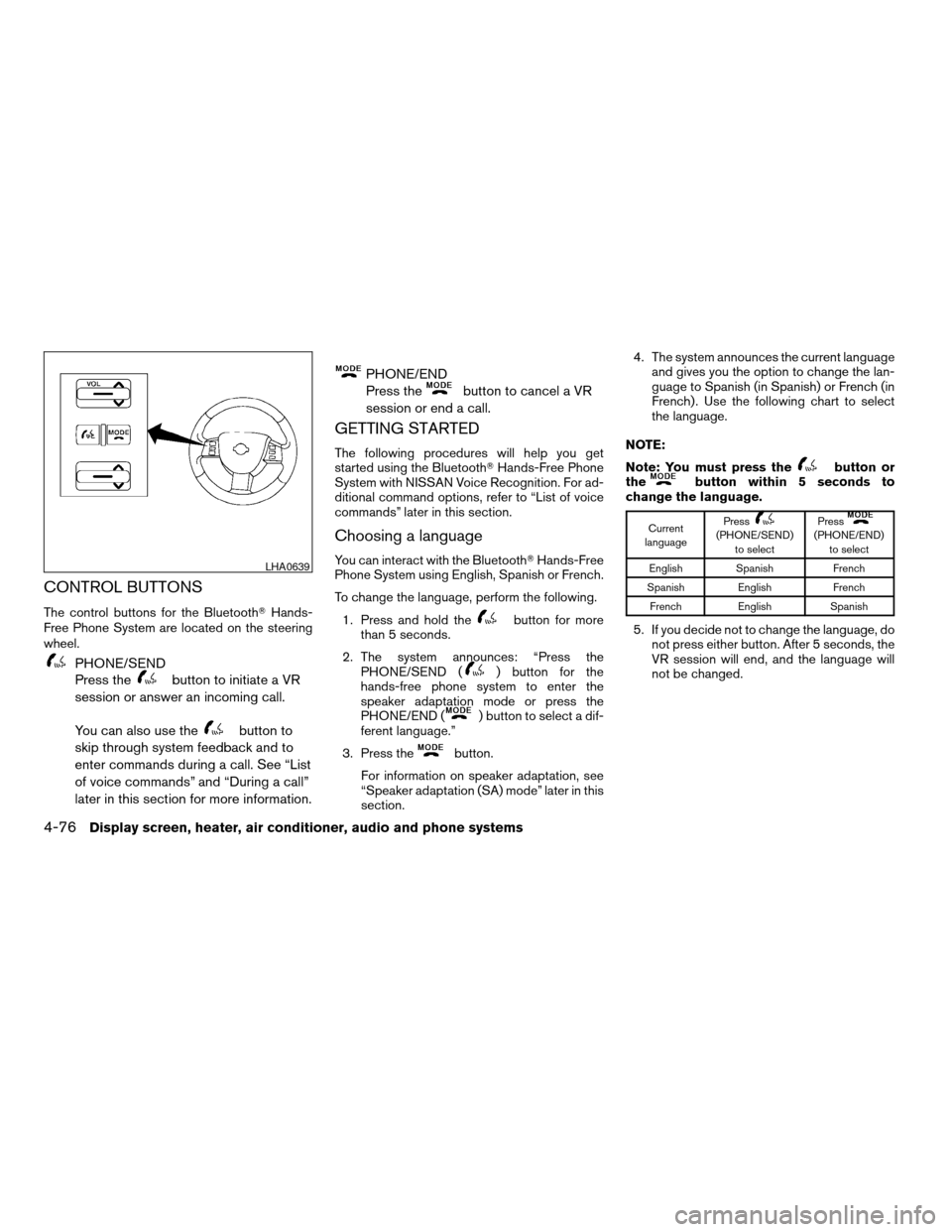
CONTROL BUTTONS
The control buttons for the BluetoothTHands-
Free Phone System are located on the steering
wheel.
PHONE/SEND
Press the
button to initiate a VR
session or answer an incoming call.
You can also use the
button to
skip through system feedback and to
enter commands during a call. See “List
of voice commands” and “During a call”
later in this section for more information.
PHONE/END
Press the
button to cancel a VR
session or end a call.
GETTING STARTED
The following procedures will help you get
started using the BluetoothTHands-Free Phone
System with NISSAN Voice Recognition. For ad-
ditional command options, refer to “List of voice
commands” later in this section.
Choosing a language
You can interact with the BluetoothTHands-Free
Phone System using English, Spanish or French.
To change the language, perform the following.
1. Press and hold the
button for more
than 5 seconds.
2. The system announces: “Press the
PHONE/SEND (
) button for the
hands-free phone system to enter the
speaker adaptation mode or press the
PHONE/END (
) button to select a dif-
ferent language.”
3. Press the
button.
For information on speaker adaptation, see
“Speaker adaptation (SA) mode” later in this
section.4. The system announces the current language
and gives you the option to change the lan-
guage to Spanish (in Spanish) or French (in
French) . Use the following chart to select
the language.
NOTE:
Note: You must press the
button or
thebutton within 5 seconds to
change the language.
Current
languagePress(PHONE/SEND)
to selectPress(PHONE/END)
to select
English Spanish French
Spanish English French
French English Spanish
5. If you decide not to change the language, do
not press either button. After 5 seconds, the
VR session will end, and the language will
not be changed.
LHA0639
4-76Display screen, heater, air conditioner, audio and phone systems
ZREVIEW COPYÐ2007 Quest(van)
Owners ManualÐUSA_English(nna)
02/27/06Ðdebbie
X