Page 81 of 705
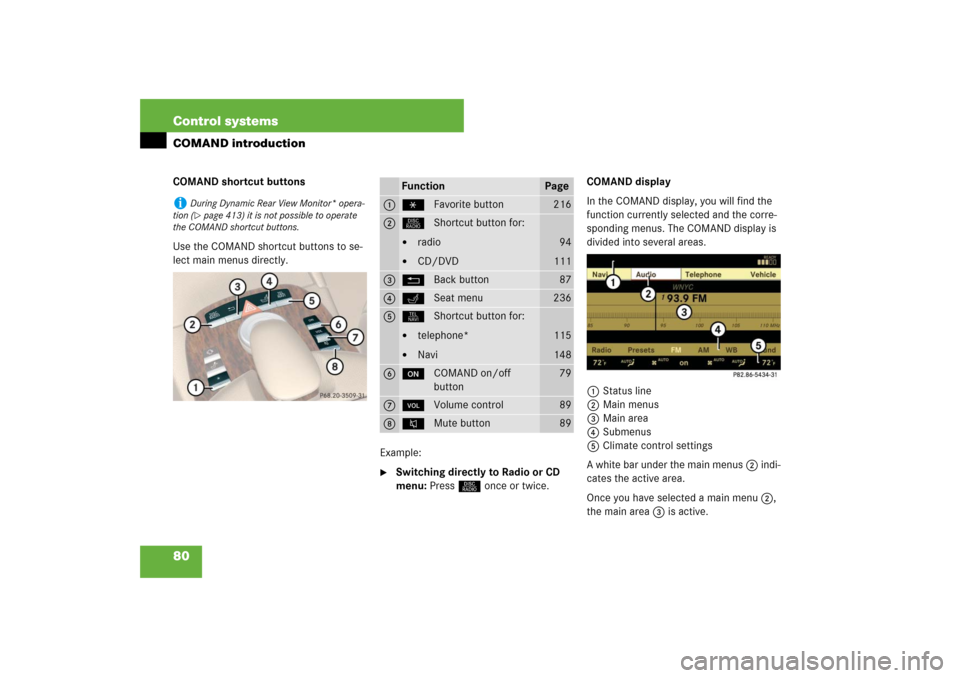
80 Control systemsCOMAND introductionCOMAND shortcut buttons
Use the COMAND shortcut buttons to se-
lect main menus directly.
Example:
�
Switching directly to Radio or CD
menu: Press M once or twice.COMAND display
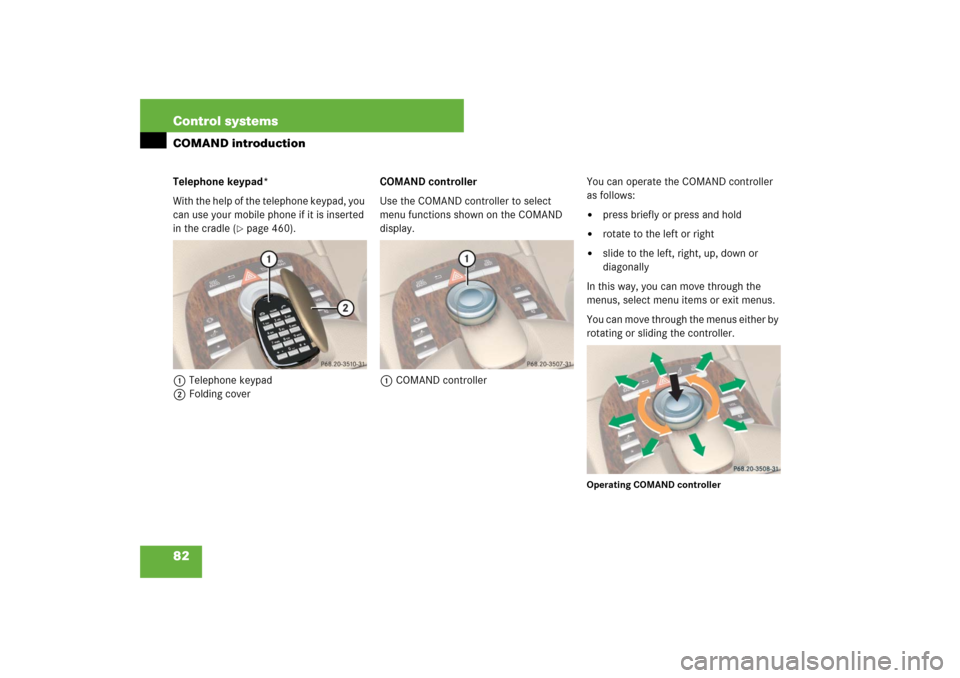
In the COMAND display, you will find the
function currently selected and the corre-
sponding menus. The COMAND display is
divided into several areas.
1Status line
2Main menus
3Main area
4Submenus
5Climate control settings
A white bar under the main menus 2 indi-
cates the active area.
Once you have selected a main menu 2,
the main area 3 is active.
i
During Dynamic Rear View Monitor* opera-
tion (�page 413) it is not possible to operate
the COMAND shortcut buttons.
Function
Page
1
PFavorite button
216
2
MShortcut button for:�
radio
�
CD/DVD
94
111
3
LBack button
87
4
OSeat menu
236
5
NShortcut button for:�
telephone*
�
Navi
115
148
6
oCOMAND on/off
button
79
7
,Volume control
89
8
FMute button
89
Page 82 of 705
81 Control systems
COMAND introduction
Instrument cluster multifunction
display
This section describes features and con-
trols via the COMAND controller, display
and shortcut buttons only.
Please refer to the “Instrument cluster
control system” section of this manual
(�page 241) for function descriptions and
operation of the instrument cluster multi-
function display and multifunction steering
wheel buttons as they relate to COMAND
features described in this section.Adjusting COMAND display and instru-
ment cluster illumination
1To adjust instrument cluster illumina-
tion and multifunction display
2To adjust COMAND display
�
Brightening illumination: Turn
knob1 or2 clockwise.
�
Dimming illumination: Turn knob1
or2 counterclockwise.Swiveling COMAND display
1Button for swiveling display to the left
2Button for swiveling display to the right
You can swivel the COMAND display to the
left or right. The buttons are on the
right-hand side of the instrument cluster.
i
The layout of the menus may vary depending
on your vehicle’s equipment. This manual shows
the menus for a fully equipped vehicle.
Page 83 of 705
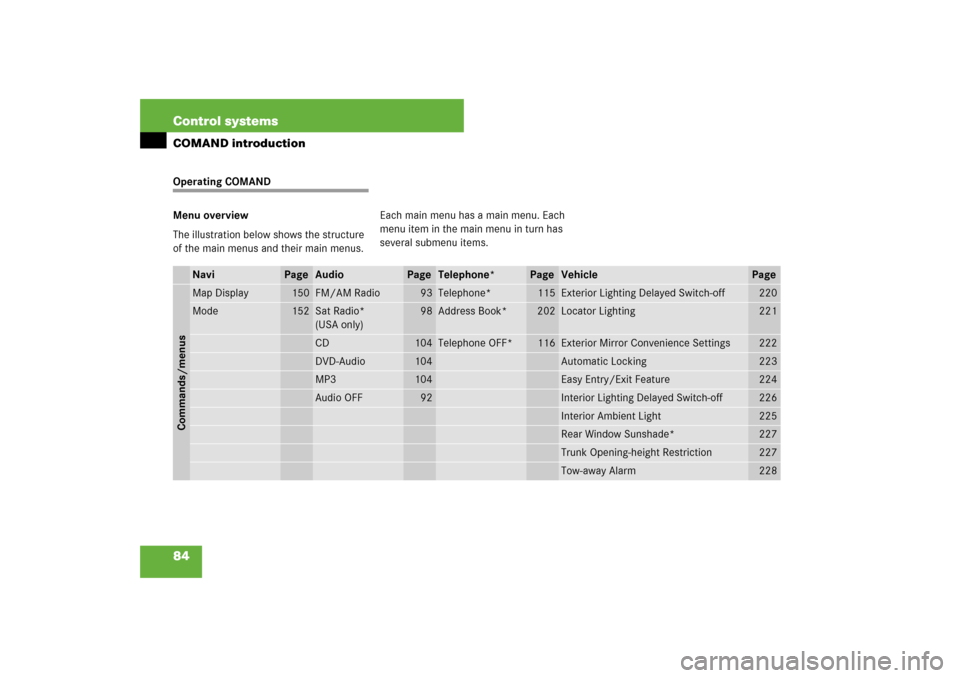
82 Control systemsCOMAND introductionTelephone keypad*
With the help of the telephone keypad, you
can use your mobile phone if it is inserted
in the cradle (
�page 460).
1Telephone keypad
2Folding coverCOMAND controller
Use the COMAND controller to select
menu functions shown on the COMAND
display.
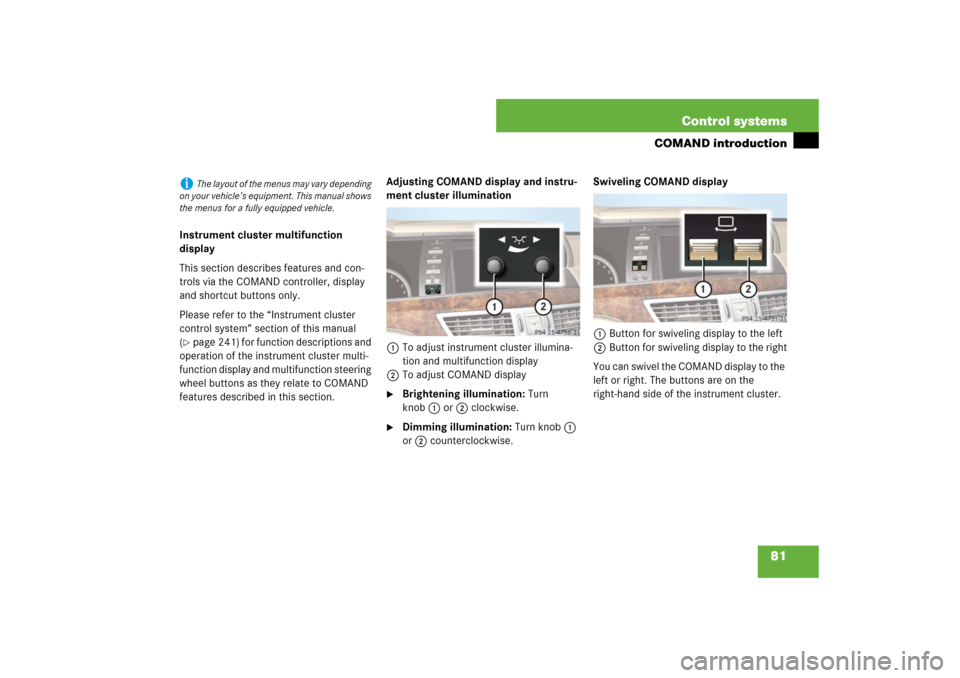
1COMAND controllerYou can operate the COMAND controller
as follows:
�
press briefly or press and hold
�
rotate to the left or right
�
slide to the left, right, up, down or
diagonally
In this way, you can move through the
menus, select menu items or exit menus.
You can move through the menus either by
rotating or sliding the controller.
Operating COMAND controller
Page 85 of 705
84 Control systemsCOMAND introductionOperating COMAND
Menu overview
The illustration below shows the structure
of the main menus and their main menus.Each main menu has a main menu. Each
menu item in the main menu in turn has
several submenu items.
Navi
Page
Audio
Page
Telephone*
Page
Vehicle
Page
Commands/menusMap Display
150
FM/AM Radio
93
Telephone*
115
Exterior Lighting Delayed Switch-off
220
Mode
152
Sat Radio*
(USA only)
98
Address Book*
202
Locator Lighting
221
CD
104
Telephone OFF*
116
Exterior Mirror Convenience Settings
222
DVD-Audio
104
Automatic Locking
223
MP3
104
Easy Entry/Exit Feature
224
Audio OFF
92
Interior Lighting Delayed Switch-off
226
Interior Ambient Light
225
Rear Window Sunshade*
227
Trunk Opening-height Restriction
227
Tow-away Alarm
228
Page 87 of 705
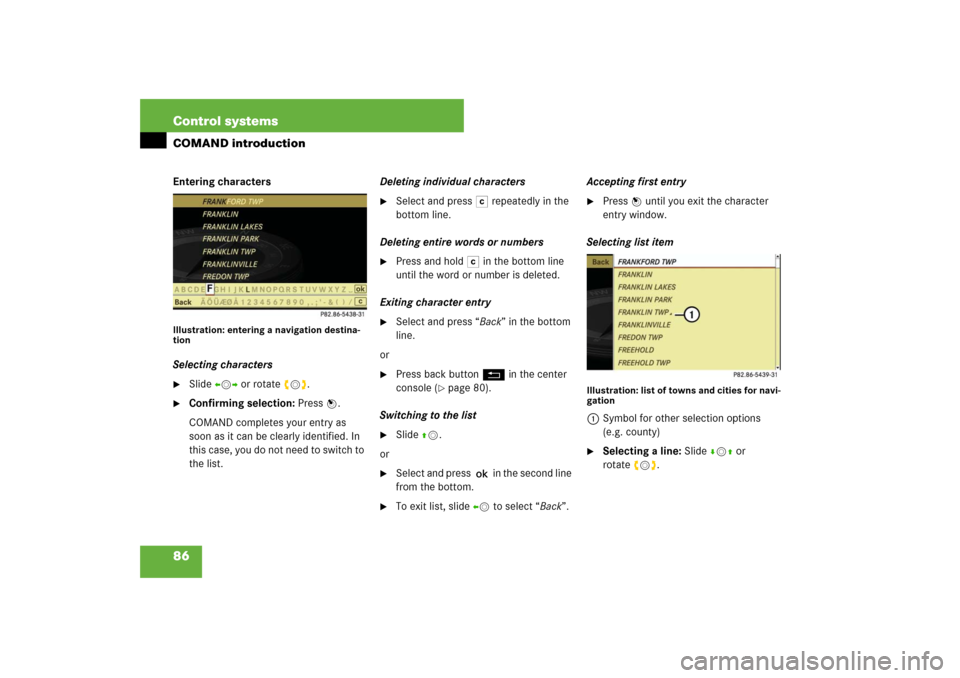
86 Control systemsCOMAND introductionEntering charactersIllustration: entering a navigation destina-
tionSelecting characters�
Slide omp or rotate ymz.
�
Confirming selection: Press n.
COMAND completes your entry as
soon as it can be clearly identified. In
this case, you do not need to switch to
the list.Deleting individual characters
�
Select and press ) repeatedly in the
bottom line.
Deleting entire words or numbers
�
Press and hold ) in the bottom line
until the word or number is deleted.
Exiting character entry
�
Select and press “Back” in the bottom
line.
or
�
Press back button L in the center
console (
�page 80).
Switching to the list
�
Slide qm.
or
�
Select and press ? in the second line
from the bottom.
�
To exit list, slide om to select “Back”.Accepting first entry
�
Press nuntil you exit the character
entry window.
Selecting list item
Illustration: list of towns and cities for navi-
gation1Symbol for other selection options
(e.g. county)�
Selecting a line: Slide rmq or
rotateymz.
Page 90 of 705
89 Control systems
COMAND introduction
Main menus of COMAND
Sound�
Muting: Press the F shortcut but-
ton in the center console (
�page 80).
The sound of the current audio source
is switched on or is muted.Switching off navigation announce-
ments entirely
�
Canceling navigation message:
Briefly press F shortcut button dur-
ing an announcement.
�
Switching off navigation messages:
Press and hold F during an an-
nouncement until the announcement is
switched off.
You will see the message “The driving
instructions have been muted.” for a
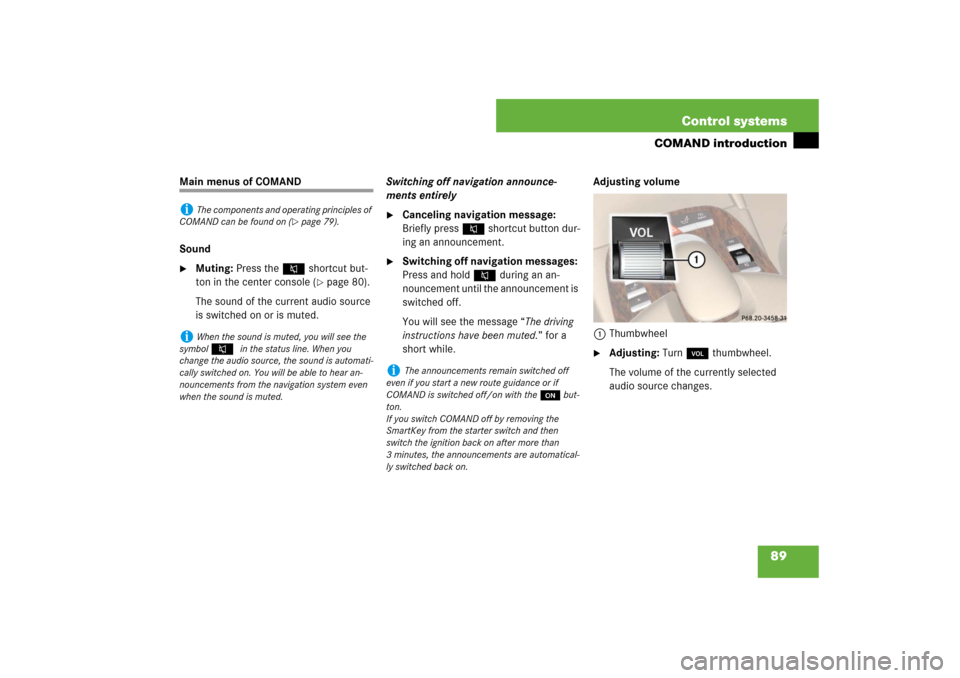
short while.Adjusting volume
1Thumbwheel
�
Adjusting: Turn, thumbwheel.
The volume of the currently selected
audio source changes.
i
The components and operating principles of
COMAND can be found on (
�page 79).
i
When the sound is muted, you will see the
symbol
F
in the status line. When you
change the audio source, the sound is automati-
cally switched on. You will be able to hear an-
nouncements from the navigation system even
when the sound is muted.
i
The announcements remain switched off
even if you start a new route guidance or if
COMAND is switched off/on with theo but-
ton.
If you switch COMAND off by removing the
SmartKey from the starter switch and then
switch the ignition back on after more than
3 minutes, the announcements are automatical-
ly switched back on.
Page 92 of 705
91 Control systems
COMAND introduction
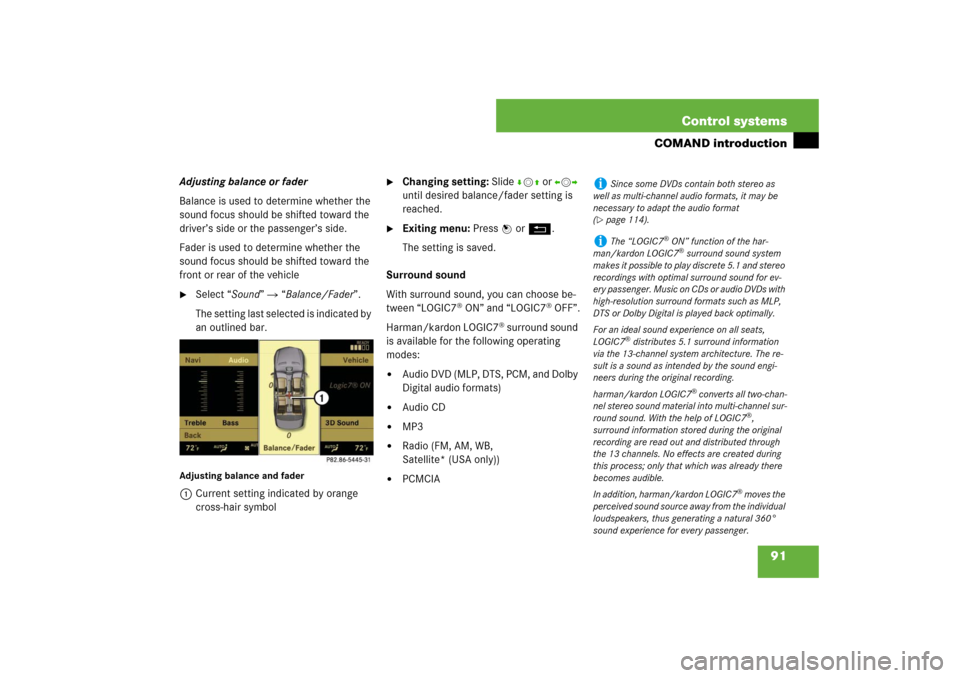
Adjusting balance or fader
Balance is used to determine whether the
sound focus should be shifted toward the
driver’s side or the passenger’s side.
Fader is used to determine whether the
sound focus should be shifted toward the
front or rear of the vehicle�
Select “Sound” � “Balance/Fader”.
The setting last selected is indicated by
an outlined bar.
Adjusting balance and fader1Current setting indicated by orange
cross-hair symbol
�
Changing setting: Slide rmq or omp
until desired balance/fader setting is
reached.
�
Exiting menu: Press n or L.
The setting is saved.
Surround sound
With surround sound, you can choose be-
tween “LOGIC7
® ON” and “LOGIC7
® OFF”.
Harman/kardon LOGIC7
® surround sound
is available for the following operating
modes:
�
Audio DVD (MLP, DTS, PCM, and Dolby
Digital audio formats)
�
Audio CD
�
MP3
�
Radio (FM, AM, WB,
Satellite* (USA only))
�
PCMCIA
i
Since some DVDs contain both stereo as
well as multi-channel audio formats, it may be
necessary to adapt the audio format
(
�page 114).
i
The “LOGIC7
® ON” function of the har-
man/kardon LOGIC7® surround sound system
makes it possible to play discrete 5.1 and stereo
recordings with optimal surround sound for ev-
ery passenger. Music on CDs or audio DVDs with
high-resolution surround formats such as MLP,
DTS or Dolby Digital is played back optimally.
For an ideal sound experience on all seats,
LOGIC7
® distributes 5.1 surround information
via the 13-channel system architecture. The re-
sult is a sound as intended by the sound engi-
neers during the original recording.
harman/kardon LOGIC7
® converts all two-chan-
nel stereo sound material into multi-channel sur-
round sound. With the help of LOGIC7
®,
surround information stored during the original
recording are read out and distributed through
the 13 channels. No effects are created during
this process; only that which was already there
becomes audible.
In addition, harman/kardon LOGIC7
® moves the
perceived sound source away from the individual
loudspeakers, thus generating a natural 360°
sound experience for every passenger.
Page 93 of 705
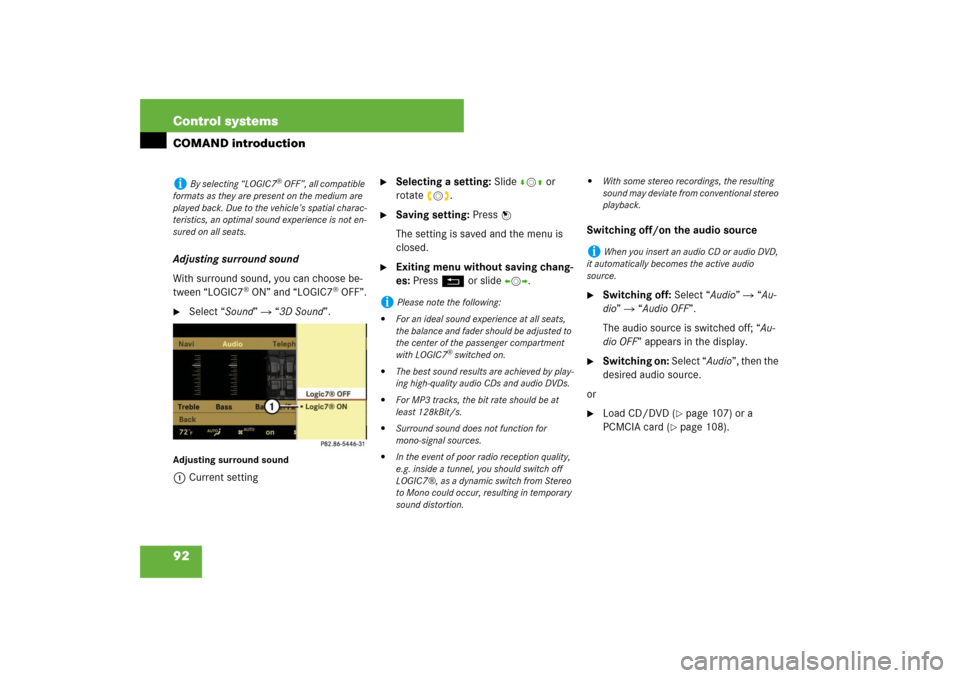
92 Control systemsCOMAND introductionAdjusting surround sound
With surround sound, you can choose be-
tween “LOGIC7
® ON” and “LOGIC7
® OFF”.
�
Select “Sound” � “3D Sound”.
Adjusting surround sound1Current setting
�
Selecting a setting: Slidermq or
rotateymz.
�
Saving setting: Press n
The setting is saved and the menu is
closed.
�
Exiting menu without saving chang-
es: Press L or slide omp.Switching off/on the audio source
�
Switching off: Select “Audio” � “Au-
dio” � “Audio OFF”.
The audio source is switched off; “Au-
dio OFF” appears in the display.
�
Switching on: Select “Audio”, then the
desired audio source.
or
�
Load CD/DVD (
�page 107) or a
PCMCIA card (
�page 108).
i
By selecting “LOGIC7
® OFF”, all compatible
formats as they are present on the medium are
played back. Due to the vehicle’s spatial charac-
teristics, an optimal sound experience is not en-
sured on all seats.
i
Please note the following:
�
For an ideal sound experience at all seats,
the balance and fader should be adjusted to
the center of the passenger compartment
with LOGIC7
® switched on.
�
The best sound results are achieved by play-
ing high-quality audio CDs and audio DVDs.
�
For MP3 tracks, the bit rate should be at
least 128kBit/s.
�
Surround sound does not function for
mono-signal sources.
�
In the event of poor radio reception quality,
e.g. inside a tunnel, you should switch off
LOGIC7®, as a dynamic switch from Stereo
to Mono could occur, resulting in temporary
sound distortion.
�
With some stereo recordings, the resulting
sound may deviate from conventional stereo
playback.
i
When you insert an audio CD or audio DVD,
it automatically becomes the active audio
source.