Page 195 of 570
194 Controls in detail
Control system
You can use the functions in the TEL menu
to operate your telephone, provided it is
connected to a hands-free system and
switched on.
�Switch on the telephone and COMAND
system.
�Press buttonÿ orè on the
multifunction steering wheel repeat-
edly until the message
Tel appears in
the multifunction display.Which messages will appear in the multi-
function display depends on whether your
telephone is switched on or off:
�If the telephone is off, the message
Phone off appears in the multifunction
display.
�If the telephone is on:
The telephone will then search for a
network. During this time the multi-
function display is empty.
As soon as the telephone has found a
network, the message
Ready appears in
the multifunction display.
This standby message indicates that your
telephone is ready for use and you can
operate it using the control system.Answering a call
When your telephone is ready to receive
calls, you can answer a call at any time. In
the multifunction display you will then see
the message:�Press buttons.
You have answered the call. The
duration of the call appears in the
multifunction display.
Bear in mind that at a speed of just 30 mph
(approximately 50 km/h), your vehicle is
covering a distance of 44 feet
(approximately 14 m) every second.
Never operate radio transmitters equipped
with a built-in or attached antenna (i.e. with-
out being connected to an external antenna)
from inside the vehicle while the engine is
running. Doing so could lead to a malfunc-
tion of the vehicle’s electronic system,
possibly resulting in an accident and/or
personal injury.
iIf you do not wish to accept a call, press
buttont.
��
Page 196 of 570
195 Controls in detail
Control system
Ending a call
�Press buttont.
You have ended the call. The standby
message appears in the multifunction
display.
Dialing a number from the phone book
If your telephone is ready to receive calls,
you may select and dial a number from the
phone book at any time.
�Press buttonÿ orè repeatedly
until the message
Tel appears in the
multifunction display.
�Press buttonj ork.
The control system reads the phone
book which is stored in the telephone.
This may take several minutes. The
message
Please wait appears in the
multifunction display.
When the message
Please wait
disappears, the phone book has been
loaded.
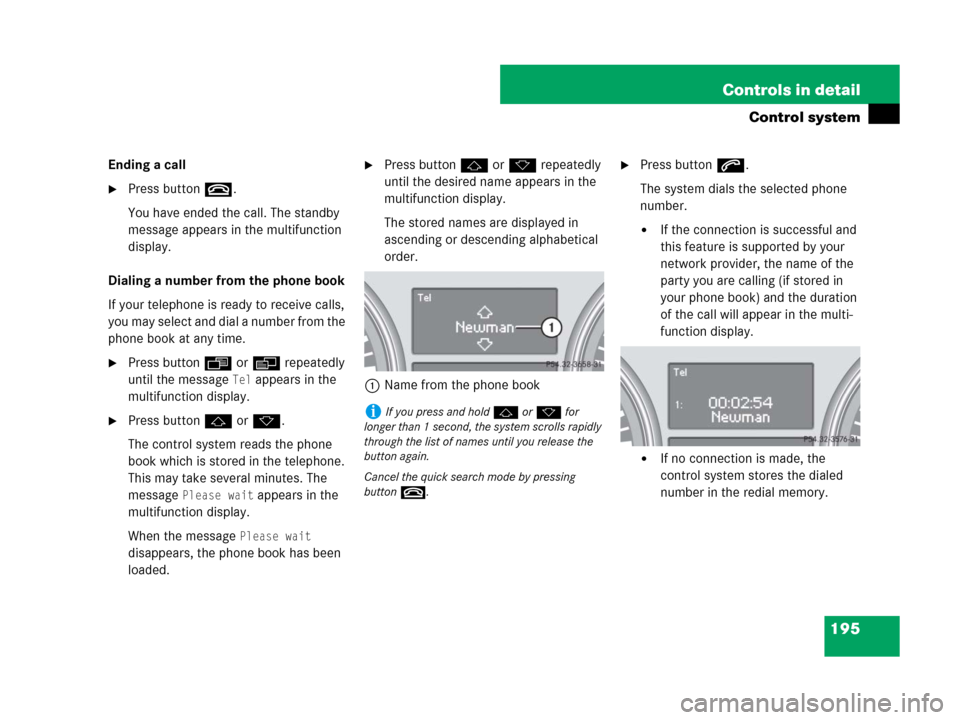
�Press buttonj ork repeatedly
until the desired name appears in the
multifunction display.
The stored names are displayed in
ascending or descending alphabetical
order.
1Name from the phone book�Press buttons.
The system dials the selected phone
number.
�If the connection is successful and
this feature is supported by your
network provider, the name of the
party you are calling (if stored in
your phone book) and the duration
of the call will appear in the multi-
function display.
�If no connection is made, the
control system stores the dialed
number in the redial memory.
iIf you press and holdj ork for
longer than 1 second, the system scrolls rapidly
through the list of names until you release the
button again.
Cancel the quick search mode by pressing
buttont.
Page 197 of 570
196 Controls in detail
Control system
Redialing
The control system stores the most
recently dialed phone numbers. This
eliminates the need to search through your
entire phone book.
�Press buttonÿ orè repeatedly
until the message
Tel appears in the
multifunction display.
�Press buttons.
The first number in the redial memory
appears in the multifunction display.
�Press buttonj ork repeatedly
until the desired name appears in the
multifunction display.
�Press buttons.
The control system dials the selected
phone number.
Page 269 of 570
268 Controls in detail
Driving systems
Setting current speed
�Accelerate or decelerate to the desired
speed.
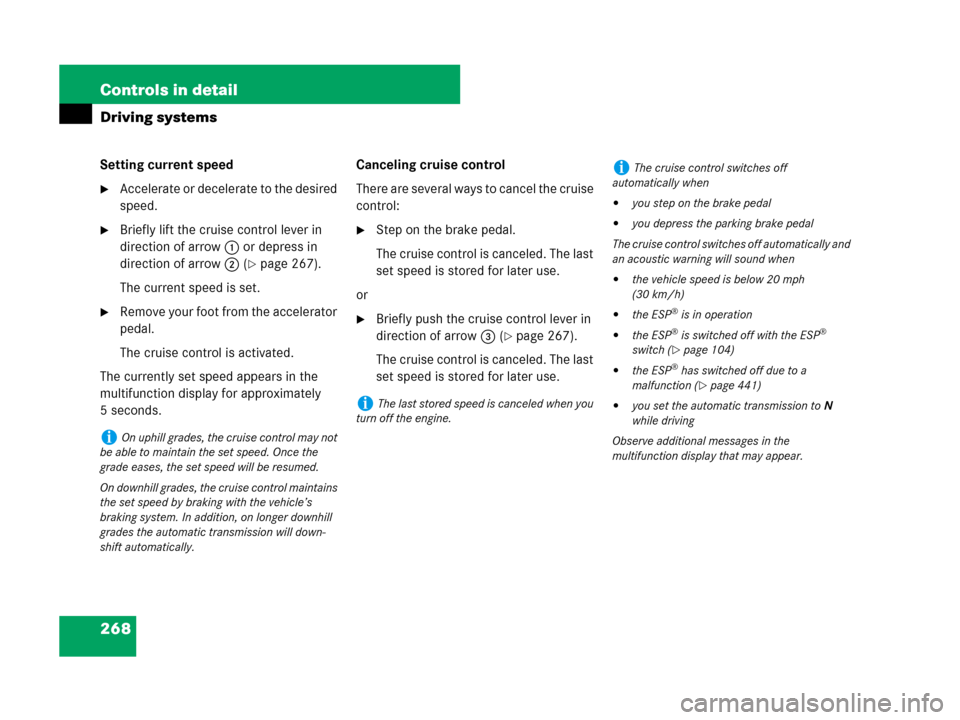
�Briefly lift the cruise control lever in
direction of arrow1 or depress in
direction of arrow2 (
�page 267).
The current speed is set.
�Remove your foot from the accelerator
pedal.
The cruise control is activated.
The currently set speed appears in the
multifunction display for approximately
5 seconds.Canceling cruise control
There are several ways to cancel the cruise
control:
�Step on the brake pedal.
The cruise control is canceled. The last
set speed is stored for later use.
or
�Briefly push the cruise control lever in
direction of arrow3 (
�page 267).
The cruise control is canceled. The last
set speed is stored for later use.
iOn uphill grades, the cruise control may not
be able to maintain the set speed. Once the
grade eases, the set speed will be resumed.
On downhill grades, the cruise control maintains
the set speed by braking with the vehicle’s
braking system. In addition, on longer downhill
grades the automatic transmission will down-
shift automatically.
iThe last stored speed is canceled when you
turn off the engine.
iThe cruise control switches off
automatically when
�you step on the brake pedal
�you depress the parking brake pedal
The cruise control switches off automatically and
an acoustic warning will sound when
�the vehicle speed is below 20 mph
(30 km/h)
�the ESP® is in operation
�the ESP® is switched off with the ESP®
switch (
�page 104)
�the ESP® has switched off due to a
malfunction (
�page 441)
�you set the automatic transmission toN
while driving
Observe additional messages in the
multifunction display that may appear.
Page 278 of 570
277 Controls in detail
Driving systems
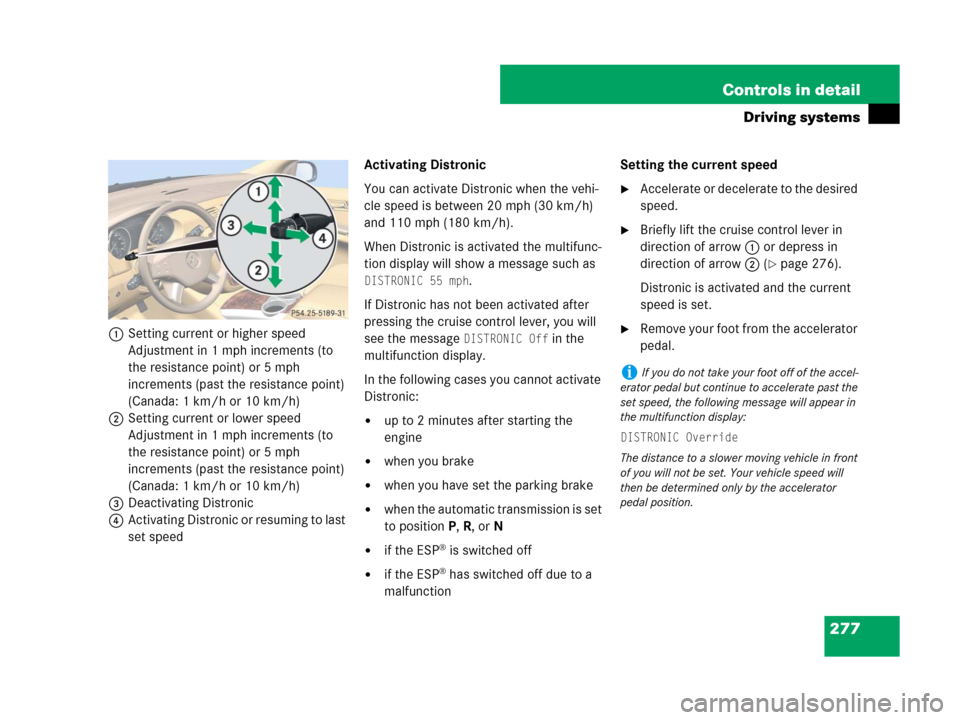
1Setting current or higher speed
Adjustment in 1 mph increments (to
the resistance point) or 5 mph
increments (past the resistance point)
(Canada: 1 km/h or 10 km/h)
2Setting current or lower speed
Adjustment in 1 mph increments (to
the resistance point) or 5 mph
increments (past the resistance point)
(Canada: 1 km/h or 10 km/h)
3Deactivating Distronic
4Activating Distronic or resuming to last
set speedActivating Distronic
You can activate Distronic when the vehi-
cle speed is between 20 mph (30 km/h)
and 110 mph (180 km/h).
When Distronic is activated the multifunc-
tion display will show a message such as
DISTRONIC 55 mph.
If Distronic has not been activated after
pressing the cruise control lever, you will
see the message
DISTRONIC Off in the
multifunction display.
In the following cases you cannot activate
Distronic:
�up to 2 minutes after starting the
engine
�when you brake
�when you have set the parking brake
�when the automatic transmission is set
to positionP, R, or N
�if the ESP® is switched off
�if the ESP® has switched off due to a
malfunctionSetting the current speed
�Accelerate or decelerate to the desired
speed.
�Briefly lift the cruise control lever in
direction of arrow1 or depress in
direction of arrow2 (
�page 276).
Distronic is activated and the current
speed is set.
�Remove your foot from the accelerator
pedal.
iIf you do not take your foot off of the accel-
erator pedal but continue to accelerate past the
set speed, the following message will appear in
the multifunction display:
DISTRONIC Override
The distance to a slower moving vehicle in front
of you will not be set. Your vehicle speed will
then be determined only by the accelerator
pedal position.
Page 281 of 570
280 Controls in detail
Driving systems
Setting to last stored speed
(“Resume” function)
�Briefly pull the cruise control lever in
direction of arrow4 (
�page 276).
The Distronic resumes to the last set
speed.
�Remove your foot from the accelerator
pedal.
The last set speed or, if no speed is stored,
the current set speed appears in the
multifunction display for approximately
5 seconds.Deactivating Distronic
There are several ways to deactivate the
Distronic system:
�Step on the brake pedal.
or
�Briefly tip the cruise control lever in
direction of arrow3 (
�page 276).
Distronic will be deactivated. The last set
speed will be stored in memory.
Warning!G
The set speed stored in memory should only
be set again if prevailing road conditions
permit. Possible acceleration or decelera-
tion differences arising from returning to the
preset speed could cause an accident
and/or serious injury to you and others.
iThe following message appears in the multi-
function display for approximately 5 seconds:
DISTRONIC Off.
The last stored set speed is deleted when the
engine is turned off.
iThe Distronic switches off automatically
when
�you step on the brake pedal
�you depress the parking brake pedal
In this case, the Distronic speed segments in the
speedometer (
�page 274) will go out.
�the vehicle speed is below 20 mph
(30 km/h)
�the ESP® is in operation
�the ESP® is switched off with the ESP®
switch (
�page 104)
�the ESP® has switched off due to a
malfunction (
�page 441)
�you set the automatic transmission toN
while driving
The Distronic speed segments in the speedome-
ter (
�page 274) will go out and an acoustic
warning will sound.
Page 284 of 570
283 Controls in detail
Driving systems
The most likely cause for a malfunctioning
system is a dirty sensor (located behind
the hood grille), especially at times of snow
and ice or heavy rain. In such a case,
Distronic will switch off, and the message
DISTRONIC currently unavailable – See
Operator’s Manual
appears in the multi-
function display.
For cleaning and care of the Distronic sen-
sor, see “Cleaning the Distronic* system
sensor cover” (
�page 414).Turns and bends
In turns or bends, Distronic may not detect
a moving vehicle in front, or it may detect
one too soon. This may cause your vehicle
to brake late or unexpectedly.Offset driving
A vehicle traveling in your lane but offset
from your direct line of travel may not be
detected by Distronic. There will be insuffi-
cient distance to the vehicle ahead.
iIf the message DISTRONIC available
again
appears during driving, the dirt (e.g.
slush) has dissolved; Distronic works again, if
you reactivate it (
�page 277).
Page 290 of 570
289 Controls in detail
Driving systems
Raised level
Only choose the raised level when the road
conditions permit. Otherwise:
�Fuel consumption may increase.
�Handling characteristics of the vehicle
may be unfavorable.
�Start the engine (�page 54).The switch is located on the upper part of
the center console.
1Vehicle level control switch
2Indicator lamp
If indicator lamp2 is off:
�Press switch1.
Indicator lamp2 flashes. The vehicle
adjusts to the raised level.
The following message appears in the
multifunction display while the level is
being set:When the raised level is reached, indicator
lamp2 comes on continuously and the
following message appears in the multi-
function display:
iYou can select the raised level at vehicle
speeds of up to 25 mph (40 km/h). At a higher
vehicle speed, the message
n
Level selection not permitted
appears in the multifunction display.
iThe messages can be cleared by pressing
buttonæ orç on the multifunction steer-
ing wheel.