Page 32 of 595
31 At a glance
Center console
�Center console
Upper part (Vehicles without enhanced
off-road package*)ItemPage
1COMAND system, see sepa-
rate operating instructions
2Climate control216
3-zone automatic climate
control*230
Rear window defroster215
3Seat heating*,
front passenger side140
4Seat ventilation*,
front passenger side142
5Parktronic system*
deactivation switch293
6Vehicle level control switch283
7Front passenger front air
bag off indicator lamp85,
448,
450
ItemPage
8Storage compartment*318
9Alarm system indicator
lamp112
aElectronic Stability Program
(ESP®) switch
107
bAdaptive damping system
(ADS)* switch (USA only)280
cSeat ventilation*,
driver’s side142
dSeat heating*, driver’s side140
eSwitch for Downhill Speed
Regulation (DSR)276
fHazard warning flasher151
gSwitch for Off-road driving
program280
Page 33 of 595
32 At a glance
Center console
Upper part (Vehicles with enhanced
off-road package*)ItemPage
1COMAND system, see sepa-
rate operating instructions
2Climate control216
3-zone automatic climate
control*230
Rear window defroster215
3Seat heating*,
front passenger side140
4Seat ventilation*,
front passenger side142
5Rotary switch for differential
locks*207
6Switch for LOW RANGE
mode*204
7Switch for Downhill Speed
Regulation (DSR)276
8Rotary switch for vehicle
level control285
ItemPage
9Alarm system indicator
lamp112
aSeat ventilation*,
driver’s side142
bSeat heating*, driver’s side140
cAdaptive damping system
(ADS)* switch280
dElectronic Stability Program
(ESP®) switch
107
eParktronic system*
deactivation switch293
fHazard warning flasher151
gFront passenger front air
bag off indicator lamp85,
448,
450
Page 167 of 595
166 Controls in detail
Control system
Audio menu
The functions in the
Audio menu operate
the audio equipment which you currently
have turned on.
If no audio equipment is currently turned
on, the message
Audio off appears in the
multifunction display.
The following functions are available:Selecting radio station
�Turn on the COMAND system and
select radio. Refer to separate
COMAND system operating instruc-
tions.
�Press buttonè orÿ repeatedly
until the currently tuned station
appears in the multifunction display.
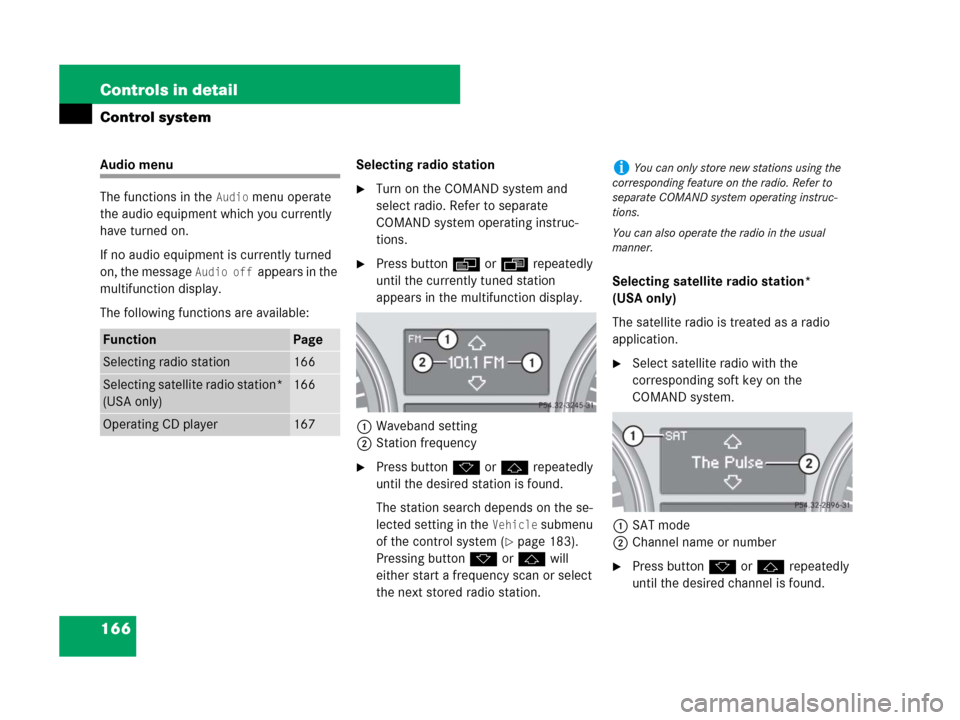
1Waveband setting
2Station frequency
�Press buttonk orj repeatedly
until the desired station is found.
The station search depends on the se-
lected setting in the
Vehicle submenu
of the control system (
�page 183).
Pressing buttonk orj will
either start a frequency scan or select
the next stored radio station.Selecting satellite radio station*
(USA only)
The satellite radio is treated as a radio
application.
�Select satellite radio with the
corresponding soft key on the
COMAND system.
1SAT mode
2Channel name or number
�Press buttonk orj repeatedly
until the desired channel is found.
FunctionPage
Selecting radio station166
Selecting satellite radio station*
(USA only)166
Operating CD player167
iYou can only store new stations using the
corresponding feature on the radio. Refer to
separate COMAND system operating instruc-
tions.
You can also operate the radio in the usual
manner.
Page 168 of 595
167 Controls in detail
Control system
Operating the CD player
Selecting CD track
�Turn on the COMAND system and
select CD. Refer to separate COMAND
system operating instructions.
�Press buttonè orÿ repeatedly
until the settings for the CD currently
being played appear in the multifunc-
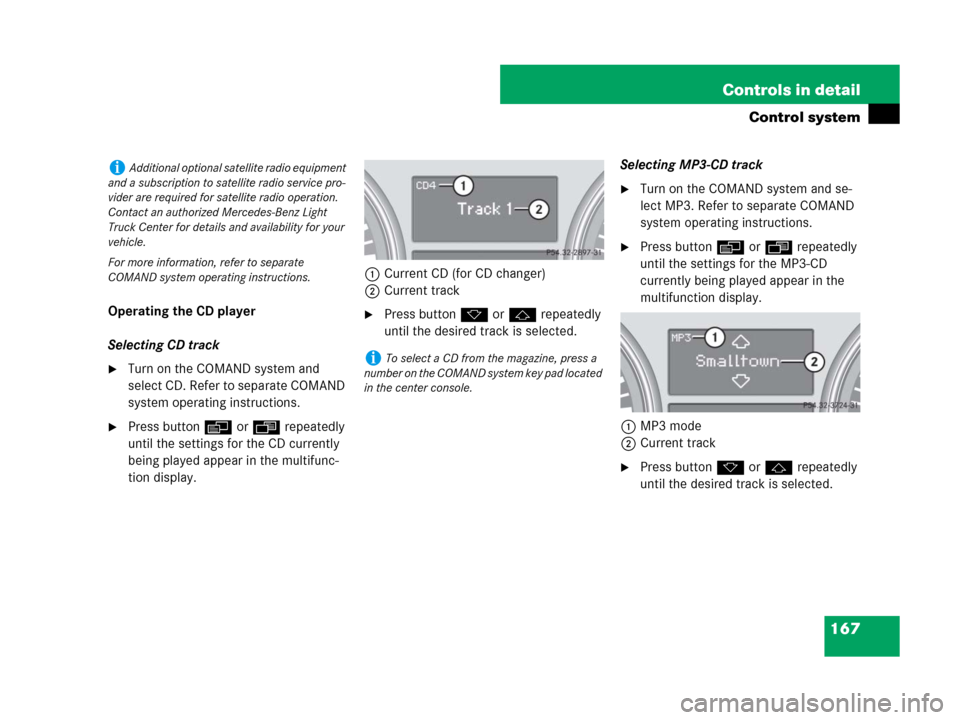
tion display.1Current CD (for CD changer)
2Current track
�Press buttonk orj repeatedly
until the desired track is selected.Selecting MP3-CD track
�Turn on the COMAND system and se-
lect MP3. Refer to separate COMAND
system operating instructions.
�Press buttonè orÿ repeatedly
until the settings for the MP3-CD
currently being played appear in the
multifunction display.
1MP3 mode
2Current track
�Press buttonk orj repeatedly
until the desired track is selected.
iAdditional optional satellite radio equipment
and a subscription to satellite radio service pro-
vider are required for satellite radio operation.
Contact an authorized Mercedes-Benz Light
Truck Center for details and availability for your
vehicle.
For more information, refer to separate
COMAND system operating instructions.
iTo select a CD from the magazine, press a
number on the COMAND system key pad located
in the center console.
Page 169 of 595
168 Controls in detail
Control system
NAV* menu
The
Nav menu contains the functions
needed to operate your navigation system.
�Press buttonè orÿ repeatedly
until the message
Nav appears in the
multifunction display.
The message shown in the multifunction
display depends on the status of the navi-
gation system:
�With the COMAND system switched
off, the message
Nav off appears in
the multifunction display.
�With the COMAND system switched on
but route guidance not activated, the
direction of travel and, if applicable, the
name of the street currently traveled
on appear in the multifunction display.
�With the COMAND system switched on
and route guidance activated, the di-
rection of travel and maneuver instruc-
tions appear in the multifunction
display.
Please refer to the COMAND system
manual for instructions on how to activate
the route guidance system.
Off-road menu
The Off-road menu displays the messages
for air suspension, differential locks* and
the direction into which you are currently
driving.
�Press buttonè orÿ repeatedly
until one of the following messages ap-
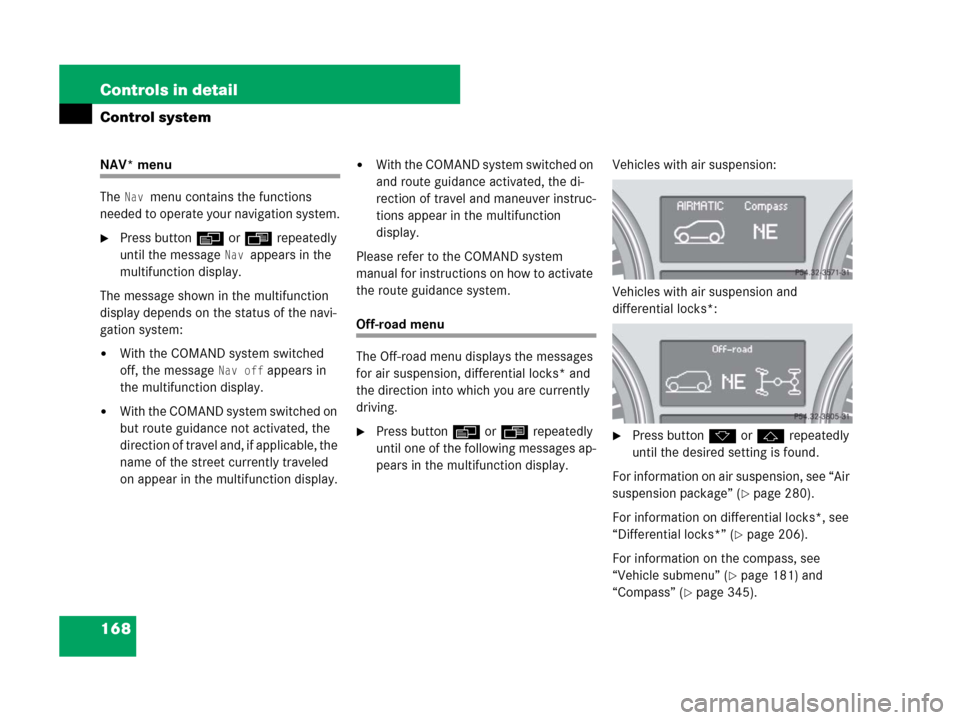
pears in the multifunction display.Vehicles with air suspension:
Vehicles with air suspension and
differential locks*:�Press buttonk orj repeatedly
until the desired setting is found.
For information on air suspension, see “Air
suspension package” (
�page 280).
For information on differential locks*, see
“Differential locks*” (
�page 206).
For information on the compass, see
“Vehicle submenu” (
�page 181) and
“Compass” (
�page 345).
Page 175 of 595
174 Controls in detail
Control system
Instrument cluster submenu
Access the
Instr. cluster submenu via
the
Settings menu. Use the Instr.
cluster
submenu to change the instru-
ment cluster display settings.
The following functions are available:Selecting speedometer display mode
�Move the selection marker with
buttonæ orç to the
Instr.
cluster
submenu.
�Press buttonj ork repeatedly
until the message
Display unit
Digital speedometer
appears in the
multifunction display.
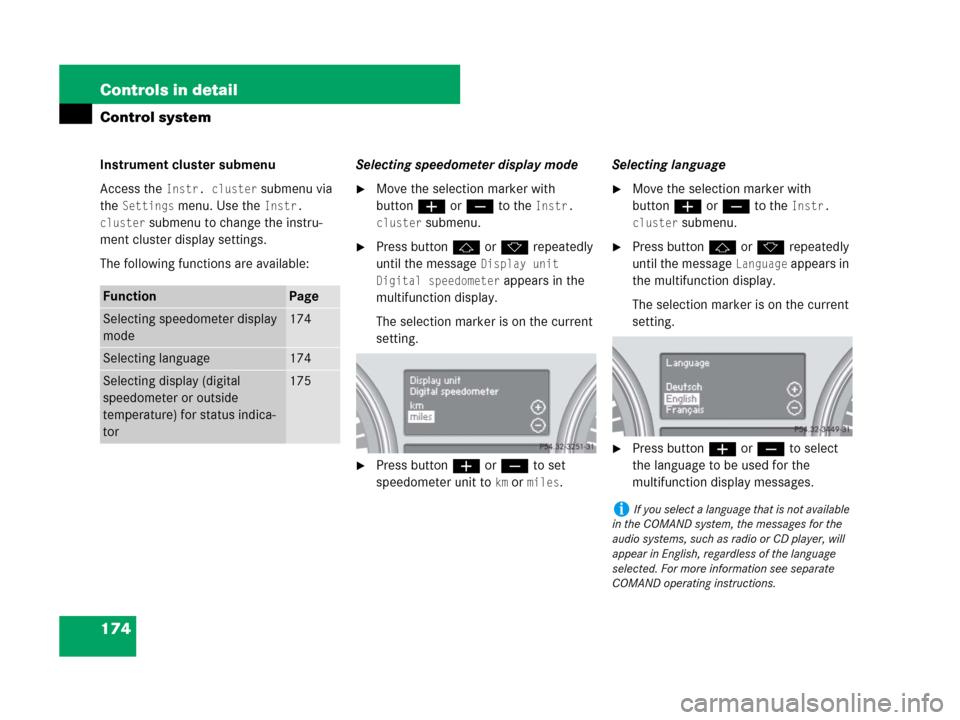
The selection marker is on the current
setting.
�Press buttonæ or ç to set
speedometer unit to
km or miles.Selecting language
�Move the selection marker with
buttonæ orç to the
Instr.
cluster
submenu.
�Press buttonj ork repeatedly
until the message
Language appears in
the multifunction display.
The selection marker is on the current
setting.
�Press buttonæ orç to select
the language to be used for the
multifunction display messages.
FunctionPage
Selecting speedometer display
mode174
Selecting language174
Selecting display (digital
speedometer or outside
temperature) for status indica-
tor175
iIf you select a language that is not available
in the COMAND system, the messages for the
audio systems, such as radio or CD player, will
appear in English, regardless of the language
selected. For more information see separate
COMAND operating instructions.
Page 177 of 595

176 Controls in detail
Control system
Time/Date submenu
Access the
Time/Date submenu via the
Settings menu. Use the Time/Date
submenu to change the time and date
settings.
The following functions are available:Setting the time (hours)
This function is not available if your vehicle
is equipped with the COMAND system and
navigation module*.
�Move the selection marker with
buttonæ or ç to the
Time/Date
submenu.
�Press buttonj ork repeatedly
until the message
Clock Set hour
appears in the multifunction display.
The selection marker is on the hour
setting.
�Press buttonæ orç to set the
hour.Setting the time (minutes)
This function is not available if your vehicle
is equipped with the COMAND system and
navigation module*.
�Move the selection marker with
buttonæ or ç to the
Time/Date
submenu.
�Press buttonj ork repeatedly
until the message
Clock Set
minute(s)
appears in the multifunction
display.
The selection marker is on the minute
setting.
�Press buttonæ orç to set the
minutes.
FunctionPage
Setting the time (hours)176
Setting the time (minutes)176
Setting the date (month)177
Setting the date (day)177
Setting the date (year)177
iIf your vehicle is equipped with the
COMAND system and navigation module*, see
separate COMAND system operating instruc-
tions for information on how to set the date and
time.
Page 178 of 595
177 Controls in detail
Control system
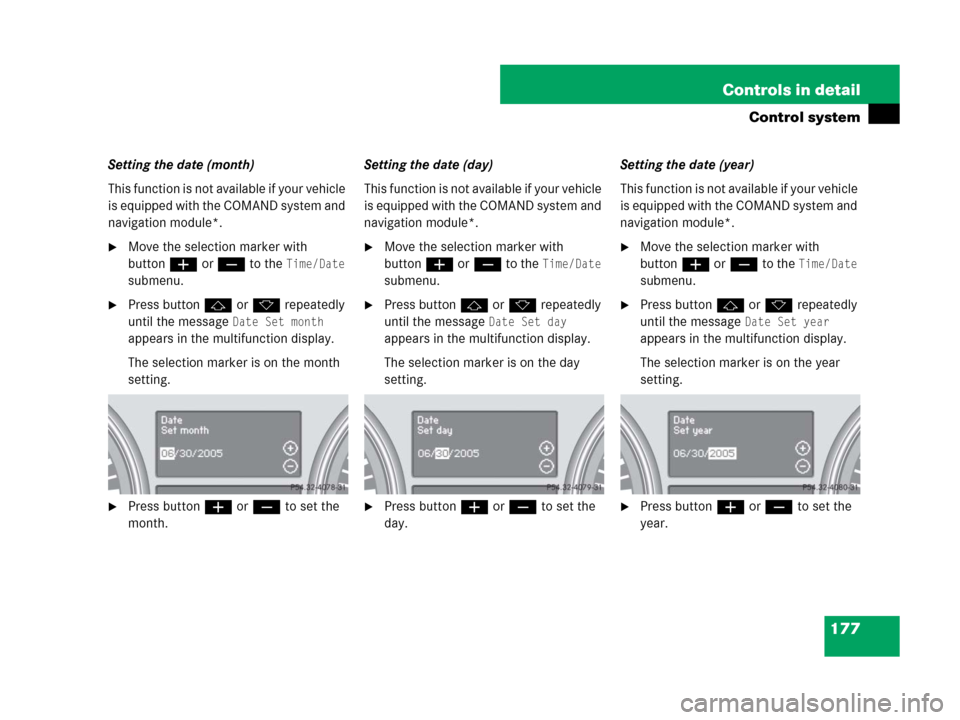
Setting the date (month)
This function is not available if your vehicle
is equipped with the COMAND system and
navigation module*.
�Move the selection marker with
buttonæ or ç to the
Time/Date
submenu.
�Press buttonj ork repeatedly
until the message
Date Set month
appears in the multifunction display.
The selection marker is on the month
setting.
�Press buttonæ orç to set the
month.Setting the date (day)
This function is not available if your vehicle
is equipped with the COMAND system and
navigation module*.
�Move the selection marker with
buttonæ orç to the
Time/Date
submenu.
�Press buttonj ork repeatedly
until the message
Date Set day
appears in the multifunction display.
The selection marker is on the day
setting.
�Press buttonæ orç to set the
day.Setting the date (year)
This function is not available if your vehicle
is equipped with the COMAND system and
navigation module*.
�Move the selection marker with
buttonæ orç to the
Time/Date
submenu.
�Press buttonj ork repeatedly
until the message
Date Set year
appears in the multifunction display.
The selection marker is on the year
setting.
�Press buttonæ orç to set the
year.

