Page 285 of 522
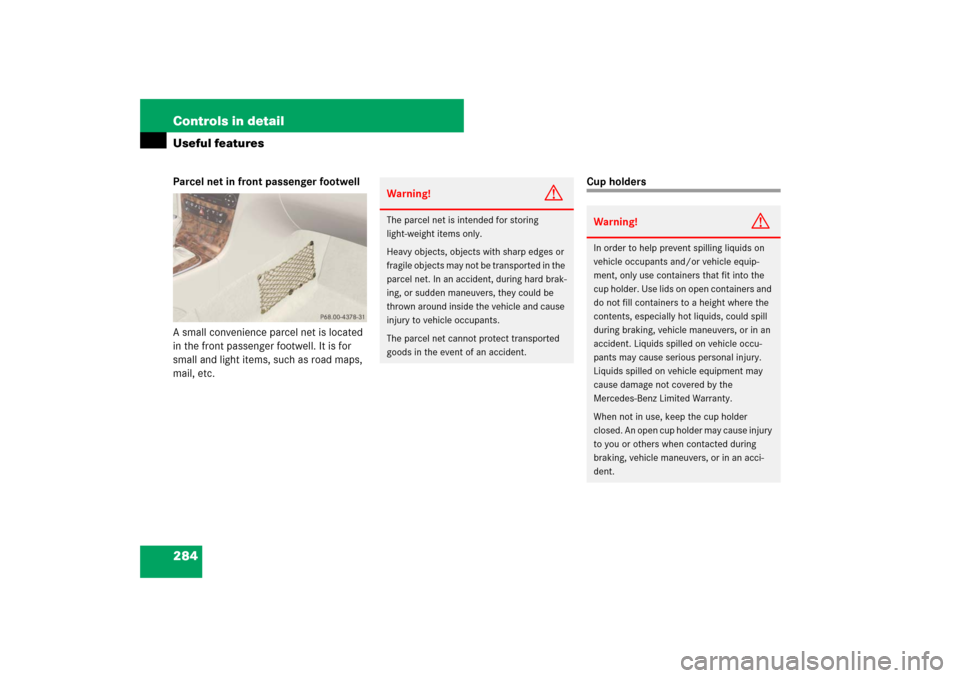
284 Controls in detailUseful featuresParcel net in front passenger footwell
A small convenience parcel net is located
in the front passenger footwell. It is for
small and light items, such as road maps,
mail, etc.
Cup holders
Warning!
G
The parcel net is intended for storing
light-weight items only.
Heavy objects, objects with sharp edges or
fragile objects may not be transported in the
parcel net. In an accident, during hard brak-
ing, or sudden maneuvers, they could be
thrown around inside the vehicle and cause
injury to vehicle occupants.
The parcel net cannot protect transported
goods in the event of an accident.
Warning!
G
In order to help prevent spilling liquids on
vehicle occupants and/or vehicle equip-
ment, only use containers that fit into the
cup holder. Use lids on open containers and
do not fill containers to a height where the
contents, especially hot liquids, could spill
during braking, vehicle maneuvers, or in an
accident. Liquids spilled on vehicle occu-
pants may cause serious personal injury.
Liquids spilled on vehicle equipment may
cause damage not covered by the
Mercedes-Benz Limited Warranty.
When not in use, keep the cup holder
closed. An open cup holder may cause injury
to you or others when contacted during
braking, vehicle maneuvers, or in an acci-
dent.
Page 286 of 522
285 Controls in detail
Useful features
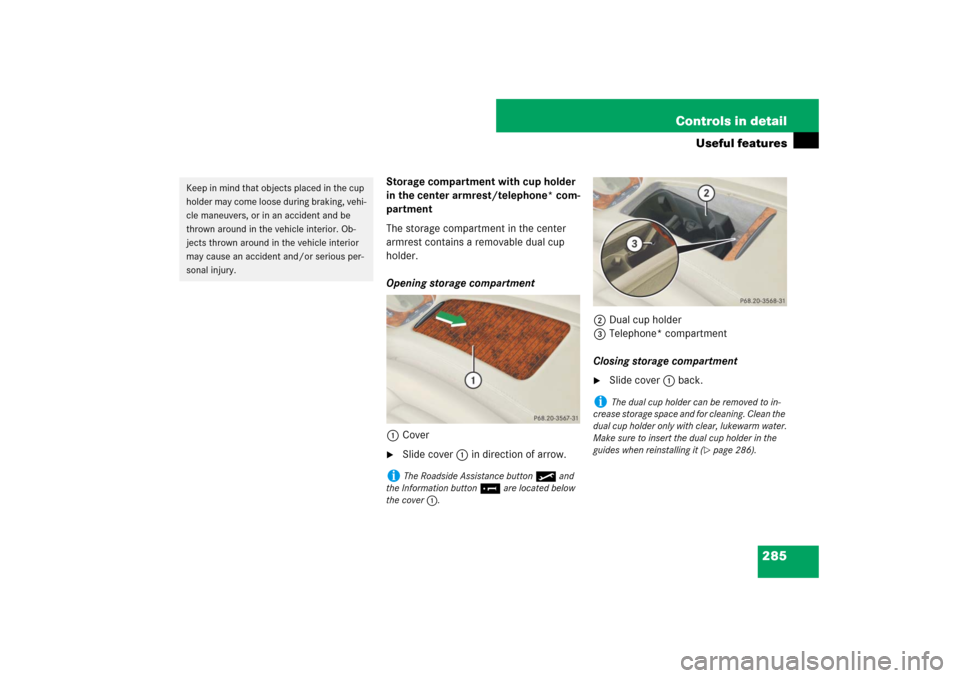
Storage compartment with cup holder
in the center armrest/telephone* com-
partment
The storage compartment in the center
armrest contains a removable dual cup
holder.
Opening storage compartment
1Cover�
Slide cover1 in direction of arrow.2Dual cup holder
3Telephone* compartment
Closing storage compartment
�
Slide cover1 back.
Keep in mind that objects placed in the cup
holder may come loose during braking, vehi-
cle maneuvers, or in an accident and be
thrown around in the vehicle interior. Ob-
jects thrown around in the vehicle interior
may cause an accident and/or serious per-
sonal injury.
i
The Roadside Assistance button• and
the Information button¡ are located below
the cover1.
i
The dual cup holder can be removed to in-
crease storage space and for cleaning. Clean the
dual cup holder only with clear, lukewarm water.
Make sure to insert the dual cup holder in the
guides when reinstalling it (
�page 286).
Page 287 of 522
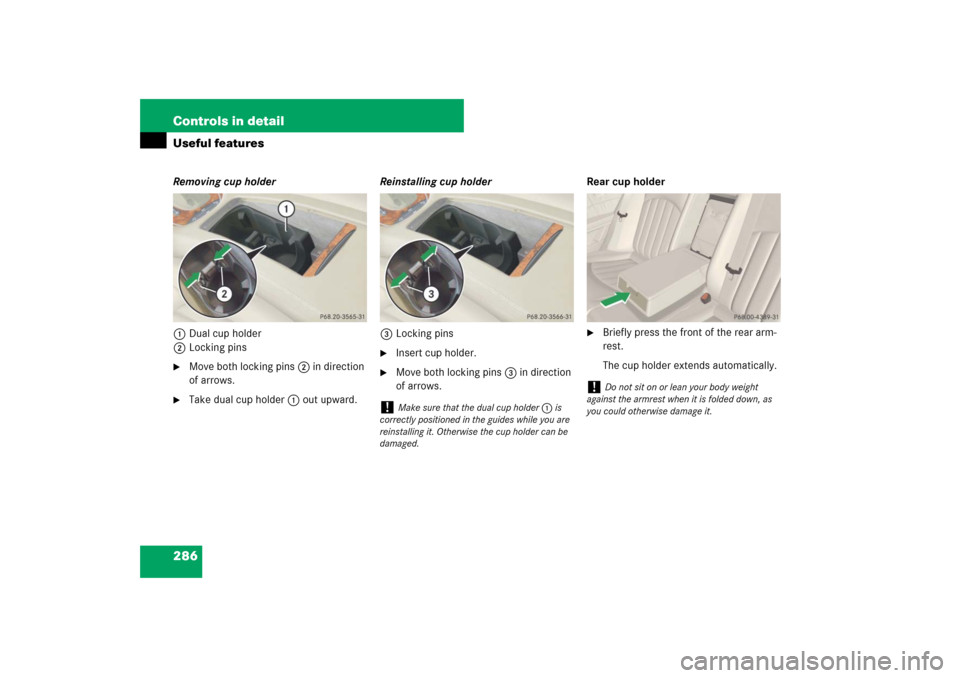
286 Controls in detailUseful featuresRemoving cup holder
1Dual cup holder
2Locking pins�
Move both locking pins2 in direction
of arrows.
�
Take dual cup holder1 out upward.Reinstalling cup holder
3Locking pins
�
Insert cup holder.
�
Move both locking pins3 in direction
of arrows.Rear cup holder
�
Briefly press the front of the rear arm-
rest.
The cup holder extends automatically.
!
Make sure that the dual cup holder1 is
correctly positioned in the guides while you are
reinstalling it. Otherwise the cup holder can be
damaged.
!
Do not sit on or lean your body weight
against the armrest when it is folded down, as
you could otherwise damage it.
Page 288 of 522
287 Controls in detail
Useful features
Ashtrays
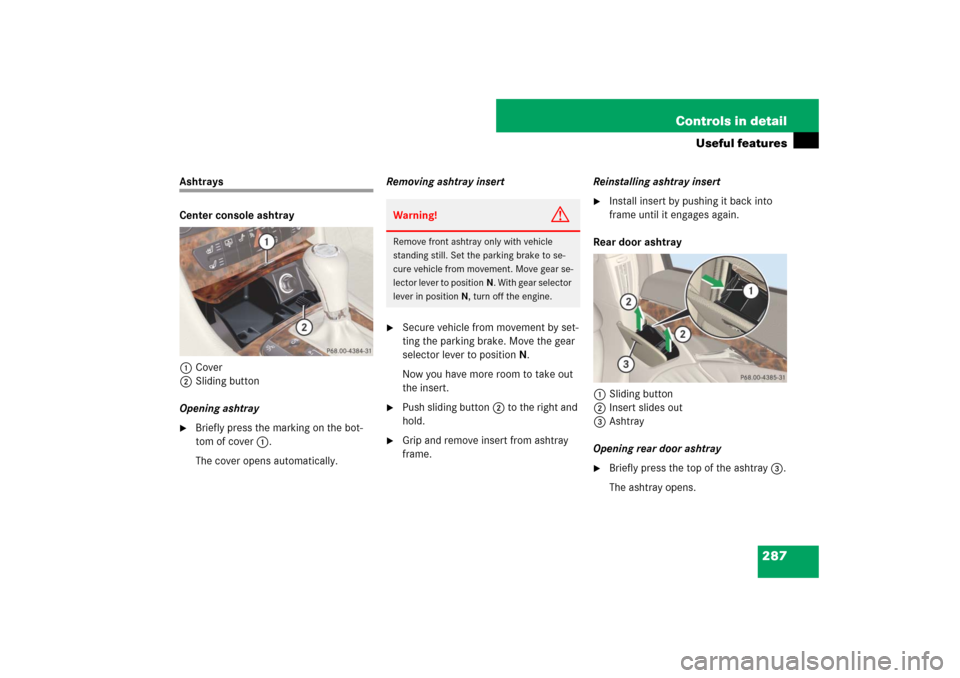
Center console ashtray
1Cover
2Sliding button
Opening ashtray�
Briefly press the marking on the bot-
tom of cover1.
The cover opens automatically.Removing ashtray insert
�
Secure vehicle from movement by set-
ting the parking brake. Move the gear
selector lever to positionN.
Now you have more room to take out
the insert.
�
Push sliding button2 to the right and
hold.
�
Grip and remove insert from ashtray
frame.Reinstalling ashtray insert
�
Install insert by pushing it back into
frame until it engages again.
Rear door ashtray
1Sliding button
2Insert slides out
3Ashtray
Opening rear door ashtray
�
Briefly press the top of the ashtray3.
The ashtray opens.
Warning!
G
Remove front ashtray only with vehicle
standing still. Set the parking brake to se-
cure vehicle from movement. Move gear se-
lector lever to positionN. With gear selector
lever in positionN, turn off the engine.
Page 289 of 522
288 Controls in detailUseful featuresRemoving ashtray insert�
Push sliding button1 (
�page 287)
and remove insert2 (
�page 287) up-
wards from ashtray frame.
Reinstalling ashtray insert
�
Install insert2 (
�page 287) by push-
ing it back into ashtray frame until it en-
gages again.
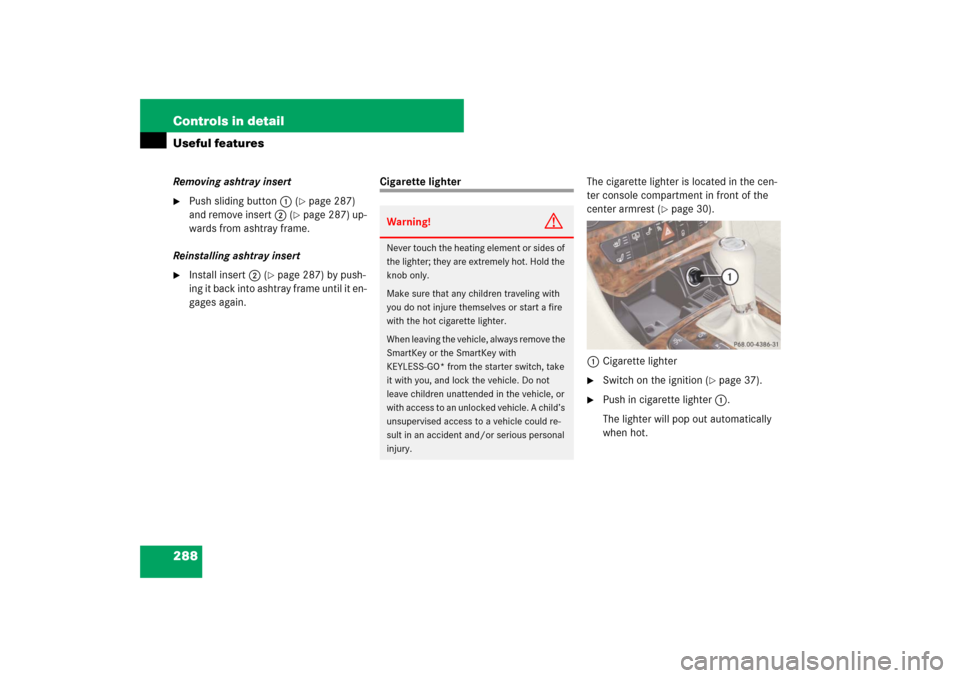
Cigarette lighterThe cigarette lighter is located in the cen-
ter console compartment in front of the
center armrest (
�page 30).
1Cigarette lighter
�
Switch on the ignition (
�page 37).
�
Push in cigarette lighter1.
The lighter will pop out automatically
when hot.
Warning!
G
Never touch the heating element or sides of
the lighter; they are extremely hot. Hold the
knob only.
Make sure that any children traveling with
you do not injure themselves or start a fire
with the hot cigarette lighter.
When leaving the vehicle, always remove the
SmartKey or the SmartKey with
KEYLESS-GO* from the starter switch, take
it with you, and lock the vehicle. Do not
leave children unattended in the vehicle, or
with access to an unlocked vehicle. A child’s
unsupervised access to a vehicle could re-
sult in an accident and/or serious personal
injury.
Page 290 of 522
289 Controls in detail
Useful features
Power outlet
The power outlet is located in the rear pas-
senger compartment.�
Switch on the ignition (
�page 37).
�
Flip up cover and insert electrical plug
(cigarette lighter type).
Heated steering wheel (Canada only)
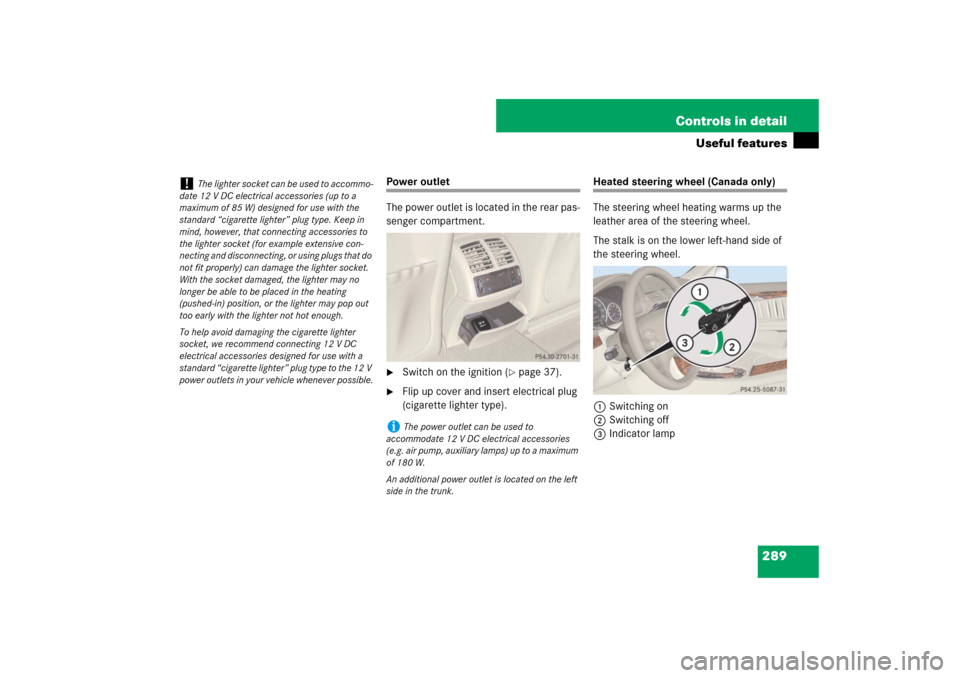
The steering wheel heating warms up the
leather area of the steering wheel.
The stalk is on the lower left-hand side of
the steering wheel.
1Switching on
2Switching off
3Indicator lamp
!
The lighter socket can be used to accommo-
date 12 V DC electrical accessories (up to a
maximum of 85 W) designed for use with the
standard “cigarette lighter” plug type. Keep in
mind, however, that connecting accessories to
the lighter socket (for example extensive con-
necting and disconnecting, or using plugs that do
not fit properly) can damage the lighter socket.
With the socket damaged, the lighter may no
longer be able to be placed in the heating
(pushed-in) position, or the lighter may pop out
too early with the lighter not hot enough.
To help avoid damaging the cigarette lighter
socket, we recommend connecting 12 V DC
electrical accessories designed for use with a
standard “cigarette lighter” plug type to the 12 V
power outlets in your vehicle whenever possible.
i
The power outlet can be used to
accommodate 12 V DC electrical accessories
(e.g. air pump, auxiliary lamps) up to a maximum
of 180 W.
An additional power outlet is located on the left
side in the trunk.
Page 291 of 522

290 Controls in detailUseful featuresSwitching on�
Switch on the ignition (
�page 37).
�
Turn switch at the tip of stalk in direc-
tion of arrow1 (
�page 289).
The steering wheel is heated. Indicator
lamp3 (
�page 289) comes on.Switching off
�
Turn switch at the tip of stalk in direc-
tion of arrow2 (
�page 289).
The heated steering wheel is switched
off. Indicator lamp3 (
�page 289)
goes out.
For information on steering wheel, see
“Multifunction steering wheel”
(
�page 152).
Floormats
1Retainer pin
2Eyelet
i
The steering wheel heating is temporarily
suspended while indicator lamp3
(
�page 289) remains on when
�
the temperature of the vehicle interior is
above 86°F (30°C)
�
the temperature of the steering wheel is
above 95°F (35°C)
When these conditions do not apply anymore,
steering wheel heating continues.
i
Indicator lamp3 (
�page 289) flashes or
goes out
�
in case of power surge or undervoltage
�
in case of a steering wheel heating malfunc-
tion
i
The steering wheel heating switches off au-
tomatically when you remove the SmartKey from
the starter switch or, on vehicles with
KEYLESS-GO*, when you switch off the ignition
(
�page 64) and open the driver’s door.
i
To install or remove the floormat more easi-
ly, move the driver’s seat or front passenger seat
as far to the rear as possible (
�page 43).
Warning!
G
Whenever you are using floormats, make
sure there is enough clearance and that the
floormats are securely fastened.
Floormats should always be securely fas-
tened using eyelets 2 and retainer pins1.
Page 292 of 522

291 Controls in detail
Useful features
Removing�
Pull floormat off of retainer pins1.
�
Remove the floormat.
Installing
�
Lay down the floormat.
�
Press the floormat eyelets2 onto re-
tainer pins1.
Telephone*
Radio transmitters, such as a portable tele-
phone or a citizens band unit, should only
be used inside the vehicle if they are con-
nected to an antenna that is installed on
the outside of the vehicle.
The external antenna must be approved by
Mercedes-Benz. Please contact an autho-
rized Mercedes-Benz Center for informa-
tion on the installation of an approved
external antenna. Refer to the radio trans-
mitter operation instructions regarding use
of an external antenna.
Before driving off, check that the floormats
are securely in place and adjust them if nec-
essary. A loose floormat could slip and
hinder proper functioning of the pedals.
Do not place several floormats on top of
each other as this may impair pedal move-
ment.
Warning!
G
Never operate radio transmitters equipped
with a built-in or attached antenna (i.e. with-
out being connected to an external antenna)
from inside the vehicle while the engine is
running. Doing so could lead to a malfunc-
tion of the vehicle’s electronic system, pos-
sibly resulting in an accident and/or serious
personal injury.
Warning!
G
Please do not forget that your primary re-
sponsibility is to drive the vehicle. A driver’s
attention to the road must always be
his/her primary focus when driving. For
your safety and the safety of others, we rec-
ommend that you pull over to a safe location
and stop before placing or taking a tele-
phone call.
If you choose to use the telephone
1 while
driving, please use the hands-free device
and only use the telephone when road,
weather and traffic conditions permit. Some
jurisdictions prohibit the driver from using a
cellular telephone while driving a vehicle.
Only operate the COMAND
1 (Cockpit Man-
agement and Data System) if road, weather
and traffic conditions permit.
1Observe all legal requirements.
��