Page 11 of 328
Brake system warning light:To
confirm the brake system warning
light is functional, it will
momentarily illuminate when the
ignition is turned to the ON position
when the engine is not running, or in a position between ON and START,
or by applying the parking brake when the ignition is turned to the ON
position. If the brake system warning light does not illuminate at this
time, seek service immediately from your authorized dealer. Illumination
after releasing the parking brake indicates low brake fluid level and the
brake system should be inspected immediately by your authorized dealer.
Driving a vehicle with the brake system warning light on is
dangerous. A significant decrease in braking performance may
occur. It will take you longer to stop the vehicle. Have the vehicle
checked by your authorized dealer.
Anti-lock brake system:If the
ABS light stays illuminated or
continues to flash, a malfunction has
been detected, have the system
serviced immediately by your
authorized dealer. Normal braking is still functional unless the brake
warning light also is illuminated.
Airbag readiness:If this light fails
to illuminate when ignition is turned
to ON, continues to flash or remains
on, have the system serviced
immediately by your authorized dealer. A chime will also sound when a
malfunction in the supplemental restraint system has been detected.
Safety belt:Reminds you to fasten
your safety belt. A BeltMinder�
chime will also sound to remind you
to fasten your safety belt. Refer to
theSeating and safety restraints
chapter to activate/deactivate the BeltMinder�chime feature.
Charging system:Illuminates when
the battery is not charging properly.
P!
BRAKE
ABS
2007 Town Car(tow)
Owners Guide (post-2002-fmt)
USA(fus)
Instrument Cluster
11
Page 12 of 328
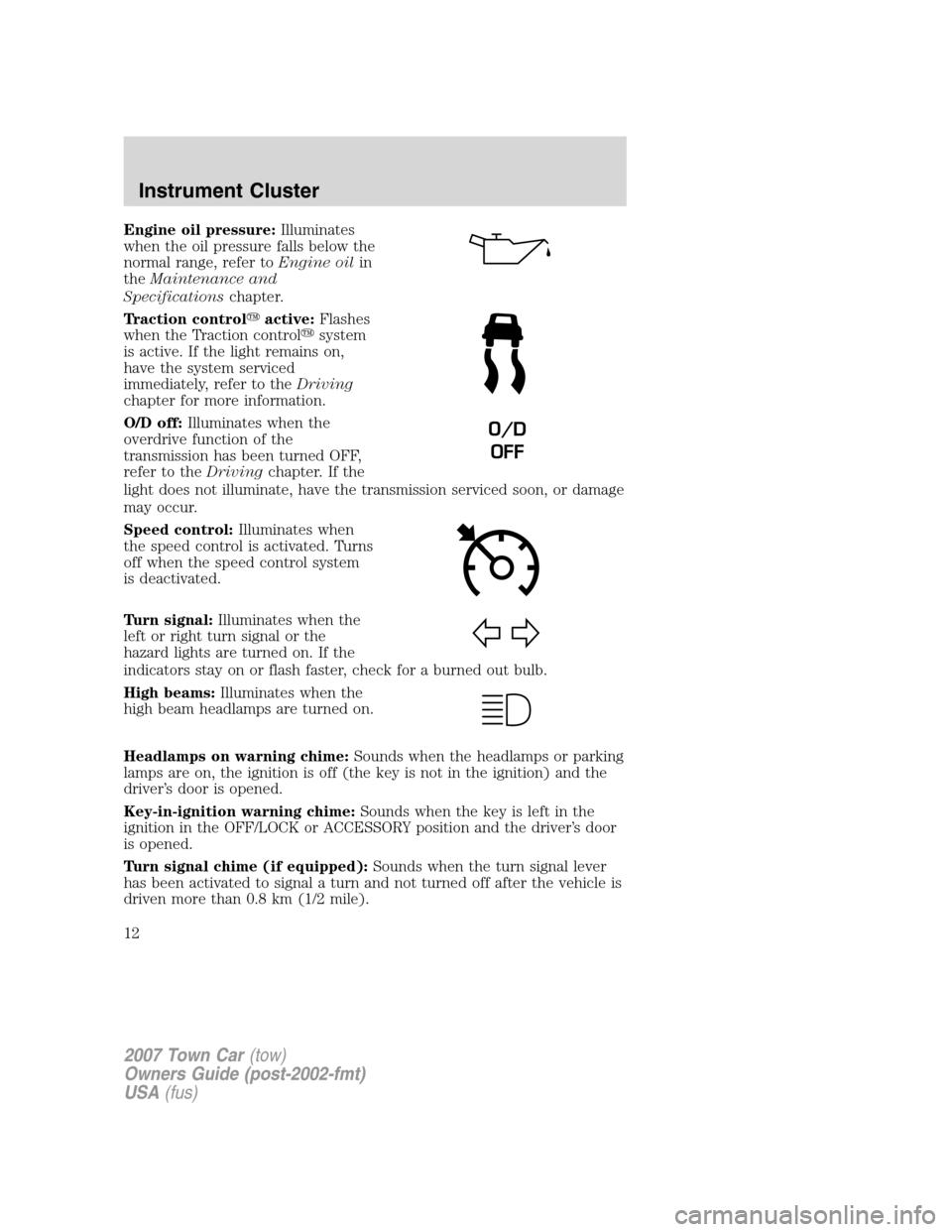
Engine oil pressure:Illuminates
when the oil pressure falls below the
normal range, refer toEngine oilin
theMaintenance and
Specificationschapter.
Traction control�active:Flashes
when the Traction control�system
is active. If the light remains on,
have the system serviced
immediately, refer to theDriving
chapter for more information.
O/D off:Illuminates when the
overdrive function of the
transmission has been turned OFF,
refer to theDrivingchapter. If the
light does not illuminate, have the transmission serviced soon, or damage
may occur.
Speed control:Illuminates when
the speed control is activated. Turns
off when the speed control system
is deactivated.
Turn signal:Illuminates when the
left or right turn signal or the
hazard lights are turned on. If the
indicators stay on or flash faster, check for a burned out bulb.
High beams:Illuminates when the
high beam headlamps are turned on.
Headlamps on warning chime:Sounds when the headlamps or parking
lamps are on, the ignition is off (the key is not in the ignition) and the
driver’s door is opened.
Key-in-ignition warning chime:Sounds when the key is left in the
ignition in the OFF/LOCK or ACCESSORY position and the driver’s door
is opened.
Turn signal chime (if equipped):Sounds when the turn signal lever
has been activated to signal a turn and not turned off after the vehicle is
driven more than 0.8 km (1/2 mile).
O/D
OFF
2007 Town Car(tow)
Owners Guide (post-2002-fmt)
USA(fus)
Instrument Cluster
12
Page 32 of 328
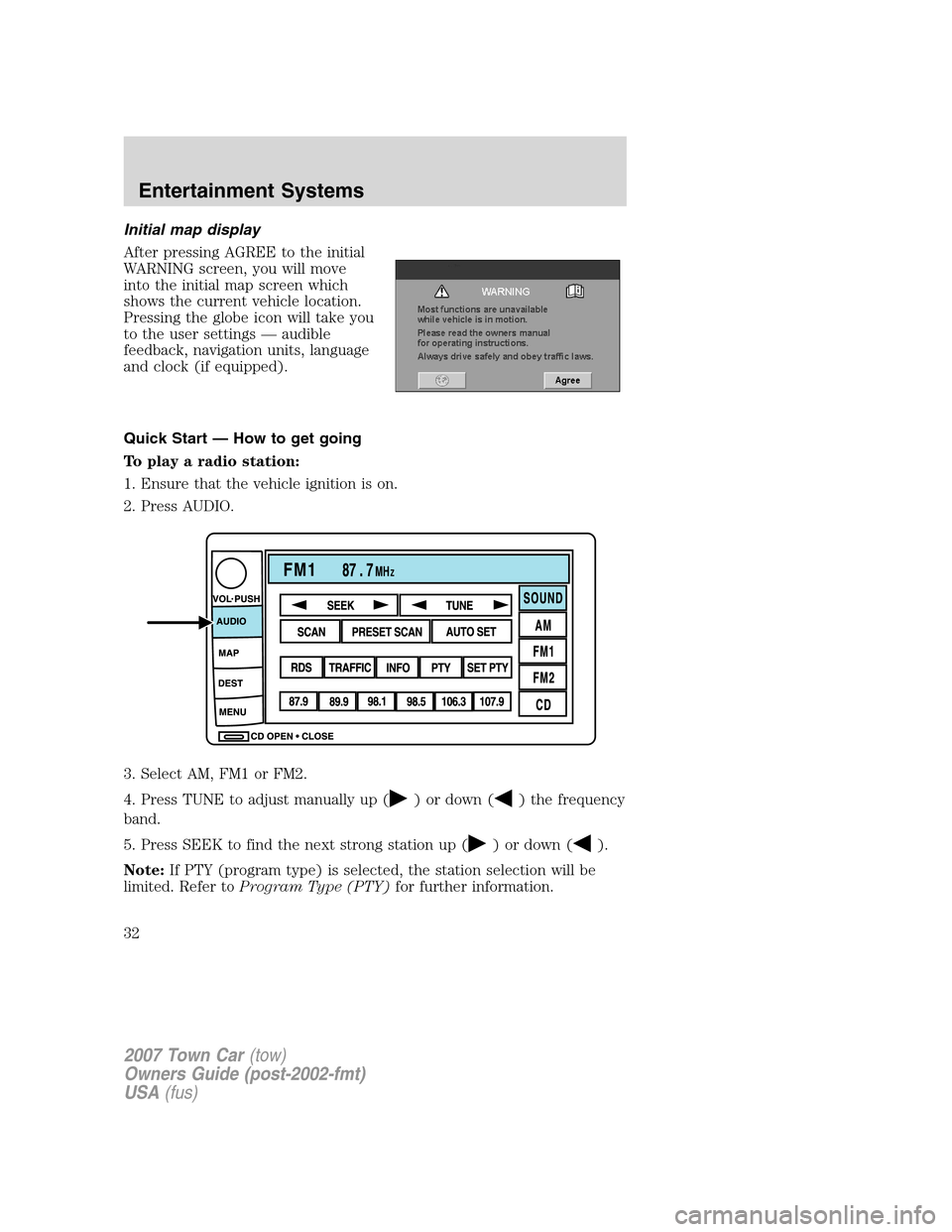
Initial map display
After pressing AGREE to the initial
WARNING screen, you will move
into the initial map screen which
shows the current vehicle location.
Pressing the globe icon will take you
to the user settings — audible
feedback, navigation units, language
and clock (if equipped).
Quick Start — How to get going
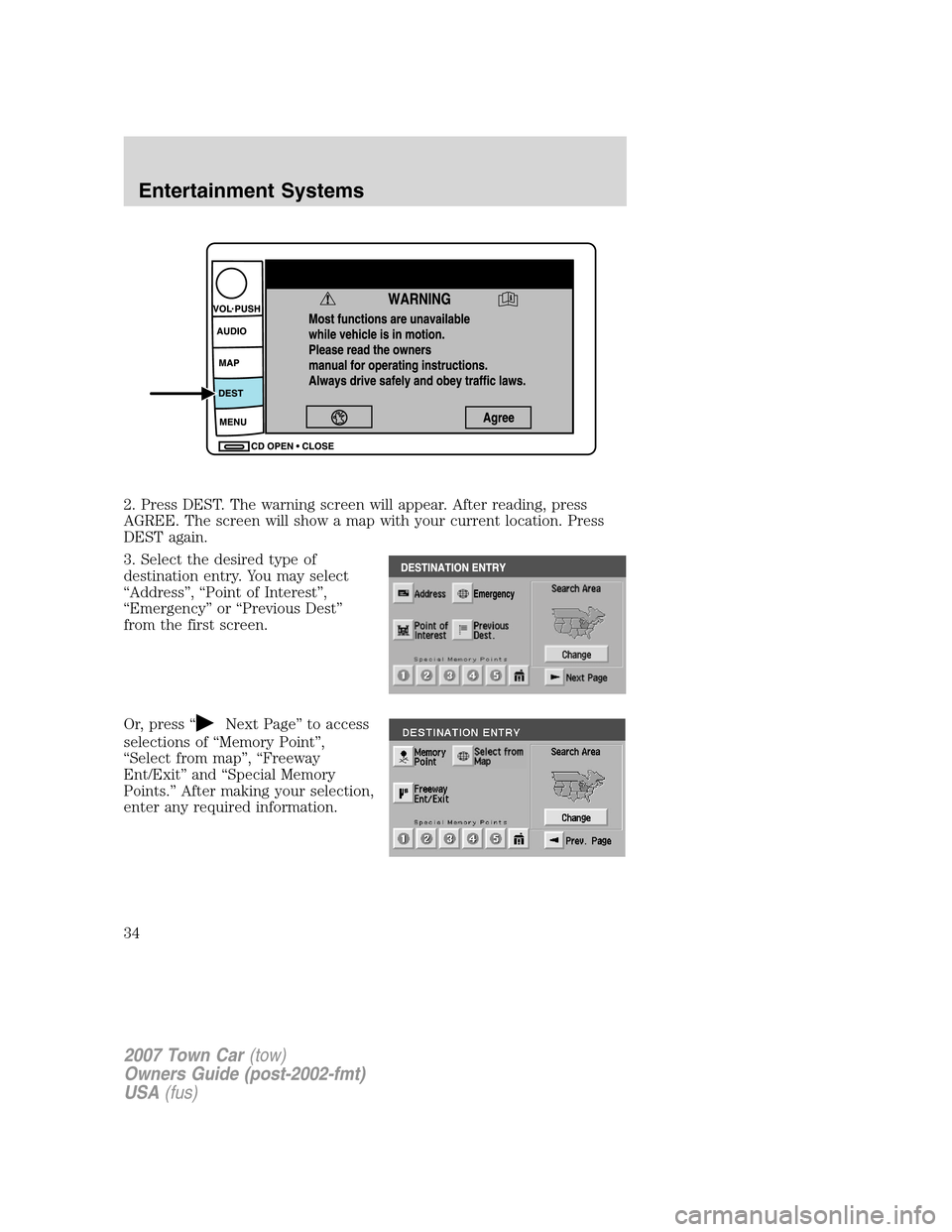
To play a radio station:
1. Ensure that the vehicle ignition is on.
2. Press AUDIO.
3. Select AM, FM1 or FM2.
4. Press TUNE to adjust manually up (
) or down () the frequency
band.
5. Press SEEK to find the next strong station up (
) or down ().
Note:If PTY (program type) is selected, the station selection will be
limited. Refer toProgram Type (PTY)for further information.
2007 Town Car(tow)
Owners Guide (post-2002-fmt)
USA(fus)
Entertainment Systems
32
Page 34 of 328
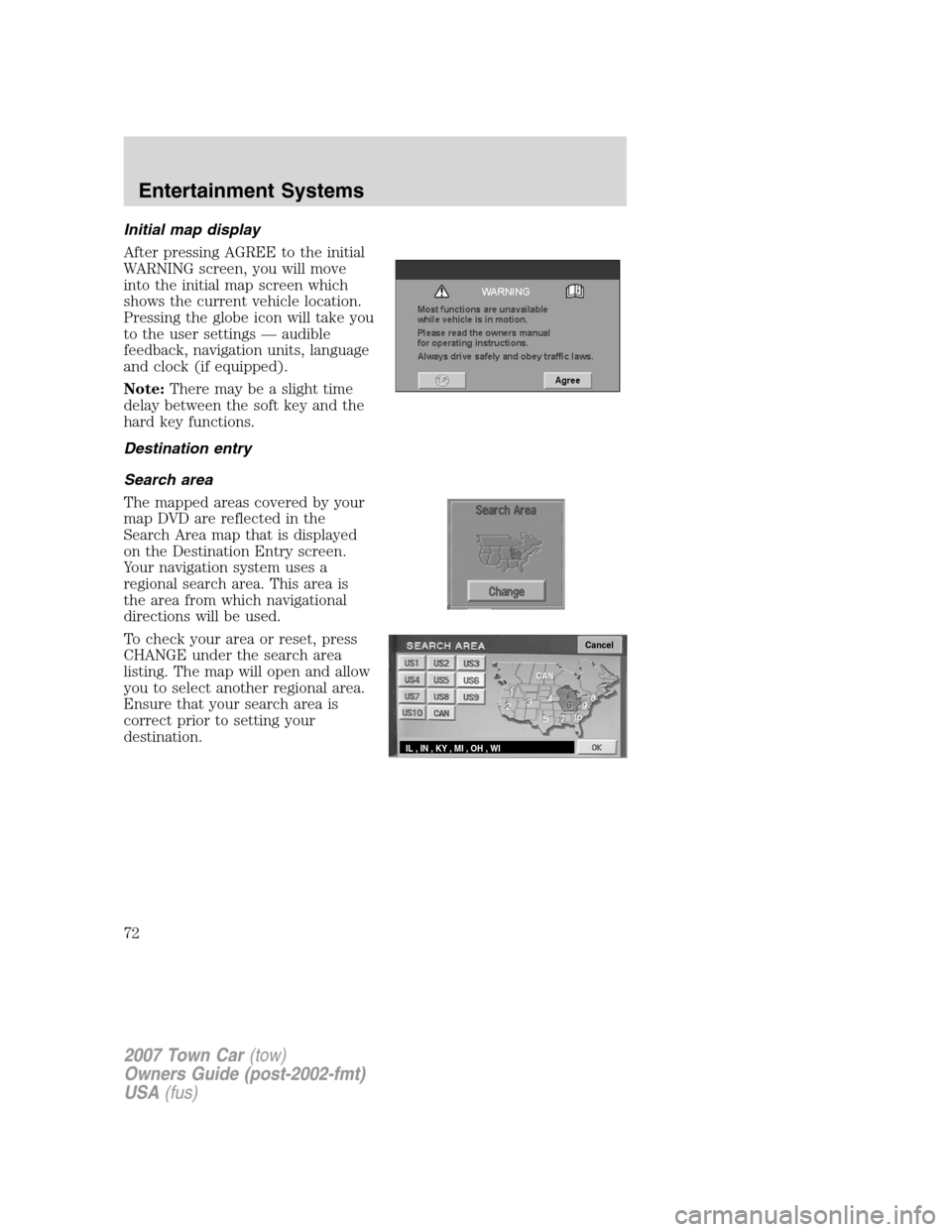
2. Press DEST. The warning screen will appear. After reading, press
AGREE. The screen will show a map with your current location. Press
DEST again.
3. Select the desired type of
destination entry. You may select
“Address”, “Point of Interest”,
“Emergency” or “Previous Dest”
from the first screen.
Or, press “
Next Page” to access
selections of “Memory Point”,
“Select from map”, “Freeway
Ent/Exit” and “Special Memory
Points.” After making your selection,
enter any required information.
2007 Town Car(tow)
Owners Guide (post-2002-fmt)
USA(fus)
Entertainment Systems
34
Page 69 of 328
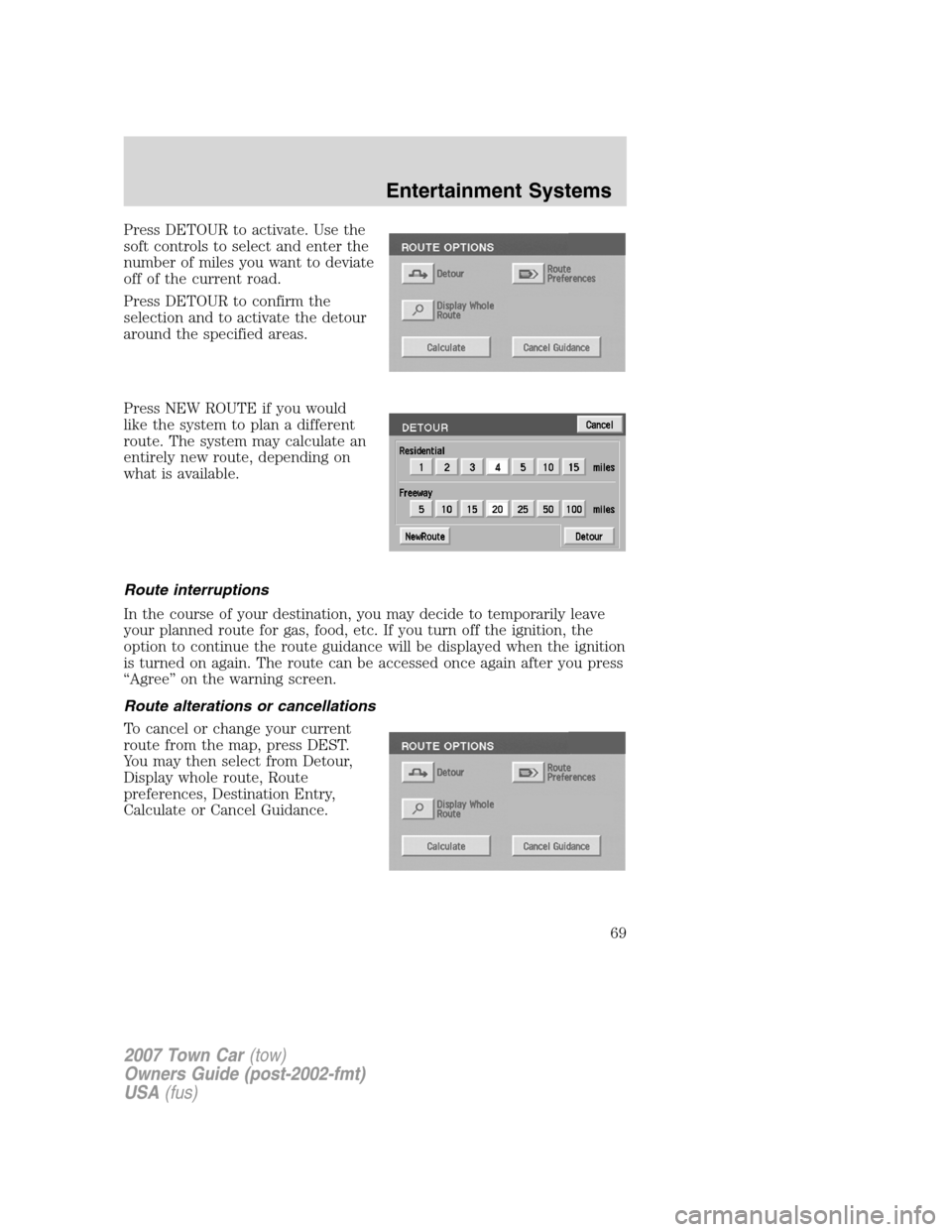
Press DETOUR to activate. Use the
soft controls to select and enter the
number of miles you want to deviate
off of the current road.
Press DETOUR to confirm the
selection and to activate the detour
around the specified areas.
Press NEW ROUTE if you would
like the system to plan a different
route. The system may calculate an
entirely new route, depending on
what is available.
Route interruptions
In the course of your destination, you may decide to temporarily leave
your planned route for gas, food, etc. If you turn off the ignition, the
option to continue the route guidance will be displayed when the ignition
is turned on again. The route can be accessed once again after you press
“Agree” on the warning screen.
Route alterations or cancellations
To cancel or change your current
route from the map, press DEST.
You may then select from Detour,
Display whole route, Route
preferences, Destination Entry,
Calculate or Cancel Guidance.
2007 Town Car(tow)
Owners Guide (post-2002-fmt)
USA(fus)
Entertainment Systems
69
Page 72 of 328
Initial map display
After pressing AGREE to the initial
WARNING screen, you will move
into the initial map screen which
shows the current vehicle location.
Pressing the globe icon will take you
to the user settings — audible
feedback, navigation units, language
and clock (if equipped).
Note:There may be a slight time
delay between the soft key and the
hard key functions.
Destination entry
Search area
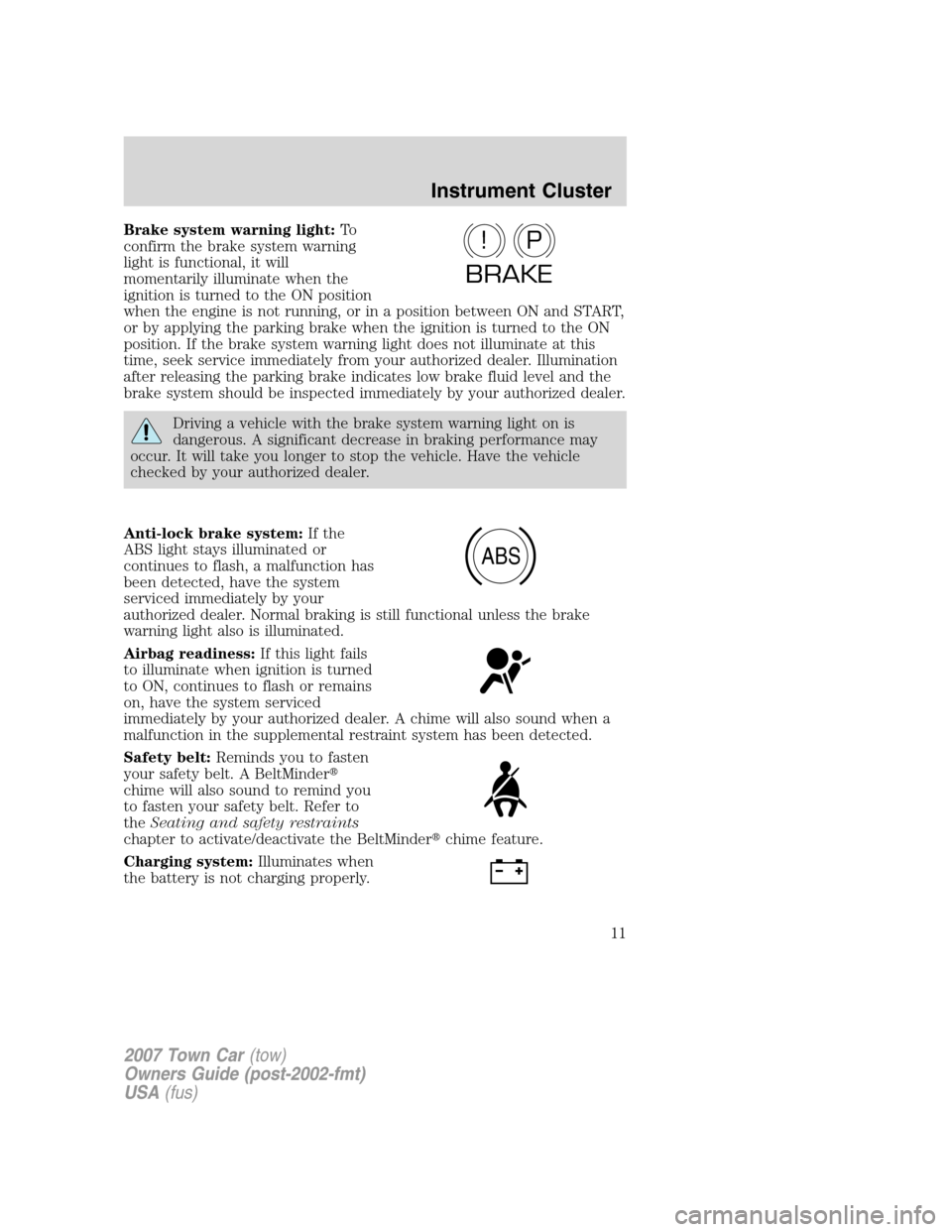
The mapped areas covered by your
map DVD are reflected in the
Search Area map that is displayed
on the Destination Entry screen.
Your navigation system uses a
regional search area. This area is
the area from which navigational
directions will be used.
To check your area or reset, press
CHANGE under the search area
listing. The map will open and allow
you to select another regional area.
Ensure that your search area is
correct prior to setting your
destination.
Cancel
IL , IN , KY , MI , OH , WI
2007 Town Car(tow)
Owners Guide (post-2002-fmt)
USA(fus)
Entertainment Systems
72
Page 124 of 328
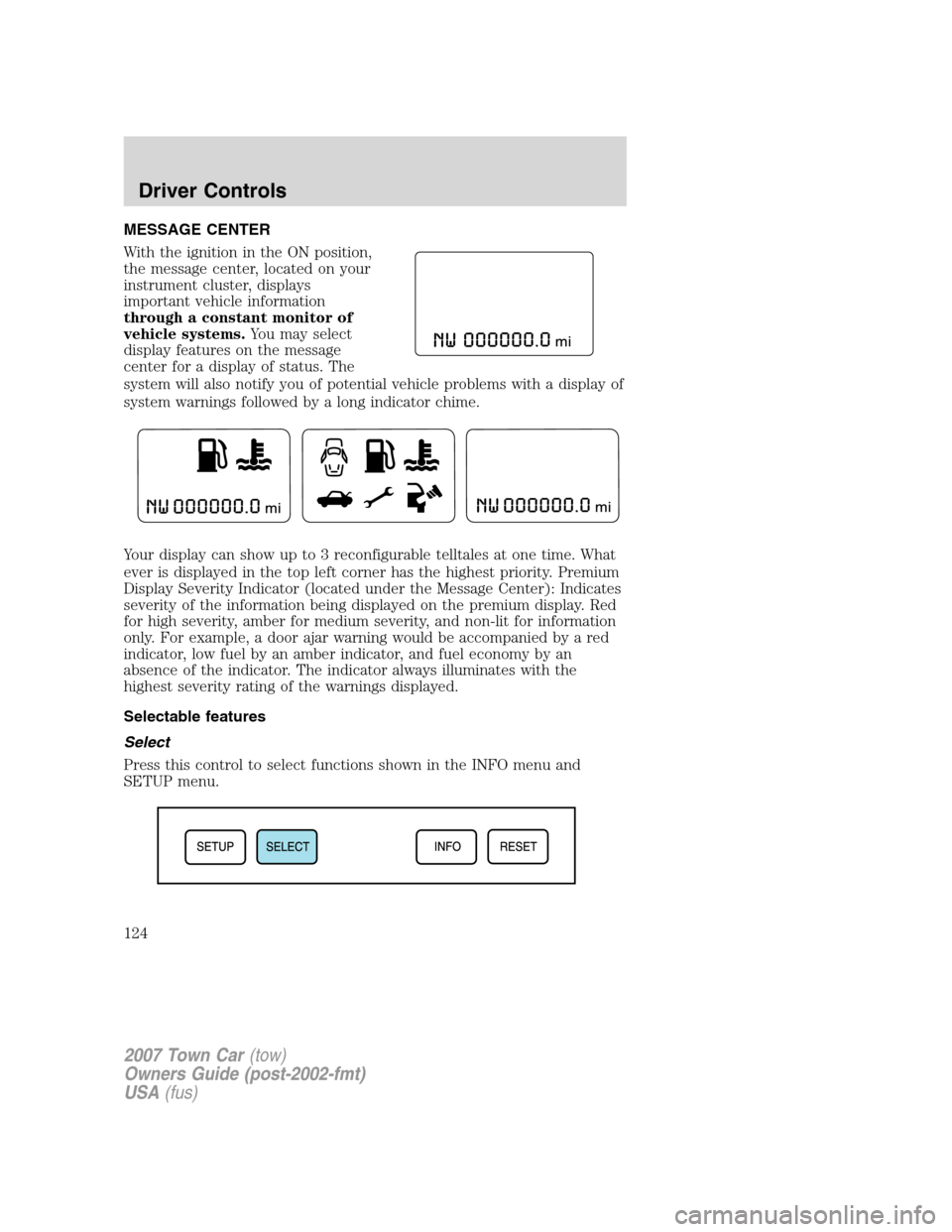
MESSAGE CENTER
With the ignition in the ON position,
the message center, located on your
instrument cluster, displays
important vehicle information
through a constant monitor of
vehicle systems.You may select
display features on the message
center for a display of status. The
system will also notify you of potential vehicle problems with a display of
system warnings followed by a long indicator chime.
Your display can show up to 3 reconfigurable telltales at one time. What
ever is displayed in the top left corner has the highest priority. Premium
Display Severity Indicator (located under the Message Center): Indicates
severity of the information being displayed on the premium display. Red
for high severity, amber for medium severity, and non-lit for information
only. For example, a door ajar warning would be accompanied by a red
indicator, low fuel by an amber indicator, and fuel economy by an
absence of the indicator. The indicator always illuminates with the
highest severity rating of the warnings displayed.
Selectable features
Select
Press this control to select functions shown in the INFO menu and
SETUP menu.
2007 Town Car(tow)
Owners Guide (post-2002-fmt)
USA(fus)
Driver Controls
124
Page 125 of 328
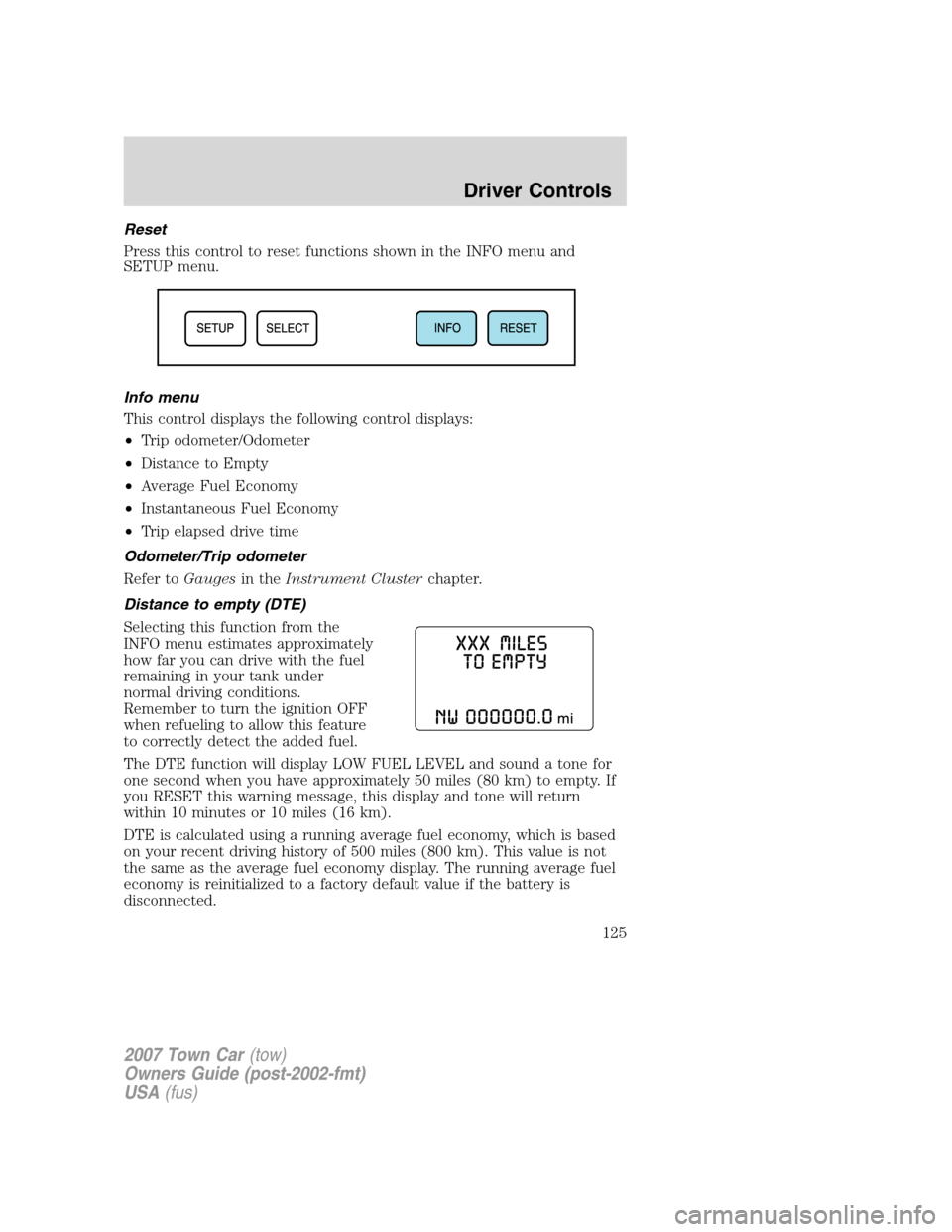
Reset
Press this control to reset functions shown in the INFO menu and
SETUP menu.
Info menu
This control displays the following control displays:
•Trip odometer/Odometer
•Distance to Empty
•Average Fuel Economy
•Instantaneous Fuel Economy
•Trip elapsed drive time
Odometer/Trip odometer
Refer toGaugesin theInstrument Clusterchapter.
Distance to empty (DTE)
Selecting this function from the
INFO menu estimates approximately
how far you can drive with the fuel
remaining in your tank under
normal driving conditions.
Remember to turn the ignition OFF
when refueling to allow this feature
to correctly detect the added fuel.
The DTE function will display LOW FUEL LEVEL and sound a tone for
one second when you have approximately 50 miles (80 km) to empty. If
you RESET this warning message, this display and tone will return
within 10 minutes or 10 miles (16 km).
DTE is calculated using a running average fuel economy, which is based
on your recent driving history of 500 miles (800 km). This value is not
the same as the average fuel economy display. The running average fuel
economy is reinitialized to a factory default value if the battery is
disconnected.
2007 Town Car(tow)
Owners Guide (post-2002-fmt)
USA(fus)
Driver Controls
125