Page 36 of 72
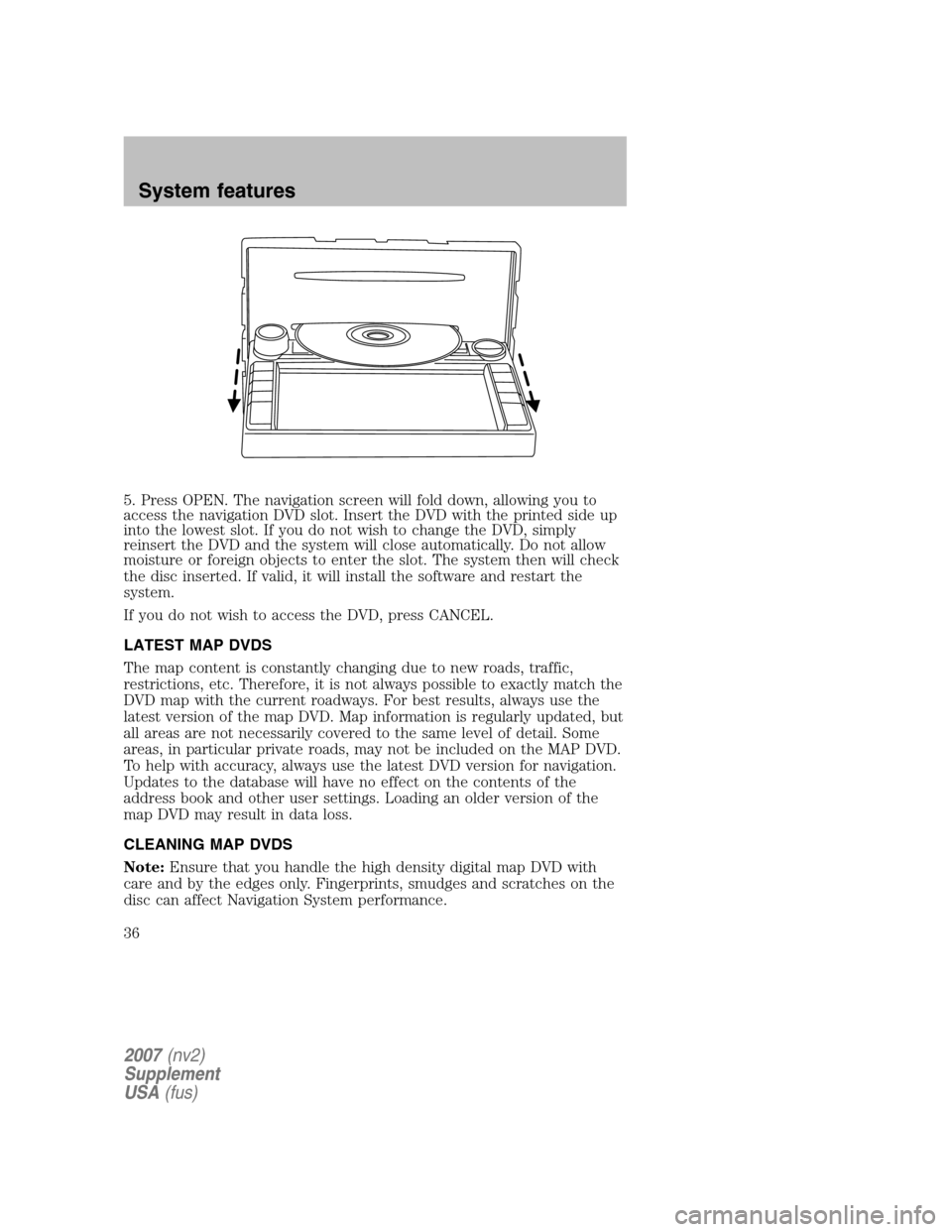
5. Press OPEN. The navigation screen will fold down, allowing you to
access the navigation DVD slot. Insert the DVD with the printed side up
into the lowest slot. If you do not wish to change the DVD, simply
reinsert the DVD and the system will close automatically. Do not allow
moisture or foreign objects to enter the slot. The system then will check
the disc inserted. If valid, it will install the software and restart the
system.
If you do not wish to access the DVD, press CANCEL.
LATEST MAP DVDS
The map content is constantly changing due to new roads, traffic,
restrictions, etc. Therefore, it is not always possible to exactly match the
DVD map with the current roadways. For best results, always use the
latest version of the map DVD. Map information is regularly updated, but
all areas are not necessarily covered to the same level of detail. Some
areas, in particular private roads, may not be included on the MAP DVD.
To help with accuracy, always use the latest DVD version for navigation.
Updates to the database will have no effect on the contents of the
address book and other user settings. Loading an older version of the
map DVD may result in data loss.
CLEANING MAP DVDS
Note: Ensure that you handle the high density digital map DVD with
care and by the edges only. Fingerprints, smudges and scratches on the
disc can affect Navigation System performance.
2007 (nv2)
Supplement
USA (fus)
System features
36
Page 57 of 72
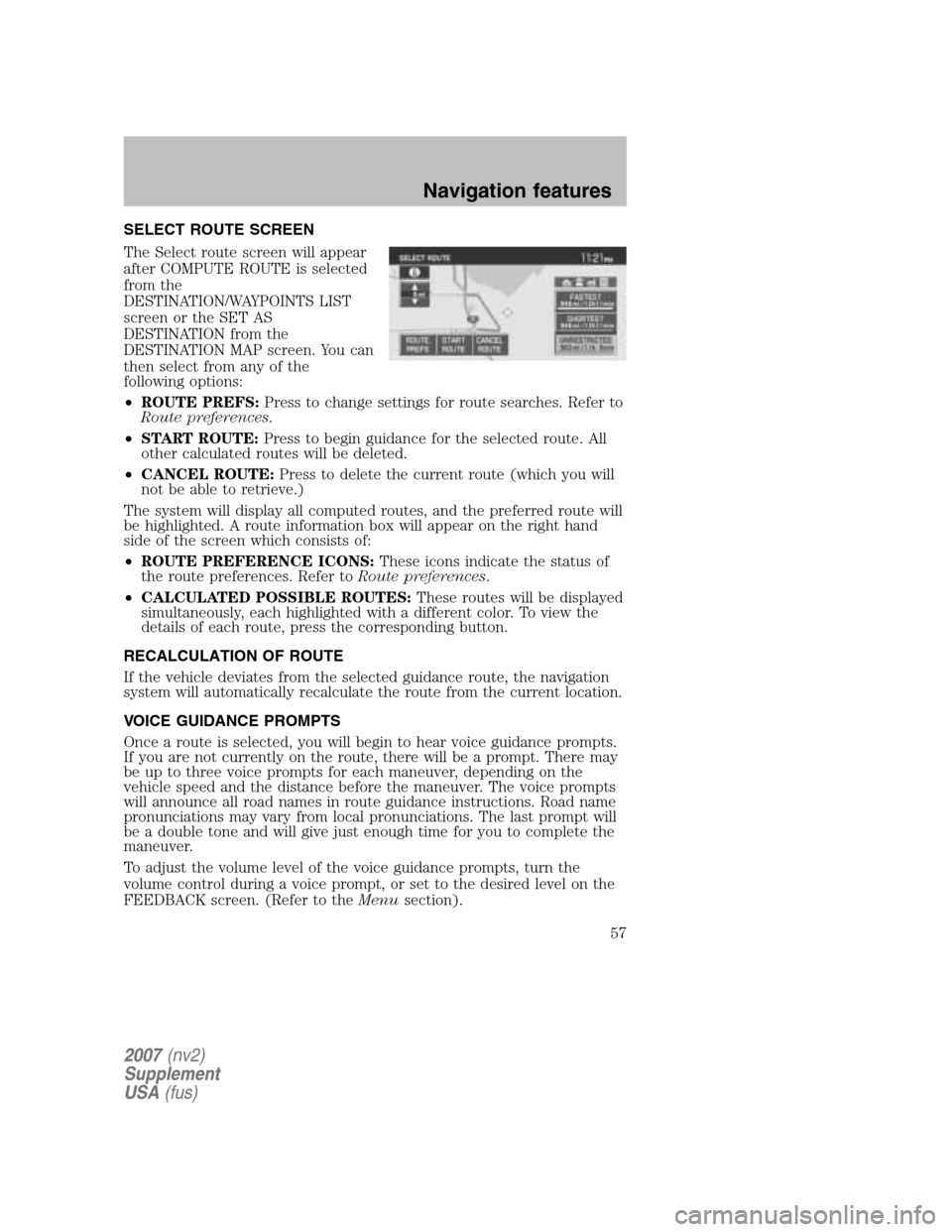
SELECT ROUTE SCREEN
The Select route screen will appear
after COMPUTE ROUTE is selected
from the
DESTINATION/WAYPOINTS LIST
screen or the SET AS
DESTINATION from the
DESTINATION MAP screen. You can
then select from any of the
following options:
• ROUTE PREFS: Press to change settings for route searches. Refer to
Route preferences .
• START ROUTE: Press to begin guidance for the selected route. All
other calculated routes will be deleted.
• CANCEL ROUTE: Press to delete the current route (which you will
not be able to retrieve.)
The system will display all computed routes, and the preferred route will
be highlighted. A route information box will appear on the right hand
side of the screen which consists of:
• ROUTE PREFERENCE ICONS: These icons indicate the status of
the route preferences. Refer to Route preferences.
• CALCULATED POSSIBLE ROUTES: These routes will be displayed
simultaneously, each highlighted with a different color. To view the
details of each route, press the corresponding button.
RECALCULATION OF ROUTE
If the vehicle deviates from the selected guidance route, the navigation
system will automatically recalculate the route from the current location.
VOICE GUIDANCE PROMPTS
Once a route is selected, you will begin to hear voice guidance prompts.
If you are not currently on the route, there will be a prompt. There may
be up to three voice prompts for each maneuver, depending on the
vehicle speed and the distance before the maneuver. The voice prompts
will announce all road names in route guidance instructions. Road name
pronunciations may vary from local pronunciations. The last prompt will
be a double tone and will give just enough time for you to complete the
maneuver.
To adjust the volume level of the voice guidance prompts, turn the
volume control during a voice prompt, or set to the desired level on the
FEEDBACK screen. (Refer to the Menusection).
2007(nv2)
Supplement
USA (fus)
Navigation features
57
Page 60 of 72
ROUTE PREFERENCES
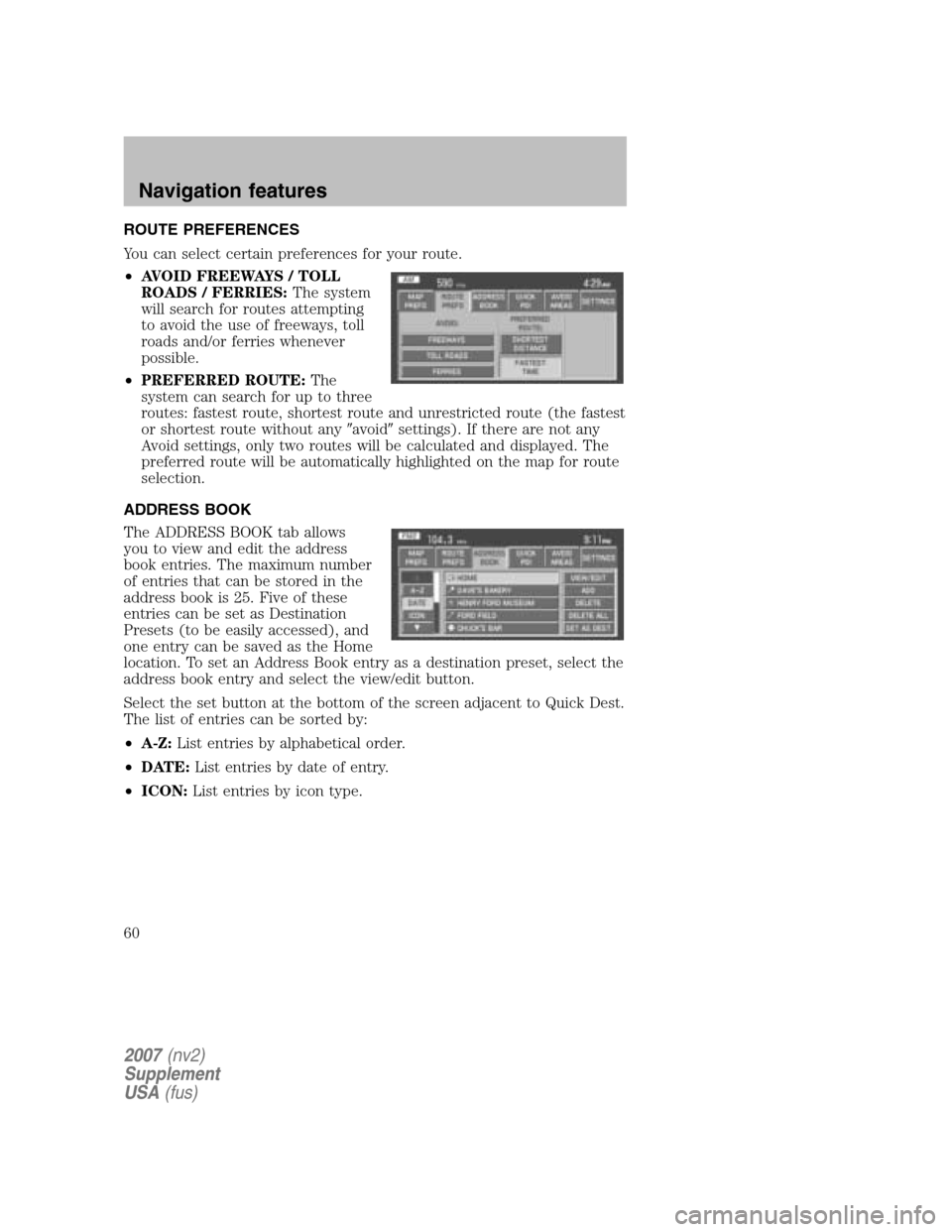
You can select certain preferences for your route.
• AVOID FREEWAYS / TOLL
ROADS / FERRIES: The system
will search for routes attempting
to avoid the use of freeways, toll
roads and/or ferries whenever
possible.
• PREFERRED ROUTE: The
system can search for up to three
routes: fastest route, shortest route and unrestricted route (the fastest
or shortest route without any �avoid�settings). If there are not any
Avoid settings, only two routes will be calculated and displayed. The
preferred route will be automatically highlighted on the map for route
selection.
ADDRESS BOOK
The ADDRESS BOOK tab allows
you to view and edit the address
book entries. The maximum number
of entries that can be stored in the
address book is 25. Five of these
entries can be set as Destination
Presets (to be easily accessed), and
one entry can be saved as the Home
location. To set an Address Book entry as a destination preset, select the
address book entry and select the view/edit button.
Select the set button at the bottom of the screen adjacent to Quick Dest.
The list of entries can be sorted by:
• A-Z: List entries by alphabetical order.
• DATE: List entries by date of entry.
• ICON: List entries by icon type.
2007(nv2)
Supplement
USA (fus)
Navigation features
60
Page 63 of 72

•INTERSECTION
• MAP
• FREEWAY ENTRANCE/EXIT
• PHONE NUMBER
• CANCEL
DELETE: Press to delete the selected entry.
DELETE ALL: Press to delete all entries in the Avoid Area list.
SETTINGS
UNITS: The system can be set to
display different units:
• ENGLISH (MILES)
• METRIC (KILOMETERS)
AUTO-FILL STATE/PROV: When selected, the State/Province field will
be automatically filled in based on current location for destination entry.
If it is not selected, the last State/Province will be displayed.
AVERAGE SPEED (MPH): You can preset speeds based on driving
habits for calculation of travel time and ETA (Estimated Time Arrival).
• RESIDENTIAL
• MAIN ROADS
• FREEWAY
CALIBRATE: The navigation system supports a quick method to
calibrate the vehicle position. Under normal circumstances this
calibration is done automatically, but over a longer period of time. The
user may want to recalibrate the system if the vehicle icon is not
tracking proper position resulting in inaccurate route guidance
instructions.
• POSITION: The system supports manual adjustment of the vehicle’s
position and heading via the Map. Press to scroll on map until the
desired location is reached and press ENTER. Adjust the vehicle
heading by pressing the arrow buttons until the desired heading is
reached. Press ENTER to save the new settings.
DEFAULT SETTINGS: Press to set all the features in this screen back
to system default.
2007 (nv2)
Supplement
USA (fus)
Navigation features
63
Page 64 of 72

FREQUENTLY ASKED QUESTIONS
How do I turn off the Navigation System?
Press and hold the Volume control for at least 3 seconds.
How do I hear the navigation voice prompts?
1. Press the MENU hard button.
2. Select the FEEDBACK tab.
3. Check the VOICE VOLUME LEVEL and that the NAVIGATION
GUIDANCE setting is on.
How do I recover after accidental language re-set?
1. Press the MENU hard button.
2. Select the FEEDBACK/Retour/Reaccion tab.
3. Press the ENGLISH/Anglais/Ingles button to reset language to English.
4. Press the SPANISH/Espanol/Espanol button to reset language to
Spanish.
5. Press the FRENCH/Francais/Frances button to reset language to
French.
Or, you can also turn vehicle off to restart system. Then from the
DISCLAIMER screen, select the desired language before pressing
AGREE.
TROUBLESHOOTING
Symptoms Possible Cause Action
Focus Error System unable to play reproduced disc. Contact your dealer.
Bad Disc Disc was inserted upside down or thesystem is unable to
read the information in the disc. The mechanism will
automatically eject disc.
Track Error The system is unable to reproduce a corruptMP3 file. The system will skip
the corrupted track.
2007 (nv2)
Supplement
USA (fus)
Frequently asked questions
64