Page 156 of 325
Driving your vehicle26
4Tilt steering (if equipped)A tilt steering wheel allows you to adjust
the steering wheel before you drive. You
can also raise it to the highest level to
give your legs more room when you exit
and enter the vehicle.
The steering wheel should be positioned
so that it is comfortable for you to drive,
while permitting you to see the instru-
ment panel warning lights and gauges.
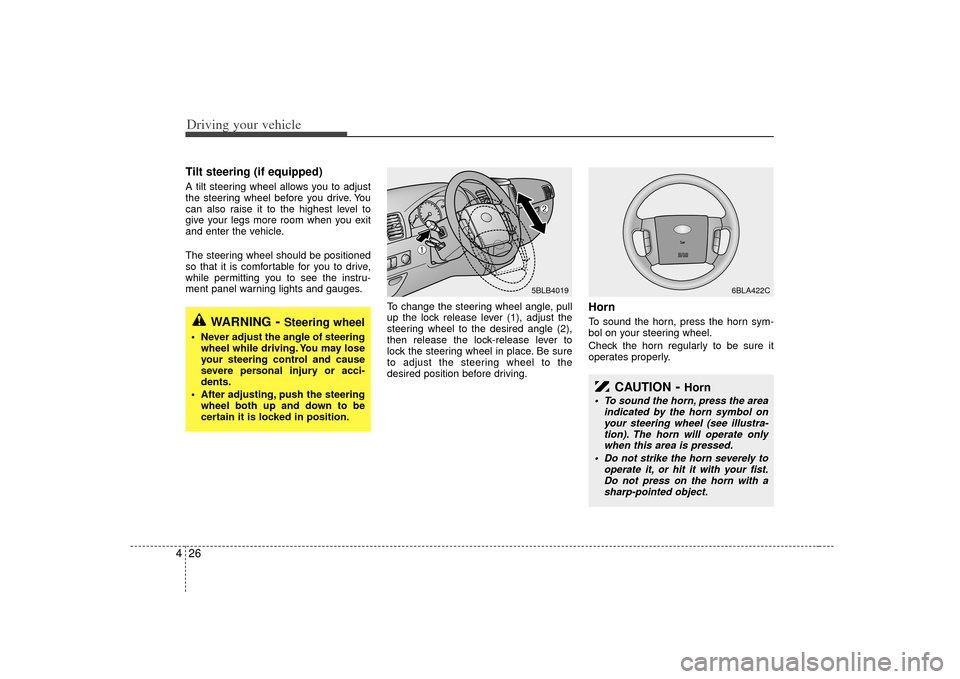
To change the steering wheel angle, pull
up the lock release lever (1), adjust the
steering wheel to the desired angle (2),
then release the lock-release lever to
lock the steering wheel in place. Be sure
to adjust the steering wheel to the
desired position before driving.
HornTo sound the horn, press the horn sym-
bol on your steering wheel.
Check the horn regularly to be sure it
operates properly.
WARNING
- Steering wheel
Never adjust the angle of steeringwheel while driving. You may lose
your steering control and cause
severe personal injury or acci-
dents.
After adjusting, push the steering wheel both up and down to be
certain it is locked in position.
5BLB4019
6BLA422C
➀
➁
CAUTION
- Horn
To sound the horn, press the area indicated by the horn symbol onyour steering wheel (see illustra-tion). The horn will operate only when this area is pressed.
Do not strike the horn severely to operate it, or hit it with your fist.Do not press on the horn with asharp-pointed object.
Page 157 of 325
427
Driving your vehicle
The cruise control system allows you to
program the vehicle to maintain a con-
stant speed without resting your foot on
the accelerator pedal.
With cruise control, you can set and
automatically maintain any speed of
between 40 km/h (24 mph) and
160 km/h (96 mph).
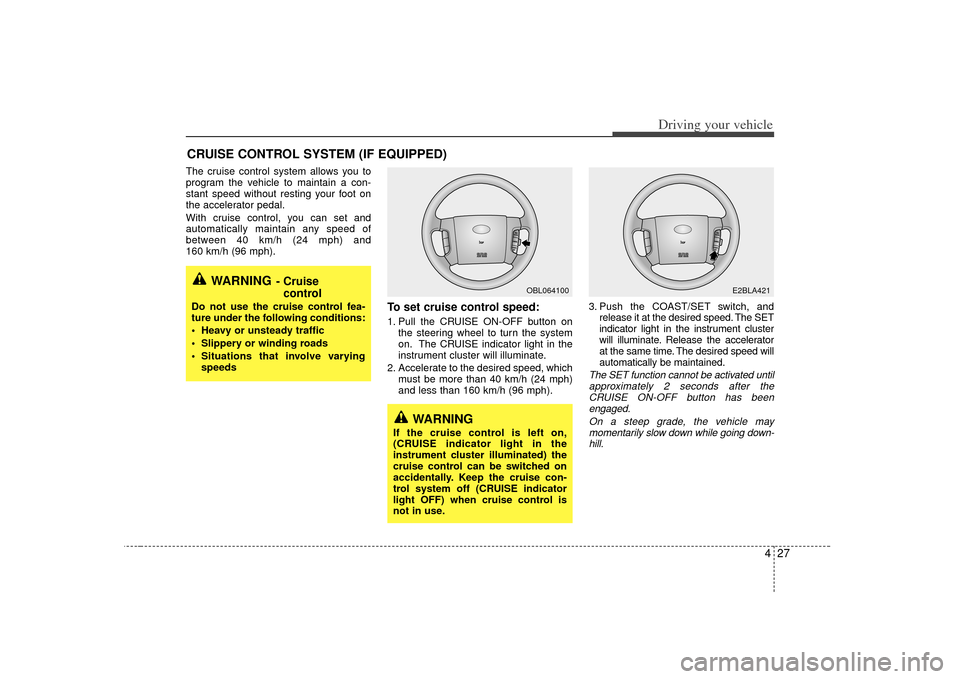
To set cruise control speed:1. Pull the CRUISE ON-OFF button onthe steering wheel to turn the system
on. The CRUISE indicator light in the
instrument cluster will illuminate.
2. Accelerate to the desired speed, which must be more than 40 km/h (24 mph)
and less than 160 km/h (96 mph). 3. Push the COAST/SET switch, and
release it at the desired speed. The SET
indicator light in the instrument cluster
will illuminate. Release the accelerator
at the same time. The desired speed will
automatically be maintained.
The SET function cannot be activated untilapproximately 2 seconds after theCRUISE ON-OFF button has beenengaged.
On a steep grade, the vehicle maymomentarily slow down while going down-hill.
CRUISE CONTROL SYSTEM (IF EQUIPPED)
WARNING
- Cruise control
Do not use the cruise control fea-
ture under the following conditions:
Heavy or unsteady traffic
Slippery or winding roads
Situations that involve varying
speeds
WARNING
If the cruise control is left on,
(CRUISE indicator light in the
instrument cluster illuminated) the
cruise control can be switched on
accidentally. Keep the cruise con-
trol system off (CRUISE indicator
light OFF) when cruise control is
not in use.
OBL064100
E2BLA421
Page 161 of 325
431
Driving your vehicle
ESC operation offESC OFF state
press the ESC OFF button
(ESC OFF indicator light illu-
minates).
to LOCK position when ESC
is off, ESC remains off. Upon
restarting the engine, the
ESC will automatically turn
on again.
transfer shift knob is turned
from 2WD mode (2HI) to
4WD mode (4HI or 4LO), the
ESC will automatically turn
off, and if it is turned from
4WD mode (4HI or 4LO) to
2WD mode (2HI), the ESC
will automatically turn on
again. (if part time 4WD is
equipped)
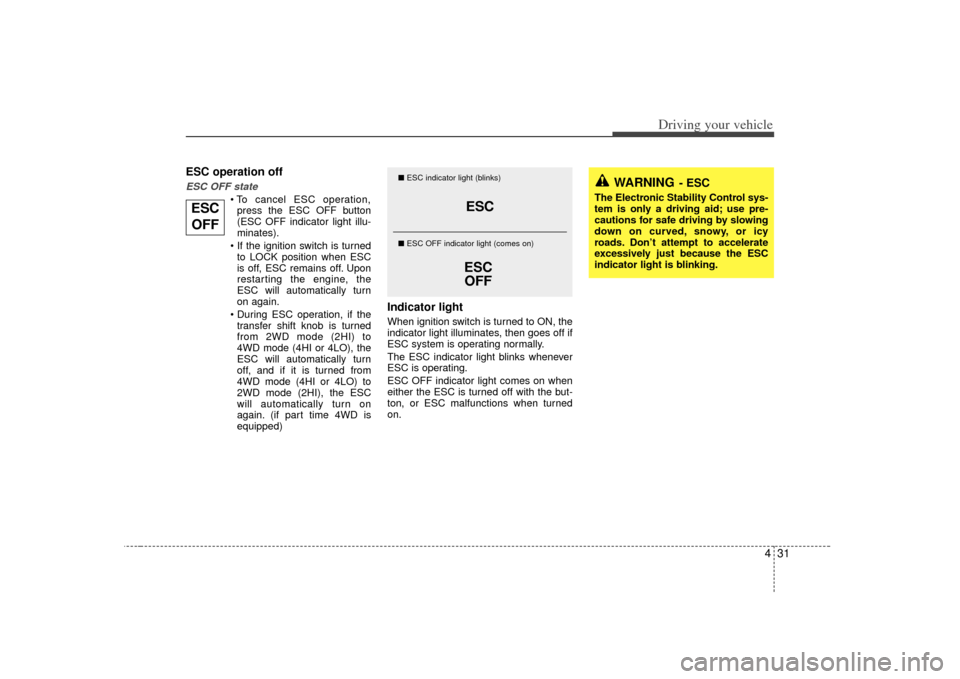
Indicator lightWhen ignition switch is turned to ON, the
indicator light illuminates, then goes off if
ESC system is operating normally.
The ESC indicator light blinks whenever
ESC is operating.
ESC OFF indicator light comes on when
either the ESC is turned off with the but-
ton, or ESC malfunctions when turned
on.
ESC
ESC OFF
■ ESC indicator light (blinks)
■ ESC OFF indicator light (comes on)
WARNING
- ESC
The Electronic Stability Control sys-
tem is only a driving aid; use pre-
cautions for safe driving by slowing
down on curved, snowy, or icy
roads. Don’t attempt to accelerate
excessively just because the ESC
indicator light is blinking.
ESC
OFF
Page 162 of 325
Driving your vehicle32
4ESC OFF usageWhen driving It’s a good idea to keep the ESC turned
on for daily driving whenever possible.
To turn ESC off while driving, press the ESC OFF button while driving on a flat
road surface.
Never press ESC OFF button while ESC
is operating (ESC indicator light blinks).
If ESC is turned off while ESC is operat-
ing, the vehicle may slip out of control.✽ ✽
NOTICE• When measuring the vehicle speed
with a chassis dynamo-meter, make
sure the ESC is turned off (ESC OFF
light illuminated). If the ESC is left
on, it may prevent the vehicle speed
from increasing, and cause a false
diagnosis of a faulty speedometer.
• Turning the ESC off does not affect ABS or brake system operation.
WARNING
- ESC
Never press the ESC OFF button
while ESC is operating.
If the ESC is turned off while ESC is
operating, the vehicle may slip out
of control.
To turn ESC off while driving, press
the ESC OFF button while driving
on a flat road surface.
Page 163 of 325

433
Driving your vehicle
The rear parking assist system assists
the driver during backward movement of
the vehicle by chiming if any object is
sensed within a distance of 120 cm (47
in.) behind the vehicle. This system is a
supplemental system and it is not intend-
ed to nor does it replace the need for
extreme care and attention of the driver.
The sensing range and objects
detectable by the back sensors are limit-
ed. Whenever backing-up, pay as much
attention to what is behind you as you
would in a vehicle without a rear parking
assist system.
Operation of the rear parking
assist systemOperating condition This system will activate when backingup with the ignition key ON.
If the vehicle is moved at speed over 5
km/h (3 mph), the system may not acti-
vated correctly.
The sensing distance while the rear parking assist system is in operation is
approximately 120 cm (47 in.).
When more than two objects are sensed at the same time, the closest
one will be recognized first.Types of warning sound When an object is 120 cm to 81 cm (47in. to 32 in.) from the rear bumper :
Buzzer beeps intermittently
When an object is 80 cm to 41 cm (31 in. to 16 in.) from the rear bumper :
Buzzer beeps more frequently
When an object is within 40 cm (15 in.) of the rear bumper : Buzzer sounds
continuously.
REAR PARKING ASSIST SYSTEM (IF EQUIPPED)
OBL036002
WARNING
The rear parking assist system is a
supplementary function only. The
operation of the rear parking assist
system can be affected by several
factors (including environmental
conditions). It is the responsibility
of the driver to always check the
area behind the vehicle before
backing up.
Page 165 of 325

435
Driving your vehicle
✽
✽NOTICEIf you don’t hear an audible warning
sound or if the buzzer sounds intermit-
tently when shifting the gear to “R” posi-
tion, this may indicate a malfunction in
the rear parking assist system. If this
occurs, have your vehicle checked by an
authorized Kia dealer as soon as possi-
ble.
WARNING
Pay close attention when the vehi-
cle is driven close to objects on the
road, particularly pedestrians,
especially children. Be aware that
some objects may not be detected
by the sensors, due to the object’s
distance, size or material, all of
which can limit the effectiveness of
the sensor. Always perform a visual
inspection to make sure the vehicle
is clear of all obstructions before
moving the vehicle in any direction.
CAUTION
This system can only sense objects
within the range and location of thesensors; It can not detect objects inother areas where sensors are not installed. Also, small or slimobjects, such as poles or objectslocated between sensors may not be detected by the sensors.
Always visually check behind thevehicle when driving back up.
Be sure to inform any drivers in thevehicle that may be unfamiliar withthe system regarding the systems capabilities and limitations.
Your new vehicle warranty does notcover any accidents or damage tothe vehicle or its occupants due torear parking assist system malfunc- tion. Always drive safely and cau-tiously.
Page 166 of 325
Driving your vehicle36
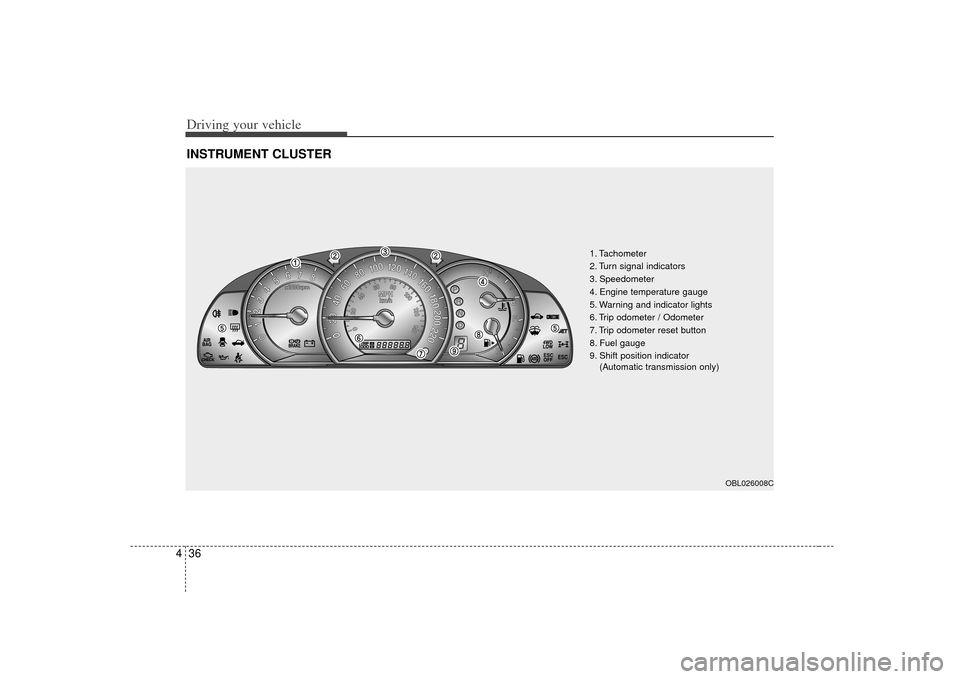
4INSTRUMENT CLUSTER
ESC
ESC
1. Tachometer
2. Turn signal indicators
3. Speedometer
4. Engine temperature gauge
5. Warning and indicator lights
6. Trip odometer / Odometer
7. Trip odometer reset button
8. Fuel gauge
9. Shift position indicator
(Automatic transmission only)
OBL026008C
Page 168 of 325
Driving your vehicle38
4Fuel gaugeThe fuel gauge indicates the approxi-
mate amount of fuel remaining in the fuel
tank.Fuel tank capacity :
See Chapter 8
The fuel gauge is supplemented by a low
fuel warning light, which will illuminate
when the fuel tank is nearly empty.
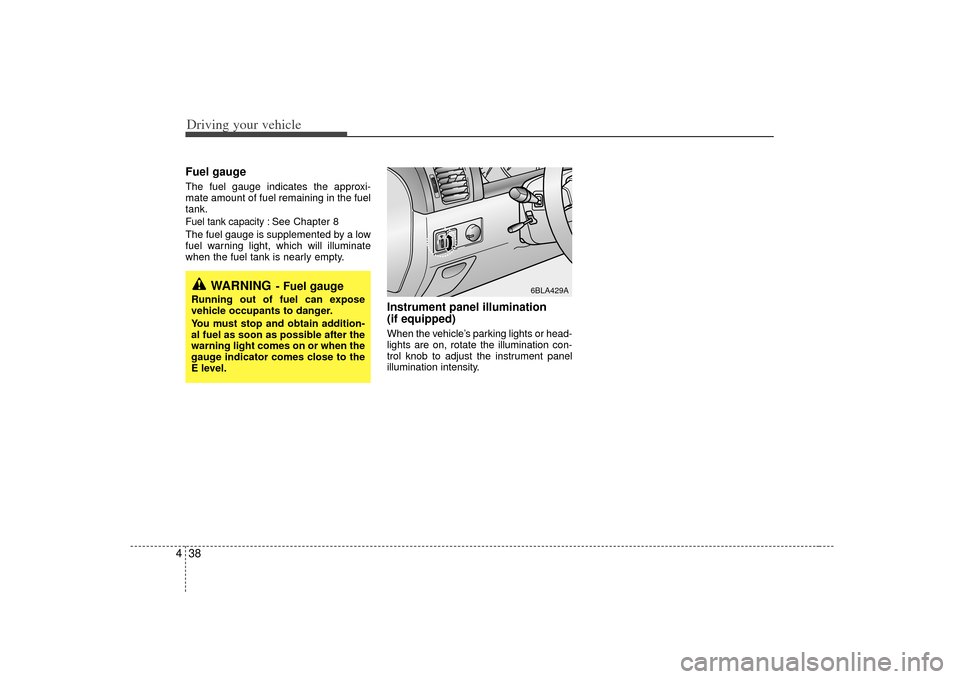
Instrument panel illumination
(if equipped)When the vehicle’s parking lights or head-
lights are on, rotate the illumination con-
trol knob to adjust the instrument panel
illumination intensity.
WARNING
- Fuel gauge
Running out of fuel can expose
vehicle occupants to danger.
You must stop and obtain addition-
al fuel as soon as possible after the
warning light comes on or when the
gauge indicator comes close to the
E level.
6BLA429A