2007 KIA Sedona warning
[x] Cancel search: warningPage 53 of 344

Features of your vehicle44
3Seatback pocketA seatback pocket is provided on the
back of the front passenger and drivers
seatbacks.
Seat warmer (if equipped)The front seats can be electrically heated
individually when the ignition switch is
ON. When the switch is ON, a number
ranging from 1 to 5 is displayed on the
switch (5 = warmest setting).
To turn off the seat warmer, set the
switch to 0.
The seat warmer turns off automatically
when the seat temperature reaches the
selected range and will turn on again if
the temperature drops below the select-
ed range.
WARNING
- Seatback
pockets
Do not put heavy or sharp objects
in the seatback pockets. In an acci-
dent they could come loose from
the pocket and injure vehicle occu-
pants.
1VQA2053
❈ The location of the seat warmer switch may
be changed depending on your model.
OVQ036010N
CAUTION
For proper operation of the occu- pant classification system:
Do not place any items cumula- tively weighing over 1 kg (2.2 lbs)in the seatback pocket or on theseat.
Do not hang onto the front pas- senger seat.
Page 54 of 344
345
Features of your vehicle
Lumbar support (driver’s seat only)You can adjust the lumbar support by
moving the lever on the outside of the dri-
ver’s seatback. Pivoting the lever increas-
es or decreases the lumbar support.
WARNING
- Seat heater burns
Passengers should use extreme
caution when using seat warmers
due to the possibility of excess
heating or burns. In particular, the
driver must exercise extreme care
for the following types of passen-
gers:
1. Infants, children, elderly or hand-
icapped persons, or hospital out-
patients
2. Persons with sensitive skin or those that burn easily
3. Fatigued individuals
4. Intoxicated individuals
5. Individuals taking medication that can cause drowsiness or
sleepiness (sleeping pills, cold
tablets, etc.)
CAUTION
When cleaning the seats, do not use an organic solvent such asthinner, benzene, alcohol and gasoline. Doing so may damagethe surface of the heater or seats.
To prevent overheating the seat warmer, do not place blankets,cushions or seat covers on the seats while the seat warmer is inoperation.
Do not place heavy or sharp objects on seats equipped withseat warmers. Damage to the seatwarming components couldoccur.
1VQA2042
Page 56 of 344

347
Features of your vehicle
ArmrestThe 2nd row seats have the armrest
located on the side of seatback.
To use the armrest, swing down the arm-
rest to the lowest position.
Headrest (rear)The headrest not only provides comfort
for the passengers, but also helps to pro-
tect the head and neck in the event of a
collision. For best protection, adjust the
headrest so its center is as high as your
ears.
Adjusting the height up and down
To raise the headrest, pull it up to the
desired position (1). To lower the head-
rest, push and hold the release button (2)
on the headrest support and lower the
headrest to the desired position (3).Removal
To remove the headrest, raise it as far as
it can go then press the release button
(1) while pulling upward (2).
1VQA2057
OVQ036206N
1VQA2058
WARNING
To reduce the risk of head and neck
injuries, do not drive the vehicle
with the headrest removed or
improperly positioned.
Page 57 of 344
Features of your vehicle48
3Full flat seatWhen the vehicle is parked, you can
place the front seat in a reclined position,
nearly flat.
1. Move the rear seat to the farthest rear-
ward position.
2. Move the front seat to the farthest for- ward position.
3. Remove the headrest.
4. Recline the seatback as far as it can go to allow the rear seat passenger to
support their legs in the reclined posi-
tion.
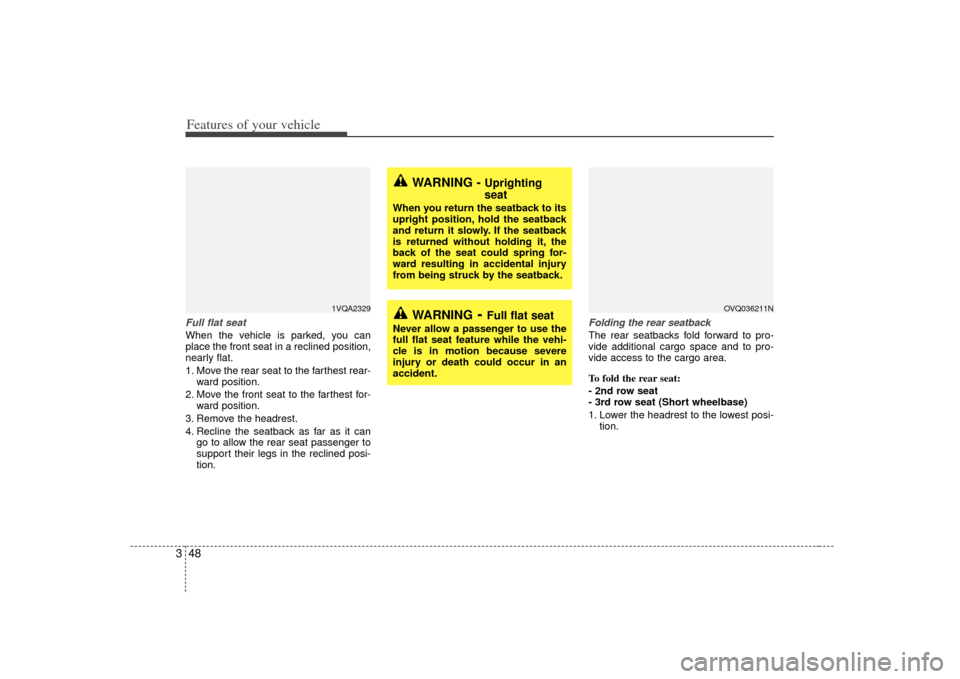
Folding the rear seatbackThe rear seatbacks fold forward to pro-
vide additional cargo space and to pro-
vide access to the cargo area.
To fold the rear seat:
- 2nd row seat
- 3rd row seat (Short wheelbase)
1. Lower the headrest to the lowest posi-tion.
WARNING
- Full flat seat
Never allow a passenger to use the
full flat seat feature while the vehi-
cle is in motion because severe
injury or death could occur in an
accident.
WARNING -
Uprighting
seat
When you return the seatback to its
upright position, hold the seatback
and return it slowly. If the seatback
is returned without holding it, the
back of the seat could spring for-
ward resulting in accidental injury
from being struck by the seatback.
1VQA2329
OVQ036211N
Page 64 of 344

355
Features of your vehicle
To use the rear seat:
1. Lift the seat by pulling out the stowingstrap. 2. Release the strap and push the seat
forward firmly until it clicks into place to
insert the catches into the anchors.
✽ ✽NOTICEDo not push down the upper part of the
seatback when pushing the seat for-
ward. Doing so can prevent the catches
from being locked in position.
3. Make sure the catches are locked in
position by moving the seat forward
and backward or lifting the front por-
tion of the seat. If the seat moves, it is
not locked properly.
4. Pull out the folding strap.
5. Lift and pull the seatback backward firmly until it clicks into place.
Make sure the seatback is locked in
place.
6. Return the rear safety belt to the prop- er position.
OVQ036221N
OVQ036222N
OVQ036223N
WARNING
Make sure there is no body orobject around the seat and be
careful not to injure your hands or
body under the seat or in the mov-
ing parts when stowing or rein-
stalling the seat.
Do not sit on the seat stowed with the seatback upright in the lug-
gage compartment. Sitting on the
unstable and unlocked seat could
cause serious injuries in an acci-
dent.
Page 65 of 344

Features of your vehicle56
3
WARNING
- Cargo
Cargo should always be secured to
prevent it from being thrown about
the vehicle in a collision and caus-
ing injury to the vehicle occupants.
Special care should be taken of
objects placed in the rear seats,
since those may hit the front seat
occupants in a frontal collision.
CAUTION
- Rear safety
belts
When returning the rear seatbacks
to the upright position, rememberto return the rear shoulder belts totheir proper position. Routing the safety belt webbing through therear safety belt guides will helpkeep the belts from being trappedbehind or under the seats.
WARNING -
Cargo loading
Make sure the engine is off, the
transaxle is in P and the parking
brake is applied whenever loading
or unloading cargo. Failure to take
these steps may allow the vehicle to
move if shift lever is inadvertently
moved to another position.
CAUTION -
Avoid damag-
ing rear safety buckles
When you fold the rear seatback or
put luggage on the rear seat cush- ion, insert the buckle in the pocketbetween the rear seatback and cushion. Doing so can prevent thebuckle from being damaged by therear seatback or luggage.
1VQA2074B1VQA2074C1VQA2190A
3rd row2nd row
CAUTION
Before changing seat position, slip the seat belt into the trim panel andclose the power outlet cap.
Page 66 of 344

357
Features of your vehicle
A driver position memory system is pro-
vided to store and recall the driver seat,
outside rearview mirror and adjustable
pedal positions with a simple button
operation. By saving the desired posi-
tions into the system memory, different
drivers can reposition the driver seat,
outside rearview mirror and adjustable
pedal based upon their driving prefer-
ence.
If battery is disconnected, the position
memory will be lost and the driving posi-
tions should be restored in the system.
Storing positions into memory
using the buttons on the doorStoring driver’s seat positions1. Shift the transaxle lever into P whilethe ignition switch is ON.
2. Adjust the driver seat, outside rearview mirror and adjustable pedal
to positions comfortable for the driver.
3. Press M button on the control panel. The system will beep once.
4. Press one of the memory buttons (1 or 2) within 5 seconds after pressing the
M button. The system will beep twice
when memory has been successfully
stored.
Recalling positions from memory1. Shift the transaxle lever into P whilethe ignition switch is ON.
2. To recall the position in memory, press the desired memory button (1 or 2).
The system will beep once, then the
driver seat, outside rearview mirror
and adjustable pedal will automatically
adjust to the stored positions.
Adjusting one of the control knobs for the
driver seat, outside rearview mirror and
adjustable pedal while the system is
recalling the stored positions will cause
the movement for that component to stop
and move in the direction that the control
knob is moved. Other components will
continue position recalling.
DRIVER POSITION MEMORY SYSTEM (IF EQUIPPED)
WARNING
Never attempt to operate the driver
position memory system while the
vehicle is moving.
This could result in loss of control,
and an accident causing death,
serious injury, or property damage.
WARNING
Use caution when recalling adjust-
ment memory while sitting in the
vehicle. Push the seat position con-
trol knob to the desired position
immediately if the seat moves too
far in any direction.
1VQA2064
Page 68 of 344

359
Features of your vehicle
Setting the adjustable pedal posi-
tion1. Be sure the parking brake is engaged.
2. Move the accelerator and brake ped-als to the front most position by push-
ing the ▼ portion of the switch.
3. Adjust the seat position and the steer- ing wheel angle properly.
4. Move the pedals toward you until you can fully depress the brake pedal by
pushing the ▲ portion of the switch.
5. Depress the pedals a few times to get used to the feel after adjusting.
Safety belt restraint system We strongly recommend that the driver
and all passengers be properly
restrained at all times by using the safety
belts provided with the vehicle. Proper
use of the safety belts decreases the risk
of severe injury or death in accidents or
sudden stops. In most states, and in
Canada, the law requires their use. All seats have lap/shoulder belts. Inertial
locks in the safety belt retractors allow all
of the lap/shoulder safety belts to remain
unlocked during normal vehicle opera-
tion. This allows the occupants some
freedom of movement and increased
comfort while using the safety belts. If a
force is applied to the vehicle, such as a
strong stop, a sharp turn, or a collision,
the safety belt retractors will automatical-
ly lock the safety belts.
Since the inertial locks do not require a
collision in order to lock up, you may
become aware of the safety belts locking
while braking or going around sharp cor-
ners.
Always use the rear seat position(s) to
install your child restraint(s).
WARNING
- Safety belts
To minimize the risk of serious or
fatal injury in an accident, the driver
and all passengers should use the
appropriate safety restraints for
their age and size. The presence of
air bags does not change the need
to be properly restrained by a safe-
ty belt or size-appropriate child
restraint. In fact, air bags are
designed to work the best when
passengers are correctly restrained
in the vehicle.
Be sure you are familiar with the
information in this section,
including the information on
infant and child restraints.
Read the safety warnings on the sun visors of your vehicle also.
WARNING
- Child restraint
in front seat
Never install a child restraint sys-
tem in the front passenger position,
as an inflating air bag could cause
serious or fatal injury to a child in
that position.
WARNING
Adjust the pedals after parking
the vehicle on level ground. Never
attempt to adjust the pedals while
the vehicle is moving.
Never adjust the pedals with your foot on the accelerator pedal as
this may result in increasing the
engine speed and acceleration.
Make sure that you can fully depress the brake pedal before
driving. Otherwise, you may not
be able to hold down the brake
pedal firmly in an emergency
stop.
SAFETY BELTS