Page 85 of 329
375
1 23456789
Knowing your vehicle
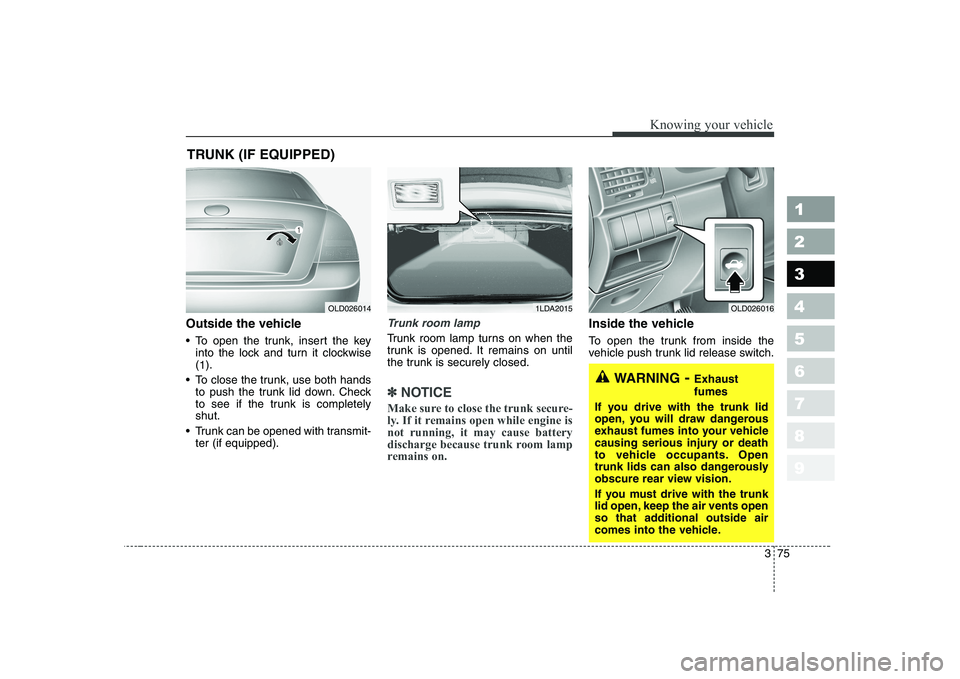
Outside the vehicle
To open the trunk, insert the keyinto the lock and turn it clockwise (1 ).
To close the trunk, use both hands to push the trunk lid down. Check
to see if the trunk is completelyshut.
Trunk can be opened with transmit- ter (if equipped).Trunk room lamp
Trunk room lamp turns on when the
trunk is opened. It remains on until
the trunk is securely closed.
✽✽ NOTICE
Make sure to close the trunk secure-
ly. If it remains open while engine isnot running, it may cause battery
discharge because trunk room lamp
remains on.
Inside the vehicle
To open the trunk from inside the
vehicle push trunk lid release switch.
TRUNK (IF EQUIPPED)
OLD0260141LDA2015
WARNING
- Exhaust fumes
If you drive with the trunk lid
open, you will draw dangerous
exhaust fumes into your vehicle
causing serious injury or death
to vehicle occupants. Open
trunk lids can also dangerously
obscure rear view vision.
If you must drive with the trunk
lid open, keep the air vents open
so that additional outside air
comes into the vehicle.
OLD026016
Page 86 of 329
Knowing your vehicle
76
3
1 23456789
WARNING
No one should be allowed to
occupy the trunk of the vehicle
at any time. If the trunk is par-
tially or totally latched and the
person is unable to get out,
severe injury or death could
occur due to lack of ventilation,
exhaust fumes and rapid heat
build-up, or because of expo-sure to cold weather conditions.
The trunk is also a highly dan-
gerous location in the event of a
crash because it is not a pro-
tected occupant space but
merely a part of the vehicle’s
crush zone.CAUTION
We recommend that cars be kept locked and keys be keptout of the reach of children, andthat parents teach their children about the dangers of playing intrunks.
Page 98 of 329
Knowing your vehicle
88
3
1 23456789
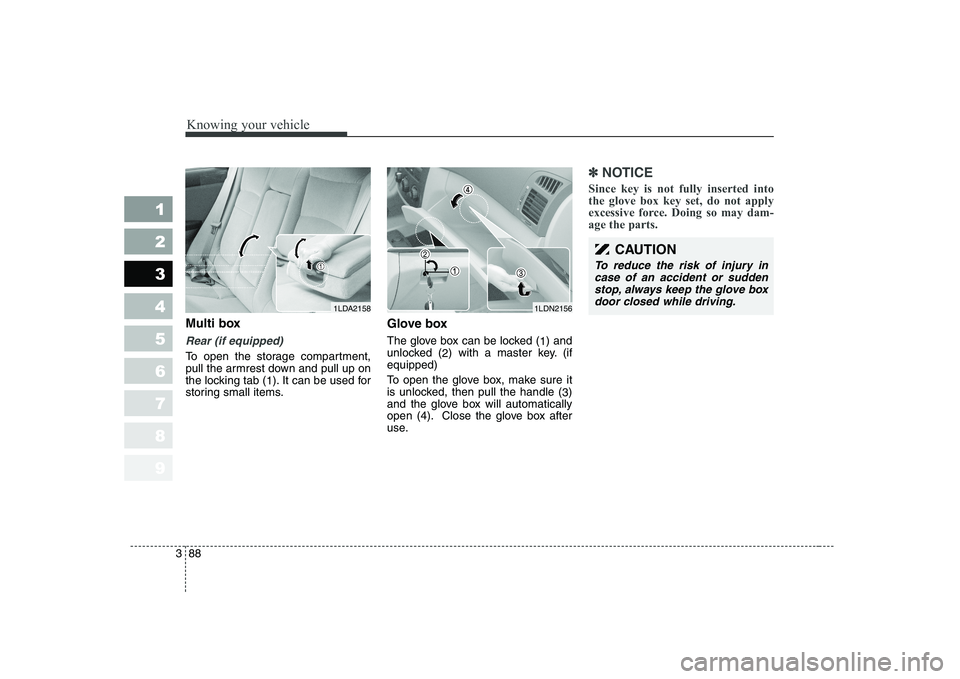
Multi box
Rear (if equipped)
To open the storage compartment,
pull the armrest down and pull up on
the locking tab (
1). It can be used for
storing small items. Glove box
The glove box can be locked (
1) and
unlocked ( 2) with a master key. (if
equipped)
To open the glove box, make sure it
is unlocked, then pull the handle ( 3)
and the glove box will automatically
open (4). Close the glove box after
use.
✽✽ NOTICE
Since key is not fully inserted into the glove box key set, do not apply
excessive force. Doing so may dam-age the parts.
1LDN2156
CAUTION
To reduce the risk of injury in case of an accident or suddenstop, always keep the glove boxdoor closed while driving.
1LDA2158
Page 108 of 329
Knowing your vehicle
98
3
1 23456789
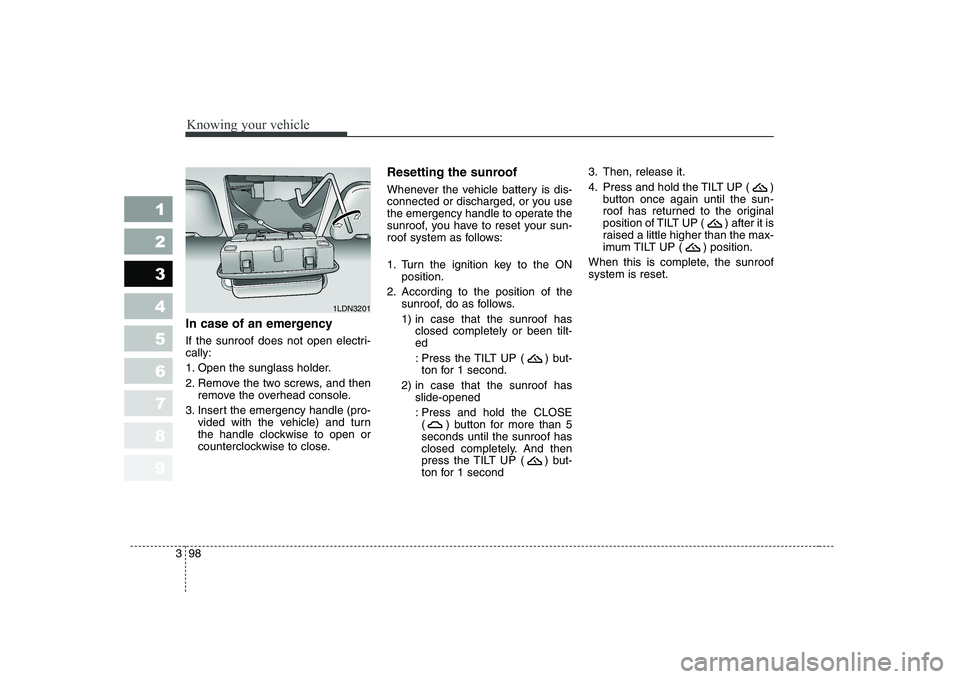
In case of an emergency
If the sunroof does not open electri- cally:
1. Open the sunglass holder.
2. Remove the two screws, and then
remove the overhead console.
3. Insert the emergency handle (pro- vided with the vehicle) and turn
the handle clockwise to open or
counterclockwise to close. Resetting the sunroof
Whenever the vehicle battery is dis-
connected or discharged, or you use
the emergency handle to operate the
sunroof, you have to reset your sun-
roof system as follows:
1. Turn the ignition key to the ON
position.
2. According to the position of the sunroof, do as follows.
1) in case that the sunroof hasclosed completely or been tilt- ed
: Press the TILT UP ( ) but- ton for 1 second.
2) in case that the sunroof has slide-opened
: Press and hold the CLOSE ( ) button for more than 5seconds until the sunroof has
closed completely. And then
press the TILT UP ( ) but-
ton for 1 second 3. Then, release it.
4. Press and hold the TILT UP ( )
button once again until the sun-
roof has returned to the original
position of TILT UP ( ) after it is
raised a little higher than the max-
imum TILT UP ( ) position.
When this is complete, the sunroofsystem is reset.
1LDN3201
Page 111 of 329
3 101
1 23456789
Knowing your vehicle
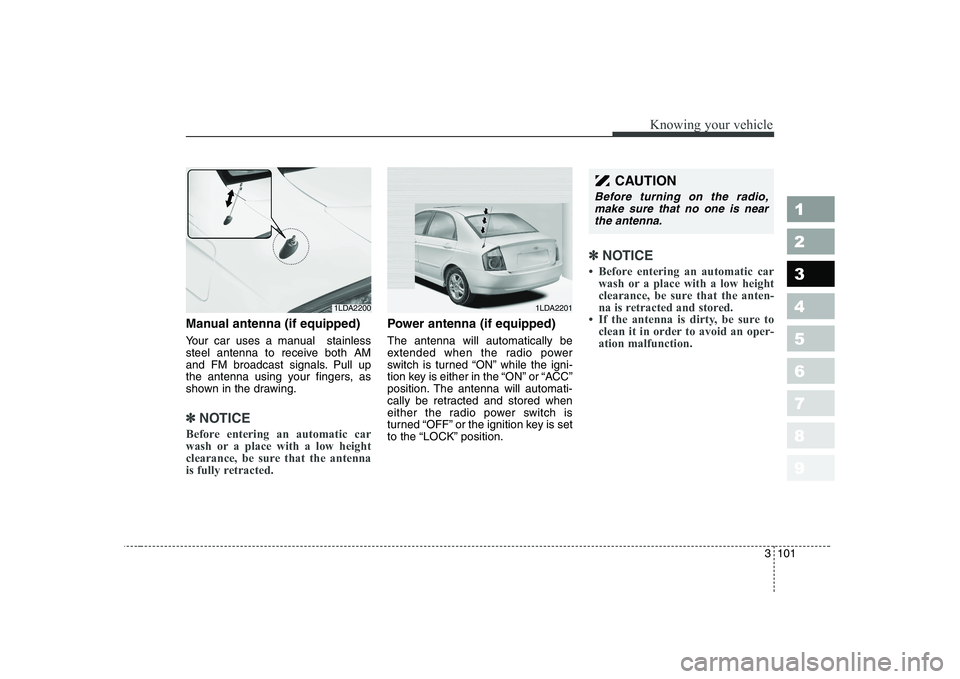
Manual antenna (if equipped)
Your car uses a manual stainless
steel antenna to receive both AM
and FM broadcast signals. Pull up
the antenna using your fingers, as
shown in the drawing.
✽✽NOTICE
Before entering an automatic car
wash or a place with a low height
clearance, be sure that the antenna
is fully retracted.
Power antenna (if equipped) The antenna will automatically be
extended when the radio power
switch is turned “ON” while the igni-
tion key is either in the “ON” or “ACC”
position. The antenna will automati-
cally be retracted and stored when
either the radio power switch is
turned “OFF” or the ignition key is set
to the “LOCK” position.
✽✽ NOTICE
Page 116 of 329
Knowing your vehicle
106
3
1 23456789
1. POWER ON-OFF Control Knob
The radio unit may be operated
when the ignition key is in the
“ACC”or “ON” position. Press the
knob to switch the power on. The
LCD shows the radio frequency in
radio mode, and displays the CD
track in CD mode. To switch the
power off, press the knob again.
Push the FM/AM(MW, LW) or CD to turn on that function without pushing
the Power ON-OFF control knob.
VOLUME Control
Rotate the knob clockwise to
increase the volume and turn the
knob counterclockwise to reduce the
volume.
2. BAND Selector
FM Selection Button
Pressing the button changes
the FM1 and FM2 bands.
AM(MW, LW) Selection Button
Pressing the button selects
the AM(MW, LW) band. AM(MW, LW)
mode is displayed on the LCD.
3. TUNE Select/AUDIO Control Knob
Rotate the knob clockwise to
increase the frequency and turn the
knob counterclockwise to reduce the
frequency. Mode Select
Pressing the TUNE knob changes
the BASS, MID-RANGE, TREBLE,
FADER and BALANCE mode.
The mode selected is shown on the
display.
After selecting each mode, rotate the
knob clockwise or counterclockwise.
BASS Control
To increase the BASS, rotate the
knob clockwise, while to decrease
the BASS, rotate the knob counter-
clockwise.
MID-RANGE Control
To increase the MID-RANGE, rotate
the knob clockwise, while todecrease the MID-RANGE, rotate
the knob counterclockwise. TREBLE Control
To increase the TREBLE, rotate the
knob clockwise, while to decrease
the TREBLE, rotate the knob coun-
terclockwise.
FADER Control
Rotate the control knob clockwise to
emphasize rear speaker sound (front
speaker sound will be attenuated).
When the control knob is turned
counterclockwise, front speaker
sound will be emphasized (rear
speaker sound will be attenuated).
BALANCE Control
Rotate the knob clockwise to empha-
size right speaker sound (left speak-
er sound will be attenuated). When
the control knob is turned counter-
clockwise, left speaker sound will be
emphasized (right speaker sound
will be attenuated).
AM
FM
Page 117 of 329
3 107
Knowing your vehicle
1 23456789
4. AUTO SEEK Select Button(Automatic Channel Selection)
Press the AUTO SEEK select button.
When the side is pressed, theunit will automatically tune to the
next higher frequency and when the side is pressed, it will automati-
cally tune to the next lower frequen-
cy.
5. CD SCAN (BSM) Button
When the CD SCAN (BSM) button is pressed, the six channels from thehighest field intensity are selected
next and stored in memory. The sta-tions selected are stored in thesequence of frequency from the first
preset key.
6. EQ Button
Press the EQ button to select the
CLASSIC, POPS, ROCK, JAZZ and
OFF MODE for the desired tone
quality. Each press of the button
changes the display as follows;
7. PRESET STATION Select
Buttons
Six stations for AM(MW, LW), FM1
and FM2 respectively can be preset
in the electronic memory circuit.
HOW TO PRESET STATIONS
Six AM(MW, LW) and twelve FM sta-
tions may be programmed into the
memory of the radio. Then, by simply
pressing the AM(MW, LW) / FM band
select buttons and/or one of the six
station select buttons, you may recall
any of these stations instantly. To
program the stations, follow thesesteps:
Press AM(MW, LW)/FM selector toset the band for AM(MW, LW), FM1 and FM2.
Select the desired station to be stored by seek or manual tuning.
Determine the preset station select button you wish to use to accessthat station. Press and hold the station select
button for more than 0.8 seconds.
A select button indicator will show
in the display indicating which
select button you have depressed.
The frequency display will flashafter it has been stored into the
memory. You should then release
the button, and proceed to pro-
gram the next desired station. Atotal of 24 stations can be pro-
grammed by selecting one
AM(MW, LW) and two FM stations
per button.
When completed, any preset sta- tion may be recalled by selecting
AM(MW, LW), FM1 or FM2 band
and the appropriate station button.
CAUTION
• Do not place beverages close
to the audio system. The audiosystem mechanism may bedamaged if you spill them.
Do not strike or allow anything to impact the audio system,damage to the system mecha- nisms could occur.
CLASSIC ➟POPS ➟ROCK ➟JAZZ ➟OFF
Page 123 of 329
3 113
Knowing your vehicle
1 23456789
1. POWER ON-OFF Control Knob
The radio unit may be operatedwhen the ignition key is in the
"ACC" or "ON" position. Press the
button to switch the power on. The
LCD shows the radio frequency in
the radio mode, the tape directionindicator in the tape mode or
CD/MP3 track in the CD/MP3
mode. To switch the power off,
press the button again.
Push the FM/AM(MW, LW), TAPE or CD/MP3 to turn on that function
without pushing the Power ON-
OFF control knob.
VOLUME Control
Rotate the knob clockwise to
increase the volume and turn the
knob counterclockwise to reduce the
volume.
2. AUDIO Select Button
Pressing the AUDIO button changes
the BASS, MID-RANGE, TREBLE,
FADER and BALANCE mode.
The mode selected is shown on the
display.
After selecting each mode, rotate the
Audio control knob clockwise or
counterclockwise.
BASS Control
To increase the BASS, rotate the
knob clockwise, while to decreasethe BASS, rotate the knob counter-
clockwise.
MID-RANGE Control
To increase the MID-RANGE, rotate
the knob clockwise, while todecrease the MID-RANGE, rotate
the knob counterclockwise.
TREBLE Control
To increase the TREBLE, rotate the
knob clockwise, while to decrease
the TREBLE, rotate the knob coun-
terclockwise. FADER Control
Turn the control knob clockwise to
emphasize rear speaker sound (front
speaker sound will be attenuated).
When the control knob is turned
counterclockwise, front speaker
sound will be emphasized (rear
speaker sound will be attenuated).
BALANCE Control
Rotate the knob clockwise to empha-
size right speaker sound (left speak-
er sound will be attenuated). When
the control knob is turned counter
clockwise, left speaker sound will be
emphasized (right speaker sound
will be attenuated).
3. BAND Select Button
Pressing the FM/AM button changes
the AM(MW, LW), FM1 and FM2
bands. The mode selected is shown
on the display.