Page 181 of 467
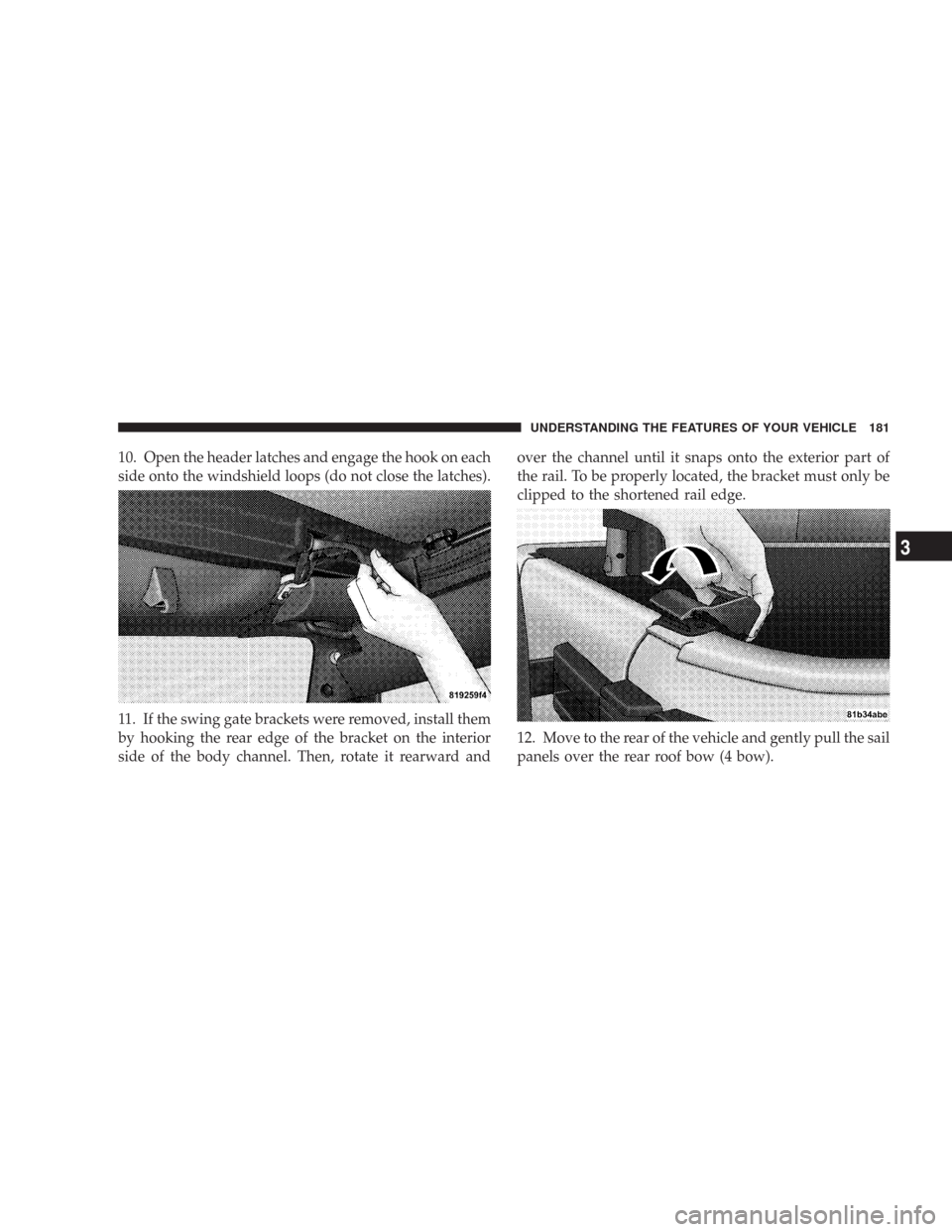
10. Open the header latches and engage the hook on each
side onto the windshield loops (do not close the latches).
11. If the swing gate brackets were removed, install them
by hooking the rear edge of the bracket on the interior
side of the body channel. Then, rotate it rearward andover the channel until it snaps onto the exterior part of
the rail. To be properly located, the bracket must only be
clipped to the shortened rail edge.
12. Move to the rear of the vehicle and gently pull the sail
panels over the rear roof bow (4 bow).
UNDERSTANDING THE FEATURES OF YOUR VEHICLE 181
3
Page 182 of 467
13. Partially install the sail panel retainers into the body
side channel, leaving the last three (3) inches towards the
rear window loose (on both sides). Pulling down on the
rear roof bow (4 bow) will aid to reach the channel with
the retainers.14. To install the side windows, affix the window tem-
porarily by attaching to the Velcro�in the upper rear
corner. Start the zipper but close only about 1 inch (2.5
cm).
182 UNDERSTANDING THE FEATURES OF YOUR VEHICLE
Page 248 of 467
1. The Electronic Serial Number/Sirius Identification
Number (ESN/SID).
2. Your Vehicle Identification Number.
Electronic Serial Number/Sirius Identification
Number (ENS/SID)
The Electronic Serial Number/Sirius Identification Num-
ber is needed to activate your Sirius Satellite Radio
system. To access the ESN/SID, refer to the following
steps:
ESN/SID Access With RSC Radios
With the ignition switch in the ON/RUN or ACCESSORY
position and the radio ON, press the SETUP button and
scroll using the TUNE control knob until Sirius ID is
selected. Press the TUNE control knob and the Sirius ID
number will display. The Sirius ID number display will
time out in 2 minutes. Press any button on the radio to
exit this screen.
Selecting Satellite Mode (RSC Radios)
Press the SAT button until�SAT�appears in the display. A
CD may remain in the radio while in the Satellite radio
mode.
Satellite Antenna
To ensure optimum reception, do not place items on the
roof around the rooftop antenna location or strap items to
the trunk lid around the trunk lid antenna (if equipped).
Metal objects placed within the line of sight of the
antenna will cause decreased performance. Larger lug-
gage items such as bikes should be placed as far rearward
as possible, within the loading design of the rack. Do not
place items directly on or above the antenna.
Reception Quality
Satellite reception may be interrupted due to one of the
following reasons:
•The vehicle is parked in an underground parking
structure or under a physical obstacle.
248 UNDERSTANDING YOUR INSTRUMENT PANEL
Page 402 of 467
Cavity Cartridge
FuseMini
FuseDescription
J18 20 Amp
YellowPowertrain Control
Module (PCM) Trans
Range
J19 60 Amp
YellowRadiator Fan
J20 30 Amp
PinkFront Wiper LO/HI
J21 20 Amp
YellowFront/Rear Washer
J22 25 Amp
NaturalSunroof Module
M1 15 Amp
BlueCenter High Mounted
Stop Light (CHMSL)/
Brake Switch
M2 20 Amp
YellowTrailer LightingCavity Cartridge
FuseMini
FuseDescription
M3 20 Amp
YellowFrt/Rear Axle Lockers
M4 10 Amp
RedTrailer Tow
M5 25 Amp
NaturalInverter
M6 20 Amp
YellowPower Outlet #1/Rain
Sensor
M7 20 Amp
YellowPower Outlet #2
(BATT/ACC SELECT)
M8 20 Amp
YellowFront Heated Seat
M9 20 Amp
YellowRear Heated Seat (If
Equipped)
402 MAINTAINING YOUR VEHICLE