Page 87 of 487

1
FEATURES OF YOUR HYUNDAI
75
If you must re-enter the vehicle, you should once again elimi- nate potentially dangerous staticelectricity discharge by touch- ing a metal part of the vehicle, away from the fuel filler neck,nozzle or other gasoline source.
- When using a portable fuel con-
tainer be sure to place the con-tainer on the ground prior to refueling. Static electricity dis- charge from the container canignite fuel vapors causing a fire. Once refueling has begun, con- tact with the vehicle should bemaintained until the filling is complete. Use only portable fuel containers designed to carry andstore gasoline.
- Do not use cellular phones
around a gas station or whilerefueling any vehicle. Electric current and/or electronic inter- ference from cellular phones canpotentially ignite fuel vapors causing a fire. If you must use your cellular phone use it in aplace away from the gas station.
TAIL GATE
B540A01F-AAT Remote Tail Gate Release To open the tail gate without using the key, pull up the lid release lever lo- cated on the driver's door panel.To close, lower the tail gate, then press down on it until it locks. To be sure the tail gate is securely fastened,always try to pull it up again. OGK046005
- When refueling always shut the
engine off. Sparks produced byelectrical components related tothe engine can ignite fuel va- pors causing a fire. Always en- sure that the engine is OFF be-fore and during refueling. Once refueling is complete, check to make sure the fuel filler cap anddoor are securely closed, before starting the engine.
- Do not light any fire around a
gas station. DO NOT use matchesor a lighter and DO NOT SMOKE or leave a lit cigarette in your vehicle while at a gas station especially during refueling. Au-tomotive fuel is highly flammable and can, when ignited, result in explosion by flames.
- If a fire breaks out during refuel- ing, leave the vicinity of the ve-hicle, and immediately contactthe manager of the gas station or contact the police and local fire department. Follow anysafety instructions they provide.
Page 88 of 487
1FEATURES OF YOUR HYUNDAI
76
!WARNING:
Do not close an open tail gate (rear hatch) while a person(s) is sittingupright on the rear seat. The tail gate or tail gate glass may contact the head of a person sitting uprighton the rear seat. Closing the tail gate onto a person's head may cause serious injuries, includingdeath.
B540D01GK-GAT When you close the tail gate
OGK016540
HGK227
!WARNING:
The tail gate should always be kept completely closed while the vehicle is in motion. If it is left open or ajar,poisonous exhaust gases may en- ter the car resulting in serious ill- ness or death to the occupants. Seeadditional warnings concerning exhaust gases on page 2-2.
B540C01F-AAT To Unlock Using the Key To open the tail gate, insert the key and turn it clockwise to unlock. The tailgate compartment light illuminates when the tail gate is opened. OGK046006
Page 91 of 487

1
FEATURES OF YOUR HYUNDAI
79CRUISE CONTROL
!
!
CAUTION:
To prevent damage to the goods or the vehicle, care should be taken when carrying fragile or bulky ob- jects in the luggage compartment.
WARNING:
Avoid eye injury. DO NOT over-stretch. ALWAYS keep face and body out of recoil path. DO NOT use when strap has visible signs ofwear or damage. B660A02S-GAT (If Installed) The cruise control system provides automatic speed control for your com- fort when driving on freeways, tollroads,or other noncongested highways. This is designed to function above approxi- mately 40 km/h (25 mph).
Main switch
OGK016660
B660B01GK-GAT To Set the Cruise Speed
1. Push in the cruise control mainswitch on the end of the barrel. The "CRUISE" indicator light in the in-strument cluster will be illuminated. This turns the system on.
2. Accelerate to the desired cruising speed above 40 km/h (25 mph).
3. Push the control switch downward
to "SET (COAST)" and release it. The "SET" indicator light in the in- strument cluster will illuminate.
4. Remove your foot from the accel- erator pedal and the desired speedwill automatically be maintained. OGK016661
!WARNING:
Pay particular attention during the down-hill driving with cruise controlsystem as the vehicle speed can be increased gradually.
Page 93 of 487

1
FEATURES OF YOUR HYUNDAI
81
B660E01E-AAT To Reset at a Faster Speed
1. Push the control switch upward to
"RESUME (ACCEL)" position and hold it.
2. Accelerate to desired speed and
release the control switch. Whilethe control switch is held, the ve- hicle will gradually gain speed. B660F01GK-AAT To Reset at a Slower Speed
1. Push the control switch downward
to "SET (COAST)" and hold it. The "SET" indicator light in the instru-ment cluster will illuminate. The ve- hicle will decelerate.
2. When the desired speed is obtained, release the control switch. The"SET" indicator light in the instru- ment cluster will turn off. While thecontrol switch is pushed, the vehicle speed will gradually decrease. OGK016661
!WARNING:
o Keep the main switch off when not using the cruise control.
o Use the cruise control system only when traveling on open high- ways in good weather.
o Do not use the cruise control when it may not be safe to keepthe car at a constant speed, for instance, driving in heavy or vary-ing traffic, or on slippery (rainy, icy or snow-covered) or winding roads or over 6% up-hill or down-hill roads.
o Pay particular attention to the
driving conditions whenever us-ing the cruise control system.
o During cruise-control driving
with a manual transaxle vehicle,do not shift into neutral without depressing the clutch pedal, or the engine will be overrevved. Ifthis happens, depress the clutch pedal or release the main switch.
Page 103 of 487

1
FEATURES OF YOUR HYUNDAI
91
B740B02A-AAT Air Conditioning Operation Cooling To use the air conditioning to cool the interior:
o Turn on the fan control switch.
o Turn on the air conditioning switch by
pushing in on the switch. The airconditioning indicator light shouldcome on at the same time.
o Set the air intake control switch to
the fresh air (
) position.
o Set the temperature control to "Cool". ("Cool" provides maximum cooling. The temperature may be moderatedby moving the control toward "Warm".) o Adjust the fan control to the desired
speed. For greater cooling, turn the fan control to one of the higher speeds or temporarily select the recirculate (
) position on the air intake control
switch.
OGK016704
B740C01A-AAT De-Humidified Heating For dehumidified heating:
o Turn on the fan control switch.
o Turn on the air conditioning switch. The air conditioning indicator light should come on at the same time.
o Set the air intake control switch to
the fresh air (
) position.
o Set the air flow control to the face (
) position.
o Adjust the fan control to the desired
speed.
o For more rapid action, set the fan at
one of the higher speeds.
o Adjust the temperature control to provide the desired amount of warmth. OGK016705
Page 106 of 487
1FEATURES OF YOUR HYUNDAI
94
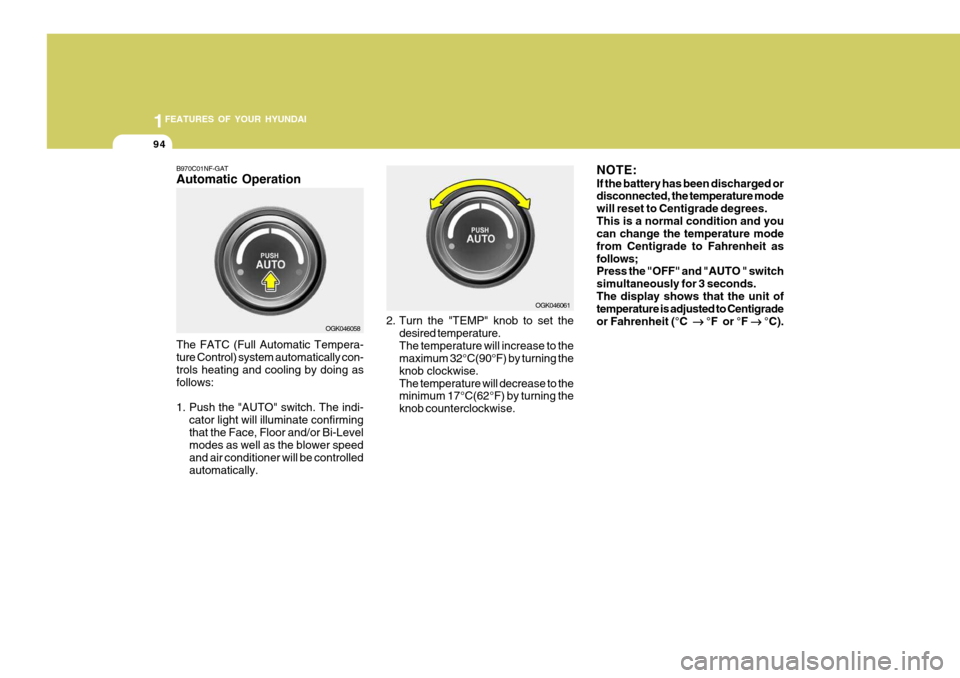
B970C01NF-GAT Automatic Operation The FATC (Full Automatic Tempera- ture Control) system automatically con- trols heating and cooling by doing as follows:
1. Push the "AUTO" switch. The indi-
cator light will illuminate confirming that the Face, Floor and/or Bi-Level modes as well as the blower speed and air conditioner will be controlledautomatically. 2. Turn the "TEMP" knob to set the
desired temperature.The temperature will increase to the maximum 32°C(90°F) by turning the knob clockwise.The temperature will decrease to the minimum 17°C(62°F) by turning the knob counterclockwise. NOTE: If the battery has been discharged or disconnected, the temperature mode will reset to Centigrade degrees.This is a normal condition and you can change the temperature mode from Centigrade to Fahrenheit asfollows; Press the "OFF" and "AUTO " switch simultaneously for 3 seconds.The display shows that the unit of temperature is adjusted to Centigrade or Fahrenheit (°C
°F or °F
°C).
OGK046058 OGK046061
Page 108 of 487

1FEATURES OF YOUR HYUNDAI
96
B670C02GK-AAT Air Intake Control Switch This is used to select fresh outside air or recirculation inside air. To change the air intake control mode,(Fresh mode, Recirculation mode) push the control button. FRESH MODE (
) : The indicator
light on the button goes on when the air intake control is in fresh mode. RECIRCULATION MODE (
) : The
indica-tor light on the button is illumi- nated when the air intake control is inrecirculation mode. With the "Fresh" mode selected, air enters the vehicle from the outside and is heated or cooled according to the function selected. With the "Recirculation" mode selected, air from within the passenger compart-ment will be drawn through the heating system and heated or cooled according to the function selected. OGK046062L
B980B01NF-AAT Fan Speed Control The fan speed can be set to the desired speed by turning the fan speed control knob. The higher the fan speed is, themore air is delivered. Pressing the "OFF" switch turns off the fan.
OGK046064
OGK046063L
Page 110 of 487
1FEATURES OF YOUR HYUNDAI
98
B980E01NF-GAT Air Flow Control This is used to direct the flow of air. Air can be directed to the floor, dashboard outlets, or windshield. Four symbolsare used to represent Face, Bi-Level, Floor, Floor-Defrost position. Face-Level
When selecting the "Face" mode, theindicator light will come on, causing air to be discharged through the face levelvents.
OGK046059 OGK016095Bi-Level
When selecting the "Bi-Level" mode, the indicator light will come on and the air will be discharged through the face vents and the floor vents. This makesit possible to have cooler air from the dashboard vents and warmer air from the floor outlets at the same time.
OGK016096

