Page 284 of 570

Battery Replacement
To change the remote control batteries, do the
following:
1. Slide the battery door, located on the back of
the remote control, down.
2. Replace the two AAA batteries in the
compartment. Make sure they are installed
correctly, using the diagram on the inside
of the battery compartment.
3. Close the battery door.
If the remote control is to be stored for a long
period of time, remove the batteries and keep them
in a cool, dry place.
Using the RSE On-Screen
Display (OSD) Menu
To use the RSE OSD menu while using the DVD
player or an auxiliary device, do the following:
1. Press the SETUP button on the system’s
remote control to access the general setup
menu, see “Remote Control” earlier in
this section.
2. Once this menu is on the screen, press the
directional arrows and then the ENTER
button to navigate the screen.
This menu lets you select default preferences
for language, video, audio, and ratings.
Not all DVDs support all of the feature defaults
in the setup menus. If a feature is not
supported, the defaults are provided by the
DVD media.
The default language selection applies to all
future DVDs.
3. Press the RETURN button on the system’s
remote control to exit this menu, or wait for
the menu to time out.
284
Page 291 of 570

Problem Recommended Action
Image sometimes
stumbles or freezes.
Clean or replace the
disc if it is scratched,
dirty or damaged.
Load a known
good disc.
Black and white monitor,
blank monitor, or frozen
monitor.
Possible overheating.
Turn the system
power off and then
turn the power back
on again. If the display
still does not appear
normal, leave the
power off until the
temperature
decreases and
then turn power
back on again.
Discs become hot to the
touch during playback.
This is a Normal
condition of mobile
disc playback.
Power button on monitor
does not function. No
function or display.
Turn the key to the
on position.
Check the vehicle’s
battery voltage.
Consult your dealer.
Problem Recommended Action
No picture on the monitor
screen during playback.
Check if the monitor’s
power button is on.
Check if the monitor’s
input is set to the
correct source.
Adjust the monitor’s
brightness.
Check if the monitor’s
protective circuit is on
because of high
temperature. If so,
wait until the
temperature inside
the vehicle comes
down to normal
monitor operating
temperature.
Check if there is an
open connection with
the monitor,
audio/video interface
unit, or DVD. If so,
consult your dealer.
291
Page 311 of 570
Locking Rear Axle
The locking rear axle can give your vehicle
additional traction from the rear wheels when
traveling in off-road situations such as mud, snow,
sand, steep hills and uneven terrain.
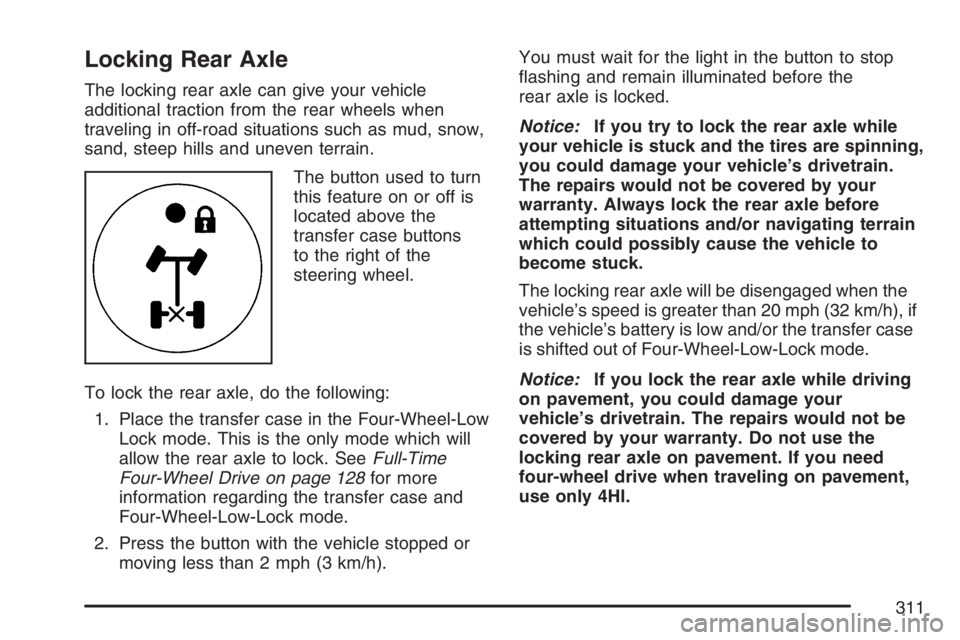
The button used to turn
this feature on or off is
located above the
transfer case buttons
to the right of the
steering wheel.
To lock the rear axle, do the following:
1. Place the transfer case in the Four-Wheel-Low
Lock mode. This is the only mode which will
allow the rear axle to lock. SeeFull-Time
Four-Wheel Drive on page 128for more
information regarding the transfer case and
Four-Wheel-Low-Lock mode.
2. Press the button with the vehicle stopped or
moving less than 2 mph (3 km/h).You must wait for the light in the button to stop
ashing and remain illuminated before the
rear axle is locked.
Notice:If you try to lock the rear axle while
your vehicle is stuck and the tires are spinning,
you could damage your vehicle’s drivetrain.
The repairs would not be covered by your
warranty. Always lock the rear axle before
attempting situations and/or navigating terrain
which could possibly cause the vehicle to
become stuck.
The locking rear axle will be disengaged when the
vehicle’s speed is greater than 20 mph (32 km/h), if
the vehicle’s battery is low and/or the transfer case
is shifted out of Four-Wheel-Low-Lock mode.
Notice:If you lock the rear axle while driving
on pavement, you could damage your
vehicle’s drivetrain. The repairs would not be
covered by your warranty. Do not use the
locking rear axle on pavement. If you need
four-wheel drive when traveling on pavement,
use only 4HI.
311
Page 356 of 570
You can run the engine to keep warm, but be
careful.
{CAUTION:
Snow can trap exhaust gases under your
vehicle. This can cause deadly CO
(carbon monoxide) gas to get inside.
CO could overcome you and kill you. You
cannot see it or smell it, so you might not
know it is in your vehicle. Clear away
snow from around the base of your
vehicle, especially any that is blocking
your exhaust pipe. And check around
again from time to time to be sure snow
does not collect there.
Open a window just a little on the side of
the vehicle that is away from the wind.
This will help keep CO out.
Run your engine only as long as you must.
This saves fuel. When you run the engine, make it
go a little faster than just idle. That is, push the
accelerator slightly. This uses less fuel for the heat
that you get and it keeps the battery charged.
356
Page 357 of 570
You will need a well-charged battery to restart the
vehicle, and possibly for signaling later on with your
headlamps. Let the heater run for a while.
Then, shut the engine off and close the window
almost all the way to preserve the heat. Start
the engine again and repeat this only when you
feel really uncomfortable from the cold. But do it as
little as possible. Preserve the fuel as long as
you can. To help keep warm, you can get out of
the vehicle and do some fairly vigorous exercises
every half hour or so until help comes.
If Your Vehicle is Stuck in Sand,
Mud, Ice, or Snow
In order to free your vehicle when it is stuck,
you will need to spin the wheels, but you do not
want to spin your wheels too fast. The method
known as rocking can help you get out when you
are stuck, but you must use caution.
{CAUTION:
If you let your vehicle’s tires spin at high
speed, they can explode, and you or others
could be injured. And, the transmission or
other parts of the vehicle can overheat.
That could cause an engine compartment
re or other damage. When you are stuck,
spin the wheels as little as possible. Do not
spin the wheels above 35 mph (55 km/h) as
shown on the speedometer.
Notice:Spinning the wheels can destroy parts
of your vehicle as well as the tires. If you
spin the wheels too fast while shifting
the transmission back and forth, you can
destroy the transmission.
For information about using tire chains on your
vehicle, seeTire Chains on page 465.
357
Page 370 of 570

Dinghy Towing
Use the following procedure to tow your vehicle:
1. Shift the transmission to PARK (P).
2. Turn the engine off, but leave the ignition in
ACCESSORY.
3. Firmly set the parking brake.
4. Securely attach the vehicle being towed to the
tow vehicle.
{CAUTION:
Shifting a full-time four-wheel-drive
vehicle’s transfer case into NEUTRAL can
cause your vehicle to roll even if the
transmission is in PARK (P). You or others
could be injured. Make sure the parking
brake is rmly set before you shift the
transfer case to NEUTRAL.
5. Shift the transfer case to NEUTRAL (N).
SeeFull-Time Four-Wheel Drive on
page 128for the proper procedure to select
the NEUTRAL position for your vehicle.6. Release the parking brake only after the
vehicle being towed is rmly attached to
the towing vehicle. You can use your vehicle’s
front mounted receiver with the proper
accessories to tow it. See “Front Mounted
Receiver” underIf Your Vehicle is Stuck
in Sand, Mud, Ice, or Snow on page 357.
7. Turn the ignition to ACCESSORY.
8. Disconnect the battery if you are going to tow
for long distances or long periods of time.
When towing your vehicle for extended periods of
time, start your vehicle as often as possible to
prevent battery drain. This should only be
done when the tow vehicle is parked.
Dolly Towing
Your vehicle cannot be dolly towed. If you must
tow your vehicle behind another, use the
dinghy towing procedure listed previously.
Notice:Dolly towing your vehicle will damage
drivetrain components. Do not dolly tow
your vehicle.
370
Page 386 of 570

Trailer Wiring Harness
Heavy-Duty Trailer Wiring Package
Your vehicle is equipped with a trailer towing
harness. This harness with a seven-pin universal
heavy-duty trailer connector is attached to a
bracket on the hitch platform.
The trailer towing harness contains the following
trailer circuits:
Yellow: Left Stop/Turn Signal
Dark Green: Right Stop/Turn Signal
Brown: Taillamps
White: Ground
Light Green: Back-up Lamps
Light Blue: Center High-Mounted Stoplamp
(CHMSL)
Red: Battery Feed
Dark Blue: Trailer Brake
A jumper harness for an electric trailer brake
controller and a trailer battery feed fuse may be
included with this trailering package. See
“Instrument Panel Jumper Wiring Harness” later in
this section.
If you need to tow a light-duty trailer with a
standard four-way, round pin connector, an
adapter may be included. See “Four-Wire Harness
Adapter” later in this section.
Instrument Panel Jumper Wiring Harness
Notice:If your vehicle has factory or
dealer-installed HUMMER off-road lamps, the
place where an electric trailer brake connection
must be made is already in use. Do not attempt
to double-up or “piggyback” the connection,
because this could cause a failure or damage to
your vehicle, the electric trailer brake system,
or both. If you want to connect a trailer with
electric brakes to your vehicle, see your dealer
to disconnect the off-road lamps. Also, read
Add-On Electrical Equipment on page 503for
more information.
386
Page 387 of 570
This harness may be included with your vehicle as
part of the heavy-duty trailer wiring package.
{CAUTION:
Be sure to use only the correct trailer
brake harness, the one intended for use
on your vehicle. If you use some other
trailer brake harness, even if it seems to
t, your trailer brakes may not work at all.
You could have a crash in which you or
others could be injured. Use only the
trailer brake harness intended for your
vehicle. If it is no longer available to you,
be sure to get a proper replacement from
your dealer.
This harness is for an electric brake controller and
includes a trailer battery feed fuse. It should be
installed by your dealer or a qualied service
center.
387

