Page 79 of 228
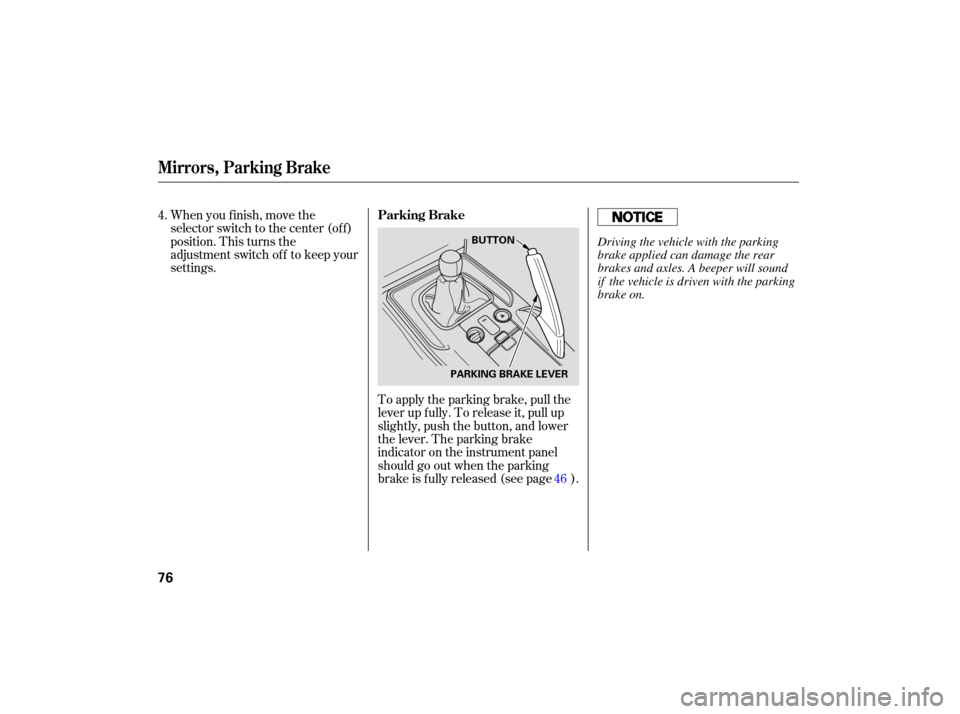
To apply the parking brake, pull the
lever up fully. To release it, pull up
slightly, push the button, and lower
the lever. The parking brake
indicator on the instrument panel
should go out when the parking
brake is f ully released (see page ).
When you f inish, move the
selector switch to the center (off)
position. This turns the
adjustment switch of f to keep your
settings.
4.
46
Parking Brake
Mirrors, Parking Brake
76
BUTTON
PARKING BRAKE LEVERDriving the vehicle with the parking
brake applied can damage the rear
brakes and axles. A beeper will sound
if the vehicle is driven with the parking
brake on.
Page 81 of 228
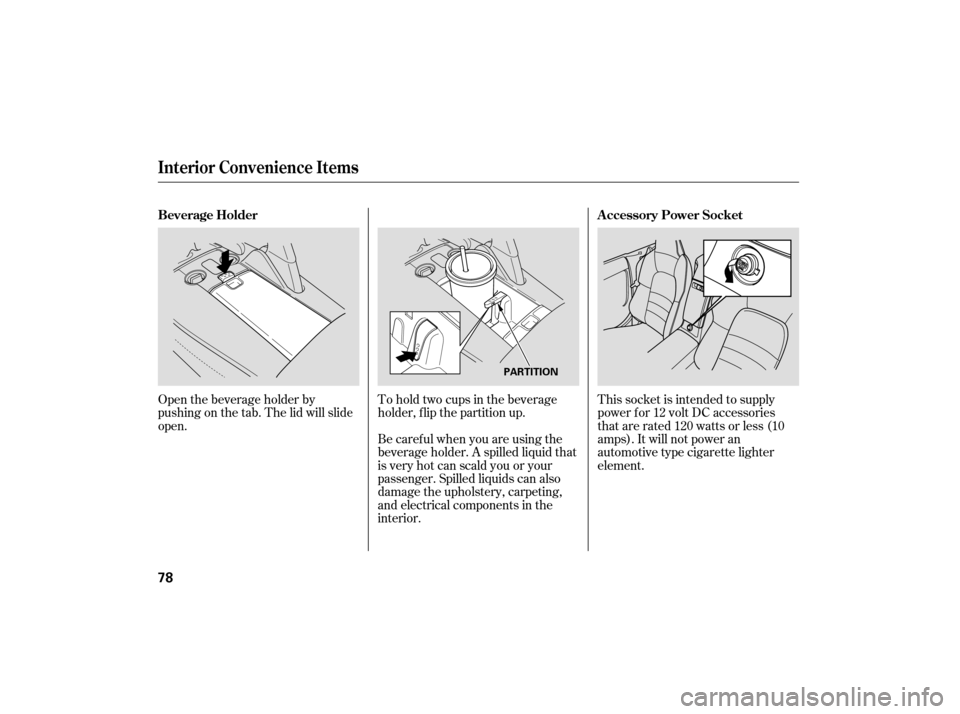
Open the beverage holder by
pushing on the tab. The lid will slide
open.This socket is intended to supply
power f or 12 volt DC accessories
that are rated 120 watts or less (10
amps). It will not power an
automotive type cigarette lighter
element.
To hold two cups in the beverage
holder, flip the partition up.
Be caref ul when you are using the
beverage holder. A spilled liquid that
is very hot can scald you or your
passenger. Spilled liquids can also
damage the upholstery, carpeting,
and electrical components in the
interior.
Beverage Holder
Accessory Power Socket
Interior Convenience Items
78
PARTITION
Page 83 of 228
If the switch is in the center position,
the interior light will come on when
you remove the key f rom the ignition
switch.
The interior light has a three-
position switch; ON, Door Activated,
and OFF. In the Door Activated
(center) position, the light comes on
when you: Open either door.
Unlock the doors with the key or
the remote transmitter.
The dashboard lower pocket is
located next to the audio panel. Dashboard L ower Pocket
Interior L ight
Interior Convenience Items, Interior L ight
80
DOOR
ACTIVATED
Page 84 of 228
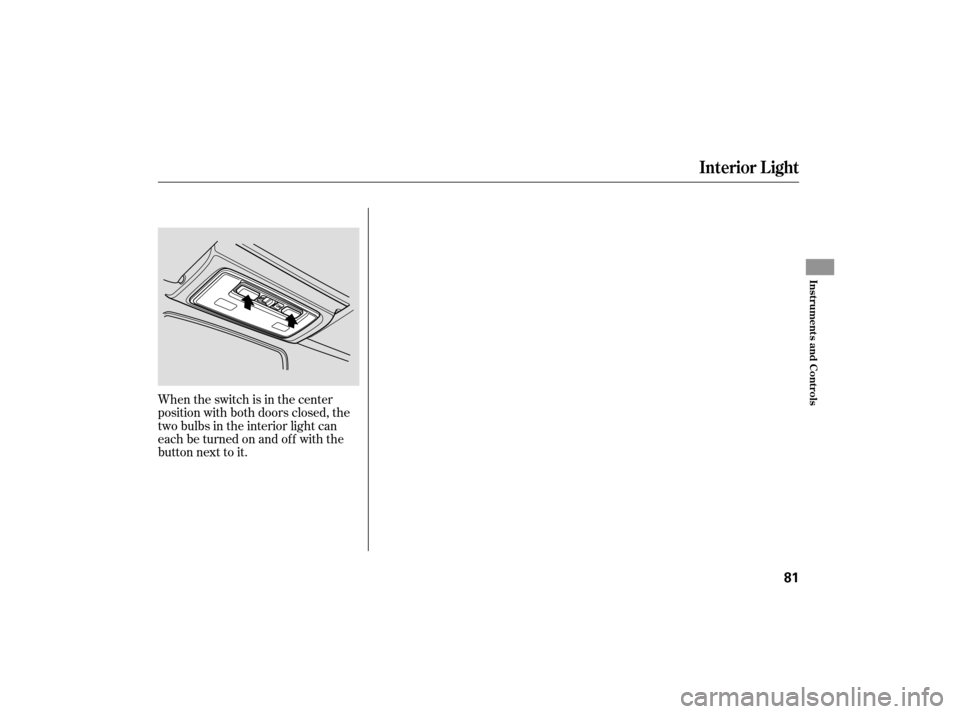
When the switch is in the center
position with both doors closed, the
two bulbs in the interior light can
each be turned on and off with the
button next to it.
Interior L ight
Inst rument s and Cont rols
81
Page 93 of 228

�µ�µ �µ�µ
�µ
If
you are
traveling far from home and can no
longer receive your preset stations,
you can use the auto select feature to
find stations in the local area.
Press the A. SEL button. ‘‘A. SEL’’
flashes in the display, and the system
goes into scan mode for several
seconds. It stores the frequencies of
six AM and twelve FM stations in
the preset buttons.
You will see a ‘‘0’’ displayed after
pressing a preset button if auto
select cannot find a strong station for
that preset button. ,pressthe
A. SEL (auto select) button. This
restores the presets you originally
set.
If you do not like the stations auto
select has stored, you can store
other frequencies on the preset
buttons as previously described. Tu
rn the knob to adjust the setting.
When the level reaches the center,
you will see a ‘‘C’’ in the display. The
system will return to the audio
display in about 5 seconds.
You can use the instrument panel
brightness control buttons to adjust
the illumination of the audio system
(see page ). The audio system
illuminates when the parking lights
are on, even if the radio is of f .
Press the SOUND/MODE (TUNE)
knob repeatedly to display the bass
(BAS), treble (TRE), fader (FAD),
and balance (BAL) setting. Adjusts the bass in the
sound. Adjusts the treble in the
sound. Adjusts the fader, or the
f ront-to-back strength of the sound. Adjusts the balance, or side-
to-side strength of the sound.
58To turn of f auto selectAUTO SELECT
A udio System L ighting
BAS TRE
FAD
BAL Adjusting the Sound
Playing the AM/FM Radio
90
Page 104 of 228
When using CD-R discs, use only
high quality CDs labeled f or audio
use.
When recording a CD-R, the
recording must be closed f or it to
be used by the system.
CD-RW discs will not work in this
unit.
Play only standard round CDs.
Odd-shaped CDs may jam in the
driveorcauseotherproblems.
Handle your CDs properly to
prevent damage and skipping.When a CD is not being played, store
it in its case to protect it f rom dust
and other contamination. To prevent
warpage, keep CDs out of direct
sunlight and extreme heat.
To clean a CD, use a clean sof t cloth.
Wipe across the CD f rom the center
to the outside edge.
AnewCDmayberoughonthe
inner and outer edges. The small
plastic pieces causing this roughness
can f lake of f and f all on the re-
cording surf ace of the CD, causing
skipping or other problems. Remove
these pieces by rubbing the inner
and outer edges with the side of a
pencil or pen.
Never try to insert f oreign objects in
the CD player or the magazine.
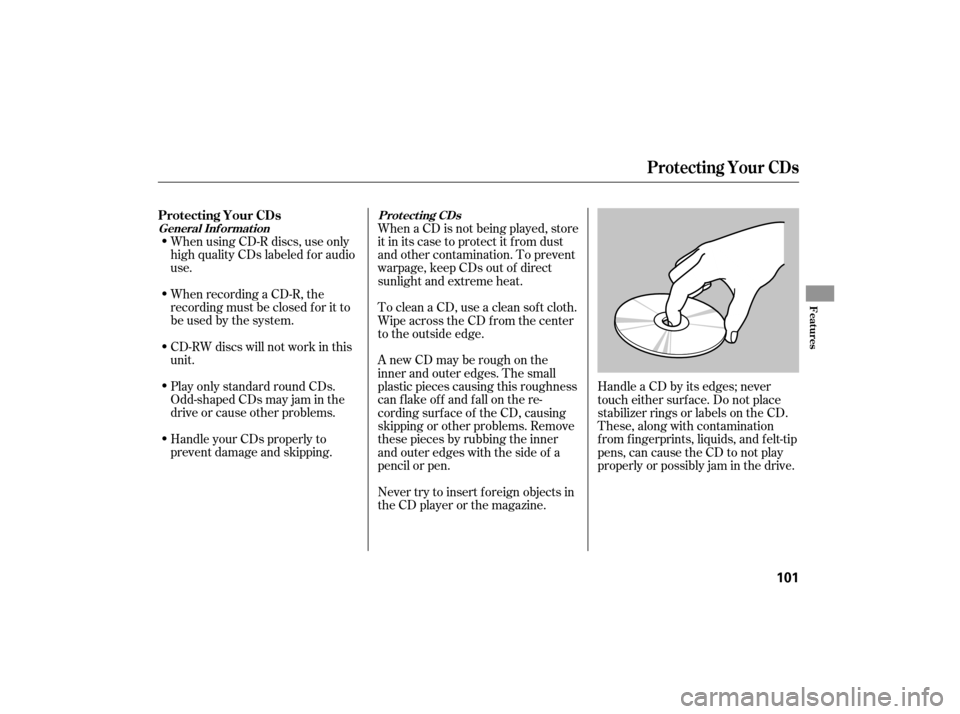
Handle a CD by its edges; never
touch either surf ace. Do not place
stabilizer rings or labels on the CD.
These, along with contamination
f rom f ingerprints, liquids, and f elt-tip
pens, can cause the CD to not play
properly or possibly jam in the drive.
Protecting Your CDs
General Inf ormat ion
Prot ect ing CDs
Protecting Your CDs
Features
101
Page 110 of 228

You can increase the set cruising
speed in any of these ways:Press and hold the RESUME/
accel button. When you reach the
desired cruising speed, release the
button.
Push on the accelerator pedal.
Accelerate to the desired cruising
speed, and press the SET/decel
button. You can decrease the set cruising
speed in any of these ways:
Press and hold the SET/decel
button. Release the button when
you reach the desired speed.
To slow down in very small
amounts, tap the SET/decel
button. Each time you do this,
your vehicle will slow down about
1 mph (1.6 km/h).
Tap the brake or clutch pedal
lightly with your f oot. The
CRUISE CONTROL indicator on
the instrument panel goes out.
When the vehicle slows to the
desired speed, press the SET/
decel button.
Cruise control may not hold the
set speed when you are going up
and down hills. If your speed
increases going down a hill, use
the brakes to slow down. This will
cancelthecruisecontrol.To
resume the set speed, press the
RESUME/accel button. The
indicator on the instrument panel
will come back on.
To increase the speed in very
small amounts, tap the RESUME/
accel button. Each time you do
this, your vehicle speeds up about
1 mph (1.6 km/h).
CONT INUED
Changing the Set Speed
Cruise Control
Features
107
Page 115 of 228
Park the vehicle, and set the
parking brake. Pull the hood
release handle located under the
lower left corner of the dashboard.
The hood will pop up slightly.
Screw
the fuel fill cap back on
until it clicks at least once. If you
do not properly tighten the cap,
the malfunction indicator lamp
maycomeon(seepage ).You
will also see a ‘‘CHECK FUEL
CAP’’ message on the inf ormation
display.
Push the f uel f ill door closed until
it latches.
Put your f ingers under the f ront
edge of the hood near the center.
Slide your hand to the lef t until
you f eel the hood latch handle.
Push this handle to the lef t to
release the hood. Lif t up the hood.
If the hood latch handle moves
stif f ly, or if you can open the hood
without lifting the handle, the
mechanism should be cleaned and
lubricated.
1.
2.
5.
6.
187
Service Station Procedures
Opening and Closing the Hood
112
RELEASE HANDLE