Page 52 of 228

This indicator comes on as a
reminder that you must refuel soon.
This
indicator comes on for a few
seconds when you turn the ignition
switch to the ON (II) position. It will
then go off if you have inserted a
properly-coded ignition key. If it is
not a properly-coded key, the
indicator will blink, and the engine
will not start (see page ).
This indicator also blinks several
times when you turn the ignition
switch from the ON (II) position to
the ACCESSORY (I) or LOCK (0)
position.
This
indicator comes on with the
high beam headlights. For more
info rmation, see page .
When the daytime running lights
(DRL) are on, this indicator comes
on with reduced brightness. When the indicator comes on, there
is about 2.22 US gal (8.4
)of fuel
remaining in the tank bef ore the
reading reaches E. There is a small
reserve of f uel remaining in the tank
when the reading does reach E.
57
61
Instrument Panel Indicators
Low Fuel Indicator
Immobilizer System
Indicator
High Beam Indicator
Inst rument s and Cont rols
49
Page 53 of 228

This indicator has three functions:
Itcomesonasareminderthatyou
have turned off the vehicle
stability assist (VSA) system.
It flashes when VSA is active (see
page ).
It comes on along with the VSA
system indicator if there is a
problem with the VSA system.
This indicator normally comes on for
a few seconds when you turn the
ignition switch to the ON (II)
position. For more information, see
page .
This
indicator normally comes on for
a few seconds when you turn the
ignition switch to the ON (II)
position.
Ifitcomesonandstaysonatany
other time, or if it does not come on
wh en you turn the ignition switch to
the ON (II) position, there is a
problem with the VSA system. Take
your vehicle to a dealer to have it
checked. Without VSA, your vehicle
still has normal driving ability, but
will not have VSA traction and
stability enhancement. See page
for more information on the
VSA system. This
indicator reminds you that it is
time to take your vehicle in for
scheduled maintenance. The
maintenance main items and sub
items will be displayed in the
information display. See page for
more inf ormation on the
maintenance minder.
This indicator goes of f when your
dealer resets it after completing the
required maintenance service.
1.
2.
3.
128 130
130 135
Vehicle Stability Assist
(VSA ) System Indicator
VSA A ctivation Indicator
Maintenance Minder
Indicator
Instrument Panel Indicators
50
Page 57 of 228
�´�µ�´�µ
The
information display in the
instrument panel shows you the
engine oil life and maintenance
service items when the ignition
switch is in the ON (II) position. This
information helps to keep you aware
of the periodic maintenance your
vehicle needs for continued trouble-
f ree driving. Ref er to page f or
more inf ormation. The clock displays the time with the
ignition switch in the ON (II)
position.
To set the clock:
Turn the ignition switch to the ON
(II) position.
Press and hold the CLOCK button
until the minute display blinks.
Adjusttheminutebypressingthe or button.
When you f inish the minute
adjustment, press and release the
CLOCK button. The hour display
will blink. Adjust the hour by
pressing the or button. When you f inish your adjustments,
press the CLOCK button again.
1.
2.
3. 4.
135
Gauges
Maintenance Minder Clock
54
Page 60 of 228

�µ�µ �µ
Push down on the
lever to signal a left turn and up to
signal a right turn. To signal a lane
ch ange, push lightly on the lever,
and hold it. The lever will return to
center when you release it or
complete a turn.
Turning the
switch to the ‘‘ ’’ position turns
on the parking lights, taillights,
instrument panel lights, side-marker
lights, and rear license plate lights.
Turning the switch to the ‘‘ ’’
position turns on the headlights. If
you leave the lights on with the key
removed from the ignition switch,
you will hear a reminder buzzer
when you open the driver’s door.
Turn
Signal
Off
Parking and indicator lights
Headlights on
High beams
Flashhighbeams Push the lever
f orward until you hear a click. The
high beam indicator will come on
(see page ). Pull the lever back to
return to the low beams.
To f lash the high beams, pull the
lever back lightly, then release it.
The high beams will stay on as long
as you hold the lever back.
With the headlight switch off, the
high beam headlights and the high
beam indicator come on with
reduced brightness when you turn
the ignition switch to the ON (II)
position and release the parking
brake. They remain on until you turn
the ignition switch of f , even if you
set the parking brake.
The headlights revert to normal
operation when you turn them on
with the switch.
1.
2.
3.
4.
5.
6. 49
Turn Signal
Headlights On High Beams
Daytime Running L ights
Turn Signal and Headlights
Inst rument s and Cont rols
57
Page 62 of 228
Do not push the def ogger button
when the convertible top is f olded.
Make sure the rear window is clear
and you have good visibility bef ore
starting to drive.
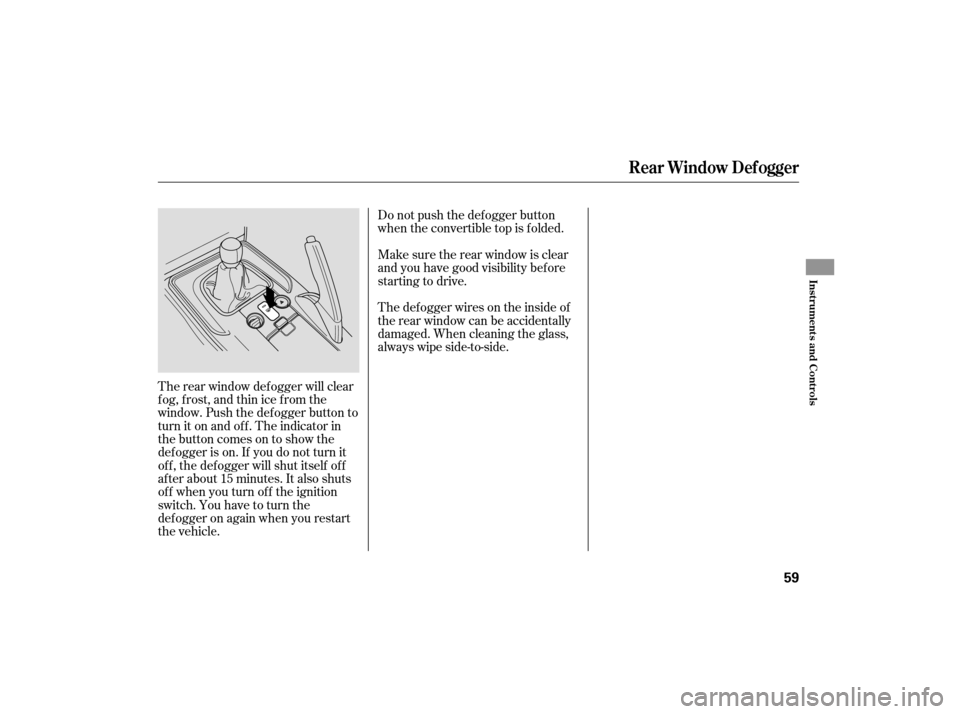
The rear window def ogger will clear
fog, frost, and thin ice from the
window. Push the def ogger button to
turn it on and off. The indicator in
the button comes on to show the
def ogger is on. If you do not turn it
of f , the def ogger will shut itself of f
af ter about 15 minutes. It also shuts
of f when you turn of f the ignition
switch. You have to turn the
def ogger on again when you restart
the vehicle. Thedefoggerwiresontheinsideof
the rear window can be accidentally
damaged. When cleaning the glass,
always wipe side-to-side.
Rear Window Def ogger
Inst rument s and Cont rols
59
Page 63 of 228
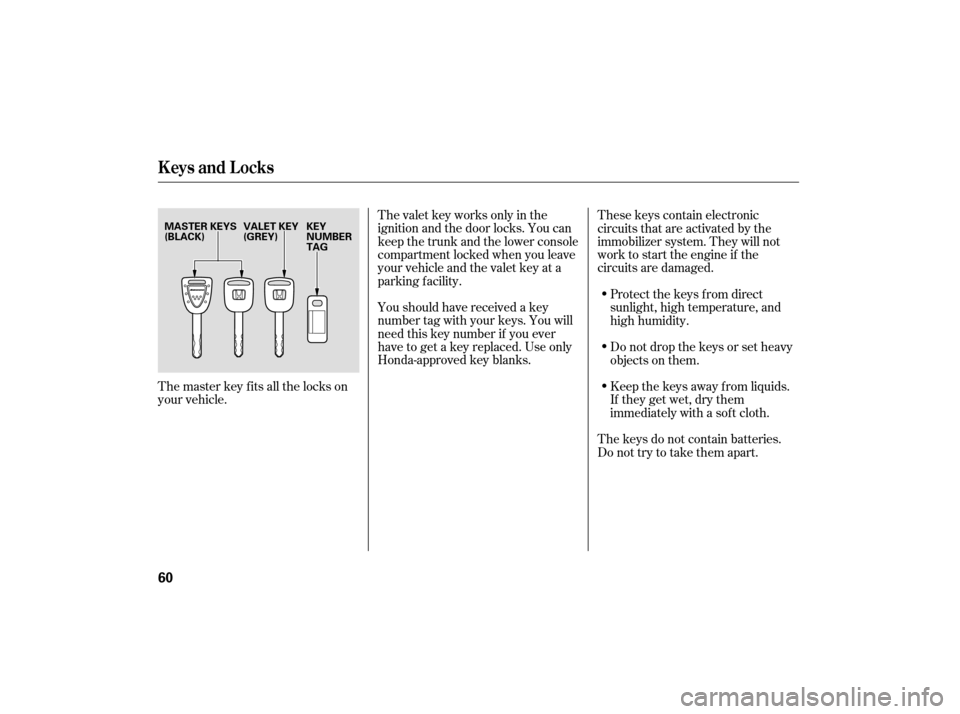
The valet key works only in the
ignition and the door locks. You can
keep the trunk and the lower console
compartment locked when you leave
your vehicle and the valet key at a
parking f acility.
Youshouldhavereceivedakey
number tag with your keys. You will
need this key number if you ever
have to get a key replaced. Use only
Honda-approved key blanks.These keys contain electronic
circuits that are activated by the
immobilizer system. They will not
work to start the engine if the
circuits are damaged.
Protect the keys f rom direct
sunlight, high temperature, and
high humidity.
Donotdropthekeysorsetheavy
objects on them.
Keep the keys away f rom liquids.
If they get wet, dry them
immediately with a sof t cloth.
The keys do not contain batteries.
Do not try to take them apart.
The master key fits all the locks on
your vehicle.
Keys and Locks
60
VALET KEY
(GREY)
KEY
NUMBER
TAG
MASTER KEYS
(BLACK)
Page 64 of 228

When you turn the ignition switch to
the ON (II) position, the immobilizer
system indicator should come on f or
a f ew seconds, then go of f . If the
indicator starts to blink, it means the
system does not recognize the
coding of the key. Turn the ignition
switch to the LOCK (0) position,
remove the key, reinsert it, and turn
the ignition switch to the ON (II)
position again.
The system may not recognize your
key’s coding if another immobilizer
key or other metal object (i.e. key
f ob) is near the ignition switch when
you insert the key.If the system repeatedly does not
recognize the coding of your key,
contact your dealer.
Do not attempt to alter this system
or add other devices to it. Electrical
problems could result that may make
your vehicle undrivable.
If you lose your key and cannot start
the engine, contact your dealer.
The immobilizer system protects
your vehicle f rom thef t. If an
improperly-coded key (or other
device) is used, the engine’s f uel
system is disabled.
As required by the FCC:
This device complies with Part 15 of theFCC rules. Operation is subject to thef ollowing two conditions: (1) This devicemay not cause harmf ul interf erence, and(2) this device must accept anyinterf erence received, includinginterf erence that may cause undesiredoperation.
Changes or modif ications not expresslyapproved by the party responsible f orcompliance could void the user’sauthority to operate the equipment.
This device complies with IndustryCanada Standard RSS-210.Operation is subject to the f ollowing twoconditions: (1) this device may not causeinterf erence, and (2) this device mustaccept any interf erence that may causeundesired operation of the device.
Immobilizer System
Inst rument s and Cont rols
61
Page 65 of 228
�µ
�µ �µ
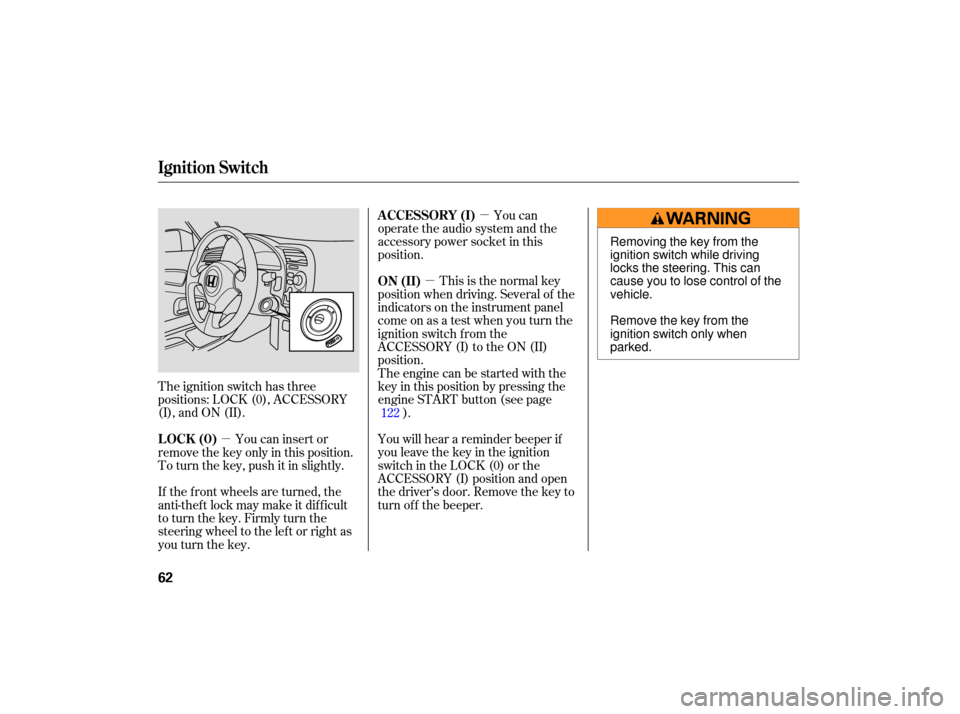
The ignition switch has three
positions: LOCK (0), ACCESSORY
(I), and ON (II). This
is the normal key
position when driving. Several of the
indicato rs on the instrument panel
come on as a test when you turn the
ignition switch from the
ACCESSORY (I) to the ON (II)
position.
The engine can be started with the
key in this position by pressing the
engine START button (see page ).
You will hear a reminder beeper if
you leave the key in the ignition
switch in the LOCK (0) or the
ACCESSORY (I) position and open
thedriver’sdoor.Removethekeyto
turn of f the beeper.
You can insert or
remove the key only in this position.
To turn the key, push it in slightly.
If the f ront wheels are turned, the
anti-theft lock may make it difficult
to turn the key. Firmly turn the
steering wheel to the lef t or right as
you turn the key. You can
operate the audio system and the
accessory power socket in this
position.
122
ON (II)
LOCK (0) A CCESSORY (I)
Ignition Switch
62
Removing the key from the
ignition switch while driving
locks the steering. This can
cause you to lose control of the
vehicle.
Remove the key from the
ignition switch only when
parked.