Page 55 of 331

If you decide that a child can safely
ride up front, be sure to:
Carefully read the owner’s manual,
and make sure you understand all
seat belt instru ctions and all safety
info rmation.
Move the vehicle seat to the rear-
most position.
Have the child sit up straight, back
against the seat, and feet on or
near the floor.
Ch eck that the child’s seat belt is
properly and secu rely positioned.
Physically,
a child must be large
enough f or the lap/shoulder belt to
properly f it (see pages and ). If
the seat belt does not f it properly,
with or without the child sitting on a
booster seat, the child should not sit
in f ront.
To saf ely ride in f ront, a child must
be able to f ollow the rules, including
sitting properly, and wearing the seat
belt properly throughout a ride.
A side airbag also poses risks. If any
part of a larger child’s body is in the
path of a deploying side airbag, the
child could receive possibly serious
injuries. If the passenger’s front airbag
inf lates in a moderate to severe
f rontal collision, the airbag can cause
serious injuries to a child who is
unrestrained, improperly restrained,
sitting too close to the airbag, or out
of position. The National Highway Traffic Safety
Administration and Transport
Canada recommend that all children
age 12 and under be properly
restrained in the back seat. Of course, children vary widely. And
while age may be one indicator of
when a child can saf ely ride in f ront,
there are other important f actors you
should consider.
Supervise the child. Even a mature
child sometimes needs to be
reminded to f asten the seat belt or
sit properly.
14 49
Physical Size
Maturity
When Can a L arger Child Sit in
Front
Protecting L arger Children
Driver and Passenger Saf ety
51
Page 58 of 331
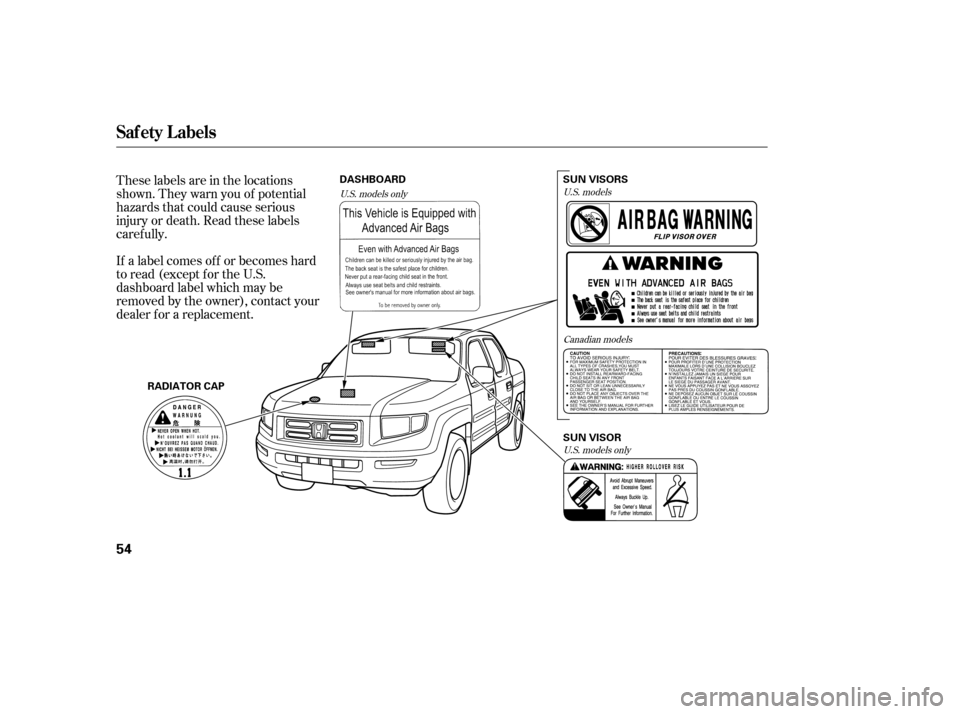
These labels are in the locations
shown. They warn you of potential
hazards that could cause serious
injury or death. Read these labels
caref ully.
If a label comes of f or becomes hard
to read (except for the U.S.
dashboard label which may be
removed by the owner), contact your
dealer f or a replacement.U.S. modelsCanadian models
U.S. models only
U.S. models only
Saf ety L abels
54
RADIATOR CAPDASHBOARD
SUN VISOR
SUN VISORS
Page 76 of 331

�¶�¶�µ�µ
�µ�µ�µ
�µ�µ�µ
This
indicator displays the outside
temperature in Fah renheit (U.S.
models) or Cen tigrade (Canadian
models).
The temperature sensor is in the
front bumper. Therefore, the
temperature reading can be affected
by heat reflection from the road
surface, engine heat, and the
exhaust from surrounding traffic.
This can cause an incorrect
te mperature reading when your
speed is under 19 mph (30 km/h).
The sensor delays the indicator
update until it reaches the correct
outside temperature. This may take
several minutes.
If the outside temperature is
inco rrectly displayed, you can adjust
it up 5°F in U.S. models ( 3°C in
Canadian models) warmer or cooler. NOTE:
The temperature must be
stabilized before doing this
procedure.
To adjust the outside temperature
indicator, make sure the outside
temperature indicator is shown in
thedisplay,thenpressandholdthe
RESET button for 10 seconds (the
TRIP A or B is also reset). The
following sequence will appear for 1
secondeach:0,1,2,3,4,5, 5, 4,
3, 2, 1, 0 (U.S.) or 0, 1, 2, 3,
3, 2, 1, 0 (Canada).
When it reaches the desired value,
release the RESET button. You
should see the new outside
te mperature displayed.
In certain weather conditions,
temperature readings near freezing
(32°F, 0°C) could mean that ice is
forming on the road surface.
This
shows the temperature of the
engine’s coolant. During normal
operation, the pointer should rise to
about the middle of the gauge. In
severe driving conditions, the pointer
may rise to the upper zone. If it
reaches the red (hot) mark, pull
safely to the side of the road. For
instructions and precautions on
checking the engine’s cooling
system, see page . 286
If equipped
Temperature Gauge Outside Temperature Indicator
Gauges
72
Page 82 of 331

The dial on the instrument panel
controls the brightness of the
instrument panel lights and the
console compartment light. Turn the
dial to adjust the brightness.
With the headlight control dial of f ,
the high beam headlights and the
high beam indicator come on with
reduced brightness when you turn
the ignition switch to the ON (II)
position and release the parking
brake. They remain on until you turn
the ignition switch of f , even if you
set the parking brake.
The headlights revert to normal
operation when you turn them on
with the headlight control dial.
The instrument panel will illuminate
with reduced brightness when you
unlock and open the driver’s door.
The brightness will increase and go
to a normal level when you insert the
key in the ignition switch.If you do not insert the key in the
ignition switch af ter opening the
driver’s door, the illumination turns
of f about 30 seconds af ter you close
the door.
If you insert the key but do not turn
the ignition switch to the ON (II)
position, the illumination turns of f in
about 10 seconds.
The instrument panel brightness is
dimmedwhenyouturntheheadlight
controldialtothe‘‘ ’’or
‘‘ ’’ position to reduce glare at
night. To cancel it, turn the
instrument panel brightness control
dial upward f ully until you hear a
click.
Canadian models only
Instrument Panel Brightness
Daytime Running L ights
Headlights, Instrument Panel Brightness
78
INSTRUMENT PANEL
BRIGHTNESS CONTROL DIAL
Page 89 of 331
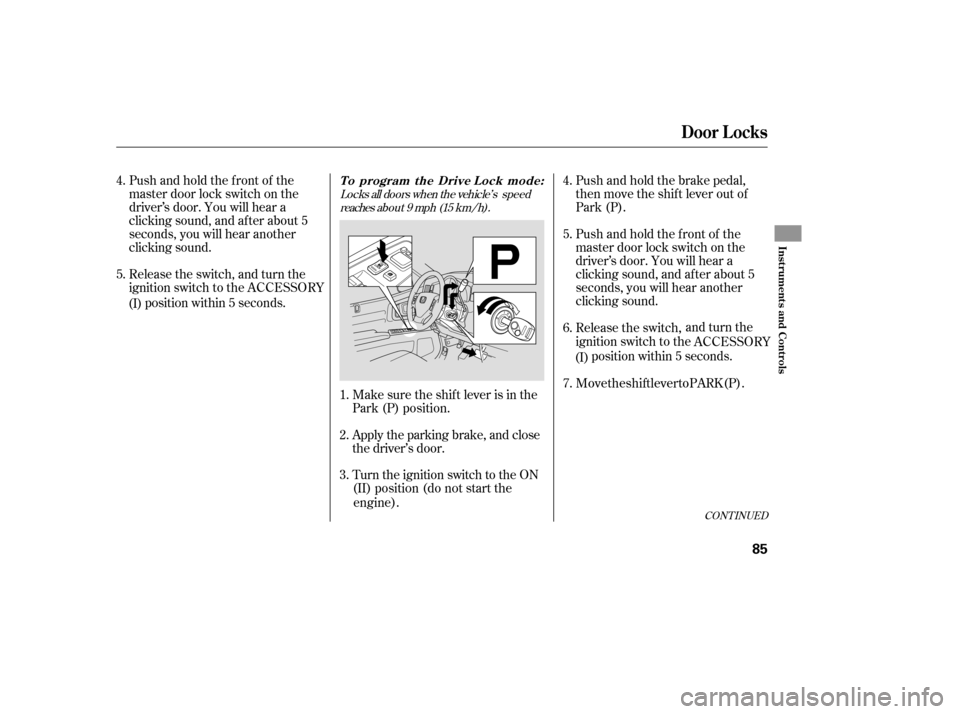
Locks all doors when the vehicle’s speedreaches about 9 mph (15 km/h).
Pushandholdthefrontof the
master door lock switch on the
driver’ s door. You will hear a
clicking sound, and af ter about 5
seconds, you will hear another
clicking sound.
Release the switch, and turn the
position within 5 seconds.
Make sure the shi
f t lever is in the
Park (P) position.
(II) position (do not start the
engine). Push and ho
l
d the brake pedal,
then move the shift lever out of
Park (P).
Pushandholdthefrontof the
master door lock switch on the
driver’ s door. You will hear a
clicking sound, and af ter about 5
seconds, you will hear another
clicking sound.
Release the switch, and turn the
ignition s w
itch to the
position within 5 seconds.
Apply the parking brake, and close
the driver’s door.
Turn the ignition switch to the ON
1.
2.
3. 5. 4.
6.
4.
5.
CONT INUED
Door L ocks
Inst rument s and Cont rols
85
(I)
ignition switch to the ACCESSORY
ACCESSORY
(I)
7. Move the shift lever to PARK (P).
To program the Drive Lock mode:
Page 90 of 331
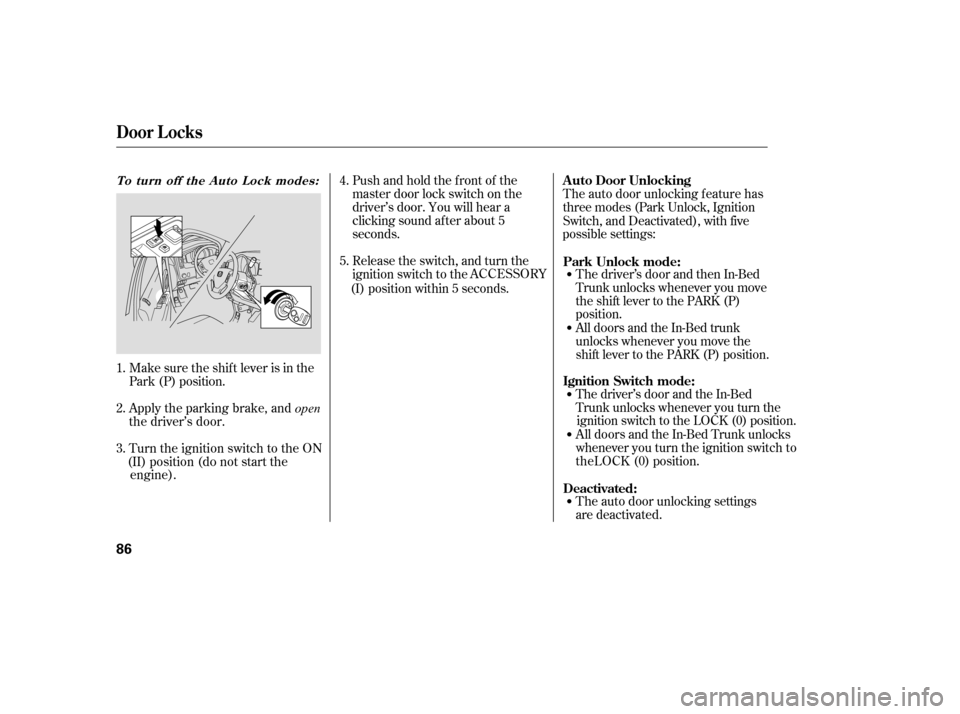
Pushandholdthefrontof the
master door lock switch on the
driver’s door. You will hear a
clicking sound af ter about 5
seconds.
Make sure the shif t lever is in the
Park (P) position. Release the switch, and turn the
ignition switch to the
position within 5 seconds. T
he driver’ s
door and then In-Bed
Trunk unlocks whenever you move
the shift lever to the PARK (P)
position.
All doors and the In-Bed trunk
unlocks whenever you move the
shift lever to the PARK (P) position.
T
he auto door
unloc
king f eature has
three modes (Park Unlock, Ignition
Switch, and Deactivated), with five
possible settings:
The driver’s door and the In-Bed
Trunk unlocks whenever you turn the
ignition switch to the LOCK (0) position.
All doors and the In-Bed Trunk unlocks
whenever you tur n
the ignition switch to
theLOCK (0) position.
The auto door unlocking settings
are deactivated.
Apply the parking brake, and
open
the driver’s door.
Turn the ignition switch to the ON
(II) position (do not start the engine).
1.
5. 4.
2.
3.
To turn off the Auto Lock modes:A uto Door Unlocking
Door L ocks
86
(I) ACCESSORY
Park Unlock mode:
Ignition Switch mode:
Deactivated:
Page 91 of 331
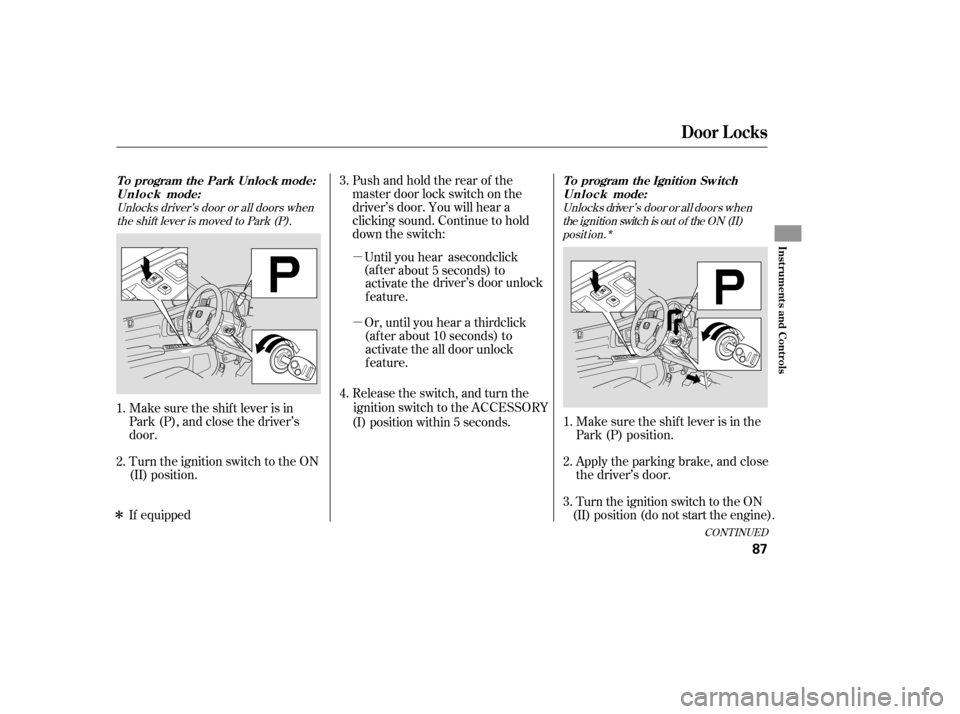
Make sure the shi
f t lever is in
Park (P), and close the driver’s
door. Pushandholdtherearof the
master door lock switch on the
driver’s door. You will hear a
clicking sound. Continue to hold
down the switch:
Release the
s
witch, and turn the
ignition switch to the Make sure the shif t lever is in the
Park (P) position.
Turn the ig n
ition switch to the ON
(II) position.
Turn the ignition switch to the ON
(II) position (do not start the engine). Apply the parking brake, and close
the driver’s door.
1.
2. 4. 3.
1.
2.
3.
Unlocks driver’s door or all doors whenthe shift lever is moved to Park (P). Unlocks driver’ s door or a ll doors when
the ignition switch is out of the ON (II)posit ion.*
CONT INUED
To program the Park Unlock mode:U n l o c k mode:
Door L ocks
Inst rument s and Cont rols
87
position within 5 seconds.
(I) ACCESSORY
�µ
about 5 sec
o
nds) to
activate the driver’s door unlock
f eature.
(af ter about 10 seconds) to activate the all door unlock
feature.
Or, until you hear a third click
�µUntil you hear a second click
(af ter
To program the Ignition Sw itch
U n l o c k mode:
�ÎIf equipped
Page 92 of 331
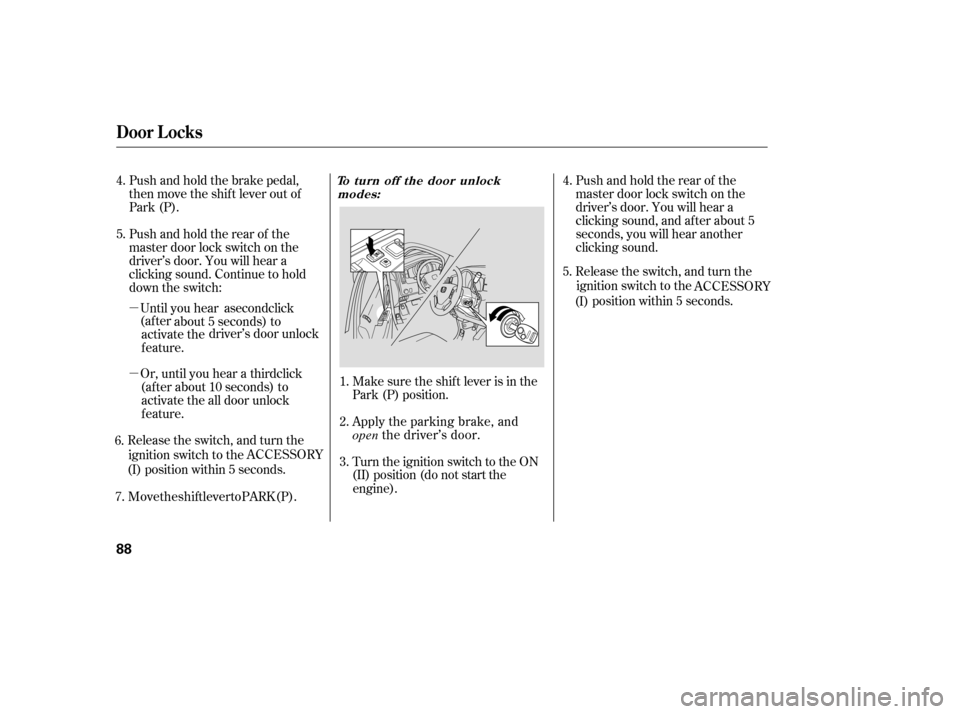
Apply the parking brake, and
open the driver’s door.
Make sure the s
hi
f t lever is in the
Park (P) position.
Turn the ignition switch to the ON
(II) position (do not start the
engine).
Push and hold the brake pedal,
then move the shift lever out of
Park (P).
Pushandholdtherearof the
master door lock switch on the
driver’s door. You will hear a
clicking sound. Continue to hold
down the switch:
Pushandholdtherearof the
master door lock switch on the
driver’s door. You will hear a
clicking sound, and af ter about 5
seconds, you will hear another
clicking sound.
4.
1.
2.
3.
5. 4.
T o turn off the door unlock
modes:
Door L ocks
88
�µ about 5 seconds) to
activate the dr
iv
er’s door unlock
f eature.
(af ter abo u
t 10 seconds) to
activate the all door unlock
feature.
Rele
ase the s
witch, and turn the
ignition switch to the
position within 5 seconds.
(I) ACCESSORY
Or, until you hear a third click
�µUntil you hear a second click
(af ter
6. 7. Move the shift lever to PARK (P). Release the switch, and turn the
ignition switch to the
position within 5 seconds.
5.
(I) ACCESSORY