Page 80 of 319
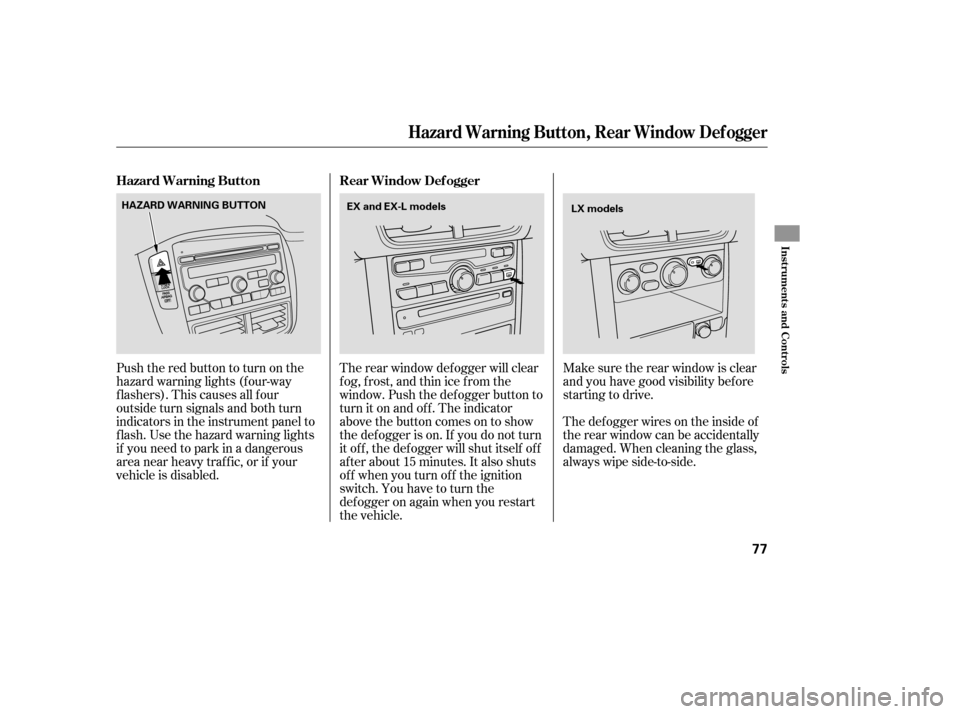
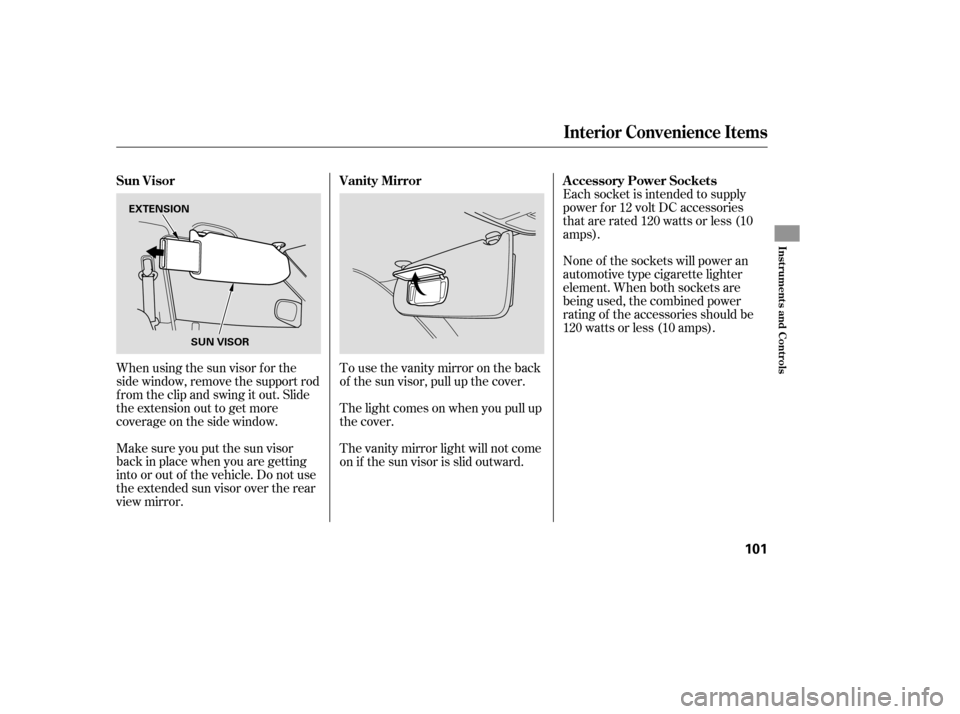
The rear window def ogger will clear
fog, frost, and thin ice from the
window. Push the def ogger button to
turn it on and off. The indicator
above the button comes on to show
the def ogger is on. If you do not turn
it of f , the def ogger will shut itself of f
af ter about 15 minutes. It also shuts
of f when you turn of f the ignition
switch. You have to turn the
def ogger on again when you restart
the vehicle.The def ogger wires on the inside of
the rear window can be accidentally
damaged. When cleaning the glass,
always wipe side-to-side. Make sure the rear window is clear
and you have good visibility bef ore
starting to drive.
Pushtheredbuttontoturnonthe
hazard warning lights (f our-way
flashers). This causes all four
outside turn signals and both turn
indicators in the instrument panel to
f lash. Use the hazard warning lights
if you need to park in a dangerous
area near heavy traffic, or if your
vehicle is disabled. Hazard Warning Button Rear Window Def ogger
Hazard Warning Button, Rear Window Def ogger
Inst rument s and Cont rols
77
HAZARD WARNING BUTTON
EX and EX-L models
LX models
Page 97 of 319
�µ
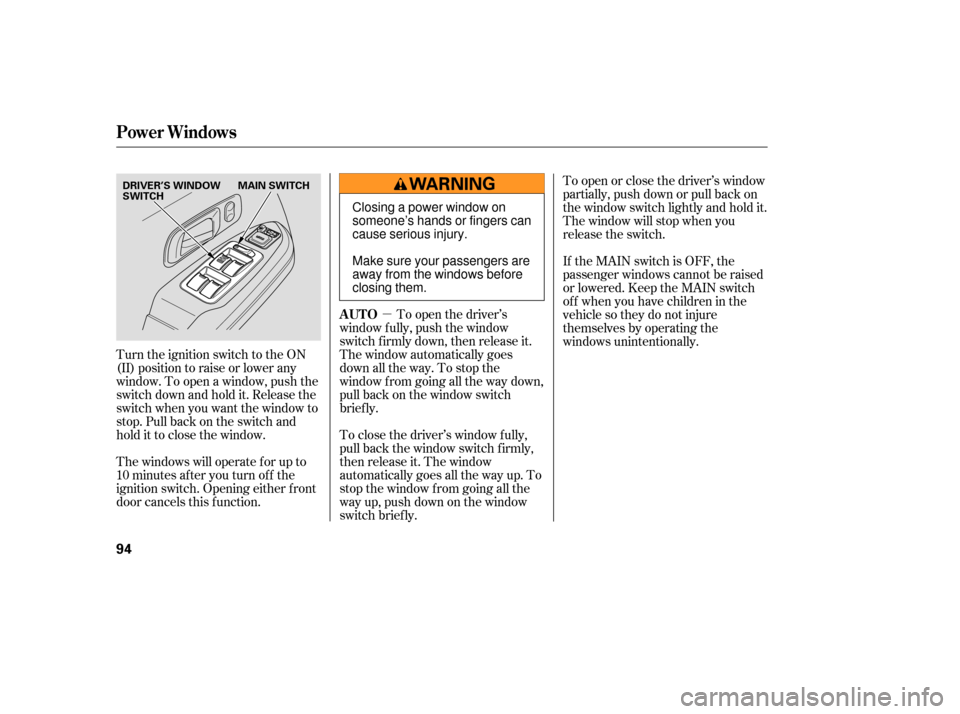
Turn the ignition switch to the ON
(II) position to raise or lower any
window. To open a window, push the
switchdownandholdit.Releasethe
switch when you want the window to
stop. Pull back on the switch and
hold it to close the window.
The windows will operate f or up to
10 minutes af ter you turn of f the
ignition switch. Opening either f ront
door cancels this f unction. To open the driver’s
window f ully, push the window
switch f irmly down, then release it.
The window automatically goes
down all the way. To stop the
window f rom going all the way down,
pull back on the window switch
brief ly.
To close the driver’s window f ully,
pull back the window switch f irmly,
then release it. The window
automatically goes all the way up. To
stop the window f rom going all the
way up, push down on the window
switch brief ly. To open or close the driver’s window
partially, push down or pull back on
the window switch lightly and hold it.
The window will stop when you
release the switch.
If the MAIN switch is OFF, the
passenger windows cannot be raised
or lowered. Keep the MAIN switch
off whenyouhavechildreninthe
vehicle so they do not injure
themselves by operating the
windows unintentionally.
Power Windows
AUTO
94
DRIVER’S WINDOW
SWITCH
MAIN SWITCH
Closing a power window on
someone’s hands or fingers can
cause serious injury.
Make sure your passengers are
away from the windows before
closing them.
Page 98 of 319
�µIf the driver’s
window senses any obstacle while it
is closing automatically, it will
reverse direction, and then stop. To
close the window, remove the
obstacle, then use the window switch
again.
Auto reverse stops sensing when the
window is almost closed. You should
always check that all passengers and
objects are away from the window
bef ore closing it. Start the engine. Push down and
hold the driver’s window switch
until the window is f ully open.
Pull and hold the driver’s window
switch to close the window
completely, then hold the switch
f or about 2 seconds.If the power windows do not operate
properly af ter resetting, have your
vehicle checked by your dealer.
If your vehicle’s battery is
disconnected or goes dead, or the
driver’s window f use is removed, the
AUTO f unction will be disabled. The
power window system needs to be
reset af ter reconnecting the battery
or installing the f use.
1.
2.
Power Windows
AUTO REVERSE
Inst rument s and Cont rols
95
Page 104 of 319
Make sure you put the sun visor
back in place when you are getting
into or out of the vehicle. Do not use
the extended sun visor over the rear
view mirror.None of the sockets will power an
automotive type cigarette lighter
element. When both sockets are
being used, the combined power
rating of the accessories should be
120 watts or less (10 amps).
The light comes on when you pull up
the cover.
Whenusingthesunvisorforthe
side window, remove the support rod
f rom the clip and swing it out. Slide
the extension out to get more
coverage on the side window. To use the vanity mirror on the back
of the sun visor, pull up the cover.
The vanity mirror light will not come
on if the sun visor is slid outward.Each socket is intended to supply
power f or 12 volt DC accessories
that are rated 120 watts or less (10
amps).
Sun Visor A ccessory Power Sockets
Vanity Mirror
Interior Convenience Items
Inst rument s and Cont rols
101
SUN VISOR
EXTENSION
Page 109 of 319
Vents, Heating, and A/C
106
TEMPERATURE
CONTROL DIALRECIRCULATION
BUTTON FAN CONTROL
DIAL
REAR WINDOW
DEFOGGER BUTTON
MODE CONTROL DIAL AIR CONDITIONING BUTTON
MODE BUTTON FAN SPEED
INDICATORFAN CONTROL
BUTTONS
TEMPERATURE CONTROL DIAL
AUTO BUTTON
REAR WINDOW
DEFOGGER BUTTON
OFF BUTTON
RECIRCULATION
BUTTON WINDSHIELD
DEFROST
BUTTON
AIR CONDITIONING BUTTON
TEMPERATURE
DISPLAY
REAR A/C
MANUAL BUTTON
LX MODEL
EX and EX-L MODEL
Page 111 of 319

Airflow is divided between
the floor vents and the defroster
vents at the base of the windshield.
Air flows from the defroster
vents at the base of the windshield.
When you select or ,
the system automatically switches to
fresh air mode and turns on the A/C.
In this case, you cannot turn the A/C
off.
When you select , the system
au tomatically switches to fresh air
mode and turns on the A/C.
When you select , the system
au tomatically switches to fresh air
mode and turns on the A/C.
This button turns the rear window
def ogger of f and on (see page ).
Use the mode control dial or button
to select the vents the air flows from.
Some air will flow from the
dashboard corner vents in all modes.
Each time you press the MODE
button, the display shows the mode
selected.
Air flows from the center
and corner vents in the dashboard.
Airf low is divided between
the vents in the dashboard and the
f loor vents.
Air f lows f rom the f loor
vents.
When the indicator in the button is
on, air f rom the vehicle’s interior is
sent throughout the system again.
When the indicator is off, air is
brought in f rom the outside of the
vehicle (fresh air mode).
The outside air intakes f or the
heating and cooling system are at
the base of the windshield. Keep this
area clear of leaves and other debris.
Thesystemshouldbeleftinfresh
air mode under almost all conditions.
Keeping the system in recirculation
mode, particularly with the A/C of f ,
can cause the windows to fog up.
Switch to recirculation mode when
driving through dusty or smoky
conditions, then return to fresh air
mode.
77
On EX and EX-L models
On EX and EX-L models
On LX models
Vents, Heating, and A/C
Rear Window Def ogger Button
Mode Control
Recirculation Button
108
Page 113 of 319

To remove f og f rom the inside of the
windows:Set the f an to the desired speed, or
high f or f aster def rosting.
Select . The system
automatically switches to f resh air
mode and turns on the A/C. The
A/C indicator (LX model) or the
A/C ON indicator in the display
(EX and EX-L models) will not be
displayed if it was previously of f .
Adjust the temperature control
dial so the airflow feels warm.
Select to help clear the
rear window.
Turn the fan on.
Turn on the air conditioning.
Select and fresh air mode.
Adjust the temperature control
dial to your pref erence.
This setting is suitable f or all driving
conditions whenever the outside
temperature is above 32°F (0°C). Air conditioning, as it cools, removes
moisture from the air. When used in
combination with the heater, it
makes the interior warm and dry and
can prevent the windows f rom
f ogging up.
you can
cool it down more rapidly by partially
opening the windows, turning on the
A/C, and setting the fan to
maximum speed in f resh air mode.
The vehicle has two A/C
units, one is in the f ront, and the
other is in the rear. The LX units are
independently controlled. The EX
and EX-L units are controlled by the
f ront panel controls, unless the RR
A/C MANUAL button is selected.
To cool the interior with MAX A/C: Set the f an to the desired speed.
Select MAX A/C.
The system automatically turns on
the A/C, selects , and
switches to recirculation mode.
Make sure the temperature is set
to maximum cool. 1.
2.
3.
4.
1.
2.
3.
4.
1.
2.
3.
If the interior is very warm,
On LX modelsTo Def og and Def rost
To Dehumidify the Interior
Vents, Heating, and A/C
110
NOTE:
Page 114 of 319

When you switch to , f romor , the A/C stays on.
This helps prevent the windows f rom
rapidly f ogging up when the air is
suddenly routed away f rom the
windshield. If you want to turn the
A/C off, press and release the A/C
button until the indicator in the
buttoncomesonandthengoesoff.
When you press again or the
MODE button, the A/C returns to its
original setting, either on or of f , as
displayed by the A/C ON or A/C
OFF indicator. If the original setting
is A/C OFF, the system switches to
AUTO. Select . The system
automatically switches to f resh air
mode and turns on the A/C. The
A/C indicator (LX model) or the
A/C ON indicator in the display
(EX and EX-L models) will not be
displayed if it was previously of f .
Select .
Set the f an and temperature
controls to maximum level.
For your saf ety, make sure you have
a clear view through all the windows
bef ore driving.
To clear the windows f aster, you can
close the dashboard corner vents by
rotating the wheel below it. This will
send more warm air to the
windshield def roster vents.
Continuous use of the recirculation
mode can cause humidity to build up
inside the vehicle. Once the
windshield is clear, select the f resh
air mode to avoid fogging the
windows. 1.
2.
3.
On LX models
On EX and EX-L models
Vents, Heating, and A/C
T o Remove Exterior Frost or Ice
From the Windows
Features
111