Page 89 of 304
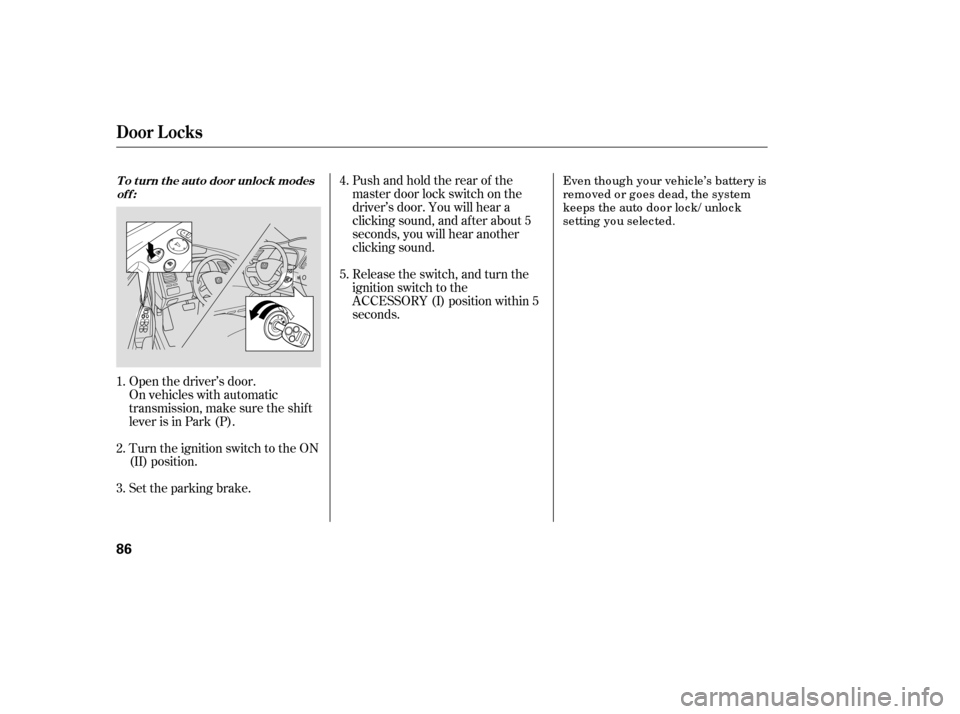
Turn the ignition switch to the ON
(II) position.
Set the parking brake.
Open the driver’s door.
On vehicles with automatic
transmission, make sure the shif t
lever is in Park (P). Release the switch, and turn the
ignition switch to the
ACCESSORY (I) position within 5
seconds.
Pushandholdtherearof the
master door lock switch on the
driver’s door. You will hear a
clicking sound, and af ter about 5
seconds, you will hear another
clicking sound.
Even tho ug h yo ur vehic le’s battery is
remo ved o r g o es dead, the system
keeps the auto do o r lo c k/ unlo c k
setting yo u selec ted.
1. 2. 3. 4. 5.
To turn the auto door unlock modes
off:
Door L ocks
86
�����—�����—�����y�����������
���y���
�(�#�����
���y�������
�y
Page 91 of 304

�µ�µ
�µ
�µ
Press this button once to
lock all doors. Some exterior lights
will f lash once. When you push
LOCK twice within 5 seconds, you
will hear a horn to verif y that the
doors are locked. You cannot lock
the doors if any door is not f ully
closed or the key is in the ignition
switch. If you unlock the doors with the
remote transmitter, but do not open
any of the doors within 30 seconds,
the doors automatically relock. On
U.S. LX, EX and Si models, the
security system will also set.
Pressthisbuttonfor
about 1 second to attract attention;
the horn will sound, and the exterior
lights will f lash f or about 30 seconds.
To cancel panic mode, press any
other button on the remote
transmitter, or insert the key.
Press this
button f or about 1 second to open
the trunk. You cannot open the trunk
if the key is in the ignition switch.
The ceiling light (if the ceiling light
switch is in the door activated
position) will come on when you
press the UNLOCK button. If you do
not open any door, the light stays on
f or about 30 seconds, then f ades out.
If you relock the doors with the
remote transmitter before 30
seconds have elapsed, the light goes
of f immediately. Press this button once
to unlock the driver’s door. Push it
twice to unlock the other doors.
Some exterior lights will f lash twice
each time you press the button. This
button does not work when the key
is in the ignition switch.
If you push the LOCK button twice
within 5 seconds, you will hear a
horn to verify that the security
system has set.
On U.S. LX, EX and Si models
OnU.S.EXandSimodels
LOCK PA NIC
T RUNK REL EA SE
UNL OCK
Remote Transmitter
88
LOCK
BUTTON
TRUNK
RELEASE
BUTTON
PANIC BUTTON
UNLOCK BUTTON
PANIC BUTTON UNLOCK
BUTTON
LOCK
BUTTON
U.S. EX and Si models
U.S.: LX model
Canadian: LX, DX-G and EX models
�����—�����—�����y���������������y���
�(�#�����
���y���������y
Page 92 of 304
Avoid dropping or throwing the
transmitter.If it takes several pushes on the
button to lock or unlock the doors,
replace the battery as soon as
possible.
Battery type: CR1616
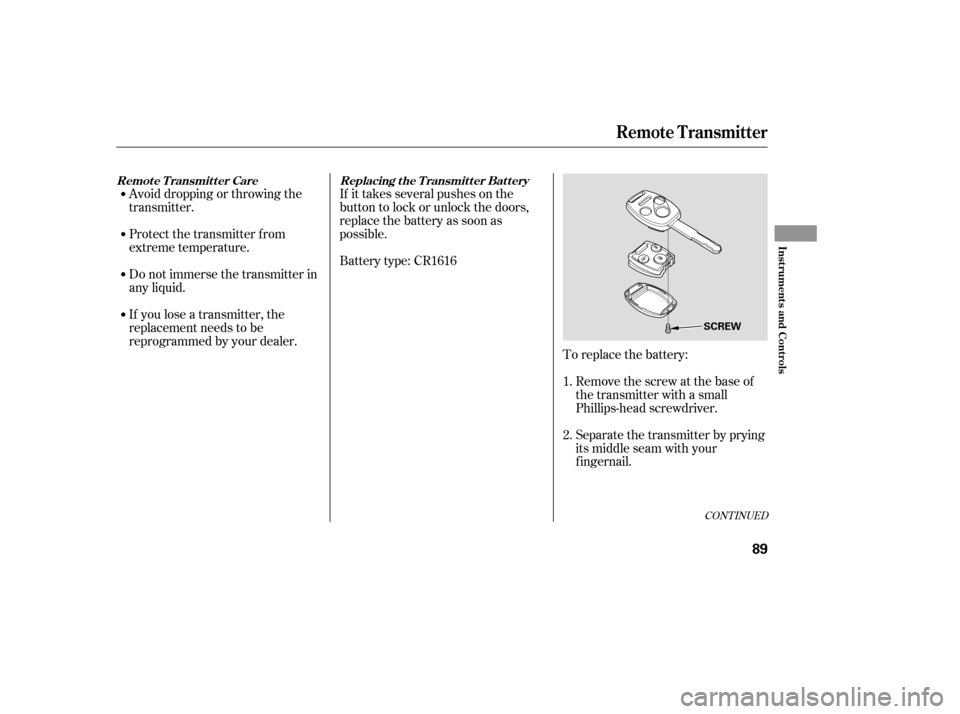
To replace the battery:Remove the screw at the base of
the transmitter with a small
Phillips-head screwdriver.
Separate the transmitter by prying
its middle seam with your
f ingernail.
If you lose a transmitter, the
replacement needs to be
reprogrammed by your dealer.
Do not immerse the transmitter in
any liquid.
Protect the transmitter from
extreme temperature.
1. 2.
CONT INUED
Replacing the Transmitter Battery
Remote Transmitter Care
Remote Transmitter
Inst rument s and Cont rols
89
SCREW
�����—�����—�����y���������������y���
�(�#�����
���y���������y
Page 99 of 304
�µ�µ
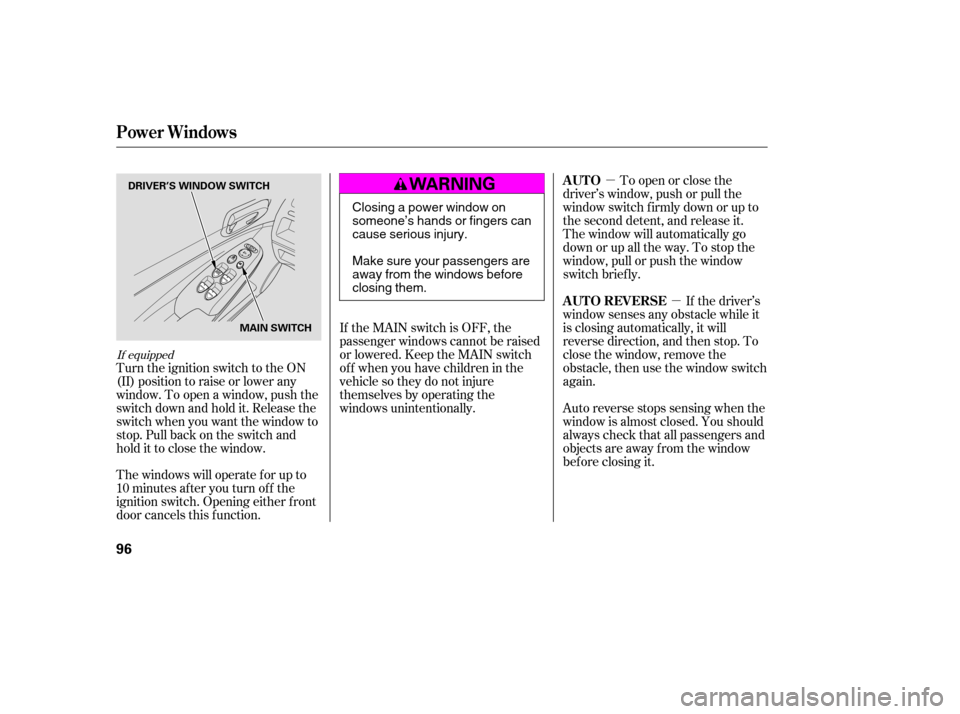
If the MAIN switch is OFF, the
passenger windows cannot be raised
or lowered. Keep the MAIN switch
off whenyouhavechildreninthe
vehicle so they do not injure
themselves by operating the
windows unintentionally.
Turn the ignition switch to the ON
(II) position to raise or lower any
window. To open a window, push the
switchdownandholdit.Releasethe
switch when you want the window to
stop. Pull back on the switch and
hold it to close the window.
The windows will operate f or up to
10 minutes af ter you turn of f the
ignition switch. Opening either f ront
door cancels this f unction. To open or close the
driver’s window, push or pull the
window switch firmly down or up to
the second detent, and release it.
The window will automatically go
down or up all the way. To stop the
window, pull or push the window
switch brief ly.
If the driver’s
window senses any obstacle while it
is closing automatically, it will
reverse direction, and then stop. To
close the window, remove the
obstacle, then use the window switch
again.
Auto reverse stops sensing when the
window is almost closed. You should
always check that all passengers and
objects are away from the window
bef ore closing it.
If equipped
AUTO
AUTO REVERSE
Power Windows
96
DRIVER’S WINDOW SWITCH
MAIN SWITCH
Closing a power window on
someone’s hands or fingers can
cause serious injury.
Make sure your passengers are
away from the windows before
closing them.
�����—�����—�����y�
�������������y���
�(�#�����
���y���
���
�y
Page 101 of 304

To close the moonroof f ully, push
the moonroof switch f orward to the
second detent, then release it. The
moonroof closes all the way. To stop
the moonroof f rom closing all the
way, brief ly move the switch in
either direction.The moonroof has a key-of f delay.
You can open and close the
moonroof f or up to 10 minutes af ter
you turn of f the ignition switch. The
key-of f delay cancels as soon as you
open either f ront door. You must
then turn the ignition switch to the
ON (II) position f or the moonroof to
operate.If the moonroof runs into any
obstacle while it is closing
automatically, it will reverse
direction, and then stop. To close the
moonroof , remove the obstacle, then
use the moonroof switch again.
Auto reverse stops sensing when the
moonroof is almost closed. You
should always check that all
passengers and objects are away
f rom the moonroof bef ore closing it.
Auto Reverse
Moonroof
98
Opening or closing the
moonroof on someone’s hands
or fingers can cause seriousinjury.
Make sure all hands and fingers
are clear of the moonroof
before opening or closing it.
If you try to open the moonroof in
below-f reezing temperatures, or when
it is covered with snow or ice, you can
damage the moonroof panel or motor.
�����—�����—�����y�
�������������y���
�(�#�����
���y���
�����y
Page 104 of 304
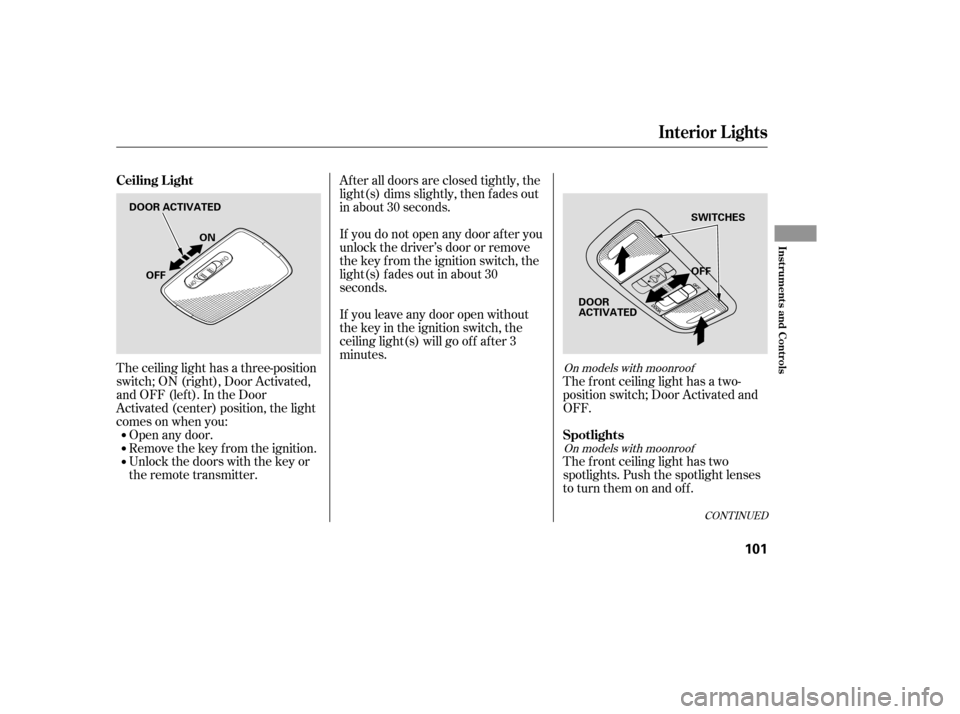
The ceiling light has a three-position
switch;ON(right),DoorActivated,
andOFF(left).IntheDoor
Activated (center) position, the light
comesonwhenyou:Open any door.
Remove the key from the ignition.
Unlock the doors with the key or
the remote transmitter. The f ront ceiling light has a two-
position switch; Door Activated and
OFF.
The f ront ceiling light has two
spotlights. Push the spotlight lenses
to turn them on and off.
After all doors are closed tightly, the
light(s) dims slightly, then f ades out
in about 30 seconds.
If you do not open any door af ter you
unlock the driver’s door or remove
the key from the ignition switch, the
light(s) f ades out in about 30
seconds.
If you leave any door open without
the key in the ignition switch, the
ceiling light(s) will go of f af ter 3
minutes.On models with moonroof
On models with moonroof
CONT INUED
Ceiling L ight
Spotlights
Interior Lights
Inst rument s and Cont rols
101
DOOR ACTIVATED OFF
OFF ON
SWITCHES
DOOR
ACTIVATED
�����—�����—�����y�
������
��
���y���
�(�#�����
���y���
�����y
Page 172 of 304
Once the security system is set,
opening any door, the trunk, or the
hood without using the key or the
remote transmitter will cause it to
alarm. It also alarms if the radio is
removed f rom the dashboard or the
wiring is cut.
The security system helps to protect
your vehicle and valuables f rom thef t.
The horn sounds and a combination
of headlights (low beam), parking
lights, side marker lights, and
taillights f lash if someone attempts
to break into your vehicle or remove
the radio. This alarm continues f or 2
minutes, then it stops. To reset an
alarming system bef ore the 2
minutes have elapsed, unlock the
driver’s door with the key or the
remote transmitter.
The security system automatically
sets 15 seconds after you lock the
doors, hood, and trunk. For the
system to activate, you must lock the
doors f rom the outside with the key,
driver’s lock tab, door lock switch, or
remote transmitter. The security
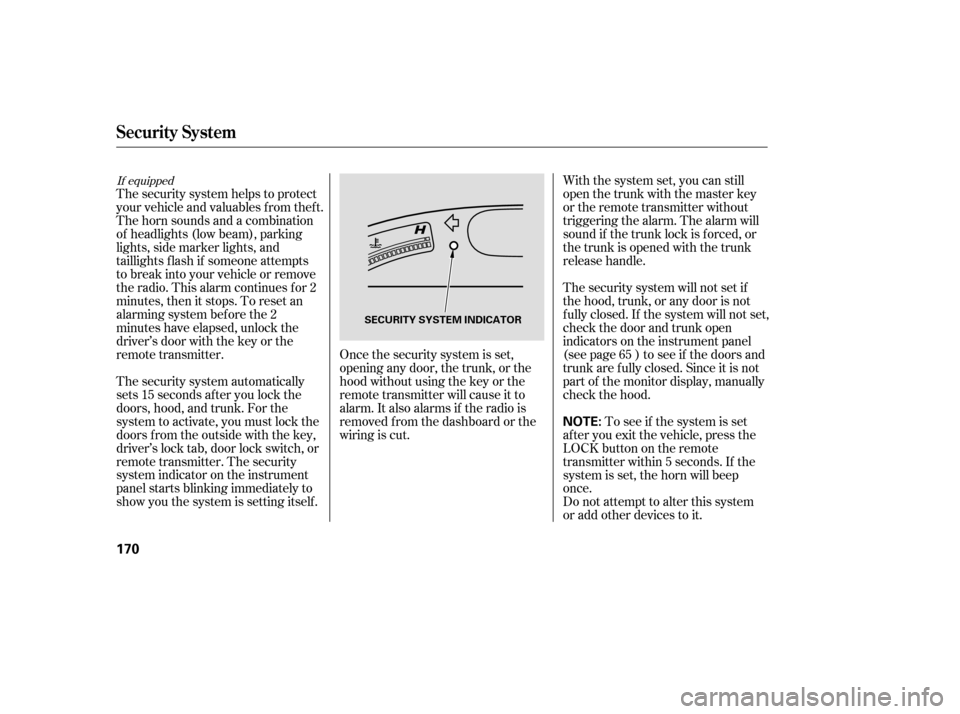
system indicator on the instrument
panel starts blinking immediately to
show you the system is setting itself . With the system set, you can still
open the trunk with the master key
or the remote transmitter without
triggering the alarm. The alarm will
sound if the trunk lock is f orced, or
the trunk is opened with the trunk
release handle.
The security system will not set if
the hood, trunk, or any door is not
f ully closed. If the system will not set,
check the door and trunk open
indicators on the instrument panel
(see page ) to see if the doors and
trunk are f ully closed. Since it is not
part of the monitor display, manually
check the hood.
Do not attempt to alter this system
or add other devices to it.
To see if the system is set
af ter you exit the vehicle, press the
LOCK button on the remote
transmitter within 5 seconds. If the
system is set, the horn will beep
once. 65
If equipped
Security System
170
NOTE:
SECURITY SYSTEM INDICATOR
�����—�����—�����y�
����
��������y���
�(�#�����
���y���
�����y
Page 178 of 304
CONT INUED
Park with the driver’s side closest
to the service station pump.
For f urther important f uel-related
inf ormation, please ref er to your
.
Some gasoline today is blended with
oxygenates such as ethanol or
MTBE. Your vehicle is designed to
operate on oxygenated gasoline
containing up to 10% ethanol by
volume and up to 15% MTBE by
volume. Do not use gasoline
containing methanol.
If you notice any undesirable
operating symptoms, try another
service station or switch to another
brand of gasoline.
You may hear a knocking noise from
the engine if you drive the vehicle at
low engine speed (below about 1,000
rpm) in a higher gear. To stop this,
raise the engine speed by shif ting to
a lower gear.
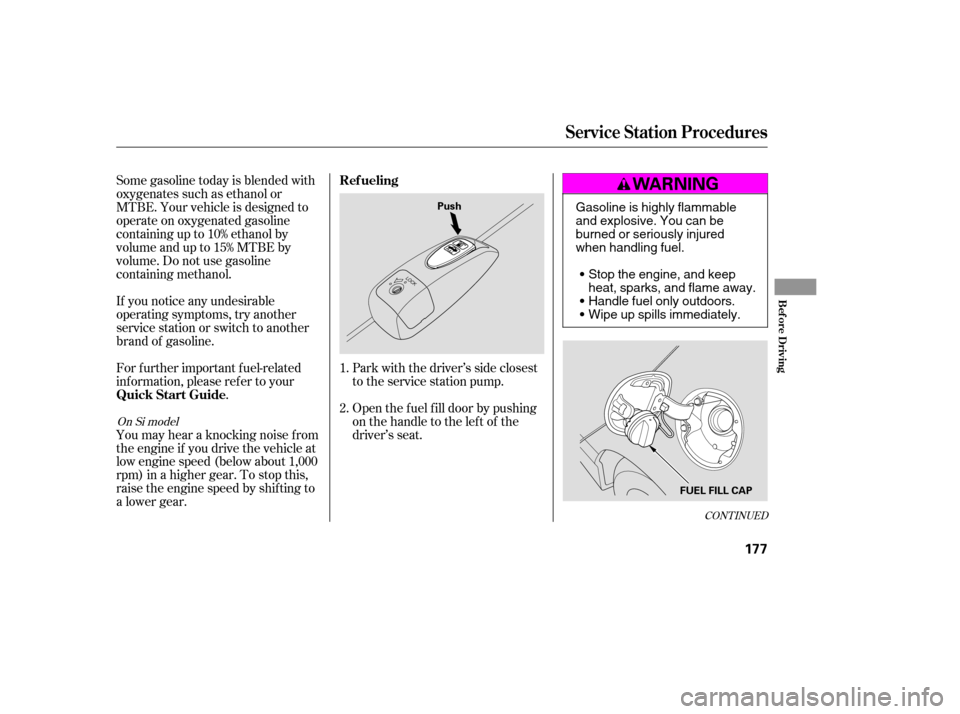
Open the f uel f ill door by pushing
onthehandletotheleftof the
driver’s seat.
1. 2.
On Si model
Service Station Procedures
Ref ueling
Quick Start Guide
Bef ore Driving
177
Push
FUEL FILL CAPGasoline is highly flammable
and explosive. You can be
burned or seriously injured
when handling fuel.Stop the engine, and keep
heat, sparks, and flame away.
Handle fuel only outdoors.
Wipe up spills immediately.
�����—�����—�����y�
����
�
����
�y���
�(�#�����
���y���
�����y