2007 GMC SIERRA CLASSIC CD player
[x] Cancel search: CD playerPage 338 of 674
DVD Player
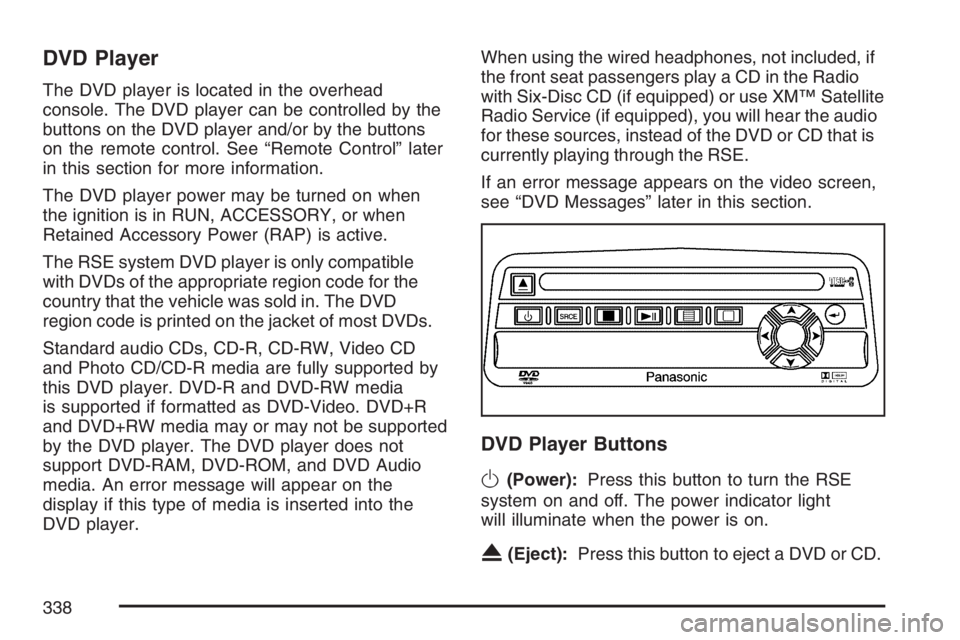
The DVD player is located in the overhead
console. The DVD player can be controlled by the
buttons on the DVD player and/or by the buttons
on the remote control. See “Remote Control” later
in this section for more information.
The DVD player power may be turned on when
the ignition is in RUN, ACCESSORY, or when
Retained Accessory Power (RAP) is active.
The RSE system DVD player is only compatible
with DVDs of the appropriate region code for the
country that the vehicle was sold in. The DVD
region code is printed on the jacket of most DVDs.
Standard audio CDs, CD-R, CD-RW, Video CD
and Photo CD/CD-R media are fully supported by
this DVD player. DVD-R and DVD-RW media
is supported if formatted as DVD-Video. DVD+R
and DVD+RW media may or may not be supported
by the DVD player. The DVD player does not
support DVD-RAM, DVD-ROM, and DVD Audio
media. An error message will appear on the
display if this type of media is inserted into the
DVD player.When using the wired headphones, not included, if
the front seat passengers play a CD in the Radio
with Six-Disc CD (if equipped) or use XM™ Satellite
Radio Service (if equipped), you will hear the audio
for these sources, instead of the DVD or CD that is
currently playing through the RSE.
If an error message appears on the video screen,
see “DVD Messages” later in this section.
DVD Player Buttons
O(Power):Press this button to turn the RSE
system on and off. The power indicator light
will illuminate when the power is on.
X(Eject):Press this button to eject a DVD or CD.
338
Page 339 of 674
SRCE (Source):Press this button to switch
between the DVD player and an auxiliary source.
c(Stop):Press this button to stop playing,
rewinding, or fast forwarding a DVD or CD. Press
this button twice to return to the beginning of
the DVD.
s(Play/Pause):Press this button to start play
of a DVD or CD. Press this button while a
DVD or CD is playing to pause it. Press this button
again to continue the play of the DVD or CD.
y(Main DVD Menu):Press this button to access
the DVD menu. The DVD menu is different on every
DVD. Use the up, down, left, and right arrow
buttons to move the cursor around the DVD menu.
After making a selection press the enter button.
This button only operates when playing a DVD.
z(Set-up Menu):Press this button to adjust the
color, tint, brightness, contrast, display mode,
and dynamic range compression. The dynamic
range compression feature can be used to reduce
loud audio and increase low audio produced by
some DVDs.To change a feature back to the factory default
setting, press this button to display the feature,
then press and hold this button. The default setting
will appear on the display.
While playing an Audio or DVD disc, press and
hold this button to display and to remove the track
and time information.
n,q,p,o(Menu Navigation Arrows):Use
the arrow buttons to navigate through a menu.
r(Enter):Press this button to select the
choices that are highlighted in any menu.
Playing a Disc
To play a disc, gently insert the disc with the label
side up into the loading slot. The DVD player
will continue loading the disc and the player will
automatically start, if the vehicle is in RUN,
ACCESSORY, or when RAP is active.
If a disc is already in the player, press the
play/pause button on the DVD player faceplate or
on the remote control.
339
Page 340 of 674
Some DVDs will not allow fast forwarding or
skipping of the copyright information or the
previews. Some DVDs will begin playing after the
previews have nished. If the DVD does not
begin to play the main title, refer to the on-screen
instructions.
Stopping and Resuming Playback
To stop playing a disc, press and release the stop
button on the DVD player faceplate or the
remote control.
To resume playback, press the play/pause button
on the DVD player faceplate or the remote
control. The movie should resume play from where
it was last stopped, if the disc has not been
ejected and the stop button has not been pressed
twice. If the disc has been ejected or if the stop
button has been pressed twice, the disc will
resume play at the beginning.
Ejecting a Disc
Press the eject button on the DVD player faceplate
to eject the disc. There is not an eject button on
the remote control.If a disc is ejected from the player, but is not
removed, the DVD player will reload the disc after
a short period of time. The disc will be stored
in the DVD player. The DVD player will not resume
play of the disc automatically.
Remote Control
To use the remote control, aim it at the transmitter
window below the video screen and press the
desired button. Direct sunlight or very bright light
may affect the ability of the RSE system to
receive signals from the remote control. If the
remote control does not seem to be working, the
batteries may need to be replaced. See “Battery
Replacement” later in this section.
Objects blocking the line of sight may also affect
the function of the remote control.
Notice:Storing the remote control in a hot
area or in direct sunlight may damage it,
and the repairs will not be covered by your
warranty. Keep the remote control stored in a
cool, dry place.
To extend the life of the batteries, the remote
control does not have a press and hold feature.
340
Page 341 of 674
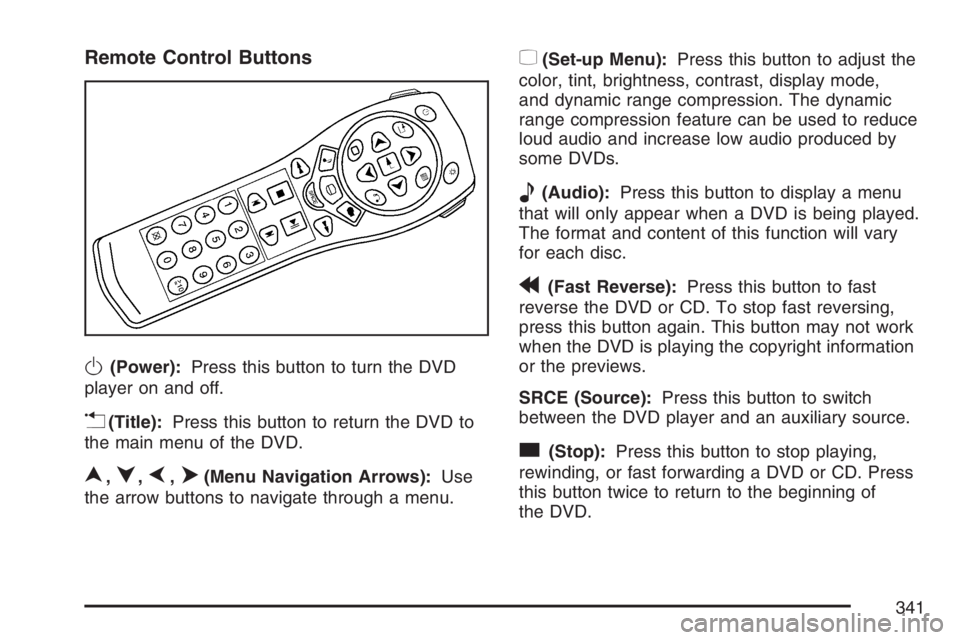
Remote Control Buttons
O(Power):Press this button to turn the DVD
player on and off.
v(Title):Press this button to return the DVD to
the main menu of the DVD.
n,q,p,o(Menu Navigation Arrows):Use
the arrow buttons to navigate through a menu.
z(Set-up Menu):Press this button to adjust the
color, tint, brightness, contrast, display mode,
and dynamic range compression. The dynamic
range compression feature can be used to reduce
loud audio and increase low audio produced by
some DVDs.
e(Audio):Press this button to display a menu
that will only appear when a DVD is being played.
The format and content of this function will vary
for each disc.
r(Fast Reverse):Press this button to fast
reverse the DVD or CD. To stop fast reversing,
press this button again. This button may not work
when the DVD is playing the copyright information
or the previews.
SRCE (Source):Press this button to switch
between the DVD player and an auxiliary source.
c(Stop):Press this button to stop playing,
rewinding, or fast forwarding a DVD or CD. Press
this button twice to return to the beginning of
the DVD.
341
Page 344 of 674
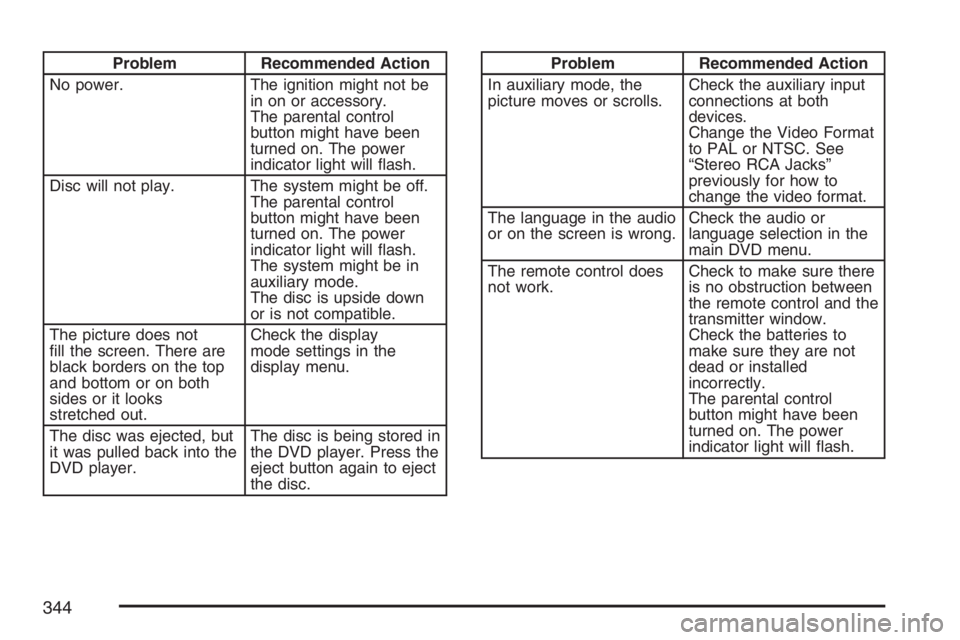
Problem Recommended Action
No power. The ignition might not be
in on or accessory.
The parental control
button might have been
turned on. The power
indicator light will ash.
Disc will not play. The system might be off.
The parental control
button might have been
turned on. The power
indicator light will ash.
The system might be in
auxiliary mode.
The disc is upside down
or is not compatible.
The picture does not
ll the screen. There are
black borders on the top
and bottom or on both
sides or it looks
stretched out.Check the display
mode settings in the
display menu.
The disc was ejected, but
it was pulled back into the
DVD player.The disc is being stored in
the DVD player. Press the
eject button again to eject
the disc.Problem Recommended Action
In auxiliary mode, the
picture moves or scrolls.Check the auxiliary input
connections at both
devices.
Change the Video Format
to PAL or NTSC. See
“Stereo RCA Jacks”
previously for how to
change the video format.
The language in the audio
or on the screen is wrong.Check the audio or
language selection in the
main DVD menu.
The remote control does
not work.Check to make sure there
is no obstruction between
the remote control and the
transmitter window.
Check the batteries to
make sure they are not
dead or installed
incorrectly.
The parental control
button might have been
turned on. The power
indicator light will ash.
344
Page 345 of 674
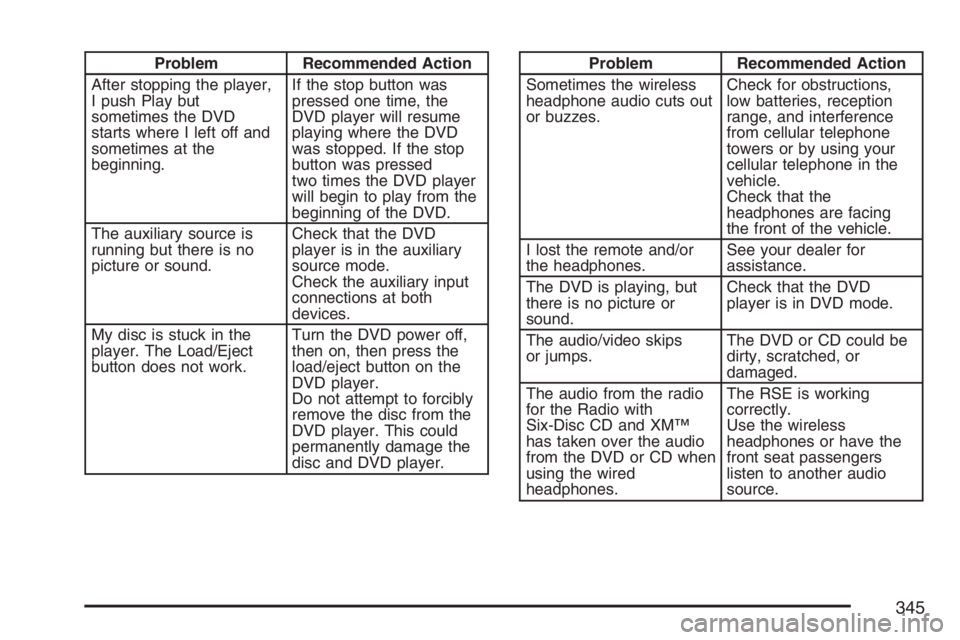
Problem Recommended Action
After stopping the player,
I push Play but
sometimes the DVD
starts where I left off and
sometimes at the
beginning.If the stop button was
pressed one time, the
DVD player will resume
playing where the DVD
was stopped. If the stop
button was pressed
two times the DVD player
will begin to play from the
beginning of the DVD.
The auxiliary source is
running but there is no
picture or sound.Check that the DVD
player is in the auxiliary
source mode.
Check the auxiliary input
connections at both
devices.
My disc is stuck in the
player. The Load/Eject
button does not work.Turn the DVD power off,
then on, then press the
load/eject button on the
DVD player.
Do not attempt to forcibly
remove the disc from the
DVD player. This could
permanently damage the
disc and DVD player.Problem Recommended Action
Sometimes the wireless
headphone audio cuts out
or buzzes.Check for obstructions,
low batteries, reception
range, and interference
from cellular telephone
towers or by using your
cellular telephone in the
vehicle.
Check that the
headphones are facing
the front of the vehicle.
I lost the remote and/or
the headphones.See your dealer for
assistance.
The DVD is playing, but
there is no picture or
sound.Check that the DVD
player is in DVD mode.
The audio/video skips
or jumps.The DVD or CD could be
dirty, scratched, or
damaged.
The audio from the radio
for the Radio with
Six-Disc CD and XM™
has taken over the audio
from the DVD or CD when
using the wired
headphones.The RSE is working
correctly.
Use the wireless
headphones or have the
front seat passengers
listen to another audio
source.
345
Page 346 of 674
DVD Messages
The following errors may be displayed on the
video screen:
Disc Format Error:This message will be
displayed if a disc is inserted upside down, if the
disc is not readable, or if the format is not
compatible with the DVD player.
Load/Eject Error:This message will be displayed
if the disc is not properly loaded or ejected.
Disc Play Error:This message will be displayed
if the DVD player cannot play the disc. Scratched
or damaged discs will cause this error.
Region Code Error:This message will be
displayed if the region code of the DVD is not
compatible with the region code of the DVD player.
No Disc:This message will be displayed if any
of the buttons on the DVD faceplate or remote
control are pressed and no disc is present in the
DVD player.
DVD Distortion
There may be an experience with audio distortion
in the wireless headphones when operating
cellular phones, scanners, CB radios, Global
Positioning Systems (GPS)*, two-way radios,
mobile fax, or walkie talkies.
It may be necessary to turn off the DVD player
when operating one of these devices in or near the
vehicle.
* Excludes the OnStar
®System.
Cleaning the Video Screen
Pour some isopropyl or rubbing alcohol on a clean
cloth and gently wipe the video screen. Do not
spray directly onto the screen and do not press too
hard or too long on the video screen.
346
Page 350 of 674
Radio Reception
You may experience frequency interference and
static during normal radio reception if items
such as cellphone chargers, vehicle convenience
accessories, and external electronic devices
are plugged into the accessory power outlet. If
there is interference or static, unplug the item from
the accessory power outlet.
AM
The range for most AM stations is greater than for
FM, especially at night. The longer range can
cause station frequencies to interfere with each
other. For better radio reception, most AM
radio stations will boost the power levels during
the day, and then reduce these levels during
the night. Static can also occur when things like
storms and power lines interfere with radio
reception. When this happens, try reducing the
treble on your radio.
FM Stereo
FM stereo will give the best sound, but FM signals
will reach only about 10 to 40 miles (16 to 65 km).
Tall buildings or hills can interfere with FM
signals, causing the sound to fade in and out.
XM™ Satellite Radio Service
XM™ Satellite Radio Service gives digital radio
reception from coast-to-coast in the 48 contiguous
United States, and in Canada. Just as with FM,
tall buildings or hills can interfere with satellite
radio signals, causing the sound to fade in and out.
In addition, traveling or standing under heavy
foliage, bridges, garages, or tunnels may cause
loss of the XM™ signal for a period of time.
The radio may display NO SIGNAL to indicate
interference.
Care of the Cassette Tape Player
A tape player that is not cleaned regularly
can cause reduced sound quality, ruined
cassettes, or a damaged mechanism. Cassette
tapes should be stored in their cases away
from contaminants, direct sunlight, and extreme
heat. If they are not, they may not operate properly
or may cause failure of the tape player.
350