2007 GMC ACADIA ECU
[x] Cancel search: ECUPage 160 of 554
5. After entering all of the switch positions,
again, rmly press and release all three
buttons at the same time. The indicator lights
will turn on.
6. Press and hold the button you would like to use
to control the garage door until the garage door
moves. The indicator light above the selected
button should slowly blink. You may need to
hold the button from ve to 55 seconds.
7. Immediately release the button when the
garage door moves. The indicator light will
blink rapidly until programming is complete.
8. Press and release the same button again.
The garage door should move, conrming
that programming is successful and complete.
To program another Fixed Code device such as an
additional garage door opener, a security device,
or home automation device, repeat Steps 1-8,
choosing a different button in Step 6 than what you
used for the garage door opener.
Using Universal Home Remote
Press and hold the appropriate button for at least
half of a second. The indicator light will come
on while the signal is being transmitted.
Reprogramming Universal Home
Remote Buttons
You can reprogram any of the three buttons by
repeating the instructions.
Erasing Universal Home Remote
Buttons
You should erase the programmed buttons when
you sell or terminate your lease.
To erase either Rolling Code or Fixed Code on
the Universal Home Remote device, do the
following:
1. Press and hold the two outside buttons at the
same time for approximately 20 seconds, until
the indicator lights, located directly above
the buttons, begin to blink rapidly.
2. Once the indicator lights begin to blink,
release both buttons. The codes from all
buttons will be erased.
For help or information on the Universal Home
Remote System, call the customer assistance
phone number underCustomer Assistance Offices
on page 522.
160
Page 163 of 554
If you have the luggage carrier, you can load
things on top of your vehicle. Crossrails are not
standard on this vehicle and must be purchased at
your dealer/retailer.
Notice:Loading cargo on the luggage carrier
that weighs more than 200 lbs (91 kg) or hangs
over the rear or sides of the vehicle may
damage your vehicle. Load cargo so that it rests
as far forward as possible and against the side
rails, making sure to fasten it securely.
Do not exceed the maximum vehicle capacity
when loading your vehicle. For more information
on vehicle capacity and loading, seeLoading Your
Vehicle on page 361.
To prevent damage or loss of cargo as you are
driving, check to make sure the cargo is still
securely fastened.
Rear Seat Armrest
Your vehicle may have a rear seat armrest that
contains two cupholders. To access the cupholders,
pull the armrest down from the rear seatback.
Convenience Net
Your vehicle may have a convenience net. The
convenience net is designed to help keep
small loads, like grocery bags, from falling over. It
is not designed to hold larger, heavier loads.
To install the convenience net, attach both the
upper and lower hooks to the loops on either side
of the liftgate opening.
Cargo Cover
Your vehicle may have a cargo cover. It can be
used to cover items in the rear of the vehicle.
To install the cover, place the loops found on each
corner of the cover on the four hooks in the rear
of the vehicle. When not in use, the cover can
be stored in the cargo management system.
Cargo Tie Downs
Your vehicle has eight cargo tie-downs located in
the rear of the vehicle. These are used to
secure small loads.
163
Page 168 of 554
Warning Lights, Gages, and Indicators..... 214
Instrument Panel Cluster........................... 215
Speedometer and Odometer...................... 216
Tachometer............................................... 216
Safety Belt Reminder Light........................ 216
Passenger Safety Belt Reminder Light....... 217
Airbag Readiness Light............................. 217
Passenger Airbag Status Indicator............. 218
Charging System Light.............................. 220
Voltmeter Gage......................................... 221
Brake System Warning Light..................... 222
Anti-Lock Brake System Warning Light...... 223
StabiliTrak
®Indicator Light......................... 224
Engine Coolant Temperature Warning
Light...................................................... 224
Engine Coolant Temperature Gage............ 225
Tire Pressure Light.................................... 225
Malfunction Indicator Lamp........................ 226
Oil Pressure Light..................................... 229
Security Light............................................ 229
Fog Lamp Light......................................... 230Cruise Control Light.................................. 230
Highbeam On Light................................... 230
Tow/Haul Mode Light................................ 230
Fuel Gage................................................. 231
Driver Information Center (DIC).................. 232
DIC Operation and Displays
(With DIC Buttons)................................. 233
DIC Operation and Displays
(Without DIC Buttons)............................ 239
DIC Warnings and Messages.................... 244
DIC Vehicle Customization
(With DIC Buttons)................................. 255
Audio System(s)......................................... 264
Setting the Time........................................ 266
Radio with CD........................................... 268
Radio with CD and DVD........................... 278
Using an MP3 (Radio with CD or
Six-Disc CD Player)............................... 295
Using an MP3 (Radio with CD and
DVD Player)........................................... 301
Section 3 Instrument Panel
168
Page 172 of 554
P. Hazard Warning Flasher Button. SeeHazard
Warning Flashers on page 172.
Q. Cupholders. SeeCupholder(s) on page 161.
R. Accessory Power Outlets. SeeAccessory
Power Outlet(s) on page 197.
S. Traction Control System (TCS) Disable
Button (If Equipped). SeeStabiliTrak
®System
on page 337. Tow/Haul Selector Button
(If Equipped). SeeTow/Haul Mode on
page 133. Power Liftgate Button (If Equipped).
SeePower Liftgate on page 110.
T. Heated Seats Button. SeeHeated Seats
on page 12.
U. Passenger Air Bag status Indicator. See
Passenger Sensing System on page 85.
V. Glove Box. SeeGlove Box on page 161.
Hazard Warning Flashers
The hazard warning ashers let you warn others.
They also let police know you have a problem. The
front and rear turn signal lamps will ash on and off.
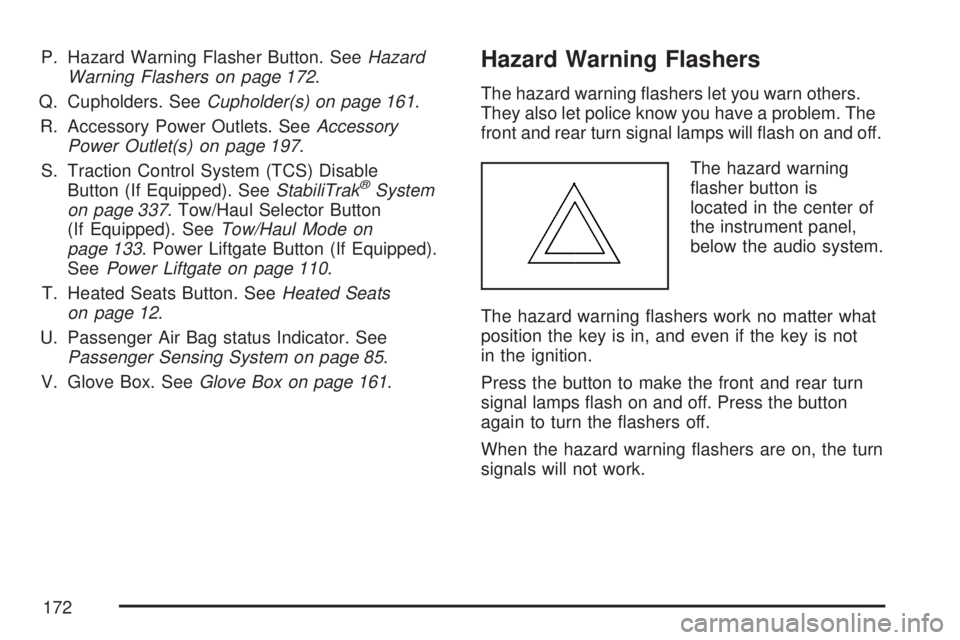
The hazard warning
asher button is
located in the center of
the instrument panel,
below the audio system.
The hazard warning ashers work no matter what
position the key is in, and even if the key is not
in the ignition.
Press the button to make the front and rear turn
signal lamps ash on and off. Press the button
again to turn the ashers off.
When the hazard warning ashers are on, the turn
signals will not work.
172
Page 219 of 554
If the word ON or the on symbol is lit on the
passenger airbag status indicator, it means that
the right front passenger’s frontal airbag and
seat-mounted side impact airbag are enabled
(may inate).
{CAUTION:
If the on indicator comes on when you have
a rear-facing child restraint installed in the
right front passenger’s seat, it means that
the passenger sensing system has not
turned off the passenger’s frontal airbag
and seat-mounted side impact airbag
(if equipped). A child in a rear-facing child
restraint can be seriously injured or killed if
the right front passenger’s airbag inates.
This is because the back of the rear-facing
child restraint would be very close to the
inating airbag. Do not use a rear-facing
child restraint in the right front passenger’s
seat if the airbag is turned on.
{CAUTION:
Even though the passenger sensing
system is designed to turn off the right
front passenger’s frontal airbag and
seat-mounted side impact airbag
(if equipped) if the system detects a
rear-facing child restraint, no system is
fail-safe, and no one can guarantee that
an airbag will not deploy under some
unusual circumstance, even though it is
turned off. We recommend that rear-facing
child restraints be secured in a rear seat,
even if the airbag is or airbags are off.
If the word OFF or the off symbol is lit on the
passenger airbag status indicator, it means that
the passenger sensing system has turned off
the right front passenger’s frontal airbag and
seat-mounted side impact airbag. SeePassenger
Sensing System on page 85for more on this,
including important safety information.
219
Page 229 of 554

Oil Pressure Light
{CAUTION:
Do not keep driving if the oil pressure is
low. If you do, your engine can become
so hot that it catches re. You or others
could be burned. Check your oil as soon as
possible and have your vehicle serviced.
Notice:Lack of proper engine oil maintenance
may damage the engine. The repairs would
not be covered by your warranty. Always follow
the maintenance schedule in this manual for
changing engine oil.
This light tells you if
there could be a
problem with your
engine oil pressure.The light comes on when you turn your key to ON
or START. It goes off once you start your engine.
That is a check to be sure the light works. If it does
not come on, be sure to have it xed so it will be
there to warn you if something goes wrong.
When the light comes on and stays on, it means
that oil is not owing through your engine properly.
You could be low on oil and you might have
some other system problem.
Security Light
This light ashes
when the security
system is activated.
For more information, seeTheft-Deterrent
Systems on page 118.
229
Page 310 of 554

Radio Display Message Condition Action Required
No CAT Info Category Name
not availableNo category information is available at this time on this
channel. The system is working properly.
No Information No Text/Informational
message availableNo text or informational messages are available at this time
on this channel. The system is working properly.
CAT Not Found No channel available for
the chosen categoryThere are no channels available for the selected category.
The system is working properly.
XM Theftlocked Theft lock active The XM™ receiver in the vehicle may have previously been
in another vehicle. For security purposes, XM™ receivers
cannot be swapped between vehicles. If this message
appears after having your vehicle serviced, check with your
dealer/retailer.
XM Radio ID Radio ID label
(channel 0)If tuned to channel 0, this message will alternate with the
XM™ Radio eight digit radio ID label. This label is needed
to activate the service.
Unknown Radio ID not known
(should only be if
hardware failure)If this message is received when tuned to channel 0, there
could be a receiver fault. Consult with your dealer/retailer.
Check XM Receivr Hardware failure If this message does not clear within a short period of time,
the receiver could have a fault. Consult with your
dealer/retailer.
XM Not Available XM™ Not Available If this message does not clear within a short period of time,
the receiver could have a fault. Consult with your
dealer/retailer.
310
Page 320 of 554

Battery Replacement
To change the remote control batteries, do the
following:
1. Remove the battery compartment door
located on the bottom of the remote control.
2. Replace the two AA batteries in the
compartment. Make sure that they are
installed correctly, using the diagram on the
inside of the battery compartment.
3. Close the battery door securely.
If the remote control is to be stored for a long
period of time, remove the batteries and keep them
in a cool, dry place.
Problem Recommended Action
No power. The ignition might not be
turned on or in accessory.
The picture does not ll
the screen. There are
black borders on the
top and bottom or on
both sides or it looks
stretched out.Check the display mode
settings in the setup menu
by pressing the display
menu button on the
remote control.
In auxiliary mode, the
picture moves or scrolls.Check the auxiliary input
connections at both
devices.
The remote control
does not work.Check to make sure there
is no obstruction between
the remote control and
the transmitter window.
Check the batteries to
make sure they are not
dead or installed
incorrectly.
After stopping the player,
I push Play but
sometimes the DVD
starts where I left off and
sometimes at the
beginning.If the stop button was
pressed one time, the
DVD player resumes
playing where the DVD
was stopped. If the stop
button was pressed two
times the DVD player
begins to play from the
beginning of the DVD.
320