2007 FORD FREESTAR AUX
[x] Cancel search: AUXPage 22 of 312
Treble:Press to adjust the treble setting. Use//SEEK.
Balance:Press to adjust the audio between the left and right speakers.
Use
//SEEK.
Fade:Press to adjust the audio between the front and rear speakers.
Use
//SEEK.
Speed sensitive volume (if equipped):Radio volume automatically
changes slightly with vehicle speed to compensate for road and wind
noise. Press MENU to access and use
//SEEKto adjust.
The recommended level is 1–3. Level 0 (SPEED OFF) turns the feature
off and level 7 is the maximum setting
Setting the clock:Press MENU until HOURS SET or MINUTES SET is
displayed. Use
/to manually increase/decrease Press MENU again
to disengage clock mode.
If your vehicle is equipped with an in-dash clock, refer toClockin the
Driver Controlschapter for instructions on how to set the time.
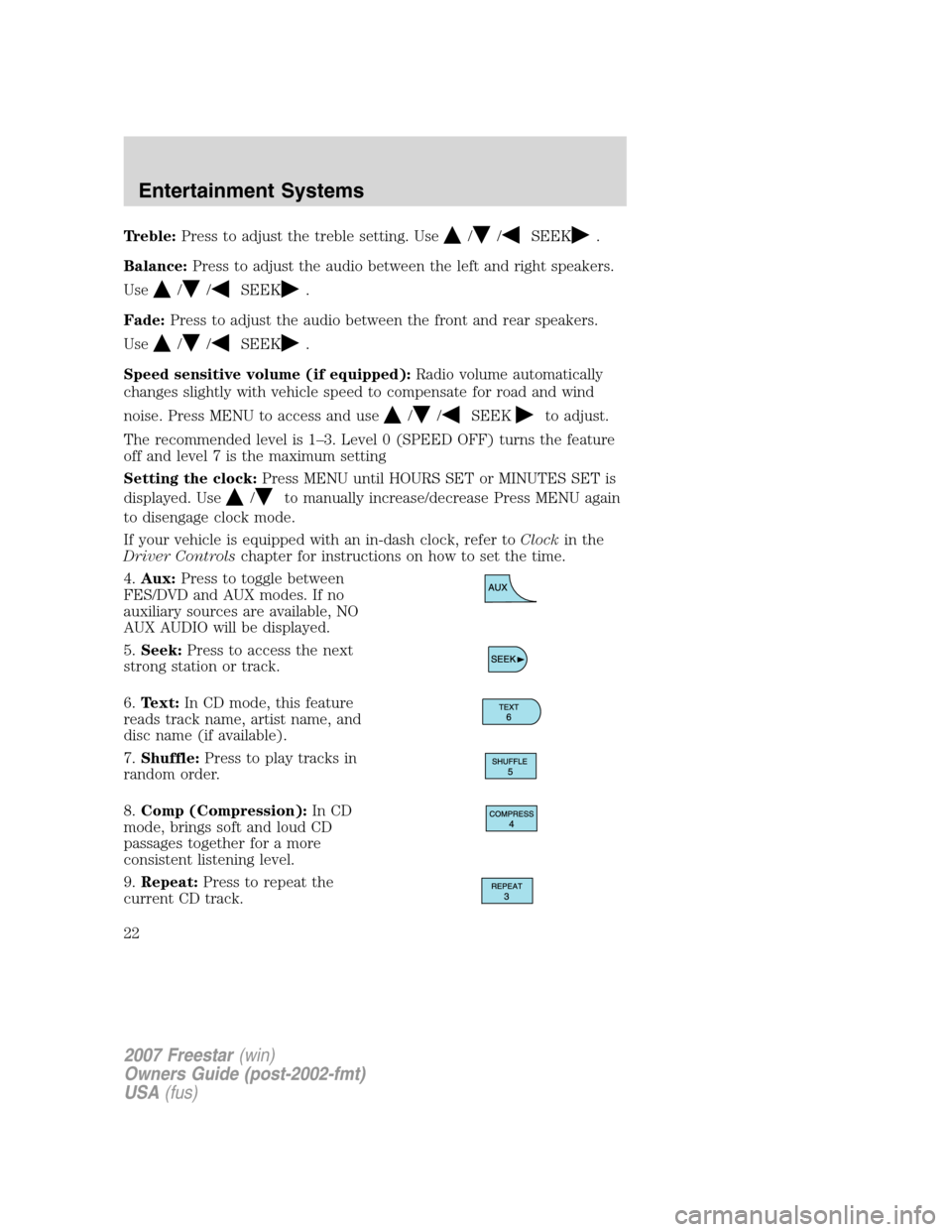
4.Aux:Press to toggle between
FES/DVD and AUX modes. If no
auxiliary sources are available, NO
AUX AUDIO will be displayed.
5.Seek:Press to access the next
strong station or track.
6.Text:In CD mode, this feature
reads track name, artist name, and
disc name (if available).
7.Shuffle:Press to play tracks in
random order.
8.Comp (Compression):In CD
mode, brings soft and loud CD
passages together for a more
consistent listening level.
9.Repeat:Press to repeat the
current CD track.
2007 Freestar(win)
Owners Guide (post-2002-fmt)
USA(fus)
Entertainment Systems
22
Page 25 of 312
Fade:Press to adjust the audio between the front and rear speakers.
Use
//SEEK.
Speed sensitive volume (if equipped):Radio volume automatically
changes slightly with vehicle speed to compensate for road and wind
noise. Press MENU to access and use
//SEEKto adjust.
The recommended level is 1–3. Level 0 (SPEED OFF) turns the feature
off and level 7 is the maximum setting
Setting the clock:Press MENU until HOURS SET or MINUTES SET is
displayed. Press
//SEEKto adjust the hours/minutes.
If your vehicle is equipped with an in-dash clock, refer toClockin the
Driver Controlschapter for instructions on how to set the time.
Autoset:Allows you to set the strongest local radio stations without
losing your original manually set preset stations for AM/FM1/FM2 . Press
MENU to access. Use
//SEEKto set.
When the six strongest stations are filled, the station stored in preset 1
will begin playing. If there are less than six strong stations, the system
will store the last one in the remaining presets.
Clean tape reminder:After 20 hours of cassette operation, the radio
will notify you that it is time to clean the cassette player head. After
cleaning the player head, you can clear the reminder through menu
control and selecting YES.
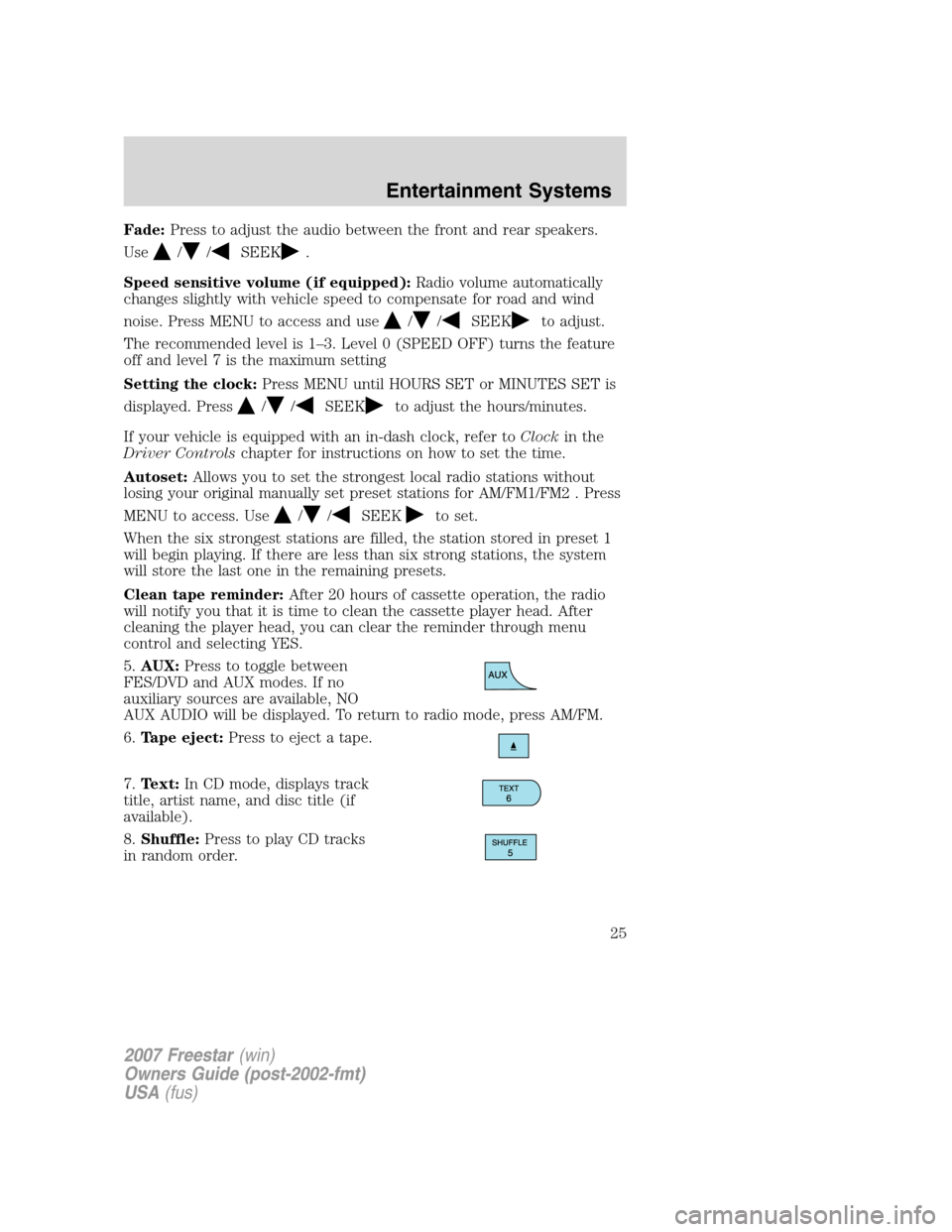
5.AUX:Press to toggle between
FES/DVD and AUX modes. If no
auxiliary sources are available, NO
AUX AUDIO will be displayed. To return to radio mode, press AM/FM.
6.Tape eject:Press to eject a tape.
7.Text:In CD mode, displays track
title, artist name, and disc title (if
available).
8.Shuffle:Press to play CD tracks
in random order.
2007 Freestar(win)
Owners Guide (post-2002-fmt)
USA(fus)
Entertainment Systems
25
Page 29 of 312
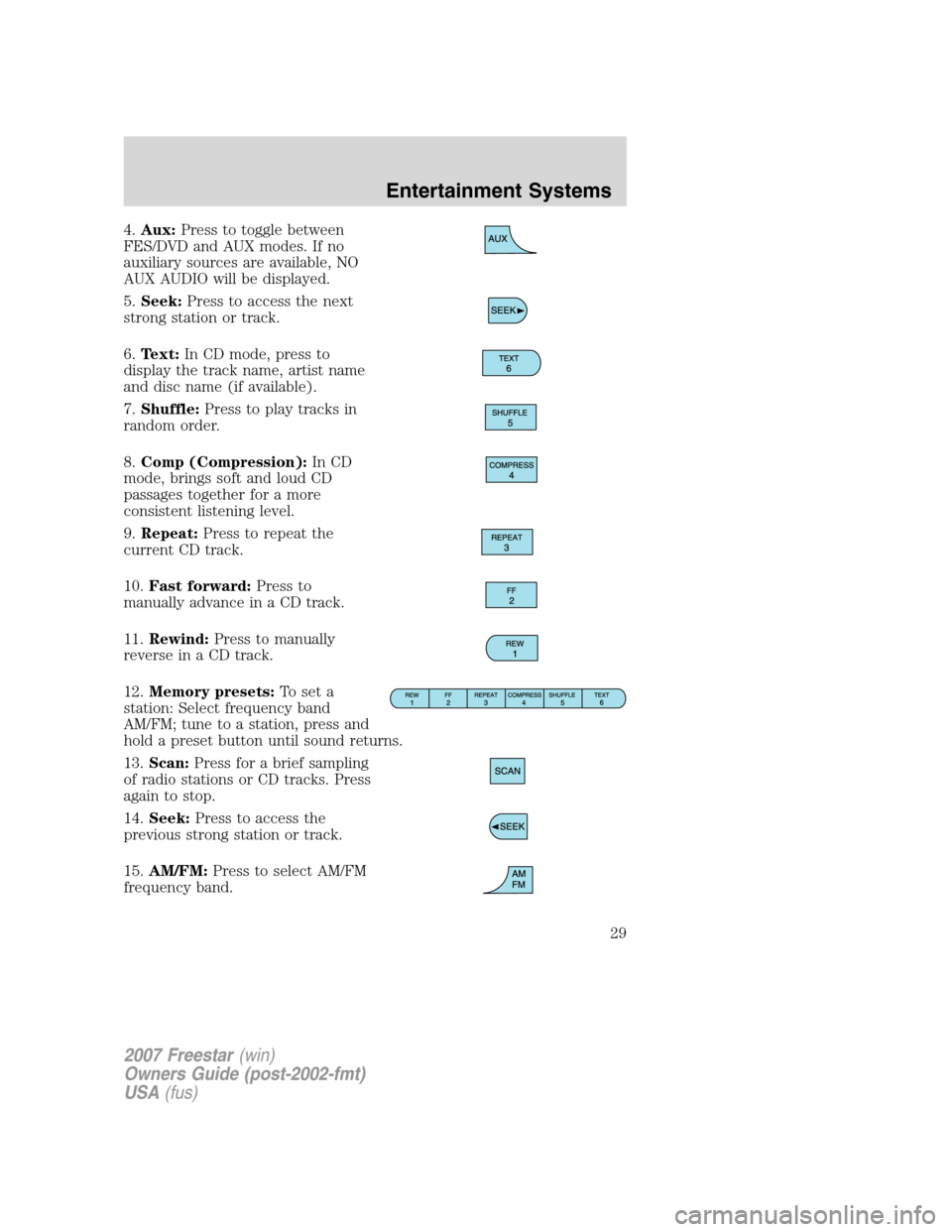
4.Aux:Press to toggle between
FES/DVD and AUX modes. If no
auxiliary sources are available, NO
AUX AUDIO will be displayed.
5.Seek:Press to access the next
strong station or track.
6.Text:In CD mode, press to
display the track name, artist name
and disc name (if available).
7.Shuffle:Press to play tracks in
random order.
8.Comp (Compression):In CD
mode, brings soft and loud CD
passages together for a more
consistent listening level.
9.Repeat:Press to repeat the
current CD track.
10.Fast forward:Press to
manually advance in a CD track.
11.Rewind:Press to manually
reverse in a CD track.
12.Memory presets:To set a
station: Select frequency band
AM/FM; tune to a station, press and
hold a preset button until sound returns.
13.Scan:Press for a brief sampling
of radio stations or CD tracks. Press
again to stop.
14.Seek:Press to access the
previous strong station or track.
15.AM/FM:Press to select AM/FM
frequency band.
2007 Freestar(win)
Owners Guide (post-2002-fmt)
USA(fus)
Entertainment Systems
29
Page 30 of 312
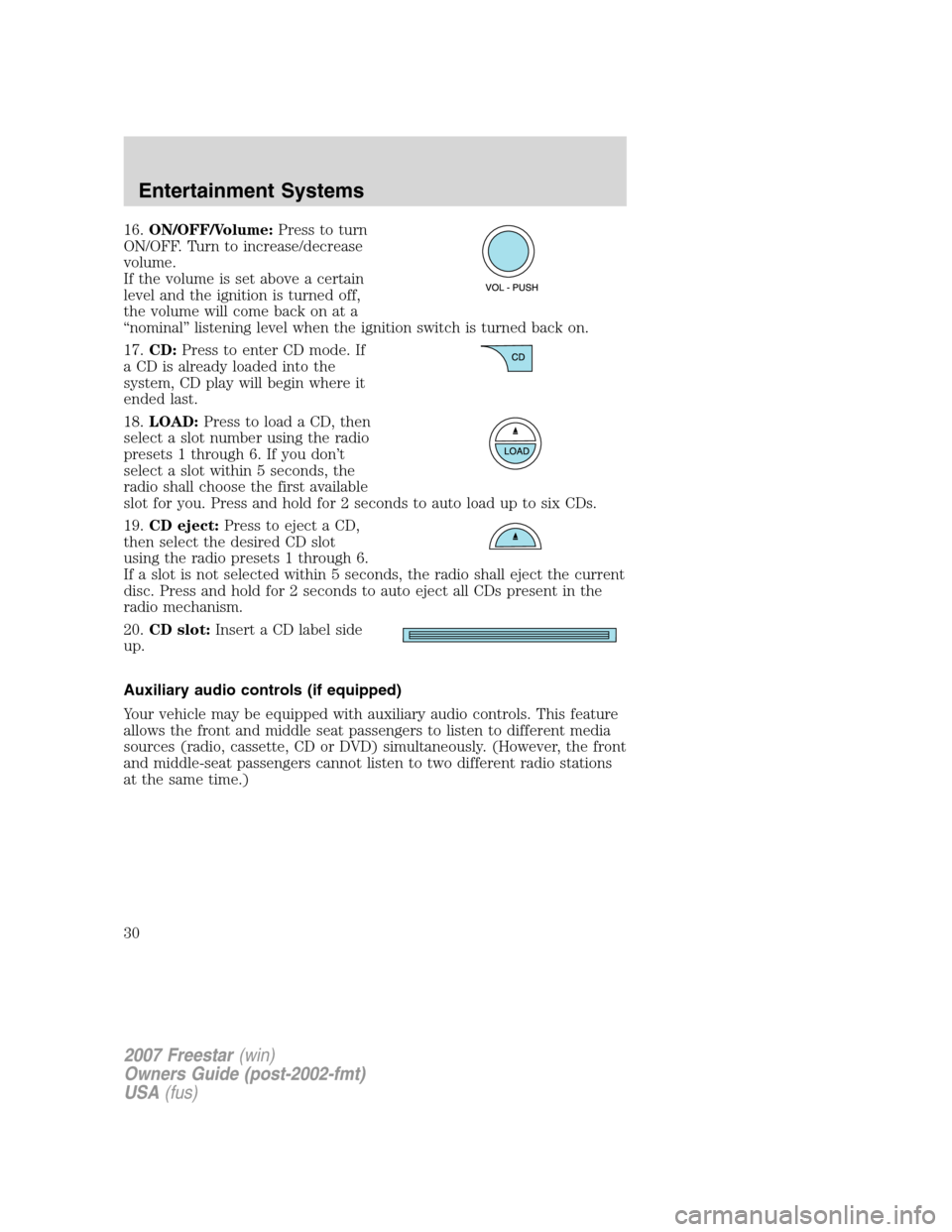
16.ON/OFF/Volume:Press to turn
ON/OFF. Turn to increase/decrease
volume.
If the volume is set above a certain
level and the ignition is turned off,
the volume will come back on at a
“nominal” listening level when the ignition switch is turned back on.
17.CD:Press to enter CD mode. If
a CD is already loaded into the
system, CD play will begin where it
ended last.
18.LOAD:Press to load a CD, then
select a slot number using the radio
presets 1 through 6. If you don’t
select a slot within 5 seconds, the
radio shall choose the first available
slot for you. Press and hold for 2 seconds to auto load up to six CDs.
19.CD eject:Press to eject a CD,
then select the desired CD slot
using the radio presets 1 through 6.
If a slot is not selected within 5 seconds, the radio shall eject the current
disc. Press and hold for 2 seconds to auto eject all CDs present in the
radio mechanism.
20.CD slot:Insert a CD label side
up.
Auxiliary audio controls (if equipped)
Your vehicle may be equipped with auxiliary audio controls. This feature
allows the front and middle seat passengers to listen to different media
sources (radio, cassette, CD or DVD) simultaneously. (However, the front
and middle-seat passengers cannot listen to two different radio stations
at the same time.)
2007 Freestar(win)
Owners Guide (post-2002-fmt)
USA(fus)
Entertainment Systems
30
Page 36 of 312
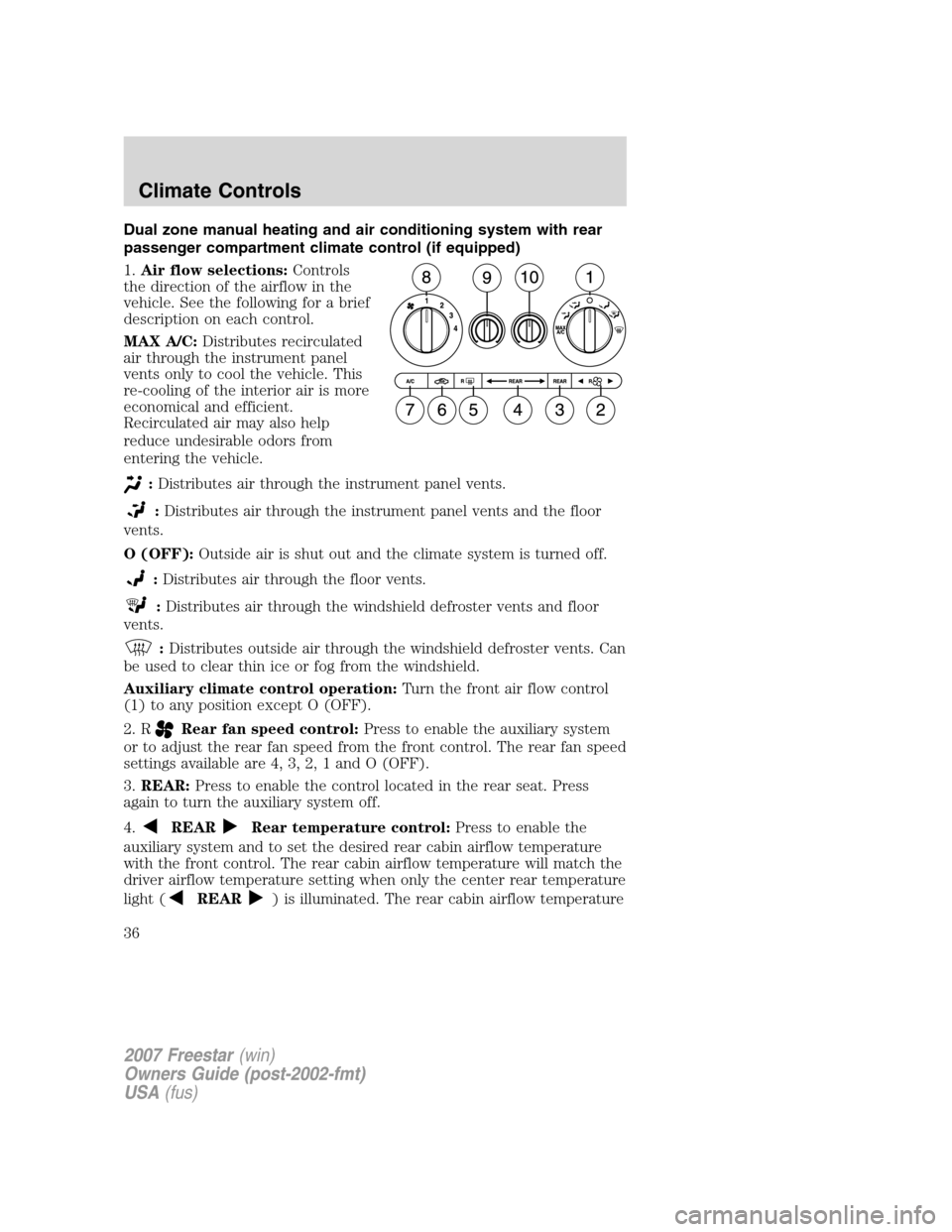
Dual zone manual heating and air conditioning system with rear
passenger compartment climate control (if equipped)
1.Air flow selections:Controls
the direction of the airflow in the
vehicle. See the following for a brief
description on each control.
MAX A/C:Distributes recirculated
air through the instrument panel
vents only to cool the vehicle. This
re-cooling of the interior air is more
economical and efficient.
Recirculated air may also help
reduce undesirable odors from
entering the vehicle.
:Distributes air through the instrument panel vents.
:Distributes air through the instrument panel vents and the floor
vents.
O (OFF):Outside air is shut out and the climate system is turned off.
:Distributes air through the floor vents.
:Distributes air through the windshield defroster vents and floor
vents.
:Distributes outside air through the windshield defroster vents. Can
be used to clear thin ice or fog from the windshield.
Auxiliary climate control operation:Turn the front air flow control
(1) to any position except O (OFF).
2. R
Rear fan speed control:Press to enable the auxiliary system
or to adjust the rear fan speed from the front control. The rear fan speed
settings available are 4, 3, 2, 1 and O (OFF).
3.REAR:Press to enable the control located in the rear seat. Press
again to turn the auxiliary system off.
4.
REARRear temperature control:Press to enable the
auxiliary system and to set the desired rear cabin airflow temperature
with the front control. The rear cabin airflow temperature will match the
driver airflow temperature setting when only the center rear temperature
light (
REAR) is illuminated. The rear cabin airflow temperature
2007 Freestar(win)
Owners Guide (post-2002-fmt)
USA(fus)
Climate Controls
36
Page 38 of 312
In theandmodes:
•Move the temperature control selector to the coldest setting.
•Select A/C and recirculated air
. Usewith A/C to provide
colder airflow.
•Set the fan to the highest speed initially, then adjust to maintain
passenger comfort.
In extremely cold temperatures, to maximize overall heater performance
it is suggested to not operate the auxiliary system (if so equipped) until
the engine temperature gauge crosses into the normal operating range.
To aid in side window defogging/demisting in cold weather:
1. Select
.
2. Select A/C.
3. Set the temperature control to full heat.
4. Set the fan speed to the highest setting.
5. Direct the outer instrument panel vents towards the side windows.
Do not place objects on top of the instrument panel as these
objects may become projectiles in a collision or sudden stop.
2007 Freestar(win)
Owners Guide (post-2002-fmt)
USA(fus)
Climate Controls
38
Page 39 of 312
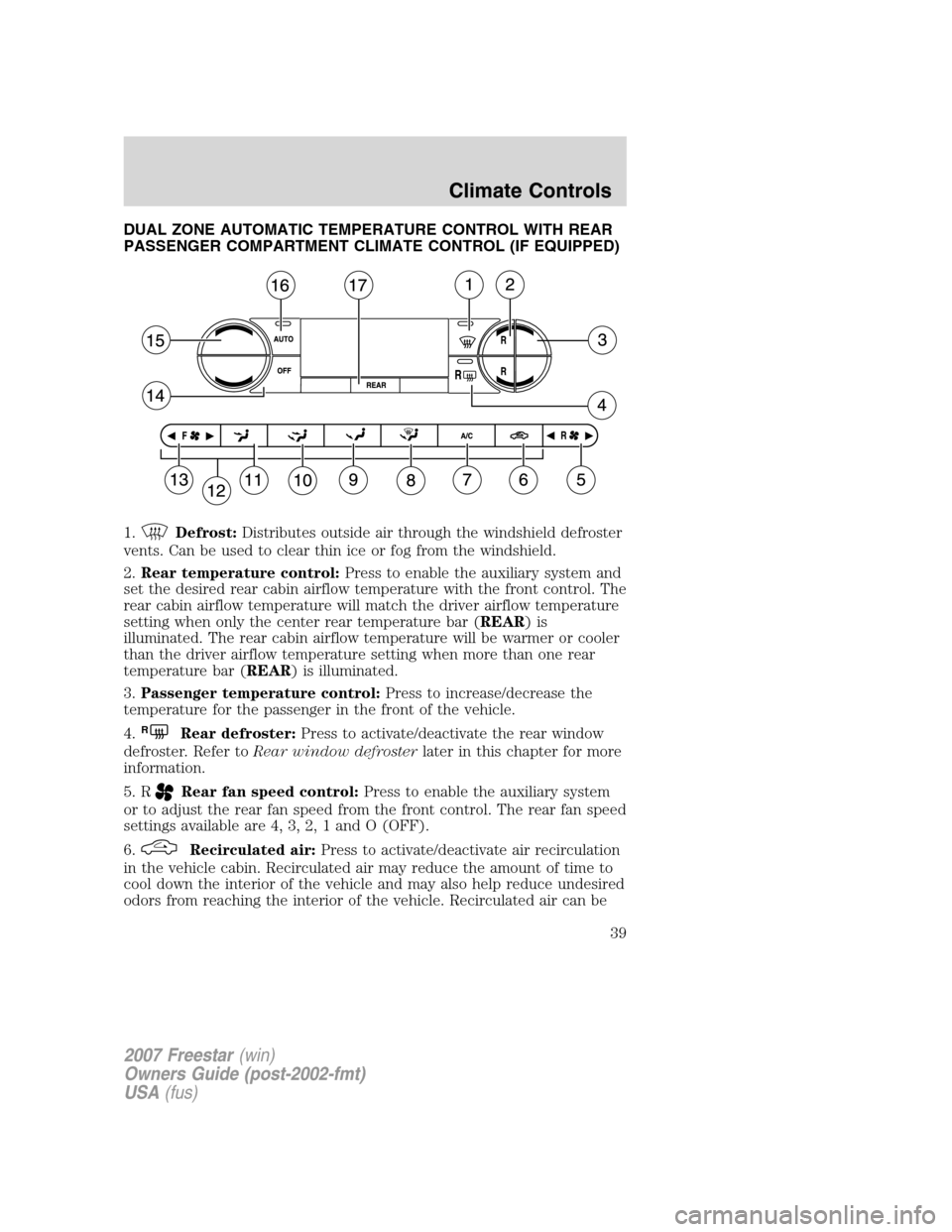
DUAL ZONE AUTOMATIC TEMPERATURE CONTROL WITH REAR
PASSENGER COMPARTMENT CLIMATE CONTROL (IF EQUIPPED)
1.
Defrost:Distributes outside air through the windshield defroster
vents. Can be used to clear thin ice or fog from the windshield.
2.Rear temperature control:Press to enable the auxiliary system and
set the desired rear cabin airflow temperature with the front control. The
rear cabin airflow temperature will match the driver airflow temperature
setting when only the center rear temperature bar (REAR)is
illuminated. The rear cabin airflow temperature will be warmer or cooler
than the driver airflow temperature setting when more than one rear
temperature bar (REAR) is illuminated.
3.Passenger temperature control:Press to increase/decrease the
temperature for the passenger in the front of the vehicle.
4.
RRear defroster:Press to activate/deactivate the rear window
defroster. Refer toRear window defrosterlater in this chapter for more
information.
5. R
Rear fan speed control:Press to enable the auxiliary system
or to adjust the rear fan speed from the front control. The rear fan speed
settings available are 4, 3, 2, 1 and O (OFF).
6.
Recirculated air:Press to activate/deactivate air recirculation
in the vehicle cabin. Recirculated air may reduce the amount of time to
cool down the interior of the vehicle and may also help reduce undesired
odors from reaching the interior of the vehicle. Recirculated air can be
2007 Freestar(win)
Owners Guide (post-2002-fmt)
USA(fus)
Climate Controls
39
Page 40 of 312
engaged manually in any airflow selection except. Recirculated air
may turn off automatically in all airflow selections.
7.A/C:Press to activate/deactivate air conditioning. Use with
recirculated air to improve cooling performance and efficiency. Engages
automatically in AUTO,
, and.
8.
:Distributes air through the windshield defroster vents and floor
vents.
9.
:Distributes air through the floor vents.
10.
:Distributes air through the instrument panel vents and the floor
vents.
11.
:Distributes air through the instrument panel vents.
12.Manual override controls:Allows you to change the system
operation. To return to full automatic control, press AUTO.
13. F
Front fan speed control:Press to manually increase or
decrease the fan speed. To return to full automatic control, press AUTO.
14.OFF:Outside air is shut out and the climate system is turned off.
15.Driver temperature control:Press to increase or decrease the
temperature on the driver side of the cabin. Sets the passenger side
temperature also when DUAL is disengaged.Note:The recommended
vehicle cabin setting is between 72°F (22°C) and 75°F (24°C).
•Dual temperature control:Press and hold AUTO to
engage/disengage separate passenger side temperature control.
16.AUTO:Press to engage full automatic operation, and select the
desired temperature using the temperature control. The system will
automatically determine fan speed, airflow location, A/C on or off, and
outside or recirculated air, to heat or cool the vehicle to reach the
desired temperature.
17.REAR:Press to enable the control located in the rear seat. Press
again to turn the auxiliary system off.
2007 Freestar(win)
Owners Guide (post-2002-fmt)
USA(fus)
Climate Controls
40