2007 FORD EXPEDITION seat memory
[x] Cancel search: seat memoryPage 37 of 328
2.VOLUME:Press to increase () or decrease () the volume level
in the headphones.
From the rear seat controls, volume control can be set no higher than
the current radio setting unless the speakers are turned off.
3.
: In radio mode, press and release to advance through memory
presets. In CD mode, press and hold to seek to the previous track.
4.Headphone jacks:
5.
: In radio mode, press and release to scroll through memory
presets. In CD mode, press and hold to seek to the next track.
6.Auxiliary audio input jack:Use to plug in and play auxiliary audio
sources.
7.-: In CD mode, press to access the previous CD.
8.+: In CD mode, press to access the next CD.
9.
/: Press to turn the rear speakers on (Single Play mode) or off
(Dual Play mode).
When the rear seat controls are activated, rear seat passengers can use
the controls to change the playing media for all passengers (Single Play
mode). In this mode, all speakers will play audio from the same media
source for all passengers to hear. To activate the rear seat radio controls:
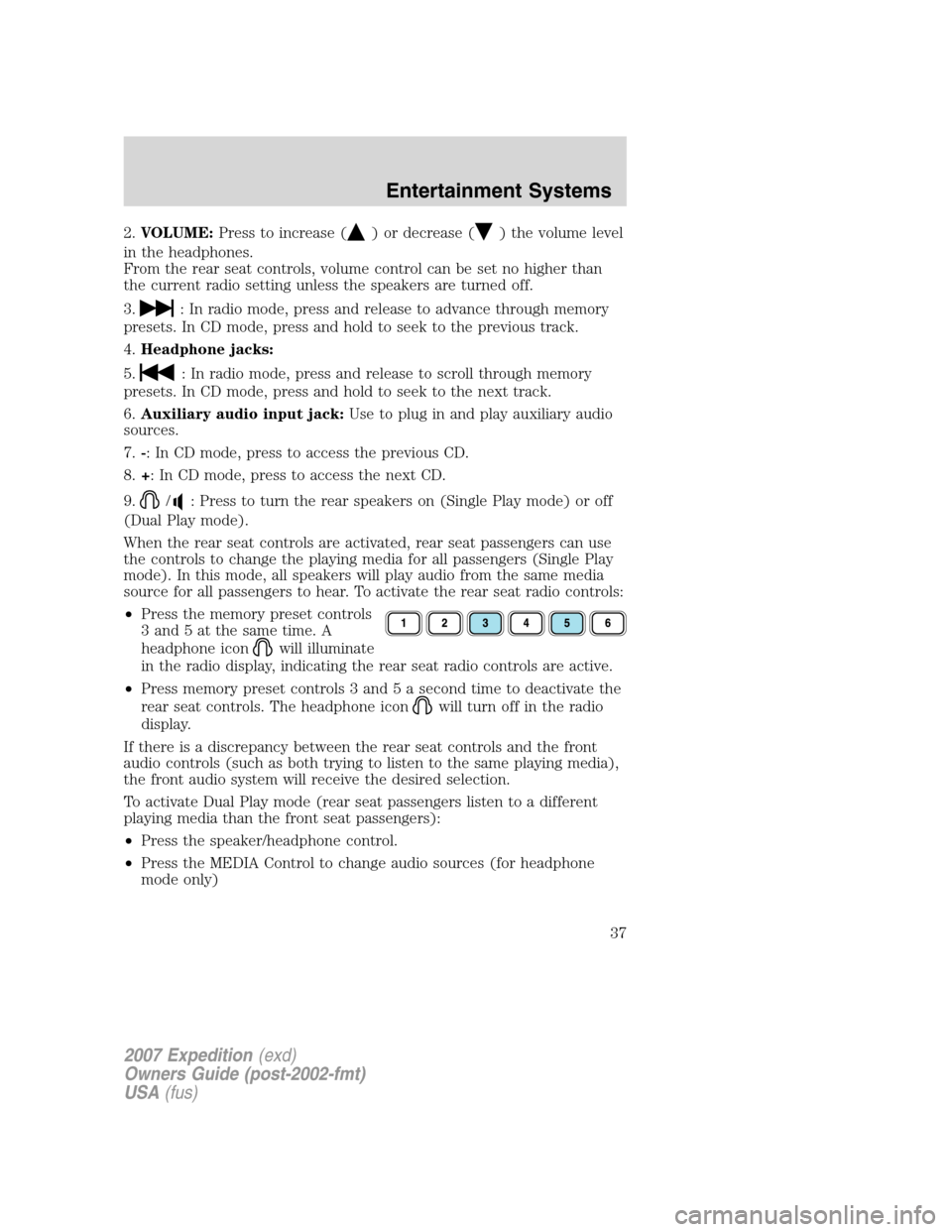
•Press the memory preset controls
3 and 5 at the same time. A
headphone icon
will illuminate
in the radio display, indicating the rear seat radio controls are active.
•Press memory preset controls 3 and 5 a second time to deactivate the
rear seat controls. The headphone icon
will turn off in the radio
display.
If there is a discrepancy between the rear seat controls and the front
audio controls (such as both trying to listen to the same playing media),
the front audio system will receive the desired selection.
To activate Dual Play mode (rear seat passengers listen to a different
playing media than the front seat passengers):
•Press the speaker/headphone control.
•Press the MEDIA Control to change audio sources (for headphone
mode only)
2007 Expedition(exd)
Owners Guide (post-2002-fmt)
USA(fus)
Entertainment Systems
37
Page 38 of 328
•Use the other controls to make adjustments to the playing media.
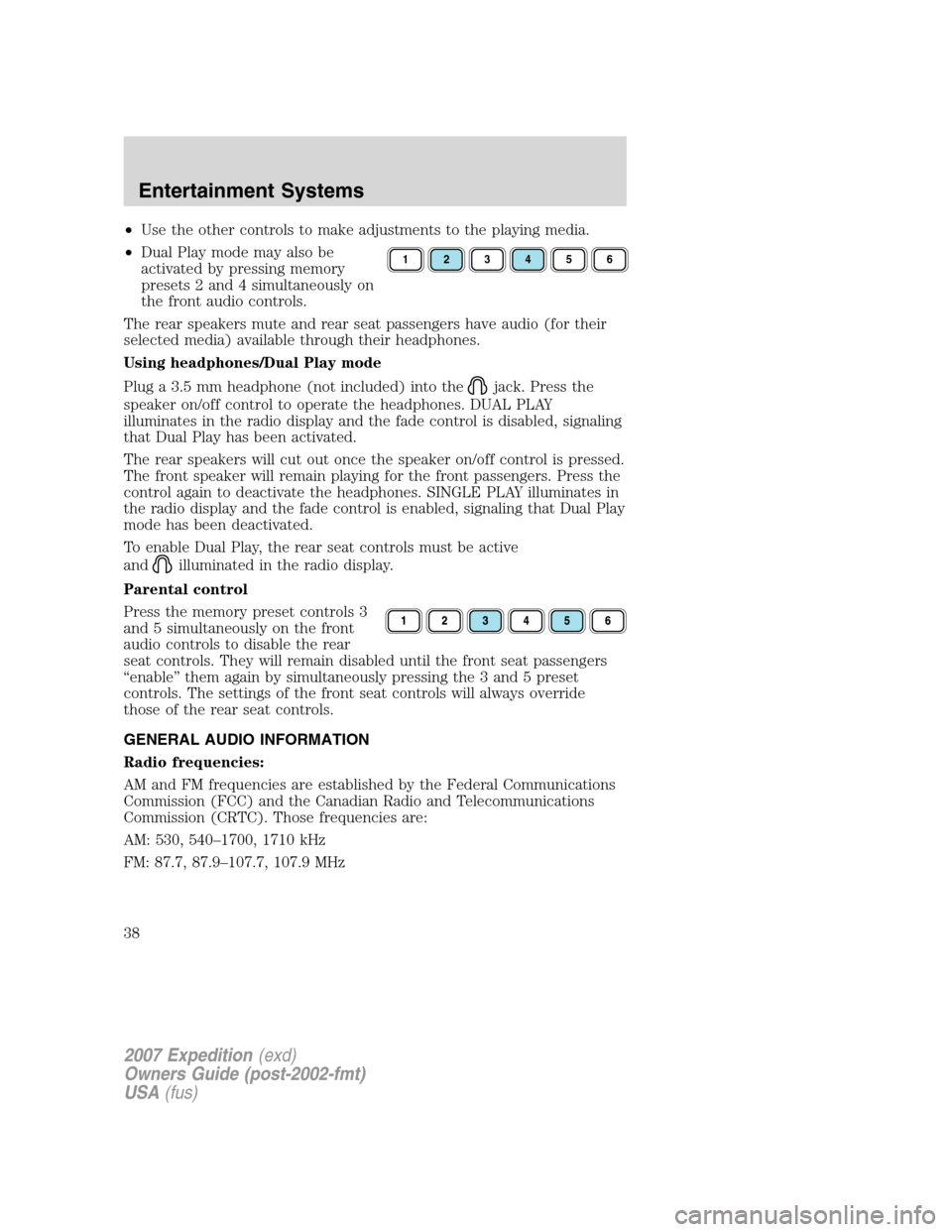
•Dual Play mode may also be
activated by pressing memory
presets 2 and 4 simultaneously on
the front audio controls.
The rear speakers mute and rear seat passengers have audio (for their
selected media) available through their headphones.
Using headphones/Dual Play mode
Plug a 3.5 mm headphone (not included) into the
jack. Press the
speaker on/off control to operate the headphones. DUAL PLAY
illuminates in the radio display and the fade control is disabled, signaling
that Dual Play has been activated.
The rear speakers will cut out once the speaker on/off control is pressed.
The front speaker will remain playing for the front passengers. Press the
control again to deactivate the headphones. SINGLE PLAY illuminates in
the radio display and the fade control is enabled, signaling that Dual Play
mode has been deactivated.
To enable Dual Play, the rear seat controls must be active
and
illuminated in the radio display.
Parental control
Press the memory preset controls 3
and 5 simultaneously on the front
audio controls to disable the rear
seat controls. They will remain disabled until the front seat passengers
“enable” them again by simultaneously pressing the 3 and 5 preset
controls. The settings of the front seat controls will always override
those of the rear seat controls.
GENERAL AUDIO INFORMATION
Radio frequencies:
AM and FM frequencies are established by the Federal Communications
Commission (FCC) and the Canadian Radio and Telecommunications
Commission (CRTC). Those frequencies are:
AM: 530, 540–1700, 1710 kHz
FM: 87.7, 87.9–107.7, 107.9 MHz
123456
2007 Expedition(exd)
Owners Guide (post-2002-fmt)
USA(fus)
Entertainment Systems
38
Page 110 of 328
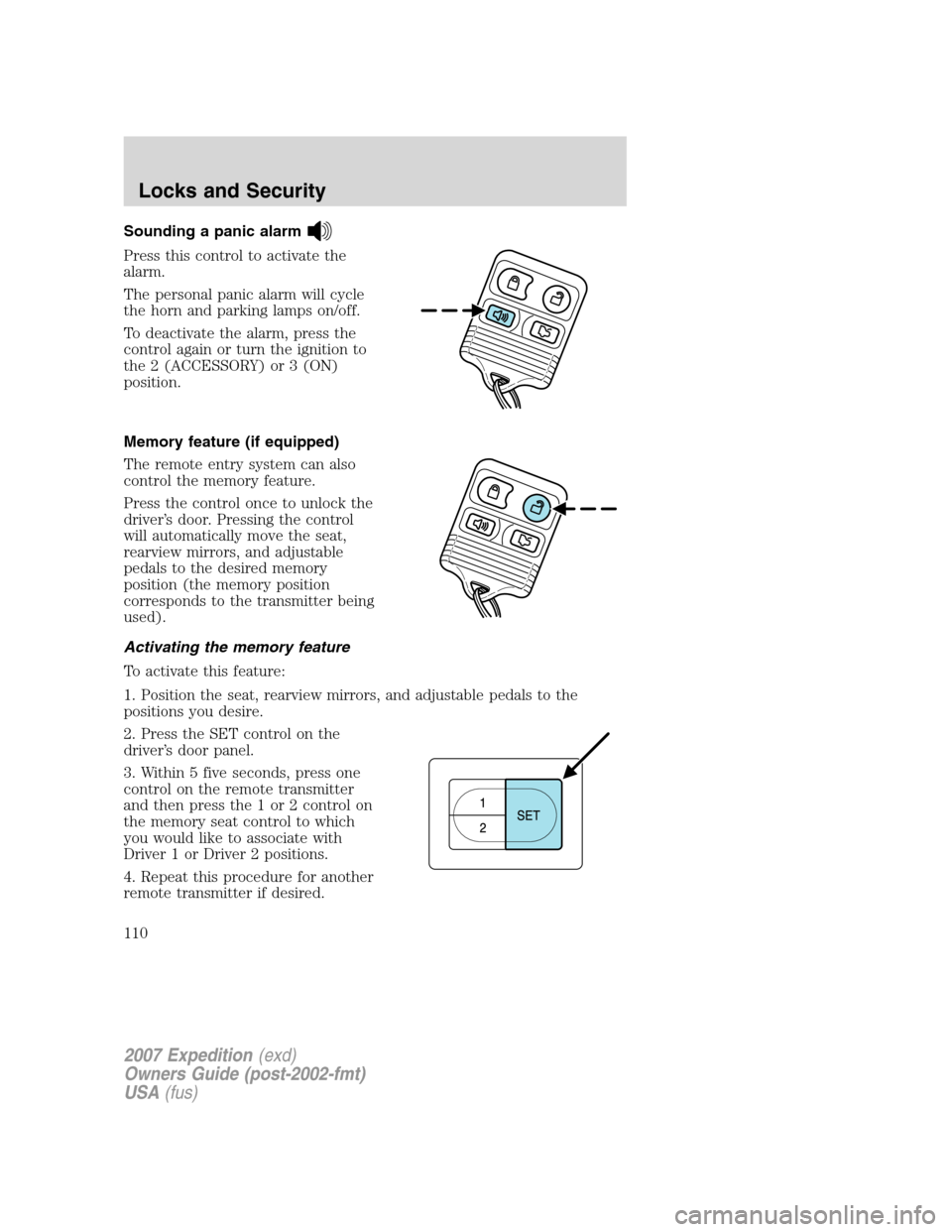
Sounding a panic alarm
Press this control to activate the
alarm.
The personal panic alarm will cycle
the horn and parking lamps on/off.
To deactivate the alarm, press the
control again or turn the ignition to
the 2 (ACCESSORY) or 3 (ON)
position.
Memory feature (if equipped)
The remote entry system can also
control the memory feature.
Press the control once to unlock the
driver’s door. Pressing the control
will automatically move the seat,
rearview mirrors, and adjustable
pedals to the desired memory
position (the memory position
corresponds to the transmitter being
used).
Activating the memory feature
To activate this feature:
1. Position the seat, rearview mirrors, and adjustable pedals to the
positions you desire.
2. Press the SET control on the
driver’s door panel.
3. Within 5 five seconds, press one
control on the remote transmitter
and then press the 1 or 2 control on
the memory seat control to which
you would like to associate with
Driver 1 or Driver 2 positions.
4. Repeat this procedure for another
remote transmitter if desired.
2007 Expedition(exd)
Owners Guide (post-2002-fmt)
USA(fus)
Locks and Security
110
Page 111 of 328
Deactivating the memory seat feature
To deactivate this feature:
1. Press the SET control on the driver’s door panel.
2. Within 5 five seconds, press any control on the remote transmitter
which you would like to deactivate and then press the SET control on
the driver’s door panel.
3. Repeat this procedure for another remote transmitter if desired.
Replacing the battery
The remote entry transmitter uses one coin type three-volt lithium
battery CR2032 or equivalent.
To replace the battery:
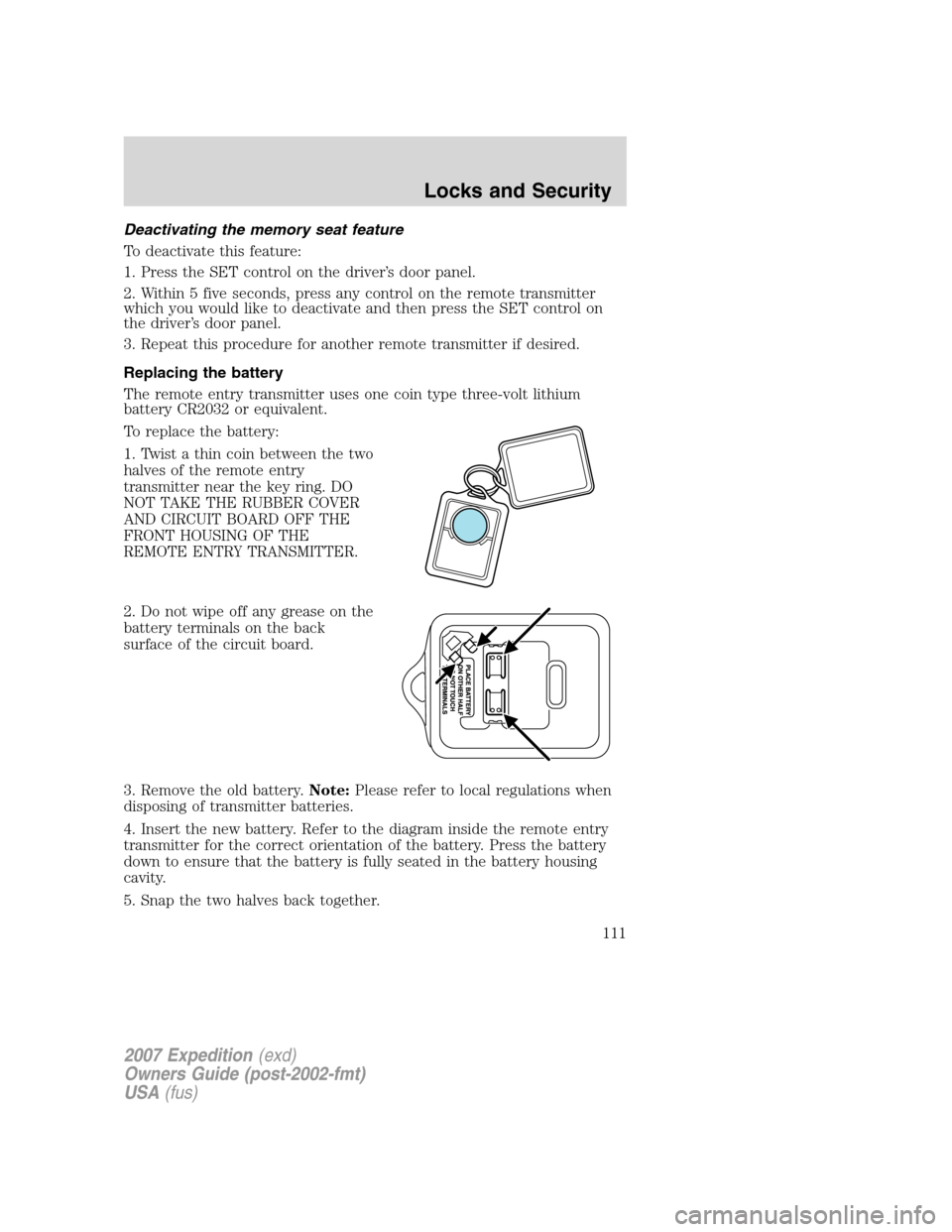
1. Twist a thin coin between the two
halves of the remote entry
transmitter near the key ring. DO
NOT TAKE THE RUBBER COVER
AND CIRCUIT BOARD OFF THE
FRONT HOUSING OF THE
REMOTE ENTRY TRANSMITTER.
2. Do not wipe off any grease on the
battery terminals on the back
surface of the circuit board.
3. Remove the old battery.Note:Please refer to local regulations when
disposing of transmitter batteries.
4. Insert the new battery. Refer to the diagram inside the remote entry
transmitter for the correct orientation of the battery. Press the battery
down to ensure that the battery is fully seated in the battery housing
cavity.
5. Snap the two halves back together.
2007 Expedition(exd)
Owners Guide (post-2002-fmt)
USA(fus)
Locks and Security
111
Page 122 of 328
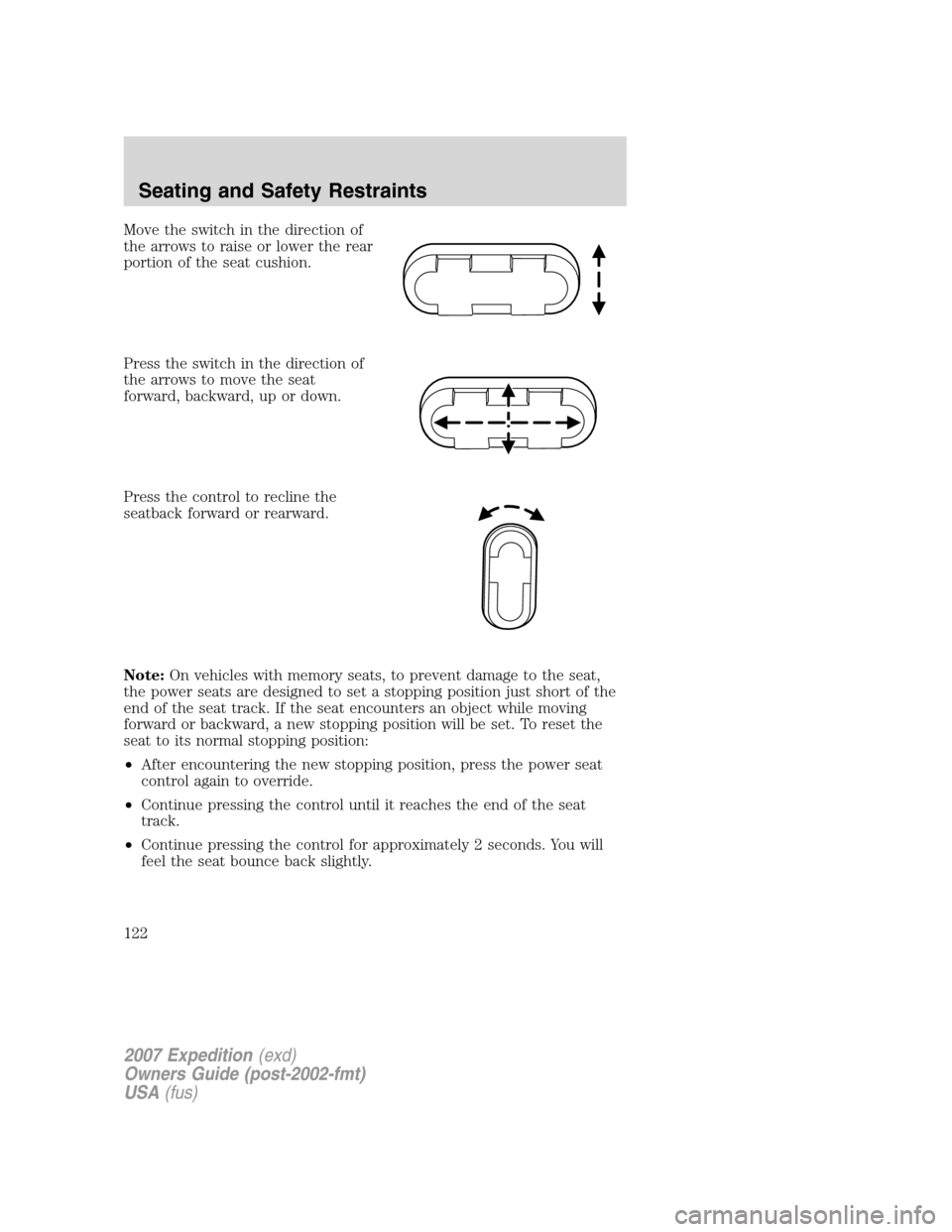
Move the switch in the direction of
the arrows to raise or lower the rear
portion of the seat cushion.
Press the switch in the direction of
the arrows to move the seat
forward, backward, up or down.
Press the control to recline the
seatback forward or rearward.
Note:On vehicles with memory seats, to prevent damage to the seat,
the power seats are designed to set a stopping position just short of the
end of the seat track. If the seat encounters an object while moving
forward or backward, a new stopping position will be set. To reset the
seat to its normal stopping position:
•After encountering the new stopping position, press the power seat
control again to override.
•Continue pressing the control until it reaches the end of the seat
track.
•Continue pressing the control for approximately 2 seconds. You will
feel the seat bounce back slightly.
2007 Expedition(exd)
Owners Guide (post-2002-fmt)
USA(fus)
Seating and Safety Restraints
122
Page 123 of 328
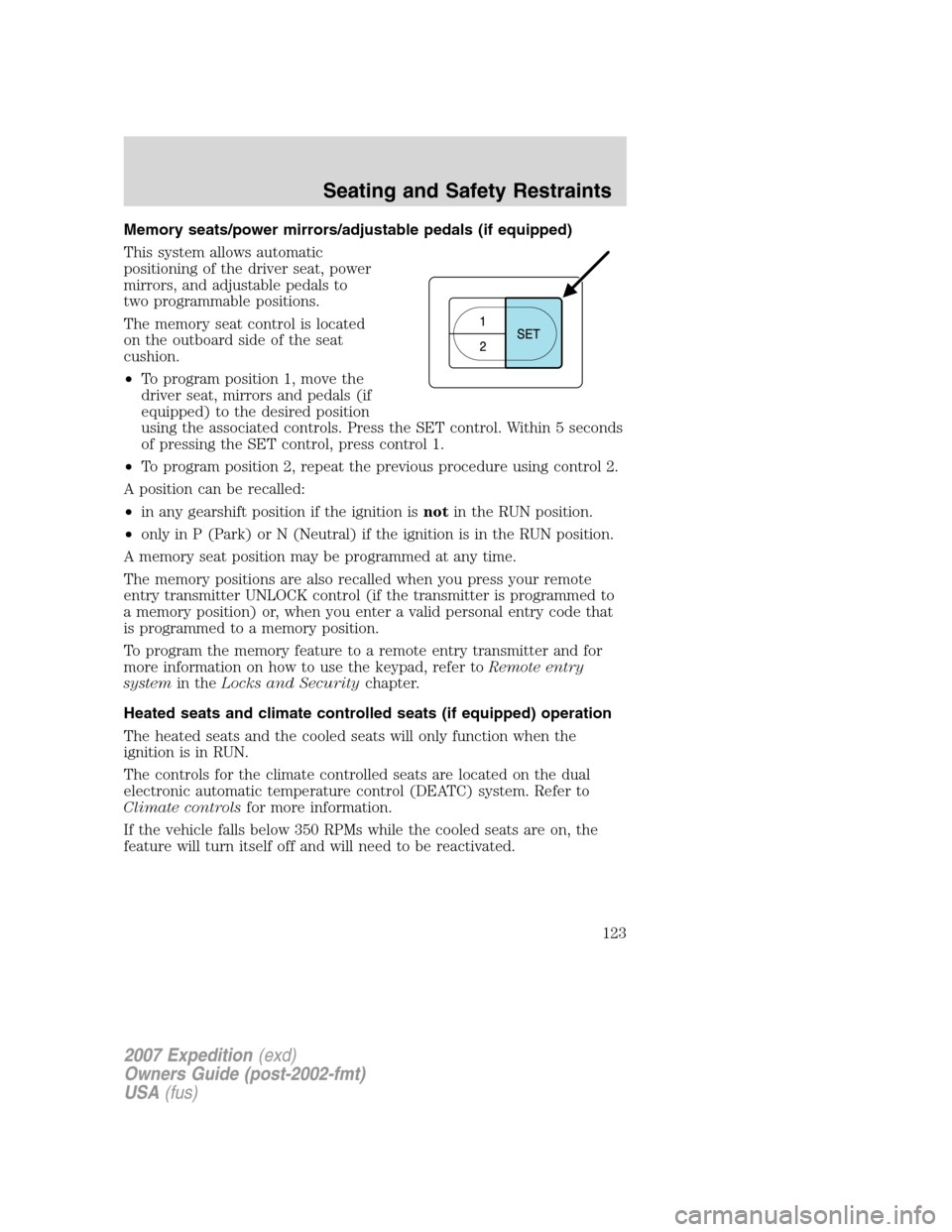
Memory seats/power mirrors/adjustable pedals (if equipped)
This system allows automatic
positioning of the driver seat, power
mirrors, and adjustable pedals to
two programmable positions.
The memory seat control is located
on the outboard side of the seat
cushion.
•To program position 1, move the
driver seat, mirrors and pedals (if
equipped) to the desired position
using the associated controls. Press the SET control. Within 5 seconds
of pressing the SET control, press control 1.
•To program position 2, repeat the previous procedure using control 2.
A position can be recalled:
•in any gearshift position if the ignition isnotin the RUN position.
•only in P (Park) or N (Neutral) if the ignition is in the RUN position.
A memory seat position may be programmed at any time.
The memory positions are also recalled when you press your remote
entry transmitter UNLOCK control (if the transmitter is programmed to
a memory position) or, when you enter a valid personal entry code that
is programmed to a memory position.
To program the memory feature to a remote entry transmitter and for
more information on how to use the keypad, refer toRemote entry
systemin theLocks and Securitychapter.
Heated seats and climate controlled seats (if equipped) operation
The heated seats and the cooled seats will only function when the
ignition is in RUN.
The controls for the climate controlled seats are located on the dual
electronic automatic temperature control (DEATC) system. Refer to
Climate controlsfor more information.
If the vehicle falls below 350 RPMs while the cooled seats are on, the
feature will turn itself off and will need to be reactivated.
2007 Expedition(exd)
Owners Guide (post-2002-fmt)
USA(fus)
Seating and Safety Restraints
123
Page 245 of 328
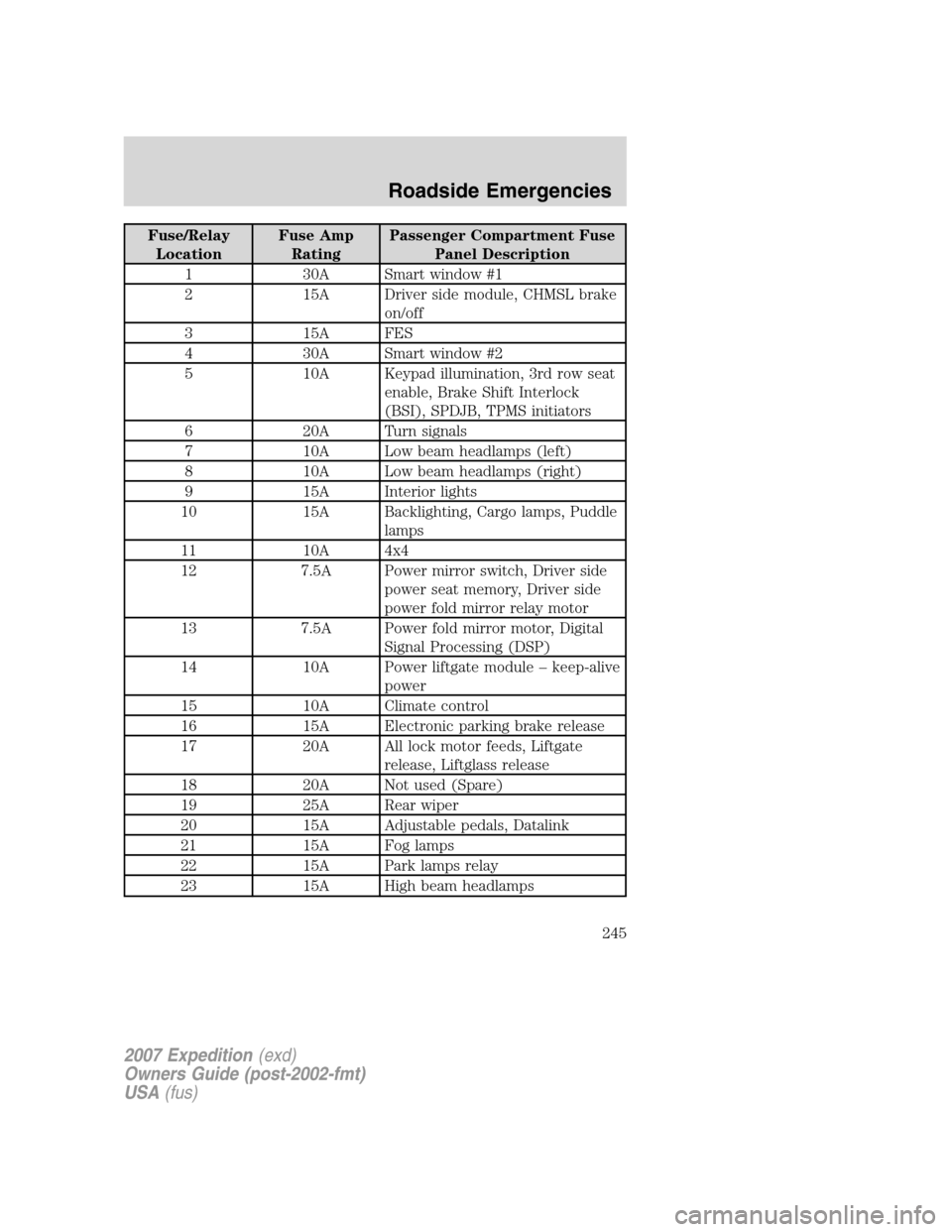
Fuse/Relay
LocationFuse Amp
RatingPassenger Compartment Fuse
Panel Description
1 30A Smart window #1
2 15A Driver side module, CHMSL brake
on/off
3 15A FES
4 30A Smart window #2
5 10A Keypad illumination, 3rd row seat
enable, Brake Shift Interlock
(BSI), SPDJB, TPMS initiators
6 20A Turn signals
7 10A Low beam headlamps (left)
8 10A Low beam headlamps (right)
9 15A Interior lights
10 15A Backlighting, Cargo lamps, Puddle
lamps
11 10A 4x4
12 7.5A Power mirror switch, Driver side
power seat memory, Driver side
power fold mirror relay motor
13 7.5A Power fold mirror motor, Digital
Signal Processing (DSP)
14 10A Power liftgate module – keep-alive
power
15 10A Climate control
16 15A Electronic parking brake release
17 20A All lock motor feeds, Liftgate
release, Liftglass release
18 20A Not used (Spare)
19 25A Rear wiper
20 15A Adjustable pedals, Datalink
21 15A Fog lamps
22 15A Park lamps relay
23 15A High beam headlamps
2007 Expedition(exd)
Owners Guide (post-2002-fmt)
USA(fus)
Roadside Emergencies
245
Page 326 of 328
J
Jack ............................................250
positioning ...............................250
storage .....................................250
Jump-starting your vehicle ......259
K
Keyless entry system
autolock ...........................104, 106
keypad .....................................113
locking and unlocking doors ..114
programming entry code .......113
Keys ...................................114–116
positions of the ignition .........208
L
Lamps
autolamp system .......................52
bulb replacement
specifications chart ..................57
daytime running light ...............53
fog lamps ...................................52
headlamps .................................52
headlamps, flash to pass ..........53
instrument panel, dimming .....54
interior lamps .....................56, 58
replacing bulbs ...................58, 61
Lane change indicator
(see Turn signal) ........................55
Liftgate ........................97, 100, 109
Lights, warning and indicator ....10
anti-lock brakes (ABS) ..........213
Limited-slip axle .......................221
Load limits .................................193
Loading instructions .................199Locks
autolock ...........................104, 106
childproof ................................108
doors ........................................104
Lubricant specifications ...........315
Lug nuts ....................................259
Lumbar support, seats .....120–121
M
Message center ...........................85
english/metric button ...............92
system check button ................92
warning messages .....................92
Mirrors .........................................71
automatic dimming rearview
mirror ........................................71
fold away ...................................72
heated ..................................72–73
programmable memory ..........110
signal .........................................73
Moon roof ....................................78
Motorcraft parts ........282, 299, 314
N
Navigation system .......................42
O
Octane rating ............................303
Oil (see Engine oil) ..................288
P
Panic alarm feature, remote
entry system ..............................110
Parking brake ............................214
Parts (see Motorcraft parts) ....314
2007 Expedition(exd)
Owners Guide (post-2002-fmt)
USA(fus)
Index
326