Page 123 of 492

Lights-on Reminder
If the headlights, parking lights, or cargo lights are left
on, after the ignition is turned off, a chime will sound
when the driver's door is opened.
Fog Lights Ð If Equipped
The foglights are turned ON by placing the head-
light rotary control in the parking light or head-
light position and pushing in the headlight rotary
control. The fog lights will operate only when the parking
lights are ON or when the vehicle headlights are ON low
beam. An indicator light located in the instrument cluster
will illuminate when the fog lights are on. The fog lights
will turn off when the switch is pushed a second time,
when the headlight switch is rotated to the OFF position,
or the high beam is selected.
Cargo Light Ð If Equipped
The cargo lights are turned on by pressing on the
CARGO button. The interior lights will also turn on
when the cargo lights are on. The cargo lights will also
turn on for 30 seconds when a key fob Unlock is pressed,
as part of the illuminated entry feature.
Cargo Light Switch
122 UNDERSTANDING THE FEATURES OF YOUR VEHICLE
Page 124 of 492
Multifunction Control Lever
The multifunction control lever is located on the left side
of the steering column.
Turn Signals
Move the lever up or down to signal a right-hand or
left-hand turn.
The arrow on either side of the instrument cluster flashes
to indicate the direction of the turn, and proper operation
of the front and rear turn signal lights. If a defective bulb
or wiring circuit is detected for the turn signal system, the
arrow indicators will flash at a faster rate. If an indicator
fails to light when the lever is moved, it would suggest
that the switch or indicator lamp is defective.
You can signal a lane change by moving the lever
partially up or down.
Turn Signal Auto-Mode
Tap the multi-function control lever once and the turn
signal (left or right) will flash 3 times, and automatically
turn off.
Turn Signal Lever
UNDERSTANDING THE FEATURES OF YOUR VEHICLE 123
3
Page 125 of 492
Passing Light
You can signal another vehicle with your headlights by
partially pulling the multifunction lever toward the steer-
ing wheel. This will cause the high beam headlights to
turn on until the lever is released.
High Beam / Low Beam Select Switch
Pull the multifunction control lever fully toward the
steering wheel to switch the headlights from HIGH or
LOW beam.
High Beam / Low Beam
124 UNDERSTANDING THE FEATURES OF YOUR VEHICLE
Page 132 of 492
WARNING!
Speed Control can be dangerous where the system
can't maintain a constant speed. Your vehicle could
go too fast for the conditions, and you could lose
control. An accident could be the result. Don't use
Speed Control in heavy traffic or on roads that are
winding, icy, snow-covered, or slippery.
OVERHEAD CONSOLEÐ IF EQUIPPED
The two optional overhead consoles may consist of the
following features:
²Courtesy/Reading Lights
²Compass/Temperature Mini-Trip Computer (CMTC)
Ð If Equipped
²Universal Garage Door Opener Ð If Equipped
Overhead Console Features
UNDERSTANDING THE FEATURES OF YOUR VEHICLE 131
3
Page 133 of 492
Courtesy/Reading Lights
In the middle of the console are two courtesy/reading
lights.
Both lights illuminate as courtesy lights when a door is
opened, when the dimmer control is rotated to the
courtesy light position (fully upward position), or when
the UNLOCK button is pressed on the Remote Keyless
Entry transmitter, if so equipped. These lights are also
operated individually as reading lights by pressing the
recessed area of the corresponding lens.
NOTE:The courtesy/reading lights will remain on until
the switch is pressed a second time, so be sure they have
been turned off before leaving the vehicle. If the interior
lights are left on after the vehicle is turned off, they will
extinguish after 15 minutes.
OVERHEAD CONSOLE WITH
COMPASS/TEMPERATURE MINI-TRIP COMPUTER
Ð IF EQUIPPED
This optional overhead console consists of the following:
²Courtesy Lights
²Compass/Temperature Mini-Trip Computer (CMTC)
132 UNDERSTANDING THE FEATURES OF YOUR VEHICLE
Page 136 of 492

When the DTE value is less than 30 miles estimated
driving distance, the DTE display will change to an
alternating test display of ªLOº and ªFUELº. This dis-
play will continue until the vehicle runs out of fuel.
Adding a significant amount of fuel to the vehicle will
turn off the ªLO FUELº text and a new DTE value will be
displayed, based on the current values in the DTE
calculation and the current fuel tank level.
NOTE:It is possible for DTE to display ªLO FUELº
before the low fuel warning light turns on in the instru-
ment cluster. This could occur because low fuel warning
is set to a specified fuel tank volume and DTE is an
estimated distance calculation based on fuel economy
and remaining fuel tank volume.
Ram fuel tank volumes are as follows:
²34 gallons - short box models
²35 gallons - long box models
Trip Odometer (ODO)
This display shows the distance traveled since the last
reset. Resetting of this screen will cause the trip odometer
to change to Zero.
Elapsed Time (ET)
This display shows the accumulated ignition ON time
since the last reset. Resetting the Elapsed Time will cause
the display to change to Zero.
UNDERSTANDING THE FEATURES OF YOUR VEHICLE 135
3
Page 140 of 492
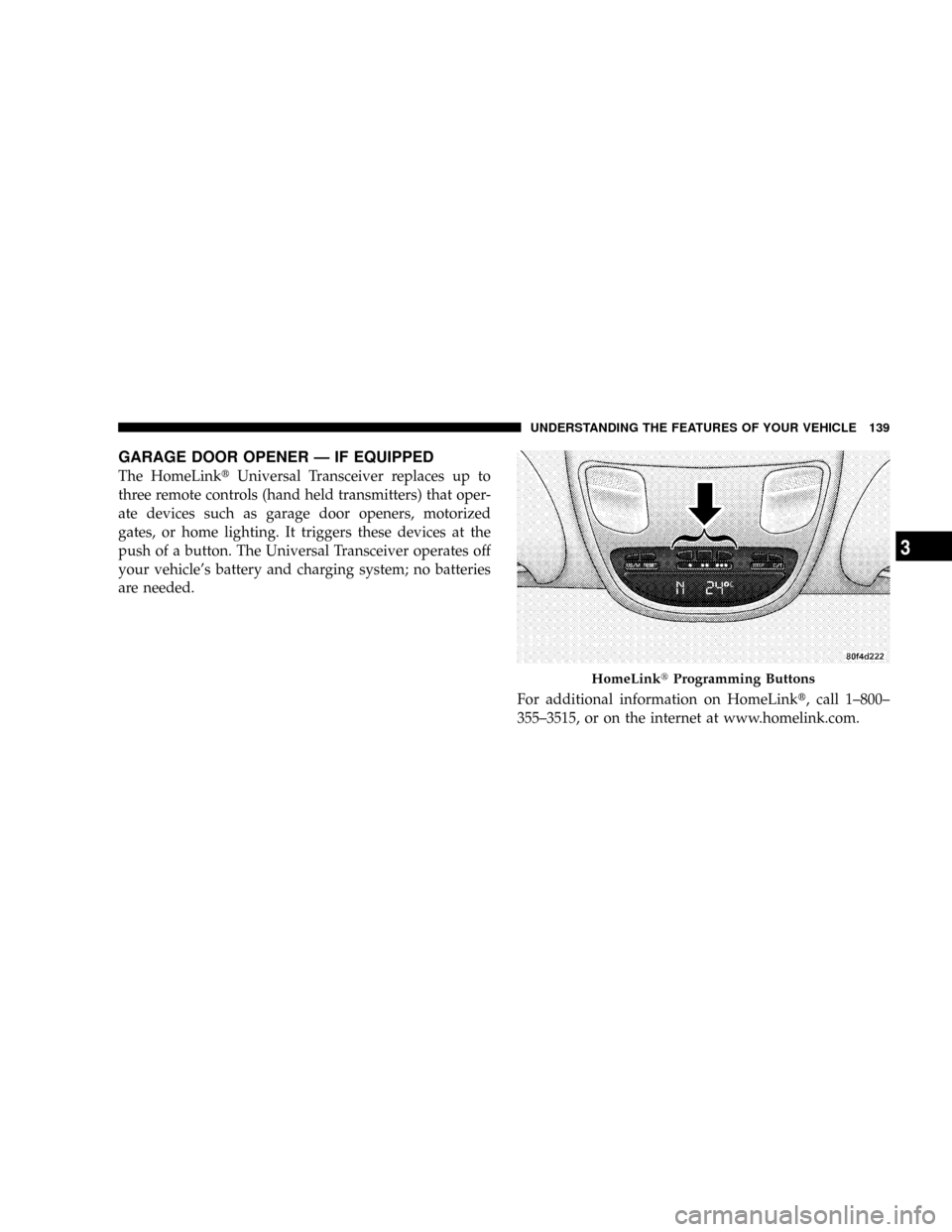
GARAGE DOOR OPENER Ð IF EQUIPPED
The HomeLinktUniversal Transceiver replaces up to
three remote controls (hand held transmitters) that oper-
ate devices such as garage door openers, motorized
gates, or home lighting. It triggers these devices at the
push of a button. The Universal Transceiver operates off
your vehicle's battery and charging system; no batteries
are needed.
For additional information on HomeLinkt, call 1±800±
355±3515, or on the internet at www.homelink.com.
HomeLinktProgramming Buttons
UNDERSTANDING THE FEATURES OF YOUR VEHICLE 139
3
Page 142 of 492
Programming HomeLink
NOTE:When programming a garage door opener, it is
advised to park outside the garage. It is also recom-
mended that a new battery be placed in the hand-held
transmitter of the device being programmed to
HomeLink for quicker training and accurate transmis-
sion of the radio-frequency signal.
1. Press and hold the two outer HomeLink buttons, and
release only when the indicator light begins to flash (after
20 seconds).Do nothold the buttons for longer than 30
seconds anddo notrepeat step one to program a second
and/or third hand-held transmitter to the remaining two
HomeLink buttons.2. Position the end of your hand-held transmitter 1-3
inches (3-8 cm) away from the HomeLink buttons while
keeping the indicator light in view.
Outer HomeLink buttons
UNDERSTANDING THE FEATURES OF YOUR VEHICLE 141
3