Page 265 of 492
Axle Locker System
Dodge Power Wagons are equipped with electronically
locking front and rear axles. Locking the axles provides
greater traction in severe low traction conditions or in
rock climbing environments where one wheel is likely to
not be in contact with the ground.
CAUTION!
Do not lock the front or rear axle on hard surfaced
roads. The ability to steer the vehicle is reduced and
damage to the drivetrain may occur when the axles
are locked on hard surfaced roads.
CAUTION!
Do not try to lock the rear axle if the vehicle is stuck
and the tires are spinning. You can damage driv-
etrain components. Lock the rear axle before at-
tempting situations or navigating terrain, which
could possibly cause the vehicle to become stuck.
The locking axles are controlled by the axle locker switch
located on the center console.
264 STARTING AND OPERATING
Page 266 of 492

The switch has three positions, AXLE UNLOCK, REAR
LOCK, and FRONT/REAR. Under normal driving con-
ditions the switch should be left in the AXLE UNLOCK
position. In the AXLE UNLOCK position, the front andrear axles are unlocked. In the REAR LOCK position, the
rear axle is locked. In the FRONT/REAR position, the
front and rear axles are locked.
NOTE:Even when the axles are in the AXLE UNLOCK
position, the limited slip differential in the rear axle still
provides torque biasing capability for moderate low
traction environments.
During the command to lock the axle, the indicator light
will flash until the axle is locked. After the lock command
has been successfully executed, the light will remain on
solid.
To lock the rear axle, place the vehicle in 4LO by
following the procedure in Four Wheel Drive Operation,
located in this section of the manual. Move the axle
locker switch position to REAR LOCK while traveling
less than 3 MPH (5 KM/H). The RR indicator light will
remain on when the rear axle is locked.
Rotary Locking Axle Switch
STARTING AND OPERATING 265
5
Page 267 of 492

NOTE:Left to right wheel speed difference may be
necessary to allow the axle to fully lock. If the indicator
light is flashing after placing the switch in the REAR
LOCK or FRONT/REAR position, drive the vehicle in a
turn or on loose gravel to expedite the locking action.
WARNING!
Do not use the locked axle position for normal
driving. A locked front axle is intended for off-road
driving only. Locking the front axle during on-road
driving will reduce the steering ability. This could
cause an accident and you may be seriously injured.
To lock the front axle move the axle locker switch to
FRONT/REAR while travelingless than 3 MPH (5
KM/H). The indicator light will be solid when the front
axle is locked.NOTE:The rear axle must be locked before the front
axle will lock.
To unlock the front axle move the axle locker switch to
REAR LOCK. The FRONT/REAR indicator light will go
out when the axle is unlocked.
NOTE:The axle lockers could be torque locked due to
side to side loads on the axle. Driving slowly while
turning the steering wheel from a left hand turn to a right
hand turn or driving in reverse for a short distance may
be required to release the torque lock and unlock the
axles.
To unlock the rear axle move the axle locker switch to
AXLE UNLOCK. The REAR LOCK indicator light will go
out when the rear axle is unlocked.
266 STARTING AND OPERATING
Page 269 of 492

To disconnect the stabilizer/sway bar, shift to either 4HI
or 4LO as shown in Four Wheel Drive Operation and
press the top of the stabilizer/sway bar button to obtain
the off-road position. The amber indicator light will flash
until the stabilizer/sway bar has been fully disconnected.
NOTE:The stabilizer/sway bar may be torque locked
due to left and right suspension height differences. This
condition is due to driving surface differences or vehicle
loading. In order for the stabilizer/sway bar to
disconnect/reconnect, the right and left halves of the bar
must be aligned. This alignment may require that the
vehicle be driven onto level ground or rocked from side
to side.
To return to on-road mode press the bottom of the
stabilizer/sway bar button.WARNING!
If stabilizer/sway bar will not return to on-road
mode, vehicle stability is greatly reduced. Do not
attempt to drive vehicle over 18 mph (29 km/h).
Driving faster than 18 mph (29 km/h) may cause loss
of control of the vehicle, which could result in
serious injury. Contact your local service center for
assistance.
POWER WAGON ± SAFE OFF-ROAD DRIVING
Off-Road Driving Tips and Vehicle Characteristics
The Power Wagon has excellent on and off-road capabili-
ties. These off-road capabilities will allow you to explore
those wilderness trails where few travel, providing a
source of exciting and satisfying recreation. Before you
venture out you should contact your local governmental
agency to determine what are the designated off-road
268 STARTING AND OPERATING
Page 280 of 492

a1¤4turn quickly back and forth. This will provide a
fresh9bite9into the surface and will usually provide
enough traction to complete the climb. If you do not
make it to the top, place the vehicle in reverse and
back straight down the grade using engine resistance
along with the vehicle brakes.
WARNING!
Never attempt to climb a hill at an angle or turn
around on a steep grade. Driving across an incline
increases the risk of a roll over, which may result in
severe injury.
²Driving Down Hill± Before driving down a steep hill
you need to determine if it is too steep for a safe
descent. What is the surface traction? Is the grade too
steep to maintain a slow controlled descent? Are there
obstacles? Is it a straight descent? Is there plenty ofdistance at the base of the hill to regain control if the
vehicle descends to fast? If you feel confident in your
ability to proceed then make sure you are in 4L (Low)
with the transmission in 1st gear (manually select 1st
gear on automatic transmissions) and proceed with
caution. Allow engine braking to control the descent
and apply your brakes if necessary, but do not allow
the tires to lock.
WARNING!
Do not descend a steep grade in neutral. Use vehicle
brakes in conjunction with engine braking. De-
scending a grade too fast could cause you to lose
control and be seriously injured.
²Driving Across An Incline± If at all possible avoid
driving across an incline. If it is necessary, know your
vehicle's abilities. Driving across an incline places
STARTING AND OPERATING 279
5
Page 281 of 492

more weight on the down hill wheels, which increases
the possibilities of a down hill slide or roll over. Make
sure the surface has good traction with firm and stable
soils. If possible transverse the incline at an angle
heading slightly up or down.
WARNING!
Driving across an incline increases the risk of a roll
over, which may result in severe injury.
²If You Stall Or Begin To Lose Headway± If you stall
or begin to lose headway while climbing a steep hill,
allow your vehicle to come to a stop and immediately
apply the brake. Restart the engine and shift to R
(Reverse). Back slowly down the hill allowing the
compression braking of the engine and transmission tohelp regulate your speed. If the brakes are required to
control vehicle speed, apply them lightly and avoid
locking or skidding the tires.
WARNING!
If the engine stalls or you lose headway or cannot
make it to the top of a steep hill or grade, never
attempt to turn around. To do so may result in
tipping and rolling the vehicle, which may result in
severe injury. Always back carefully straight down a
hill in R (Reverse) gear. Never back down a hill in N
(Neutral) or with the clutch pedal depressed using
only the vehicle brakes. Never drive diagonally
across a hill, always drive straight up or down.
280 STARTING AND OPERATING
Page 288 of 492

controlled force is required to recover the vehicle,
there is a high risk of environmental or vehicle dam-
age, or where nothing else seemed to work. A winch
can deliver a high pulling force with a great deal of
control. It allows you to walk the vehicle out of the
situation in a slow controlled manor. This control
works well for avoiding further vehicle damage. Once
you decide it is time to use the winch look for a good
anchor point. It needs to be strong enough to hold
more than the vehicle's weight and provide a direction
of pull as straight as possible. Use block and tackle if
necessary to improve the angle of pull or increase the
winch's pulling force. If the anchor point is a tree use
a strap around its base and hook the cable to the strap.
If it is another vehicle, then place that vehicle in park
and block the front tires. If you cannot find an anchor
point within reach try using your spare tire by burying
it. Once you have determined an anchor point hook up
the cable, ensuring there are a least five wraps of cableleft on the drum, and place a floor mat or something
else over the strung out cable. Placing something over
the strung out cable helps keep the cable on the
ground if it breaks. Next, place the vehicle in 1st gear
and apply a very light throttle as you power the winch
in. Be careful not to allow slack in the cable as you
recover the vehicle. Do not try to guide the cable into
the drum. If it starts to bunch up on one end, let it. You
can re-spool the cable afterwards. Never use a winch
cable as a tow strap and always stand back while
winching.
STARTING AND OPERATING 287
5
Page 294 of 492
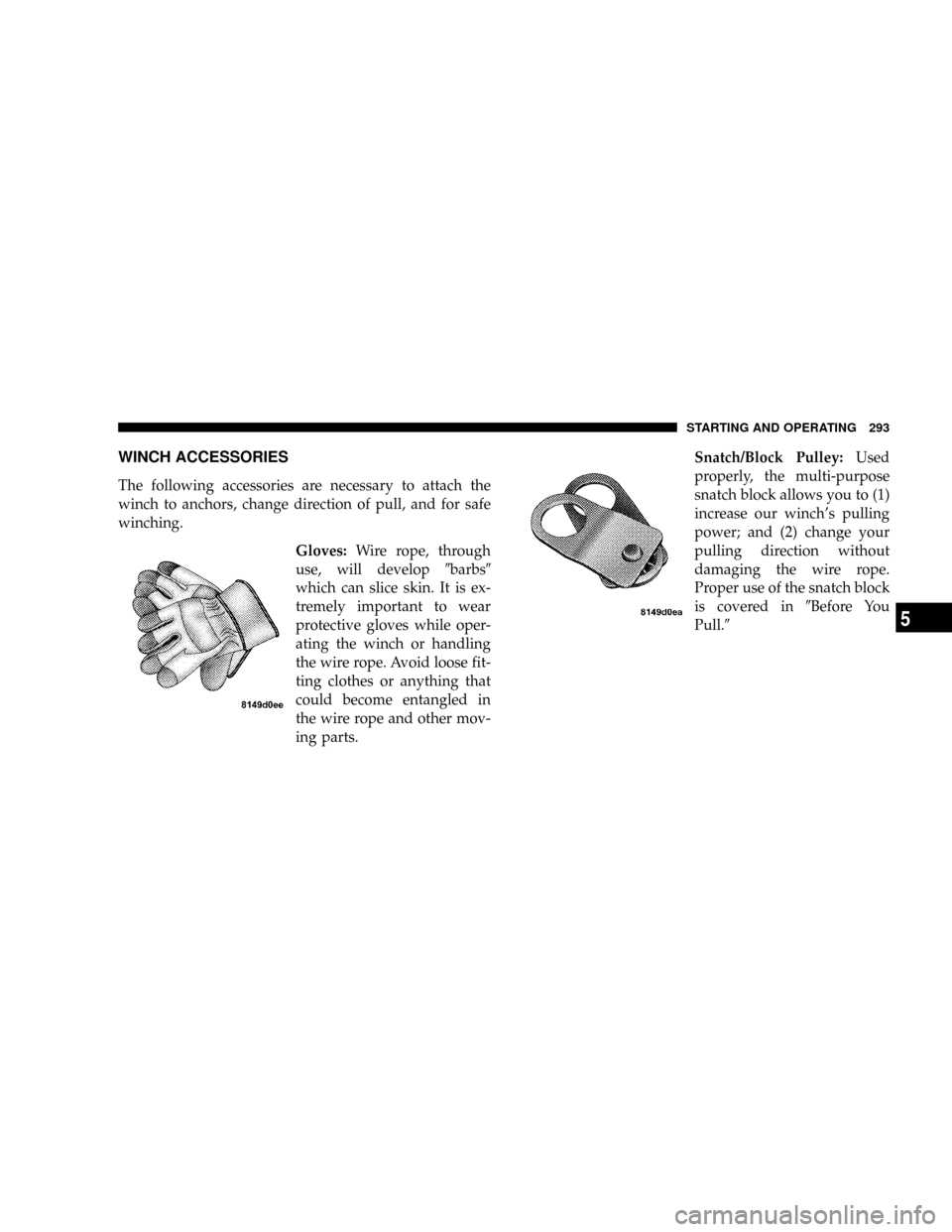
WINCH ACCESSORIES
The following accessories are necessary to attach the
winch to anchors, change direction of pull, and for safe
winching.
Gloves:Wire rope, through
use, will develop9barbs9
which can slice skin. It is ex-
tremely important to wear
protective gloves while oper-
ating the winch or handling
the wire rope. Avoid loose fit-
ting clothes or anything that
could become entangled in
the wire rope and other mov-
ing parts.Snatch/Block Pulley:Used
properly, the multi-purpose
snatch block allows you to (1)
increase our winch's pulling
power; and (2) change your
pulling direction without
damaging the wire rope.
Proper use of the snatch block
is covered in9Before You
Pull.9
STARTING AND OPERATING 293
5