Page 190 of 464

— The ESP Control System will make buzzing or clicking
sounds when it is active. This is normal; the sounds will
stop when ESP becomes inactive following the maneuver
that caused the ESP activation.
29. Electronic Throttle Control (ETC.) Light
This light informs you of a problem with the
Electronic Throttle Control system. If a prob-
lem is detected the light will come on while the
engine is running. Cycle the ignition key when
the vehicle has completely stopped and the gear selector
is placed in the PARK position. The light should turn off.
If the light remains lit with the engine running your
vehicle will usually be drivable, however, see your dealer
for service as soon as possible. If the light is flashing
when the engine is running, immediate service is re-
quired and you may experience reduced performance, an
elevated/rough idle or engine stall and your vehicle may
require towing. The light will come on when the ignitionis first turned on and remain on briefly as a bulb check.
If the light does not come on during starting, have the
system checked by an authorized dealer.
30. All-Wheel-Drive Failure Indicator Light — If AWD
equipped
This light monitors the All-Wheel-Drive
(AWD) system.
When lit solid:There is an AWD system fault. AWD
performance will be at a reduced level. Service the AWD
system soon.
When blinking:The AWD system is temporarily dis-
abled due to overload condition.
190 UNDERSTANDING YOUR INSTRUMENT PANEL
Page 201 of 464
Electrical Disturbances
Radio waves may pick up electrical disturbances during
transmission. They mainly affect the wave amplitude,
and thus remain a part of the AM reception. They
interfere very little with the frequency variations that
carry the FM signal.
AM Reception
AM sound is based on wave amplitude, so AM reception
can be disrupted by such things as lightning, power lines
and neon signs.
FM Reception
Because FM transmission is based on frequency varia-
tions, interference that consists of amplitude variations
can be filtered out, leaving the reception relatively clear,
which is the major feature of FM radio.
NOTE:The radio, steering wheel radio controls (if
equipped), and 6 disc CD/DVD changer (if equipped)
will remain active for up to 10 minutes after the ignition
switch has been turned off. Opening a vehicle front door
will cancel this feature.
UNDERSTANDING YOUR INSTRUMENT PANEL 201
4
Page 237 of 464
Satellite Antenna
To ensure optimum reception, do not place items on the
roof around the rooftop antenna location or strap items to
the trunk lid around the trunk lid antenna (if equipped).
Metal objects placed within the line of sight of the
antenna will cause decreased performance. Larger lug-
gage items such as bikes should be placed as far rearward
as possible, within the loading design of the rack. Do not
place items directly on or above the antenna.
Reception Quality
Satellite reception may be interrupted due to one of the
following reasons.
•The vehicle is parked in an underground parking
structure or under a physical obstacle.
•Dense tree coverage may interrupt reception in the
form of short audio mutes.
•Driving under wide bridges or along tall buildings can
cause intermittent reception.
•Placing objects over or too close to the antenna can
cause signal blockage.
REMOTE SOUND SYSTEM CONTROLS
The remote sound system controls are located on the rear
surface of the steering wheel at the 3 and 9 o’clock
positions.
The right hand rocker switch has a push button in the
center and controls the volume and mode of the sound
system. Pressing the top of the rocker switch will increase
the volume and pressing the bottom of the rocker switch
will decrease the volume. Pressing the center button
changes the operation of the radio from AM to FM to
Tape or CD mode depending on which radio is in the
vehicle.
UNDERSTANDING YOUR INSTRUMENT PANEL 237
4
Page 243 of 464
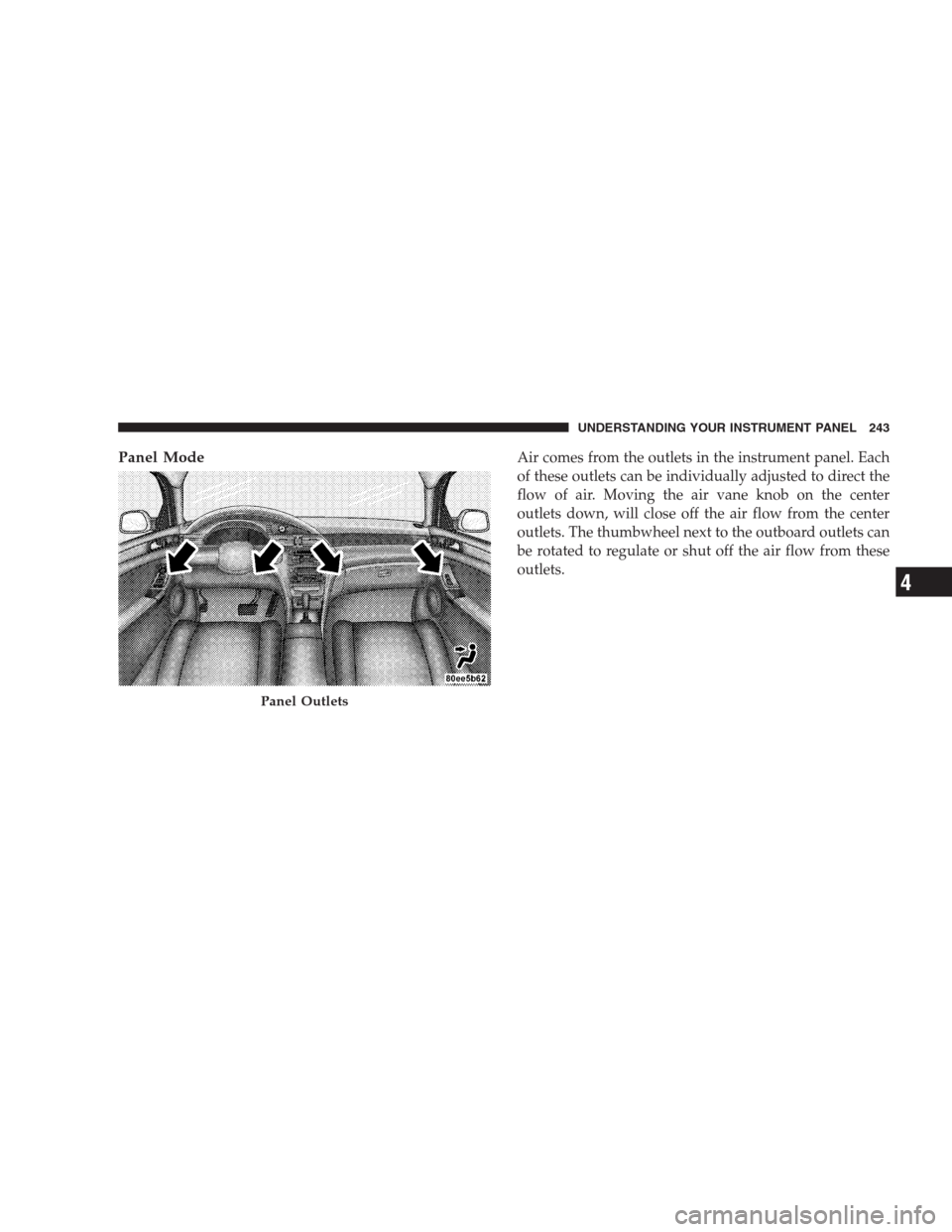
Panel ModeAir comes from the outlets in the instrument panel. Each
of these outlets can be individually adjusted to direct the
flow of air. Moving the air vane knob on the center
outlets down, will close off the air flow from the center
outlets. The thumbwheel next to the outboard outlets can
be rotated to regulate or shut off the air flow from these
outlets.
Panel Outlets
UNDERSTANDING YOUR INSTRUMENT PANEL 243
4
Page 252 of 464
The front blower control can be set to any fixed
blower speed by pressing the rocker switch up or
down. This allows the front occupants to control the
volume of air circulated in the vehicle and cancel the auto
mode. The fan will now operate at a fixed speed until
additional speeds are selected or until either the�AUTO
HI�or�AUTO LO�buttons are pressed. The system will
continue to automatically adjust air temperature and
airflow distribution.
The operator can also select the direction of the air by
pressing the mode control rocker switch located to the
left of the A/C button and selecting one of the following
positions.Panel Mode
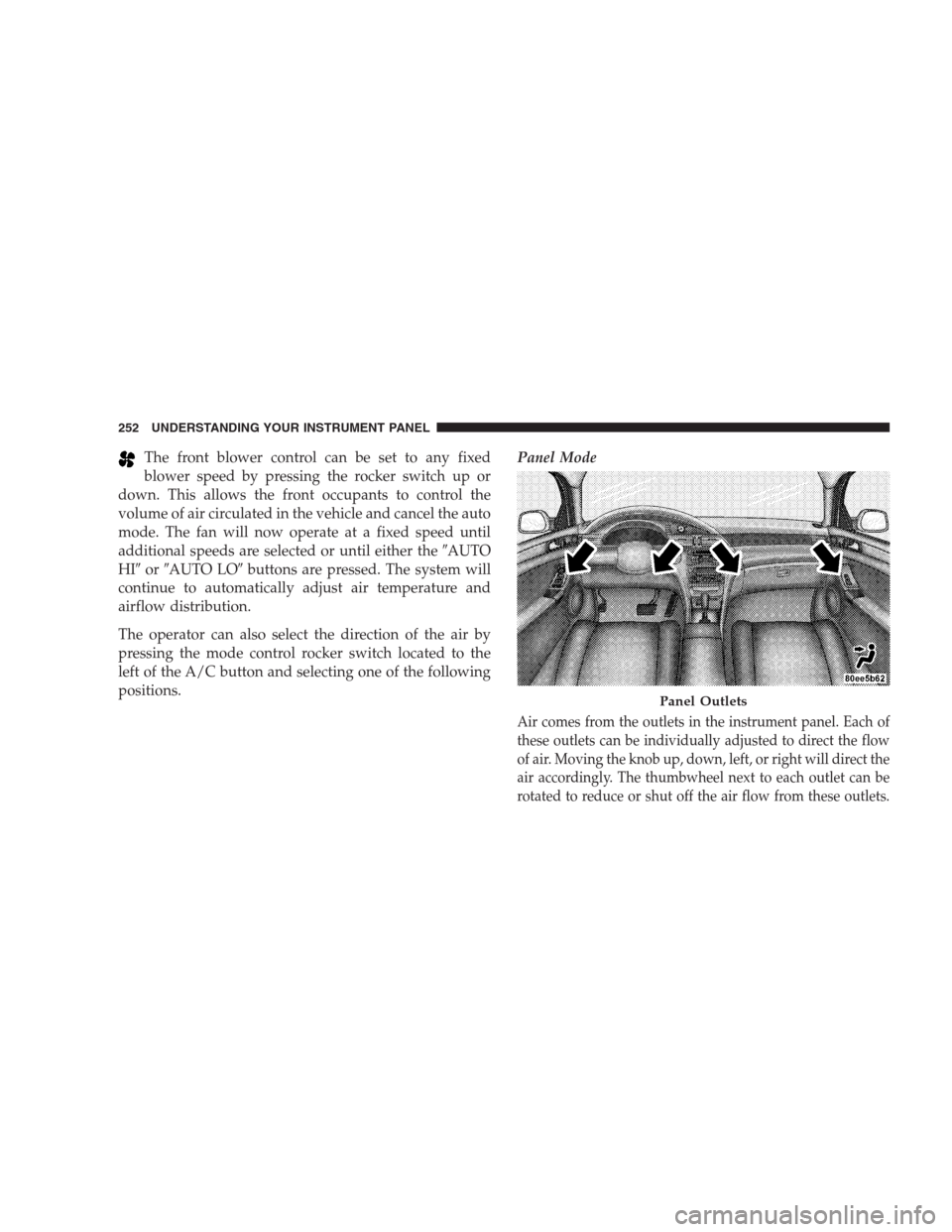
Air comes from the outlets in the instrument panel. Each of
these outlets can be individually adjusted to direct the flow
of air. Moving the knob up, down, left, or right will direct the
air accordingly. The thumbwheel next to each outlet can be
rotated to reduce or shut off the air flow from these outlets.
Panel Outlets
252 UNDERSTANDING YOUR INSTRUMENT PANEL
Page 261 of 464
STARTING AND OPERATING
CONTENTS
�Starting Procedures.....................266
▫Automatic Transmission................267
▫Normal Starting (Above 32°F / 0°C)........267
▫Extremely Cold Weather Starting
(Below�20°F / –29°C).................267
▫High Altitude Starting
(Above 4,000 Ft. / 1 219 m)..............267
▫If Engine Fails To Start.................268
▫After Starting........................269
�Engine Block Heater — If Equipped.........270�Automatic Transmission..................270
▫Brake/Transmission Interlock System.......271
▫Automatic Transmission Ignition Interlock
System.............................271
▫Four Speed Automatic Transmission........271
�AutoStick............................274
▫AutoStick Operation...................274
▫AutoStick General Information............275
�All Wheel Drive — If Equipped............276
5
Page 265 of 464
▫Towing Requirements..................336
▫Towing Tips.........................340
�Recreational Towing (Behind Motorhome, Etc.) . . 342▫Towing This Vehicle Behind Another Vehicle
(Flat Towing With All Four Wheels On The
Ground)............................342
STARTING AND OPERATING 265
5
Page 276 of 464
•If the system detects a problem it will disable the
AutoStick mode and the transmission will return to
the automatic mode until the problem is corrected.
ALL WHEEL DRIVE — IF EQUIPPED
This feature provides full time, on-demand, All Wheel
Drive (AWD). The system is automatic with no driver
inputs or additional driving skills required. Under nor-
mal driving conditions, the front wheels provide most of
the traction. If the front wheels begin to lose traction,
power is shifted automatically to the rear wheels. The
greater the front wheel traction loss, the greater the
power transfer to the rear wheels.
CAUTION!
All wheels must have the same size and type tires.
Unequal tire sizes must not be used. Unequal tire
size may cause failure of the power transfer unit.
PARKING BRAKE
When the parking brake is applied with the ignition
switch on, the brake light in the instrument cluster will
turn on.
NOTE:This light only shows that the parking brake is
applied. It does not show the degree of brake application.
276 STARTING AND OPERATING